A guide
More accurately; a set of
ideas and principles
How to make your
presentations good
How many people
have been bored in
presentations?
Too many people use slides as a crutch,
rather than an aid
So, this is my guide* to how to
make presentations better and
more engaging
*I am not a licensed professional, and other guides
are available. Your statutory rights are not affected.
No animals were harmed in the making of this
presentation.
INFORMATION
Point 1
Information and data is good. But too much is not.
Avoid vomiting words on your audience. Otherwise, print out the slides,
pass around, and go home
BLAH BLAH BLAH BLAH BLAH BLAH
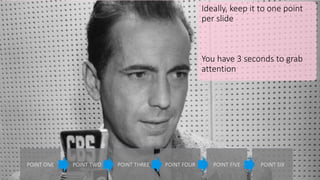
Ideally, keep it to one point
per slide
You have 3 seconds to grab
attention
POINT ONE POINT TWO POINT THREE POINT FOUR POINT FIVE POINT SIX
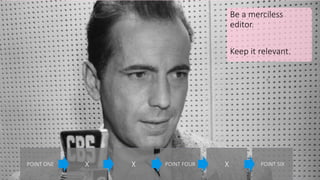
Be a merciless
editor.
Keep it relevant.
POINT ONE X X POINT FOUR X POINT SIX
Don’t overload with too much data and information
Limit what you show; Bikini principle
VISUALS
Point 2
They say a picture can paint a thousand words
USE THEM
Adding visuals can give your
presentation a bigger punch
Good source:
But remember:
COMPFIGHT.COM
(Creative Commons, free-ish*)
*with condition
Don’t rely on bad
stock pictures.
Seriously. No.
And remember, design for everyone in the room
QUALITY
Point 3
Bad design will let
you down
Avoid childish and
boring images (and
ClipArt)
Learn how to steal designs.
Reverse engineer great* presentations
Two great resources:
SLIDESHARE.COM
(LinkedIn’s presentation website)
EVERYTHINGISAREMIX.INFO
(Learn how to steal great design)
*i.e. not this one
Small word about FONTS.
Learn to explore and choose brilliant fonts
However, PCC choice is limited to standard ones. Choose wisely.
FONTSQUIRREL.COM
(Beautiful fonts)
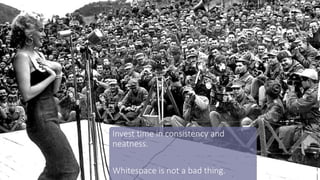
Invest time in consistency and
neatness.
Whitespace is not a bad thing.
And choose a
consistent colour
scheme
COLOURLOVERS.COM
(Great resource for colour schemes)
But, there is one point to remember that stands above EVERYTHING
PREP
Point 4
Hands up.
Who prepares properly?
And I mean, PROPERLY?
Presentations need care and
attention.
Create a story
Put together the words
Create beautiful slides…
…and properly design things.
Don’t blame PowerPoint if you just
slap things together and hope it
sticks.
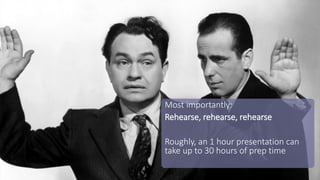
Most importantly:
Rehearse, rehearse, rehearse
Roughly, an 1 hour presentation can
take up to 30 hours of prep time
You owe it to your audience to make it the best experience possible
Let’s Recap
Avoid too much
information
Use visuals
Improve the quality Proper Preparation

How to make your presentations better

  • 1.
    A guide More accurately;a set of ideas and principles How to make your presentations good
  • 2.
    How many people havebeen bored in presentations?
  • 3.
    Too many peopleuse slides as a crutch, rather than an aid
  • 4.
    So, this ismy guide* to how to make presentations better and more engaging *I am not a licensed professional, and other guides are available. Your statutory rights are not affected. No animals were harmed in the making of this presentation.
  • 5.
  • 6.
    Information and datais good. But too much is not.
  • 7.
    Avoid vomiting wordson your audience. Otherwise, print out the slides, pass around, and go home BLAH BLAH BLAH BLAH BLAH BLAH BLAH BLAH BLAH BLAH BLAH BLAH BLAH BLAH BLAH BLAH BLAH BLAH BLAH BLAH BLAH BLAH BLAH BLAH BLAH BLAH BLAH BLAH BLAH BLAH BLAH BLAH BLAH BLAH BLAH BLAH BLAH BLAH BLAH BLAH BLAH BLAH BLAH BLAH BLAH BLAH BLAH BLAH
  • 8.
    Ideally, keep itto one point per slide You have 3 seconds to grab attention POINT ONE POINT TWO POINT THREE POINT FOUR POINT FIVE POINT SIX
  • 9.
    Be a merciless editor. Keepit relevant. POINT ONE X X POINT FOUR X POINT SIX
  • 10.
    Don’t overload withtoo much data and information Limit what you show; Bikini principle
  • 11.
  • 12.
    They say apicture can paint a thousand words
  • 13.
  • 14.
    Adding visuals cangive your presentation a bigger punch Good source: But remember: COMPFIGHT.COM (Creative Commons, free-ish*) *with condition
  • 15.
    Don’t rely onbad stock pictures. Seriously. No. And remember, design for everyone in the room
  • 16.
  • 17.
    Bad design willlet you down Avoid childish and boring images (and ClipArt)
  • 18.
    Learn how tosteal designs. Reverse engineer great* presentations Two great resources: SLIDESHARE.COM (LinkedIn’s presentation website) EVERYTHINGISAREMIX.INFO (Learn how to steal great design) *i.e. not this one
  • 19.
    Small word aboutFONTS. Learn to explore and choose brilliant fonts However, PCC choice is limited to standard ones. Choose wisely. FONTSQUIRREL.COM (Beautiful fonts)
  • 20.
    Invest time inconsistency and neatness. Whitespace is not a bad thing.
  • 21.
    And choose a consistentcolour scheme COLOURLOVERS.COM (Great resource for colour schemes)
  • 22.
    But, there isone point to remember that stands above EVERYTHING
  • 23.
  • 24.
    Hands up. Who preparesproperly? And I mean, PROPERLY?
  • 25.
    Presentations need careand attention. Create a story Put together the words Create beautiful slides…
  • 26.
    …and properly designthings. Don’t blame PowerPoint if you just slap things together and hope it sticks.
  • 27.
    Most importantly: Rehearse, rehearse,rehearse Roughly, an 1 hour presentation can take up to 30 hours of prep time
  • 28.
    You owe itto your audience to make it the best experience possible
  • 29.
    Let’s Recap Avoid toomuch information Use visuals Improve the quality Proper Preparation

Editor's Notes

  • #10 If it detracts from the story you are trying to tell, does it need to be there?
  • #11 Small enough to be interesting, but large enough to cover the essentials.
  • #16 Just a word here re. PCC template. Decide if it’s right or not for the audience. External and senior people; yes. Mould around the template; sit and play. Put the image right in the back, and overlay the logo and banner on the top
  • #18 Again, tailor for the audience
  • #21 But remember, design for everyone in the room, including the people in the back. They have to see the images. Not point having a consistent design that no-one can see
  • #22 And make sure the colour scheme works and doesn’t a) blind people, or b) cause eye strain
  • #28 Practice your presentation on others, and don’t forget your presentation skills; body language, confidence, stance, etc.
  • #29 Otherwise, what are you doing there?