How To Develop Browser
Extension/Addons
Presenter : Abu Saleh Muhammad Shaon
Software Engineer at VroomVroomVroom
What to be discussed?
● Basic idea about browser extension
● Advantages of extension
● Development process
● Demo with (react, redux, express, html, css etc)
What is browser extension?
● A browser extension is plugin/software that extends the
functionality of a web browser in some way
● Using extension we can modify and enhance the
functionality of the browser power
● Browser extension have an intimate relationship with the
DOM of a web page
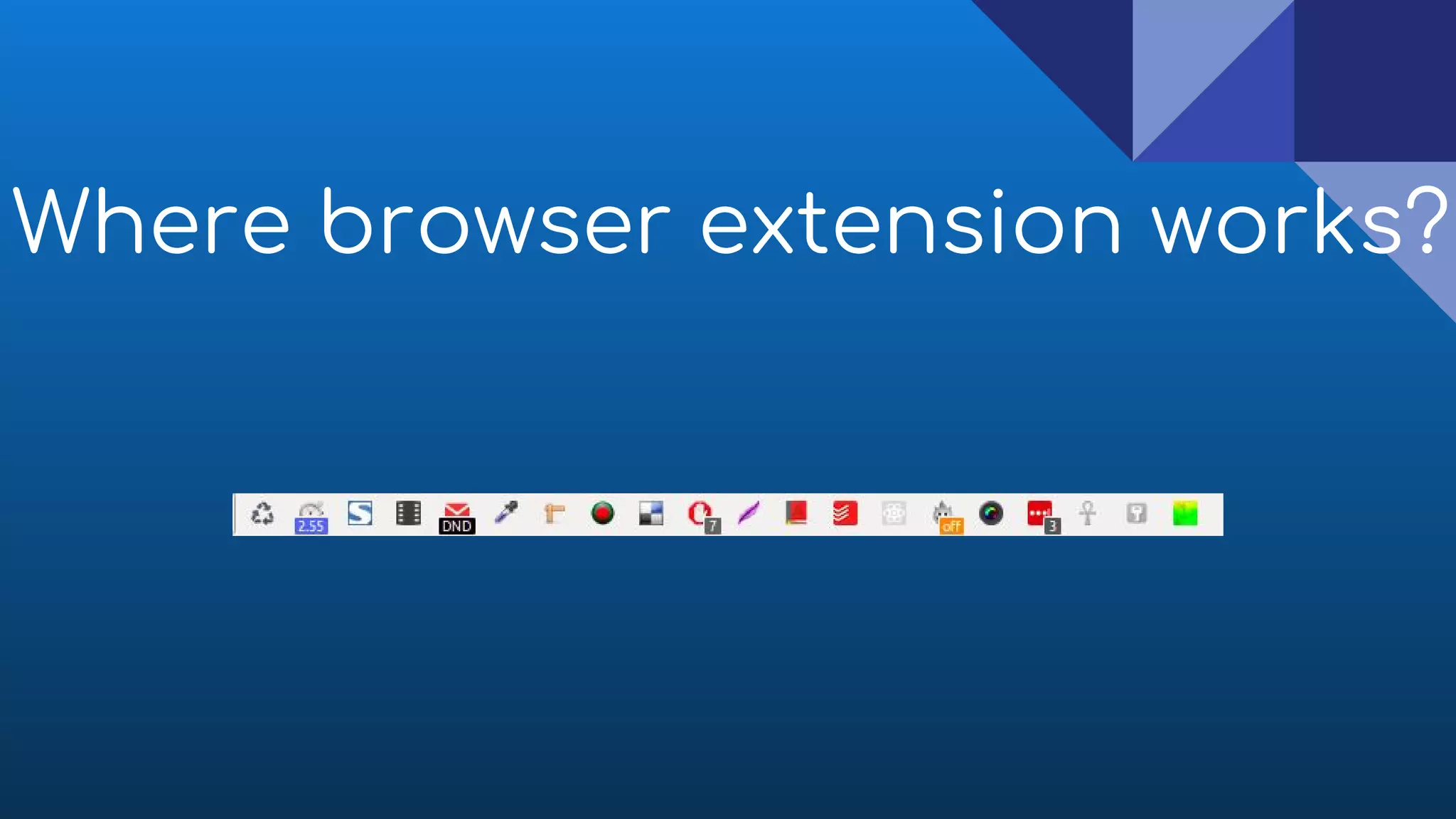
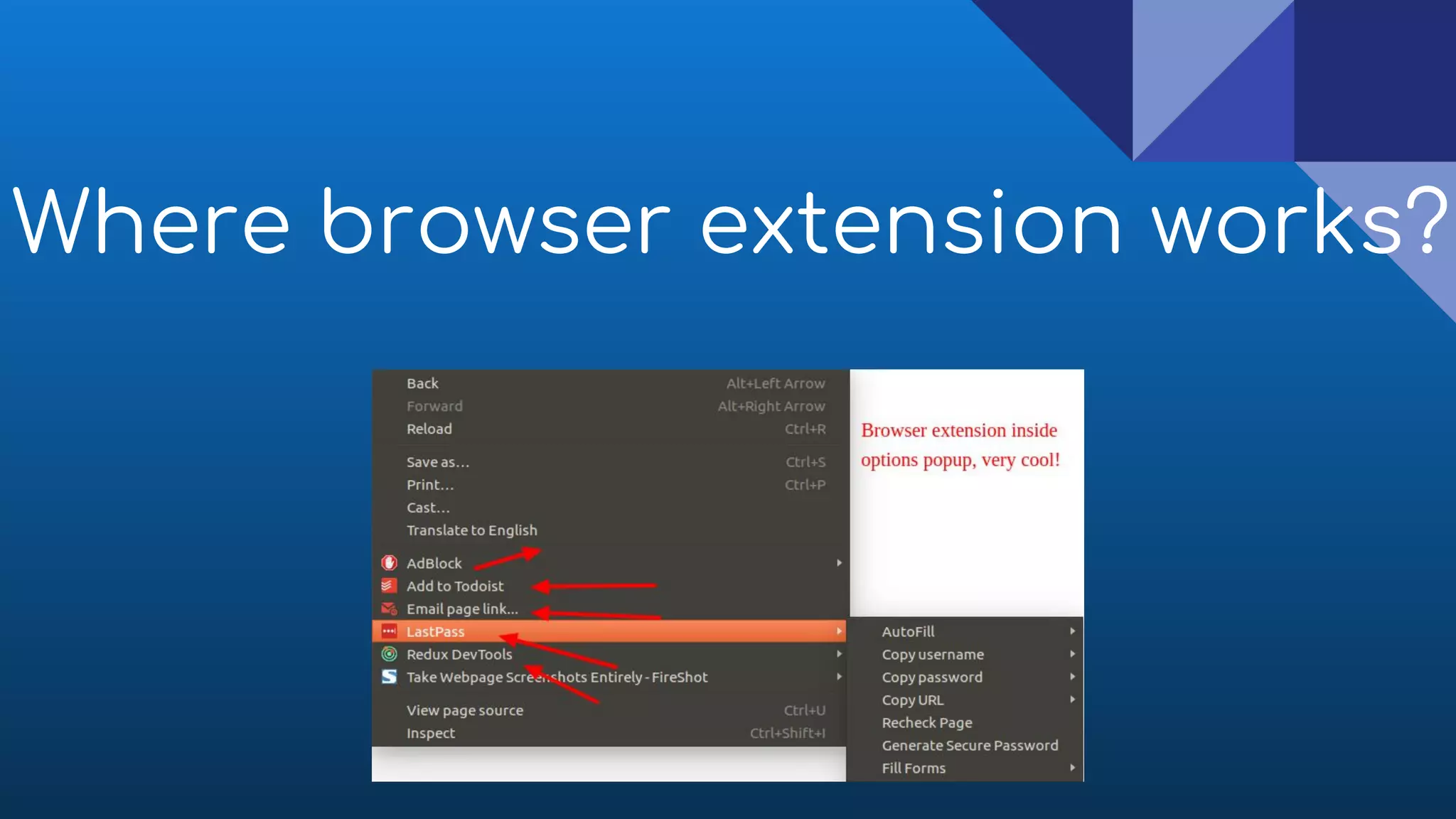
Where browser extension works?
How do they work ?
● Page URL
● HTML/DOM of entire page
● If user has selected something
● If user clicked, hover, move etc..
Advantages
● Easy to install, working fast, speed up our daily life
● Support latest web technologies (es6, react, html5 etc)
● It won't affect even browsers crashes
Advantages
● Browser offer settings/options page facility to
extensions
● It also secure like other js app, because It strictly follow
CSP (content security policy)
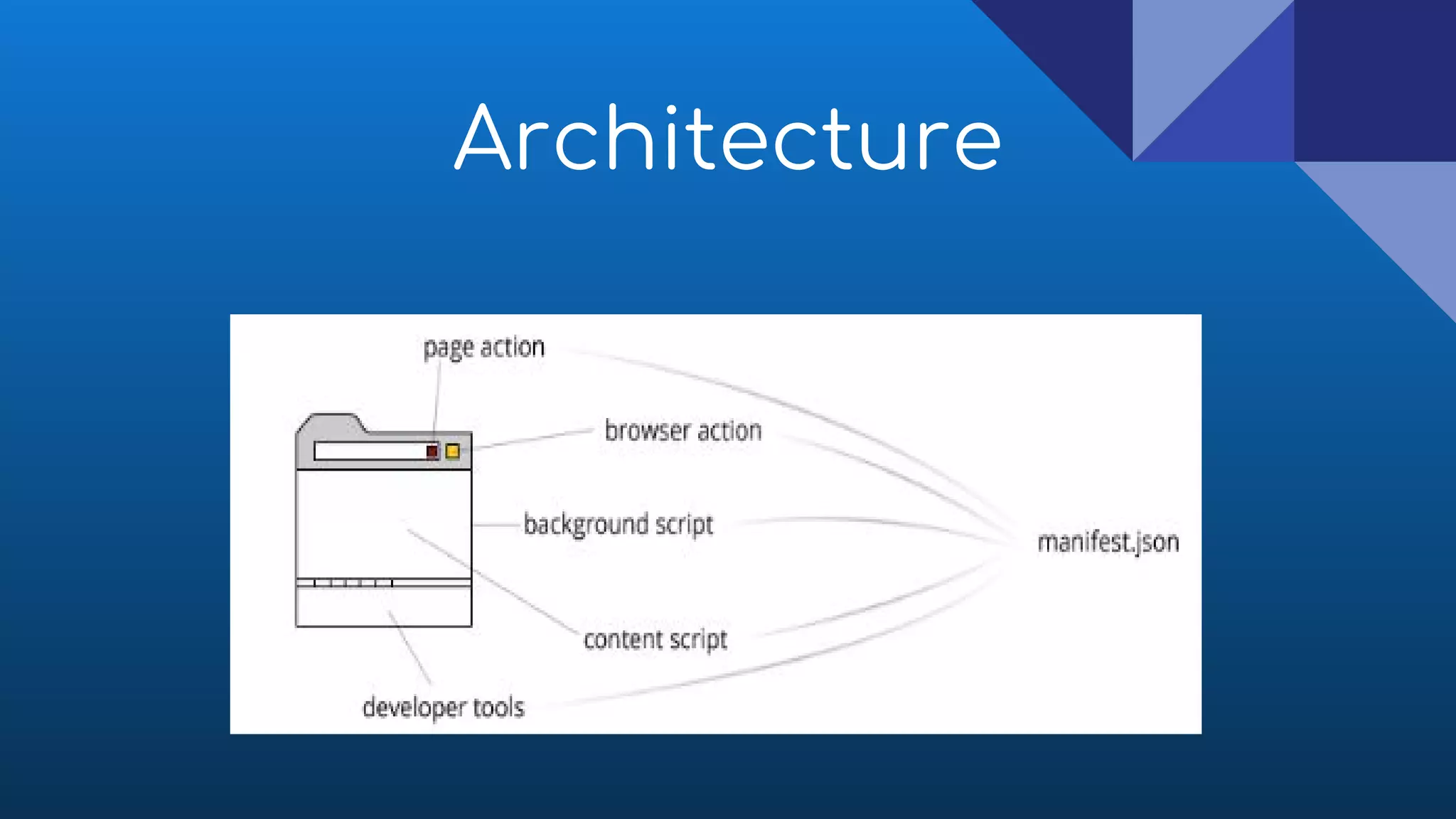
Architecture
Let's discuss
architecture one by
one in detail
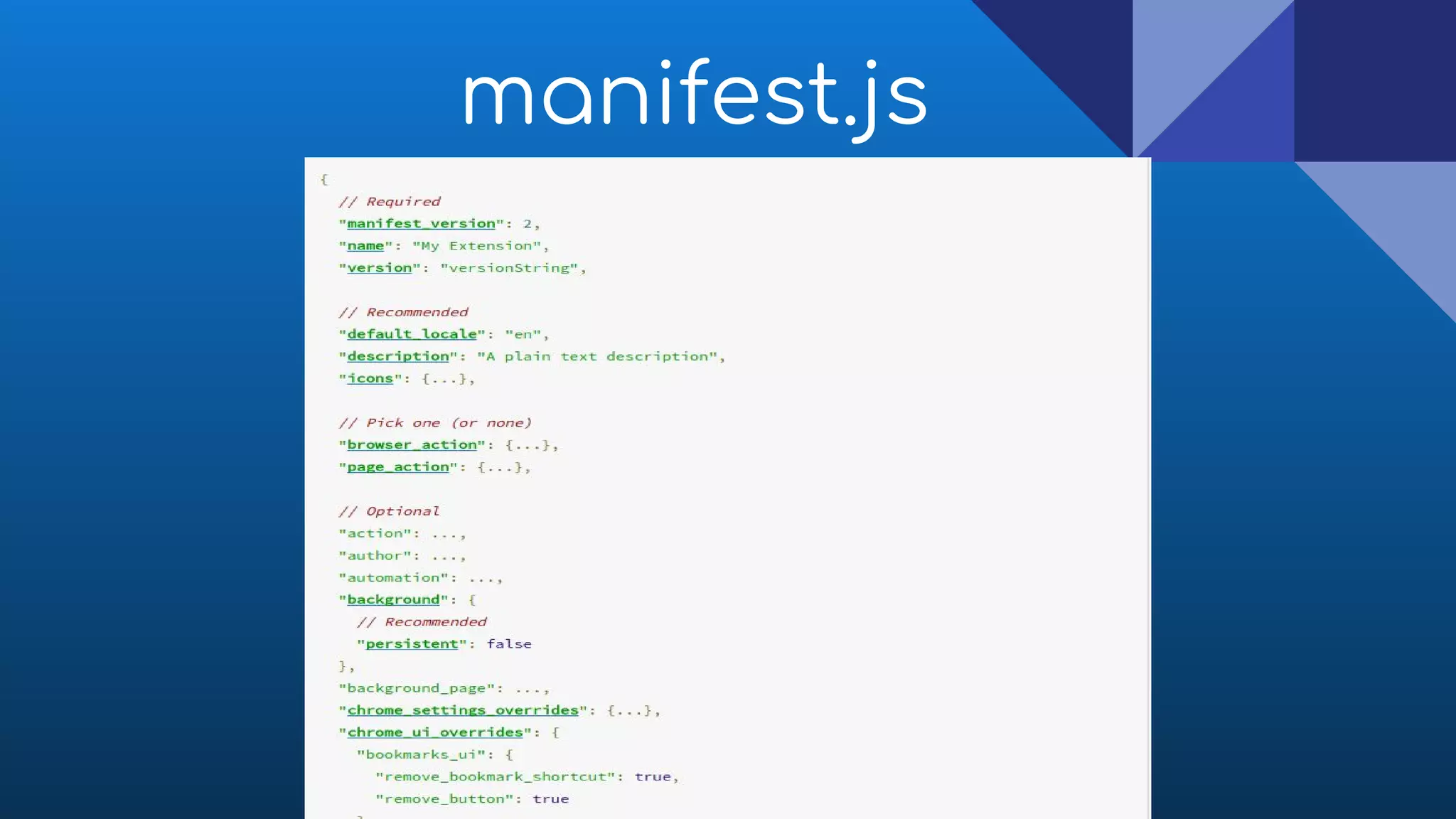
manifest.js
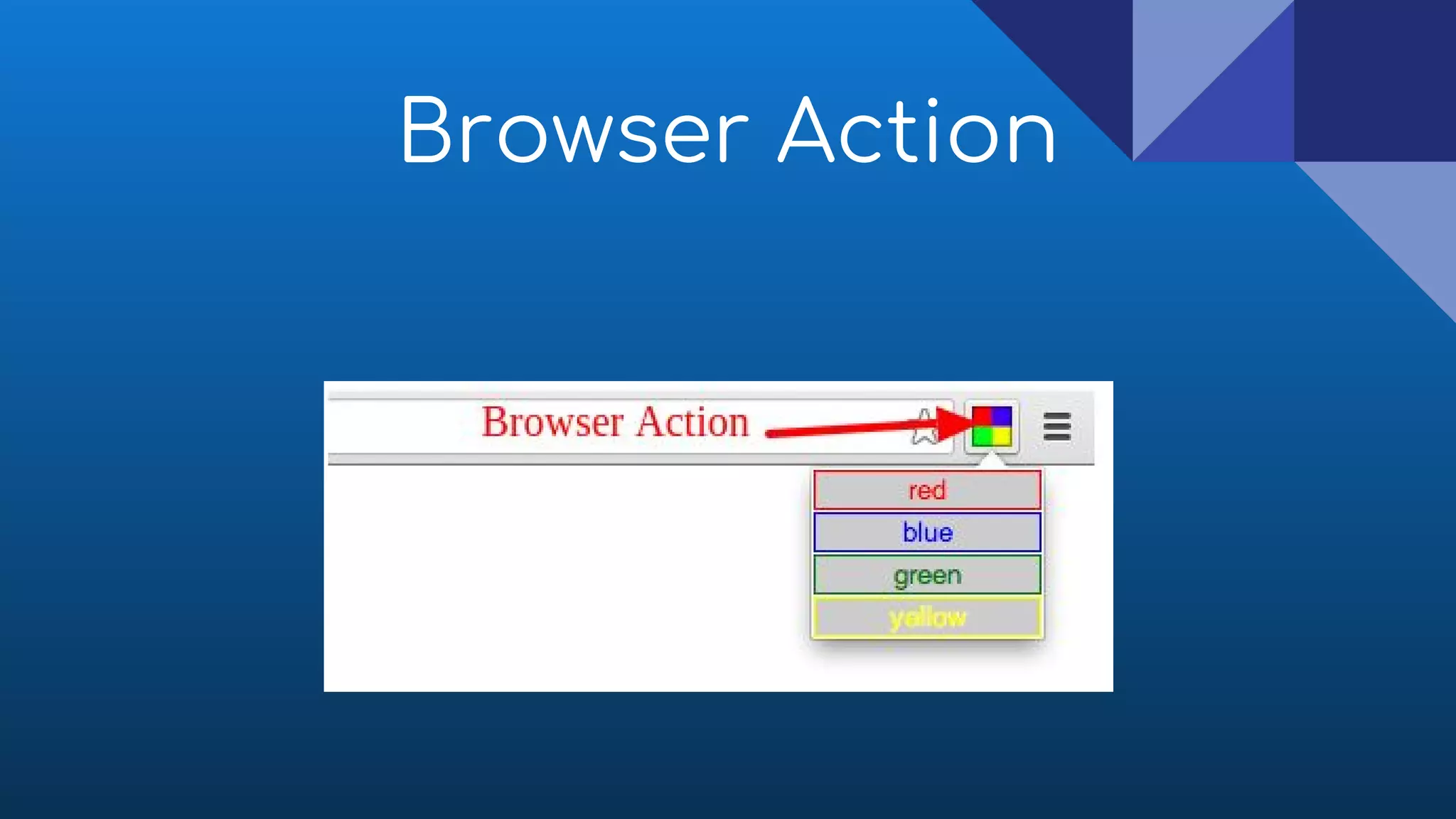
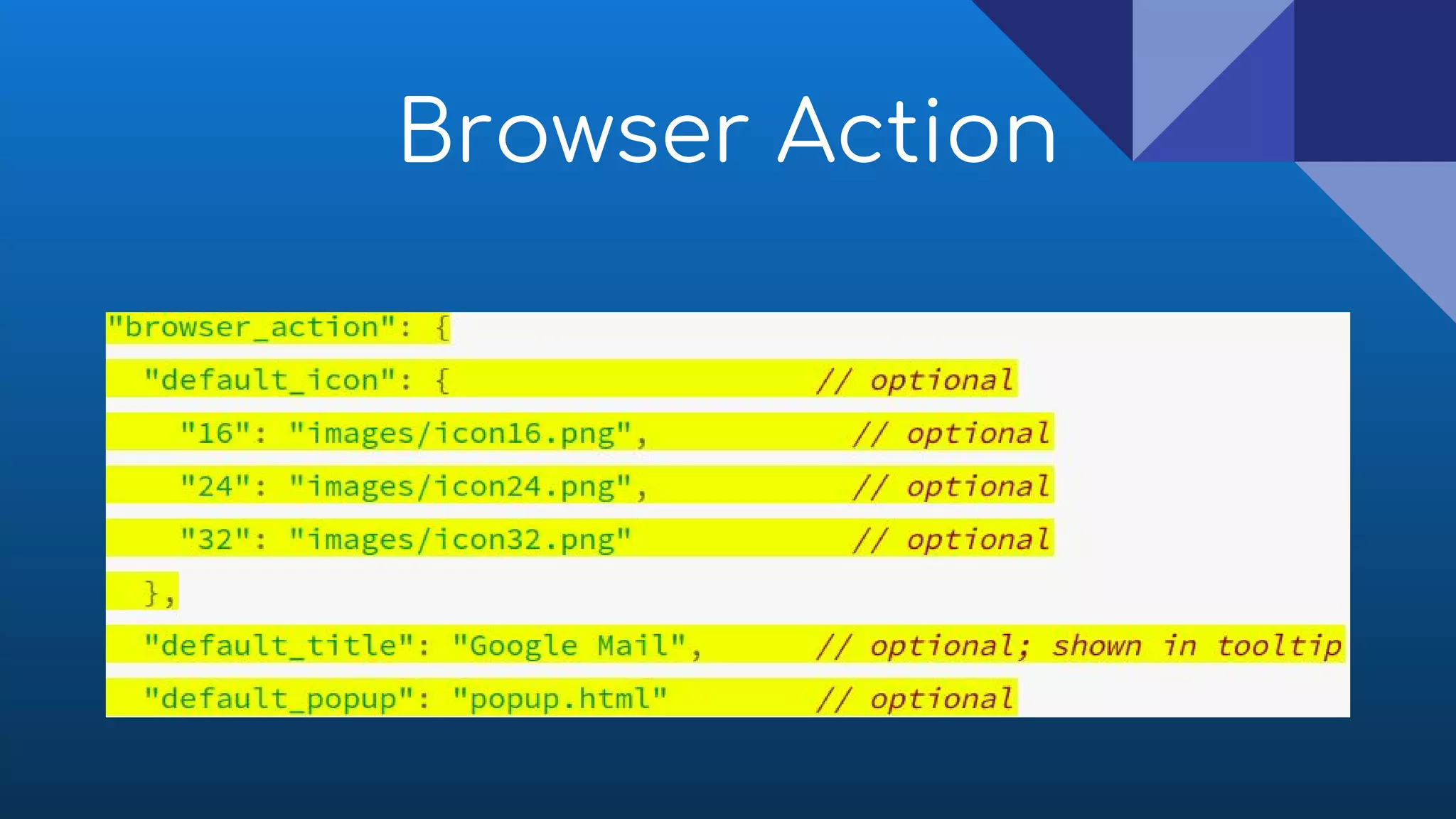
Browser Action
● Browser actions are little icon next to your url and
displayed in all the tabs as long as they are enabled
● Browser actions are the entry point to access the
content of extension
Browser Action
Browser Action
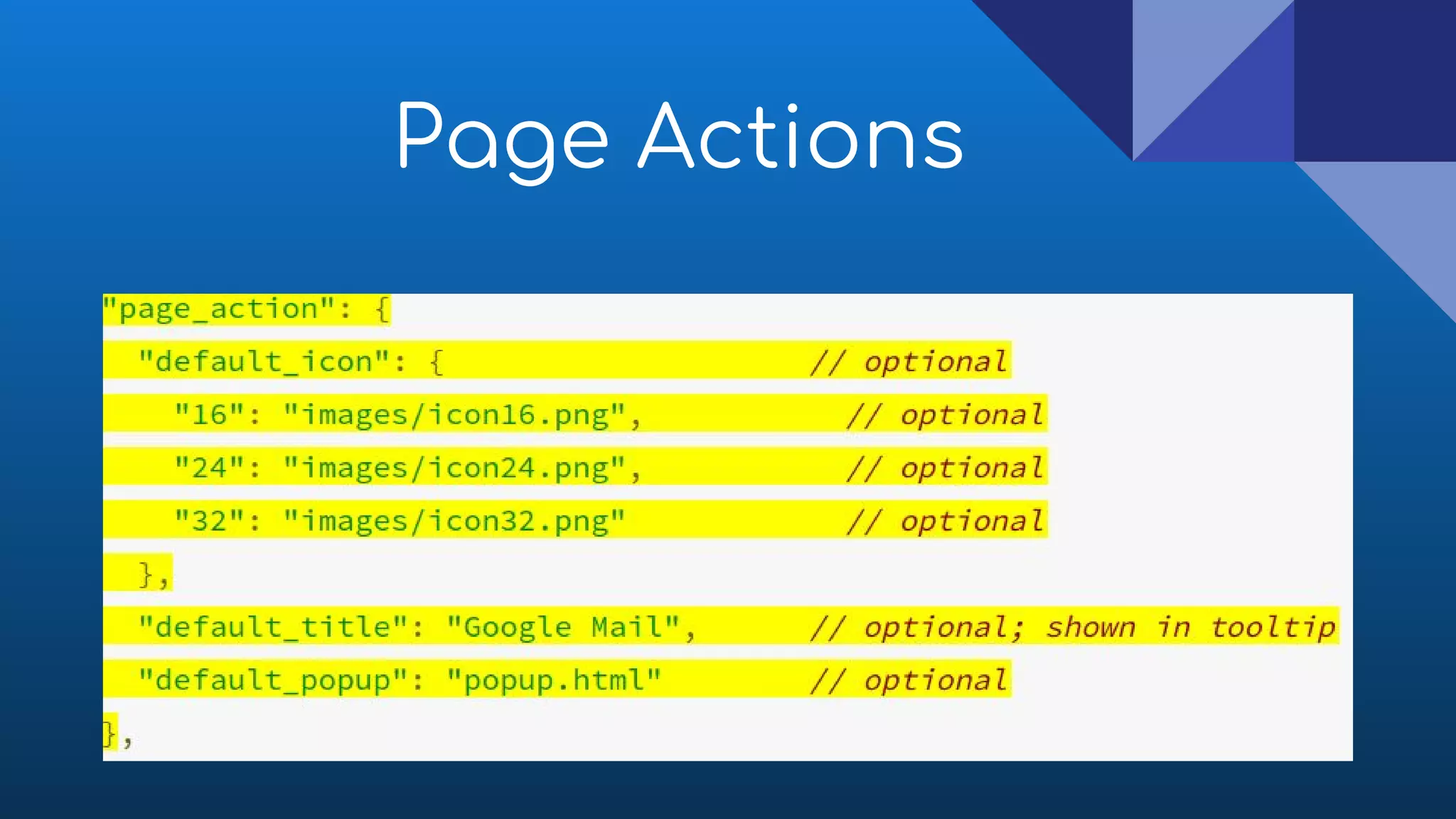
● Page actions is related with specific pages
● Extension icon shows on right of the address bar as well
● Unlike browser actions its by default disable unless
specific page/content found
Page Actions
Page Actions
● Do use page actions for features that make sense for
only a few pages
● Don't use page actions for features that make sense for
most pages. Use browser actions instead
● Don't constantly animate your icon. That's just annoying
Page Actions - Usages
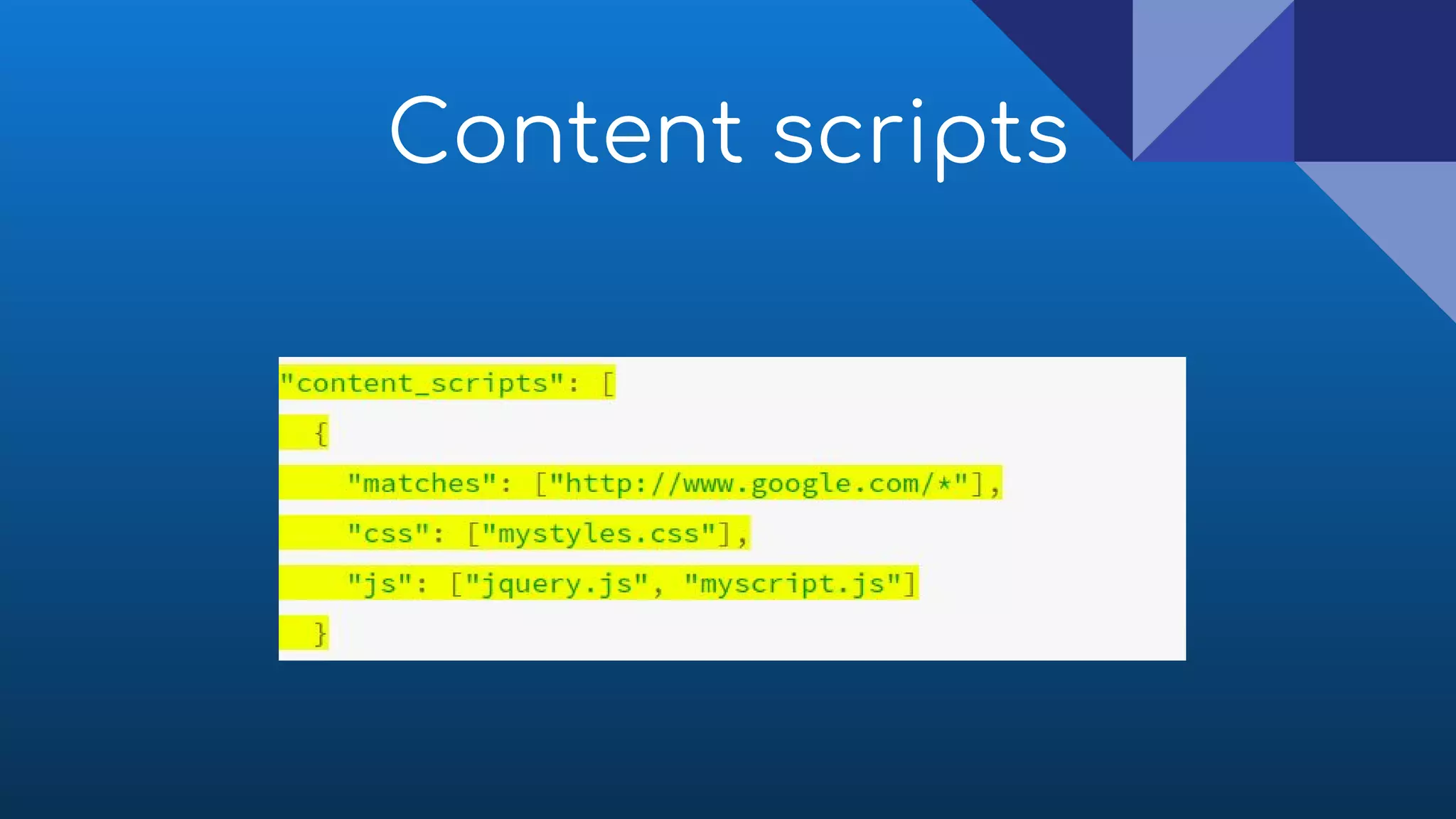
Content scripts
● Content scripts are styles or javascript files that are
injected into a specific page
● Using content scripts you can enhance a page content,
style or behaviour
● By using DOM content scripts read details of the web
pages and can make changes
Content scripts
● An invisible page that holds the magic logic of the
extension
● The background page is a single page that’s persisting
across the application
Background Pages
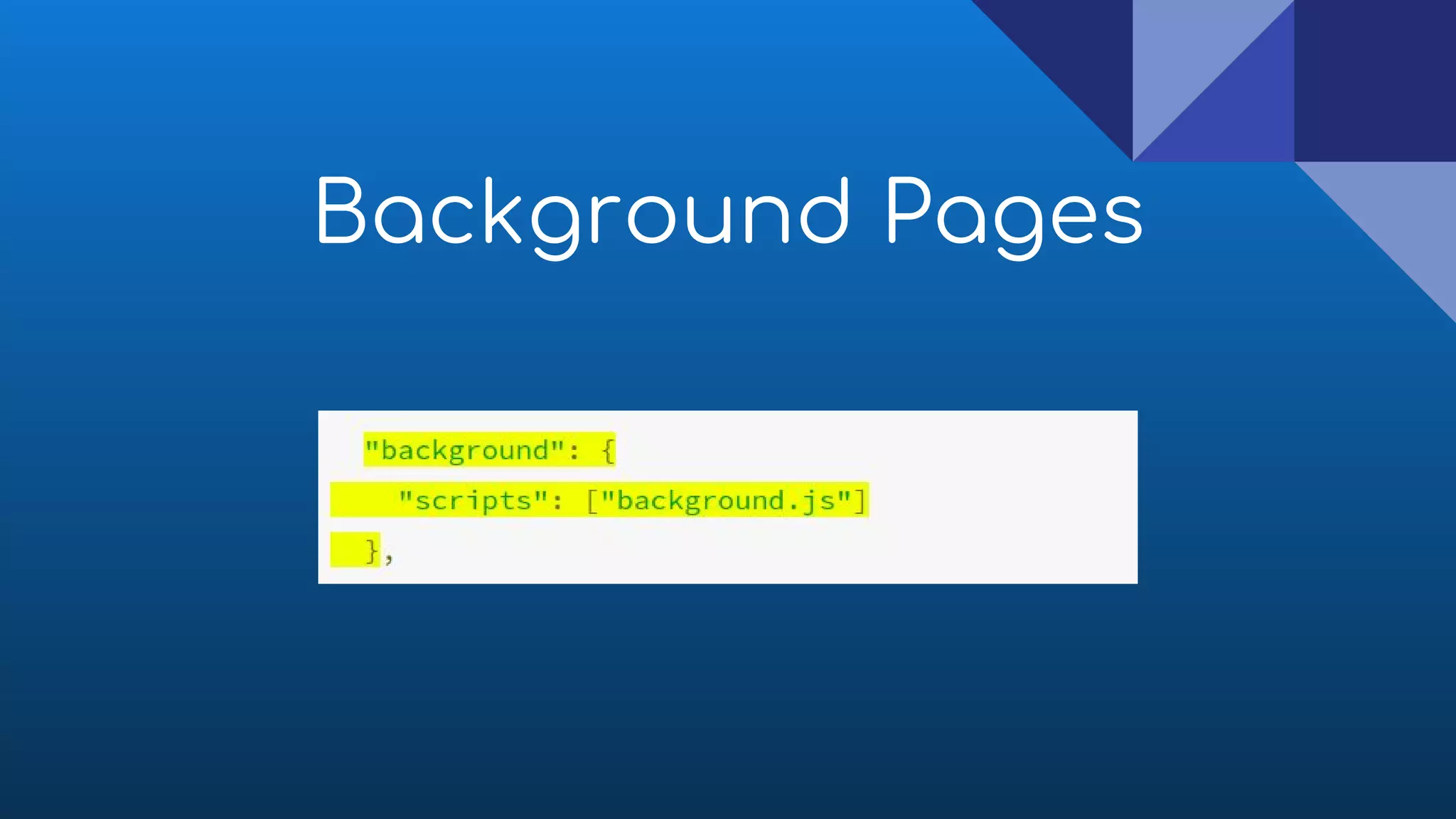
● A common need for extensions is to have long-running
script to manage some task or state
● Background pages can can be html or or js
Background Pages
Background Pages
● When multiple tabs consume your application and you
need to have a common gateway for the interaction
● When you need communication between your content
script and a page action/browser action for any reason
● When you need a specific task made in the background
Background Page - Usages
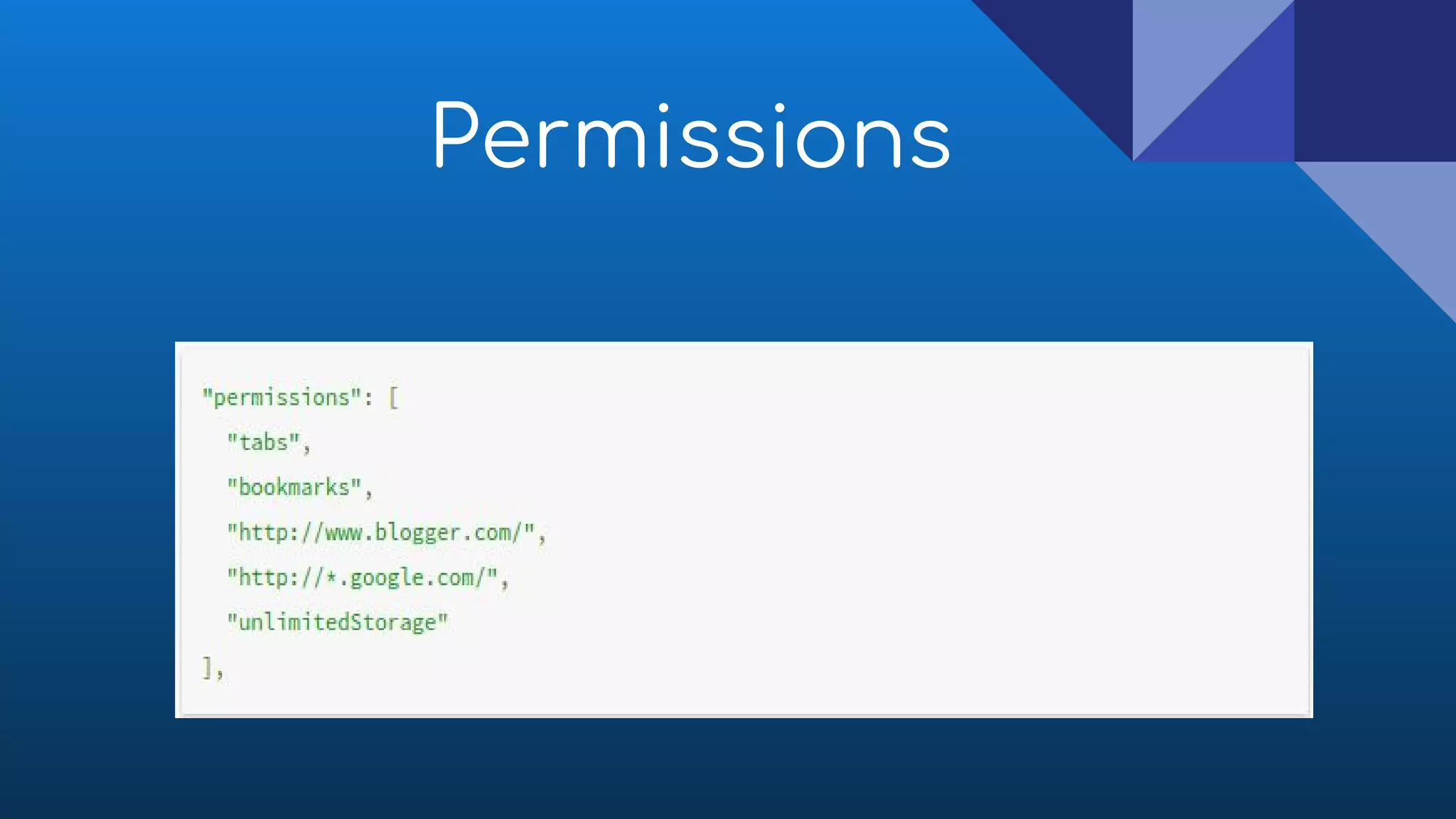
● To use most chrome.* APIs, your extension or app must
declare its intent in the "permissions" field of the
manifest
Permissions
Permissions
Demo Time ->>>
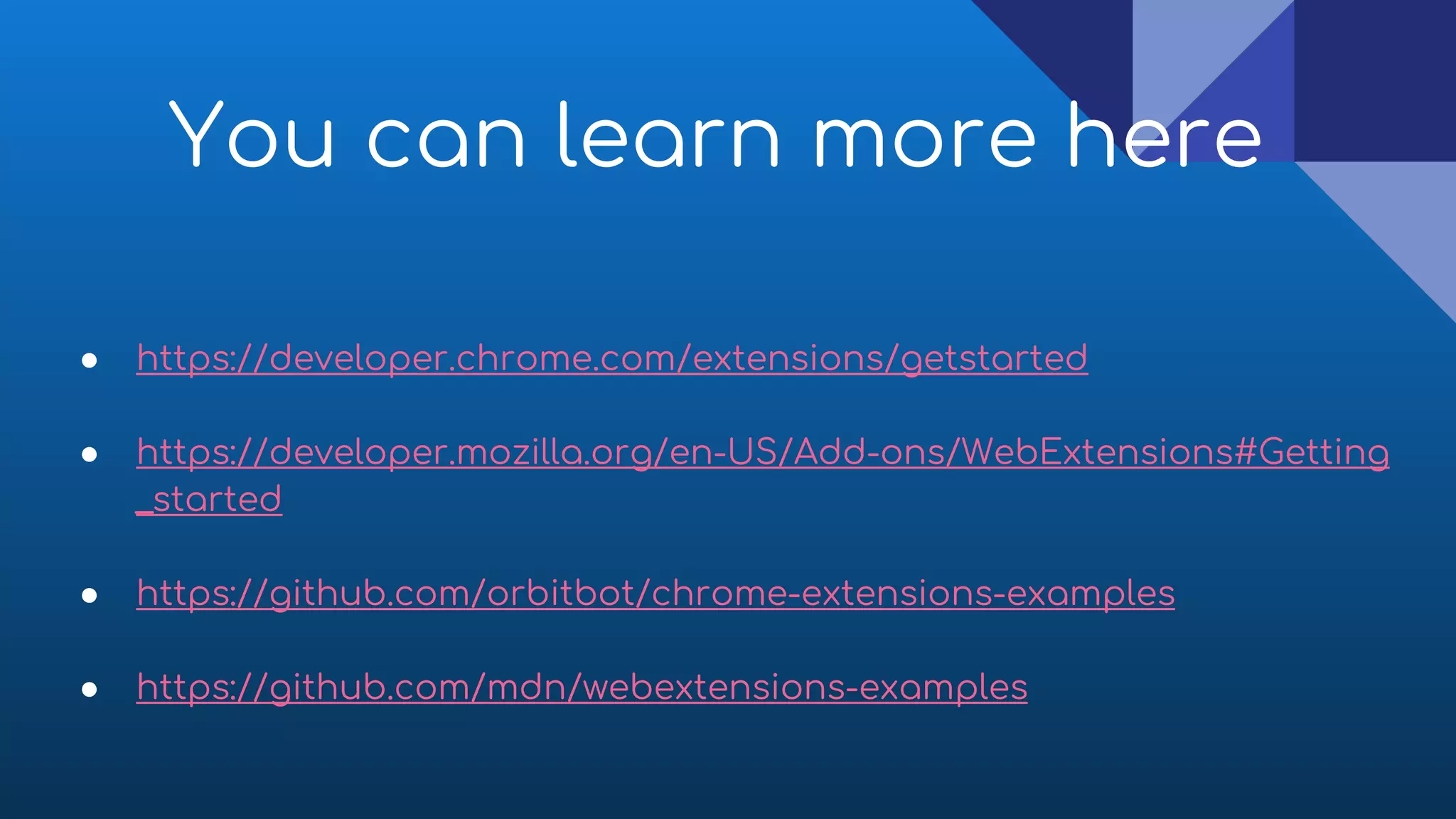
You can learn more here
● https://developer.chrome.com/extensions/getstarted
● https://developer.mozilla.org/en-US/Add-ons/WebExtensions#Getting
_started
● https://github.com/orbitbot/chrome-extensions-examples
● https://github.com/mdn/webextensions-examples
That’s All
Thank you

How to develop browser extension

  • 1.
    How To DevelopBrowser Extension/Addons Presenter : Abu Saleh Muhammad Shaon Software Engineer at VroomVroomVroom
  • 2.
    What to bediscussed? ● Basic idea about browser extension ● Advantages of extension ● Development process ● Demo with (react, redux, express, html, css etc)
  • 3.
    What is browserextension? ● A browser extension is plugin/software that extends the functionality of a web browser in some way ● Using extension we can modify and enhance the functionality of the browser power ● Browser extension have an intimate relationship with the DOM of a web page
  • 4.
  • 5.
  • 6.
    How do theywork ? ● Page URL ● HTML/DOM of entire page ● If user has selected something ● If user clicked, hover, move etc..
  • 7.
    Advantages ● Easy toinstall, working fast, speed up our daily life ● Support latest web technologies (es6, react, html5 etc) ● It won't affect even browsers crashes
  • 8.
    Advantages ● Browser offersettings/options page facility to extensions ● It also secure like other js app, because It strictly follow CSP (content security policy)
  • 9.
  • 10.
  • 11.
  • 12.
    Browser Action ● Browseractions are little icon next to your url and displayed in all the tabs as long as they are enabled ● Browser actions are the entry point to access the content of extension
  • 13.
  • 14.
  • 15.
    ● Page actionsis related with specific pages ● Extension icon shows on right of the address bar as well ● Unlike browser actions its by default disable unless specific page/content found Page Actions
  • 16.
  • 17.
    ● Do usepage actions for features that make sense for only a few pages ● Don't use page actions for features that make sense for most pages. Use browser actions instead ● Don't constantly animate your icon. That's just annoying Page Actions - Usages
  • 18.
    Content scripts ● Contentscripts are styles or javascript files that are injected into a specific page ● Using content scripts you can enhance a page content, style or behaviour ● By using DOM content scripts read details of the web pages and can make changes
  • 19.
  • 20.
    ● An invisiblepage that holds the magic logic of the extension ● The background page is a single page that’s persisting across the application Background Pages
  • 21.
    ● A commonneed for extensions is to have long-running script to manage some task or state ● Background pages can can be html or or js Background Pages
  • 22.
  • 23.
    ● When multipletabs consume your application and you need to have a common gateway for the interaction ● When you need communication between your content script and a page action/browser action for any reason ● When you need a specific task made in the background Background Page - Usages
  • 24.
    ● To usemost chrome.* APIs, your extension or app must declare its intent in the "permissions" field of the manifest Permissions
  • 25.
  • 26.
  • 27.
    You can learnmore here ● https://developer.chrome.com/extensions/getstarted ● https://developer.mozilla.org/en-US/Add-ons/WebExtensions#Getting _started ● https://github.com/orbitbot/chrome-extensions-examples ● https://github.com/mdn/webextensions-examples
  • 28.