

Facebook privacy settings
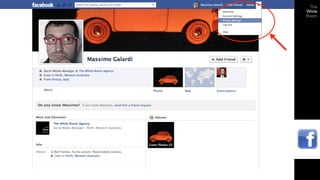
These 4 things will always be publicly viewable
on Facebook:

-name
-profile pictures
-networks
-username and ID
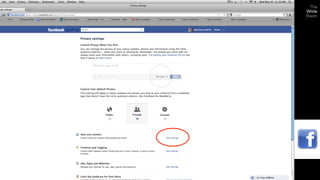
Privacy settings
Main privacy settings
Post privacy:
status updates, photos, etc.

Profile accessibility:
who can find and send you a friendship request

Timeline and Tagging:
how others can post info or tag pictures of you

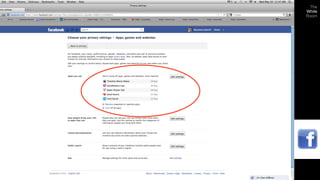
Apps and Websites:
whether or not Apps can have access to your information

Past posts:
limiting what people can see from your old news

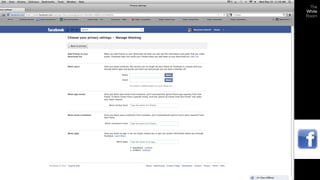
Blocking specific people and apps
Posting: privacy settings
Facebook allows you to share posts with a drop down menu from your
Timeline and News Stream.

You may choose:

- Public
- Friends
- Custom

You may also select a default setting for posts in the settings menu.
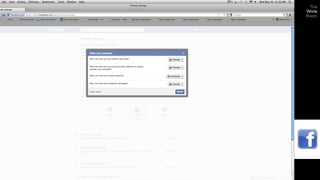
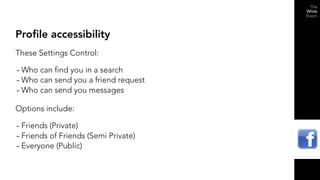
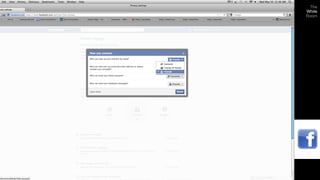
Profile accessibility
These Settings Control:

- Who can find you in a search
- Who can send you a friend request
- Who can send you messages
Options include:

- Friends (Private)
- Friends of Friends (Semi Private)
- Everyone (Public)
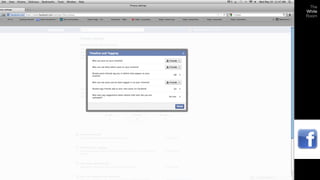
Timeline and tagging
These Settings Determine:

- Who can post on your Timeline (Wall)
- Who can Tag your posts and uploads (Tag: attach your name as a link that
  leads to your profile and timeline)
- Who can use your name to Tag their own posts and uploads
- Whether or not Facebook can use facial recognition to automatically tag
  photos with your name that are uploaded on any Timeline.
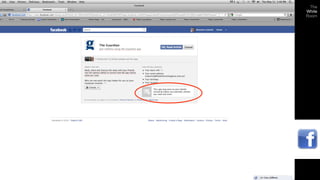
Apps and websites
- Check all the games, applications and websites connected to your
  Facebook account (created by Facebook and third parties).
- All apps interact with your publicly available profile information as well as
  your friends lists.
- Most apps interact with the “basic information” of you and your friends.
  (always check what is included in the “basic information” definition and
  make sure you are comfortable to share this information)
Apps settings
List of apps you use
- You can delete Apps from this list (you cannot “get back” any information
  you already share with them, they just can’t get more)
- You can look at the information each app interacts with
- Manage what parts of your personal “basic information” your friends can
  carry with them as they use apps.
- Turn off or on “Instant Personalization” at partnering websites to see what
  you friends have shared there.
- Turn off or on search engine results for your name.
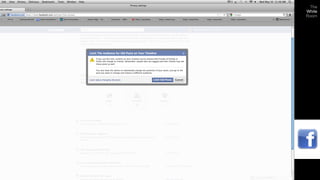
Past posts
- You can enable limiting past posts to only friends
- Each post must be changed back manually for share it with others, but the
  only option is “public”
- This will effect all past posts, starting back from your most current
- This will not recall information that people have saved or shared : it just
  means no one can access it via your account anymore
- Remember: nothing will ever comeback, once it’s out
Blocking
- You can block people so they cannot:
    “friend” you
    see your profile
    message you, etc.

- You can block:
    app invites from people
    specific apps
    invitations from certain people
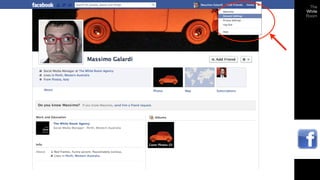
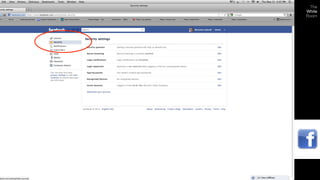
Security settings
Account security

- Secure Browsing: choose https (‘s’ is for ‘secure’)
- Login Notifications: you can receive emails if your account is accessed
  from an unknown device
- Login Approvals: you can restrict logins from unknown devices
- App Passwords: you can add additional password layers to Apps
- Recognized Devices: if you turn on Login Approvals you can add devices
  to this list
- Session Information: you can see where you have logged in from in the
  past
Account security: tip

- Facebook Pages cannot see your details (depending on your settings)
- Businesses that use personal profiles can see all your details: ‘like’ a
 business, never ‘friend’ it.
How Facebook Currently Uses Your Data
- To advertise goods/services to you from companies who pay Facebook for
  the privilege of your data (Advertising)
- To connect you with people you may know or like (Social Networking)
Data you share on purpose
Registration information
- Name
- Family status
- Address
- Birthdate
- Chat contacts
- Phone Number

- Status Updates
- Uploaded photos or video
- Comments and “likes”
- Tags
- Global Positioning
Data you might not
share on purpose
- Clicks
- Searches
- IP address
- Advertisers who work with Facebook

Facebook uses ALL the data you share to serve you advertisements
based on your interests and your habits.
Friends
If you write or comment on someone else’s page or website, their settings will
determine who sees your post, no matter your privacy settings.

Your fiends will also drag your information along when they use Apps.
Subscribers
   Subscribers only receive public
      information and posts.

It’s like having a private and a public
        profile at the same time.
In a nutshell:
- Check your settings and be aware of what you share
- Respect your friends’ privacy
- Use common sense!
P 08 9384 2811

W thewhiteroomagency.com.au

E massimo@thewhiteroomagency.com.au

How to control your Facebook privacy settings

  • 1.
  • 2.
    These 4 thingswill always be publicly viewable on Facebook: -name -profile pictures -networks -username and ID
  • 4.
  • 6.
    Main privacy settings Postprivacy: status updates, photos, etc. Profile accessibility: who can find and send you a friendship request Timeline and Tagging: how others can post info or tag pictures of you Apps and Websites: whether or not Apps can have access to your information Past posts: limiting what people can see from your old news Blocking specific people and apps
  • 8.
    Posting: privacy settings Facebookallows you to share posts with a drop down menu from your Timeline and News Stream. You may choose: - Public - Friends - Custom You may also select a default setting for posts in the settings menu.
  • 10.
    Profile accessibility These SettingsControl: - Who can find you in a search - Who can send you a friend request - Who can send you messages Options include: - Friends (Private) - Friends of Friends (Semi Private) - Everyone (Public)
  • 12.
    Timeline and tagging TheseSettings Determine: - Who can post on your Timeline (Wall) - Who can Tag your posts and uploads (Tag: attach your name as a link that leads to your profile and timeline) - Who can use your name to Tag their own posts and uploads - Whether or not Facebook can use facial recognition to automatically tag photos with your name that are uploaded on any Timeline.
  • 14.
    Apps and websites -Check all the games, applications and websites connected to your Facebook account (created by Facebook and third parties). - All apps interact with your publicly available profile information as well as your friends lists. - Most apps interact with the “basic information” of you and your friends. (always check what is included in the “basic information” definition and make sure you are comfortable to share this information)
  • 16.
    Apps settings List ofapps you use - You can delete Apps from this list (you cannot “get back” any information you already share with them, they just can’t get more) - You can look at the information each app interacts with - Manage what parts of your personal “basic information” your friends can carry with them as they use apps. - Turn off or on “Instant Personalization” at partnering websites to see what you friends have shared there. - Turn off or on search engine results for your name.
  • 18.
    Past posts - Youcan enable limiting past posts to only friends - Each post must be changed back manually for share it with others, but the only option is “public” - This will effect all past posts, starting back from your most current - This will not recall information that people have saved or shared : it just means no one can access it via your account anymore - Remember: nothing will ever comeback, once it’s out
  • 20.
    Blocking - You canblock people so they cannot: “friend” you see your profile message you, etc. - You can block: app invites from people specific apps invitations from certain people
  • 22.
  • 25.
    Account security - SecureBrowsing: choose https (‘s’ is for ‘secure’) - Login Notifications: you can receive emails if your account is accessed from an unknown device - Login Approvals: you can restrict logins from unknown devices - App Passwords: you can add additional password layers to Apps - Recognized Devices: if you turn on Login Approvals you can add devices to this list - Session Information: you can see where you have logged in from in the past
  • 26.
    Account security: tip -Facebook Pages cannot see your details (depending on your settings) - Businesses that use personal profiles can see all your details: ‘like’ a business, never ‘friend’ it.
  • 27.
    How Facebook CurrentlyUses Your Data - To advertise goods/services to you from companies who pay Facebook for the privilege of your data (Advertising) - To connect you with people you may know or like (Social Networking)
  • 28.
    Data you shareon purpose Registration information - Name - Family status - Address - Birthdate - Chat contacts - Phone Number - Status Updates - Uploaded photos or video - Comments and “likes” - Tags - Global Positioning
  • 29.
    Data you mightnot share on purpose - Clicks - Searches - IP address - Advertisers who work with Facebook Facebook uses ALL the data you share to serve you advertisements based on your interests and your habits.
  • 30.
    Friends If you writeor comment on someone else’s page or website, their settings will determine who sees your post, no matter your privacy settings. Your fiends will also drag your information along when they use Apps.
  • 31.
    Subscribers Subscribers only receive public information and posts. It’s like having a private and a public profile at the same time.
  • 32.
    In a nutshell: -Check your settings and be aware of what you share - Respect your friends’ privacy - Use common sense!
  • 33.
    P 08 93842811 W thewhiteroomagency.com.au E massimo@thewhiteroomagency.com.au