Download to read offline
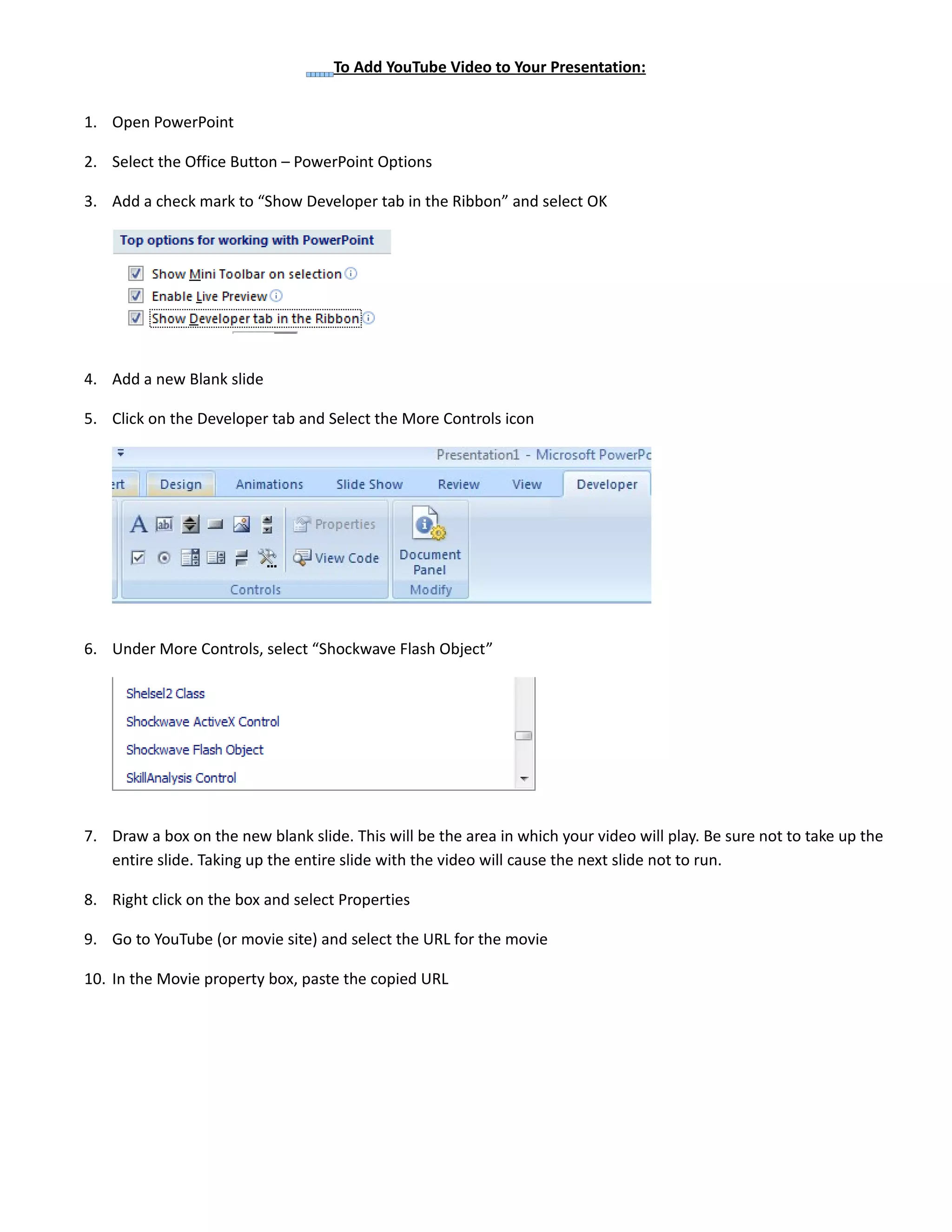
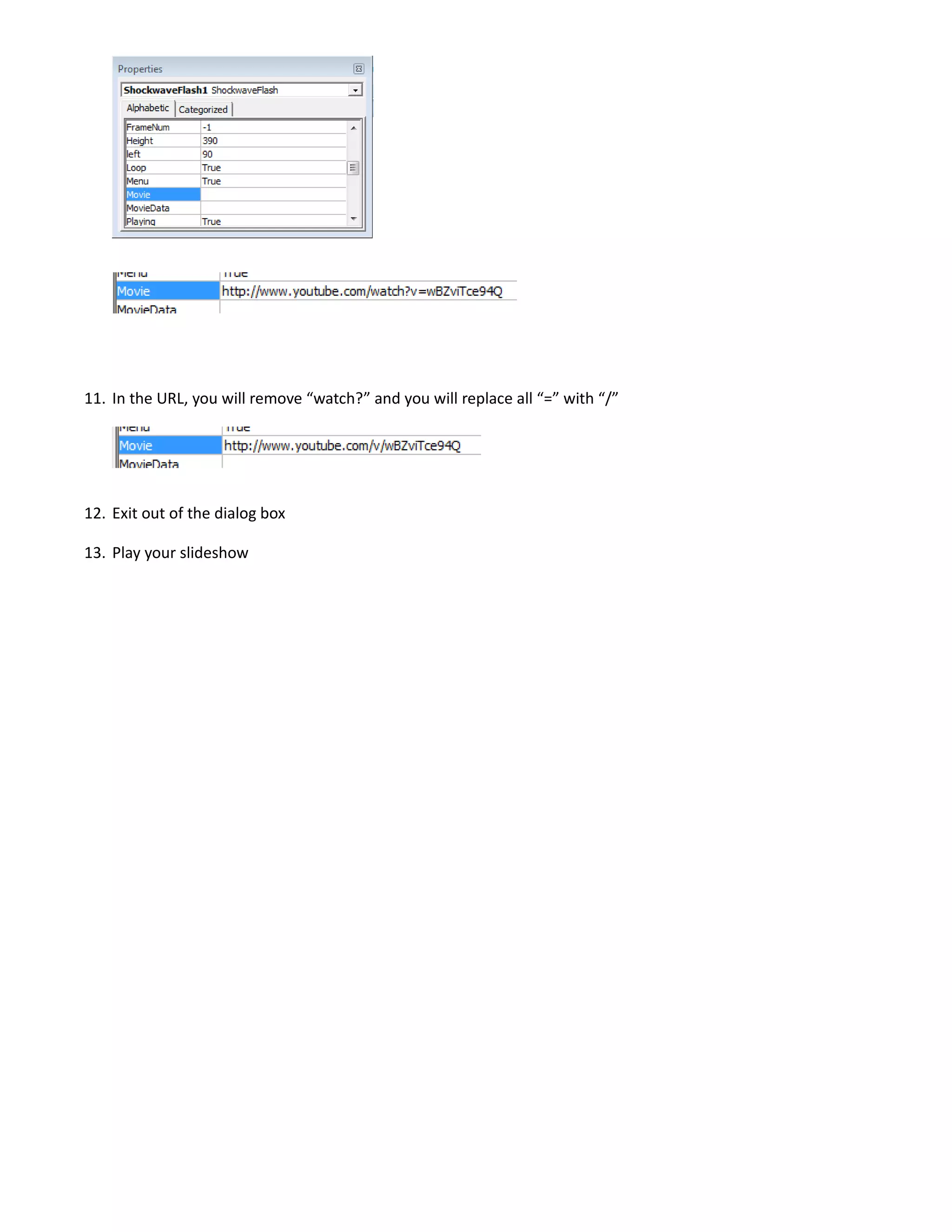

To add a YouTube video to a PowerPoint presentation, enable the Developer tab, insert a Shockwave Flash Object on a blank slide, paste the YouTube video URL into its properties, removing "watch?" and replacing "=" with "/", allowing the video to play within the slide without blocking the next slide.


