Texas Instruments – The Road to
Understanding Inefficiencies with
InfluxDB
Presentation by: Mike Hinkle
Date: 05-26-2020
1
2
Table of Contents
• About Texas Instruments
• What we do
• About me
• Common terms (Tools, States, Modules, Metrics, etc..)
• Data discussion
• Examples of data based decisions
• Current challenges
• InfluxDB and our current use case
• Why InfluxDB?
• Current setup and metrics captured
• Examples of dashboards currently in use
• Example of Grafana alert using InfluxDB derivative() on signal/trace
• Issues encountered using InfluxDB & Grafana
• What’s next
3
Texas Instruments – Brief Overview
• Texas Instruments was founded in 1951
• Previously ‘Geophysical Service Incorporated’
• Headquarters in Dallas, Texas
• Currently employees ~30k individuals World Wide
• Semiconductor Manufacturing Facilities located in:
• United States
• Germany
• Japan
• China
What we do:
Make calculators (just kidding.. We do, but this is a small part of our portfolio)
We Design, Manufacture, Test, Package, & Sell semiconductor devices
4
About Me
5
Common terms used in presentation
• Wafer – Typically made of Silicon (Si)
• Wafers are traditionally started in
counts of 25 which are referred to
as a LOT
• Lots can have fewer than 25
wafers
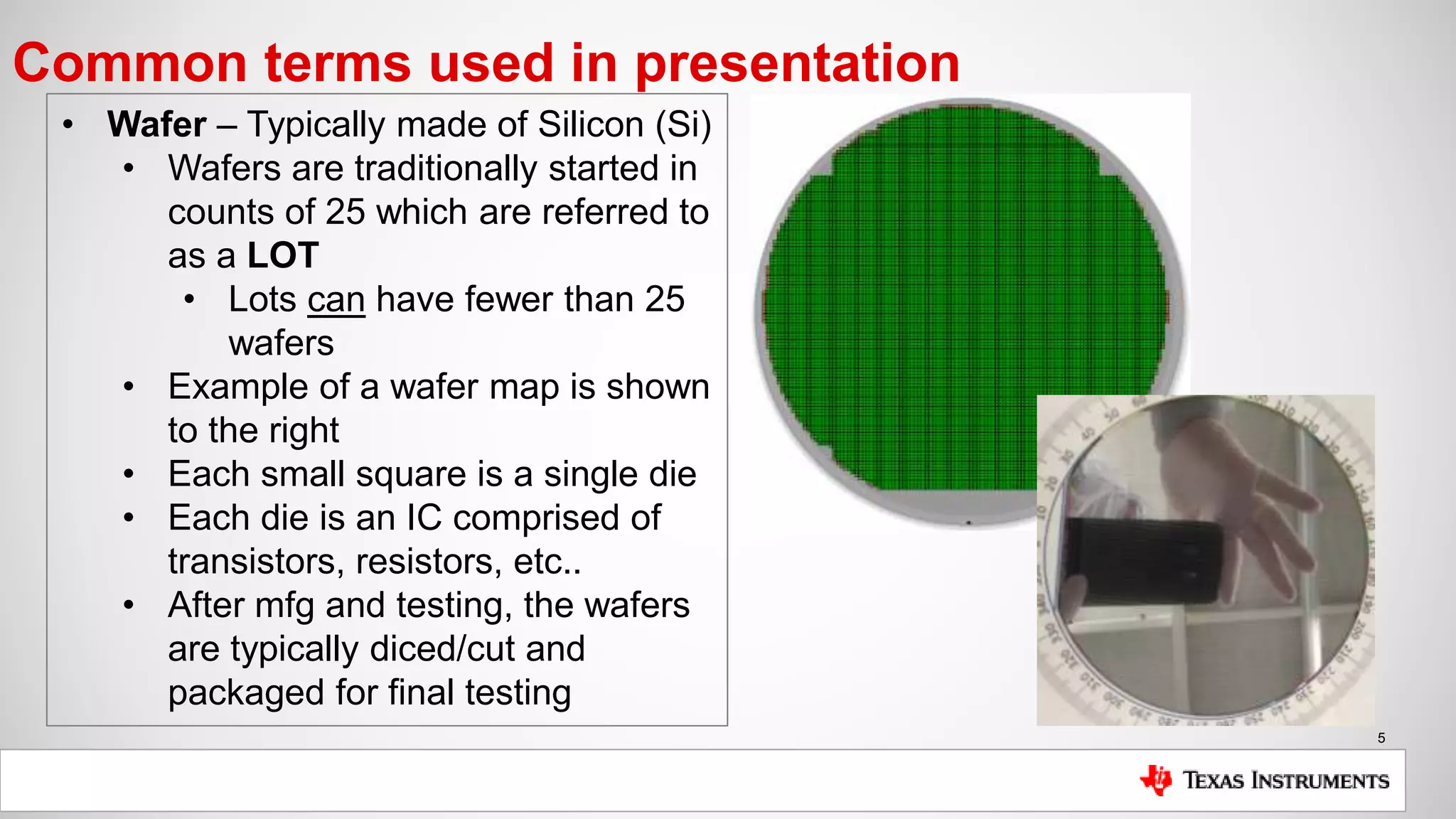
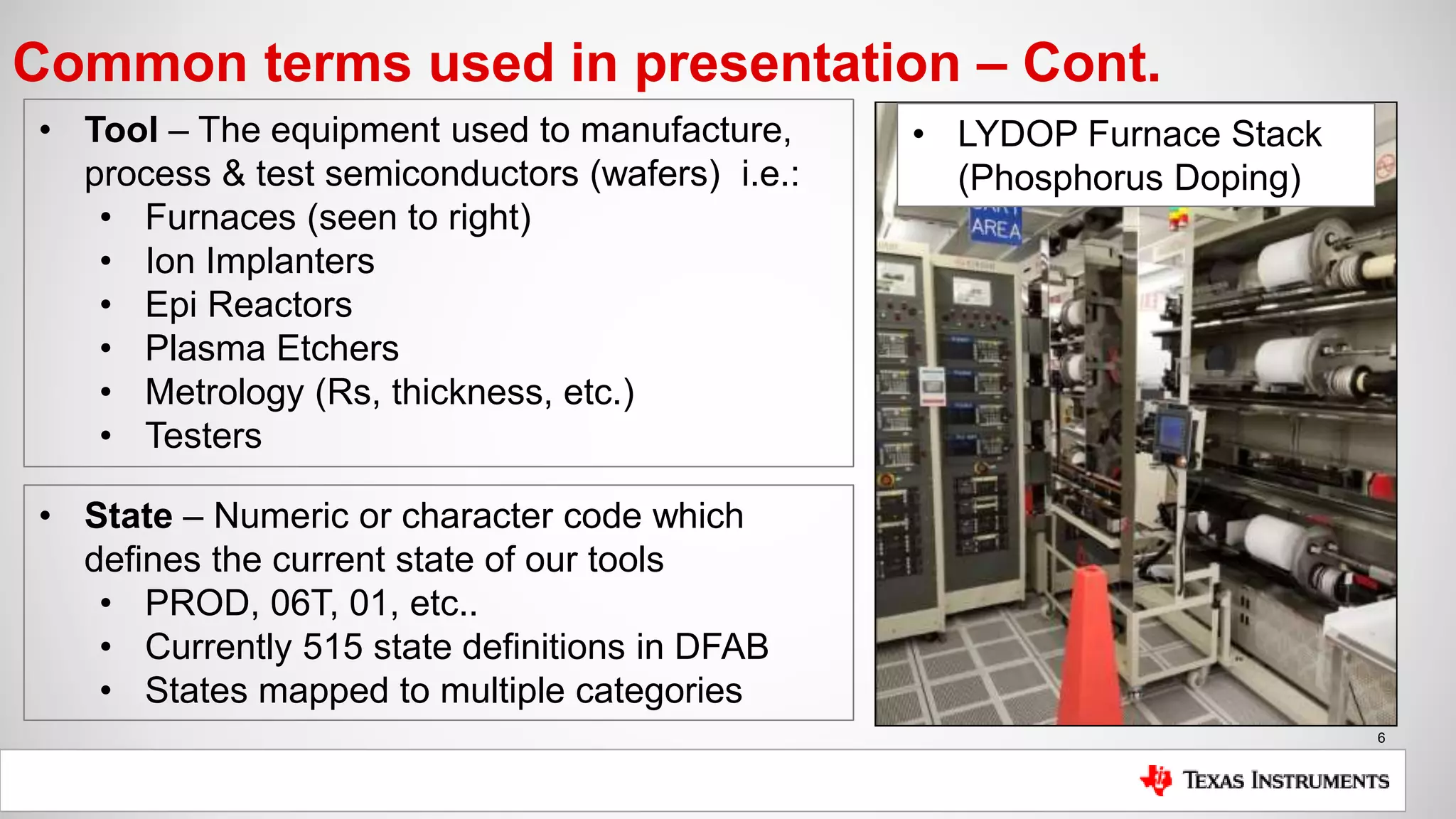
• Example of a wafer map is shown
to the right
• Each small square is a single die
• Each die is an IC comprised of
transistors, resistors, etc..
• After mfg and testing, the wafers
are typically diced/cut and
packaged for final testing
6
Common terms used in presentation – Cont.
• Tool – The equipment used to manufacture,
process & test semiconductors (wafers) i.e.:
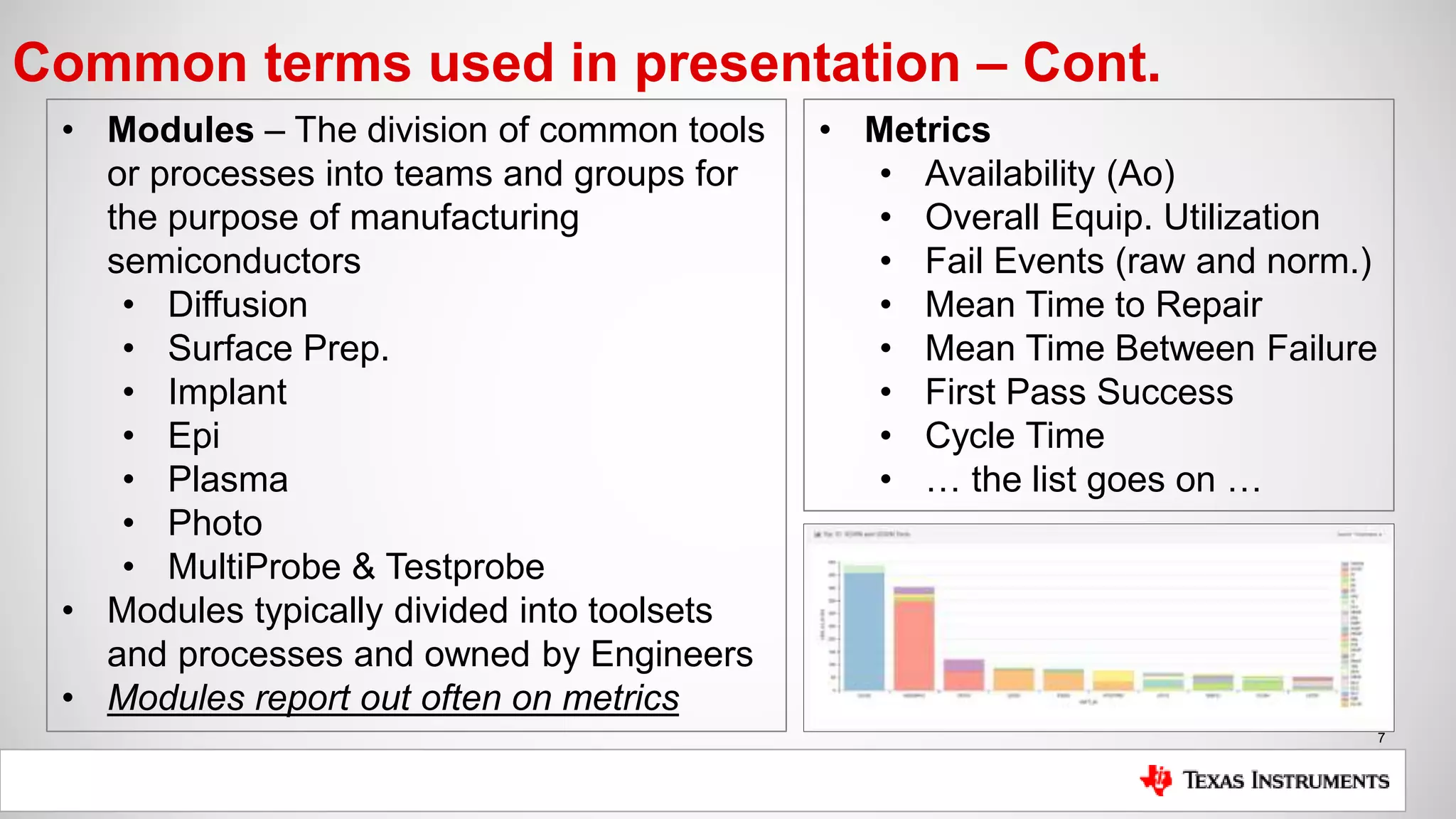
• Furnaces (seen to right)
• Ion Implanters
• Epi Reactors
• Plasma Etchers
• Metrology (Rs, thickness, etc.)
• Testers
• State – Numeric or character code which
defines the current state of our tools
• PROD, 06T, 01, etc..
• Currently 515 state definitions in DFAB
• States mapped to multiple categories
• LYDOP Furnace Stack
(Phosphorus Doping)
7
Common terms used in presentation – Cont.
• Modules – The division of common tools
or processes into teams and groups for
the purpose of manufacturing
semiconductors
• Diffusion
• Surface Prep.
• Implant
• Epi
• Plasma
• Photo
• MultiProbe & Testprobe
• Modules typically divided into toolsets
and processes and owned by Engineers
• Modules report out often on metrics
• Metrics
• Availability (Ao)
• Overall Equip. Utilization
• Fail Events (raw and norm.)
• Mean Time to Repair
• Mean Time Between Failure
• First Pass Success
• Cycle Time
• … the list goes on …
8
Why is access to fast, accurate data important?
Common Data Based Decisions:
• Process adjustments (time, temperature, pressure, etc…)
• Process Stability (Cpk, UCL, LCL)
• Tool Stability (Ao, OEU, MTTR, MTBF)
• Track preventative maintenance (use based or time based)
• Troubleshooting
• Anomaly Detection and Interdiction
• Yield
• Planning
Inaccurate or misinterpreted data could lead to wafers being scrapped, yield loss,
customer deadlines not being met and ultimately losing valuable business.
9
Current challenges
• We need immediate feedback if/when tool/process issues arise
• Failure to respond could equate to scrapped wafers or missing customer
deadlines and ultimately lost revenue
• Email & text notifications are a must, automated interdiction is the goal
• We need a more efficient means of extracting the relevant data for reporting
• Reduction of time preparing for meetings and presentations
• Most high-level metrics are temporal
• We need a system which can be used efficiently by non-CS/CE employees
• Most employees in our factories come from Electrical, Mechanical,
Chemical Engineering or Physics backgrounds (not full-stack devs.)
• Our primary job does not revolve around creating applications
• We need the ability to prototype and experiment
• Write access to RDBMS is not easy to come by
• Flat file systems are not efficient
10
Why InfluxDB
• Familiarity from personal project
• Installation and setup took minutes
• Multitude of available clients
• NoSQL makes for minimal planning and easier prototyping
• SQL-esque: Do not need to learn a new query language (using InfluxQL)
• Fast query response
• Easier to handle edge cases (metrics split and aggregated across days, years)
• In-build math and forecasting functions (d/dt, integrate, Holt-Winters, etc..)
• Efficient hard disk memory usage
• Currently >1.5M points/records written per day
• Easy plugin for Grafana (experimenting w/ Chronograf now)
• Open Source edition is free (MIT License)
11
Current installation setup
Setup:
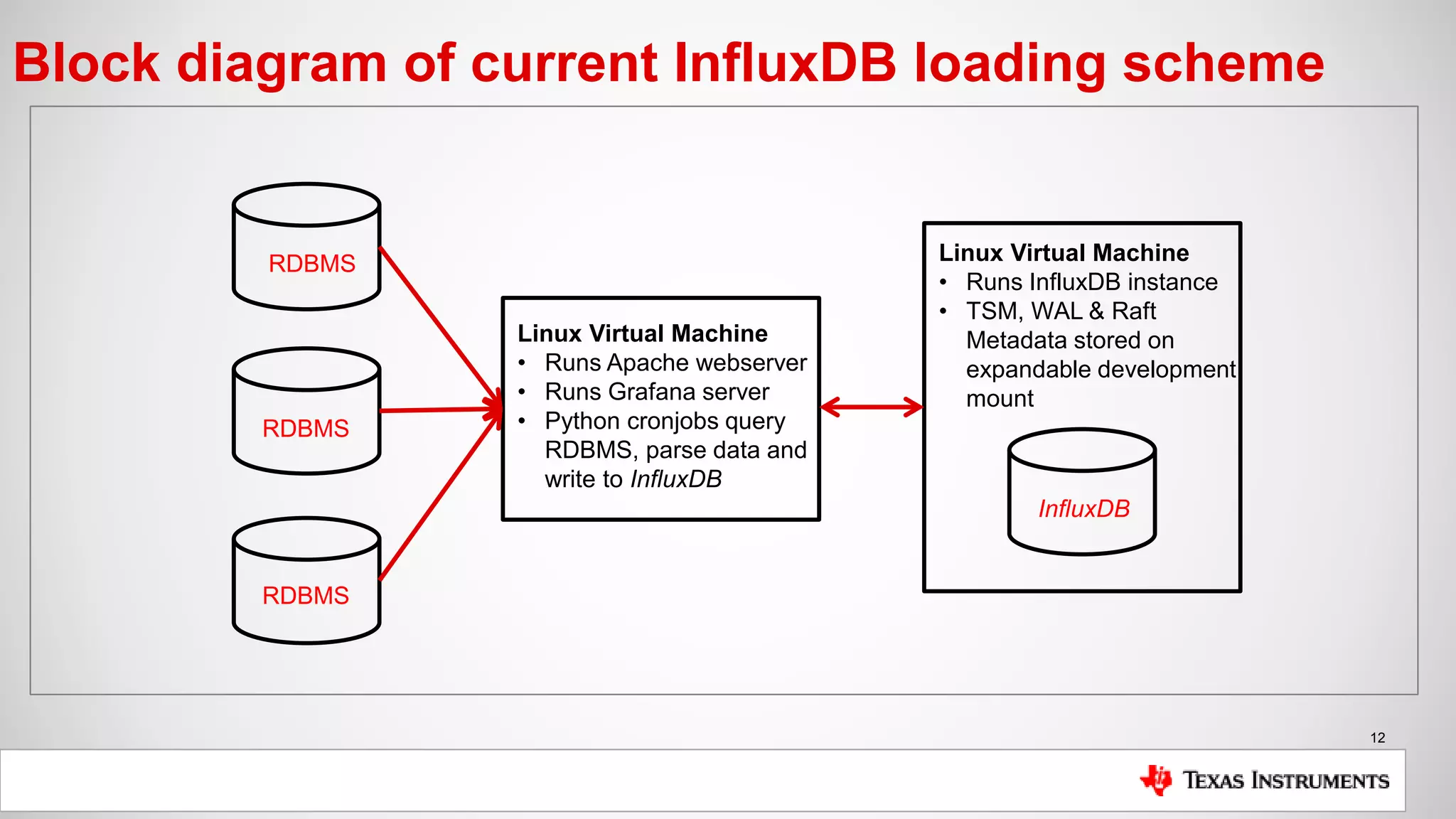
• Single InfluxDB instance (OSS) installed on Linux VM
• TSM, WAL & Raft data all stored on expandable development mount
• Loader scripts executed via cronjob, query RDBMS and load InfluxDB
• Data is filtered, sanitized & calculated if possible during initial query
• Grafana server running on separate Linux VM instance
• Apache web server is reverse proxied to point to Grafana server on port 3000
Metrics being collected:
• OEU (Overall Equipment Utilization: [Time Testing Good Wafers / Total Time])
• Ao (Tool Availability: [Uptime / Total Time])
• Occurrences of States (States define the state of our tools, PM’s, PROD, etc..)
• Cycle Time (how long it takes for a wafer to be tested [device tag])
12
Block diagram of current InfluxDB loading scheme
RDBMS
Linux Virtual Machine
• Runs Apache webserver
• Runs Grafana server
• Python cronjobs query
RDBMS, parse data and
write to InfluxDB
Linux Virtual Machine
• Runs InfluxDB instance
• TSM, WAL & Raft
Metadata stored on
expandable development
mount
RDBMS
RDBMS
InfluxDB
13
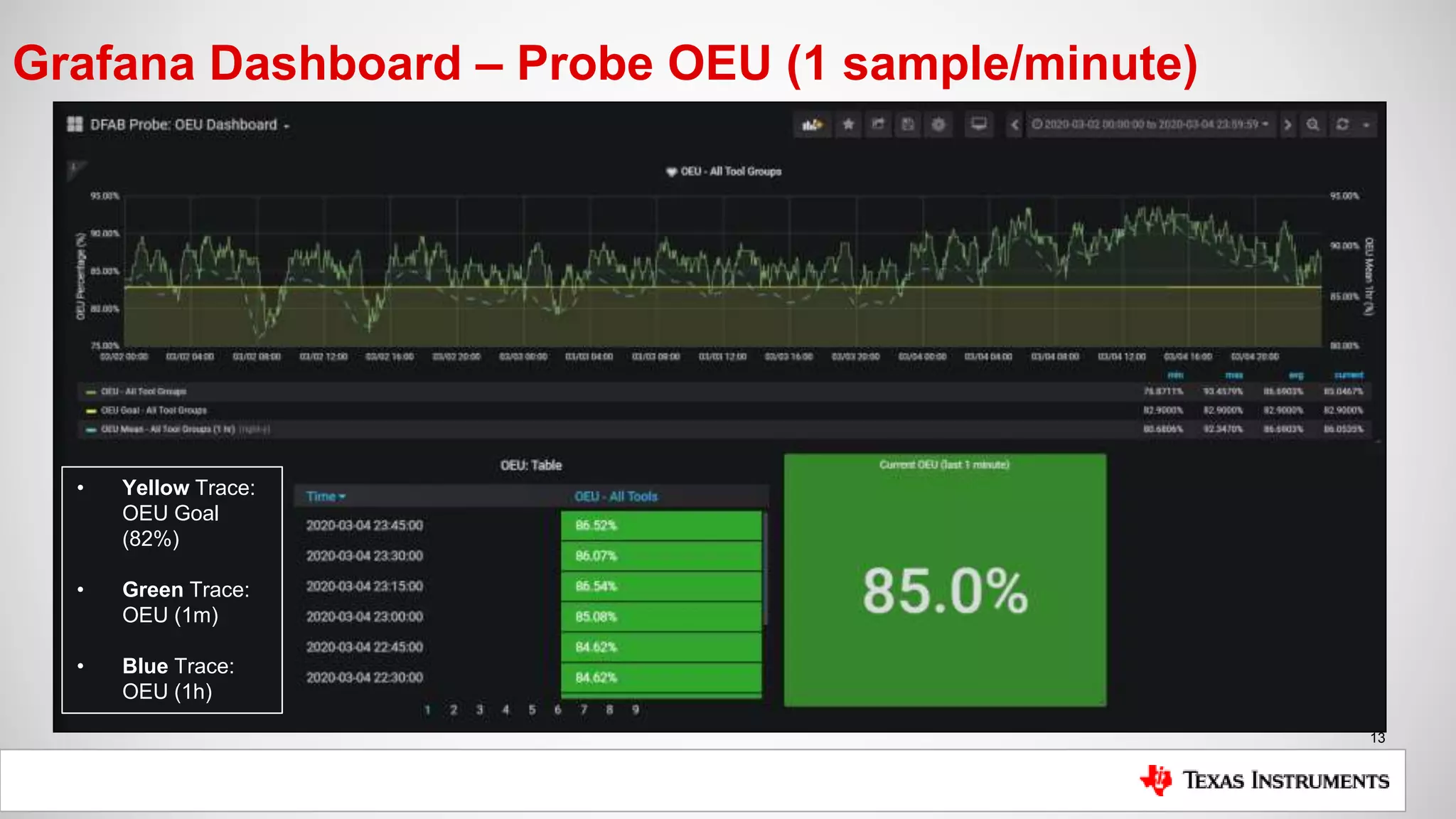
Grafana Dashboard – Probe OEU (1 sample/minute)
• Yellow Trace:
OEU Goal
(82%)
• Green Trace:
OEU (1m)
• Blue Trace:
OEU (1h)
14
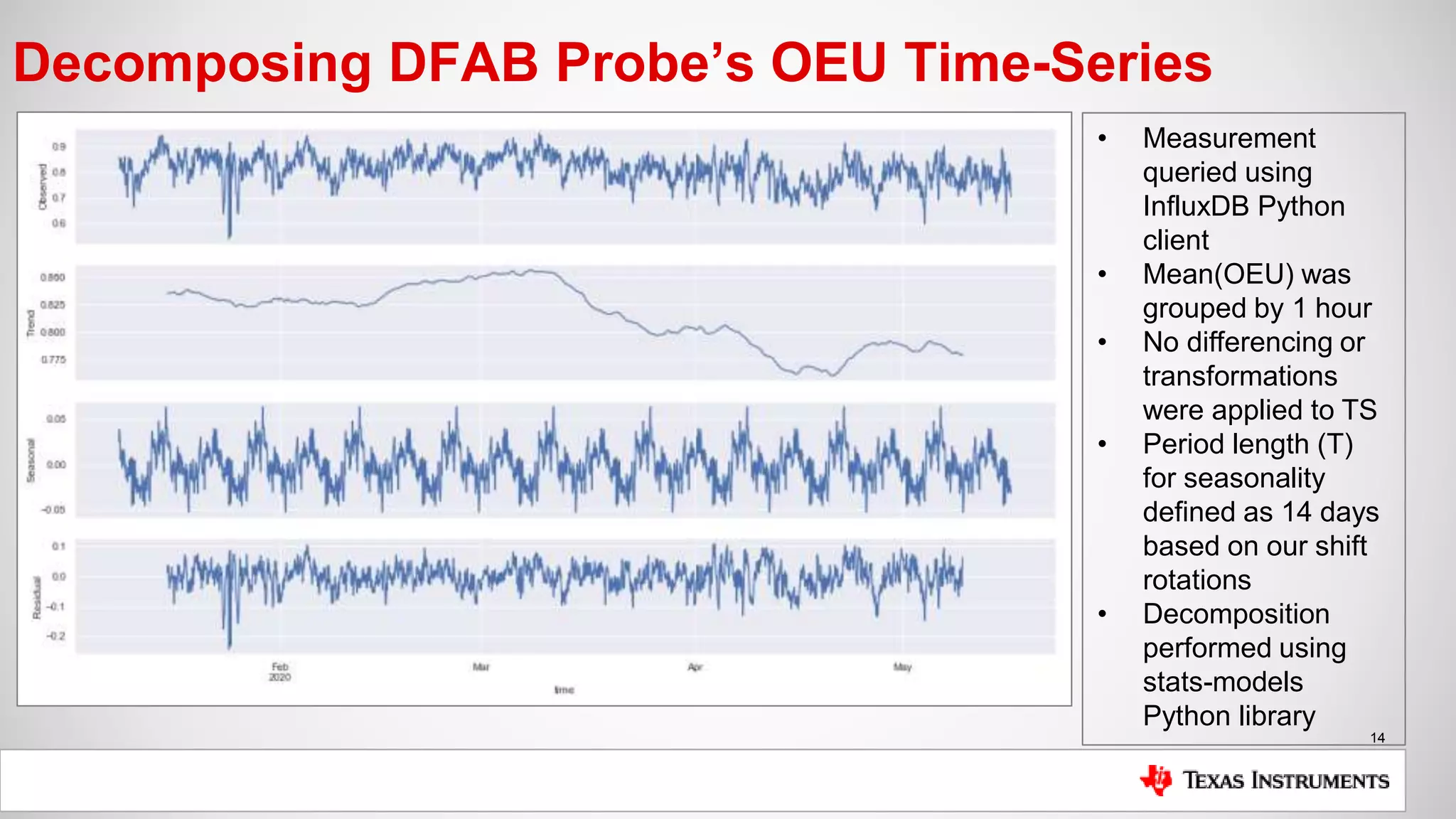
Decomposing DFAB Probe’s OEU Time-Series
• Measurement
queried using
InfluxDB Python
client
• Mean(OEU) was
grouped by 1 hour
• No differencing or
transformations
were applied to TS
• Period length (T)
for seasonality
defined as 14 days
based on our shift
rotations
• Decomposition
performed using
stats-models
Python library
15
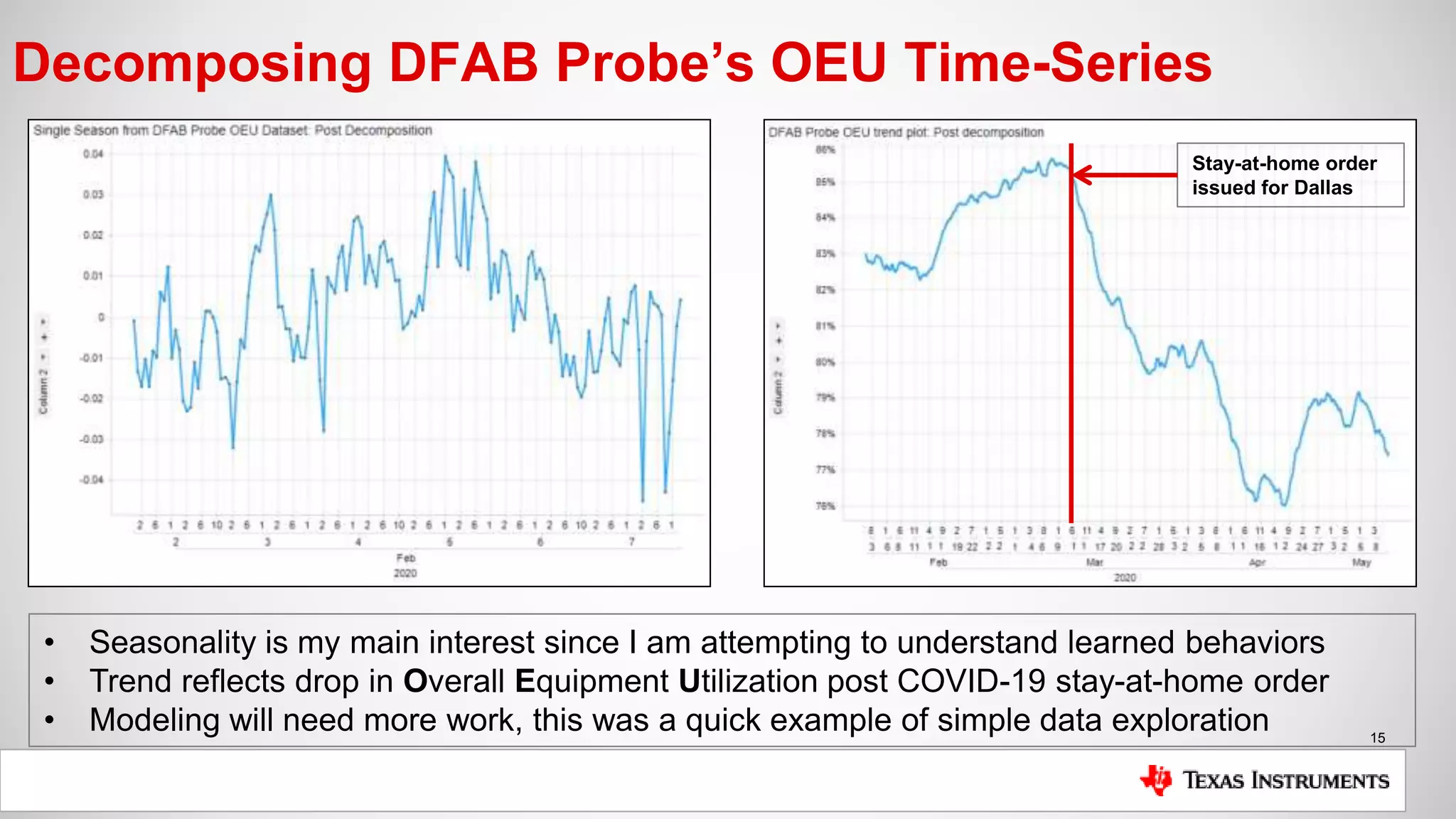
Decomposing DFAB Probe’s OEU Time-Series
• Seasonality is my main interest since I am attempting to understand learned behaviors
• Trend reflects drop in Overall Equipment Utilization post COVID-19 stay-at-home order
• Modeling will need more work, this was a quick example of simple data exploration
Stay-at-home order
issued for Dallas
16
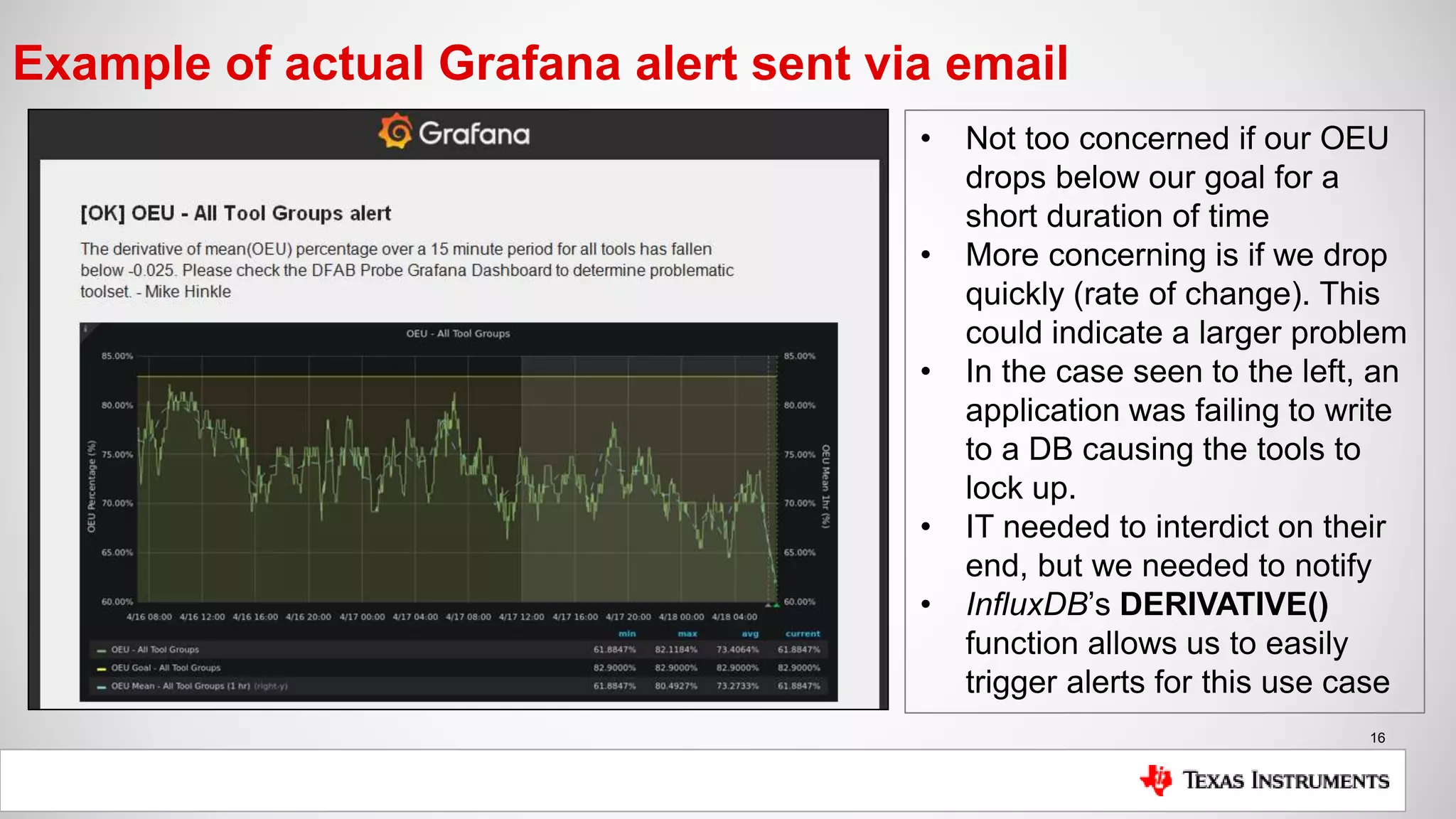
Example of actual Grafana alert sent via email
• Not too concerned if our OEU
drops below our goal for a
short duration of time
• More concerning is if we drop
quickly (rate of change). This
could indicate a larger problem
• In the case seen to the left, an
application was failing to write
to a DB causing the tools to
lock up.
• IT needed to interdict on their
end, but we needed to notify
• InfluxDB’s DERIVATIVE()
function allows us to easily
trigger alerts for this use case
17
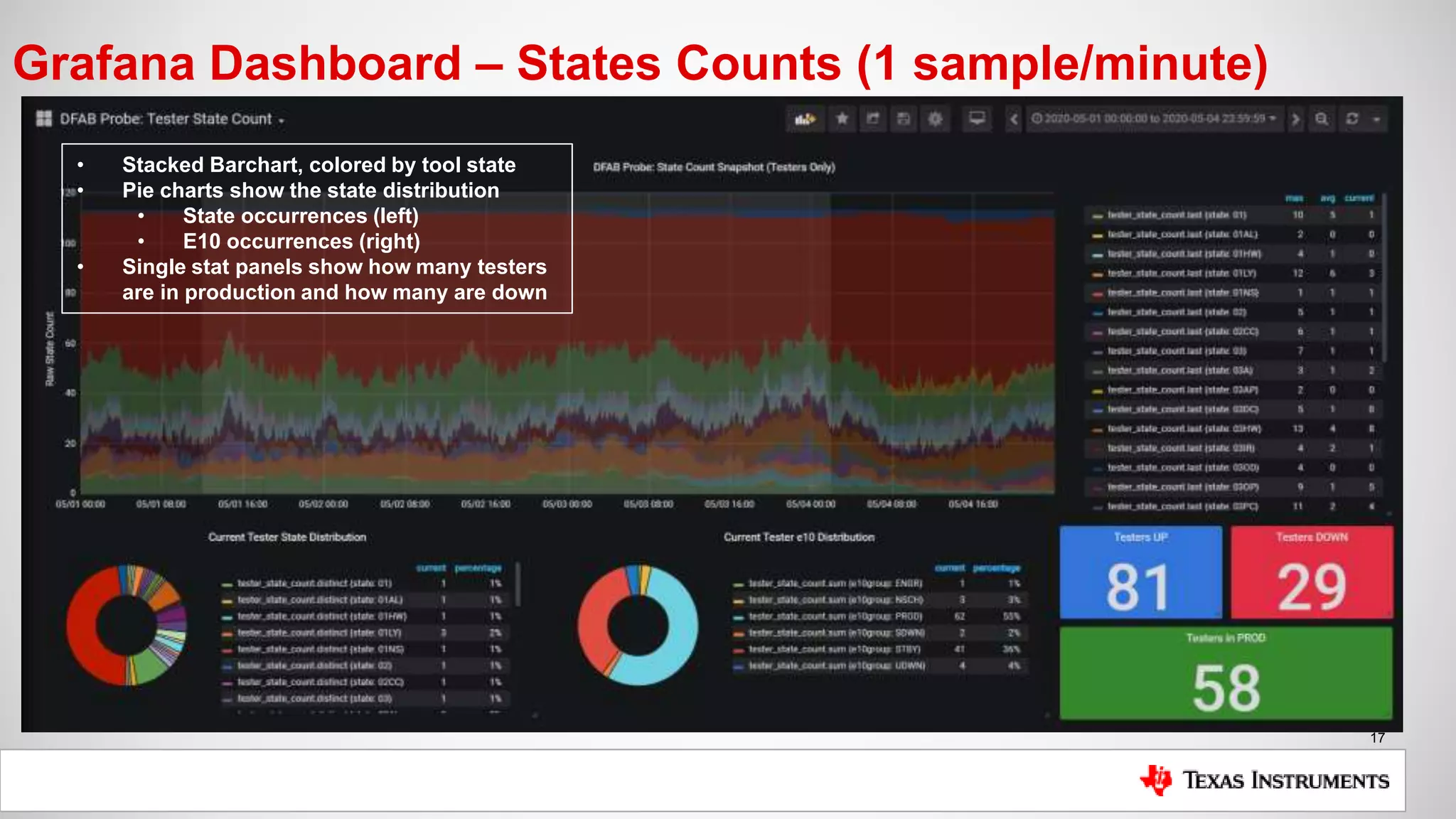
Grafana Dashboard – States Counts (1 sample/minute)
• Stacked Barchart, colored by tool state
• Pie charts show the state distribution
• State occurrences (left)
• E10 occurrences (right)
• Single stat panels show how many testers
are in production and how many are down
18
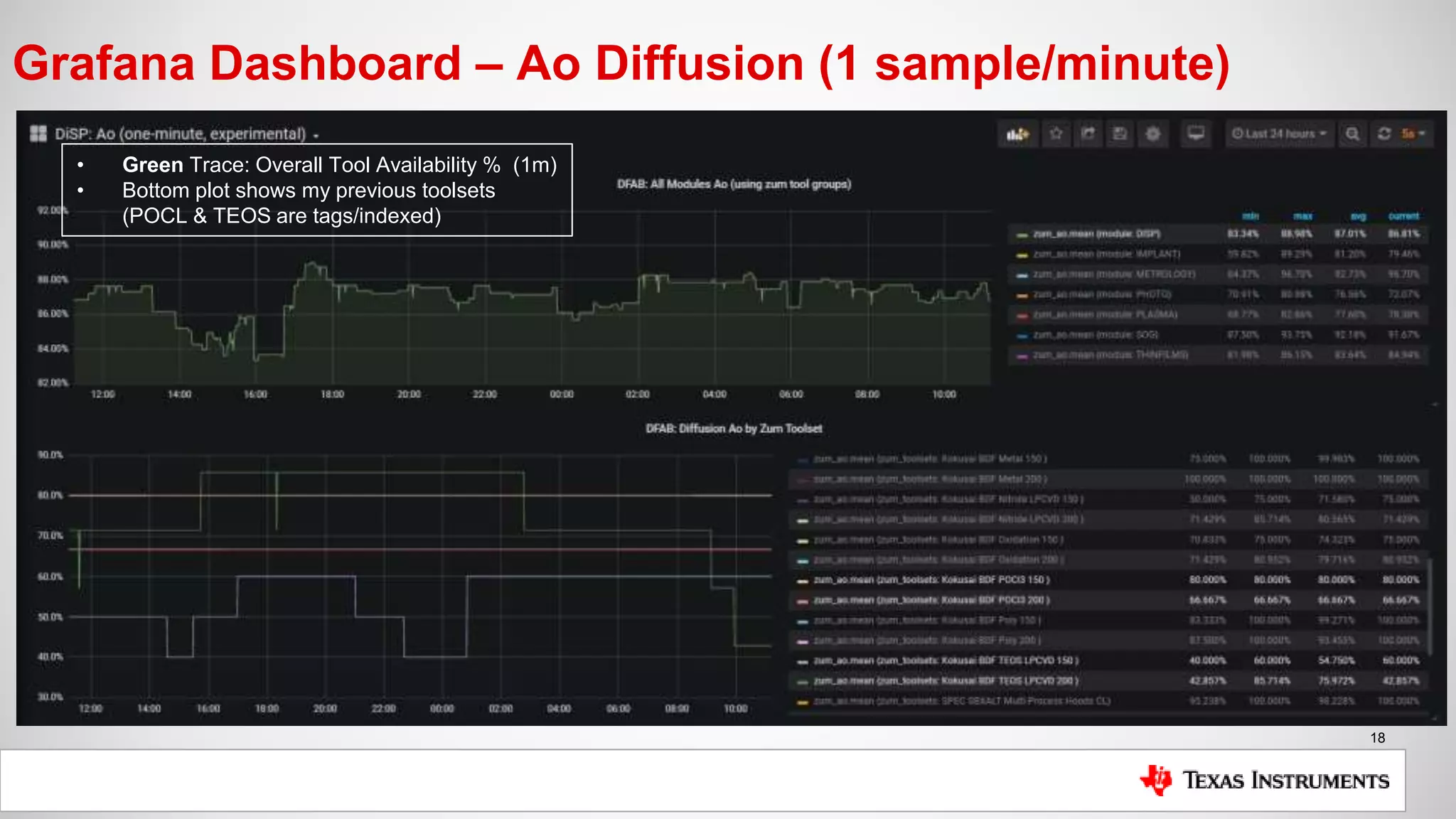
Grafana Dashboard – Ao Diffusion (1 sample/minute)
• Green Trace: Overall Tool Availability % (1m)
• Bottom plot shows my previous toolsets
(POCL & TEOS are tags/indexed)
19
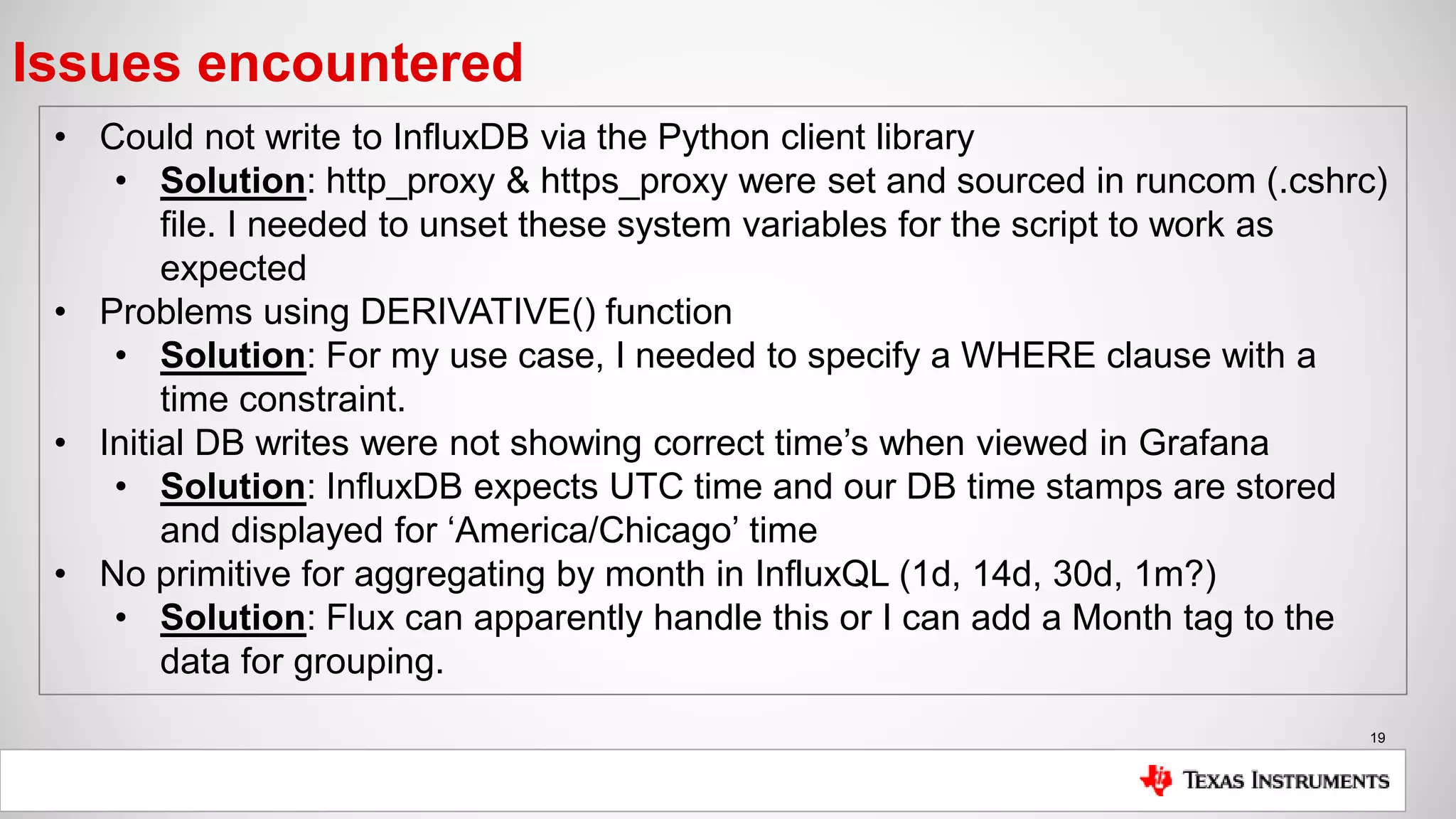
Issues encountered
• Could not write to InfluxDB via the Python client library
• Solution: http_proxy & https_proxy were set and sourced in runcom (.cshrc)
file. I needed to unset these system variables for the script to work as
expected
• Problems using DERIVATIVE() function
• Solution: For my use case, I needed to specify a WHERE clause with a
time constraint.
• Initial DB writes were not showing correct time’s when viewed in Grafana
• Solution: InfluxDB expects UTC time and our DB time stamps are stored
and displayed for ‘America/Chicago’ time
• No primitive for aggregating by month in InfluxQL (1d, 14d, 30d, 1m?)
• Solution: Flux can apparently handle this or I can add a Month tag to the
data for grouping.
20
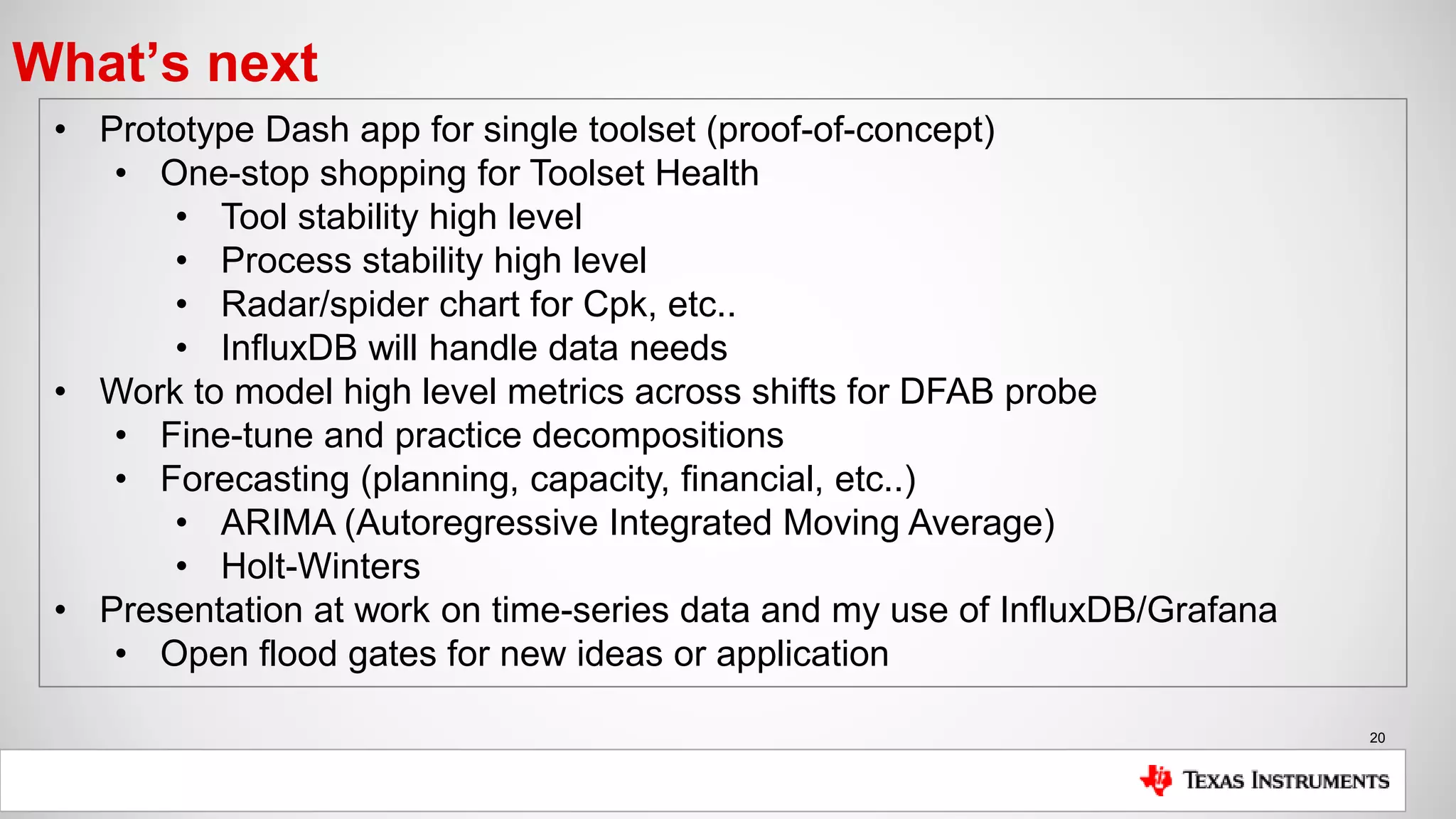
What’s next
• Prototype Dash app for single toolset (proof-of-concept)
• One-stop shopping for Toolset Health
• Tool stability high level
• Process stability high level
• Radar/spider chart for Cpk, etc..
• InfluxDB will handle data needs
• Work to model high level metrics across shifts for DFAB probe
• Fine-tune and practice decompositions
• Forecasting (planning, capacity, financial, etc..)
• ARIMA (Autoregressive Integrated Moving Average)
• Holt-Winters
• Presentation at work on time-series data and my use of InfluxDB/Grafana
• Open flood gates for new ideas or application
21
Thank you for tuning in..
Questions and comments are
welcome
We look forward to bringing together our community of
developers in this new format to learn, interact, and share
tips and use cases.
8-9 June, 2020
Hands-On Flux Training
www.influxdays.com
23-24 June, 2020
Virtual Experience

How Texas Instruments Uses InfluxDB to Uphold Product Standards and to Improve Efficiencies

  • 1.
    Texas Instruments –The Road to Understanding Inefficiencies with InfluxDB Presentation by: Mike Hinkle Date: 05-26-2020 1
  • 2.
    2 Table of Contents •About Texas Instruments • What we do • About me • Common terms (Tools, States, Modules, Metrics, etc..) • Data discussion • Examples of data based decisions • Current challenges • InfluxDB and our current use case • Why InfluxDB? • Current setup and metrics captured • Examples of dashboards currently in use • Example of Grafana alert using InfluxDB derivative() on signal/trace • Issues encountered using InfluxDB & Grafana • What’s next
  • 3.
    3 Texas Instruments –Brief Overview • Texas Instruments was founded in 1951 • Previously ‘Geophysical Service Incorporated’ • Headquarters in Dallas, Texas • Currently employees ~30k individuals World Wide • Semiconductor Manufacturing Facilities located in: • United States • Germany • Japan • China What we do: Make calculators (just kidding.. We do, but this is a small part of our portfolio) We Design, Manufacture, Test, Package, & Sell semiconductor devices
  • 4.
  • 5.
    5 Common terms usedin presentation • Wafer – Typically made of Silicon (Si) • Wafers are traditionally started in counts of 25 which are referred to as a LOT • Lots can have fewer than 25 wafers • Example of a wafer map is shown to the right • Each small square is a single die • Each die is an IC comprised of transistors, resistors, etc.. • After mfg and testing, the wafers are typically diced/cut and packaged for final testing
  • 6.
    6 Common terms usedin presentation – Cont. • Tool – The equipment used to manufacture, process & test semiconductors (wafers) i.e.: • Furnaces (seen to right) • Ion Implanters • Epi Reactors • Plasma Etchers • Metrology (Rs, thickness, etc.) • Testers • State – Numeric or character code which defines the current state of our tools • PROD, 06T, 01, etc.. • Currently 515 state definitions in DFAB • States mapped to multiple categories • LYDOP Furnace Stack (Phosphorus Doping)
  • 7.
    7 Common terms usedin presentation – Cont. • Modules – The division of common tools or processes into teams and groups for the purpose of manufacturing semiconductors • Diffusion • Surface Prep. • Implant • Epi • Plasma • Photo • MultiProbe & Testprobe • Modules typically divided into toolsets and processes and owned by Engineers • Modules report out often on metrics • Metrics • Availability (Ao) • Overall Equip. Utilization • Fail Events (raw and norm.) • Mean Time to Repair • Mean Time Between Failure • First Pass Success • Cycle Time • … the list goes on …
  • 8.
    8 Why is accessto fast, accurate data important? Common Data Based Decisions: • Process adjustments (time, temperature, pressure, etc…) • Process Stability (Cpk, UCL, LCL) • Tool Stability (Ao, OEU, MTTR, MTBF) • Track preventative maintenance (use based or time based) • Troubleshooting • Anomaly Detection and Interdiction • Yield • Planning Inaccurate or misinterpreted data could lead to wafers being scrapped, yield loss, customer deadlines not being met and ultimately losing valuable business.
  • 9.
    9 Current challenges • Weneed immediate feedback if/when tool/process issues arise • Failure to respond could equate to scrapped wafers or missing customer deadlines and ultimately lost revenue • Email & text notifications are a must, automated interdiction is the goal • We need a more efficient means of extracting the relevant data for reporting • Reduction of time preparing for meetings and presentations • Most high-level metrics are temporal • We need a system which can be used efficiently by non-CS/CE employees • Most employees in our factories come from Electrical, Mechanical, Chemical Engineering or Physics backgrounds (not full-stack devs.) • Our primary job does not revolve around creating applications • We need the ability to prototype and experiment • Write access to RDBMS is not easy to come by • Flat file systems are not efficient
  • 10.
    10 Why InfluxDB • Familiarityfrom personal project • Installation and setup took minutes • Multitude of available clients • NoSQL makes for minimal planning and easier prototyping • SQL-esque: Do not need to learn a new query language (using InfluxQL) • Fast query response • Easier to handle edge cases (metrics split and aggregated across days, years) • In-build math and forecasting functions (d/dt, integrate, Holt-Winters, etc..) • Efficient hard disk memory usage • Currently >1.5M points/records written per day • Easy plugin for Grafana (experimenting w/ Chronograf now) • Open Source edition is free (MIT License)
  • 11.
    11 Current installation setup Setup: •Single InfluxDB instance (OSS) installed on Linux VM • TSM, WAL & Raft data all stored on expandable development mount • Loader scripts executed via cronjob, query RDBMS and load InfluxDB • Data is filtered, sanitized & calculated if possible during initial query • Grafana server running on separate Linux VM instance • Apache web server is reverse proxied to point to Grafana server on port 3000 Metrics being collected: • OEU (Overall Equipment Utilization: [Time Testing Good Wafers / Total Time]) • Ao (Tool Availability: [Uptime / Total Time]) • Occurrences of States (States define the state of our tools, PM’s, PROD, etc..) • Cycle Time (how long it takes for a wafer to be tested [device tag])
  • 12.
    12 Block diagram ofcurrent InfluxDB loading scheme RDBMS Linux Virtual Machine • Runs Apache webserver • Runs Grafana server • Python cronjobs query RDBMS, parse data and write to InfluxDB Linux Virtual Machine • Runs InfluxDB instance • TSM, WAL & Raft Metadata stored on expandable development mount RDBMS RDBMS InfluxDB
  • 13.
    13 Grafana Dashboard –Probe OEU (1 sample/minute) • Yellow Trace: OEU Goal (82%) • Green Trace: OEU (1m) • Blue Trace: OEU (1h)
  • 14.
    14 Decomposing DFAB Probe’sOEU Time-Series • Measurement queried using InfluxDB Python client • Mean(OEU) was grouped by 1 hour • No differencing or transformations were applied to TS • Period length (T) for seasonality defined as 14 days based on our shift rotations • Decomposition performed using stats-models Python library
  • 15.
    15 Decomposing DFAB Probe’sOEU Time-Series • Seasonality is my main interest since I am attempting to understand learned behaviors • Trend reflects drop in Overall Equipment Utilization post COVID-19 stay-at-home order • Modeling will need more work, this was a quick example of simple data exploration Stay-at-home order issued for Dallas
  • 16.
    16 Example of actualGrafana alert sent via email • Not too concerned if our OEU drops below our goal for a short duration of time • More concerning is if we drop quickly (rate of change). This could indicate a larger problem • In the case seen to the left, an application was failing to write to a DB causing the tools to lock up. • IT needed to interdict on their end, but we needed to notify • InfluxDB’s DERIVATIVE() function allows us to easily trigger alerts for this use case
  • 17.
    17 Grafana Dashboard –States Counts (1 sample/minute) • Stacked Barchart, colored by tool state • Pie charts show the state distribution • State occurrences (left) • E10 occurrences (right) • Single stat panels show how many testers are in production and how many are down
  • 18.
    18 Grafana Dashboard –Ao Diffusion (1 sample/minute) • Green Trace: Overall Tool Availability % (1m) • Bottom plot shows my previous toolsets (POCL & TEOS are tags/indexed)
  • 19.
    19 Issues encountered • Couldnot write to InfluxDB via the Python client library • Solution: http_proxy & https_proxy were set and sourced in runcom (.cshrc) file. I needed to unset these system variables for the script to work as expected • Problems using DERIVATIVE() function • Solution: For my use case, I needed to specify a WHERE clause with a time constraint. • Initial DB writes were not showing correct time’s when viewed in Grafana • Solution: InfluxDB expects UTC time and our DB time stamps are stored and displayed for ‘America/Chicago’ time • No primitive for aggregating by month in InfluxQL (1d, 14d, 30d, 1m?) • Solution: Flux can apparently handle this or I can add a Month tag to the data for grouping.
  • 20.
    20 What’s next • PrototypeDash app for single toolset (proof-of-concept) • One-stop shopping for Toolset Health • Tool stability high level • Process stability high level • Radar/spider chart for Cpk, etc.. • InfluxDB will handle data needs • Work to model high level metrics across shifts for DFAB probe • Fine-tune and practice decompositions • Forecasting (planning, capacity, financial, etc..) • ARIMA (Autoregressive Integrated Moving Average) • Holt-Winters • Presentation at work on time-series data and my use of InfluxDB/Grafana • Open flood gates for new ideas or application
  • 21.
    21 Thank you fortuning in.. Questions and comments are welcome
  • 22.
    We look forwardto bringing together our community of developers in this new format to learn, interact, and share tips and use cases. 8-9 June, 2020 Hands-On Flux Training www.influxdays.com 23-24 June, 2020 Virtual Experience