How do I…
Find Books?
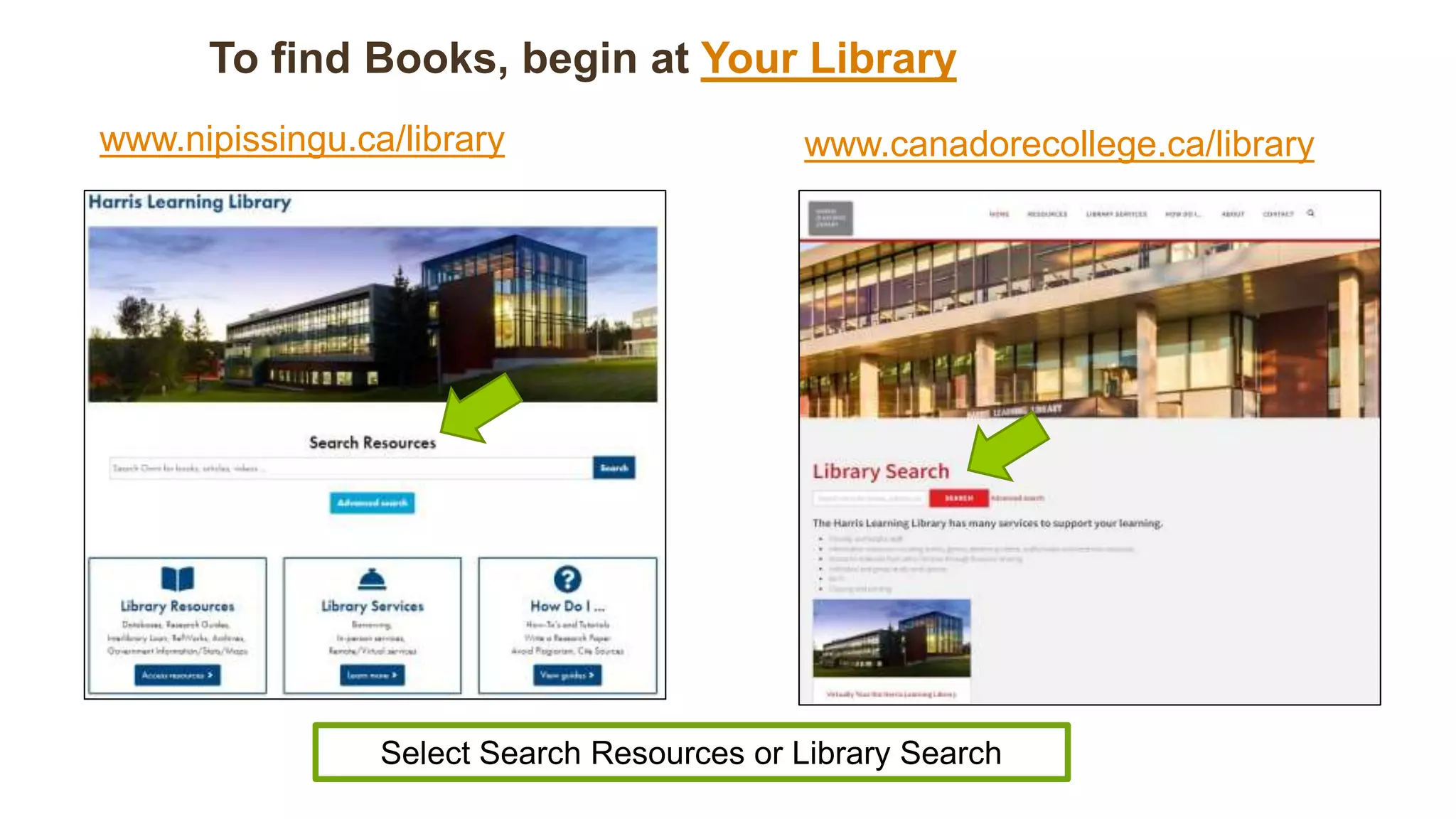
To find Books, begin at Your Library
Select Search Resources or Library Search
www.canadorecollege.ca/library
www.nipissingu.ca/library
Decide on search terms.
 Think of single words or short phrases that
represent the main ideas of your topic.
 Examples: The Hobbit, Margaret Atwood,
forestry, drug abuse, children and video
games
 Use these as search terms in the Search Box.
Conduct a Search
Type your information
into the Nipissing
Search Resources or
Canadore Library
Search box.
Insert a title, author
name or subject of
interest.
Search Results Page for
“Underground Railroad”
Nipissing Users:
For best results sign in using your login. Same as WebAdvisor
credentials.
Canadore Users:
For best results, conduct your search and access individual items
and then sign in. Same as Network Login credentials.
To change topics
or to try other
ideas add to the
current search
or
select New Search
from the top
menu bar.
Research Tips:
Join multiple search terms with “and”.
Try combining a topic with the name of an author.
Understanding the Search Results
As a default Results are
listed by Relevance (this
can be changed in the
Sort By drop down
menu).
Modify Your Search Results
 Results include various
types of resources.
 Modify your results to
ONLY view books by
selecting Books & eBooks
under resource type.
 Don’t forget to APPLY
FILTERS.
Modified Search Results
 Notice the results
narrowed down from
35,000 + results to 35
results
 Other options are
available (i.e. Date
range,
Author/ Creator, etc.)
Item Information Record
The Call
Number is
the item’s
“address” on
the shelves.
Note the library the item belongs to,
it’s current location and availability.
Location tells you
where to go in
the library to find
the item.
In this example, the book is held at the
Commerce Court Library.
The location is
“Standard
Shelving”,
which means
the book is
available and
can be checked
out.
The call number for this book is
FC106.B6 P755 2004, which is on the third floor at the
Harris Learning Library.
In this example, the Location indicates that the
book is checked out and provides its due date.
E-Books
“Available Online” means that the item is an e-book.
Select the
Available
Online link.
E-Books
The item record should provide the link to access
the e-book online.
Select the
link to
access the
book online.
Libraries in the Search Results
Harris Learning Library
 Located at the College Drive campus
Canadore – Commerce Court
 Located at the Commerce Court Campus
Available Online
 Electronic access only for these items
Harris Learning Library
Item Record Locations
Where is that?
Standard shelving location Regular shelves on 2nd & 3rd floors
Reference material 1st floor, by Info Desk
Circulation Desk 1st floor, near front doors
Archives 1st floor
Popular Collection 1st floor
Audiobooks 2nd floor
Oversize 2nd floor
Electronic resource Accessible online
Not finding what you need?
• Check the spelling of your search terms
• Try variations of your search terms, such as:
• Synonyms, i.e., adolescents, youths, teenagers
• Closely related words, i.e., computer games, video games
• Alternate spellings, i.e., behavior, behaviour
• Plural or singular, i.e., women, woman
• Try broader search terms, i.e., Canada instead of Ontario
• Try more specific terms, i.e., anorexia instead of eating disorders
Here are some tips:
We’re here to help!
If you need any assistance using the OMNI Search or in the
Library, visit the Service Desks
Email
 libraryhelp@nipissingu.ca (NIPISSING)
 library.help@canadorecollege.ca (CANADORE)
Phone
 705-474-3450 ext. 4221

How Do I Find Books?

  • 1.
  • 2.
    To find Books,begin at Your Library Select Search Resources or Library Search www.canadorecollege.ca/library www.nipissingu.ca/library
  • 3.
    Decide on searchterms.  Think of single words or short phrases that represent the main ideas of your topic.  Examples: The Hobbit, Margaret Atwood, forestry, drug abuse, children and video games  Use these as search terms in the Search Box.
  • 4.
    Conduct a Search Typeyour information into the Nipissing Search Resources or Canadore Library Search box. Insert a title, author name or subject of interest.
  • 5.
    Search Results Pagefor “Underground Railroad”
  • 6.
    Nipissing Users: For bestresults sign in using your login. Same as WebAdvisor credentials. Canadore Users: For best results, conduct your search and access individual items and then sign in. Same as Network Login credentials.
  • 7.
    To change topics orto try other ideas add to the current search or select New Search from the top menu bar.
  • 8.
    Research Tips: Join multiplesearch terms with “and”.
  • 9.
    Try combining atopic with the name of an author.
  • 10.
    Understanding the SearchResults As a default Results are listed by Relevance (this can be changed in the Sort By drop down menu).
  • 11.
    Modify Your SearchResults  Results include various types of resources.  Modify your results to ONLY view books by selecting Books & eBooks under resource type.  Don’t forget to APPLY FILTERS.
  • 12.
    Modified Search Results Notice the results narrowed down from 35,000 + results to 35 results  Other options are available (i.e. Date range, Author/ Creator, etc.)
  • 13.
    Item Information Record TheCall Number is the item’s “address” on the shelves. Note the library the item belongs to, it’s current location and availability. Location tells you where to go in the library to find the item.
  • 14.
    In this example,the book is held at the Commerce Court Library.
  • 15.
    The location is “Standard Shelving”, whichmeans the book is available and can be checked out.
  • 16.
    The call numberfor this book is FC106.B6 P755 2004, which is on the third floor at the Harris Learning Library.
  • 17.
    In this example,the Location indicates that the book is checked out and provides its due date.
  • 18.
    E-Books “Available Online” meansthat the item is an e-book. Select the Available Online link.
  • 19.
    E-Books The item recordshould provide the link to access the e-book online. Select the link to access the book online.
  • 20.
    Libraries in theSearch Results Harris Learning Library  Located at the College Drive campus Canadore – Commerce Court  Located at the Commerce Court Campus Available Online  Electronic access only for these items
  • 21.
    Harris Learning Library ItemRecord Locations Where is that? Standard shelving location Regular shelves on 2nd & 3rd floors Reference material 1st floor, by Info Desk Circulation Desk 1st floor, near front doors Archives 1st floor Popular Collection 1st floor Audiobooks 2nd floor Oversize 2nd floor Electronic resource Accessible online
  • 22.
    Not finding whatyou need? • Check the spelling of your search terms • Try variations of your search terms, such as: • Synonyms, i.e., adolescents, youths, teenagers • Closely related words, i.e., computer games, video games • Alternate spellings, i.e., behavior, behaviour • Plural or singular, i.e., women, woman • Try broader search terms, i.e., Canada instead of Ontario • Try more specific terms, i.e., anorexia instead of eating disorders Here are some tips:
  • 23.
    We’re here tohelp! If you need any assistance using the OMNI Search or in the Library, visit the Service Desks Email  libraryhelp@nipissingu.ca (NIPISSING)  library.help@canadorecollege.ca (CANADORE) Phone  705-474-3450 ext. 4221