Releases and Hot Code
Replacement in Elixir
Alexei Sholik
Kyiv Elixir Meetup, 3 Nov 2016
What we'll learn
• The importance of separating code and data
• Code loading in BEAM
• Fundamentals of release upgrades in OTP
• Building an upgrade using Distillery
Separation of code
and data
OOP
OOP
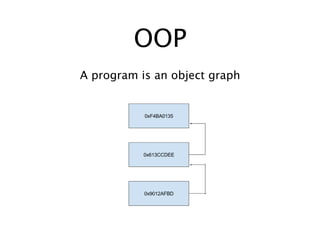
A program is an object graph
OOP
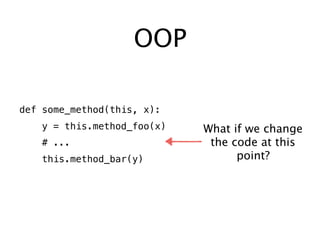
def some_method(this, x):
y = this.method_foo(x)
# ...
this.method_bar(y)
What if we change
the code at this
point?
Code reloading in OOP
DOES NOT WORK
Functional
programming
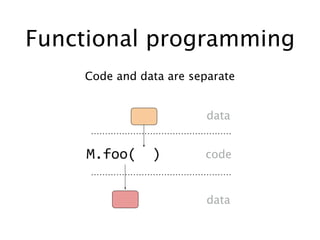
Functional programming
Code and data are separate
data
data
code
Code reloading in
functional programming
TRIVIAL
Code reloading in
functional programming
OR IS IT?
Code reloading in
functional programming
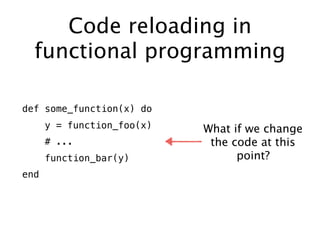
def some_function(x) do
y = function_foo(x)
# ...
function_bar(y)
end
What if we change
the code at this
point?
Code reloading in
functional programming
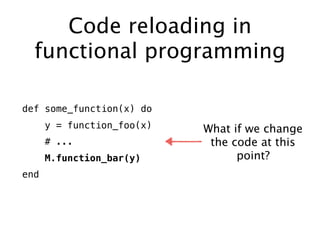
def some_function(x) do
y = function_foo(x)
# ...
M.function_bar(y)
end
What if we change
the code at this
point?
Code loading in
BEAM
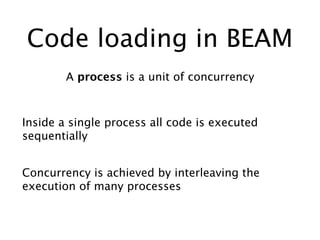
Code loading in BEAM
A process is a unit of concurrency
Inside a single process all code is executed
sequentially
Concurrency is achieved by interleaving the
execution of many processes
Code loading in BEAM
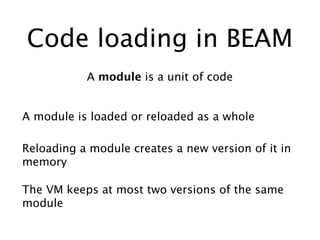
A module is a unit of code
A module is loaded or reloaded as a whole
The VM keeps at most two versions of the same
module
Reloading a module creates a new version of it in
memory
Code loading in BEAM
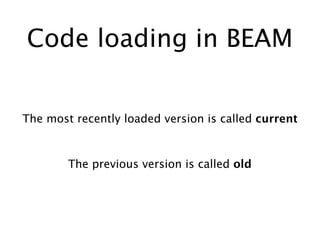
The most recently loaded version is called current
The previous version is called old
Code loading in BEAM
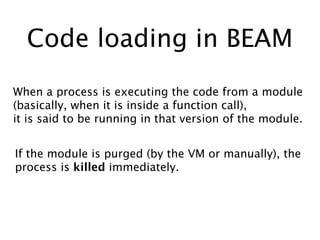
When a process is executing the code from a module
(basically, when it is inside a function call),
it is said to be running in that version of the module.
If the module is purged (by the VM or manually), the
process is killed immediately.
Local vs fully qualified
function calls
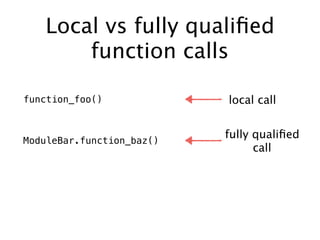
function_foo()
ModuleBar.function_baz()
local call
fully qualified
call
Local vs fully qualified
function calls
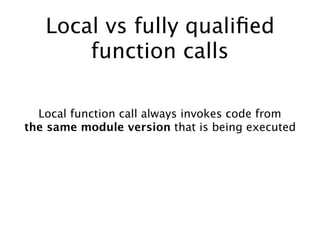
Local function call always invokes code from
the same module version that is being executed
Local vs fully qualified
function calls
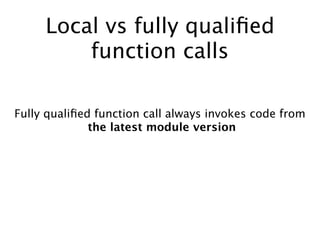
Fully qualified function call always invokes code from
the latest module version
Code reloading in BEAM
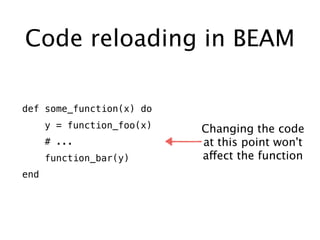
def some_function(x) do
y = function_foo(x)
# ...
function_bar(y)
end
Changing the code
at this point won't
affect the function
Code reloading in BEAM
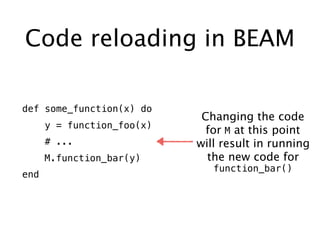
def some_function(x) do
y = function_foo(x)
# ...
M.function_bar(y)
end
Changing the code
for M at this point
will result in running
the new code for
function_bar()
Code reloading in BEAM
Doing a fully qualified function call allows a process
to switch to the new code.
But there are caveats we have to take into account...
Deterministic code
reloading in the face of
massive concurrency
In other words, "Would would OTP do?"
Code reloading with OTP
We have two problems to solve
1. Switching a process to the newly loaded module
version
2. Migrating the process state
Code reloading with OTP
How do we ensure our gen servers keep running
in those unforgiving circumstances?
By building a release, of course!
Release upgrades in
OTP
Quick guide to release
upgrades
Quick guide to release
upgrades
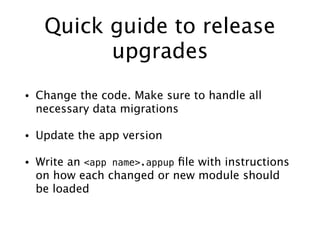
• Change the code. Make sure to handle all
necessary data migrations
• Update the app version
• Write an <app name>.appup file with instructions
on how each changed or new module should
be loaded
Quick guide to release
upgrades (continued)
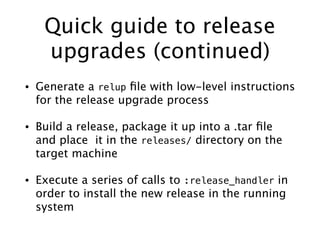
• Generate a relup file with low-level instructions
for the release upgrade process
• Build a release, package it up into a .tar file
and place it in the releases/ directory on the
target machine
• Execute a series of calls to :release_handler in
order to install the new release in the running
system
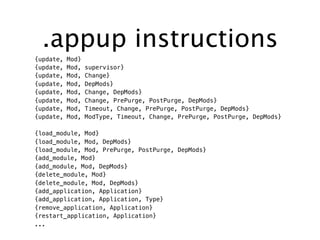
.appup instructions
{update, Mod}
{update, Mod, supervisor}
{update, Mod, Change}
{update, Mod, DepMods}
{update, Mod, Change, DepMods}
{update, Mod, Change, PrePurge, PostPurge, DepMods}
{update, Mod, Timeout, Change, PrePurge, PostPurge, DepMods}
{update, Mod, ModType, Timeout, Change, PrePurge, PostPurge, DepMods}
{load_module, Mod}
{load_module, Mod, DepMods}
{load_module, Mod, PrePurge, PostPurge, DepMods}
{add_module, Mod}
{add_module, Mod, DepMods}
{delete_module, Mod}
{delete_module, Mod, DepMods}
{add_application, Application}
{add_application, Application, Type}
{remove_application, Application}
{restart_application, Application}
...
Thankfully, the actual
upgrade process is
handled by OTP
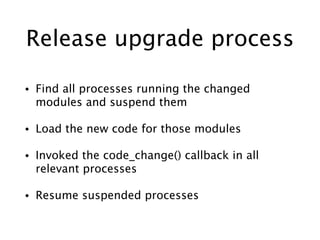
Release upgrade process
• Find all processes running the changed
modules and suspend them
• Load the new code for those modules
• Invoked the code_change() callback in all
relevant processes
• Resume suspended processes
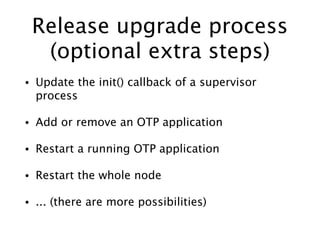
Release upgrade process
(optional extra steps)
• Update the init() callback of a supervisor
process
• Add or remove an OTP application
• Restart a running OTP application
• Restart the whole node
• ... (there are more possibilities)
Upgrading a release
with Distillery
Upgrading a release with
Distillery
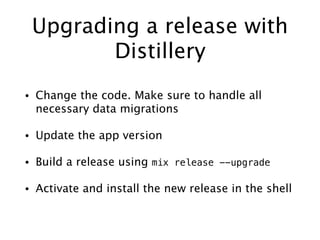
• Change the code. Make sure to handle all
necessary data migrations
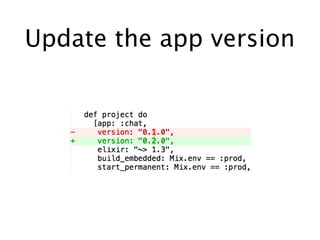
• Update the app version
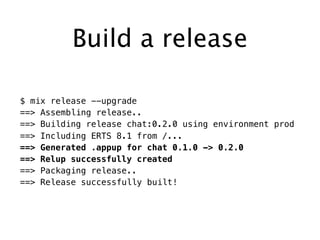
• Build a release using mix release --upgrade
• Activate and install the new release in the shell
Update the app version
Build a release
$ mix release --upgrade
==> Assembling release..
==> Building release chat:0.2.0 using environment prod
==> Including ERTS 8.1 from /...
==> Generated .appup for chat 0.1.0 -> 0.2.0
==> Relup successfully created
==> Packaging release..
==> Release successfully built!
Install the new release
$ rel/chat/bin/chat console
iex(chat@127.0.0.1)1>
:release_handler.set_unpacked 'releases/0.2.0/chat.rel', []
{:ok, '0.2.0'}
iex(chat@127.0.0.1)2> :release_handler.install_release '0.2.0'
{:ok, '0.1.0', []}
iex(chat@127.0.0.1)3> :release_handler.which_releases
[{'chat', '0.2.0', [...], :current},
{'chat', '0.1.0', [...], :permanent}]
Install the new release
(continued)
iex(chat@127.0.0.1)4> :release_handler.make_permanent '0.2.0'
:ok
iex(chat@127.0.0.1)5> :release_handler.which_releases
[{'chat', '0.2.0', [...], :permanent},
{'chat', '0.1.0', [...], :old}]
Distillery helps a lot
But you still have to
know the underlying
details
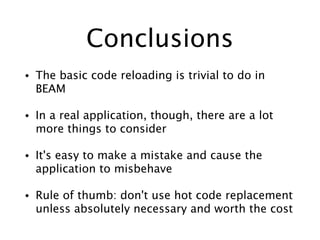
Conclusions
• The basic code reloading is trivial to do in
BEAM
• In a real application, though, there are a lot
more things to consider
• It's easy to make a mistake and cause the
application to misbehave
• Rule of thumb: don't use hot code replacement
unless absolutely necessary and worth the cost
Questions?
Alexei Sholik
github.com/alco
twitter.com/true_droid

Hot Code Replacement - Alexei Sholik

  • 1.
    Releases and HotCode Replacement in Elixir Alexei Sholik Kyiv Elixir Meetup, 3 Nov 2016
  • 2.
    What we'll learn •The importance of separating code and data • Code loading in BEAM • Fundamentals of release upgrades in OTP • Building an upgrade using Distillery
  • 3.
  • 4.
  • 5.
    OOP A program isan object graph
  • 6.
    OOP def some_method(this, x): y= this.method_foo(x) # ... this.method_bar(y) What if we change the code at this point?
  • 7.
    Code reloading inOOP DOES NOT WORK
  • 8.
  • 9.
    Functional programming Code anddata are separate data data code
  • 10.
    Code reloading in functionalprogramming TRIVIAL
  • 11.
    Code reloading in functionalprogramming OR IS IT?
  • 12.
    Code reloading in functionalprogramming def some_function(x) do y = function_foo(x) # ... function_bar(y) end What if we change the code at this point?
  • 13.
    Code reloading in functionalprogramming def some_function(x) do y = function_foo(x) # ... M.function_bar(y) end What if we change the code at this point?
  • 14.
  • 15.
    Code loading inBEAM A process is a unit of concurrency Inside a single process all code is executed sequentially Concurrency is achieved by interleaving the execution of many processes
  • 16.
    Code loading inBEAM A module is a unit of code A module is loaded or reloaded as a whole The VM keeps at most two versions of the same module Reloading a module creates a new version of it in memory
  • 17.
    Code loading inBEAM The most recently loaded version is called current The previous version is called old
  • 18.
    Code loading inBEAM When a process is executing the code from a module (basically, when it is inside a function call), it is said to be running in that version of the module. If the module is purged (by the VM or manually), the process is killed immediately.
  • 19.
    Local vs fullyqualified function calls function_foo() ModuleBar.function_baz() local call fully qualified call
  • 20.
    Local vs fullyqualified function calls Local function call always invokes code from the same module version that is being executed
  • 21.
    Local vs fullyqualified function calls Fully qualified function call always invokes code from the latest module version
  • 22.
    Code reloading inBEAM def some_function(x) do y = function_foo(x) # ... function_bar(y) end Changing the code at this point won't affect the function
  • 23.
    Code reloading inBEAM def some_function(x) do y = function_foo(x) # ... M.function_bar(y) end Changing the code for M at this point will result in running the new code for function_bar()
  • 24.
    Code reloading inBEAM Doing a fully qualified function call allows a process to switch to the new code. But there are caveats we have to take into account...
  • 25.
    Deterministic code reloading inthe face of massive concurrency In other words, "Would would OTP do?"
  • 26.
    Code reloading withOTP We have two problems to solve 1. Switching a process to the newly loaded module version 2. Migrating the process state
  • 27.
    Code reloading withOTP How do we ensure our gen servers keep running in those unforgiving circumstances? By building a release, of course!
  • 28.
  • 29.
    Quick guide torelease upgrades
  • 30.
    Quick guide torelease upgrades • Change the code. Make sure to handle all necessary data migrations • Update the app version • Write an <app name>.appup file with instructions on how each changed or new module should be loaded
  • 31.
    Quick guide torelease upgrades (continued) • Generate a relup file with low-level instructions for the release upgrade process • Build a release, package it up into a .tar file and place it in the releases/ directory on the target machine • Execute a series of calls to :release_handler in order to install the new release in the running system
  • 32.
    .appup instructions {update, Mod} {update,Mod, supervisor} {update, Mod, Change} {update, Mod, DepMods} {update, Mod, Change, DepMods} {update, Mod, Change, PrePurge, PostPurge, DepMods} {update, Mod, Timeout, Change, PrePurge, PostPurge, DepMods} {update, Mod, ModType, Timeout, Change, PrePurge, PostPurge, DepMods} {load_module, Mod} {load_module, Mod, DepMods} {load_module, Mod, PrePurge, PostPurge, DepMods} {add_module, Mod} {add_module, Mod, DepMods} {delete_module, Mod} {delete_module, Mod, DepMods} {add_application, Application} {add_application, Application, Type} {remove_application, Application} {restart_application, Application} ...
  • 33.
    Thankfully, the actual upgradeprocess is handled by OTP
  • 34.
    Release upgrade process •Find all processes running the changed modules and suspend them • Load the new code for those modules • Invoked the code_change() callback in all relevant processes • Resume suspended processes
  • 35.
    Release upgrade process (optionalextra steps) • Update the init() callback of a supervisor process • Add or remove an OTP application • Restart a running OTP application • Restart the whole node • ... (there are more possibilities)
  • 36.
  • 37.
    Upgrading a releasewith Distillery • Change the code. Make sure to handle all necessary data migrations • Update the app version • Build a release using mix release --upgrade • Activate and install the new release in the shell
  • 38.
  • 39.
    Build a release $mix release --upgrade ==> Assembling release.. ==> Building release chat:0.2.0 using environment prod ==> Including ERTS 8.1 from /... ==> Generated .appup for chat 0.1.0 -> 0.2.0 ==> Relup successfully created ==> Packaging release.. ==> Release successfully built!
  • 40.
    Install the newrelease $ rel/chat/bin/chat console iex(chat@127.0.0.1)1> :release_handler.set_unpacked 'releases/0.2.0/chat.rel', [] {:ok, '0.2.0'} iex(chat@127.0.0.1)2> :release_handler.install_release '0.2.0' {:ok, '0.1.0', []} iex(chat@127.0.0.1)3> :release_handler.which_releases [{'chat', '0.2.0', [...], :current}, {'chat', '0.1.0', [...], :permanent}]
  • 41.
    Install the newrelease (continued) iex(chat@127.0.0.1)4> :release_handler.make_permanent '0.2.0' :ok iex(chat@127.0.0.1)5> :release_handler.which_releases [{'chat', '0.2.0', [...], :permanent}, {'chat', '0.1.0', [...], :old}]
  • 42.
  • 43.
    But you stillhave to know the underlying details
  • 44.
    Conclusions • The basiccode reloading is trivial to do in BEAM • In a real application, though, there are a lot more things to consider • It's easy to make a mistake and cause the application to misbehave • Rule of thumb: don't use hot code replacement unless absolutely necessary and worth the cost
  • 45.