Redefining the Concept of
Teaching & Lesson Delivery


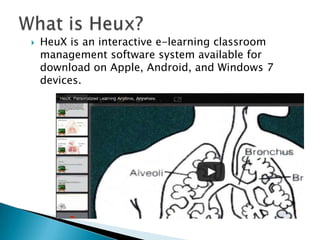
HeuX is an interactive e-learning classroom
management software system available for
download on Apple, Android, and Windows 7
devices.


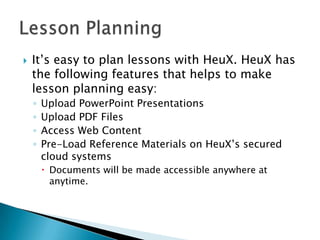
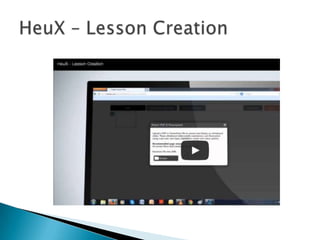
It’s easy to plan lessons with HeuX. HeuX has
the following features that helps to make
lesson planning easy:
◦
◦
◦
◦

Upload PowerPoint Presentations
Upload PDF Files
Access Web Content
Pre-Load Reference Materials on HeuX’s secured
cloud systems
 Documents will be made accessible anywhere at
anytime.


Are you tired of using the same old format
for presentations? Chances are, your students
are, too. With HeuX you’ll be able to create
aesthetically pleasing presentations that are
so much more than just slides. The next few
slides will detail some of the features and
capabilities that HeuX offers.




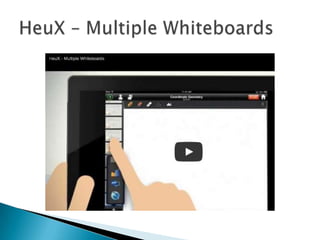
Once uploaded, your slides will turn into
virtual whiteboards that will allow you to
write, edit, and highlight them as you teach.
You can even edit the background by
selecting an image from the picture
gallery, camera, or pre-defined templates.



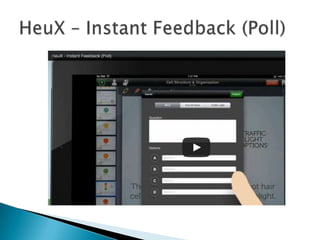
HeuX allows you to poll the class.
Poll Options include:
◦ Multiple Choice
◦ True/False
◦ Traffic Light Questions


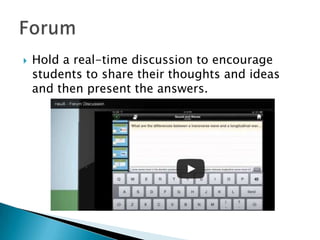
Hold a real-time discussion to encourage
students to share their thoughts and ideas
and then present the answers.


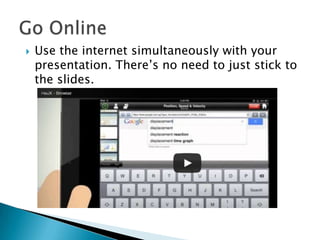
Use the internet simultaneously with your
presentation. There’s no need to just stick to
the slides.


HeuX makes learning fun with their state-of-theart e-learning software. Your classroom will be
enhanced with features including:
◦
◦
◦
◦
◦
◦
◦



Observe Screen
Tag Submission
Lock Screen
Co-Browse
Slide Creation
Co-Edit Option
Student List

These features encourage students to take an
active role in their education while helping you to
better manage the classroom.


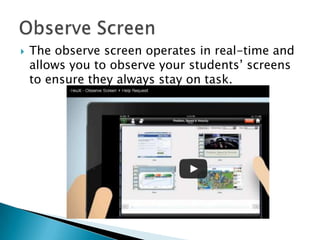
The observe screen operates in real-time and
allows you to observe your students’ screens
to ensure they always stay on task.


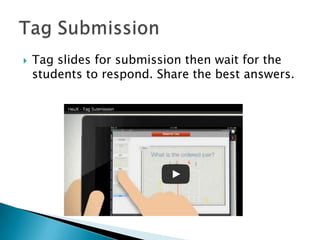
Tag slides for submission then wait for the
students to respond. Share the best answers.


You’ll never have to
worry about students
opening other apps or
going off track with the
lock screen.

Lock Screen



Your students can
easily follow you as
you go through your
slides with the CoBrowse Feature.

Co-Browse


Did you forget to add
something important
to your slideshow and
only now realized it as
you’re presenting? No
sweat, with HeuX you
can easily add more
slides as you present.

Slide Creation



View the list of
students participating
in the lesson at the tap
of a button. This is a
great tool for
classroom
management.

Student List


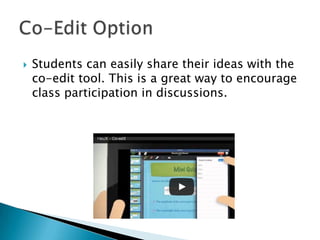
Students can easily share their ideas with the
co-edit tool. This is a great way to encourage
class participation in discussions.











Up to 250MB of Storage
Limited (Up to 250MB) of Lesson Plan Storage
Holds up to 20 Participating Students/Session
Lesson Builder
Review Past Lessons
Basic Reporting
Support: Web
Basic Collaboration Tools (Whiteboard, Browser,
Poll)
Free trial of Advanced Collaboration Tool For
Limited Time (Observe Screen, Forum, Co-edit,
Tag Submission)











Up to 1GB Storage Capacity
Limited (Up to 1GB) Lesson Plan Storage
Holds Up To 50 Participating Students/Session
Lesson Builder
Review Past Lessons
Basic Reporting
Support: Web & Email
Basic Collaboration Tools (Whiteboard, Browser,
Poll)
Advanced Collaboration Tools (Observe Screen,
Forum, Co-edit, Tag Submission)












Unlimited Storage Capacity
Unlimited Lesson Plan Storage
Holds Up To 100 Participating Students/Lesson
Lesson Builder
Review Past Lessons
Advanced Reporting
User Management Themes
Support: Forum
Basic Collaboration Tools (Whiteboard, Browser, Poll)
Advanced Collaboration Tools (Observe
Screen, Forum, Co-edit, Tag Submission)
Add-Ons:
◦ Student Repository
◦ Quiz
◦ Learning Journal


For more information about HeuX or to
download/purchase the appication, visit
www.heux.com

HeuX

  • 1.
    Redefining the Conceptof Teaching & Lesson Delivery
  • 2.
     HeuX is aninteractive e-learning classroom management software system available for download on Apple, Android, and Windows 7 devices.
  • 3.
     It’s easy toplan lessons with HeuX. HeuX has the following features that helps to make lesson planning easy: ◦ ◦ ◦ ◦ Upload PowerPoint Presentations Upload PDF Files Access Web Content Pre-Load Reference Materials on HeuX’s secured cloud systems  Documents will be made accessible anywhere at anytime.
  • 5.
     Are you tiredof using the same old format for presentations? Chances are, your students are, too. With HeuX you’ll be able to create aesthetically pleasing presentations that are so much more than just slides. The next few slides will detail some of the features and capabilities that HeuX offers.
  • 6.
      Once uploaded, yourslides will turn into virtual whiteboards that will allow you to write, edit, and highlight them as you teach. You can even edit the background by selecting an image from the picture gallery, camera, or pre-defined templates.
  • 8.
      HeuX allows youto poll the class. Poll Options include: ◦ Multiple Choice ◦ True/False ◦ Traffic Light Questions
  • 10.
     Hold a real-timediscussion to encourage students to share their thoughts and ideas and then present the answers.
  • 11.
     Use the internetsimultaneously with your presentation. There’s no need to just stick to the slides.
  • 12.
     HeuX makes learningfun with their state-of-theart e-learning software. Your classroom will be enhanced with features including: ◦ ◦ ◦ ◦ ◦ ◦ ◦  Observe Screen Tag Submission Lock Screen Co-Browse Slide Creation Co-Edit Option Student List These features encourage students to take an active role in their education while helping you to better manage the classroom.
  • 13.
     The observe screenoperates in real-time and allows you to observe your students’ screens to ensure they always stay on task.
  • 14.
     Tag slides forsubmission then wait for the students to respond. Share the best answers.
  • 15.
     You’ll never haveto worry about students opening other apps or going off track with the lock screen. Lock Screen  Your students can easily follow you as you go through your slides with the CoBrowse Feature. Co-Browse
  • 16.
     Did you forgetto add something important to your slideshow and only now realized it as you’re presenting? No sweat, with HeuX you can easily add more slides as you present. Slide Creation  View the list of students participating in the lesson at the tap of a button. This is a great tool for classroom management. Student List
  • 17.
     Students can easilyshare their ideas with the co-edit tool. This is a great way to encourage class participation in discussions.
  • 19.
             Up to 250MBof Storage Limited (Up to 250MB) of Lesson Plan Storage Holds up to 20 Participating Students/Session Lesson Builder Review Past Lessons Basic Reporting Support: Web Basic Collaboration Tools (Whiteboard, Browser, Poll) Free trial of Advanced Collaboration Tool For Limited Time (Observe Screen, Forum, Co-edit, Tag Submission)
  • 20.
             Up to 1GBStorage Capacity Limited (Up to 1GB) Lesson Plan Storage Holds Up To 50 Participating Students/Session Lesson Builder Review Past Lessons Basic Reporting Support: Web & Email Basic Collaboration Tools (Whiteboard, Browser, Poll) Advanced Collaboration Tools (Observe Screen, Forum, Co-edit, Tag Submission)
  • 21.
               Unlimited Storage Capacity UnlimitedLesson Plan Storage Holds Up To 100 Participating Students/Lesson Lesson Builder Review Past Lessons Advanced Reporting User Management Themes Support: Forum Basic Collaboration Tools (Whiteboard, Browser, Poll) Advanced Collaboration Tools (Observe Screen, Forum, Co-edit, Tag Submission) Add-Ons: ◦ Student Repository ◦ Quiz ◦ Learning Journal
  • 22.
     For more informationabout HeuX or to download/purchase the appication, visit www.heux.com