Heritrix REST API
Roger G. Coram
Web Crawl Engineer
2
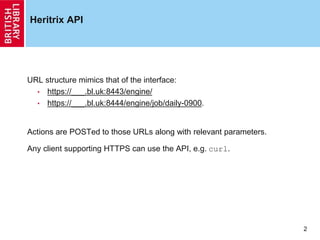
Heritrix API
URL structure mimics that of the interface:
• https://___.bl.uk:8443/engine/
• https://___.bl.uk:8444/engine/job/daily-0900.
Actions are POSTed to those URLs along with relevant parameters.
Any client supporting HTTPS can use the API, e.g. curl.
3
Actions
Possible actions:
• create
• add
• build
• launch
• rescan
• pause
• unpause
• terminate
• teardown
• checkpoint
• execute
• submit
4
BL Use Case
Our normal workflow would be:
1. Check for an already existing job.
• If one exists, pause, terminate, teardown:
curl -k -u $USER:$PASS -d "action=pause" 
--anyauth --location https://$HOST:8443/engine/job/daily-0900
curl -k -u $USER:$PASS -d "action=terminate" 
--anyauth --location https://$HOST:8443/engine/job/daily-0900
curl -k -u $USER:$PASS -d "action=teardown" 
--anyauth --location https://$HOST:8443/engine/job/daily-0900
2. Copy the relevant profile, seeds, etc. into the job
directory
3. build, launch:
curl -k -u $USER:$PASS -d "action=build" 
--anyauth --location https://$HOST:8443/engine/job/daily-0900
curl -k -u $USER:$PASS -d "action=launch" 
--anyauth --location https://$HOST:8443/engine/job/daily-0900
5
BL Use Case
We also have bespoke settings which we apply via Sheets either in the
crawler-beans.cxml or:
SCRIPT='appCtx.getBean("sheetOverlaysManager").addSurtAssociation("http://(uk,bl,",
"higherLimit");'
curl -k -u $USER:$PASS -d "action=script&engine=beanshell&script=$SCRIPT" 
--anyauth --location https://$HOST:8443/engine/job/daily-0900
6
Documentation
Fully documented here:
• https://webarchive.jira.com/wiki/display/Heritrix/Heritrix+3.x+API+Guide

Heritrix REST API

  • 1.
    Heritrix REST API RogerG. Coram Web Crawl Engineer
  • 2.
    2 Heritrix API URL structuremimics that of the interface: • https://___.bl.uk:8443/engine/ • https://___.bl.uk:8444/engine/job/daily-0900. Actions are POSTed to those URLs along with relevant parameters. Any client supporting HTTPS can use the API, e.g. curl.
  • 3.
    3 Actions Possible actions: • create •add • build • launch • rescan • pause • unpause • terminate • teardown • checkpoint • execute • submit
  • 4.
    4 BL Use Case Ournormal workflow would be: 1. Check for an already existing job. • If one exists, pause, terminate, teardown: curl -k -u $USER:$PASS -d "action=pause" --anyauth --location https://$HOST:8443/engine/job/daily-0900 curl -k -u $USER:$PASS -d "action=terminate" --anyauth --location https://$HOST:8443/engine/job/daily-0900 curl -k -u $USER:$PASS -d "action=teardown" --anyauth --location https://$HOST:8443/engine/job/daily-0900 2. Copy the relevant profile, seeds, etc. into the job directory 3. build, launch: curl -k -u $USER:$PASS -d "action=build" --anyauth --location https://$HOST:8443/engine/job/daily-0900 curl -k -u $USER:$PASS -d "action=launch" --anyauth --location https://$HOST:8443/engine/job/daily-0900
  • 5.
    5 BL Use Case Wealso have bespoke settings which we apply via Sheets either in the crawler-beans.cxml or: SCRIPT='appCtx.getBean("sheetOverlaysManager").addSurtAssociation("http://(uk,bl,", "higherLimit");' curl -k -u $USER:$PASS -d "action=script&engine=beanshell&script=$SCRIPT" --anyauth --location https://$HOST:8443/engine/job/daily-0900
  • 6.
    6 Documentation Fully documented here: •https://webarchive.jira.com/wiki/display/Heritrix/Heritrix+3.x+API+Guide