1
Linker Namespace Insight
2
Agenda
• Target & Behavior
• Implementation
3
Target & Behavior
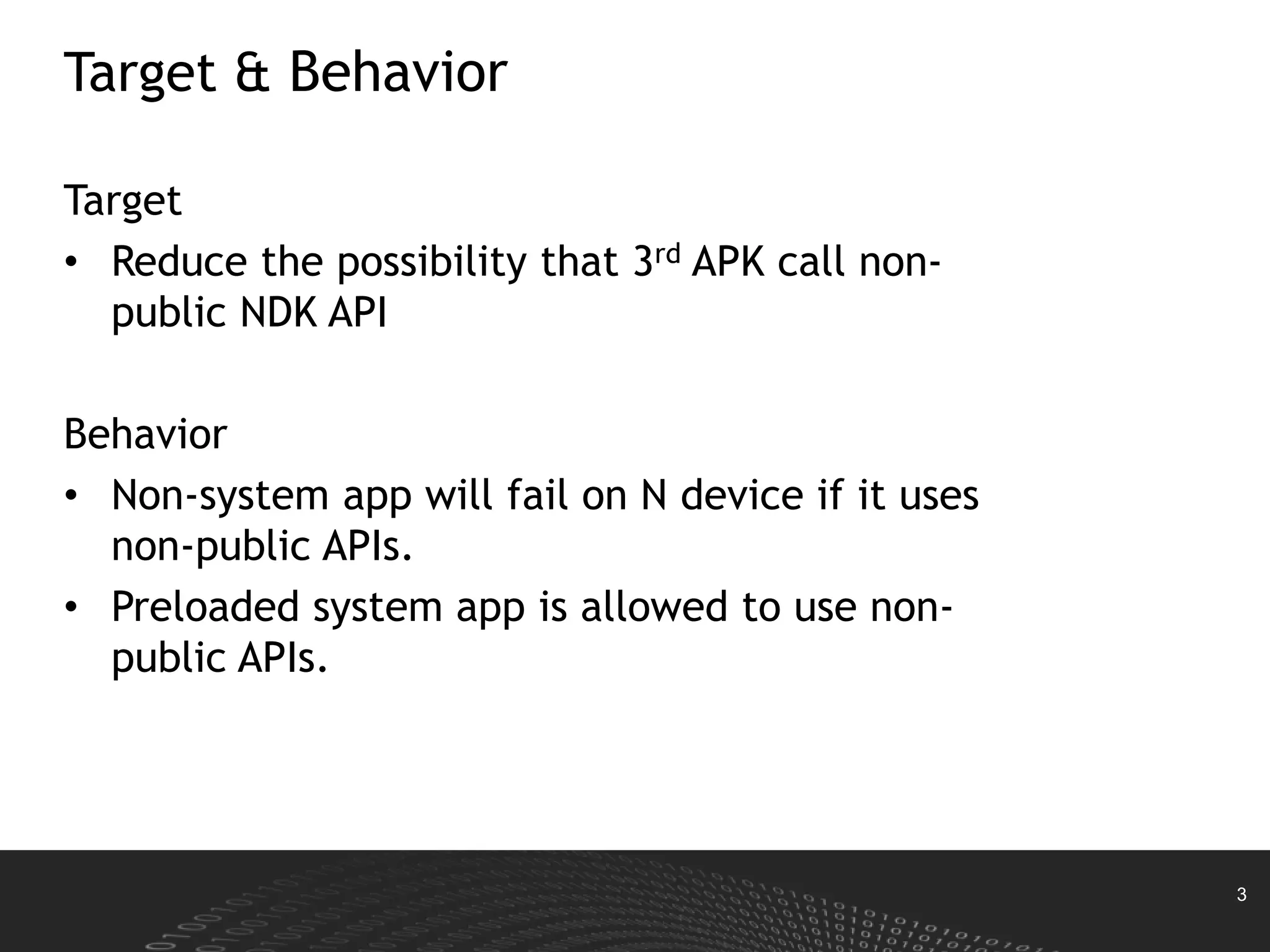
Target
• Reduce the possibility that 3rd APK call non-
public NDK API
Behavior
• Non-system app will fail on N device if it uses
non-public APIs.
• Preloaded system app is allowed to use non-
public APIs.
4
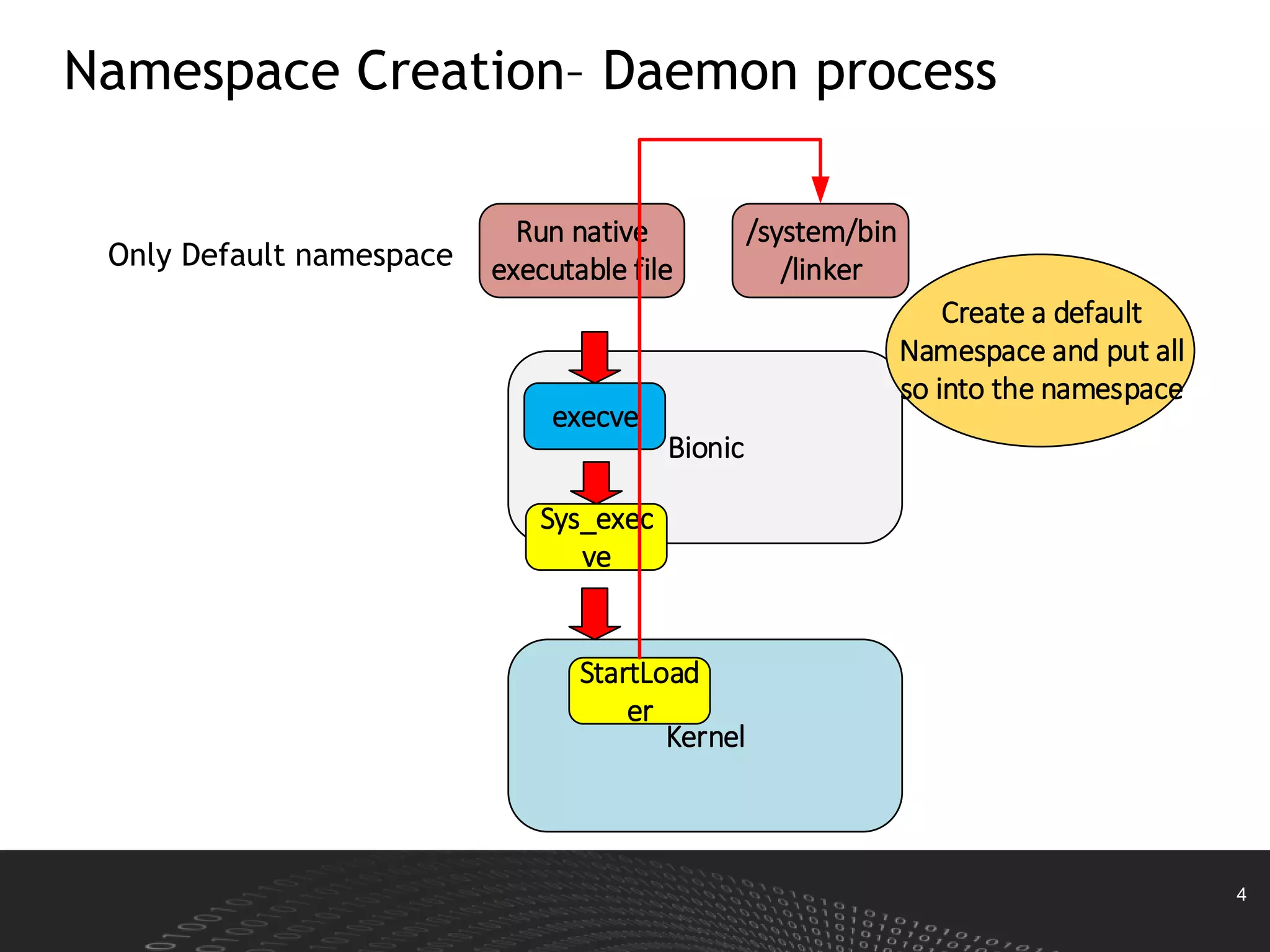
Namespace Creation– Daemon process
Only Default namespace
Run native
executable file
Bionic
execve
Kernel
Sys_exec
ve
StartLoad
er
/system/bin
/linker
Create a default
Namespace and put all
so into the namespace
5
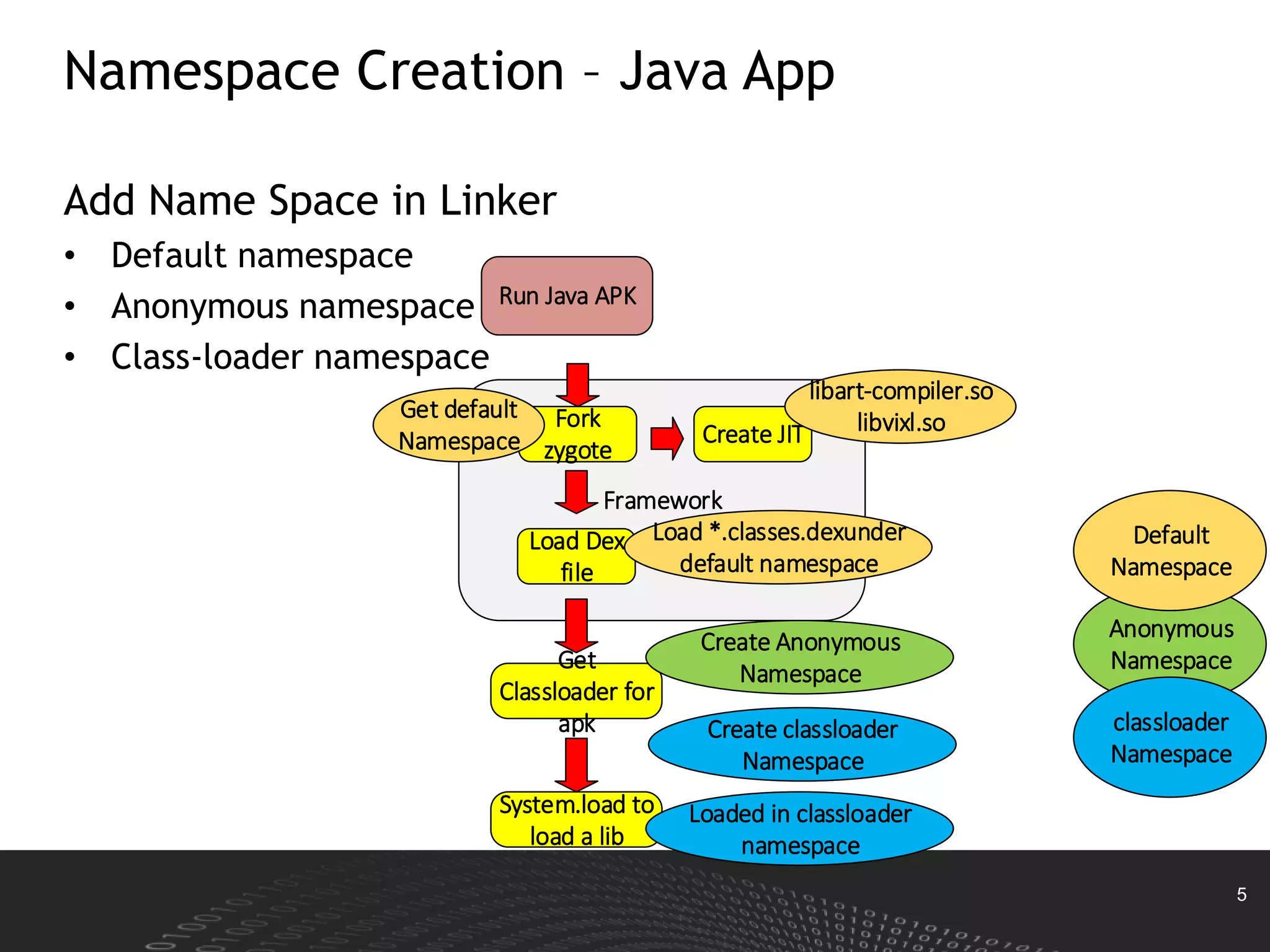
Namespace Creation – Java App
Add Name Space in Linker
• Default namespace
• Anonymous namespace
• Class-loader namespace
Run Java APK
Framework
Fork
zygote
Load Dex
file
Create JIT
Get default
Namespace
libart-compiler.so
libvixl.so
Load *.classes.dexunder
default namespace
Get
Classloader for
apk
Create Anonymous
Namespace
Create classloader
Namespace
System.load to
load a lib
Loaded in classloader
namespace
Anonymous
Namespace
Default
Namespace
classloader
Namespace
6
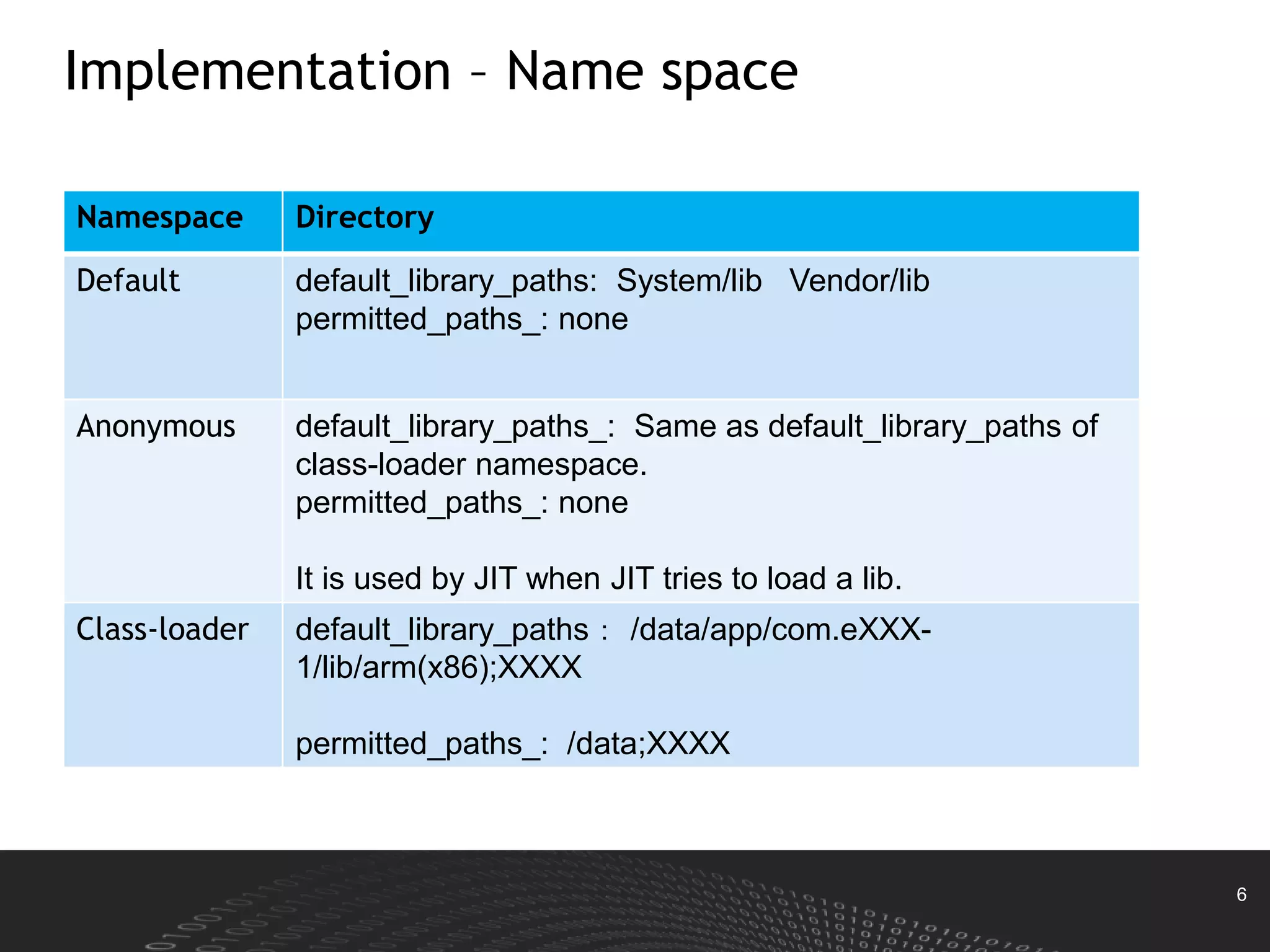
Implementation – Name space
Namespace Directory
Default default_library_paths: System/lib Vendor/lib
permitted_paths_: none
Anonymous default_library_paths_: Same as default_library_paths of
class-loader namespace.
permitted_paths_: none
It is used by JIT when JIT tries to load a lib.
Class-loader default_library_paths: /data/app/com.eXXX-
1/lib/arm(x86);XXXX
permitted_paths_: /data;XXXX
7
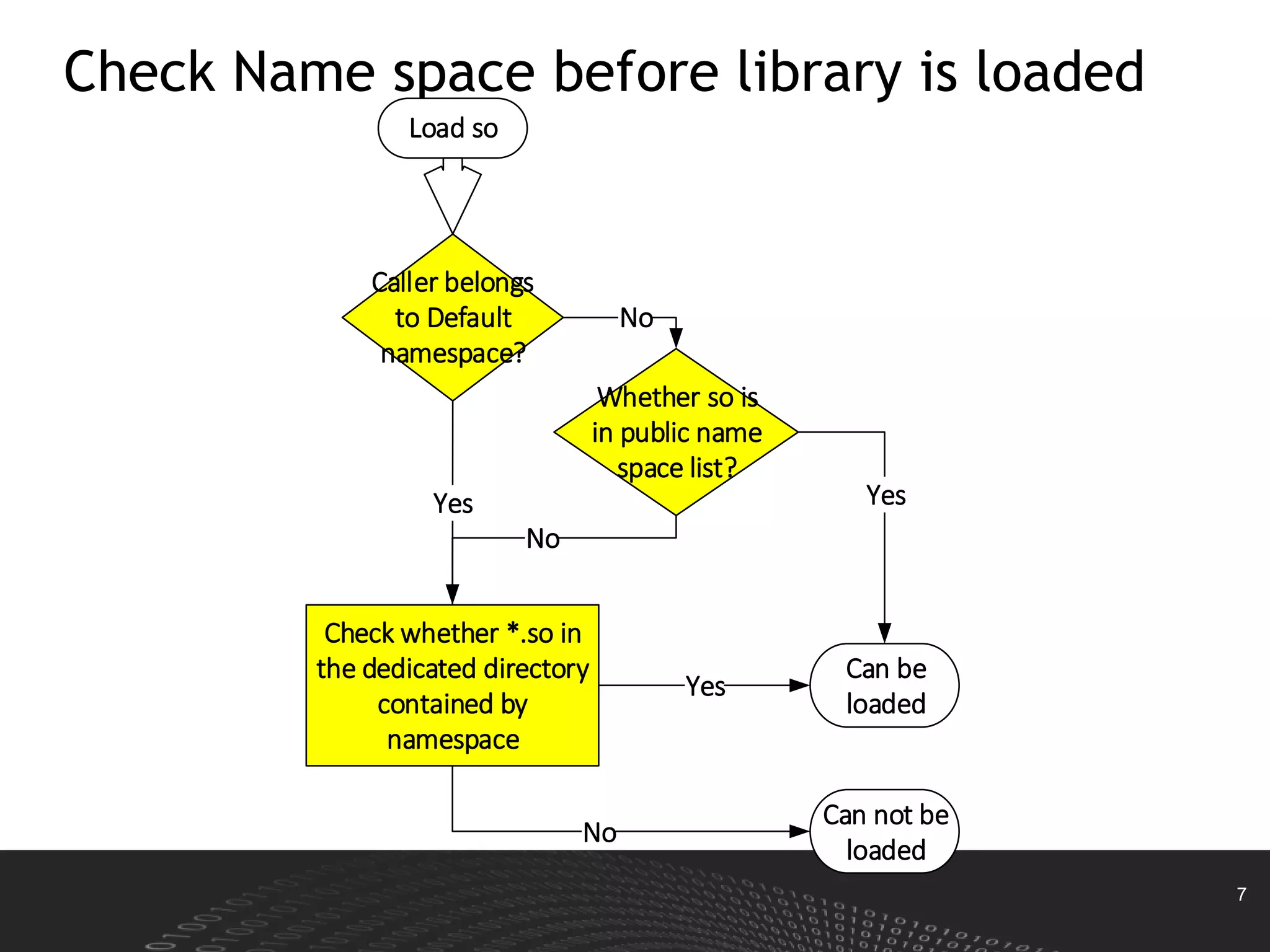
Check Name space before library is loaded
Caller belongs
to Default
namespace?
Load so
Whether so is
in public name
space list?
Can be
loaded
No
Yes
Check whether *.so in
the dedicated directory
contained by
namespace
Yes
No
Yes
Can not be
loaded
No
8
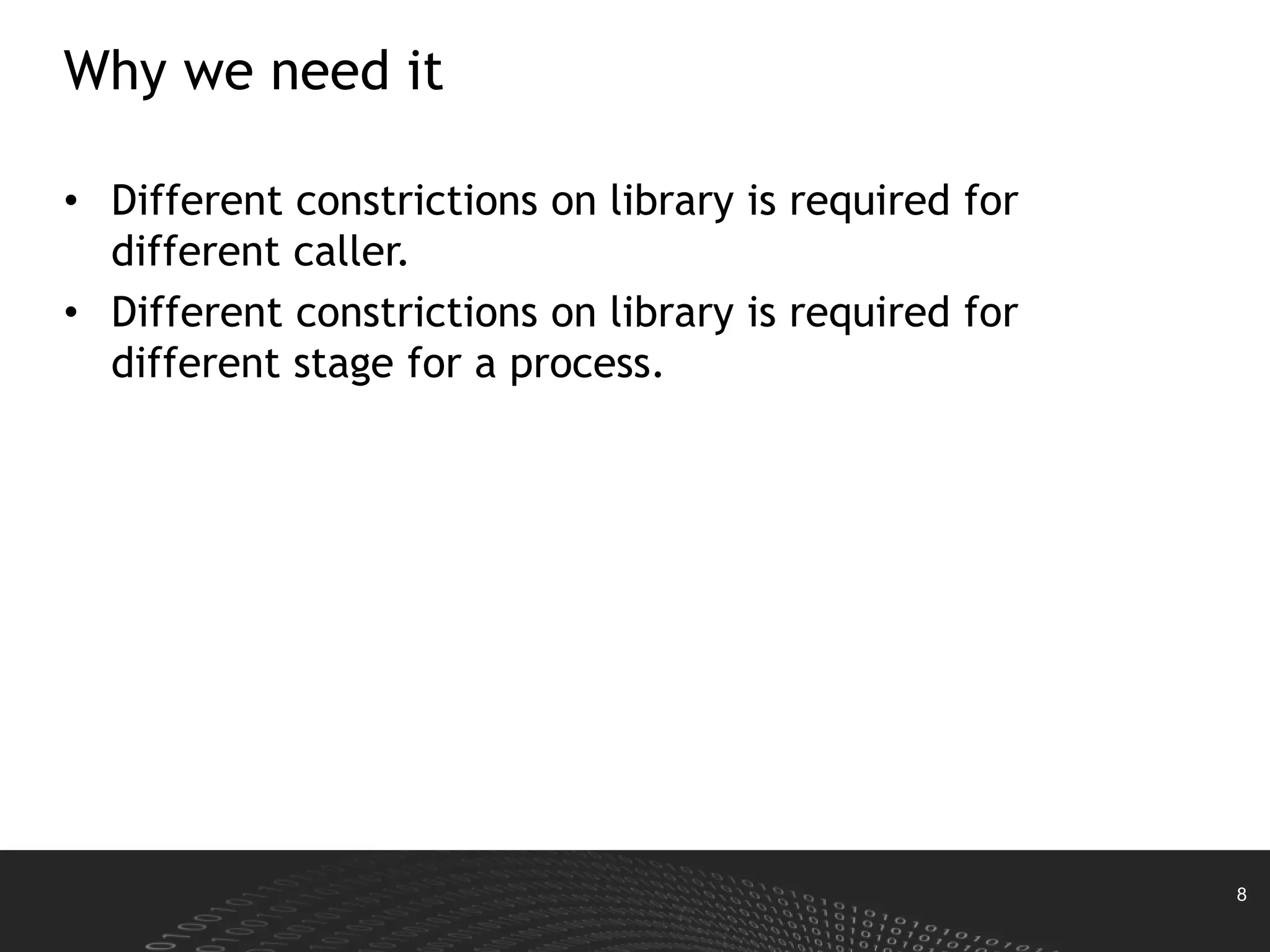
Why we need it
• Different constrictions on library is required for
different caller.
• Different constrictions on library is required for
different stage for a process.

Linker namespace upload

  • 1.
  • 2.
    2 Agenda • Target &Behavior • Implementation
  • 3.
    3 Target & Behavior Target •Reduce the possibility that 3rd APK call non- public NDK API Behavior • Non-system app will fail on N device if it uses non-public APIs. • Preloaded system app is allowed to use non- public APIs.
  • 4.
    4 Namespace Creation– Daemonprocess Only Default namespace Run native executable file Bionic execve Kernel Sys_exec ve StartLoad er /system/bin /linker Create a default Namespace and put all so into the namespace
  • 5.
    5 Namespace Creation –Java App Add Name Space in Linker • Default namespace • Anonymous namespace • Class-loader namespace Run Java APK Framework Fork zygote Load Dex file Create JIT Get default Namespace libart-compiler.so libvixl.so Load *.classes.dexunder default namespace Get Classloader for apk Create Anonymous Namespace Create classloader Namespace System.load to load a lib Loaded in classloader namespace Anonymous Namespace Default Namespace classloader Namespace
  • 6.
    6 Implementation – Namespace Namespace Directory Default default_library_paths: System/lib Vendor/lib permitted_paths_: none Anonymous default_library_paths_: Same as default_library_paths of class-loader namespace. permitted_paths_: none It is used by JIT when JIT tries to load a lib. Class-loader default_library_paths: /data/app/com.eXXX- 1/lib/arm(x86);XXXX permitted_paths_: /data;XXXX
  • 7.
    7 Check Name spacebefore library is loaded Caller belongs to Default namespace? Load so Whether so is in public name space list? Can be loaded No Yes Check whether *.so in the dedicated directory contained by namespace Yes No Yes Can not be loaded No
  • 8.
    8 Why we needit • Different constrictions on library is required for different caller. • Different constrictions on library is required for different stage for a process.