USE OF EMERGING
TECHNOLOGIES IN LIBRARIES
ASHFAQ AHMAD KTK
BS-LIS,4th Semester,
KKKUK.
HARDWARE AND SOFTWARE
 Hardware:
Hardware is the physical parts of the computer system that
we can see and touch.
The hardware can be classified into the following categories;
 Input Devices
 System Unit
 Storage Device
 Output Device
 Memory
 Input Device:
Input is any data or instructions entered into the memory of a computer.
An input device is any hardware component that allows a user to enter
data and instruction into a computer.
Input device are:
 Keyboard
 Mouse
 Scanner
 Barcode Reader
 Microphone etc.
 System Unit:
The system unit is the rectangular case that houses the electronic
components inside the computer. The mother board is main circuitry in
the system unit. The two main components in the motherboard on the
central processing unit (CPU) and Memory.
 Motherboard
 Processor
 Control Unit
 Registers etc.
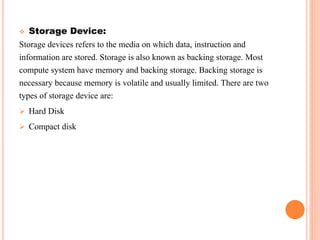
 Storage Device:
Storage devices refers to the media on which data, instruction and
information are stored. Storage is also known as backing storage. Most
compute system have memory and backing storage. Backing storage is
necessary because memory is volatile and usually limited. There are two
types of storage device are:
 Hard Disk
 Compact disk
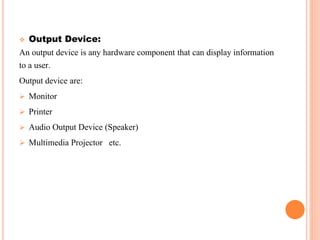
 Output Device:
An output device is any hardware component that can display information
to a user.
Output device are:
 Monitor
 Printer
 Audio Output Device (Speaker)
 Multimedia Projector etc.
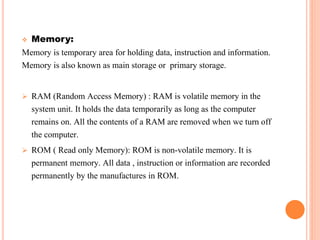
 Memory:
Memory is temporary area for holding data, instruction and information.
Memory is also known as main storage or primary storage.
 RAM (Random Access Memory) : RAM is volatile memory in the
system unit. It holds the data temporarily as long as the computer
remains on. All the contents of a RAM are removed when we turn off
the computer.
 ROM ( Read only Memory): ROM is non-volatile memory. It is
permanent memory. All data , instruction or information are recorded
permanently by the manufactures in ROM.
HARDWARE AND SOFTWARE
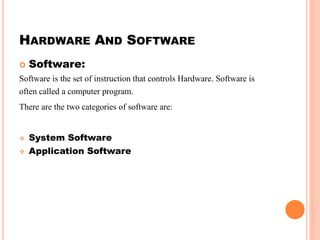
 Software:
Software is the set of instruction that controls Hardware. Software is
often called a computer program.
There are the two categories of software are:
 System Software
 Application Software
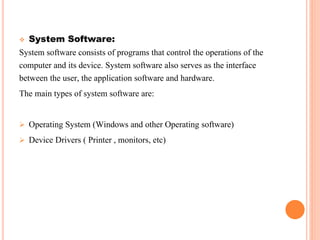
 System Software:
System software consists of programs that control the operations of the
computer and its device. System software also serves as the interface
between the user, the application software and hardware.
The main types of system software are:
 Operating System (Windows and other Operating software)
 Device Drivers ( Printer , monitors, etc)
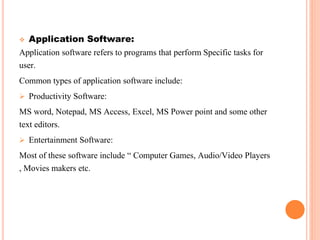
 Application Software:
Application software refers to programs that perform Specific tasks for
user.
Common types of application software include:
 Productivity Software:
MS word, Notepad, MS Access, Excel, MS Power point and some other
text editors.
 Entertainment Software:
Most of these software include “ Computer Games, Audio/Video Players
, Movies makers etc.
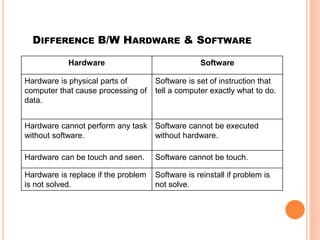
DIFFERENCE B/W HARDWARE & SOFTWARE
Hardware Software
Hardware is physical parts of
computer that cause processing of
data.
Software is set of instruction that
tell a computer exactly what to do.
Hardware cannot perform any task
without software.
Software cannot be executed
without hardware.
Hardware can be touch and seen. Software cannot be touch.
Hardware is replace if the problem
is not solved.
Software is reinstall if problem is
not solve.
Hardware & Software

Hardware & Software

  • 1.
    USE OF EMERGING TECHNOLOGIESIN LIBRARIES ASHFAQ AHMAD KTK BS-LIS,4th Semester, KKKUK.
  • 2.
    HARDWARE AND SOFTWARE Hardware: Hardware is the physical parts of the computer system that we can see and touch. The hardware can be classified into the following categories;  Input Devices  System Unit  Storage Device  Output Device  Memory
  • 3.
     Input Device: Inputis any data or instructions entered into the memory of a computer. An input device is any hardware component that allows a user to enter data and instruction into a computer. Input device are:  Keyboard  Mouse  Scanner  Barcode Reader  Microphone etc.
  • 4.
     System Unit: Thesystem unit is the rectangular case that houses the electronic components inside the computer. The mother board is main circuitry in the system unit. The two main components in the motherboard on the central processing unit (CPU) and Memory.  Motherboard  Processor  Control Unit  Registers etc.
  • 5.
     Storage Device: Storagedevices refers to the media on which data, instruction and information are stored. Storage is also known as backing storage. Most compute system have memory and backing storage. Backing storage is necessary because memory is volatile and usually limited. There are two types of storage device are:  Hard Disk  Compact disk
  • 6.
     Output Device: Anoutput device is any hardware component that can display information to a user. Output device are:  Monitor  Printer  Audio Output Device (Speaker)  Multimedia Projector etc.
  • 7.
     Memory: Memory istemporary area for holding data, instruction and information. Memory is also known as main storage or primary storage.  RAM (Random Access Memory) : RAM is volatile memory in the system unit. It holds the data temporarily as long as the computer remains on. All the contents of a RAM are removed when we turn off the computer.  ROM ( Read only Memory): ROM is non-volatile memory. It is permanent memory. All data , instruction or information are recorded permanently by the manufactures in ROM.
  • 8.
    HARDWARE AND SOFTWARE Software: Software is the set of instruction that controls Hardware. Software is often called a computer program. There are the two categories of software are:  System Software  Application Software
  • 9.
     System Software: Systemsoftware consists of programs that control the operations of the computer and its device. System software also serves as the interface between the user, the application software and hardware. The main types of system software are:  Operating System (Windows and other Operating software)  Device Drivers ( Printer , monitors, etc)
  • 10.
     Application Software: Applicationsoftware refers to programs that perform Specific tasks for user. Common types of application software include:  Productivity Software: MS word, Notepad, MS Access, Excel, MS Power point and some other text editors.  Entertainment Software: Most of these software include “ Computer Games, Audio/Video Players , Movies makers etc.
  • 11.
    DIFFERENCE B/W HARDWARE& SOFTWARE Hardware Software Hardware is physical parts of computer that cause processing of data. Software is set of instruction that tell a computer exactly what to do. Hardware cannot perform any task without software. Software cannot be executed without hardware. Hardware can be touch and seen. Software cannot be touch. Hardware is replace if the problem is not solved. Software is reinstall if problem is not solve.