HX111 OpenStack Database as a
Service
Version 12c1c1e
Copyright © 2014 hastexo Professional Services GmbH
An Introduction to
Database-as-a-
Service
HX111 OpenStack Database as a Service
FROM IAAS TO PAAS
"A step up the stack"
HX111.1 An Introduction to Database-as-a-Service
EVERYONE NEEDS A
DATABASE...
Well, almost everyone.
HX111.1 An Introduction to Database-as-a-Service
... BUT DOES EVERYONE NEED
TO BUILD THEIR OWN?
• Platform/Distribution Support
• System Tuning Idiosyncrasies
• Flavors, Forks, Branches
HX111.1 An Introduction to Database-as-a-Service
WHAT'S SPECIAL ABOUT THE
CLOUD?
• Little to no control over infrastructure
• Everything is virtualized and orchestrated
• QoS is limited
HX111.1 An Introduction to Database-as-a-Service
ONE APPROACH
The DBA now becomes a cloud operator.
But that's rather undesirable.
HX111.1 An Introduction to Database-as-a-Service
THE ALTERNATIVE: DBAAS
Provides a database as a service
HX111.1 An Introduction to Database-as-a-Service
PRECEDENT: AMAZON RDS
Reliable Database Service: DBaaS for Amazon Web Services
HX111.1 An Introduction to Database-as-a-Service
An Introduction to
OpenStack Trove
HX111 OpenStack Database as a Service
MOTIVATION
Provide DBaaS within the OpenStack framework
HX111.2 An Introduction to OpenStack Trove
A BIT OF PROJECT HISTORY
• Originally named Reddwarf (alternatively RedDwarf)
• First public presentation at Percona Live 2012 by Brian
Aker
• Renamed Trove in 2013
HX111.2 An Introduction to OpenStack Trove
RELEASE HISTORY
• Incubated until Havana release (October 2013)
• Graduated shortly before Icehouse Summit
• Integrated in Icehouse release (April 2014)
HX111.2 An Introduction to OpenStack Trove
CONTRIBUTORS AND
SUPPORTERS
• Original project sponsor: Hewlett-Packard
• Current major backers: eBay, HP, Rackspace
• More than 75 individual contributors
• Current PTL: Michael Basnight, Rackspace
HX111.2 An Introduction to OpenStack Trove
Trove's Moving Parts
HX111 OpenStack Database as a Service
MULTIPLE MANAGEABLE PIECES
OpenStack Abhors A Monolith
HX111.3 Trove's Moving Parts
WHAT TROVE BUILDS UPON
• Keystone: authentication, authorization, access control
• Nova: compute
• Cinder: persistent storage
• Neutron or nova-network: networking
HX111.3 Trove's Moving Parts
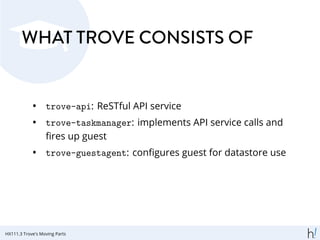
WHAT TROVE CONSISTS OF
• trove-api: ReSTful API service
• trove-taskmanager: implements API service calls and
fires up guest
• trove-guestagent: configures guest for datastore use
HX111.3 Trove's Moving Parts
TROVE TERMINOLOGY
• Datastore
• Datastore version
• Instance
• Configuration Group
• Database
HX111.3 Trove's Moving Parts
DATASTORE
A specific RDBMS or NoSQL datastore that Trove can manage:
• MySQL
• MongoDB
• Cassandra
• ...
HX111.3 Trove's Moving Parts
DATASTORE VERSION
• Is linked to datastore
• Defines base image
• Defines sets of packages to be installed
HX111.3 Trove's Moving Parts
INSTANCE
• Is one incarnation of a datastore version
• Is managed by Nova and uses persistent volumes
managed in Cinder
• Runs a full OS plus trove-guestagent
HX111.3 Trove's Moving Parts
CONFIGURATION GROUP
• A set of configuration options you can set for an instance
• Enables admins to define and use best-practice
configurations for specific use cases
HX111.3 Trove's Moving Parts
DATABASES
• Several can run in one instance
• All database management is through OpenStack APIs
and trove-guestagent
HX111.3 Trove's Moving Parts
GETTING TROVE OPERATIONAL
• Install required OpenStack services
• Install Trove services
• Prepare an image
• Create a datastore
• Create a datastore version
HX111.3 Trove's Moving Parts
DEPLOYING TROVE
• Low maturity
• DevStack/Redstack
• Ubuntu packages in trusty (but not in Cloud Archive)
• Only client packages in RDO
• Puppet modules being worked on at eBay
HX111.3 Trove's Moving Parts
Working With Trove
HX111 OpenStack Database as a Service
GETTING STARTED
So we've installed Trove.
What's Next?
HX111.4 Working With Trove
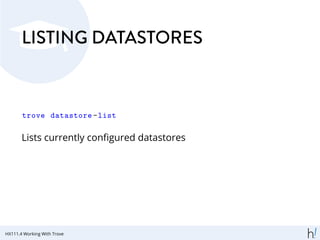
LISTING DATASTORES
trove datastore -list
Lists currently configured datastores
HX111.4 Working With Trove
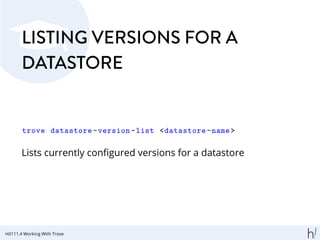
LISTING VERSIONS FOR A
DATASTORE
trove datastore -version -list <datastore -name>
Lists currently configured versions for a datastore
HX111.4 Working With Trove
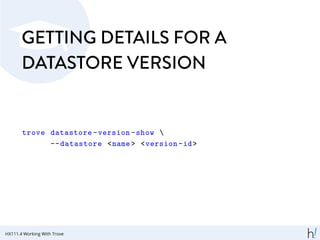
GETTING DETAILS FOR A
DATASTORE VERSION
trove datastore -version -show 
--datastore <name> <version -id>
HX111.4 Working With Trove
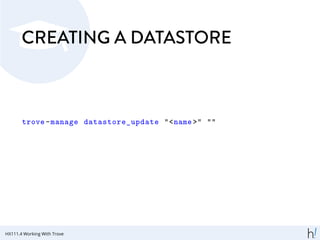
CREATING A DATASTORE
trove-manage datastore_update "<name >" ""
HX111.4 Working With Trove
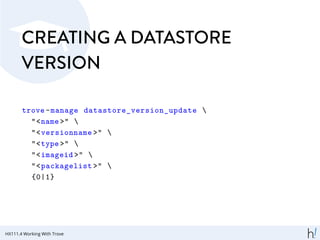
CREATING A DATASTORE
VERSION
trove-manage datastore_version_update 
"<name >" 
"<versionname >" 
"<type >" 
"<imageid >" 
"<packagelist >" 
{0|1}
HX111.4 Working With Trove
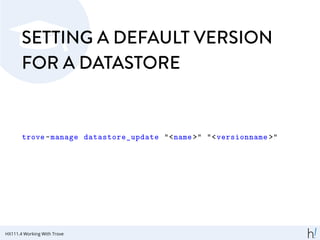
SETTING A DEFAULT VERSION
FOR A DATASTORE
trove-manage datastore_update "<name >" "<versionname >"
HX111.4 Working With Trove
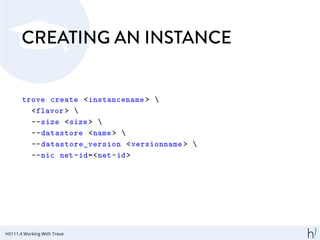
CREATING AN INSTANCE
trove create <instancename > 
<flavor > 
--size <size> 
--datastore <name> 
--datastore_version <versionname > 
--nic net-id=<net-id>
HX111.4 Working With Trove
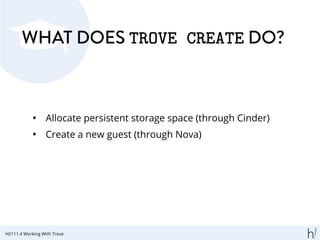
WHAT DOES TROVE CREATE DO?
• Allocate persistent storage space (through Cinder)
• Create a new guest (through Nova)
HX111.4 Working With Trove
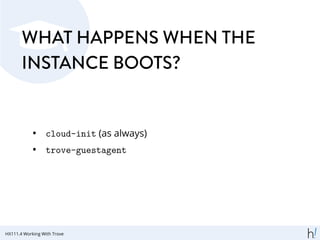
WHAT HAPPENS WHEN THE
INSTANCE BOOTS?
• cloud-init (as always)
• trove-guestagent
HX111.4 Working With Trove
LISTING CONFIGURED
INSTANCES
trove list
HX111.4 Working With Trove
GETTING DETAILS FOR AN
INSTANCE
trove show <instanceid >
HX111.4 Working With Trove
LISTING DATABASES IN AN
INSTANCE
trove database -list <instanceid >
HX111.4 Working With Trove
CREATING A DATABASE
trove database -create <instanceid > <dbname >
HX111.4 Working With Trove
CREATING A USER AND
ENABLING DATABASE ACCESS
trove user-create 
<instanceid > 
<username > 
<password > 
[--host=<host >] 
[--databases=<db1>,<db2>,...]
HX111.4 Working With Trove
GRANTING USER ACCESS
trove user-grant-access 
<instanceid > 
<username > 
<password > 
<db1>,<db2>,... 
[--host=<host >]
HX111.4 Working With Trove
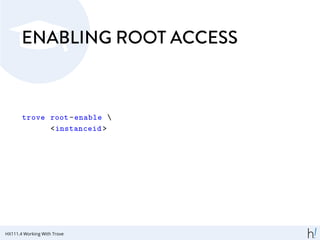
ENABLING ROOT ACCESS
trove root-enable 
<instanceid >
HX111.4 Working With Trove
CONFIGURATION GROUPS
Configuration groups allow DBAs to set configuration options,
in bulk, on one or multiple databases
HX111.4 Working With Trove
CREATING A CONFIGURATION
GROUP
trove configuration -create <name> 
'{ <values > }' 
[--description <description >]
HX111.4 Working With Trove
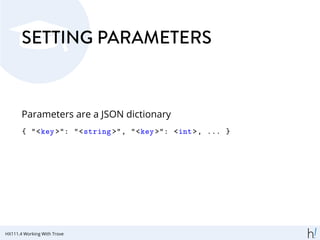
SETTING PARAMETERS
Parameters are a JSON dictionary
{ "<key>": "<string >", "<key>": <int>, ... }
HX111.4 Working With Trove
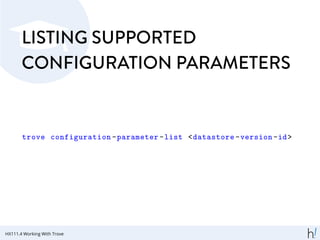
LISTING SUPPORTED
CONFIGURATION PARAMETERS
trove configuration -parameter -list <datastore -version -id>
HX111.4 Working With Trove
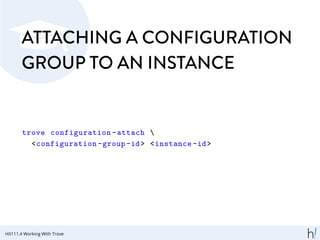
ATTACHING A CONFIGURATION
GROUP TO AN INSTANCE
trove configuration -attach 
<configuration -group-id> <instance -id>
HX111.4 Working With Trove
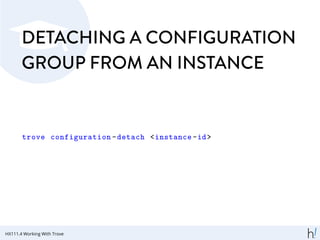
DETACHING A CONFIGURATION
GROUP FROM AN INSTANCE
trove configuration -detach <instance -id>
HX111.4 Working With Trove
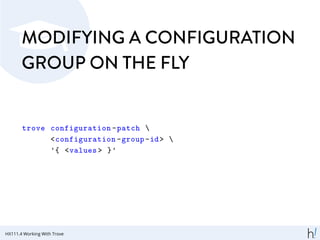
MODIFYING A CONFIGURATION
GROUP ON THE FLY
trove configuration -patch 
<configuration -group-id> 
'{ <values > }'
HX111.4 Working With Trove
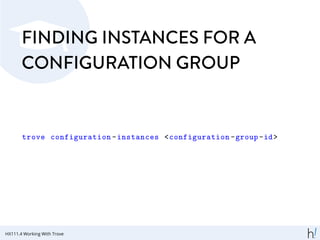
FINDING INSTANCES FOR A
CONFIGURATION GROUP
trove configuration -instances <configuration -group-id>
HX111.4 Working With Trove
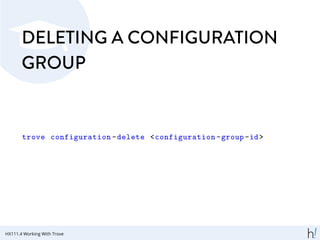
DELETING A CONFIGURATION
GROUP
trove configuration -delete <configuration -group-id>
HX111.4 Working With Trove
Summary
HX111 OpenStack Database as a Service
WHAT YOU LEARNED TODAY
Why DBaas?
• A step up the stack
• Almost everyone needs a database
• Cloud shifts control over infrastructure away from DBA
HX111.5 Summary
WHAT YOU LEARNED TODAY
What's Trove?
• DBaaS within the OpenStack Framework
• Originally "Red Dwarf"
• Integrated for Icehouse
• Backed by HP, Rackspace, eBay, Tesora
HX111.5 Summary
WHAT YOU LEARNED TODAY
Trove's Moving Parts
• Builds on OpenStack Nova, Glance, Neutron, Cinder
• Contains API, task manager, guest agent
• Datastores, Versions, Instances, Databases
• Deployment Considerations
HX111.5 Summary
WHAT YOU LEARNED TODAY
Working with Trove
• Creating an instance
• Creating a database
• Assigning users and granting permissions
• Using configuration groups
HX111.5 Summary

Hands On Trove: Database as a Service in OpenStack

  • 1.
    HX111 OpenStack Databaseas a Service Version 12c1c1e Copyright © 2014 hastexo Professional Services GmbH
  • 2.
    An Introduction to Database-as-a- Service HX111OpenStack Database as a Service
  • 3.
    FROM IAAS TOPAAS "A step up the stack" HX111.1 An Introduction to Database-as-a-Service
  • 4.
    EVERYONE NEEDS A DATABASE... Well,almost everyone. HX111.1 An Introduction to Database-as-a-Service
  • 5.
    ... BUT DOESEVERYONE NEED TO BUILD THEIR OWN? • Platform/Distribution Support • System Tuning Idiosyncrasies • Flavors, Forks, Branches HX111.1 An Introduction to Database-as-a-Service
  • 6.
    WHAT'S SPECIAL ABOUTTHE CLOUD? • Little to no control over infrastructure • Everything is virtualized and orchestrated • QoS is limited HX111.1 An Introduction to Database-as-a-Service
  • 7.
    ONE APPROACH The DBAnow becomes a cloud operator. But that's rather undesirable. HX111.1 An Introduction to Database-as-a-Service
  • 8.
    THE ALTERNATIVE: DBAAS Providesa database as a service HX111.1 An Introduction to Database-as-a-Service
  • 9.
    PRECEDENT: AMAZON RDS ReliableDatabase Service: DBaaS for Amazon Web Services HX111.1 An Introduction to Database-as-a-Service
  • 10.
    An Introduction to OpenStackTrove HX111 OpenStack Database as a Service
  • 11.
    MOTIVATION Provide DBaaS withinthe OpenStack framework HX111.2 An Introduction to OpenStack Trove
  • 12.
    A BIT OFPROJECT HISTORY • Originally named Reddwarf (alternatively RedDwarf) • First public presentation at Percona Live 2012 by Brian Aker • Renamed Trove in 2013 HX111.2 An Introduction to OpenStack Trove
  • 13.
    RELEASE HISTORY • Incubateduntil Havana release (October 2013) • Graduated shortly before Icehouse Summit • Integrated in Icehouse release (April 2014) HX111.2 An Introduction to OpenStack Trove
  • 14.
    CONTRIBUTORS AND SUPPORTERS • Originalproject sponsor: Hewlett-Packard • Current major backers: eBay, HP, Rackspace • More than 75 individual contributors • Current PTL: Michael Basnight, Rackspace HX111.2 An Introduction to OpenStack Trove
  • 15.
    Trove's Moving Parts HX111OpenStack Database as a Service
  • 16.
    MULTIPLE MANAGEABLE PIECES OpenStackAbhors A Monolith HX111.3 Trove's Moving Parts
  • 17.
    WHAT TROVE BUILDSUPON • Keystone: authentication, authorization, access control • Nova: compute • Cinder: persistent storage • Neutron or nova-network: networking HX111.3 Trove's Moving Parts
  • 18.
    WHAT TROVE CONSISTSOF • trove-api: ReSTful API service • trove-taskmanager: implements API service calls and fires up guest • trove-guestagent: configures guest for datastore use HX111.3 Trove's Moving Parts
  • 19.
    TROVE TERMINOLOGY • Datastore •Datastore version • Instance • Configuration Group • Database HX111.3 Trove's Moving Parts
  • 20.
    DATASTORE A specific RDBMSor NoSQL datastore that Trove can manage: • MySQL • MongoDB • Cassandra • ... HX111.3 Trove's Moving Parts
  • 21.
    DATASTORE VERSION • Islinked to datastore • Defines base image • Defines sets of packages to be installed HX111.3 Trove's Moving Parts
  • 22.
    INSTANCE • Is oneincarnation of a datastore version • Is managed by Nova and uses persistent volumes managed in Cinder • Runs a full OS plus trove-guestagent HX111.3 Trove's Moving Parts
  • 23.
    CONFIGURATION GROUP • Aset of configuration options you can set for an instance • Enables admins to define and use best-practice configurations for specific use cases HX111.3 Trove's Moving Parts
  • 24.
    DATABASES • Several canrun in one instance • All database management is through OpenStack APIs and trove-guestagent HX111.3 Trove's Moving Parts
  • 25.
    GETTING TROVE OPERATIONAL •Install required OpenStack services • Install Trove services • Prepare an image • Create a datastore • Create a datastore version HX111.3 Trove's Moving Parts
  • 26.
    DEPLOYING TROVE • Lowmaturity • DevStack/Redstack • Ubuntu packages in trusty (but not in Cloud Archive) • Only client packages in RDO • Puppet modules being worked on at eBay HX111.3 Trove's Moving Parts
  • 27.
    Working With Trove HX111OpenStack Database as a Service
  • 28.
    GETTING STARTED So we'veinstalled Trove. What's Next? HX111.4 Working With Trove
  • 29.
    LISTING DATASTORES trove datastore-list Lists currently configured datastores HX111.4 Working With Trove
  • 30.
    LISTING VERSIONS FORA DATASTORE trove datastore -version -list <datastore -name> Lists currently configured versions for a datastore HX111.4 Working With Trove
  • 31.
    GETTING DETAILS FORA DATASTORE VERSION trove datastore -version -show --datastore <name> <version -id> HX111.4 Working With Trove
  • 32.
    CREATING A DATASTORE trove-managedatastore_update "<name >" "" HX111.4 Working With Trove
  • 33.
    CREATING A DATASTORE VERSION trove-managedatastore_version_update "<name >" "<versionname >" "<type >" "<imageid >" "<packagelist >" {0|1} HX111.4 Working With Trove
  • 34.
    SETTING A DEFAULTVERSION FOR A DATASTORE trove-manage datastore_update "<name >" "<versionname >" HX111.4 Working With Trove
  • 35.
    CREATING AN INSTANCE trovecreate <instancename > <flavor > --size <size> --datastore <name> --datastore_version <versionname > --nic net-id=<net-id> HX111.4 Working With Trove
  • 36.
    WHAT DOES TROVECREATE DO? • Allocate persistent storage space (through Cinder) • Create a new guest (through Nova) HX111.4 Working With Trove
  • 37.
    WHAT HAPPENS WHENTHE INSTANCE BOOTS? • cloud-init (as always) • trove-guestagent HX111.4 Working With Trove
  • 38.
  • 39.
    GETTING DETAILS FORAN INSTANCE trove show <instanceid > HX111.4 Working With Trove
  • 40.
    LISTING DATABASES INAN INSTANCE trove database -list <instanceid > HX111.4 Working With Trove
  • 41.
    CREATING A DATABASE trovedatabase -create <instanceid > <dbname > HX111.4 Working With Trove
  • 42.
    CREATING A USERAND ENABLING DATABASE ACCESS trove user-create <instanceid > <username > <password > [--host=<host >] [--databases=<db1>,<db2>,...] HX111.4 Working With Trove
  • 43.
    GRANTING USER ACCESS troveuser-grant-access <instanceid > <username > <password > <db1>,<db2>,... [--host=<host >] HX111.4 Working With Trove
  • 44.
    ENABLING ROOT ACCESS troveroot-enable <instanceid > HX111.4 Working With Trove
  • 45.
    CONFIGURATION GROUPS Configuration groupsallow DBAs to set configuration options, in bulk, on one or multiple databases HX111.4 Working With Trove
  • 46.
    CREATING A CONFIGURATION GROUP troveconfiguration -create <name> '{ <values > }' [--description <description >] HX111.4 Working With Trove
  • 47.
    SETTING PARAMETERS Parameters area JSON dictionary { "<key>": "<string >", "<key>": <int>, ... } HX111.4 Working With Trove
  • 48.
    LISTING SUPPORTED CONFIGURATION PARAMETERS troveconfiguration -parameter -list <datastore -version -id> HX111.4 Working With Trove
  • 49.
    ATTACHING A CONFIGURATION GROUPTO AN INSTANCE trove configuration -attach <configuration -group-id> <instance -id> HX111.4 Working With Trove
  • 50.
    DETACHING A CONFIGURATION GROUPFROM AN INSTANCE trove configuration -detach <instance -id> HX111.4 Working With Trove
  • 51.
    MODIFYING A CONFIGURATION GROUPON THE FLY trove configuration -patch <configuration -group-id> '{ <values > }' HX111.4 Working With Trove
  • 52.
    FINDING INSTANCES FORA CONFIGURATION GROUP trove configuration -instances <configuration -group-id> HX111.4 Working With Trove
  • 53.
    DELETING A CONFIGURATION GROUP troveconfiguration -delete <configuration -group-id> HX111.4 Working With Trove
  • 54.
  • 55.
    WHAT YOU LEARNEDTODAY Why DBaas? • A step up the stack • Almost everyone needs a database • Cloud shifts control over infrastructure away from DBA HX111.5 Summary
  • 56.
    WHAT YOU LEARNEDTODAY What's Trove? • DBaaS within the OpenStack Framework • Originally "Red Dwarf" • Integrated for Icehouse • Backed by HP, Rackspace, eBay, Tesora HX111.5 Summary
  • 57.
    WHAT YOU LEARNEDTODAY Trove's Moving Parts • Builds on OpenStack Nova, Glance, Neutron, Cinder • Contains API, task manager, guest agent • Datastores, Versions, Instances, Databases • Deployment Considerations HX111.5 Summary
  • 58.
    WHAT YOU LEARNEDTODAY Working with Trove • Creating an instance • Creating a database • Assigning users and granting permissions • Using configuration groups HX111.5 Summary