Hadoop, a distributed
framework for Big Data
Introduction
1. Introduction: Hadoop’s history and
advantages
2. Architecture in detail
3. Hadoop in industry
What is Hadoop?
• Apache top level project, open-source
implementation of frameworks for reliable,
scalable, distributed computing and data
storage.
• It is a flexible and highly-available
architecture for large scale computation
and data processing on a network of
commodity hardware.
Brief History of Hadoop
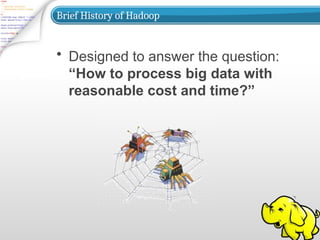
• Designed to answer the question:
“How to process big data with
reasonable cost and time?”
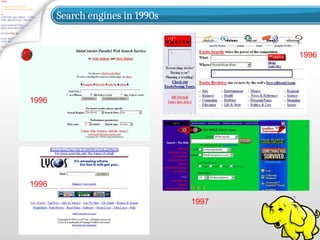
Search engines in 1990s
1996
1996
1997
1996
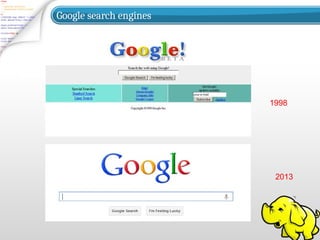
Google search engines
1998
2013
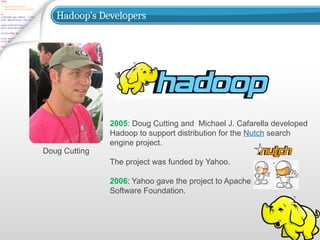
Hadoop’s Developers
Doug Cutting
2005: Doug Cutting and Michael J. Cafarella developed
Hadoop to support distribution for the Nutch search
engine project.
The project was funded by Yahoo.
2006: Yahoo gave the project to Apache
Software Foundation.
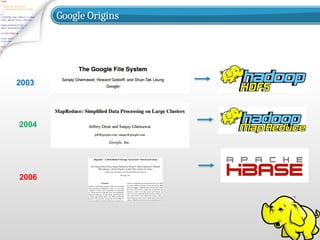
Google Origins
2003
2004
2006
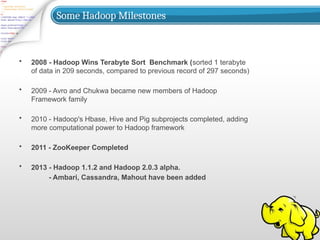
Some Hadoop Milestones
• 2008 - Hadoop Wins Terabyte Sort Benchmark (sorted 1 terabyte
of data in 209 seconds, compared to previous record of 297 seconds)
• 2009 - Avro and Chukwa became new members of Hadoop
Framework family
• 2010 - Hadoop's Hbase, Hive and Pig subprojects completed, adding
more computational power to Hadoop framework
• 2011 - ZooKeeper Completed
• 2013 - Hadoop 1.1.2 and Hadoop 2.0.3 alpha.
- Ambari, Cassandra, Mahout have been added
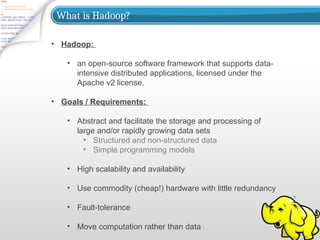
What is Hadoop?
• Hadoop:
• an open-source software framework that supports data-
intensive distributed applications, licensed under the
Apache v2 license.
• Goals / Requirements:
• Abstract and facilitate the storage and processing of
large and/or rapidly growing data sets
• Structured and non-structured data
• Simple programming models
• High scalability and availability
• Use commodity (cheap!) hardware with little redundancy
• Fault-tolerance
• Move computation rather than data
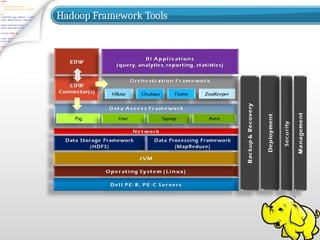
Hadoop Framework Tools
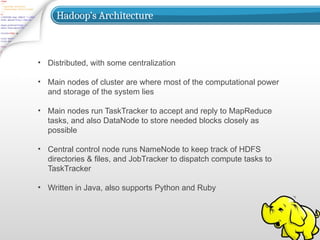
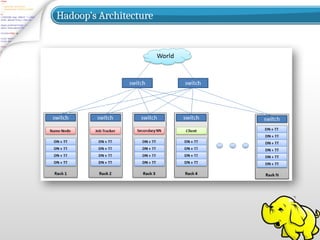
Hadoop’s Architecture
• Distributed, with some centralization
• Main nodes of cluster are where most of the computational power
and storage of the system lies
• Main nodes run TaskTracker to accept and reply to MapReduce
tasks, and also DataNode to store needed blocks closely as
possible
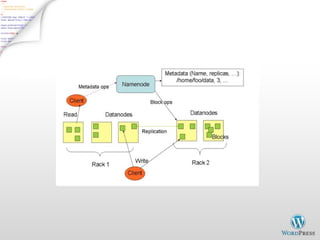
• Central control node runs NameNode to keep track of HDFS
directories & files, and JobTracker to dispatch compute tasks to
TaskTracker
• Written in Java, also supports Python and Ruby
Hadoop’s Architecture
• Hadoop Distributed Filesystem
• Tailored to needs of MapReduce
• Targeted towards many reads of filestreams
• Writes are more costly
• High degree of data replication (3x by default)
• No need for RAID on normal nodes
• Large blocksize (64MB)
• Location awareness of DataNodes in network
Hadoop’s Architecture
NameNode:
• Stores metadata for the files, like the directory structure of a
typical FS.
• The server holding the NameNode instance is quite crucial,
as there is only one.
• Transaction log for file deletes/adds, etc. Does not use
transactions for whole blocks or file-streams, only metadata.
• Handles creation of more replica blocks when necessary
after a DataNode failure
Hadoop’s Architecture
DataNode:
• Stores the actual data in HDFS
• Can run on any underlying filesystem (ext3/4, NTFS, etc)
• Notifies NameNode of what blocks it has
• NameNode replicates blocks 2x in local rack, 1x elsewhere
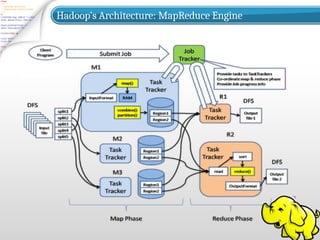
Hadoop’s Architecture: MapReduce Engine
Hadoop’s Architecture
MapReduce Engine:
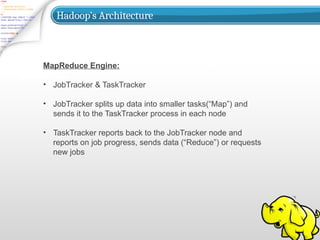
• JobTracker & TaskTracker
• JobTracker splits up data into smaller tasks(“Map”) and
sends it to the TaskTracker process in each node
• TaskTracker reports back to the JobTracker node and
reports on job progress, sends data (“Reduce”) or requests
new jobs
Hadoop’s Architecture
• None of these components are necessarily limited to using
HDFS
• Many other distributed file-systems with quite different
architectures work
• Many other software packages besides Hadoop's
MapReduce platform make use of HDFS
Hadoop in the Wild
• Hadoop is in use at most organizations that handle big data:
o Yahoo!
o Facebook
o Amazon
o Netflix
o Etc…
• Some examples of scale:
o Yahoo!’s Search Webmap runs on 10,000 core Linux
cluster and powers Yahoo! Web search
o FB’s Hadoop cluster hosts 100+ PB of data (July, 2012)
& growing at ½ PB/day (Nov, 2012)
Hadoop in the Wild
• Advertisement (Mining user behavior to generate
recommendations)
• Searches (group related documents)
• Security (search for uncommon patterns)
Three main applications of Hadoop:
Hadoop in the Wild
• Non-realtime large dataset computing:
o NY Times was dynamically generating PDFs of articles
from 1851-1922
o Wanted to pre-generate & statically serve articles to
improve performance
o Using Hadoop + MapReduce running on EC2 / S3,
converted 4TB of TIFFs into 11 million PDF articles in 24
hrs
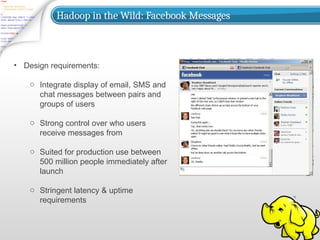
Hadoop in the Wild: Facebook Messages
• Design requirements:
o Integrate display of email, SMS and
chat messages between pairs and
groups of users
o Strong control over who users
receive messages from
o Suited for production use between
500 million people immediately after
launch
o Stringent latency & uptime
requirements
Hadoop in the Wild
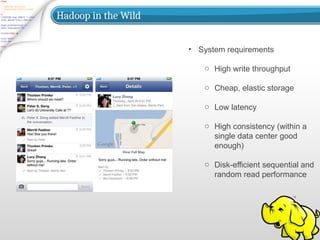
• System requirements
o High write throughput
o Cheap, elastic storage
o Low latency
o High consistency (within a
single data center good
enough)
o Disk-efficient sequential and
random read performance
Hadoop in the Wild
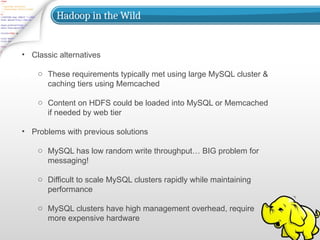
• Classic alternatives
o These requirements typically met using large MySQL cluster &
caching tiers using Memcached
o Content on HDFS could be loaded into MySQL or Memcached
if needed by web tier
• Problems with previous solutions
o MySQL has low random write throughput… BIG problem for
messaging!
o Difficult to scale MySQL clusters rapidly while maintaining
performance
o MySQL clusters have high management overhead, require
more expensive hardware
Hadoop in the Wild
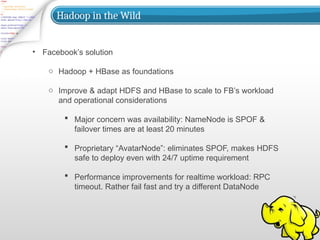
• Facebook’s solution
o Hadoop + HBase as foundations
o Improve & adapt HDFS and HBase to scale to FB’s workload
and operational considerations
ď‚§ Major concern was availability: NameNode is SPOF &
failover times are at least 20 minutes
 Proprietary “AvatarNode”: eliminates SPOF, makes HDFS
safe to deploy even with 24/7 uptime requirement
ď‚§ Performance improvements for realtime workload: RPC
timeout. Rather fail fast and try a different DataNode
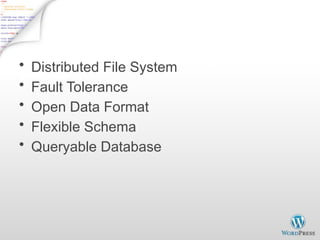
Hadoop Highlights
• Distributed File System
• Fault Tolerance
• Open Data Format
• Flexible Schema
• Queryable Database
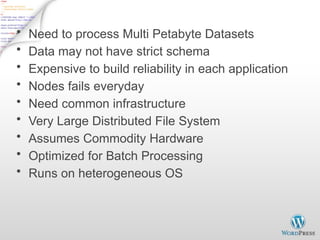
Why use Hadoop?
• Need to process Multi Petabyte Datasets
• Data may not have strict schema
• Expensive to build reliability in each application
• Nodes fails everyday
• Need common infrastructure
• Very Large Distributed File System
• Assumes Commodity Hardware
• Optimized for Batch Processing
• Runs on heterogeneous OS
DataNode
• A Block Sever
– Stores data in local file system
– Stores meta-data of a block - checksum
– Serves data and meta-data to clients
• Block Report
– Periodically sends a report of all existing blocks to
NameNode
• Facilitate Pipelining of Data
– Forwards data to other specified DataNodes
Block Placement
• Replication Strategy
– One replica on local node
– Second replica on a remote rack
– Third replica on same remote rack
– Additional replicas are randomly placed
• Clients read from nearest replica
Data Correctness
• Use Checksums to validate data – CRC32
• File Creation
– Client computes checksum per 512 byte
– DataNode stores the checksum
• File Access
– Client retrieves the data and checksum from
DataNode
– If validation fails, client tries other replicas
Data Pipelining
• Client retrieves a list of DataNodes on
which to place replicas of a block
• Client writes block to the first DataNode
• The first DataNode forwards the data to
the next DataNode in the Pipeline
• When all replicas are written, the client
moves on to write the next block in file
Hadoop MapReduce
• MapReduce programming model
– Framework for distributed processing of large
data sets
– Pluggable user code runs in generic
framework
• Common design pattern in data
processing
– cat * | grep | sort | uniq -c | cat > file
– input | map | shuffle | reduce | output
MapReduce Usage
• Log processing
• Web search indexing
• Ad-hoc queries
Closer Look
• MapReduce Component
– JobClient
– JobTracker
– TaskTracker
– Child
• Job Creation/Execution Process
MapReduce Process
(org.apache.hadoop.mapred)
• JobClient
– Submit job
• JobTracker
– Manage and schedule job, split job into tasks
• TaskTracker
– Start and monitor the task execution
• Child
– The process that really execute the task
Inter Process Communication
IPC/RPC (org.apache.hadoop.ipc)
• Protocol
– JobClient <-------------> JobTracker
– TaskTracker <------------> JobTracker
– TaskTracker <-------------> Child
• JobTracker impliments both protocol and works as server
in both IPC
• TaskTracker implements the TaskUmbilicalProtocol; Child
gets task information and reports task status through it.
JobSubmissionProtocol
InterTrackerProtocol
TaskUmbilicalProtocol
JobClient.submitJob - 1
• Check input and output, e.g. check if the
output directory is already existing
– job.getInputFormat().validateInput(job);
– job.getOutputFormat().checkOutputSpecs(fs, job);
• Get InputSplits, sort, and write output to HDFS
– InputSplit[] splits = job.getInputFormat().
getSplits(job, job.getNumMapTasks());
– writeSplitsFile(splits, out); // out is
$SYSTEMDIR/$JOBID/job.split
JobClient.submitJob - 2
• The jar file and configuration file will be
uploaded to HDFS system directory
– job.write(out); // out is $SYSTEMDIR/$JOBID/job.xml
• JobStatus status =
jobSubmitClient.submitJob(jobId);
– This is an RPC invocation, jobSubmitClient is
a proxy created in the initialization
Job initialization on JobTracker - 1
• JobTracker.submitJob(jobID) <-- receive
RPC invocation request
• JobInProgress job = new
JobInProgress(jobId, this, this.conf)
• Add the job into Job Queue
– jobs.put(job.getProfile().getJobId(), job);
– jobsByPriority.add(job);
– jobInitQueue.add(job);
Job initialization on JobTracker - 2
• Sort by priority
– resortPriority();
– compare the JobPrioity first, then compare the
JobSubmissionTime
• Wake JobInitThread
– jobInitQueue.notifyall();
– job = jobInitQueue.remove(0);
– job.initTasks();
JobInProgress - 1
• JobInProgress(String jobid, JobTracker
jobtracker, JobConf default_conf);
• JobInProgress.initTasks()
– DataInputStream splitFile = fs.open(new
Path(conf.get(“mapred.job.split.file”)));
// mapred.job.split.file -->
$SYSTEMDIR/$JOBID/job.split
JobInProgress - 2
• splits = JobClient.readSplitFile(splitFile);
• numMapTasks = splits.length;
• maps[i] = new TaskInProgress(jobId,
jobFile, splits[i], jobtracker, conf, this, i);
• reduces[i] = new TaskInProgress(jobId,
jobFile, splits[i], jobtracker, conf, this, i);
• JobStatus --> JobStatus.RUNNING
JobTracker Task Scheduling - 1
• Task getNewTaskForTaskTracker(String
taskTracker)
• Compute the maximum tasks that can be
running on taskTracker
– int maxCurrentMap Tasks =
tts.getMaxMapTasks();
– int maxMapLoad =
Math.min(maxCurrentMapTasks,
(int)Math.ceil(double)
remainingMapLoad/numTaskTrackers));
JobTracker Task Scheduling - 2
• int numMaps = tts.countMapTasks(); //
running tasks number
• If numMaps < maxMapLoad, then more
tasks can be allocated, then based on
priority, pick the first job from the
jobsByPriority Queue, create a task, and
return to TaskTracker
– Task t = job.obtainNewMapTask(tts,
numTaskTrackers);
Start TaskTracker - 1
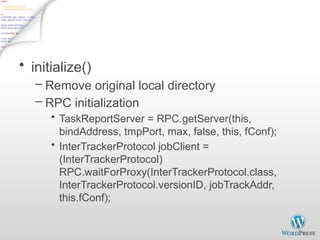
• initialize()
– Remove original local directory
– RPC initialization
• TaskReportServer = RPC.getServer(this,
bindAddress, tmpPort, max, false, this, fConf);
• InterTrackerProtocol jobClient =
(InterTrackerProtocol)
RPC.waitForProxy(InterTrackerProtocol.class,
InterTrackerProtocol.versionID, jobTrackAddr,
this.fConf);
Start TaskTracker - 2
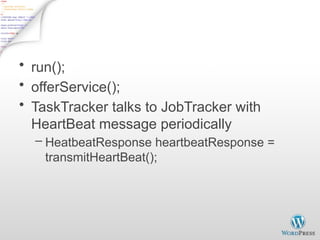
• run();
• offerService();
• TaskTracker talks to JobTracker with
HeartBeat message periodically
– HeatbeatResponse heartbeatResponse =
transmitHeartBeat();
Run Task on TaskTracker - 1
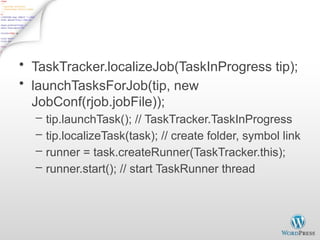
• TaskTracker.localizeJob(TaskInProgress tip);
• launchTasksForJob(tip, new
JobConf(rjob.jobFile));
– tip.launchTask(); // TaskTracker.TaskInProgress
– tip.localizeTask(task); // create folder, symbol link
– runner = task.createRunner(TaskTracker.this);
– runner.start(); // start TaskRunner thread
Run Task on TaskTracker - 2
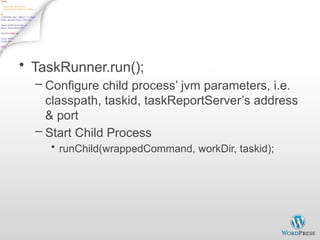
• TaskRunner.run();
– Configure child process’ jvm parameters, i.e.
classpath, taskid, taskReportServer’s address
& port
– Start Child Process
• runChild(wrappedCommand, workDir, taskid);
Child.main()
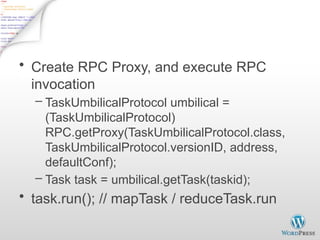
• Create RPC Proxy, and execute RPC
invocation
– TaskUmbilicalProtocol umbilical =
(TaskUmbilicalProtocol)
RPC.getProxy(TaskUmbilicalProtocol.class,
TaskUmbilicalProtocol.versionID, address,
defaultConf);
– Task task = umbilical.getTask(taskid);
• task.run(); // mapTask / reduceTask.run
Finish Job - 1
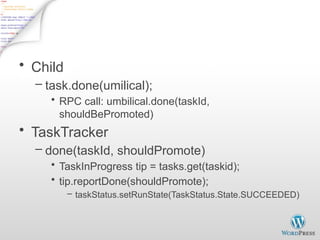
• Child
– task.done(umilical);
• RPC call: umbilical.done(taskId,
shouldBePromoted)
• TaskTracker
– done(taskId, shouldPromote)
• TaskInProgress tip = tasks.get(taskid);
• tip.reportDone(shouldPromote);
– taskStatus.setRunState(TaskStatus.State.SUCCEEDED)
Finish Job - 2
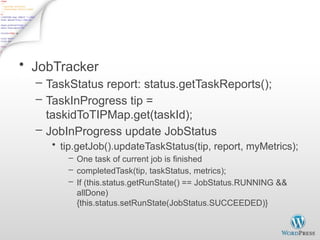
• JobTracker
– TaskStatus report: status.getTaskReports();
– TaskInProgress tip =
taskidToTIPMap.get(taskId);
– JobInProgress update JobStatus
• tip.getJob().updateTaskStatus(tip, report, myMetrics);
– One task of current job is finished
– completedTask(tip, taskStatus, metrics);
– If (this.status.getRunState() == JobStatus.RUNNING &&
allDone)
{this.status.setRunState(JobStatus.SUCCEEDED)}
Demo
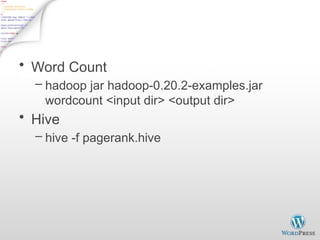
• Word Count
– hadoop jar hadoop-0.20.2-examples.jar
wordcount <input dir> <output dir>
• Hive
– hive -f pagerank.hive

Hadoop and Big data in Big data and cloud.pptx

  • 1.
  • 2.
    Introduction 1. Introduction: Hadoop’shistory and advantages 2. Architecture in detail 3. Hadoop in industry
  • 3.
    What is Hadoop? •Apache top level project, open-source implementation of frameworks for reliable, scalable, distributed computing and data storage. • It is a flexible and highly-available architecture for large scale computation and data processing on a network of commodity hardware.
  • 4.
    Brief History ofHadoop • Designed to answer the question: “How to process big data with reasonable cost and time?”
  • 5.
    Search engines in1990s 1996 1996 1997 1996
  • 6.
  • 7.
    Hadoop’s Developers Doug Cutting 2005:Doug Cutting and Michael J. Cafarella developed Hadoop to support distribution for the Nutch search engine project. The project was funded by Yahoo. 2006: Yahoo gave the project to Apache Software Foundation.
  • 8.
  • 9.
    Some Hadoop Milestones •2008 - Hadoop Wins Terabyte Sort Benchmark (sorted 1 terabyte of data in 209 seconds, compared to previous record of 297 seconds) • 2009 - Avro and Chukwa became new members of Hadoop Framework family • 2010 - Hadoop's Hbase, Hive and Pig subprojects completed, adding more computational power to Hadoop framework • 2011 - ZooKeeper Completed • 2013 - Hadoop 1.1.2 and Hadoop 2.0.3 alpha. - Ambari, Cassandra, Mahout have been added
  • 10.
    What is Hadoop? •Hadoop: • an open-source software framework that supports data- intensive distributed applications, licensed under the Apache v2 license. • Goals / Requirements: • Abstract and facilitate the storage and processing of large and/or rapidly growing data sets • Structured and non-structured data • Simple programming models • High scalability and availability • Use commodity (cheap!) hardware with little redundancy • Fault-tolerance • Move computation rather than data
  • 11.
  • 12.
    Hadoop’s Architecture • Distributed,with some centralization • Main nodes of cluster are where most of the computational power and storage of the system lies • Main nodes run TaskTracker to accept and reply to MapReduce tasks, and also DataNode to store needed blocks closely as possible • Central control node runs NameNode to keep track of HDFS directories & files, and JobTracker to dispatch compute tasks to TaskTracker • Written in Java, also supports Python and Ruby
  • 13.
  • 14.
    Hadoop’s Architecture • HadoopDistributed Filesystem • Tailored to needs of MapReduce • Targeted towards many reads of filestreams • Writes are more costly • High degree of data replication (3x by default) • No need for RAID on normal nodes • Large blocksize (64MB) • Location awareness of DataNodes in network
  • 15.
    Hadoop’s Architecture NameNode: • Storesmetadata for the files, like the directory structure of a typical FS. • The server holding the NameNode instance is quite crucial, as there is only one. • Transaction log for file deletes/adds, etc. Does not use transactions for whole blocks or file-streams, only metadata. • Handles creation of more replica blocks when necessary after a DataNode failure
  • 16.
    Hadoop’s Architecture DataNode: • Storesthe actual data in HDFS • Can run on any underlying filesystem (ext3/4, NTFS, etc) • Notifies NameNode of what blocks it has • NameNode replicates blocks 2x in local rack, 1x elsewhere
  • 17.
  • 19.
    Hadoop’s Architecture MapReduce Engine: •JobTracker & TaskTracker • JobTracker splits up data into smaller tasks(“Map”) and sends it to the TaskTracker process in each node • TaskTracker reports back to the JobTracker node and reports on job progress, sends data (“Reduce”) or requests new jobs
  • 20.
    Hadoop’s Architecture • Noneof these components are necessarily limited to using HDFS • Many other distributed file-systems with quite different architectures work • Many other software packages besides Hadoop's MapReduce platform make use of HDFS
  • 21.
    Hadoop in theWild • Hadoop is in use at most organizations that handle big data: o Yahoo! o Facebook o Amazon o Netflix o Etc… • Some examples of scale: o Yahoo!’s Search Webmap runs on 10,000 core Linux cluster and powers Yahoo! Web search o FB’s Hadoop cluster hosts 100+ PB of data (July, 2012) & growing at ½ PB/day (Nov, 2012)
  • 22.
    Hadoop in theWild • Advertisement (Mining user behavior to generate recommendations) • Searches (group related documents) • Security (search for uncommon patterns) Three main applications of Hadoop:
  • 23.
    Hadoop in theWild • Non-realtime large dataset computing: o NY Times was dynamically generating PDFs of articles from 1851-1922 o Wanted to pre-generate & statically serve articles to improve performance o Using Hadoop + MapReduce running on EC2 / S3, converted 4TB of TIFFs into 11 million PDF articles in 24 hrs
  • 24.
    Hadoop in theWild: Facebook Messages • Design requirements: o Integrate display of email, SMS and chat messages between pairs and groups of users o Strong control over who users receive messages from o Suited for production use between 500 million people immediately after launch o Stringent latency & uptime requirements
  • 25.
    Hadoop in theWild • System requirements o High write throughput o Cheap, elastic storage o Low latency o High consistency (within a single data center good enough) o Disk-efficient sequential and random read performance
  • 26.
    Hadoop in theWild • Classic alternatives o These requirements typically met using large MySQL cluster & caching tiers using Memcached o Content on HDFS could be loaded into MySQL or Memcached if needed by web tier • Problems with previous solutions o MySQL has low random write throughput… BIG problem for messaging! o Difficult to scale MySQL clusters rapidly while maintaining performance o MySQL clusters have high management overhead, require more expensive hardware
  • 27.
    Hadoop in theWild • Facebook’s solution o Hadoop + HBase as foundations o Improve & adapt HDFS and HBase to scale to FB’s workload and operational considerations  Major concern was availability: NameNode is SPOF & failover times are at least 20 minutes  Proprietary “AvatarNode”: eliminates SPOF, makes HDFS safe to deploy even with 24/7 uptime requirement  Performance improvements for realtime workload: RPC timeout. Rather fail fast and try a different DataNode
  • 29.
    Hadoop Highlights • DistributedFile System • Fault Tolerance • Open Data Format • Flexible Schema • Queryable Database
  • 30.
    Why use Hadoop? •Need to process Multi Petabyte Datasets • Data may not have strict schema • Expensive to build reliability in each application • Nodes fails everyday • Need common infrastructure • Very Large Distributed File System • Assumes Commodity Hardware • Optimized for Batch Processing • Runs on heterogeneous OS
  • 31.
    DataNode • A BlockSever – Stores data in local file system – Stores meta-data of a block - checksum – Serves data and meta-data to clients • Block Report – Periodically sends a report of all existing blocks to NameNode • Facilitate Pipelining of Data – Forwards data to other specified DataNodes
  • 32.
    Block Placement • ReplicationStrategy – One replica on local node – Second replica on a remote rack – Third replica on same remote rack – Additional replicas are randomly placed • Clients read from nearest replica
  • 33.
    Data Correctness • UseChecksums to validate data – CRC32 • File Creation – Client computes checksum per 512 byte – DataNode stores the checksum • File Access – Client retrieves the data and checksum from DataNode – If validation fails, client tries other replicas
  • 34.
    Data Pipelining • Clientretrieves a list of DataNodes on which to place replicas of a block • Client writes block to the first DataNode • The first DataNode forwards the data to the next DataNode in the Pipeline • When all replicas are written, the client moves on to write the next block in file
  • 35.
    Hadoop MapReduce • MapReduceprogramming model – Framework for distributed processing of large data sets – Pluggable user code runs in generic framework • Common design pattern in data processing – cat * | grep | sort | uniq -c | cat > file – input | map | shuffle | reduce | output
  • 36.
    MapReduce Usage • Logprocessing • Web search indexing • Ad-hoc queries
  • 37.
    Closer Look • MapReduceComponent – JobClient – JobTracker – TaskTracker – Child • Job Creation/Execution Process
  • 38.
    MapReduce Process (org.apache.hadoop.mapred) • JobClient –Submit job • JobTracker – Manage and schedule job, split job into tasks • TaskTracker – Start and monitor the task execution • Child – The process that really execute the task
  • 39.
    Inter Process Communication IPC/RPC(org.apache.hadoop.ipc) • Protocol – JobClient <-------------> JobTracker – TaskTracker <------------> JobTracker – TaskTracker <-------------> Child • JobTracker impliments both protocol and works as server in both IPC • TaskTracker implements the TaskUmbilicalProtocol; Child gets task information and reports task status through it. JobSubmissionProtocol InterTrackerProtocol TaskUmbilicalProtocol
  • 40.
    JobClient.submitJob - 1 •Check input and output, e.g. check if the output directory is already existing – job.getInputFormat().validateInput(job); – job.getOutputFormat().checkOutputSpecs(fs, job); • Get InputSplits, sort, and write output to HDFS – InputSplit[] splits = job.getInputFormat(). getSplits(job, job.getNumMapTasks()); – writeSplitsFile(splits, out); // out is $SYSTEMDIR/$JOBID/job.split
  • 41.
    JobClient.submitJob - 2 •The jar file and configuration file will be uploaded to HDFS system directory – job.write(out); // out is $SYSTEMDIR/$JOBID/job.xml • JobStatus status = jobSubmitClient.submitJob(jobId); – This is an RPC invocation, jobSubmitClient is a proxy created in the initialization
  • 42.
    Job initialization onJobTracker - 1 • JobTracker.submitJob(jobID) <-- receive RPC invocation request • JobInProgress job = new JobInProgress(jobId, this, this.conf) • Add the job into Job Queue – jobs.put(job.getProfile().getJobId(), job); – jobsByPriority.add(job); – jobInitQueue.add(job);
  • 43.
    Job initialization onJobTracker - 2 • Sort by priority – resortPriority(); – compare the JobPrioity first, then compare the JobSubmissionTime • Wake JobInitThread – jobInitQueue.notifyall(); – job = jobInitQueue.remove(0); – job.initTasks();
  • 44.
    JobInProgress - 1 •JobInProgress(String jobid, JobTracker jobtracker, JobConf default_conf); • JobInProgress.initTasks() – DataInputStream splitFile = fs.open(new Path(conf.get(“mapred.job.split.file”))); // mapred.job.split.file --> $SYSTEMDIR/$JOBID/job.split
  • 45.
    JobInProgress - 2 •splits = JobClient.readSplitFile(splitFile); • numMapTasks = splits.length; • maps[i] = new TaskInProgress(jobId, jobFile, splits[i], jobtracker, conf, this, i); • reduces[i] = new TaskInProgress(jobId, jobFile, splits[i], jobtracker, conf, this, i); • JobStatus --> JobStatus.RUNNING
  • 46.
    JobTracker Task Scheduling- 1 • Task getNewTaskForTaskTracker(String taskTracker) • Compute the maximum tasks that can be running on taskTracker – int maxCurrentMap Tasks = tts.getMaxMapTasks(); – int maxMapLoad = Math.min(maxCurrentMapTasks, (int)Math.ceil(double) remainingMapLoad/numTaskTrackers));
  • 47.
    JobTracker Task Scheduling- 2 • int numMaps = tts.countMapTasks(); // running tasks number • If numMaps < maxMapLoad, then more tasks can be allocated, then based on priority, pick the first job from the jobsByPriority Queue, create a task, and return to TaskTracker – Task t = job.obtainNewMapTask(tts, numTaskTrackers);
  • 48.
    Start TaskTracker -1 • initialize() – Remove original local directory – RPC initialization • TaskReportServer = RPC.getServer(this, bindAddress, tmpPort, max, false, this, fConf); • InterTrackerProtocol jobClient = (InterTrackerProtocol) RPC.waitForProxy(InterTrackerProtocol.class, InterTrackerProtocol.versionID, jobTrackAddr, this.fConf);
  • 49.
    Start TaskTracker -2 • run(); • offerService(); • TaskTracker talks to JobTracker with HeartBeat message periodically – HeatbeatResponse heartbeatResponse = transmitHeartBeat();
  • 50.
    Run Task onTaskTracker - 1 • TaskTracker.localizeJob(TaskInProgress tip); • launchTasksForJob(tip, new JobConf(rjob.jobFile)); – tip.launchTask(); // TaskTracker.TaskInProgress – tip.localizeTask(task); // create folder, symbol link – runner = task.createRunner(TaskTracker.this); – runner.start(); // start TaskRunner thread
  • 51.
    Run Task onTaskTracker - 2 • TaskRunner.run(); – Configure child process’ jvm parameters, i.e. classpath, taskid, taskReportServer’s address & port – Start Child Process • runChild(wrappedCommand, workDir, taskid);
  • 52.
    Child.main() • Create RPCProxy, and execute RPC invocation – TaskUmbilicalProtocol umbilical = (TaskUmbilicalProtocol) RPC.getProxy(TaskUmbilicalProtocol.class, TaskUmbilicalProtocol.versionID, address, defaultConf); – Task task = umbilical.getTask(taskid); • task.run(); // mapTask / reduceTask.run
  • 53.
    Finish Job -1 • Child – task.done(umilical); • RPC call: umbilical.done(taskId, shouldBePromoted) • TaskTracker – done(taskId, shouldPromote) • TaskInProgress tip = tasks.get(taskid); • tip.reportDone(shouldPromote); – taskStatus.setRunState(TaskStatus.State.SUCCEEDED)
  • 54.
    Finish Job -2 • JobTracker – TaskStatus report: status.getTaskReports(); – TaskInProgress tip = taskidToTIPMap.get(taskId); – JobInProgress update JobStatus • tip.getJob().updateTaskStatus(tip, report, myMetrics); – One task of current job is finished – completedTask(tip, taskStatus, metrics); – If (this.status.getRunState() == JobStatus.RUNNING && allDone) {this.status.setRunState(JobStatus.SUCCEEDED)}
  • 55.
    Demo • Word Count –hadoop jar hadoop-0.20.2-examples.jar wordcount <input dir> <output dir> • Hive – hive -f pagerank.hive