Hadoop Admin Role & Hive Data Warehouse support
Linux O/S 17.10.1
Hadoop HDFS 2.7.3
Kerberos Credentials 5-1.17
Hive 2.1.1, Data Warehouse
Sqoop 1.4.7
Cloudera Manager 5.16.2
Spark 2.1.0
Hbase 1.2.0
Power BI 2.47
Data Visualization
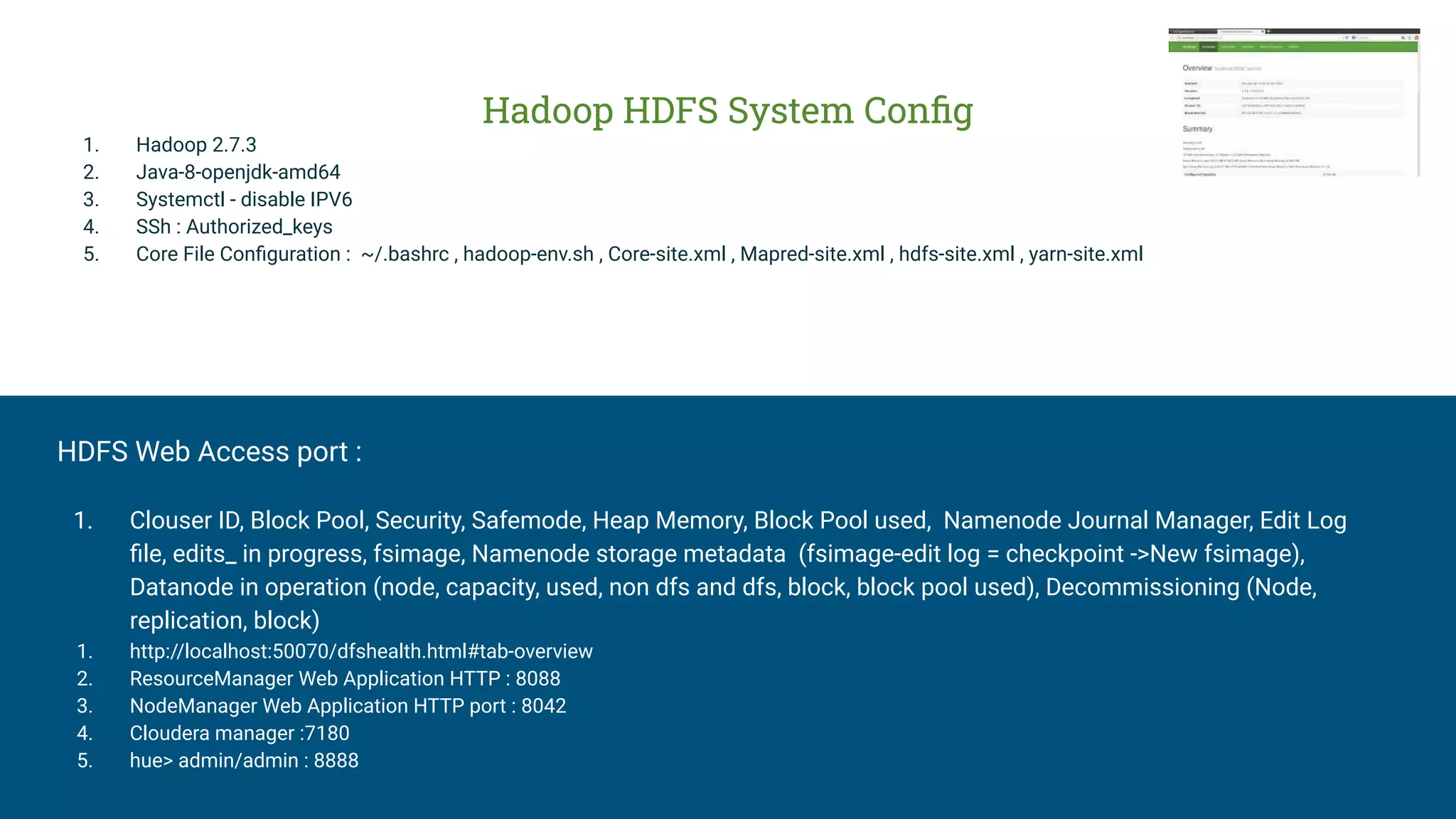
Hadoop HDFS System Config
1. Hadoop 2.7.3
2. Java-8-openjdk-amd64
3. Systemctl - disable IPV6
4. SSh : Authorized_keys
5. Core File Configuration : ~/.bashrc , hadoop-env.sh , Core-site.xml , Mapred-site.xml , hdfs-site.xml , yarn-site.xml
HDFS Web Access port :
1. Clouser ID, Block Pool, Security, Safemode, Heap Memory, Block Pool used, Namenode Journal Manager, Edit Log
file, edits_ in progress, fsimage, Namenode storage metadata (fsimage-edit log = checkpoint ->New fsimage),
Datanode in operation (node, capacity, used, non dfs and dfs, block, block pool used), Decommissioning (Node,
replication, block)
1. http://localhost:50070/dfshealth.html#tab-overview
2. ResourceManager Web Application HTTP : 8088
3. NodeManager Web Application HTTP port : 8042
4. Cloudera manager :7180
5. hue> admin/admin : 8888
HADOOP Admin Role:
netstat -tulnp | grep 12574
1. hdfs dfsadmin -report
2. hdfs dfs -ls /tmp/logs
3. ps-def | grep namenode
4. ps-def | grep datanode
5. ps -ef | grep cloudera
6. hdfs dfsadmin -safemode get enter ON
7. hdfs fsck -location -blocks> /tmp/fsck_log.txt
8. cd /run/cloudera-scm-agent/process/ >process directory
9. kill -9 17249 (process id kill)
10. df -kh /dfs/dn ( Rebalance the cluster , datanode % used alert)
HDFS HA NN( High Availability) :
11. Implementation strategy : QJM Quorum based storage and NFS
12. hdfs@ip-182$ ps -ef | grep ZKFController
13. root@ip-182 91-hdfs-NAMENODE$ cat core-site.xml | grep fs.defaultsFS
HighAvility NodeManager:
14. ps -ef | grep nodemanager
15. ps -ef | grep application
16. HighAvilityNodeManager,Applicaiton Master,and Containers
17. yarn rmadmin -failover rm35
18. hdfs dfs -ls /user/hive | grep warehouse
19. hdfs dfs -ls /user/hive/warehouse/retailsdb.db/customers
20. services cloudera-scm-agent status
21. ps -ef | grep HMaster (Hbase)
Kerberos Credentials 5-1.17
1. Krb5-server, krb5-libs krb5-workstation
2. vi /etc/krb5.conf (default_realm = Hadoop.com , kdc=hostname, admin_server = hostname , Domain realm under)
3. kdb5_util create -s
4. service krb5kdc start
5. service kadmin start
6. kadmin.local -q "addprinc admin/admin"
7. vi /var/kerberos/krb5kdc/kadm5.acl
8. service kadmin restart
9. kadmin -p admin/admin@HADOOP.COM
10. kadmin: listprincs
11. kadmin: add_principal abcd
12. create principal as admin
13. CM-Adminstration-secutitry
14. root@ip-236: kadmin -p admin/admin@quickstart.cloudera
15. kadmin : list_principals
Sqoop-1.4.7
1. ~/.bashrc
export
SQOOP_HOME=/home/hduser/sqoop/sqoop-1.4.7.bin__
hadoop-2.6.0 export PATH=$PATH:$SQOOP_HOME/bin
2. Sqoop-env.sh
#Set path to where hadoop-*-core.jar is available export
HADOOP_COMMON_HOME=/usr/local/hadoop
#Set the path to where bin/hive is available
export
HIVE_HOME=/home/hduser/hive/apache-hive-2.1.1-bin
3. 4. Mysql-connector-java-5.1.38.jar
4. sqoop import --connect
jdbs:mysql://demo-db.c9hhh.us-east-1.rds.amazonaws.
com/employee --driver com.mysql.jdbc.Driver
--username masterdb -P --table employees
SPARK
Part 1. Spark as ETL tool
write to parquet using spark, crate an external
talbe
Part 2: SprakSQL to query data from hive
Read Hive table data from spark
case class person(name: String, age: Int, sex:
string) val data = Seq(Person("jack",25,"M"),
Person("jill",25,"F"), Person("jess",24,"F"))
val df = data.toDF() df.select("name",
"age","sex").write.mode(SaveMode.Append).for
mat("parquet").save("/tmp/person")
//Add new data
val data = Seq(Person("john",25,"M"))
CREATE EXTERNAL TABLE person (name
string, age int, sex string)
stored as parquet
location '/tmp/person
Hbase :
root@ip-182$ ps -ef | grep HMaster
port: 60010 - Habase Master Web UI port
port: 60000 - zookeeper connection
centos@ip-113$ ps -ef | grep region
hdfs@ip-113$ hbase shell
Data Warehouse
Hive-2.1.1
1. Configuration :
~/.bashrc
export
HIVE_HOME=/home/hduser/hive/apache-hive-2.1.1-bin
export PATH=$PATH:$HIVE_HOME/bin
2. hduser@darrajVB:~$ hdfs dfs -mkdir -p
/user/hive/warehouse
hduser@darrajVB:~$ hdfs dfs -chmod 777
/user/hive/warehouse
hduser@darrajVB:~$ hdfs dfs -mkdir -p /tmp
hduser@darrajVB:~$ hdfs dfs -chmod 777 /tmp
hduser@darrajVB:~$ hdfs dfs -ls /
3. schematool -initSchema -dbType derby
4. Data Warehouse Location:
- /user/hive/warehouse
5. Metastore_db
6. Configuration Properties in the hive-site.xml
$HIVE_HOME/bin/hive --service hiveserver2
HiveServer2 run under two instance
7. hdfs@ip-182$ beeline -u
jdbc:hive2://ip-182:10000/default
ihdfs@ip-182$ impala-shell-i ip-206:21000 -d default
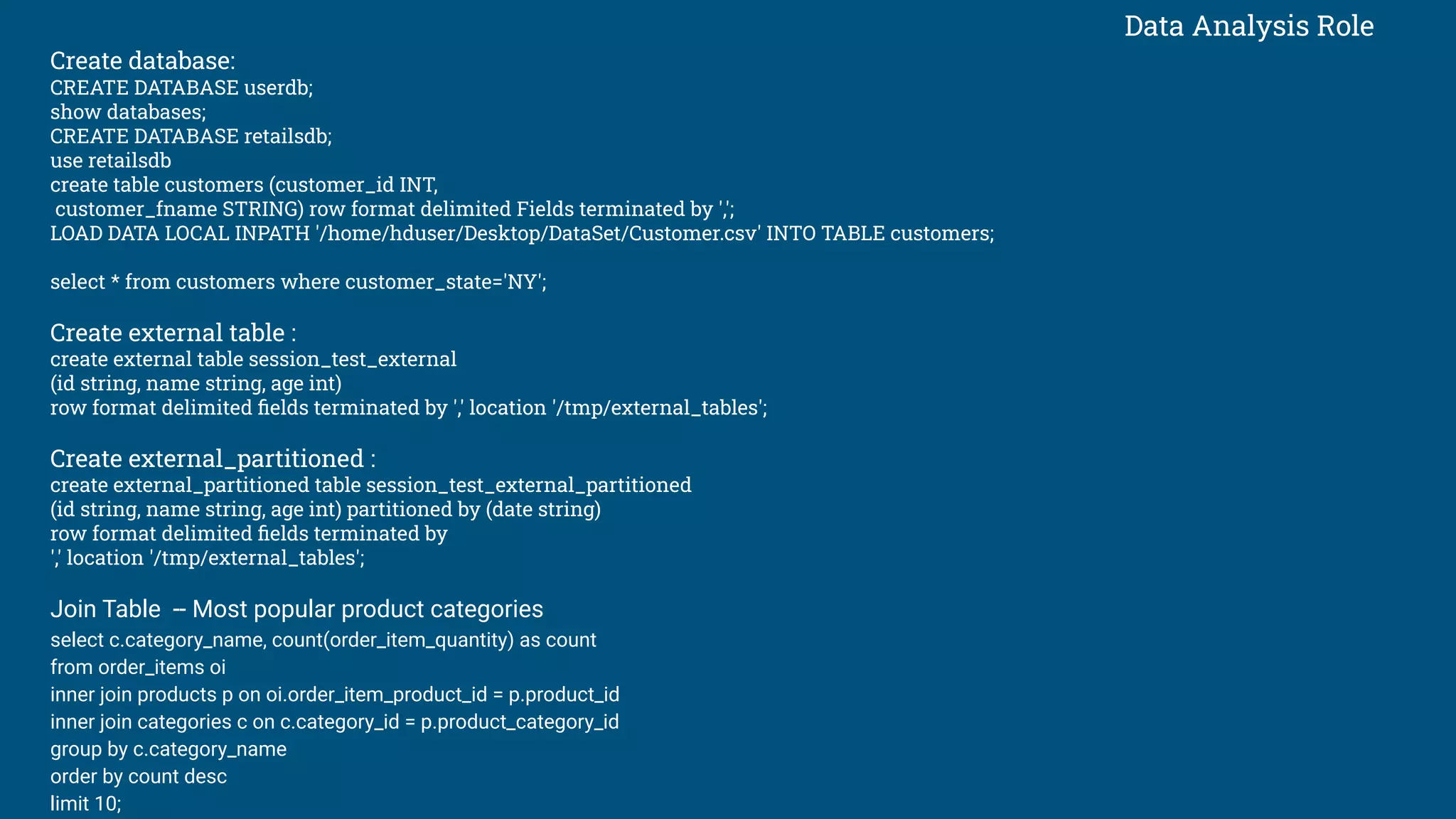
Data Analysis Role
Create database:
CREATE DATABASE userdb;
show databases;
CREATE DATABASE retailsdb;
use retailsdb
create table customers (customer_id INT,
customer_fname STRING) row format delimited Fields terminated by ',';
LOAD DATA LOCAL INPATH '/home/hduser/Desktop/DataSet/Customer.csv' INTO TABLE customers;
select * from customers where customer_state='NY';
Create external table :
create external table session_test_external
(id string, name string, age int)
row format delimited fields terminated by ',' location '/tmp/external_tables';
Create external_partitioned :
create external_partitioned table session_test_external_partitioned
(id string, name string, age int) partitioned by (date string)
row format delimited fields terminated by
',' location '/tmp/external_tables';
Join Table -- Most popular product categories
select c.category_name, count(order_item_quantity) as count
from order_items oi
inner join products p on oi.order_item_product_id = p.product_id
inner join categories c on c.category_id = p.product_category_id
group by c.category_name
order by count desc
limit 10;
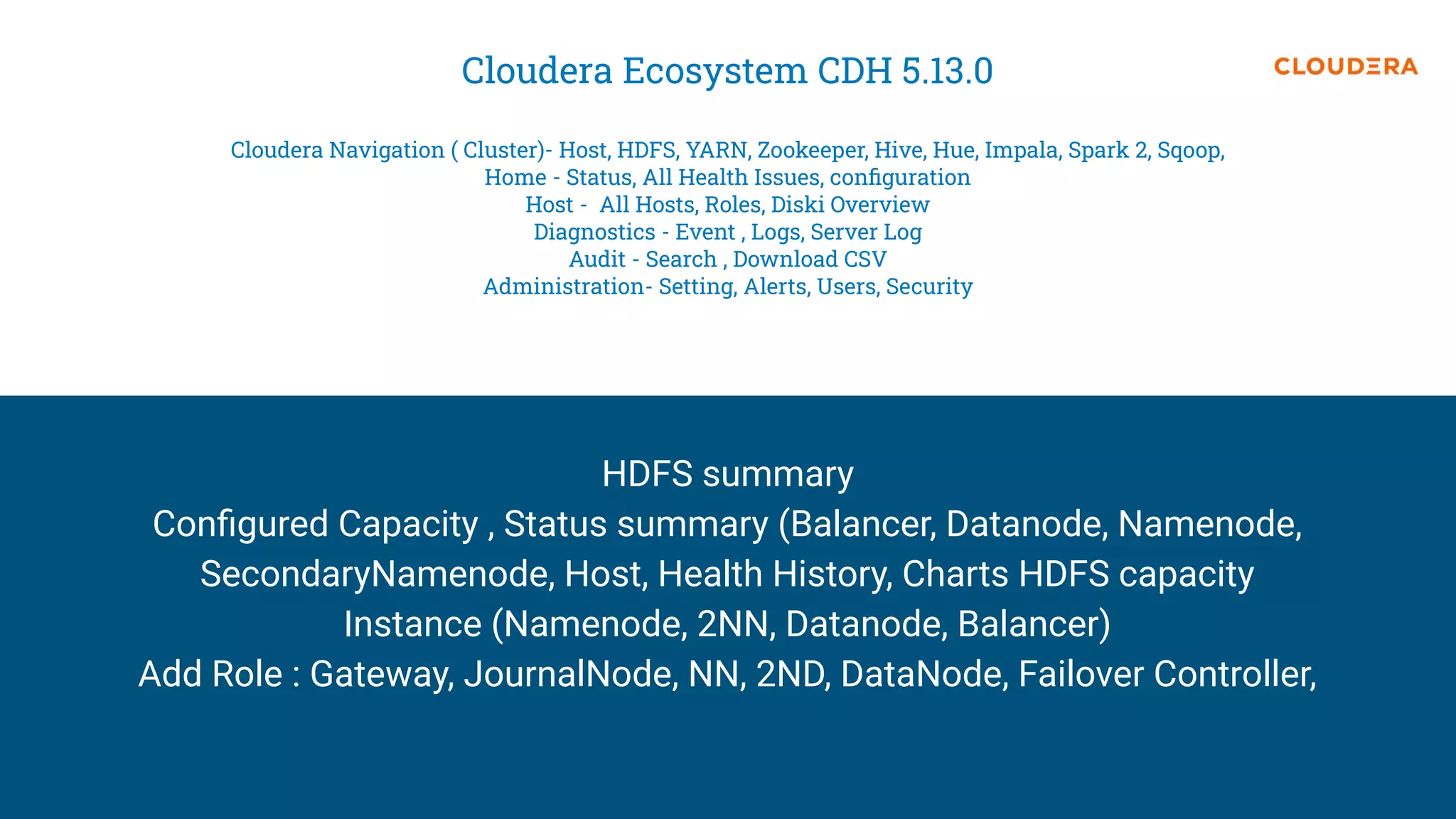
Cloudera Ecosystem CDH 5.13.0
Cloudera Navigation ( Cluster)- Host, HDFS, YARN, Zookeeper, Hive, Hue, Impala, Spark 2, Sqoop,
Home - Status, All Health Issues, configuration
Host - All Hosts, Roles, Diski Overview
Diagnostics - Event , Logs, Server Log
Audit - Search , Download CSV
Administration- Setting, Alerts, Users, Security
HDFS summary
Configured Capacity , Status summary (Balancer, Datanode, Namenode,
SecondaryNamenode, Host, Health History, Charts HDFS capacity
Instance (Namenode, 2NN, Datanode, Balancer)
Add Role : Gateway, JournalNode, NN, 2ND, DataNode, Failover Controller,
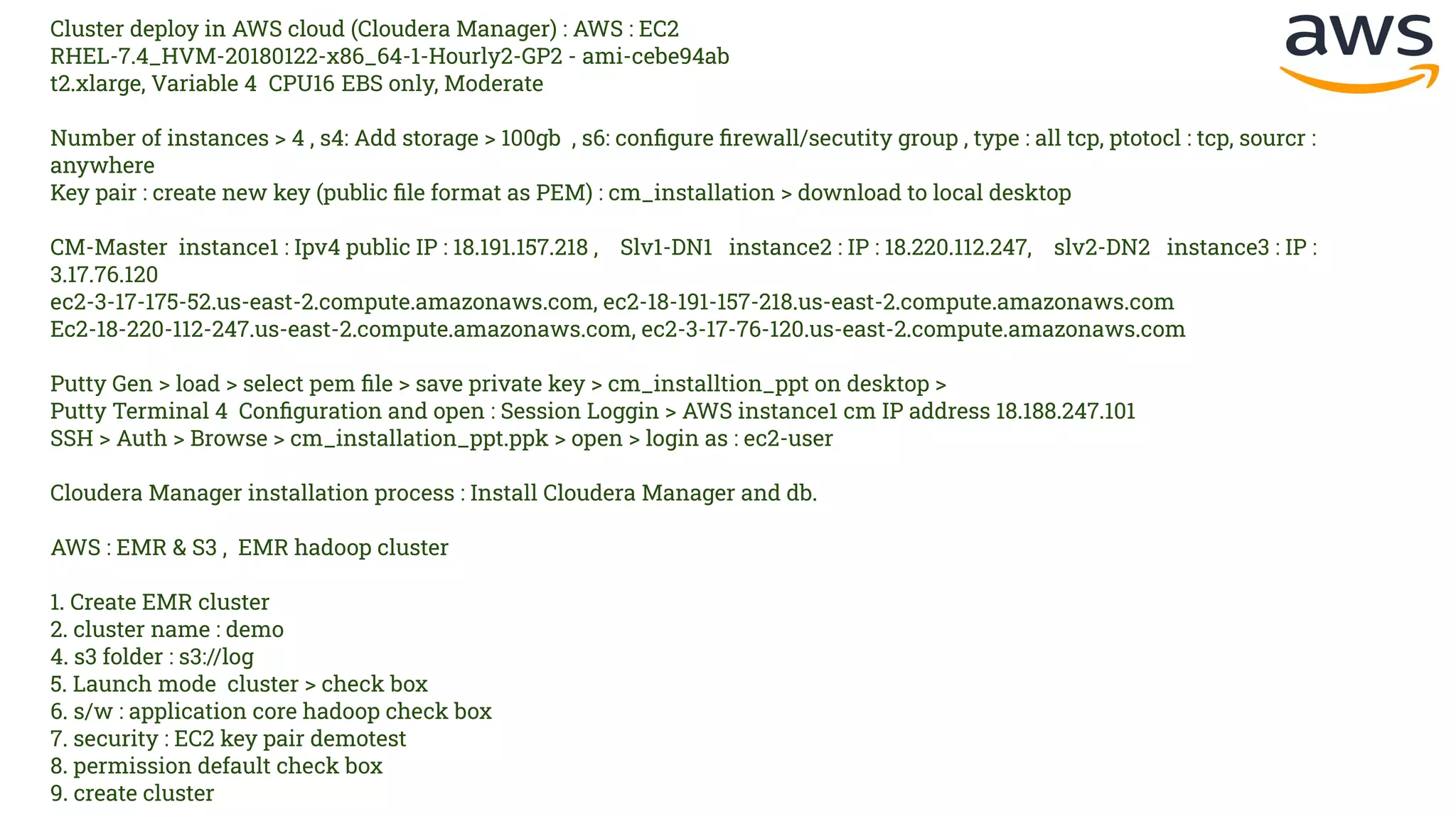
Cluster deploy in AWS cloud (Cloudera Manager) : AWS : EC2
RHEL-7.4_HVM-20180122-x86_64-1-Hourly2-GP2 - ami-cebe94ab
t2.xlarge, Variable 4 CPU16 EBS only, Moderate
Number of instances > 4 , s4: Add storage > 100gb , s6: configure firewall/secutity group , type : all tcp, ptotocl : tcp, sourcr :
anywhere
Key pair : create new key (public file format as PEM) : cm_installation > download to local desktop
CM-Master instance1 : Ipv4 public IP : 18.191.157.218 , Slv1-DN1 instance2 : IP : 18.220.112.247, slv2-DN2 instance3 : IP :
3.17.76.120
ec2-3-17-175-52.us-east-2.compute.amazonaws.com, ec2-18-191-157-218.us-east-2.compute.amazonaws.com
Ec2-18-220-112-247.us-east-2.compute.amazonaws.com, ec2-3-17-76-120.us-east-2.compute.amazonaws.com
Putty Gen > load > select pem file > save private key > cm_installtion_ppt on desktop >
Putty Terminal 4 Configuration and open : Session Loggin > AWS instance1 cm IP address 18.188.247.101
SSH > Auth > Browse > cm_installation_ppt.ppk > open > login as : ec2-user
Cloudera Manager installation process : Install Cloudera Manager and db.
AWS : EMR & S3 , EMR hadoop cluster
1. Create EMR cluster
2. cluster name : demo
4. s3 folder : s3://log
5. Launch mode cluster > check box
6. s/w : application core hadoop check box
7. security : EC2 key pair demotest
8. permission default check box
9. create cluster
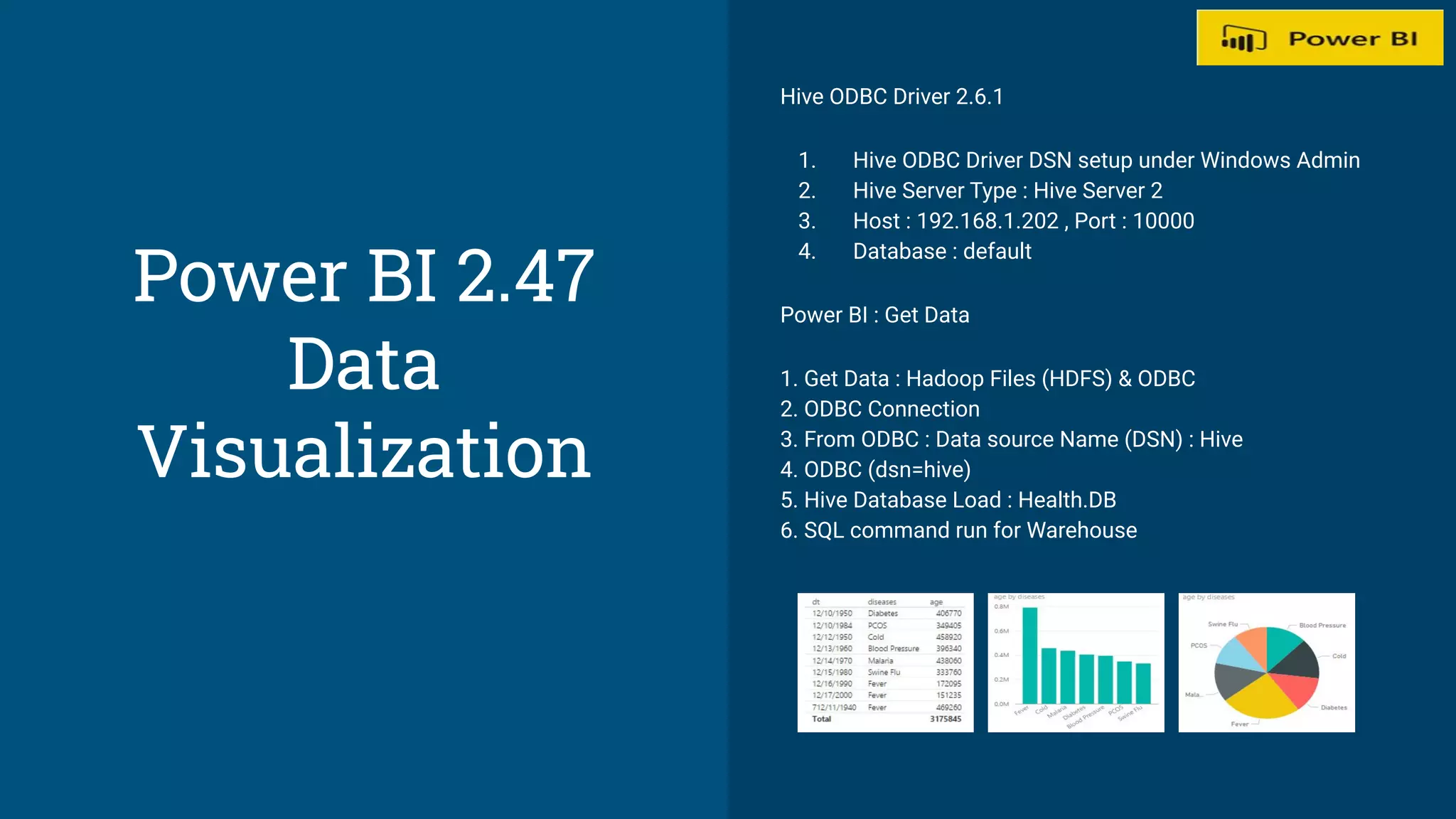
Hive ODBC Driver 2.6.1
1. Hive ODBC Driver DSN setup under Windows Admin
2. Hive Server Type : Hive Server 2
3. Host : 192.168.1.202 , Port : 10000
4. Database : default
Power BI : Get Data
1. Get Data : Hadoop Files (HDFS) & ODBC
2. ODBC Connection
3. From ODBC : Data source Name (DSN) : Hive
4. ODBC (dsn=hive)
5. Hive Database Load : Health.DB
6. SQL command run for Warehouse
Power BI 2.47
Data
Visualization
Thank you
Would you recommend this book?
Write your review here.

Hadoop Admin role & Hive Data Warehouse support

  • 1.
    Hadoop Admin Role& Hive Data Warehouse support Linux O/S 17.10.1 Hadoop HDFS 2.7.3 Kerberos Credentials 5-1.17 Hive 2.1.1, Data Warehouse Sqoop 1.4.7 Cloudera Manager 5.16.2 Spark 2.1.0 Hbase 1.2.0 Power BI 2.47 Data Visualization
  • 2.
    Hadoop HDFS SystemConfig 1. Hadoop 2.7.3 2. Java-8-openjdk-amd64 3. Systemctl - disable IPV6 4. SSh : Authorized_keys 5. Core File Configuration : ~/.bashrc , hadoop-env.sh , Core-site.xml , Mapred-site.xml , hdfs-site.xml , yarn-site.xml HDFS Web Access port : 1. Clouser ID, Block Pool, Security, Safemode, Heap Memory, Block Pool used, Namenode Journal Manager, Edit Log file, edits_ in progress, fsimage, Namenode storage metadata (fsimage-edit log = checkpoint ->New fsimage), Datanode in operation (node, capacity, used, non dfs and dfs, block, block pool used), Decommissioning (Node, replication, block) 1. http://localhost:50070/dfshealth.html#tab-overview 2. ResourceManager Web Application HTTP : 8088 3. NodeManager Web Application HTTP port : 8042 4. Cloudera manager :7180 5. hue> admin/admin : 8888
  • 3.
    HADOOP Admin Role: netstat-tulnp | grep 12574 1. hdfs dfsadmin -report 2. hdfs dfs -ls /tmp/logs 3. ps-def | grep namenode 4. ps-def | grep datanode 5. ps -ef | grep cloudera 6. hdfs dfsadmin -safemode get enter ON 7. hdfs fsck -location -blocks> /tmp/fsck_log.txt 8. cd /run/cloudera-scm-agent/process/ >process directory 9. kill -9 17249 (process id kill) 10. df -kh /dfs/dn ( Rebalance the cluster , datanode % used alert) HDFS HA NN( High Availability) : 11. Implementation strategy : QJM Quorum based storage and NFS 12. hdfs@ip-182$ ps -ef | grep ZKFController 13. root@ip-182 91-hdfs-NAMENODE$ cat core-site.xml | grep fs.defaultsFS HighAvility NodeManager: 14. ps -ef | grep nodemanager 15. ps -ef | grep application 16. HighAvilityNodeManager,Applicaiton Master,and Containers 17. yarn rmadmin -failover rm35 18. hdfs dfs -ls /user/hive | grep warehouse 19. hdfs dfs -ls /user/hive/warehouse/retailsdb.db/customers 20. services cloudera-scm-agent status 21. ps -ef | grep HMaster (Hbase)
  • 4.
    Kerberos Credentials 5-1.17 1.Krb5-server, krb5-libs krb5-workstation 2. vi /etc/krb5.conf (default_realm = Hadoop.com , kdc=hostname, admin_server = hostname , Domain realm under) 3. kdb5_util create -s 4. service krb5kdc start 5. service kadmin start 6. kadmin.local -q "addprinc admin/admin" 7. vi /var/kerberos/krb5kdc/kadm5.acl 8. service kadmin restart 9. kadmin -p admin/admin@HADOOP.COM 10. kadmin: listprincs 11. kadmin: add_principal abcd 12. create principal as admin 13. CM-Adminstration-secutitry 14. root@ip-236: kadmin -p admin/admin@quickstart.cloudera 15. kadmin : list_principals
  • 5.
    Sqoop-1.4.7 1. ~/.bashrc export SQOOP_HOME=/home/hduser/sqoop/sqoop-1.4.7.bin__ hadoop-2.6.0 exportPATH=$PATH:$SQOOP_HOME/bin 2. Sqoop-env.sh #Set path to where hadoop-*-core.jar is available export HADOOP_COMMON_HOME=/usr/local/hadoop #Set the path to where bin/hive is available export HIVE_HOME=/home/hduser/hive/apache-hive-2.1.1-bin 3. 4. Mysql-connector-java-5.1.38.jar 4. sqoop import --connect jdbs:mysql://demo-db.c9hhh.us-east-1.rds.amazonaws. com/employee --driver com.mysql.jdbc.Driver --username masterdb -P --table employees SPARK Part 1. Spark as ETL tool write to parquet using spark, crate an external talbe Part 2: SprakSQL to query data from hive Read Hive table data from spark case class person(name: String, age: Int, sex: string) val data = Seq(Person("jack",25,"M"), Person("jill",25,"F"), Person("jess",24,"F")) val df = data.toDF() df.select("name", "age","sex").write.mode(SaveMode.Append).for mat("parquet").save("/tmp/person") //Add new data val data = Seq(Person("john",25,"M")) CREATE EXTERNAL TABLE person (name string, age int, sex string) stored as parquet location '/tmp/person Hbase : root@ip-182$ ps -ef | grep HMaster port: 60010 - Habase Master Web UI port port: 60000 - zookeeper connection centos@ip-113$ ps -ef | grep region hdfs@ip-113$ hbase shell
  • 6.
    Data Warehouse Hive-2.1.1 1. Configuration: ~/.bashrc export HIVE_HOME=/home/hduser/hive/apache-hive-2.1.1-bin export PATH=$PATH:$HIVE_HOME/bin 2. hduser@darrajVB:~$ hdfs dfs -mkdir -p /user/hive/warehouse hduser@darrajVB:~$ hdfs dfs -chmod 777 /user/hive/warehouse hduser@darrajVB:~$ hdfs dfs -mkdir -p /tmp hduser@darrajVB:~$ hdfs dfs -chmod 777 /tmp hduser@darrajVB:~$ hdfs dfs -ls / 3. schematool -initSchema -dbType derby 4. Data Warehouse Location: - /user/hive/warehouse 5. Metastore_db 6. Configuration Properties in the hive-site.xml $HIVE_HOME/bin/hive --service hiveserver2 HiveServer2 run under two instance 7. hdfs@ip-182$ beeline -u jdbc:hive2://ip-182:10000/default ihdfs@ip-182$ impala-shell-i ip-206:21000 -d default
  • 7.
    Data Analysis Role Createdatabase: CREATE DATABASE userdb; show databases; CREATE DATABASE retailsdb; use retailsdb create table customers (customer_id INT, customer_fname STRING) row format delimited Fields terminated by ','; LOAD DATA LOCAL INPATH '/home/hduser/Desktop/DataSet/Customer.csv' INTO TABLE customers; select * from customers where customer_state='NY'; Create external table : create external table session_test_external (id string, name string, age int) row format delimited fields terminated by ',' location '/tmp/external_tables'; Create external_partitioned : create external_partitioned table session_test_external_partitioned (id string, name string, age int) partitioned by (date string) row format delimited fields terminated by ',' location '/tmp/external_tables'; Join Table -- Most popular product categories select c.category_name, count(order_item_quantity) as count from order_items oi inner join products p on oi.order_item_product_id = p.product_id inner join categories c on c.category_id = p.product_category_id group by c.category_name order by count desc limit 10;
  • 8.
    Cloudera Ecosystem CDH5.13.0 Cloudera Navigation ( Cluster)- Host, HDFS, YARN, Zookeeper, Hive, Hue, Impala, Spark 2, Sqoop, Home - Status, All Health Issues, configuration Host - All Hosts, Roles, Diski Overview Diagnostics - Event , Logs, Server Log Audit - Search , Download CSV Administration- Setting, Alerts, Users, Security HDFS summary Configured Capacity , Status summary (Balancer, Datanode, Namenode, SecondaryNamenode, Host, Health History, Charts HDFS capacity Instance (Namenode, 2NN, Datanode, Balancer) Add Role : Gateway, JournalNode, NN, 2ND, DataNode, Failover Controller,
  • 9.
    Cluster deploy inAWS cloud (Cloudera Manager) : AWS : EC2 RHEL-7.4_HVM-20180122-x86_64-1-Hourly2-GP2 - ami-cebe94ab t2.xlarge, Variable 4 CPU16 EBS only, Moderate Number of instances > 4 , s4: Add storage > 100gb , s6: configure firewall/secutity group , type : all tcp, ptotocl : tcp, sourcr : anywhere Key pair : create new key (public file format as PEM) : cm_installation > download to local desktop CM-Master instance1 : Ipv4 public IP : 18.191.157.218 , Slv1-DN1 instance2 : IP : 18.220.112.247, slv2-DN2 instance3 : IP : 3.17.76.120 ec2-3-17-175-52.us-east-2.compute.amazonaws.com, ec2-18-191-157-218.us-east-2.compute.amazonaws.com Ec2-18-220-112-247.us-east-2.compute.amazonaws.com, ec2-3-17-76-120.us-east-2.compute.amazonaws.com Putty Gen > load > select pem file > save private key > cm_installtion_ppt on desktop > Putty Terminal 4 Configuration and open : Session Loggin > AWS instance1 cm IP address 18.188.247.101 SSH > Auth > Browse > cm_installation_ppt.ppk > open > login as : ec2-user Cloudera Manager installation process : Install Cloudera Manager and db. AWS : EMR & S3 , EMR hadoop cluster 1. Create EMR cluster 2. cluster name : demo 4. s3 folder : s3://log 5. Launch mode cluster > check box 6. s/w : application core hadoop check box 7. security : EC2 key pair demotest 8. permission default check box 9. create cluster
  • 10.
    Hive ODBC Driver2.6.1 1. Hive ODBC Driver DSN setup under Windows Admin 2. Hive Server Type : Hive Server 2 3. Host : 192.168.1.202 , Port : 10000 4. Database : default Power BI : Get Data 1. Get Data : Hadoop Files (HDFS) & ODBC 2. ODBC Connection 3. From ODBC : Data source Name (DSN) : Hive 4. ODBC (dsn=hive) 5. Hive Database Load : Health.DB 6. SQL command run for Warehouse Power BI 2.47 Data Visualization
  • 11.
    Thank you Would yourecommend this book? Write your review here.