The google web toolkit Stefaan Ternier
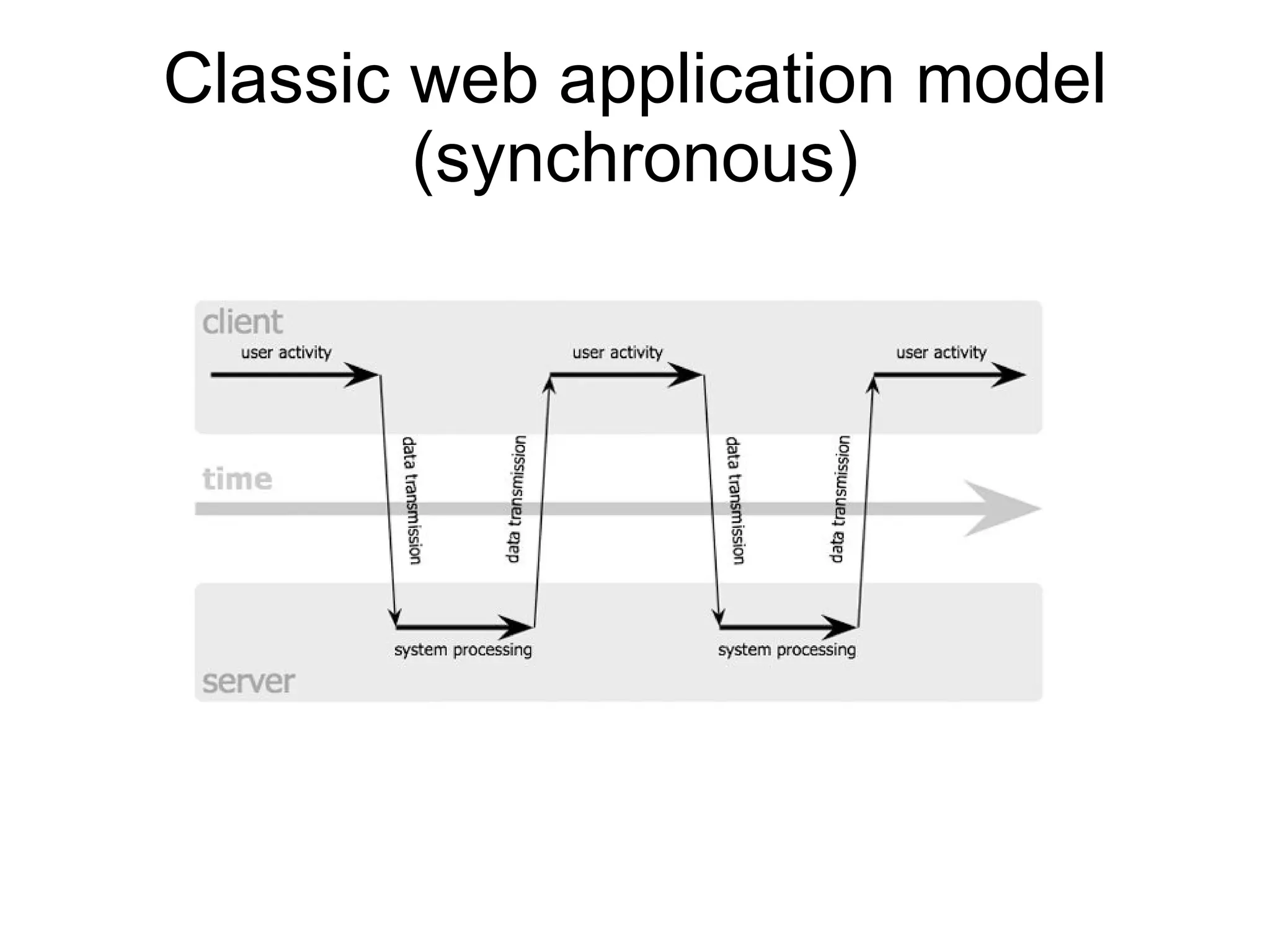
Classic web application model (synchronous)
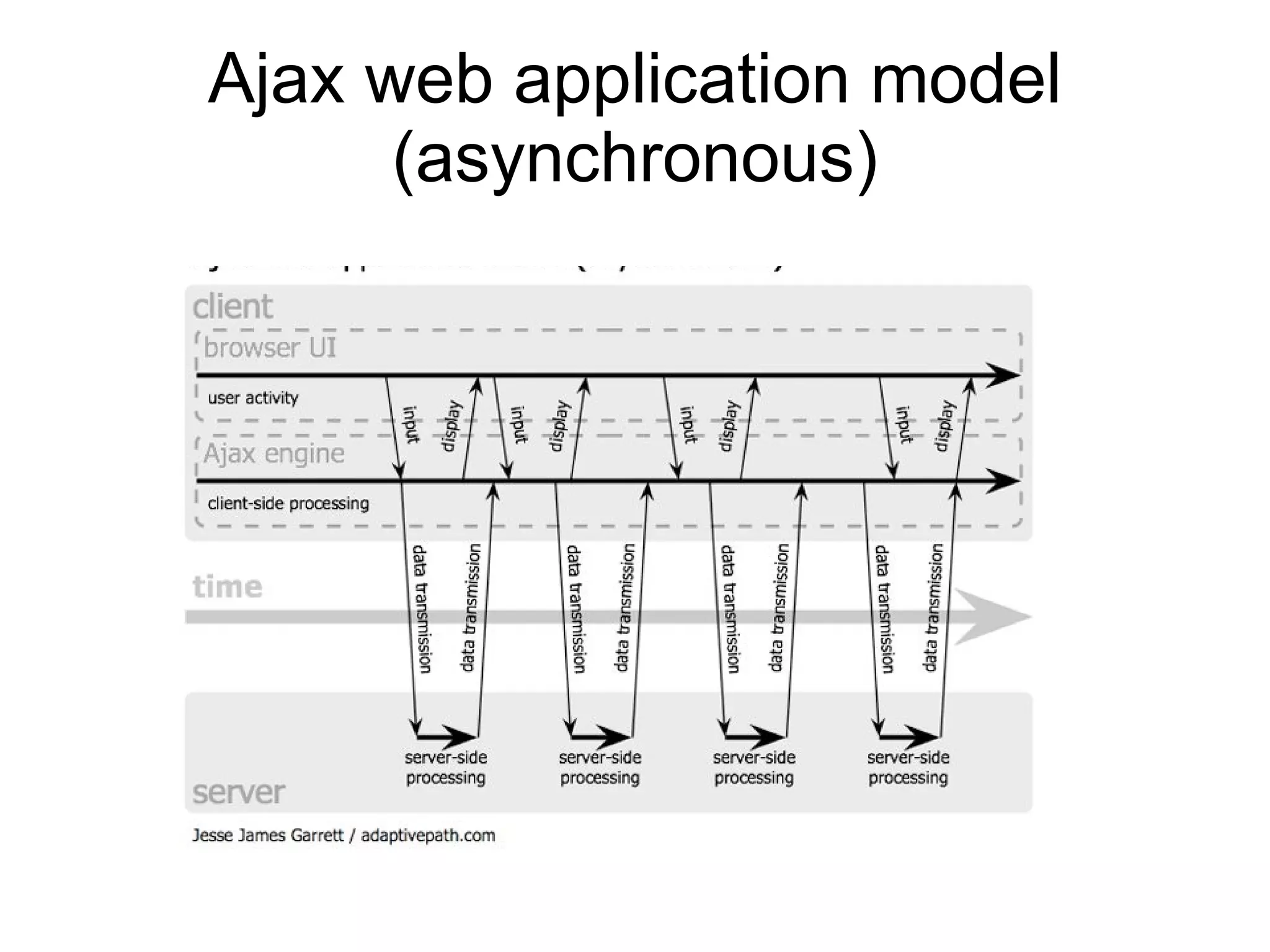
Ajax web application model (asynchronous)
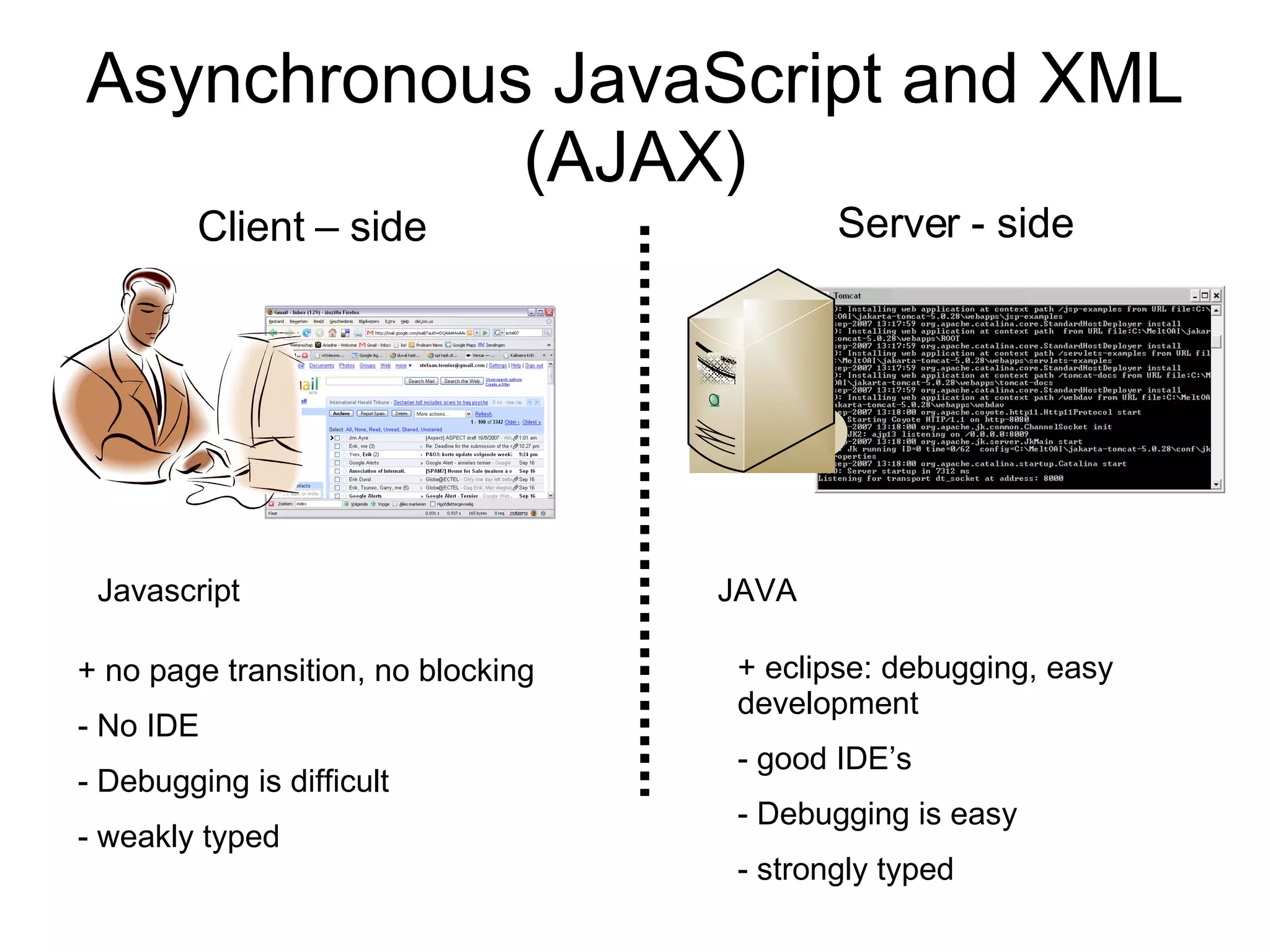
Asynchronous JavaScript and XML (AJAX) Server - side Client – side Javascript -> Firefox/IE <html> [...] <script type=&quot;text/javascript&quot;> [...] xmlhttp.open(&quot;POST&quot;, url, true); xmlhttp.onreadystatechange = function(func) { if (xmlhttp.readyState == 4) { [...] } } xmlhttp.setRequestHeader('MessageType', 'CALL'); xmlhttp.setRequestHeader('Content-Type', 'text/xml'); </script> <body>[...]</body> </html> JAVA -> Tomcat package com.mycompany.server; import com.google.gwt.user.server.rpc.RemoteServiceServlet; import com.mycompany.client.MyAddService; public class MyAddServiceImpl extends  RemoteServiceServlet implements MyAddService{ public int add(int a, int b) { return a + b; } }
Asynchronous JavaScript and XML (AJAX) Server - side Client – side Javascript JAVA + no page transition, no blocking No IDE Debugging is difficult weakly typed + eclipse: debugging, easy development good IDE’s Debugging is easy strongly typed
Google Web Toolkit (GWT) @ deployment time @ development time <html> [...] <script type=&quot;text/javascript&quot;> [...] xmlhttp.open(&quot;POST&quot;, url, true); xmlhttp.onreadystatechange = function(func) { if (xmlhttp.readyState == 4) { [...] } } xmlhttp.setRequestHeader('MessageType', 'CALL'); xmlhttp.setRequestHeader('Content-Type', 'text/xml'); </script> <body>[...]</body> </html> JAVA/eclipse javascript Hosted mode JVM IDE Compile to  JAVA bytecode Compile to Javascript
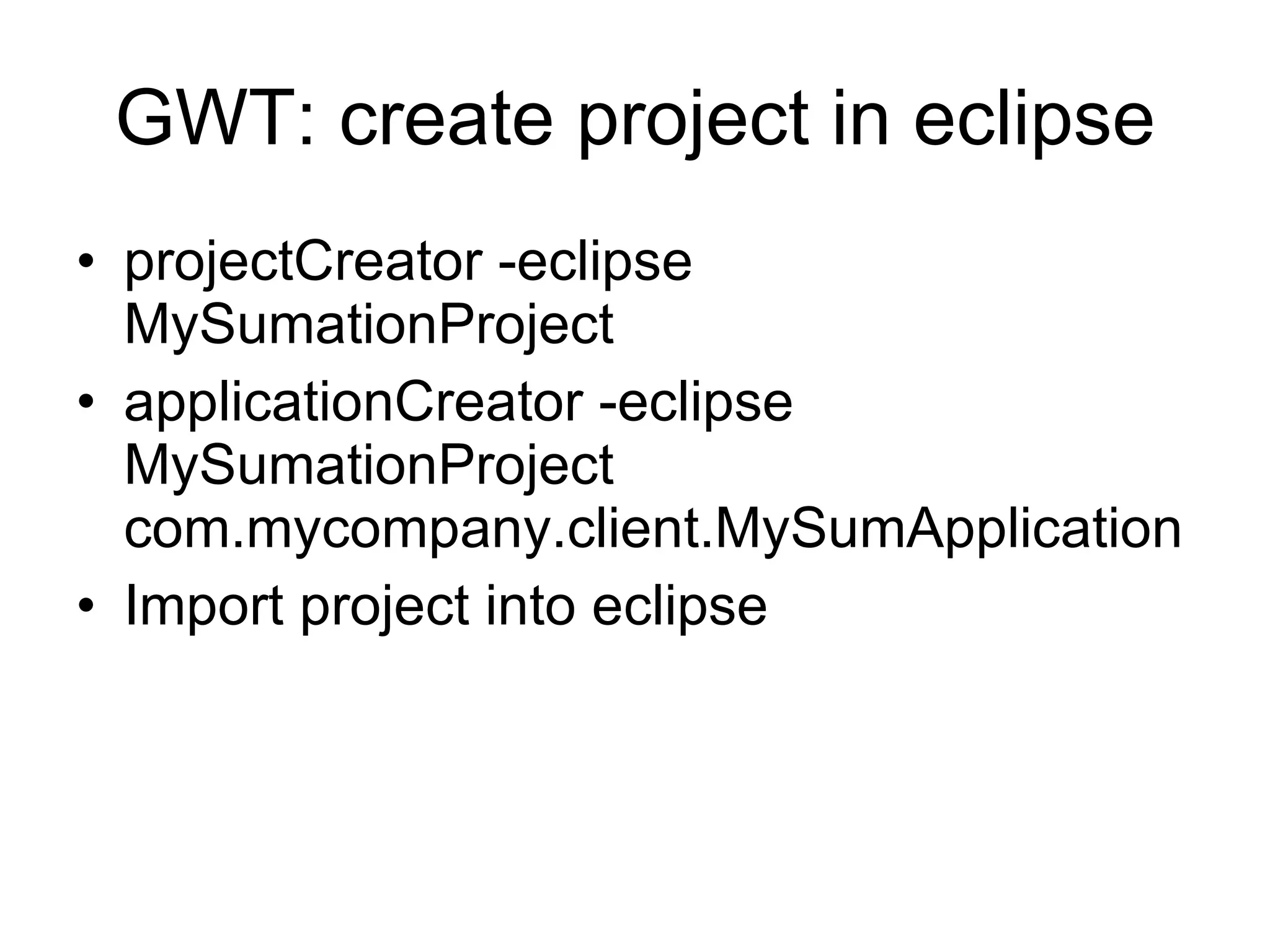
GWT: create project in eclipse projectCreator -eclipse MySumationProject  applicationCreator -eclipse MySumationProject com.mycompany.client.MySumApplication Import project into eclipse
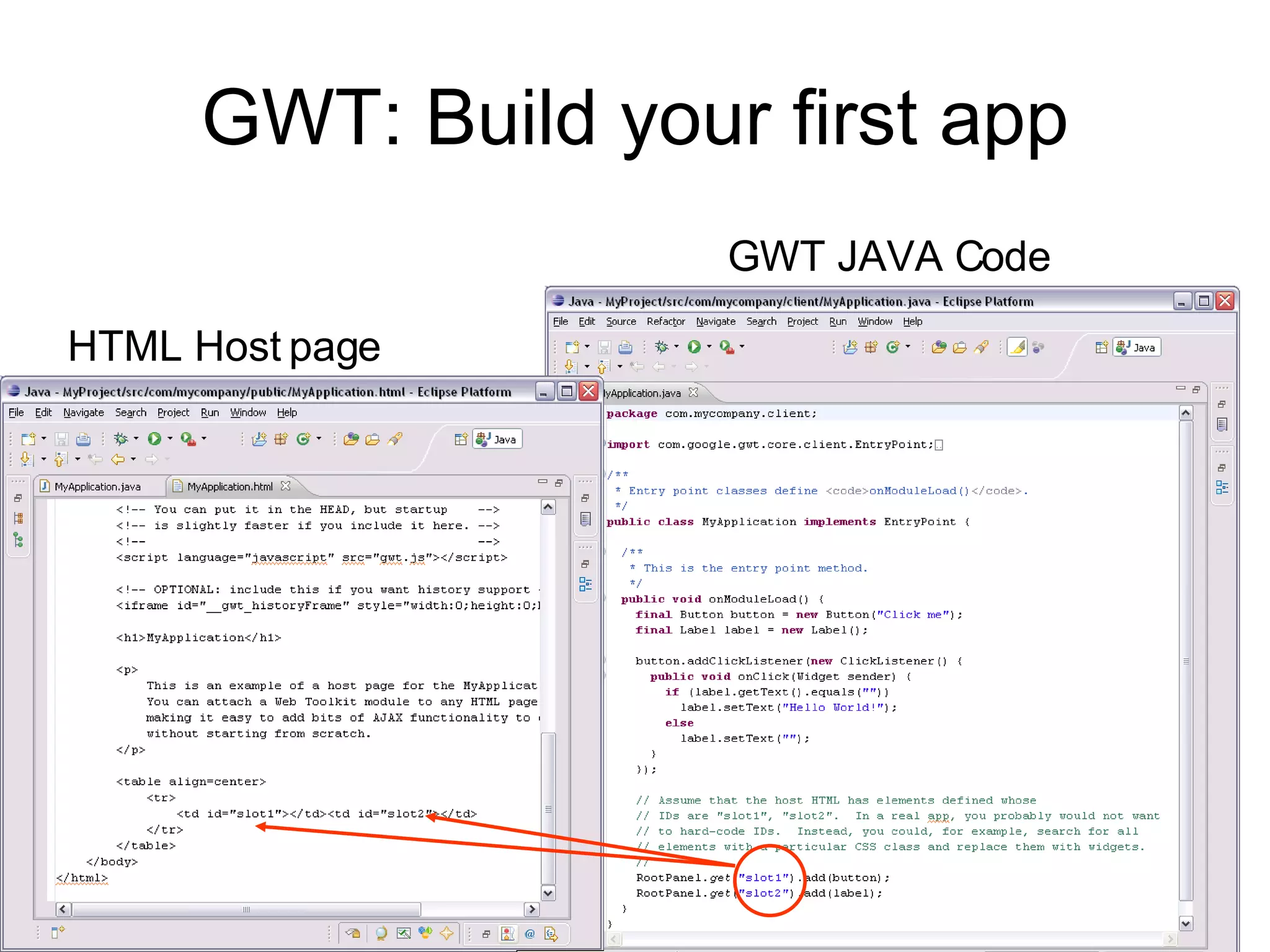
GWT: Build your first app GWT JAVA Code HTML Host page
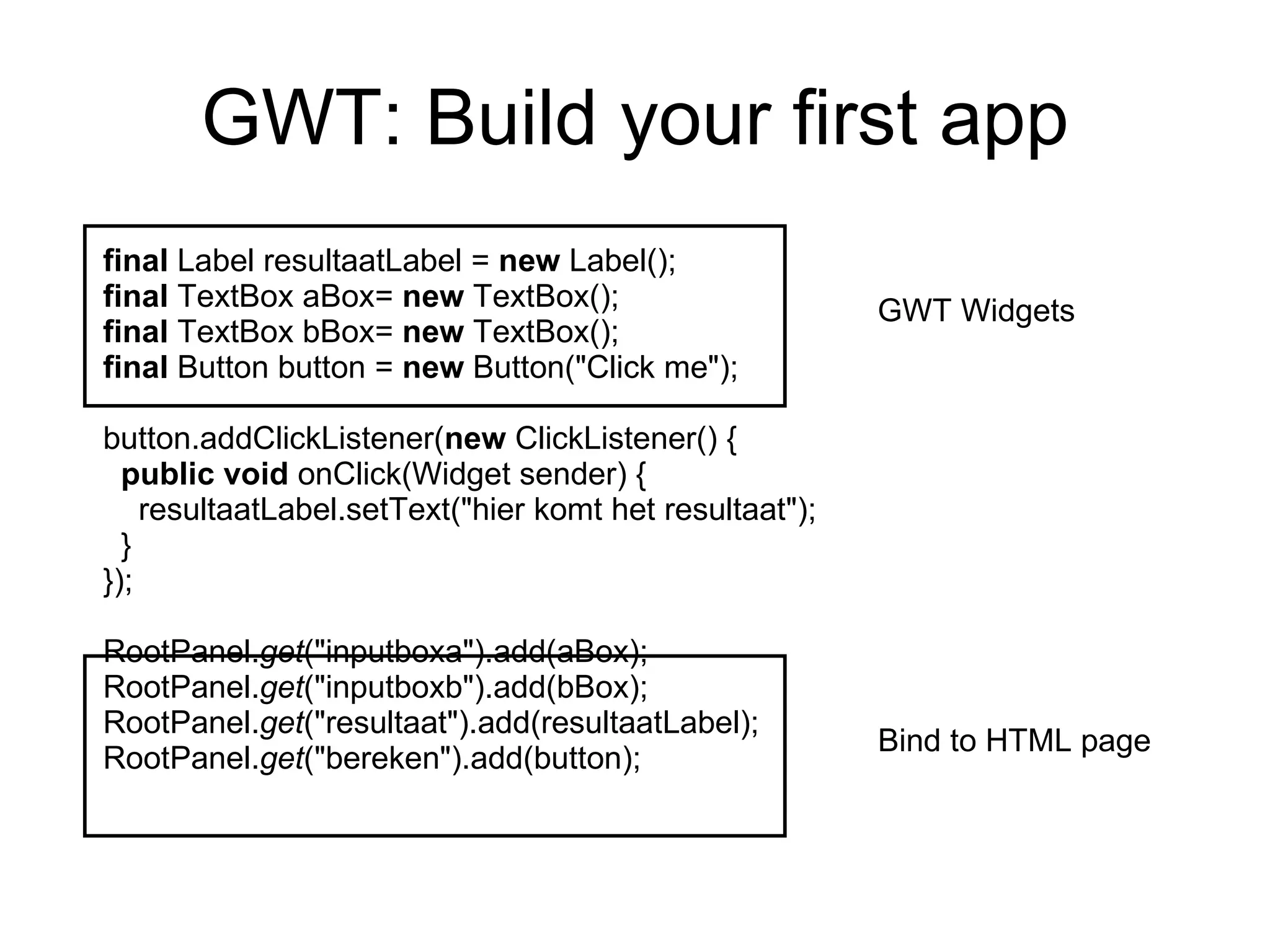
GWT: Build your first app final  Label resultaatLabel =  new  Label(); final  TextBox aBox=  new  TextBox(); final  TextBox bBox=  new  TextBox(); final  Button button =  new  Button(&quot;Click me&quot;); button.addClickListener( new  ClickListener() { public   void  onClick(Widget sender) { resultaatLabel.setText(&quot;hier komt het resultaat&quot;); } }); RootPanel. get (&quot;inputboxa&quot;).add(aBox); RootPanel. get (&quot;inputboxb&quot;).add(bBox); RootPanel. get (&quot;resultaat&quot;).add(resultaatLabel); RootPanel. get (&quot;bereken&quot;).add(button); GWT Widgets Bind to HTML page
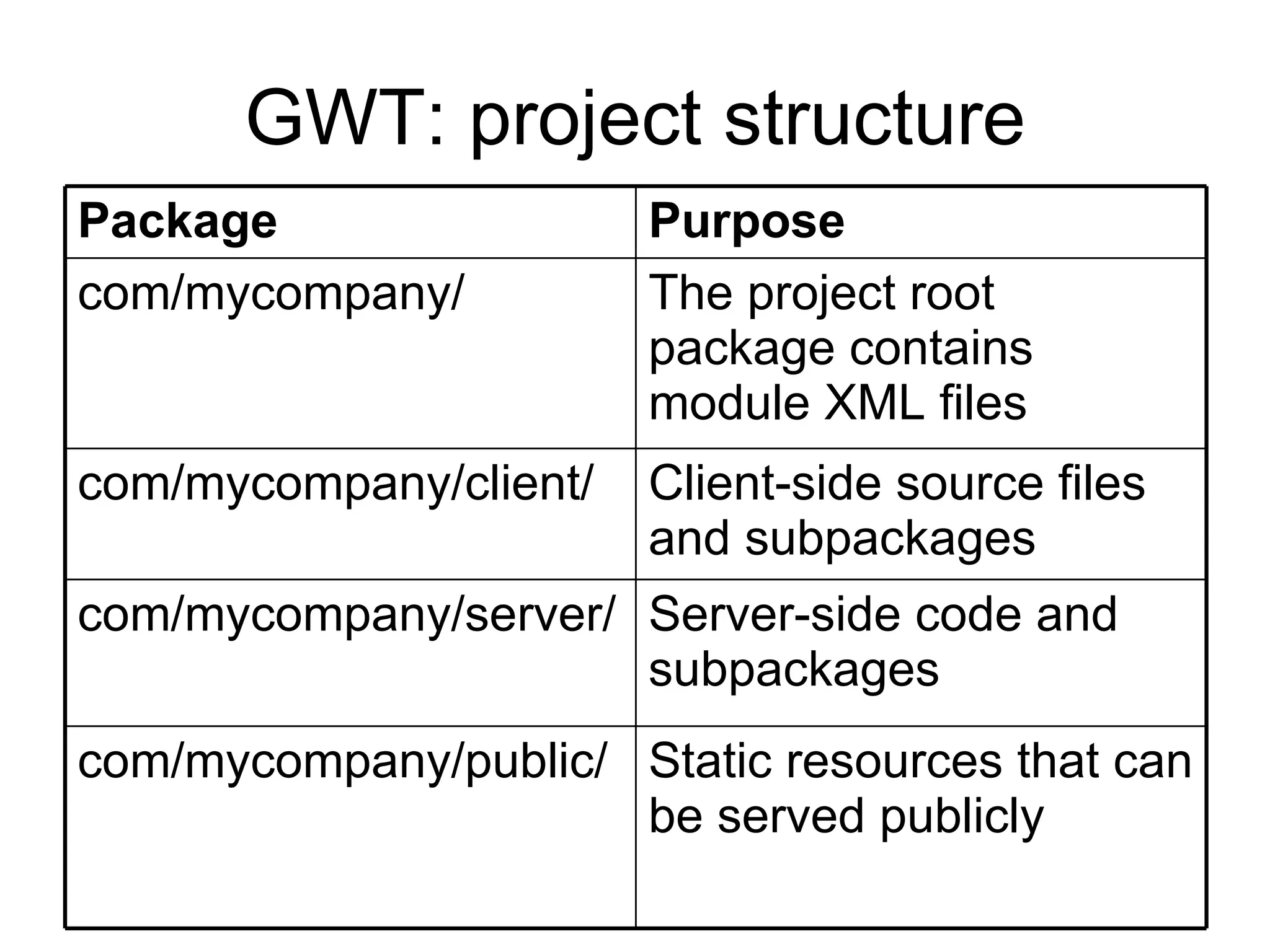
GWT: project structure Client-side source files and subpackages com/mycompany/client/ The project root package contains module XML files  com/mycompany/ Server-side code and subpackages  com/mycompany/server/ Static resources that can be served publicly com/mycompany/public/  Purpose Package
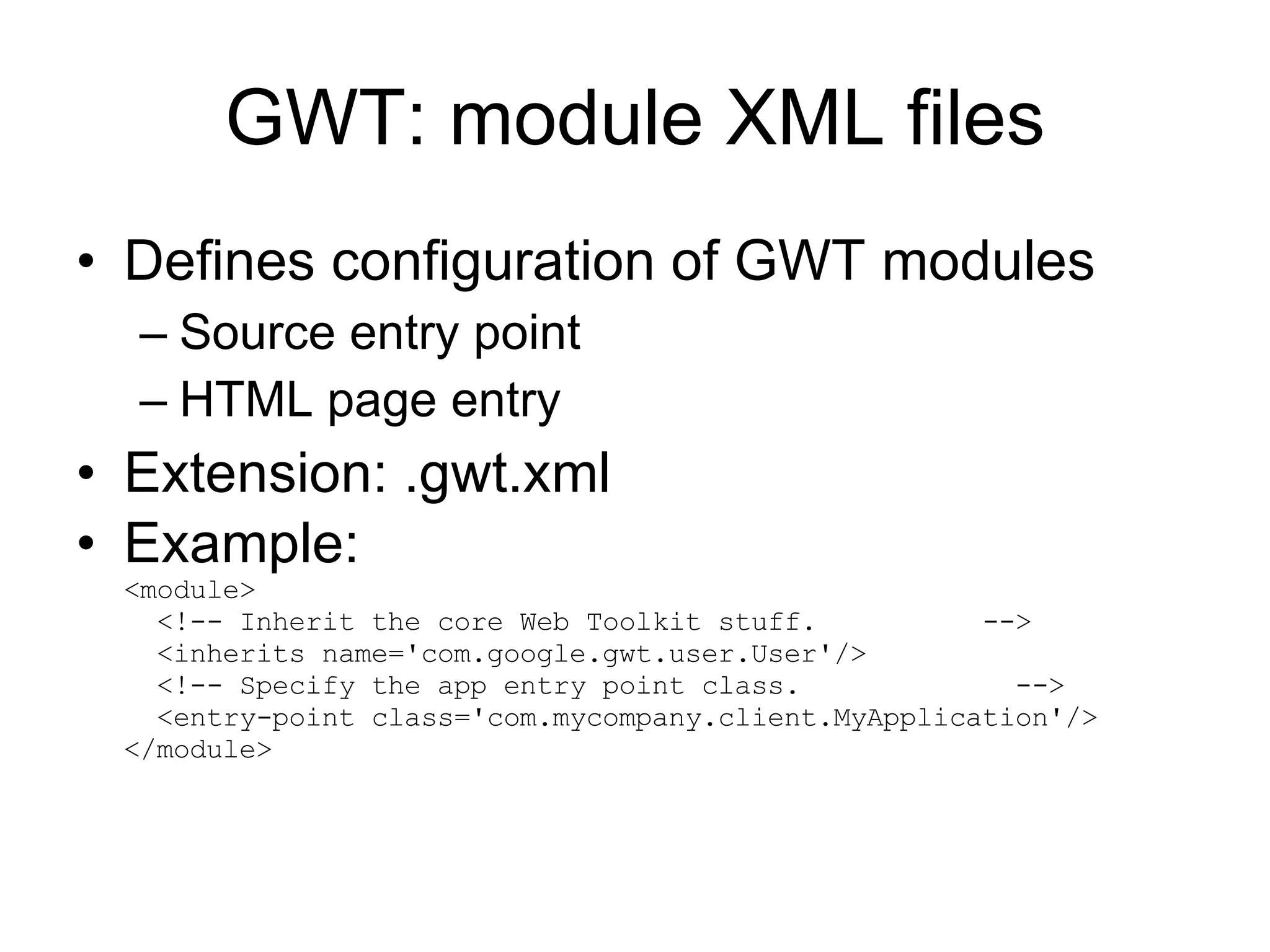
GWT: module XML files Defines configuration of GWT modules Source entry point HTML page entry Extension: .gwt.xml Example: <module>   <!-- Inherit the core Web Toolkit stuff.  -->   <inherits name='com.google.gwt.user.User'/>   <!-- Specify the app entry point class.  -->   <entry-point class='com.mycompany.client.MyApplication'/> </module>
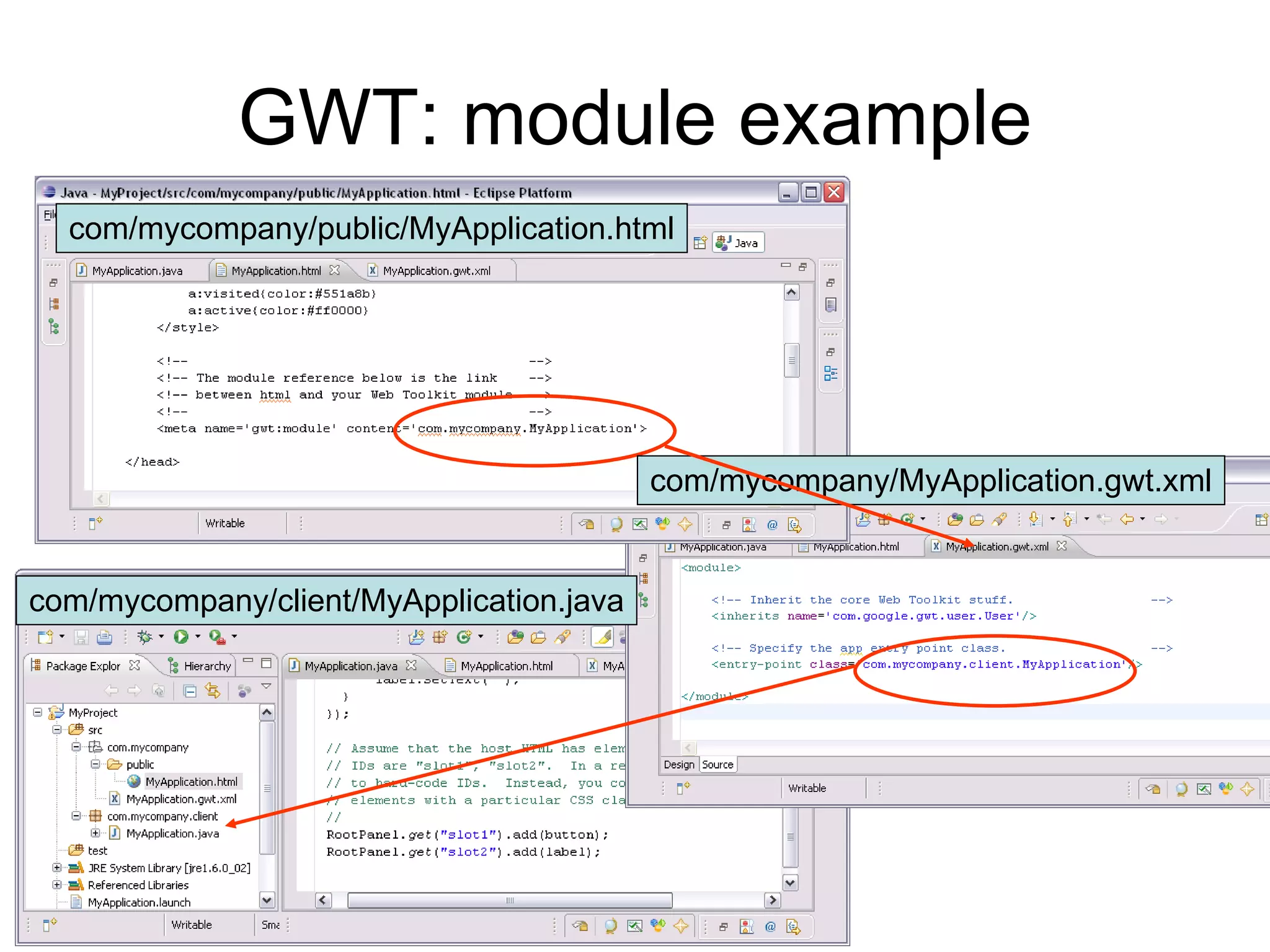
GWT: module example com/mycompany/public/MyApplication.html com/mycompany/MyApplication.gwt.xml com/mycompany/client/MyApplication.java
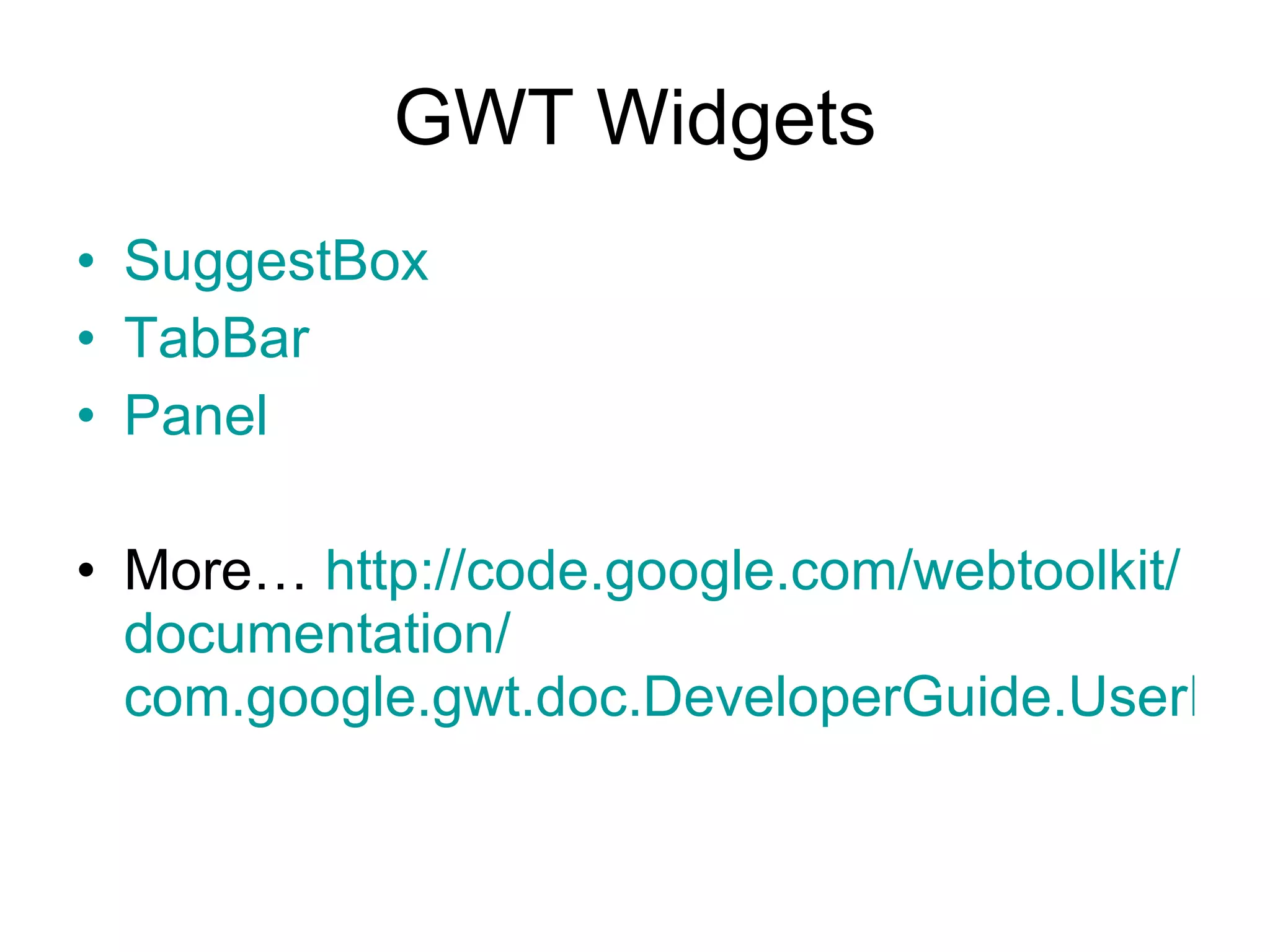
GWT Widgets SuggestBox TabBar Panel More…  http:// code.google.com / webtoolkit / documentation / com.google.gwt.doc.DeveloperGuide.UserInterface.html
 
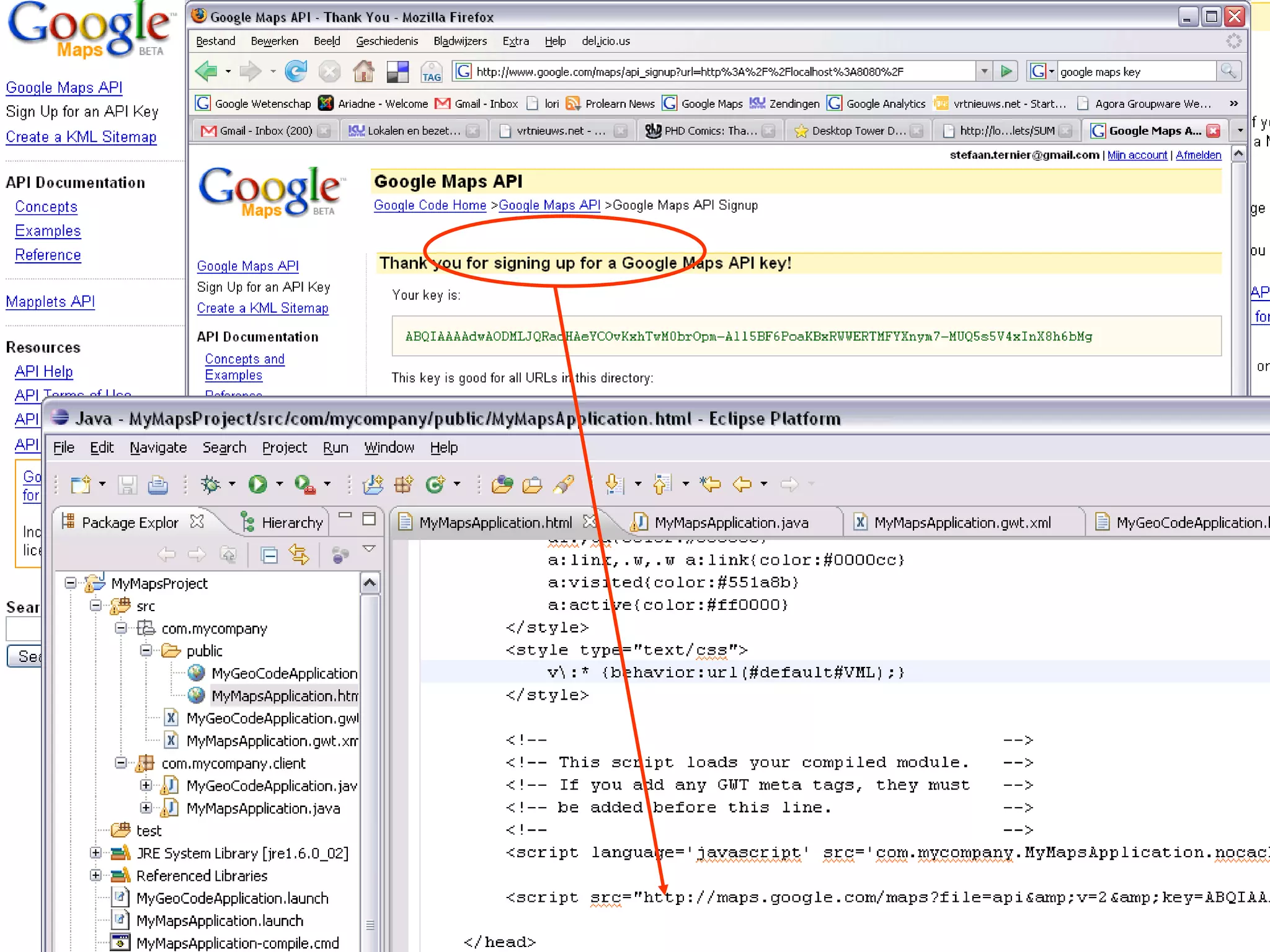
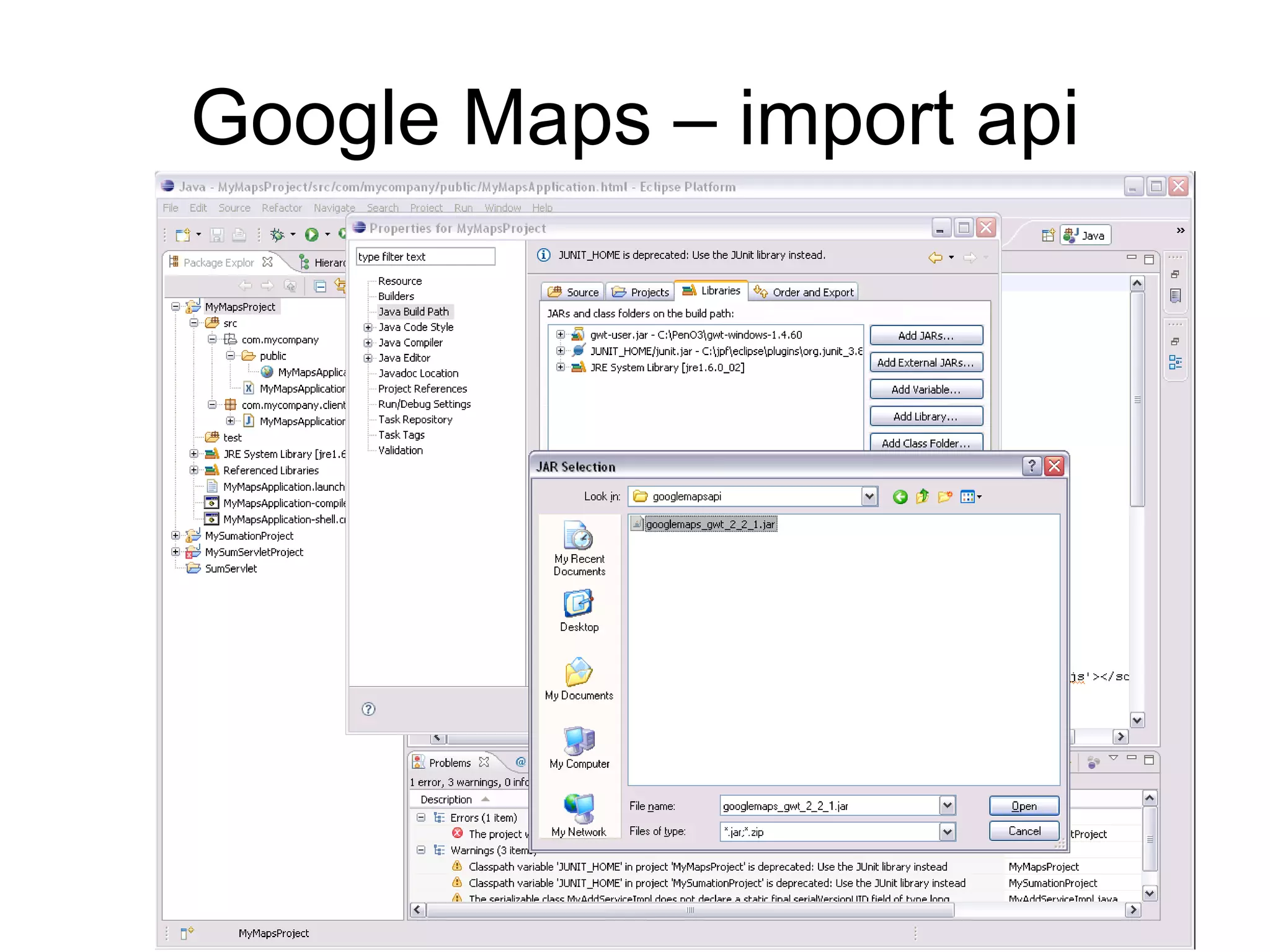
Google Maps – import api
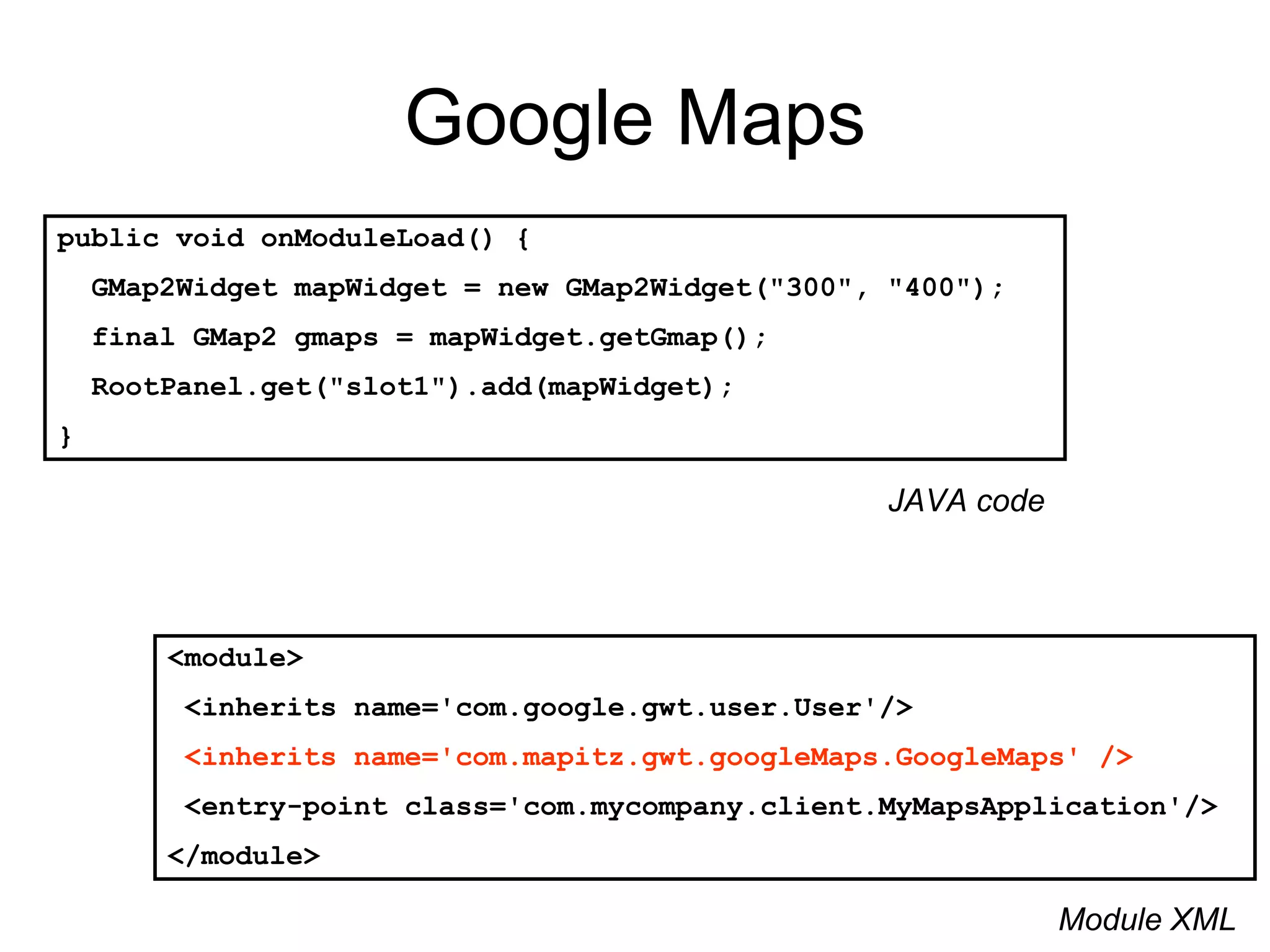
Google Maps public void onModuleLoad() { GMap2Widget mapWidget = new GMap2Widget(&quot;300&quot;, &quot;400&quot;); final GMap2 gmaps = mapWidget.getGmap();  RootPanel.get(&quot;slot1&quot;).add(mapWidget); } <module> <inherits name='com.google.gwt.user.User'/> <inherits name='com.mapitz.gwt.googleMaps.GoogleMaps' /> <entry-point class='com.mycompany.client.MyMapsApplication'/>  </module> Module XML JAVA code
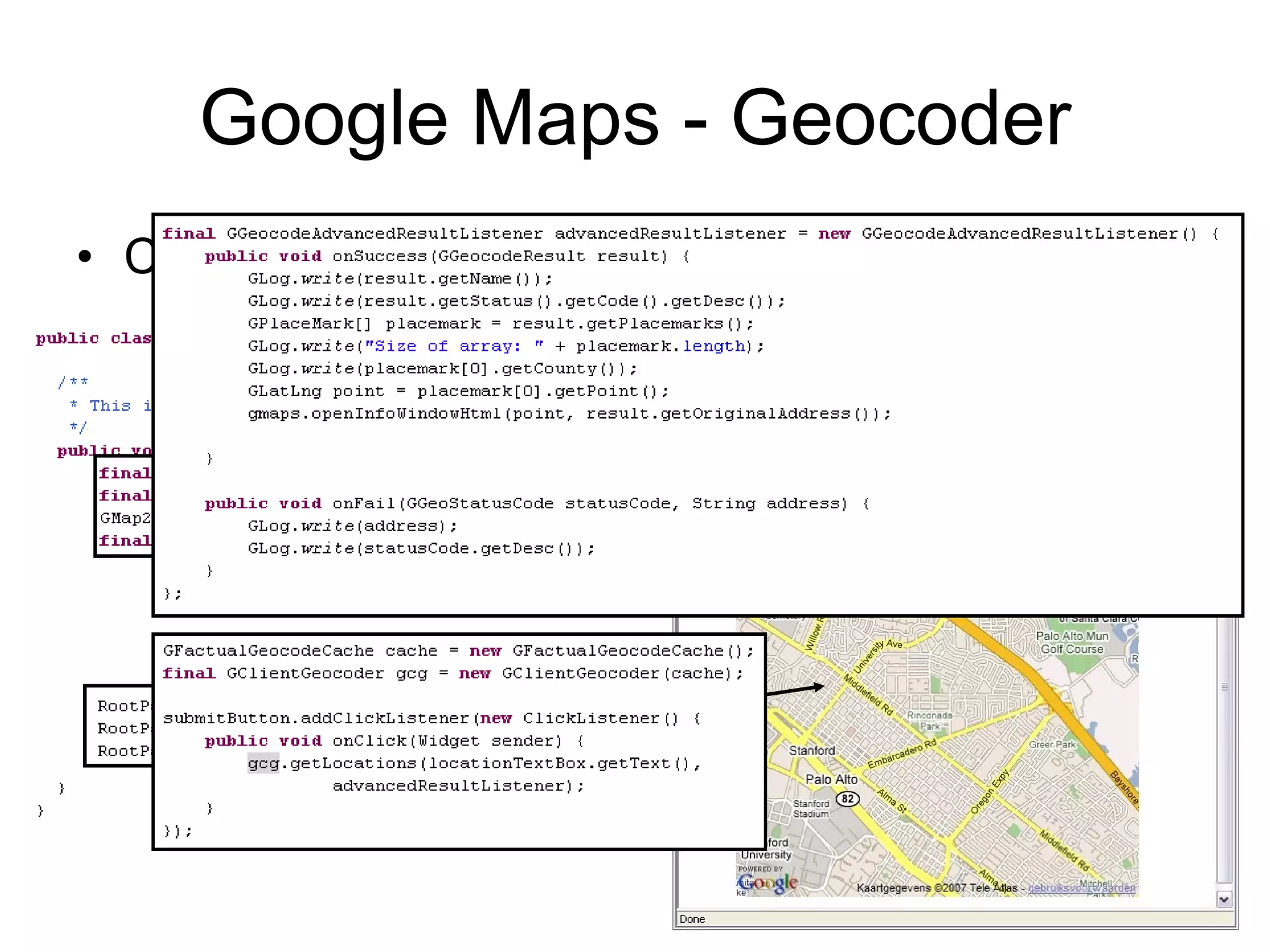
Google Maps - Geocoder Convert addresses to latitude/longitude pairs
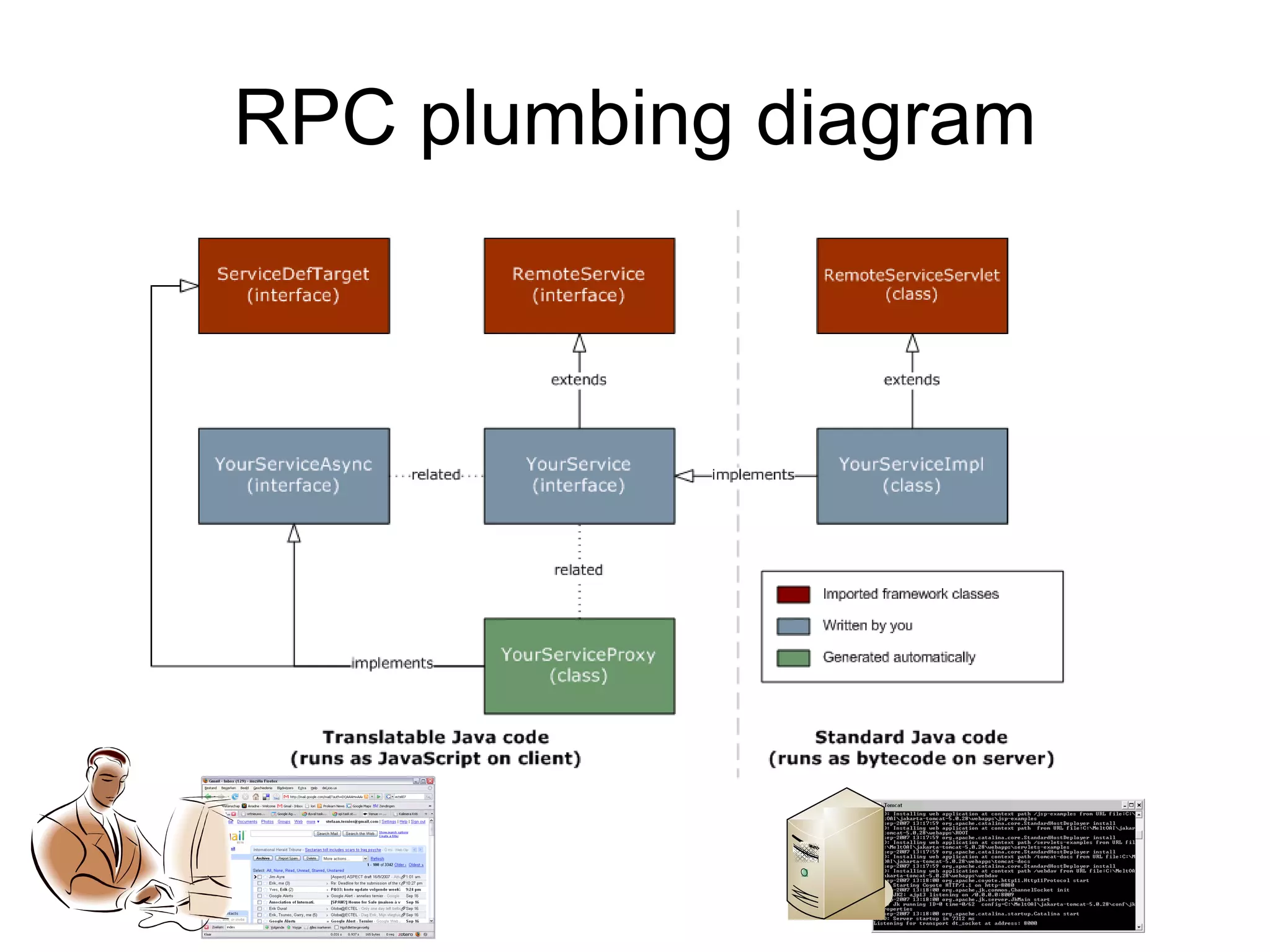
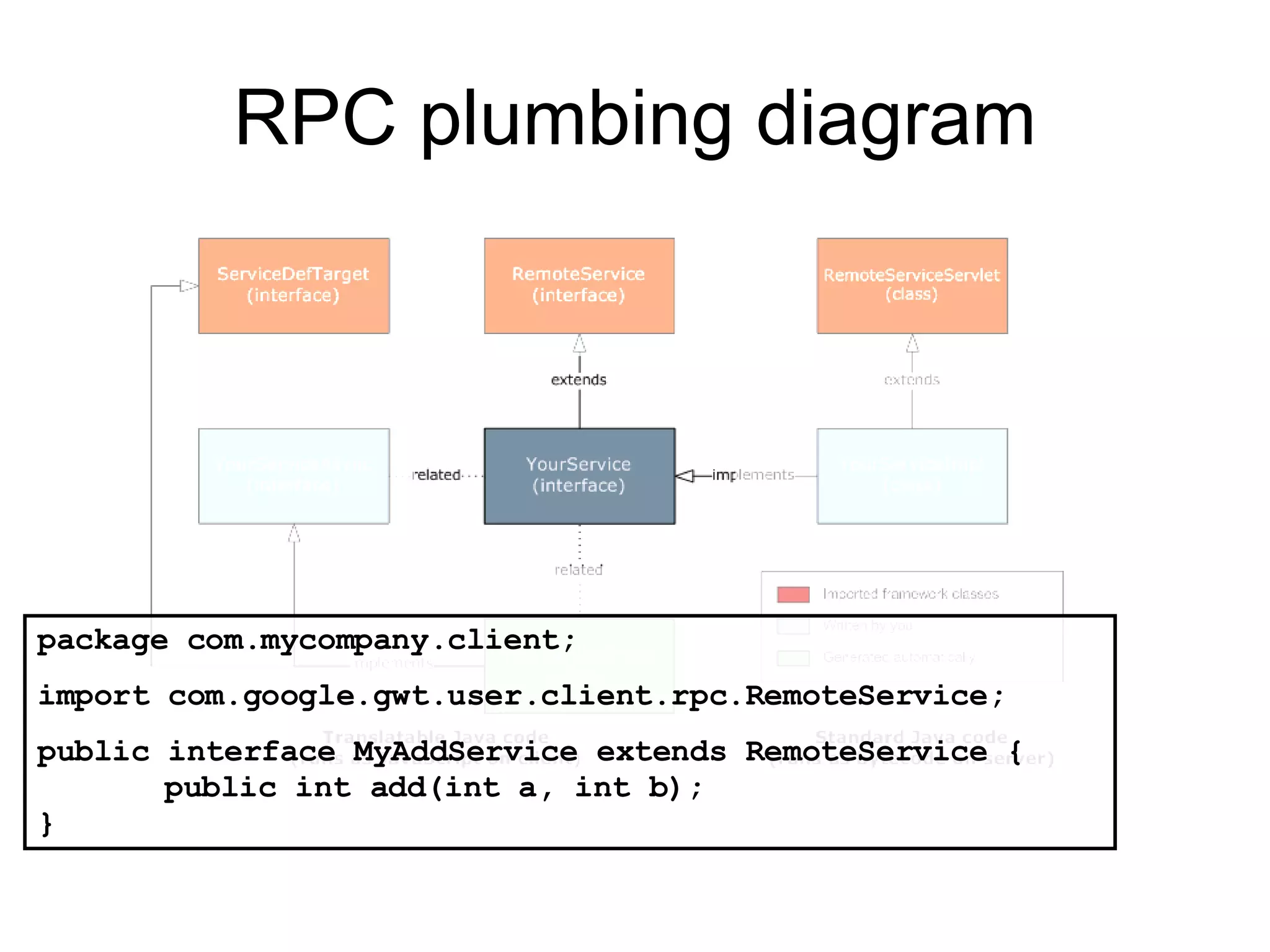
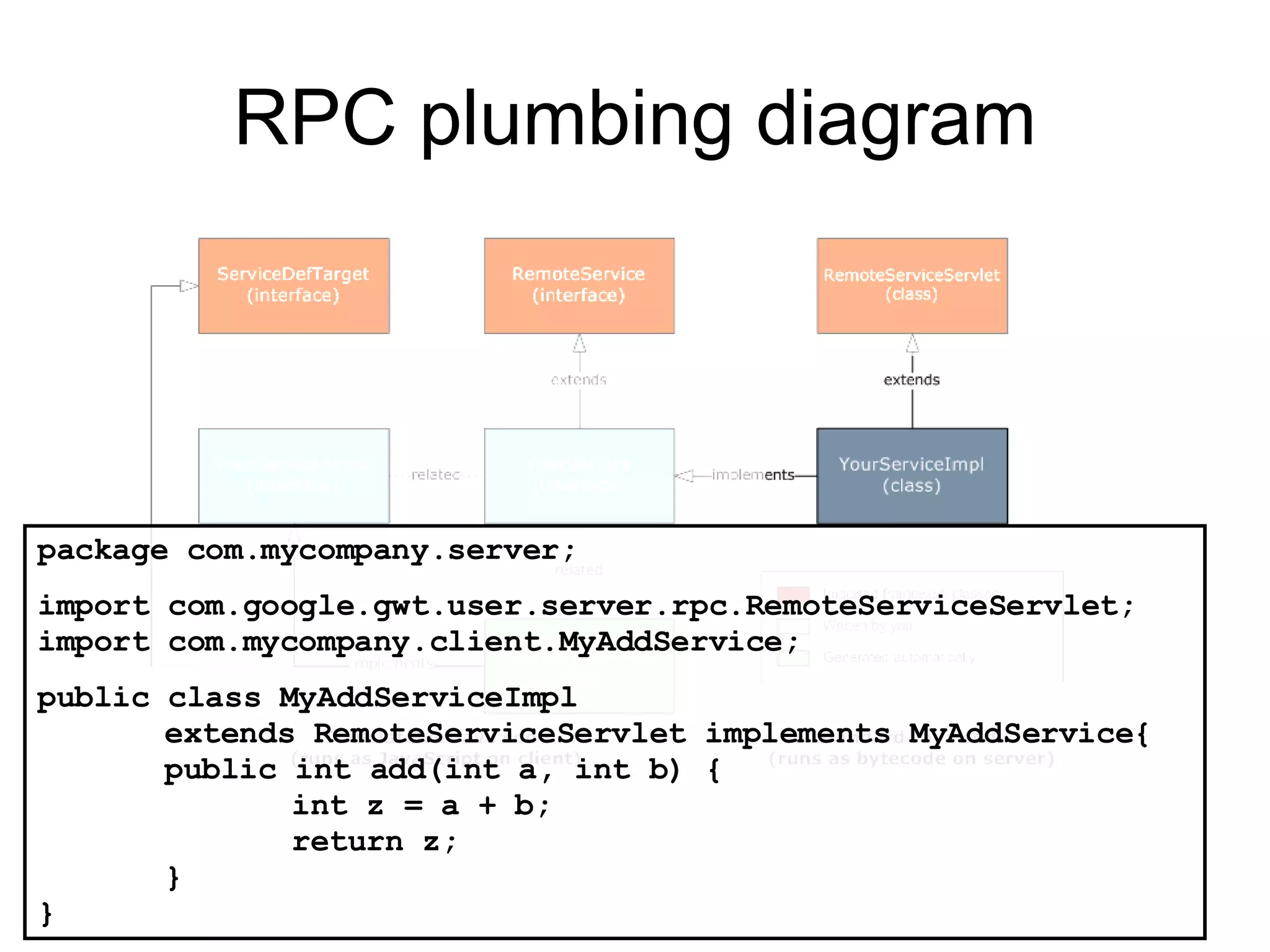
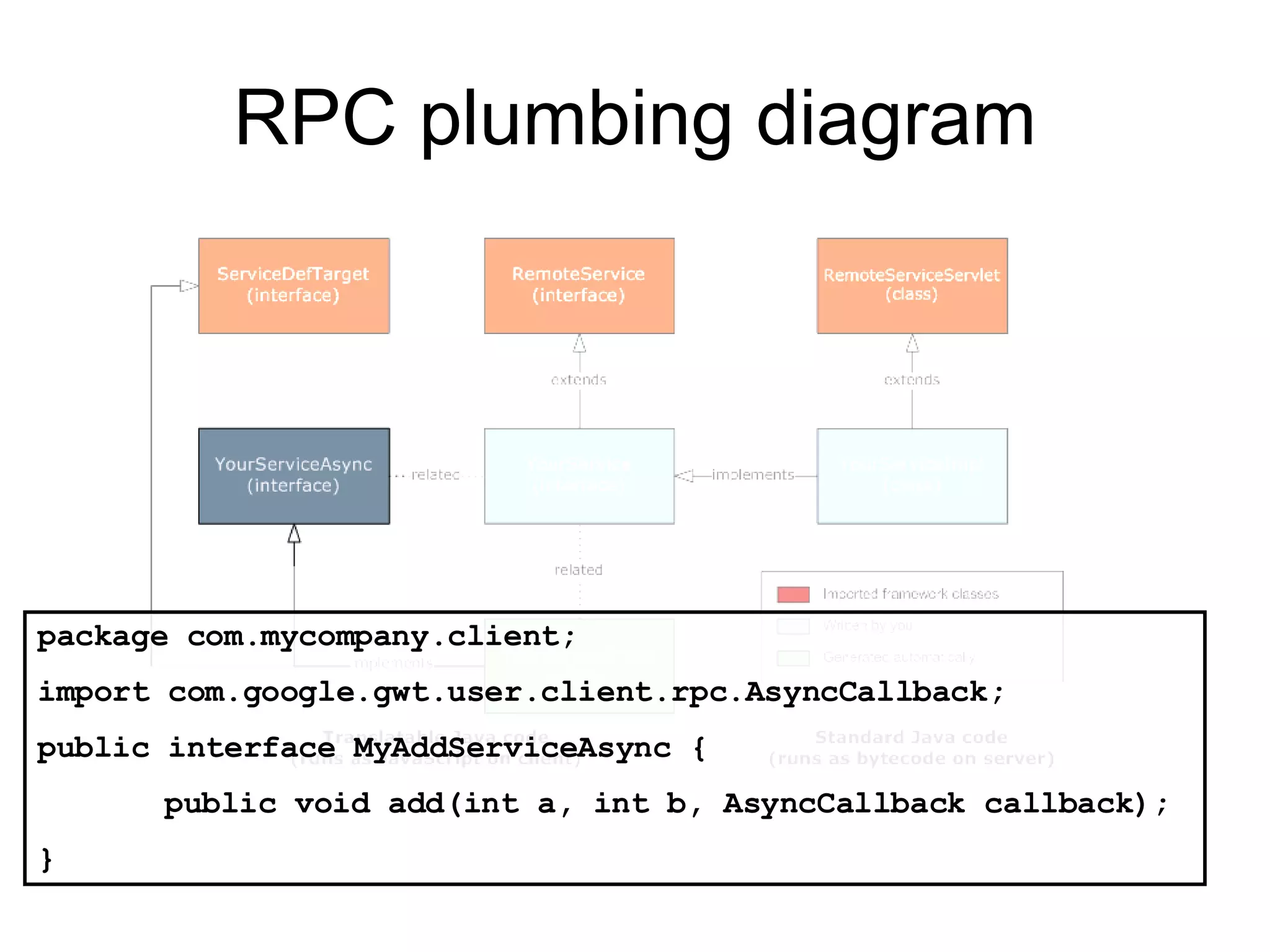
RPC plumbing diagram
RPC plumbing diagram package com.mycompany.client; import com.google.gwt.user.client.rpc.RemoteService; public interface MyAddService extends RemoteService { public int add(int a, int b); }
RPC plumbing diagram package com.mycompany.server; import com.google.gwt.user.server.rpc.RemoteServiceServlet; import com.mycompany.client.MyAddService; public class MyAddServiceImpl  extends RemoteServiceServlet implements MyAddService{ public int add(int a, int b) { int z = a + b; return z; } }
RPC plumbing diagram package com.mycompany.client; import com.google.gwt.user.client.rpc.AsyncCallback; public interface MyAddServiceAsync { public void add(int a, int b, AsyncCallback callback); }
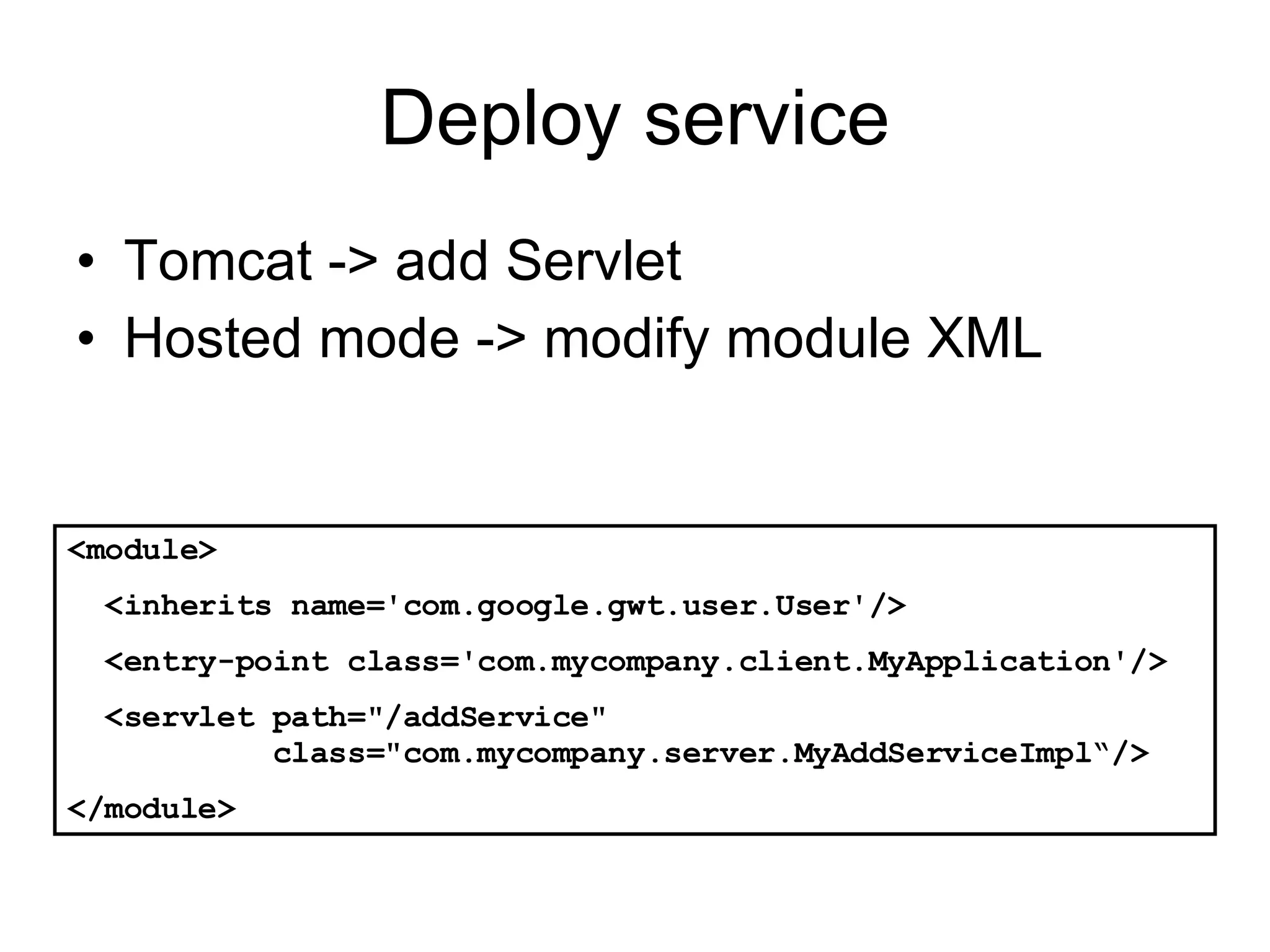
Deploy service Tomcat -> add Servlet Hosted mode -> modify module XML <module> <inherits name='com.google.gwt.user.User'/> <entry-point class='com.mycompany.client.MyApplication'/> <servlet path=&quot;/addService&quot;    class=&quot;com.mycompany.server.MyAddServiceImpl“/> </module>
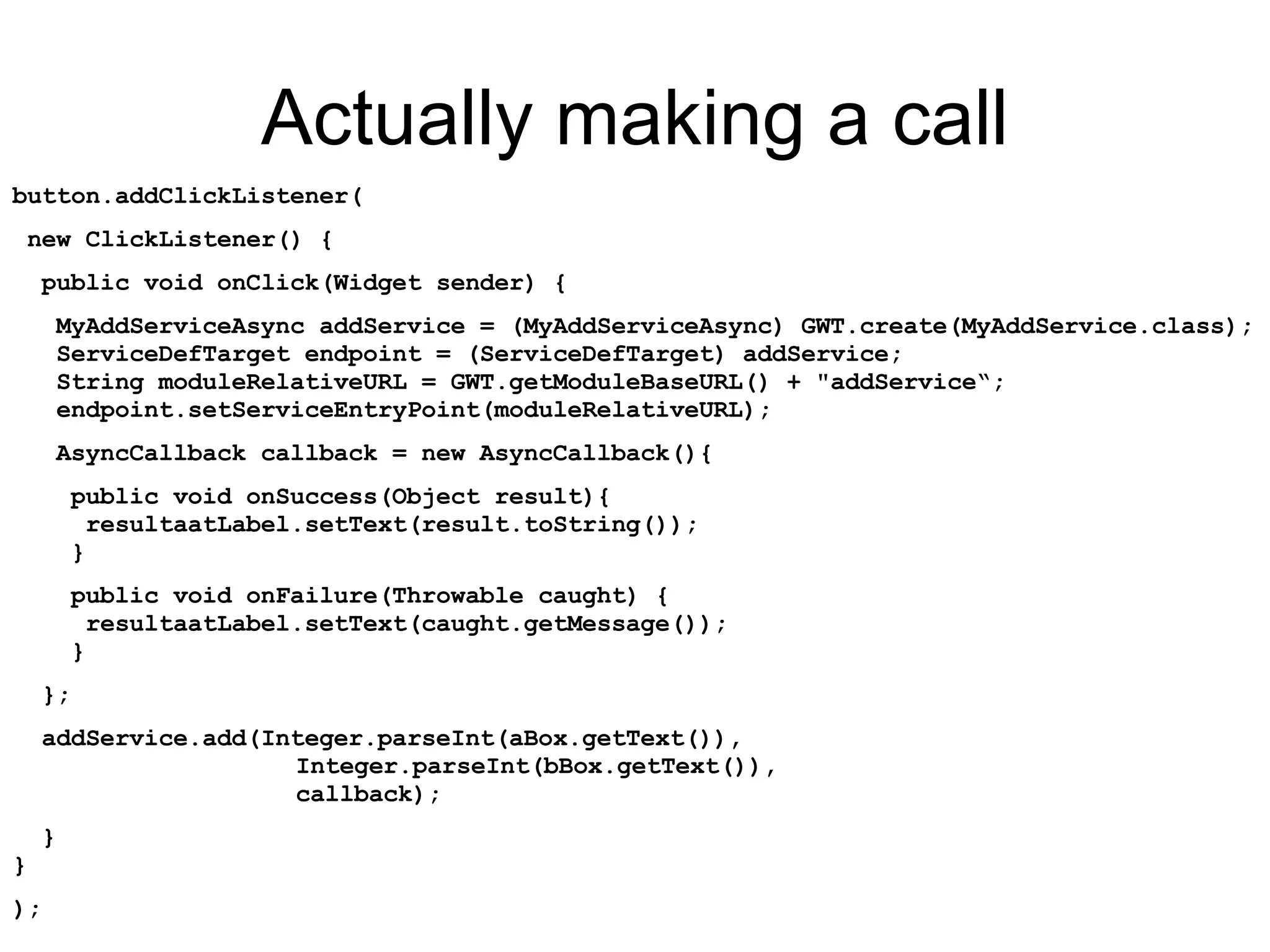
Actually making a call button.addClickListener( new ClickListener() { public void onClick(Widget sender) { MyAddServiceAsync addService = (MyAddServiceAsync) GWT.create(MyAddService.class);   ServiceDefTarget endpoint = (ServiceDefTarget) addService;   String moduleRelativeURL = GWT.getModuleBaseURL() + &quot;addService“;   endpoint.setServiceEntryPoint(moduleRelativeURL); AsyncCallback callback = new AsyncCallback(){ public void onSuccess(Object result){   resultaatLabel.setText(result.toString());   } public void onFailure(Throwable caught) {   resultaatLabel.setText(caught.getMessage());   } }; addService.add(Integer.parseInt(aBox.getText()),      Integer.parseInt(bBox.getText()),      callback); }  } );
References Google Web Toolkit, http://code.google.com/webtoolkit/ W3 Schools,  http://www.w3schools.com/ Apache axis,  http://ws.apache.org/axis/ GWT – Google Maps API http://sourceforge.net/projects/gwt/ http://www.adaptivepath.com/ideas/essays/archives/000385.php
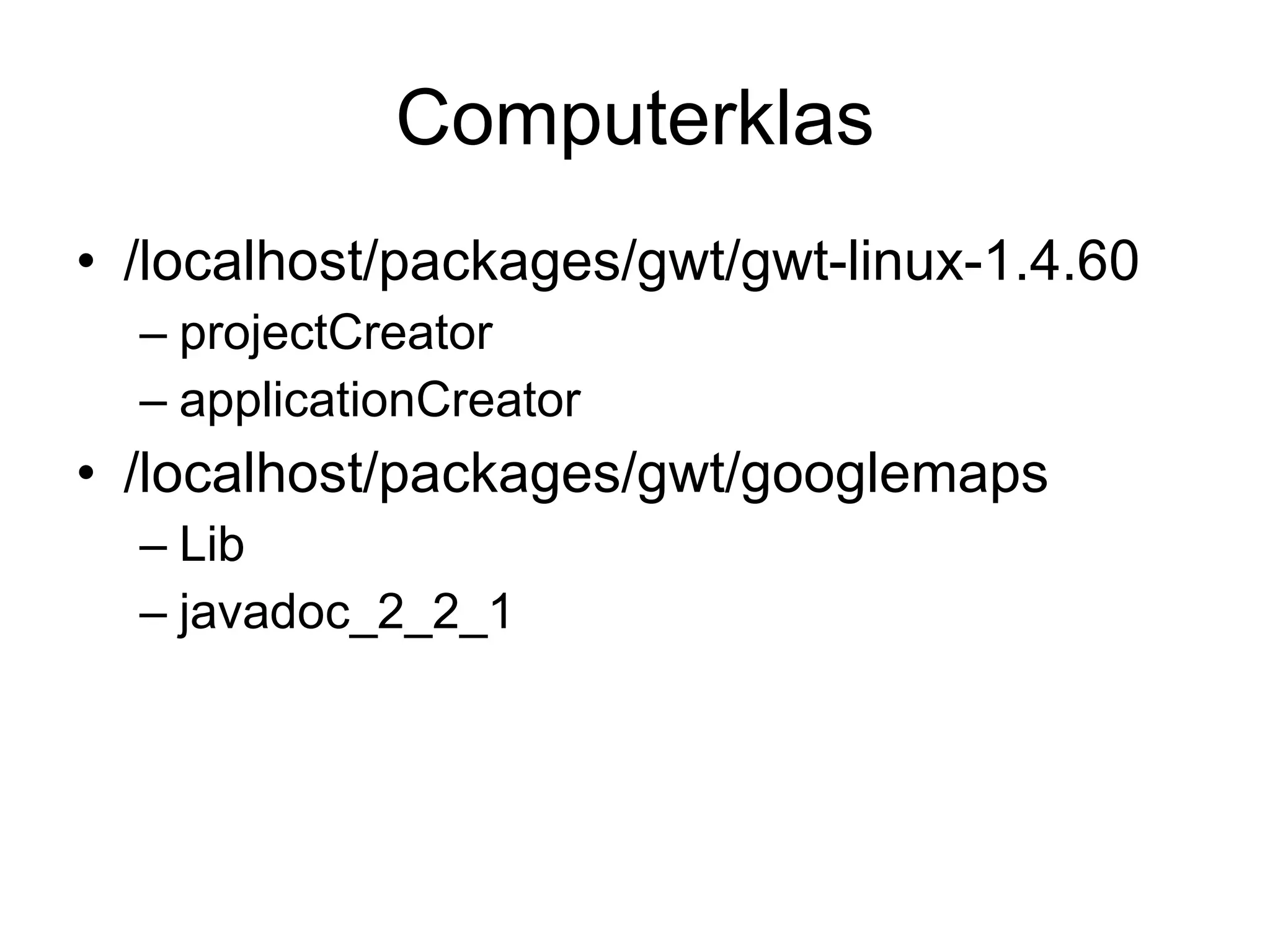
Computerklas /localhost/packages/gwt/gwt-linux-1.4.60 projectCreator applicationCreator /localhost/packages/gwt/googlemaps Lib javadoc_2_2_1

GWT

  • 1.
    The google webtoolkit Stefaan Ternier
  • 2.
    Classic web applicationmodel (synchronous)
  • 3.
    Ajax web applicationmodel (asynchronous)
  • 4.
    Asynchronous JavaScript andXML (AJAX) Server - side Client – side Javascript -> Firefox/IE <html> [...] <script type=&quot;text/javascript&quot;> [...] xmlhttp.open(&quot;POST&quot;, url, true); xmlhttp.onreadystatechange = function(func) { if (xmlhttp.readyState == 4) { [...] } } xmlhttp.setRequestHeader('MessageType', 'CALL'); xmlhttp.setRequestHeader('Content-Type', 'text/xml'); </script> <body>[...]</body> </html> JAVA -> Tomcat package com.mycompany.server; import com.google.gwt.user.server.rpc.RemoteServiceServlet; import com.mycompany.client.MyAddService; public class MyAddServiceImpl extends RemoteServiceServlet implements MyAddService{ public int add(int a, int b) { return a + b; } }
  • 5.
    Asynchronous JavaScript andXML (AJAX) Server - side Client – side Javascript JAVA + no page transition, no blocking No IDE Debugging is difficult weakly typed + eclipse: debugging, easy development good IDE’s Debugging is easy strongly typed
  • 6.
    Google Web Toolkit(GWT) @ deployment time @ development time <html> [...] <script type=&quot;text/javascript&quot;> [...] xmlhttp.open(&quot;POST&quot;, url, true); xmlhttp.onreadystatechange = function(func) { if (xmlhttp.readyState == 4) { [...] } } xmlhttp.setRequestHeader('MessageType', 'CALL'); xmlhttp.setRequestHeader('Content-Type', 'text/xml'); </script> <body>[...]</body> </html> JAVA/eclipse javascript Hosted mode JVM IDE Compile to JAVA bytecode Compile to Javascript
  • 7.
    GWT: create projectin eclipse projectCreator -eclipse MySumationProject applicationCreator -eclipse MySumationProject com.mycompany.client.MySumApplication Import project into eclipse
  • 8.
    GWT: Build yourfirst app GWT JAVA Code HTML Host page
  • 9.
    GWT: Build yourfirst app final Label resultaatLabel = new Label(); final TextBox aBox= new TextBox(); final TextBox bBox= new TextBox(); final Button button = new Button(&quot;Click me&quot;); button.addClickListener( new ClickListener() { public void onClick(Widget sender) { resultaatLabel.setText(&quot;hier komt het resultaat&quot;); } }); RootPanel. get (&quot;inputboxa&quot;).add(aBox); RootPanel. get (&quot;inputboxb&quot;).add(bBox); RootPanel. get (&quot;resultaat&quot;).add(resultaatLabel); RootPanel. get (&quot;bereken&quot;).add(button); GWT Widgets Bind to HTML page
  • 10.
    GWT: project structureClient-side source files and subpackages com/mycompany/client/ The project root package contains module XML files com/mycompany/ Server-side code and subpackages com/mycompany/server/ Static resources that can be served publicly com/mycompany/public/ Purpose Package
  • 11.
    GWT: module XMLfiles Defines configuration of GWT modules Source entry point HTML page entry Extension: .gwt.xml Example: <module> <!-- Inherit the core Web Toolkit stuff. --> <inherits name='com.google.gwt.user.User'/> <!-- Specify the app entry point class. --> <entry-point class='com.mycompany.client.MyApplication'/> </module>
  • 12.
    GWT: module examplecom/mycompany/public/MyApplication.html com/mycompany/MyApplication.gwt.xml com/mycompany/client/MyApplication.java
  • 13.
    GWT Widgets SuggestBoxTabBar Panel More… http:// code.google.com / webtoolkit / documentation / com.google.gwt.doc.DeveloperGuide.UserInterface.html
  • 14.
  • 15.
    Google Maps –import api
  • 16.
    Google Maps publicvoid onModuleLoad() { GMap2Widget mapWidget = new GMap2Widget(&quot;300&quot;, &quot;400&quot;); final GMap2 gmaps = mapWidget.getGmap(); RootPanel.get(&quot;slot1&quot;).add(mapWidget); } <module> <inherits name='com.google.gwt.user.User'/> <inherits name='com.mapitz.gwt.googleMaps.GoogleMaps' /> <entry-point class='com.mycompany.client.MyMapsApplication'/> </module> Module XML JAVA code
  • 17.
    Google Maps -Geocoder Convert addresses to latitude/longitude pairs
  • 18.
    Google Maps -Geocoder Convert addresses to latitude/longitude pairs
  • 19.
  • 20.
    RPC plumbing diagrampackage com.mycompany.client; import com.google.gwt.user.client.rpc.RemoteService; public interface MyAddService extends RemoteService { public int add(int a, int b); }
  • 21.
    RPC plumbing diagrampackage com.mycompany.server; import com.google.gwt.user.server.rpc.RemoteServiceServlet; import com.mycompany.client.MyAddService; public class MyAddServiceImpl extends RemoteServiceServlet implements MyAddService{ public int add(int a, int b) { int z = a + b; return z; } }
  • 22.
    RPC plumbing diagrampackage com.mycompany.client; import com.google.gwt.user.client.rpc.AsyncCallback; public interface MyAddServiceAsync { public void add(int a, int b, AsyncCallback callback); }
  • 23.
    Deploy service Tomcat-> add Servlet Hosted mode -> modify module XML <module> <inherits name='com.google.gwt.user.User'/> <entry-point class='com.mycompany.client.MyApplication'/> <servlet path=&quot;/addService&quot; class=&quot;com.mycompany.server.MyAddServiceImpl“/> </module>
  • 24.
    Actually making acall button.addClickListener( new ClickListener() { public void onClick(Widget sender) { MyAddServiceAsync addService = (MyAddServiceAsync) GWT.create(MyAddService.class); ServiceDefTarget endpoint = (ServiceDefTarget) addService; String moduleRelativeURL = GWT.getModuleBaseURL() + &quot;addService“; endpoint.setServiceEntryPoint(moduleRelativeURL); AsyncCallback callback = new AsyncCallback(){ public void onSuccess(Object result){ resultaatLabel.setText(result.toString()); } public void onFailure(Throwable caught) { resultaatLabel.setText(caught.getMessage()); } }; addService.add(Integer.parseInt(aBox.getText()), Integer.parseInt(bBox.getText()), callback); } } );
  • 25.
    References Google WebToolkit, http://code.google.com/webtoolkit/ W3 Schools, http://www.w3schools.com/ Apache axis, http://ws.apache.org/axis/ GWT – Google Maps API http://sourceforge.net/projects/gwt/ http://www.adaptivepath.com/ideas/essays/archives/000385.php
  • 26.
    Computerklas /localhost/packages/gwt/gwt-linux-1.4.60 projectCreatorapplicationCreator /localhost/packages/gwt/googlemaps Lib javadoc_2_2_1