Google Web Toolkit
      (GWT)
           by
     Sherif Elsbaey
AGENDA

 Introducing GWT
 Discover the GWT's benefits, capabilities
  and limitations
 Building User Interface
     GWT Widgets
     Event handling
     Apply styles
AGENDA
   Client-Side RPC Architecture
       GWT RPC
       Serializable type
       Handling Exception

   Create, develop, execute and deploy GWT
    Applications
   History management
   Internationalization
   JUnit Testing
   Javascript Native Interface (JSNI)
AGENDA

   GWT Best Practices
       Security Issues
       Performance Concerns
       The GWT Incremental-command class
       Caching in GWT
       GWT Design Considerations
       GWT Pitfalls and Issues
Introducing GWT
WHAT IS GWT?
 Java software development framework that makes
 writing AJAX applications easy
   Google announced GWT at the JavaOne 2006

 Let you develop and debug AJAX applications in the
 Java language using Java development tools
   Eclipse, Netbeans, IntelliJ, …

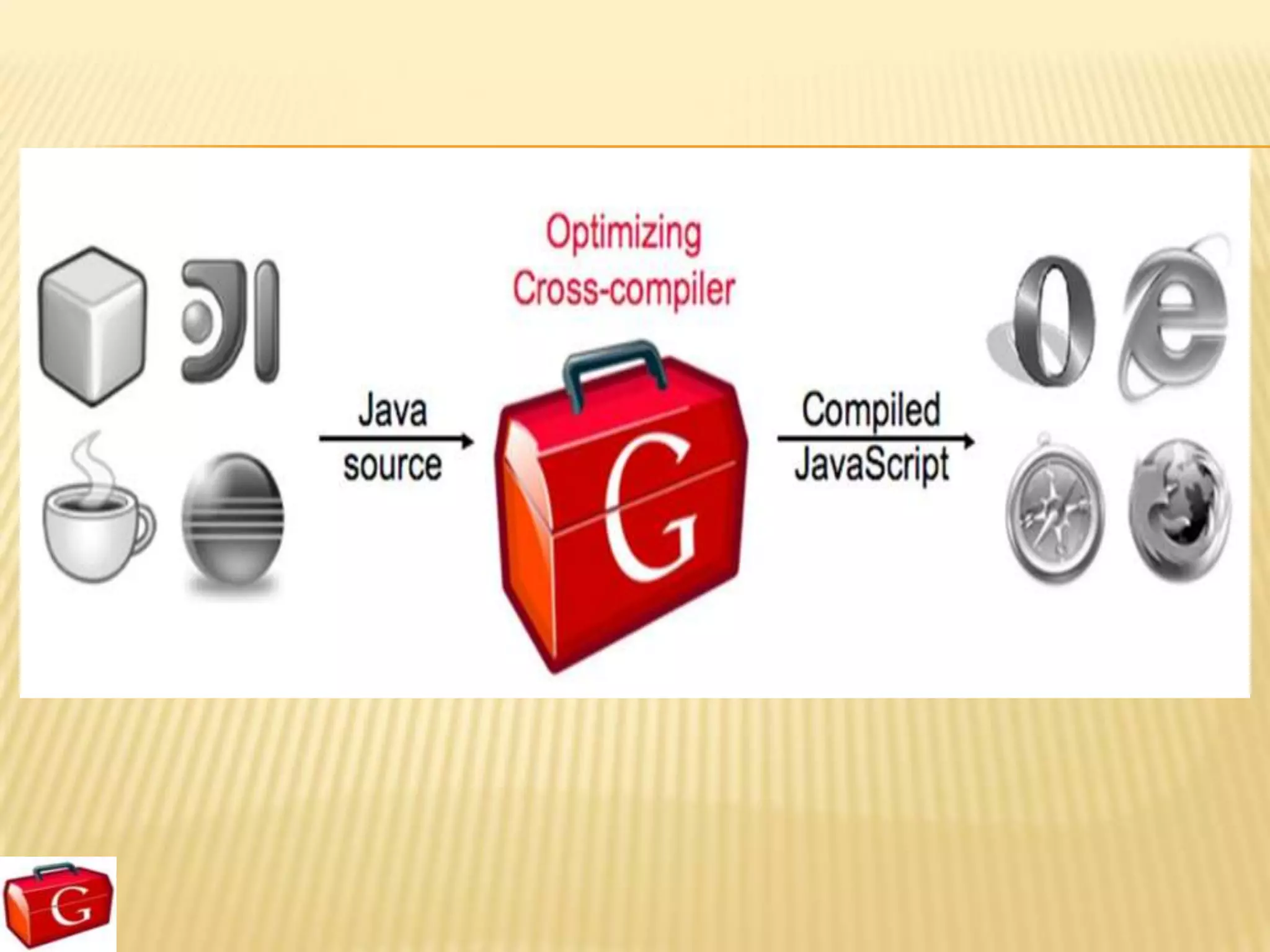
 Provides Java-to-Javascript compiler and
 development mode that helps you debug your GWT
 applications
GWT SDK & TOOLS
 GWT SDK: contains Java API
 libraries, compiler, development server and tools
 Plugin for Eclipse: provides IDE support for GWT
 and App Engine web projects
 Some other tools:
    GWT Designer

    Speed Tracer
TWO MODES OF RUNNING GWT APP
Development mode (hosted mode)
  GWT application is run as Java bytecode within JVM
  Take advantage of Java debugging


Production mode (web mode)
  Your GWT application is run as pure Javascript and HTML
  compiled from original Java source code
  End user will only see the web mode version of your
  application
Discover the GWT's
benefits, capabilities and
        limitations
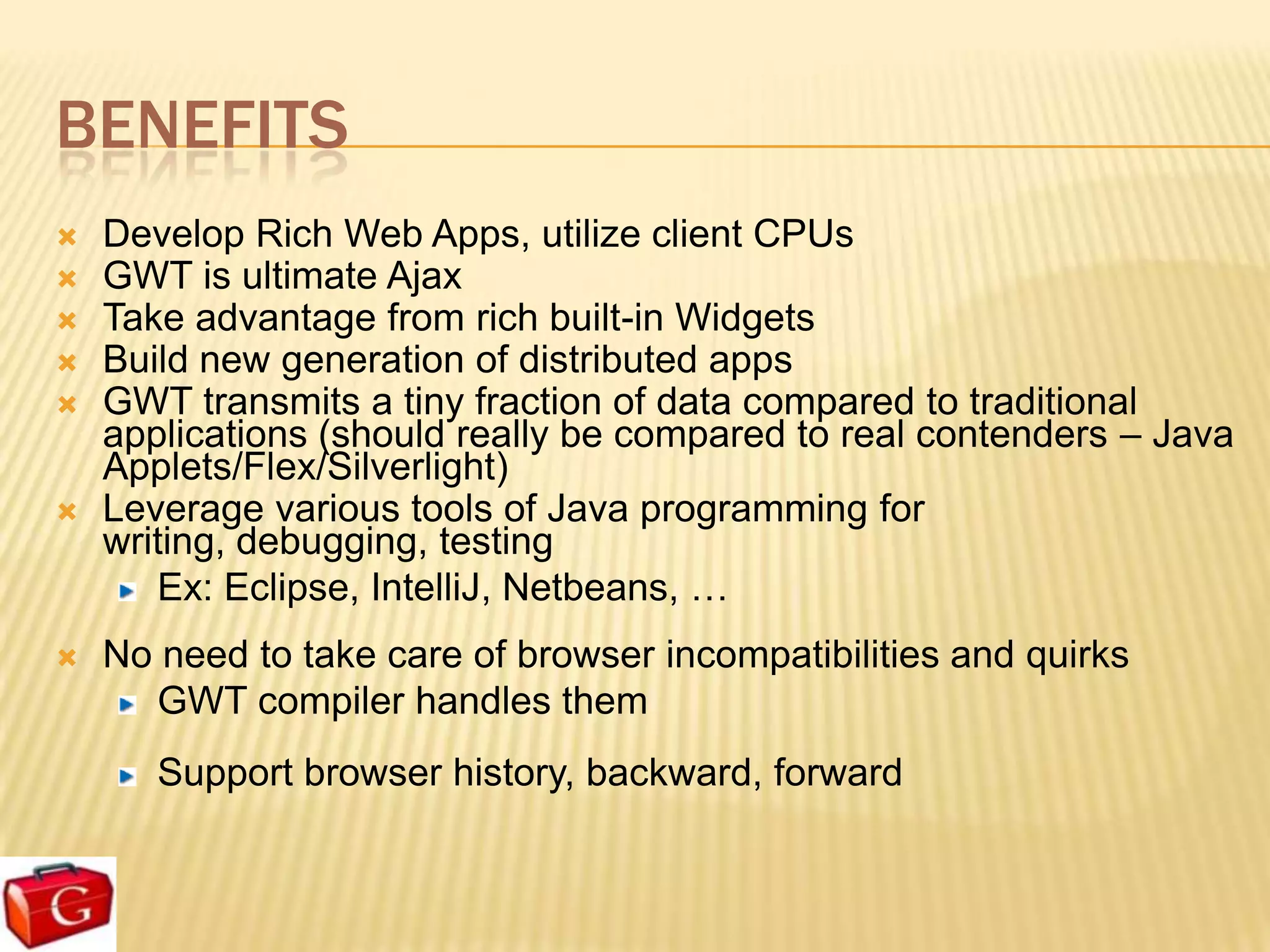
BENEFITS
   Develop Rich Web Apps, utilize client CPUs
   GWT is ultimate Ajax
   Take advantage from rich built-in Widgets
   Build new generation of distributed apps
   GWT transmits a tiny fraction of data compared to traditional
    applications (should really be compared to real contenders – Java
    Applets/Flex/Silverlight)
   Leverage various tools of Java programming for
    writing, debugging, testing
       Ex: Eclipse, IntelliJ, Netbeans, …
   No need to take care of browser incompatibilities and quirks
      GWT compiler handles them
       Support browser history, backward, forward
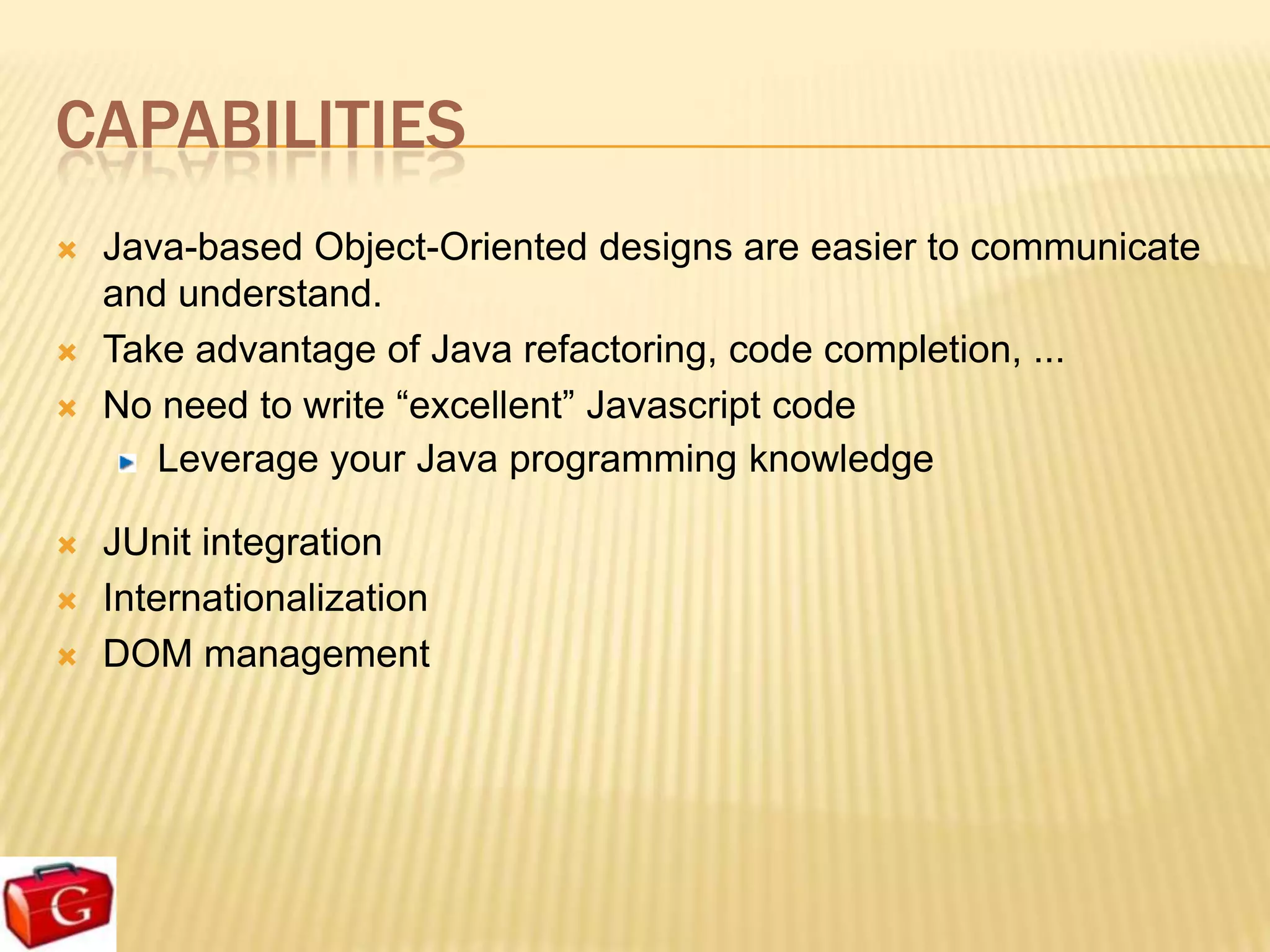
CAPABILITIES
   Java-based Object-Oriented designs are easier to communicate
    and understand.
   Take advantage of Java refactoring, code completion, ...
   No need to write “excellent” Javascript code
       Leverage your Java programming knowledge

   JUnit integration
   Internationalization
   DOM management
LIMITATIONS
   Not all of JDK supported (enough for large projects though)
   JSON is not as natural as in JS, parsing is clunky
GWT VS ?
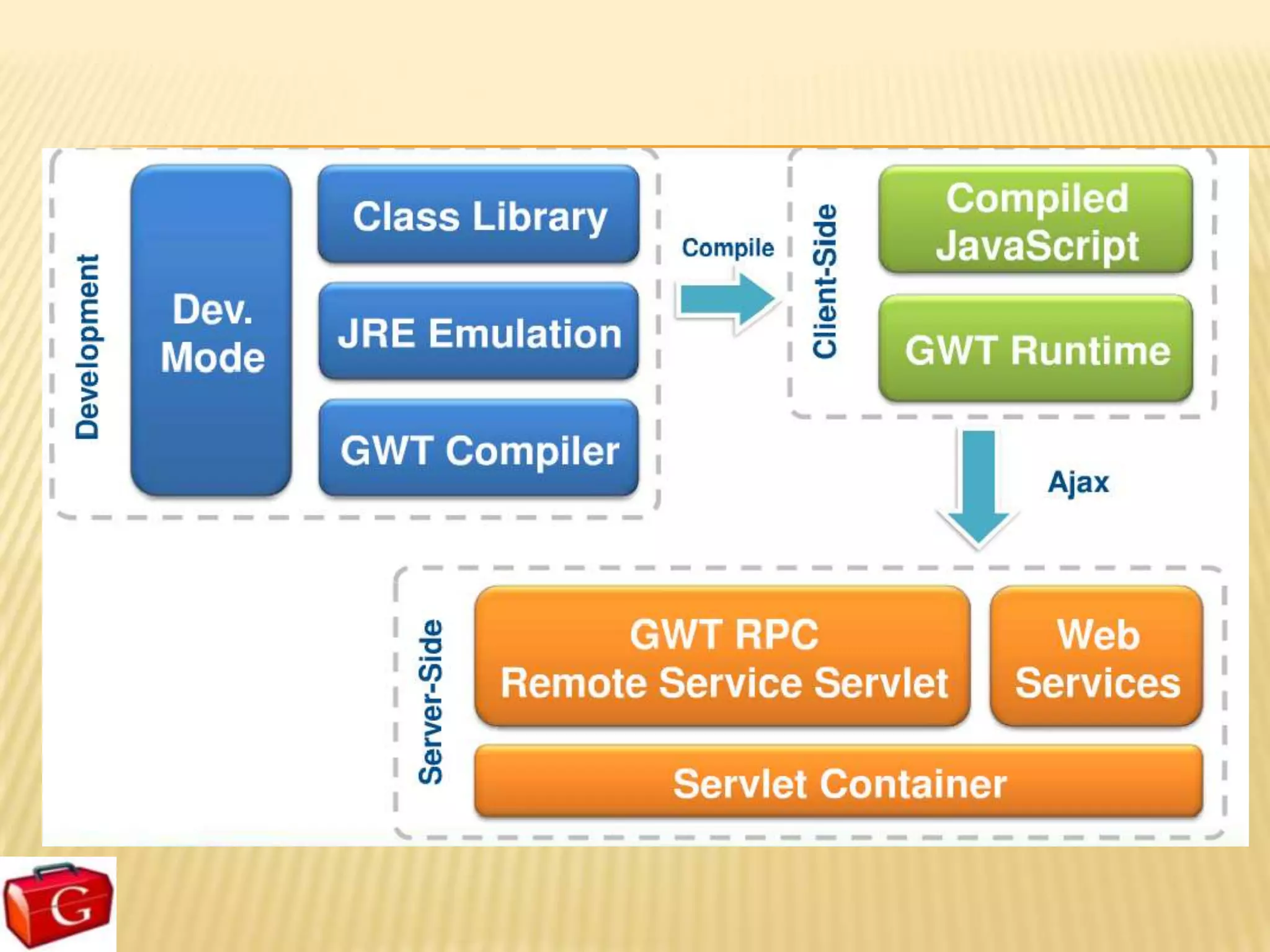
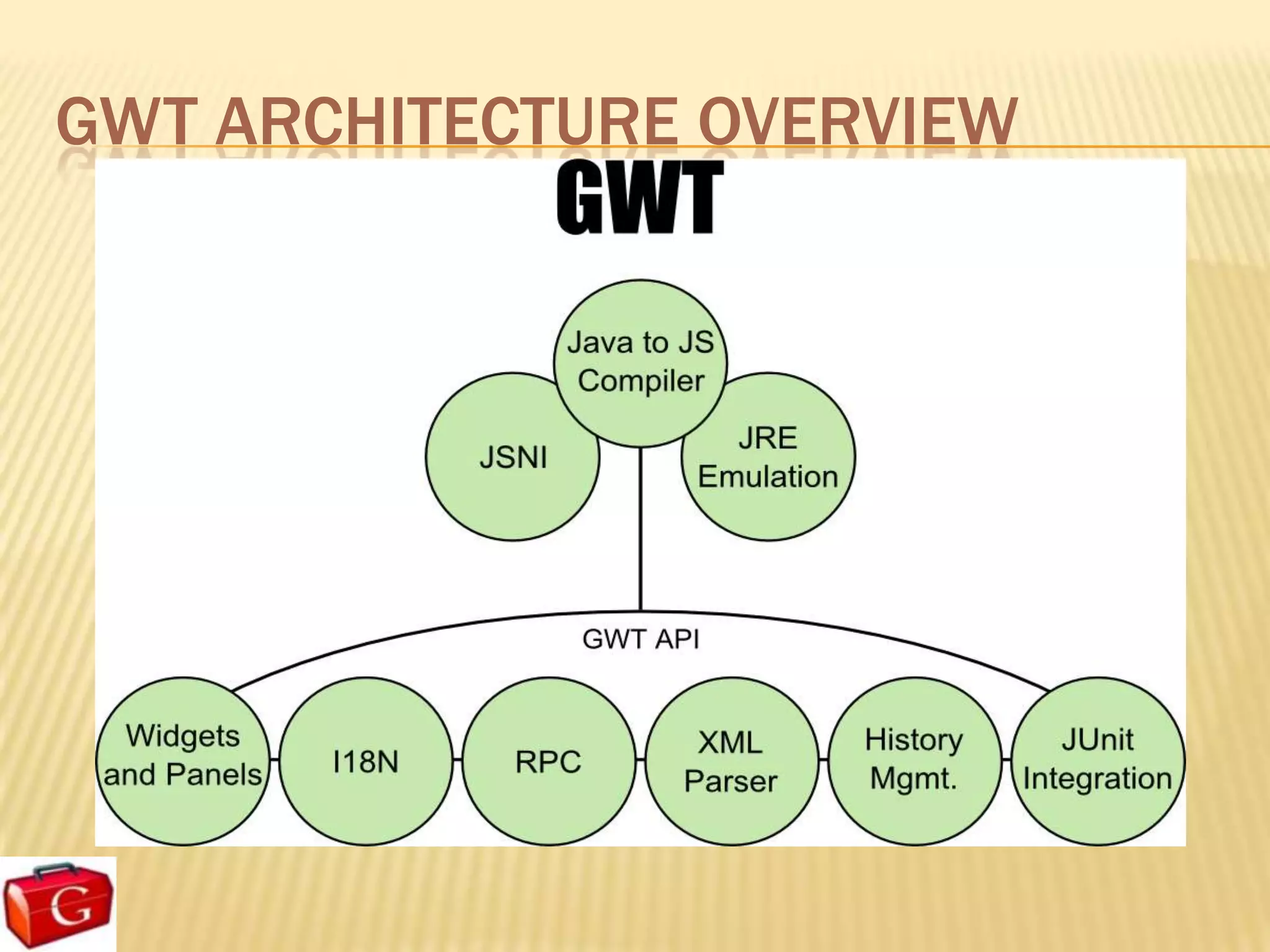
GWT ARCHITECTURE OVERVIEW
Building User Interface
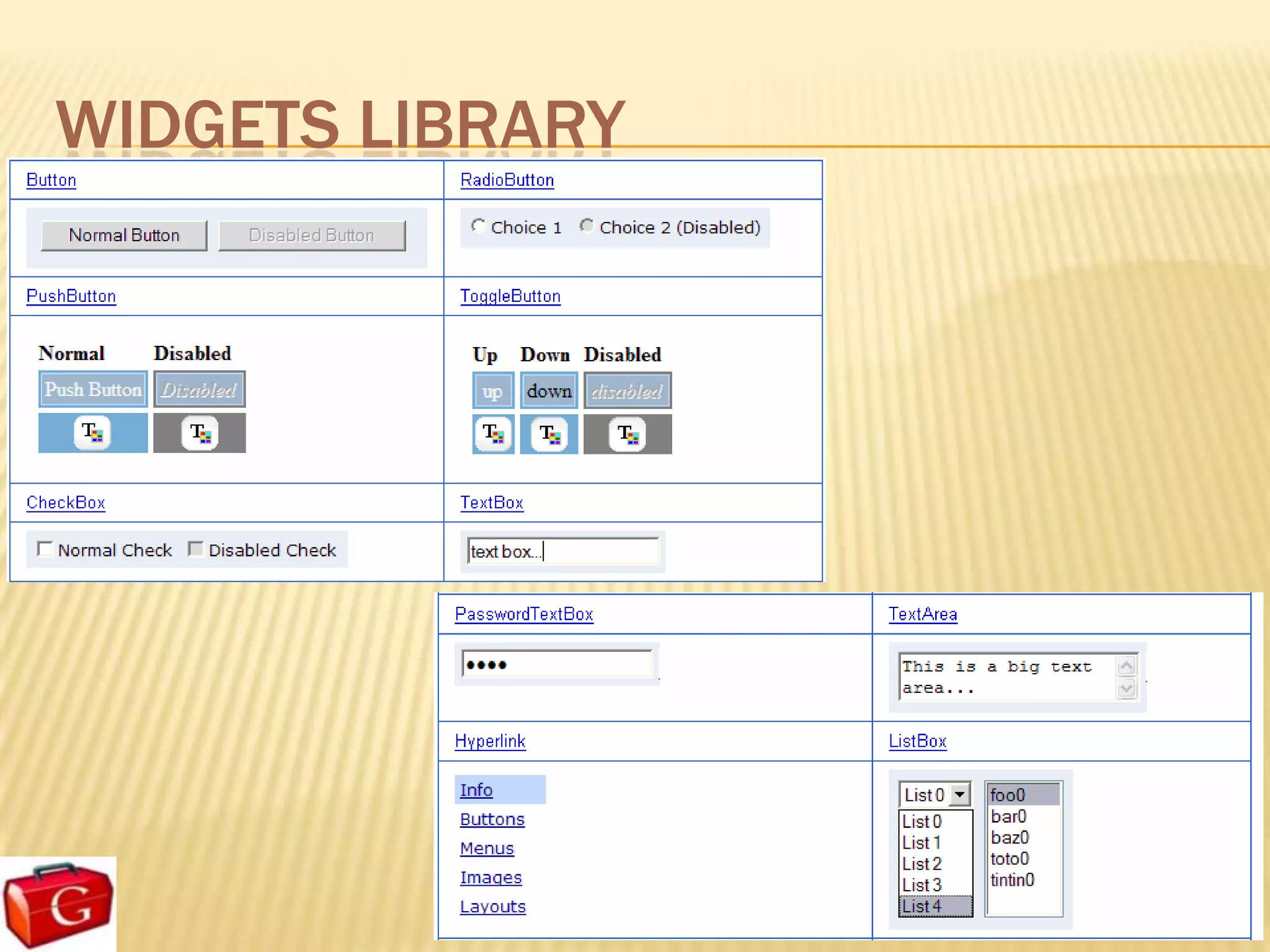
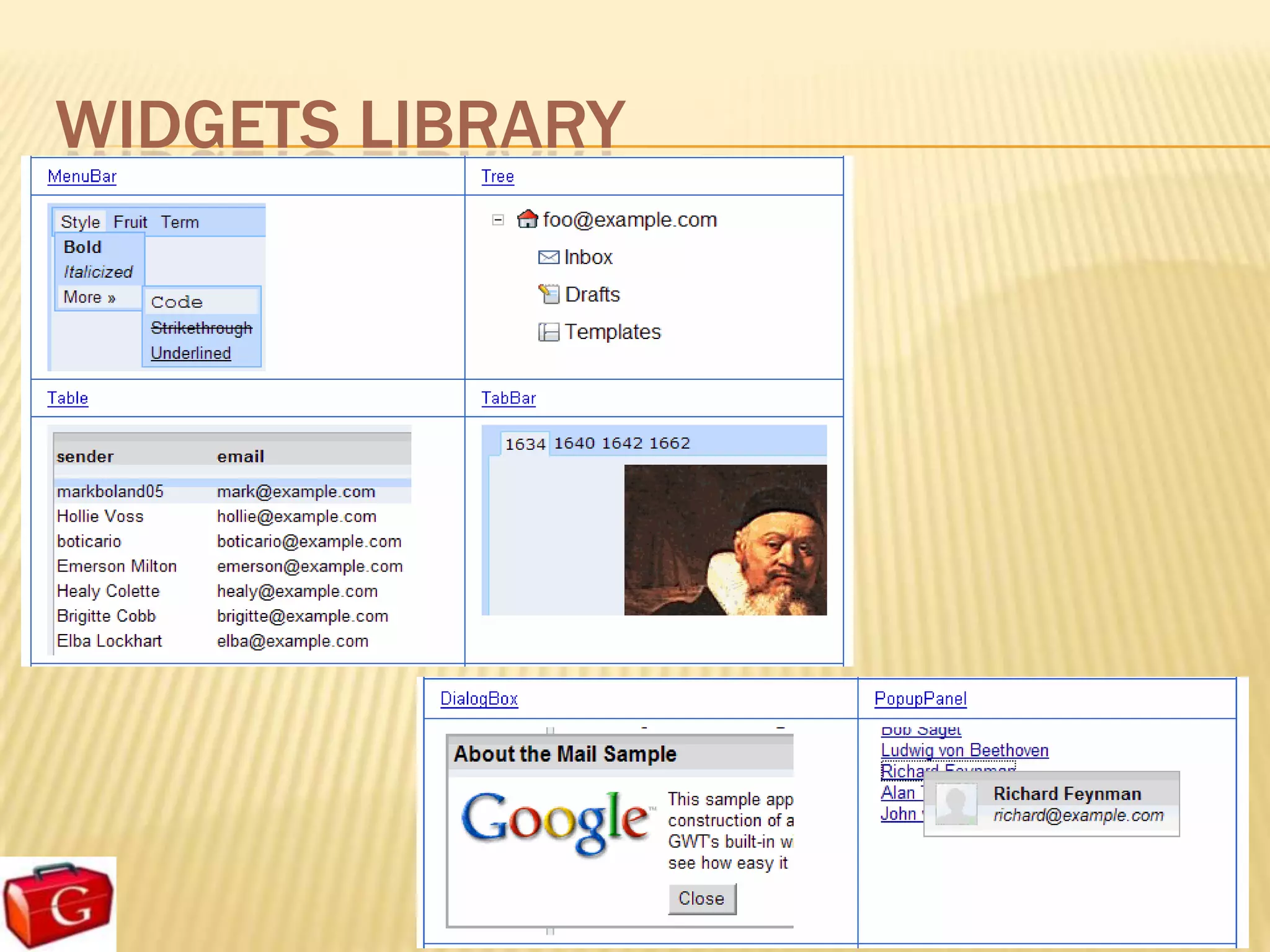
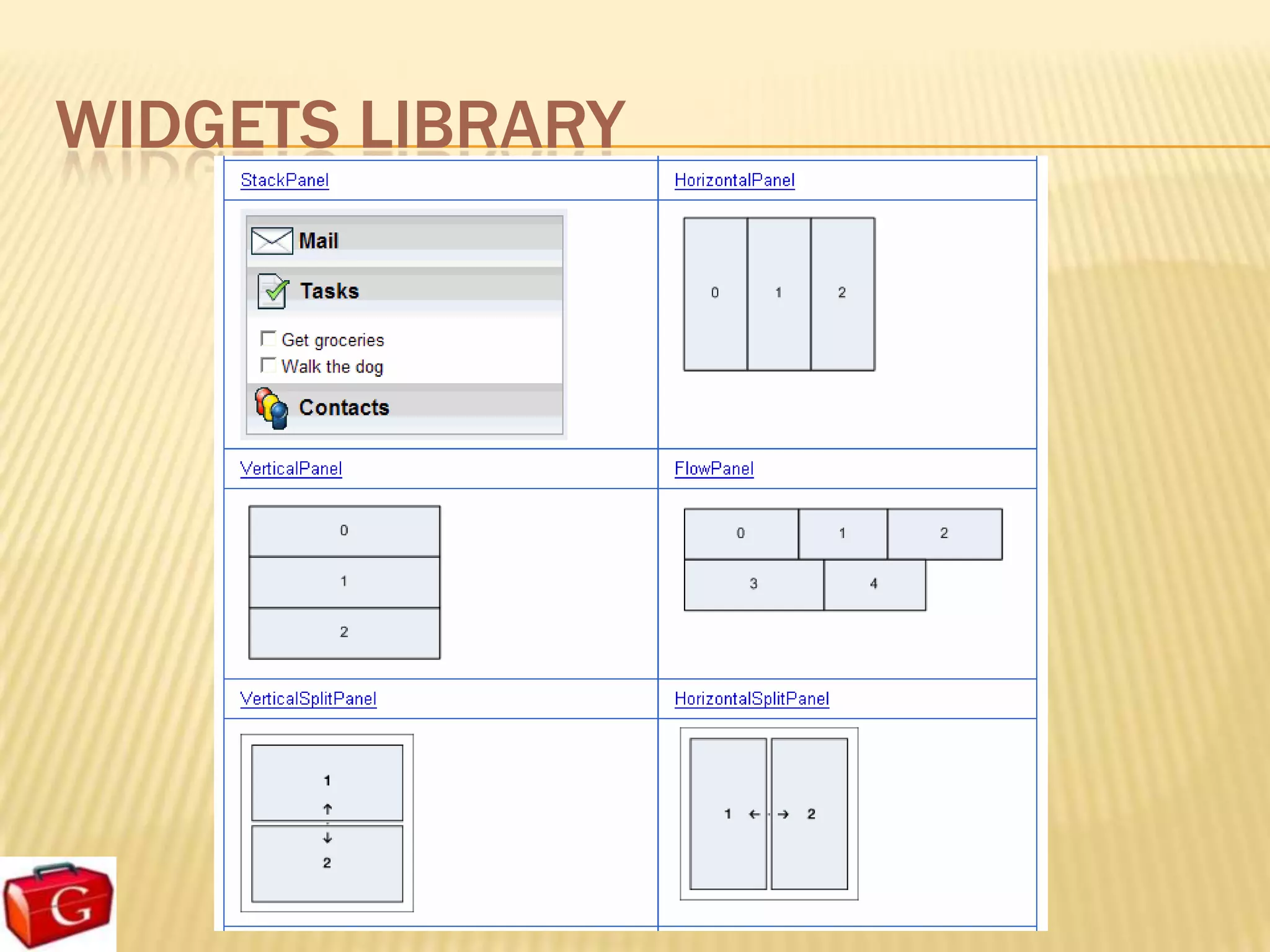
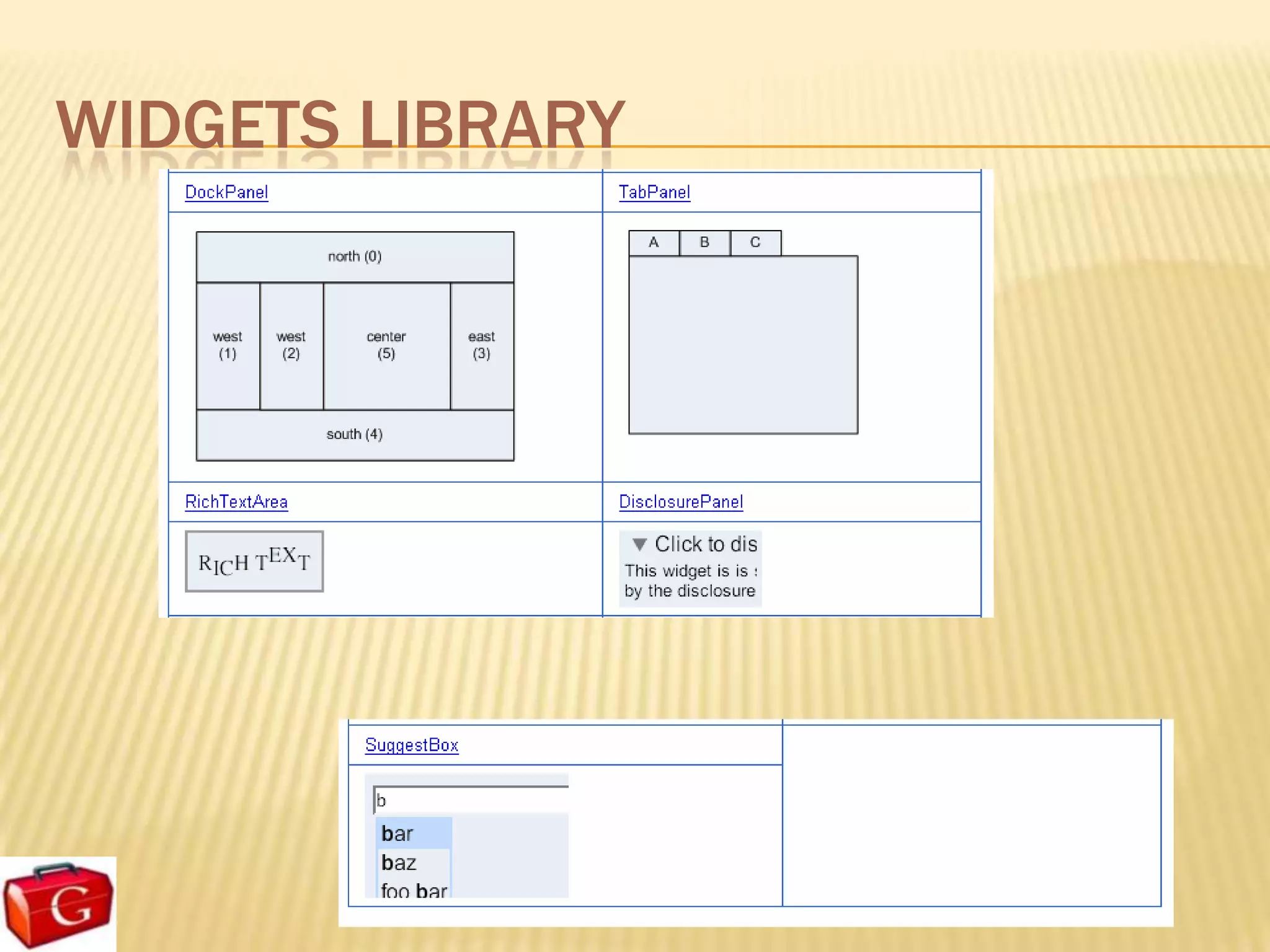
GWT USER INTERFACE
   GWT user interface classes are similar to those
    in existing UI frameworks such as Swing and
    SWT.
      GWT widgets are rendered using dynamically-created HTML
      rather than pixel-oriented graphics

   The Widget classes make it easier to
    quickly build interfaces that will work
    correctly on all browsers.
WIDGETS LIBRARY
WIDGETS LIBRARY
WIDGETS LIBRARY
WIDGETS LIBRARY
EVENT HANDLER
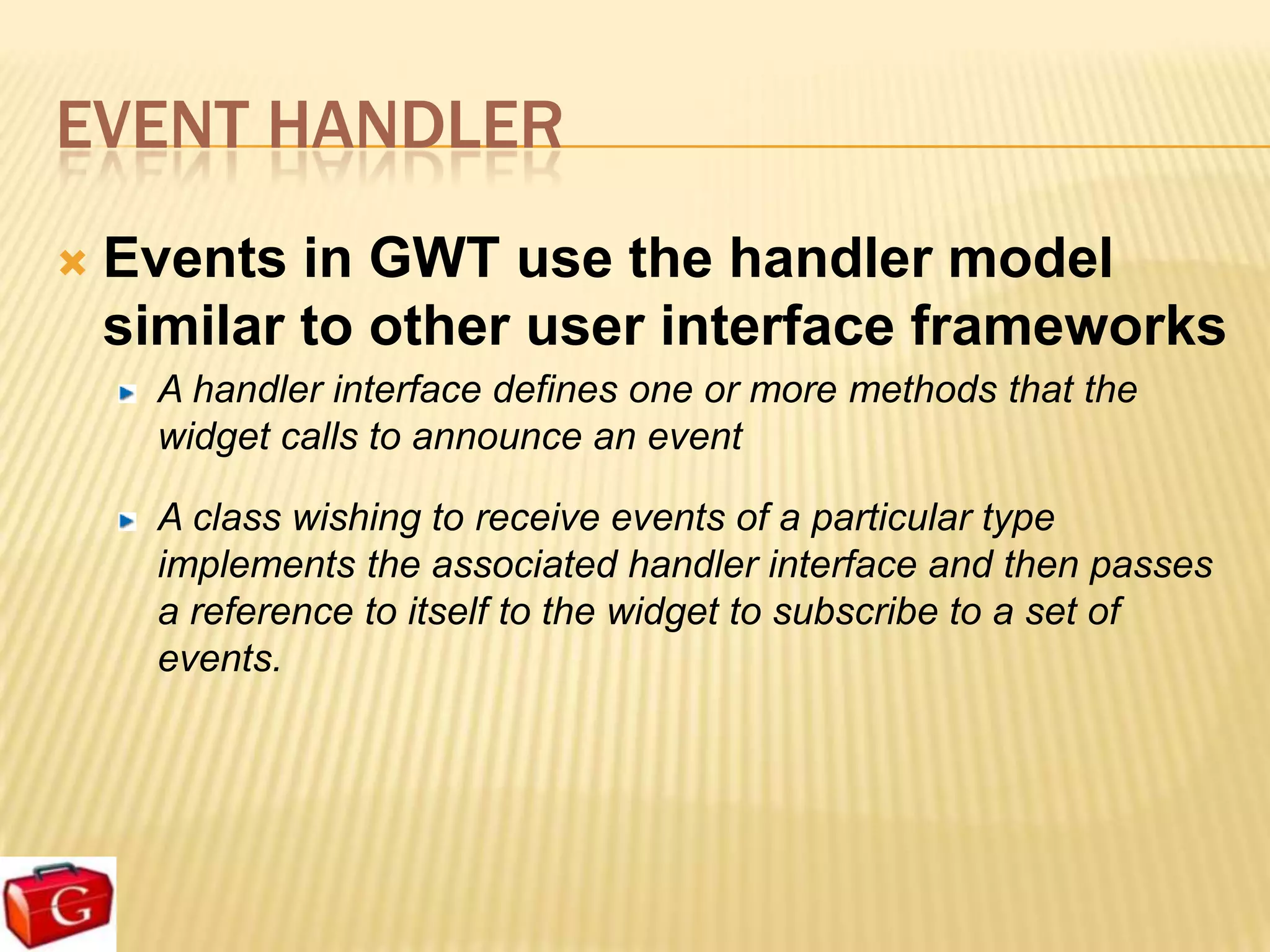
   Events in GWT use the handler model
    similar to other user interface frameworks
      A handler interface defines one or more methods that the
      widget calls to announce an event

      A class wishing to receive events of a particular type
      implements the associated handler interface and then passes
      a reference to itself to the widget to subscribe to a set of
      events.
EVENT HANDLER
         Example

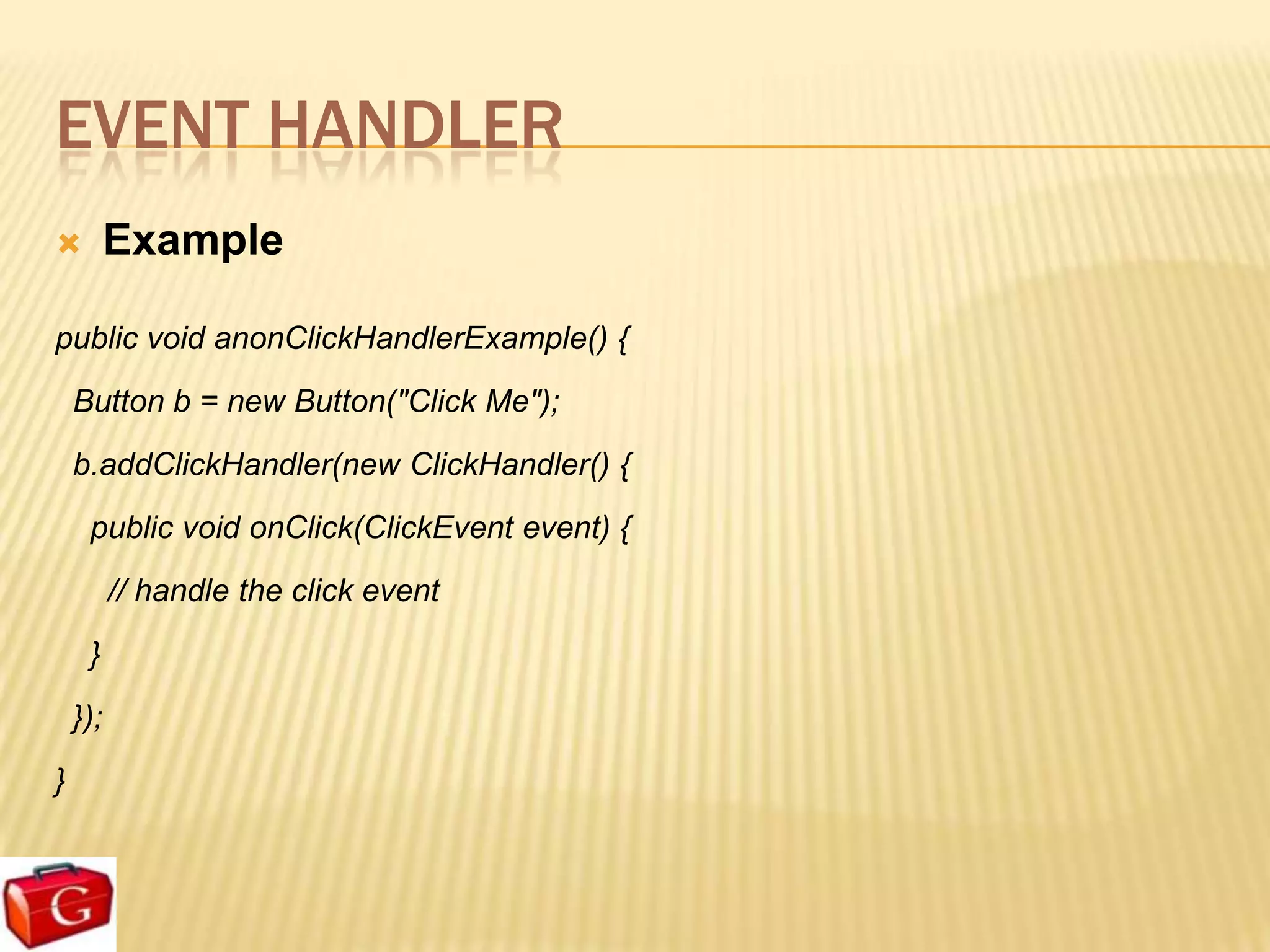
public void anonClickHandlerExample() {
    Button b = new Button("Click Me");
    b.addClickHandler(new ClickHandler() {
     public void onClick(ClickEvent event) {
          // handle the click event
     }
    });
}
APPLY STYLES
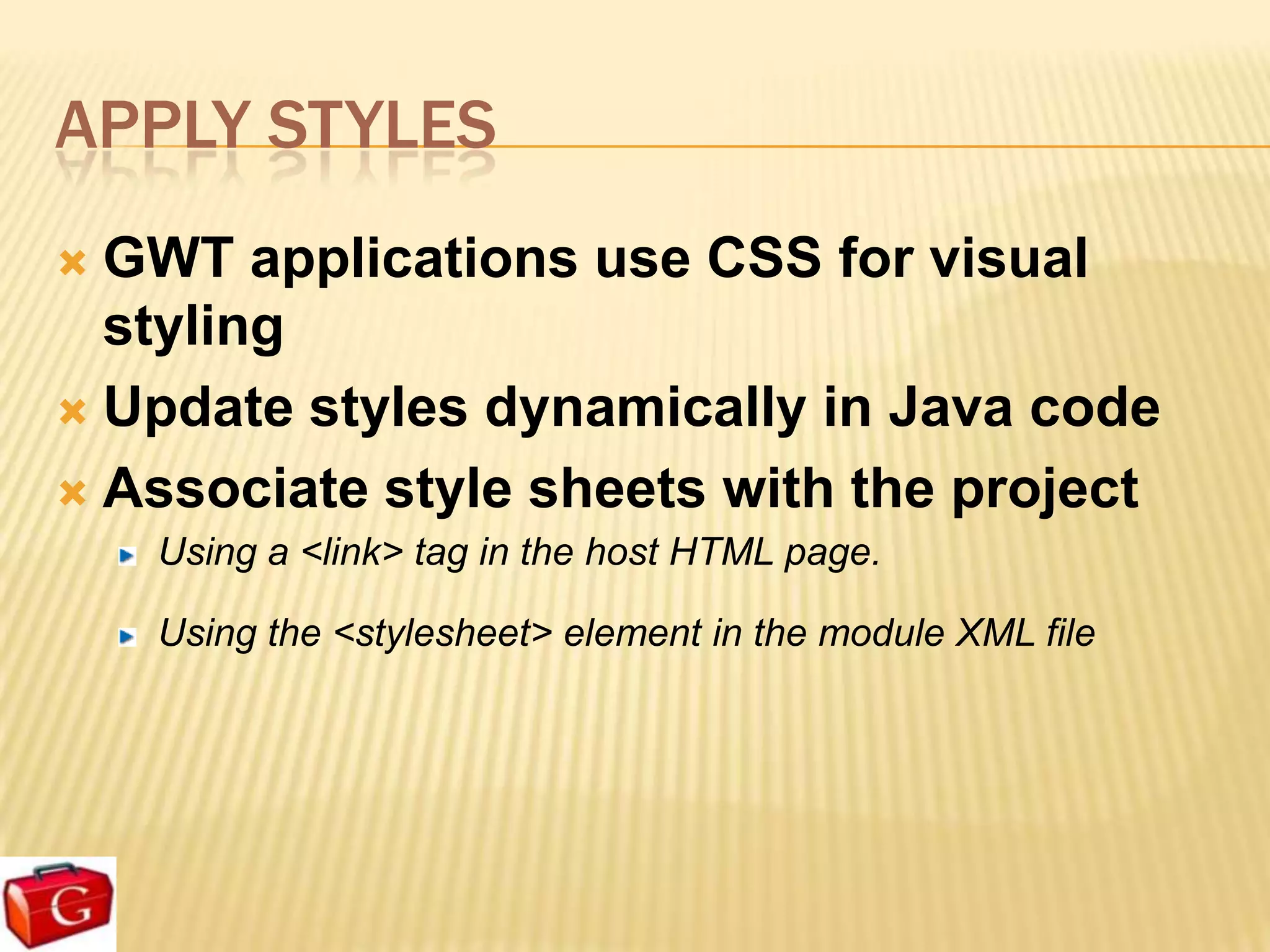
 GWT applications use CSS for visual
  styling
 Update styles dynamically in Java code

 Associate style sheets with the project
    Using a <link> tag in the host HTML page.

    Using the <stylesheet> element in the module XML file
Client-Side RPC Architecture
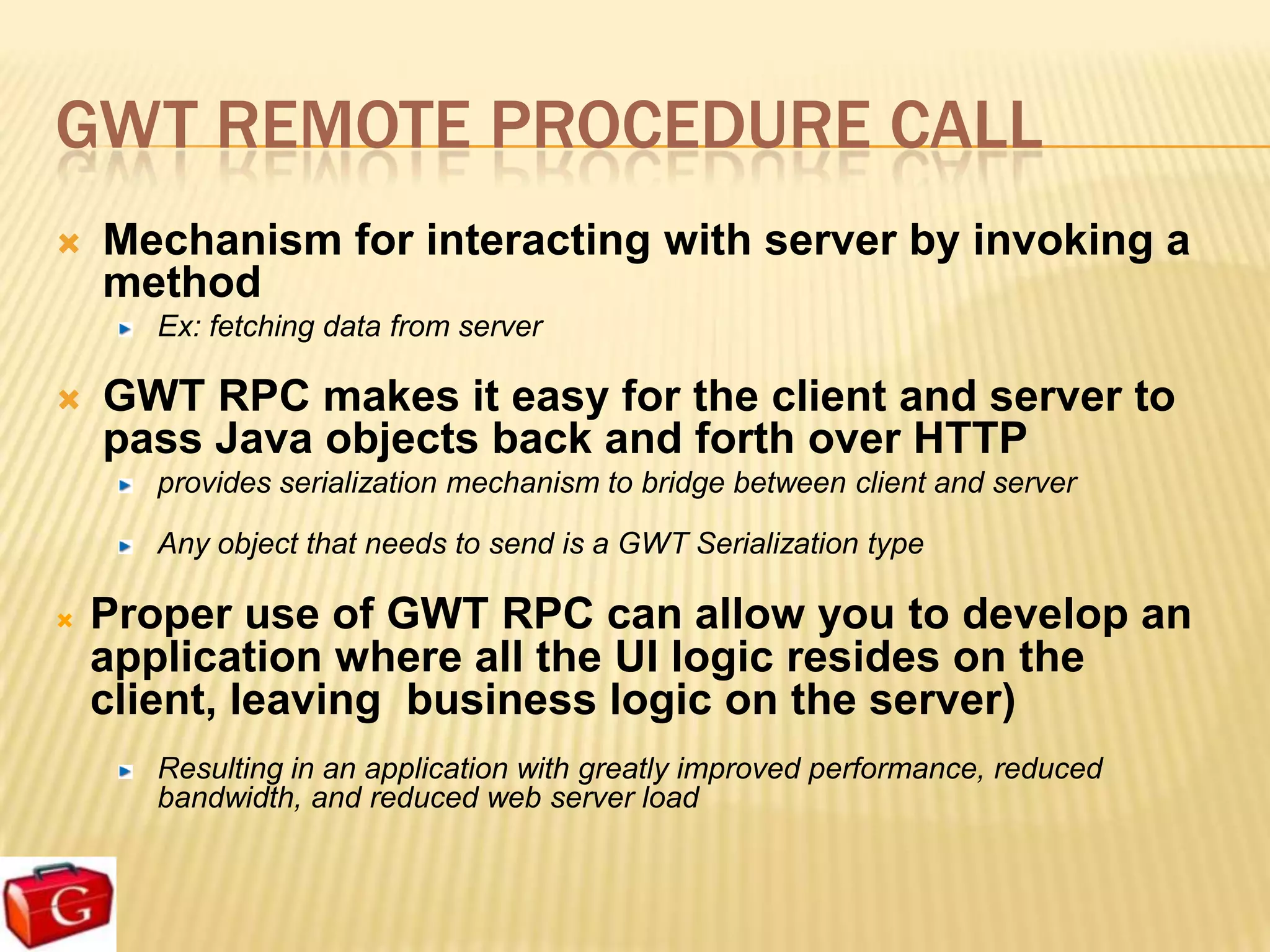
GWT REMOTE PROCEDURE CALL
   Mechanism for interacting with server by invoking a
    method
      Ex: fetching data from server

   GWT RPC makes it easy for the client and server to
    pass Java objects back and forth over HTTP
      provides serialization mechanism to bridge between client and server

      Any object that needs to send is a GWT Serialization type

   Proper use of GWT RPC can allow you to develop an
    application where all the UI logic resides on the
    client, leaving business logic on the server)
      Resulting in an application with greatly improved performance, reduced
      bandwidth, and reduced web server load
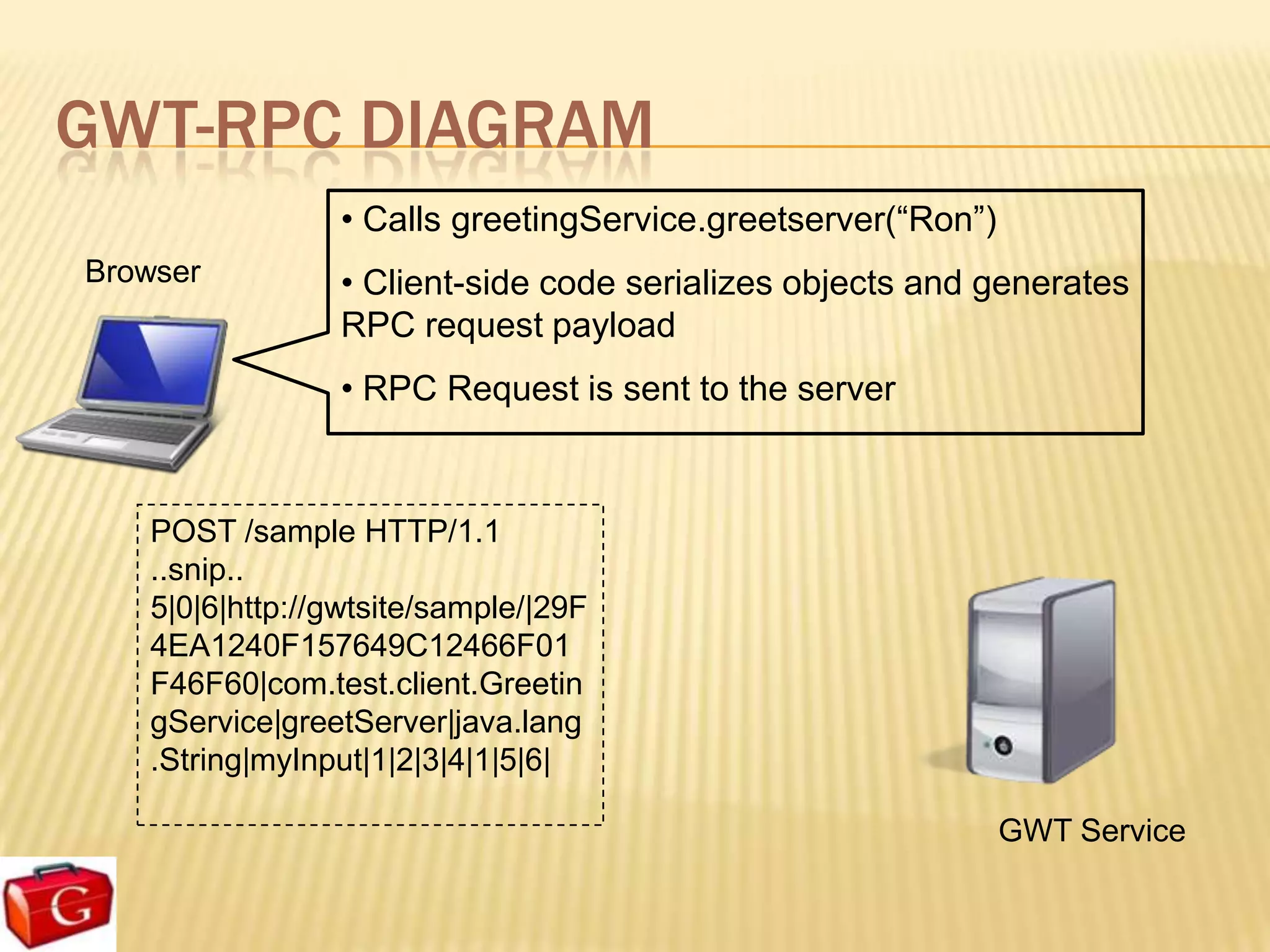
GWT-RPC DIAGRAM
                • Calls greetingService.greetserver(“Ron”)
Browser         • Client-side code serializes objects and generates
                RPC request payload
                • RPC Request is sent to the server


   POST /sample HTTP/1.1
   ..snip..
   5|0|6|http://gwtsite/sample/|29F
   4EA1240F157649C12466F01
   F46F60|com.test.client.Greetin
   gService|greetServer|java.lang
   .String|myInput|1|2|3|4|1|5|6|

                                                             GWT Service
GWT-RPC DIAGRAM
 Browser
                                    HTTP/1.1 200 OK
                                    ..snip..
                                    //OK[1,["Hello, Ron!<br><br>I am
                                    running jetty-6.1.x.<br><br>It
                                    looks like you are using:<br>
                                    Chrome/6.0.472.63"],0,5]


• Parses and deserializes the request payload
• Executes the greetingServer method
• Sends JSON serialized response to the client
                                                           GWT Service
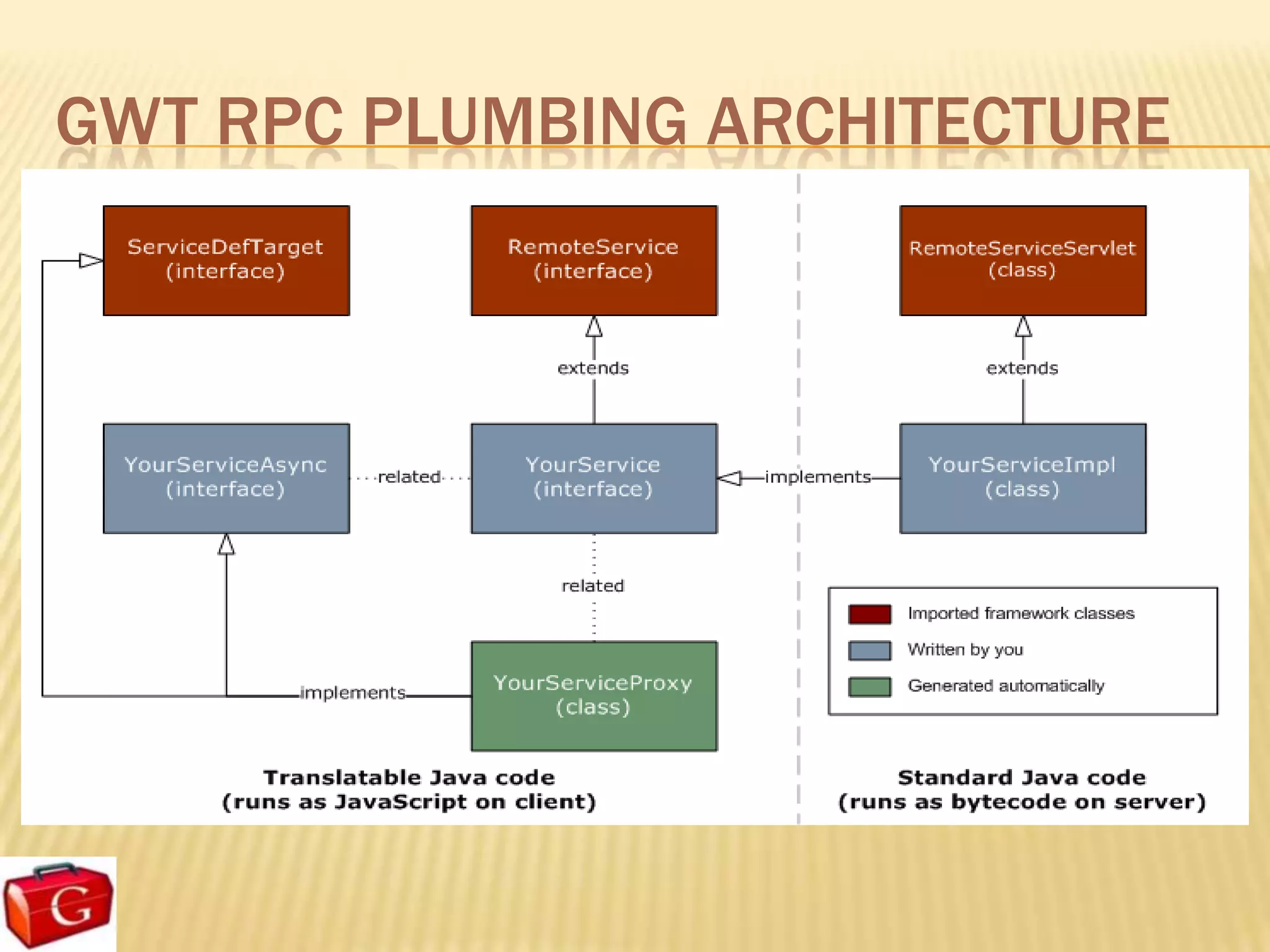
GWT RPC PLUMBING ARCHITECTURE
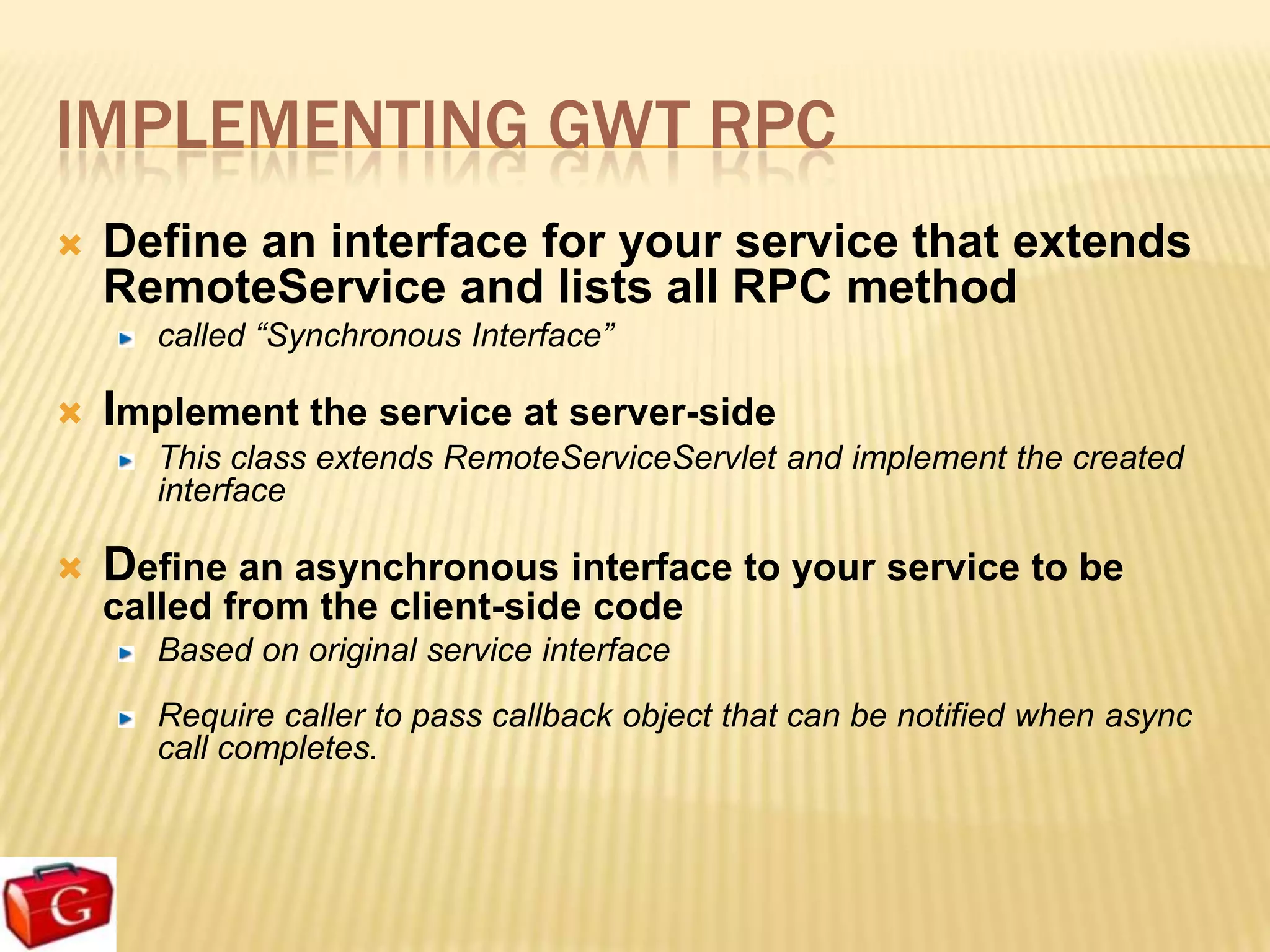
IMPLEMENTING GWT RPC
   Define an interface for your service that extends
    RemoteService and lists all RPC method
       called “Synchronous Interface”

 Implement the service at server-side
    This class extends RemoteServiceServlet and implement the created
    interface

   Define an asynchronous interface to your service to be
    called from the client-side code
       Based on original service interface
       Require caller to pass callback object that can be notified when async
       call completes.
SERIALIZABLE TYPES
   GWT RPC method parameters and return types must be
    serializable
      These values will be transmitted across network between client and
      server

   Java data types are already serializable
      Primitive, such as char, byte, short, int, long, boolean, float, or double.

      String, Date or primitive wrapper:
      Character, Integer, Byte, Double, …

      Array of serializable types

      Serializable user-defined class
HANDLING EXCEPTION
   Making RPCs opens up the possibility of a variety
    of errors
      Networks fail, servers crash, and problems occur while
      processing a server call

   GWT lets you handle these conditions in terms of Java
    exceptions
   Caller should implement
    AsyncCallBack.onFailure(Throwable) to handle exception
Create, develop, execute and
  deploy GWT Applications
History management
GWT HISTORY MECHANISM
GWT applications use “history token” to help Ajax
developer activate browser history
   The token will be saved in browser history as a URL fragment

   Ex:
   http://www.example.com/historyexample/HistoryExample.html#page
   1

To enable history to your Ajax
   Add a history token to the history stack when you want to enable
   history event

   Create an object that implements the ValueChangeHandler interface,
   parses new token and changes the application state to match
Internationalization
INTERNATIONALIZATION
GWT offers multiple internationalization techniques
   Static String Internationalization

   Dynamic String Internationalization

Static String Internationalization
   Extends Constants Interface

   Extends Message Interface

   Use properties files

Dynamic String Internationalization
JUnit Testing
JUNIT TESTING
 GWT provides integration with the popular JUnit
 unit testing framework


 GWT allows JUnit test cases to run in either
 development mode or production mode.
Javascript Native Interface (JSNI)
WHY JSNI?
Sometimes it's very useful to mix handwritten Javascript to Java
source code
   Ex: access low-level browser functionality not exposed by the GWT API

You can use JSNI to:
   Implement a Java method directly in JavaScript

   Wrap type-safe Java method signatures around existing JavaScript

   Call from JavaScript code into Java code and vice-versa

   Throw exceptions across Java/JavaScript boundaries

   Read and write Java fields from JavaScript

   Use development mode to debug both Java source (with a Java debugger) and
   JavaScript (with a script debugger)
RESOURCES
http://code.google.com/webtoolkit/
   Main site for GWT

http://googlewebtoolkit.blogspot.com/
http://developerlife.com
Question & Answer

Gwt session

  • 1.
    Google Web Toolkit (GWT) by Sherif Elsbaey
  • 2.
    AGENDA  Introducing GWT Discover the GWT's benefits, capabilities and limitations  Building User Interface GWT Widgets Event handling Apply styles
  • 3.
    AGENDA  Client-Side RPC Architecture GWT RPC Serializable type Handling Exception  Create, develop, execute and deploy GWT Applications  History management  Internationalization  JUnit Testing  Javascript Native Interface (JSNI)
  • 4.
    AGENDA  GWT Best Practices Security Issues Performance Concerns The GWT Incremental-command class Caching in GWT GWT Design Considerations GWT Pitfalls and Issues
  • 5.
  • 6.
    WHAT IS GWT? Java software development framework that makes writing AJAX applications easy Google announced GWT at the JavaOne 2006 Let you develop and debug AJAX applications in the Java language using Java development tools Eclipse, Netbeans, IntelliJ, … Provides Java-to-Javascript compiler and development mode that helps you debug your GWT applications
  • 7.
    GWT SDK &TOOLS GWT SDK: contains Java API libraries, compiler, development server and tools Plugin for Eclipse: provides IDE support for GWT and App Engine web projects Some other tools: GWT Designer Speed Tracer
  • 8.
    TWO MODES OFRUNNING GWT APP Development mode (hosted mode) GWT application is run as Java bytecode within JVM Take advantage of Java debugging Production mode (web mode) Your GWT application is run as pure Javascript and HTML compiled from original Java source code End user will only see the web mode version of your application
  • 11.
    Discover the GWT's benefits,capabilities and limitations
  • 12.
    BENEFITS  Develop Rich Web Apps, utilize client CPUs  GWT is ultimate Ajax  Take advantage from rich built-in Widgets  Build new generation of distributed apps  GWT transmits a tiny fraction of data compared to traditional applications (should really be compared to real contenders – Java Applets/Flex/Silverlight)  Leverage various tools of Java programming for writing, debugging, testing Ex: Eclipse, IntelliJ, Netbeans, …  No need to take care of browser incompatibilities and quirks GWT compiler handles them Support browser history, backward, forward
  • 13.
    CAPABILITIES  Java-based Object-Oriented designs are easier to communicate and understand.  Take advantage of Java refactoring, code completion, ...  No need to write “excellent” Javascript code Leverage your Java programming knowledge  JUnit integration  Internationalization  DOM management
  • 14.
    LIMITATIONS  Not all of JDK supported (enough for large projects though)  JSON is not as natural as in JS, parsing is clunky
  • 15.
  • 16.
  • 17.
  • 18.
    GWT USER INTERFACE  GWT user interface classes are similar to those in existing UI frameworks such as Swing and SWT. GWT widgets are rendered using dynamically-created HTML rather than pixel-oriented graphics  The Widget classes make it easier to quickly build interfaces that will work correctly on all browsers.
  • 19.
  • 20.
  • 21.
  • 22.
  • 23.
    EVENT HANDLER  Events in GWT use the handler model similar to other user interface frameworks A handler interface defines one or more methods that the widget calls to announce an event A class wishing to receive events of a particular type implements the associated handler interface and then passes a reference to itself to the widget to subscribe to a set of events.
  • 24.
    EVENT HANDLER  Example public void anonClickHandlerExample() { Button b = new Button("Click Me"); b.addClickHandler(new ClickHandler() { public void onClick(ClickEvent event) { // handle the click event } }); }
  • 25.
    APPLY STYLES  GWTapplications use CSS for visual styling  Update styles dynamically in Java code  Associate style sheets with the project Using a <link> tag in the host HTML page. Using the <stylesheet> element in the module XML file
  • 26.
  • 27.
    GWT REMOTE PROCEDURECALL  Mechanism for interacting with server by invoking a method Ex: fetching data from server  GWT RPC makes it easy for the client and server to pass Java objects back and forth over HTTP provides serialization mechanism to bridge between client and server Any object that needs to send is a GWT Serialization type  Proper use of GWT RPC can allow you to develop an application where all the UI logic resides on the client, leaving business logic on the server) Resulting in an application with greatly improved performance, reduced bandwidth, and reduced web server load
  • 28.
    GWT-RPC DIAGRAM • Calls greetingService.greetserver(“Ron”) Browser • Client-side code serializes objects and generates RPC request payload • RPC Request is sent to the server POST /sample HTTP/1.1 ..snip.. 5|0|6|http://gwtsite/sample/|29F 4EA1240F157649C12466F01 F46F60|com.test.client.Greetin gService|greetServer|java.lang .String|myInput|1|2|3|4|1|5|6| GWT Service
  • 29.
    GWT-RPC DIAGRAM Browser HTTP/1.1 200 OK ..snip.. //OK[1,["Hello, Ron!<br><br>I am running jetty-6.1.x.<br><br>It looks like you are using:<br> Chrome/6.0.472.63"],0,5] • Parses and deserializes the request payload • Executes the greetingServer method • Sends JSON serialized response to the client GWT Service
  • 30.
    GWT RPC PLUMBINGARCHITECTURE
  • 31.
    IMPLEMENTING GWT RPC  Define an interface for your service that extends RemoteService and lists all RPC method called “Synchronous Interface”  Implement the service at server-side This class extends RemoteServiceServlet and implement the created interface  Define an asynchronous interface to your service to be called from the client-side code Based on original service interface Require caller to pass callback object that can be notified when async call completes.
  • 32.
    SERIALIZABLE TYPES  GWT RPC method parameters and return types must be serializable These values will be transmitted across network between client and server  Java data types are already serializable Primitive, such as char, byte, short, int, long, boolean, float, or double. String, Date or primitive wrapper: Character, Integer, Byte, Double, … Array of serializable types Serializable user-defined class
  • 33.
    HANDLING EXCEPTION  Making RPCs opens up the possibility of a variety of errors Networks fail, servers crash, and problems occur while processing a server call  GWT lets you handle these conditions in terms of Java exceptions  Caller should implement AsyncCallBack.onFailure(Throwable) to handle exception
  • 34.
    Create, develop, executeand deploy GWT Applications
  • 35.
  • 36.
    GWT HISTORY MECHANISM GWTapplications use “history token” to help Ajax developer activate browser history The token will be saved in browser history as a URL fragment Ex: http://www.example.com/historyexample/HistoryExample.html#page 1 To enable history to your Ajax Add a history token to the history stack when you want to enable history event Create an object that implements the ValueChangeHandler interface, parses new token and changes the application state to match
  • 37.
  • 38.
    INTERNATIONALIZATION GWT offers multipleinternationalization techniques Static String Internationalization Dynamic String Internationalization Static String Internationalization Extends Constants Interface Extends Message Interface Use properties files Dynamic String Internationalization
  • 39.
  • 40.
    JUNIT TESTING GWTprovides integration with the popular JUnit unit testing framework GWT allows JUnit test cases to run in either development mode or production mode.
  • 41.
  • 42.
    WHY JSNI? Sometimes it'svery useful to mix handwritten Javascript to Java source code Ex: access low-level browser functionality not exposed by the GWT API You can use JSNI to: Implement a Java method directly in JavaScript Wrap type-safe Java method signatures around existing JavaScript Call from JavaScript code into Java code and vice-versa Throw exceptions across Java/JavaScript boundaries Read and write Java fields from JavaScript Use development mode to debug both Java source (with a Java debugger) and JavaScript (with a script debugger)
  • 43.
    RESOURCES http://code.google.com/webtoolkit/ Main site for GWT http://googlewebtoolkit.blogspot.com/ http://developerlife.com
  • 44.