GST E-Invoice
Sanjay Dwivedi
Sanjay Dwivedi, Advocate
Today’s Agenda
 What is e-Invoice? How is it different from our regular invoice?
 Why e-Invoice?
 Documents for which e-Invoicing is required.
 Transactions for which e-Invoicing is required.
 Categories of taxpayers who are exempted from issuing e-Invoice.
 Process of generating e-Invoice.
 Tools available for generating JSON
 Using GePP – Step-by-Step
 Using Bulk IRN Generation Tool
 Legal Provisions
 Resources for Learning
Sanjay Dwivedi, Advocate
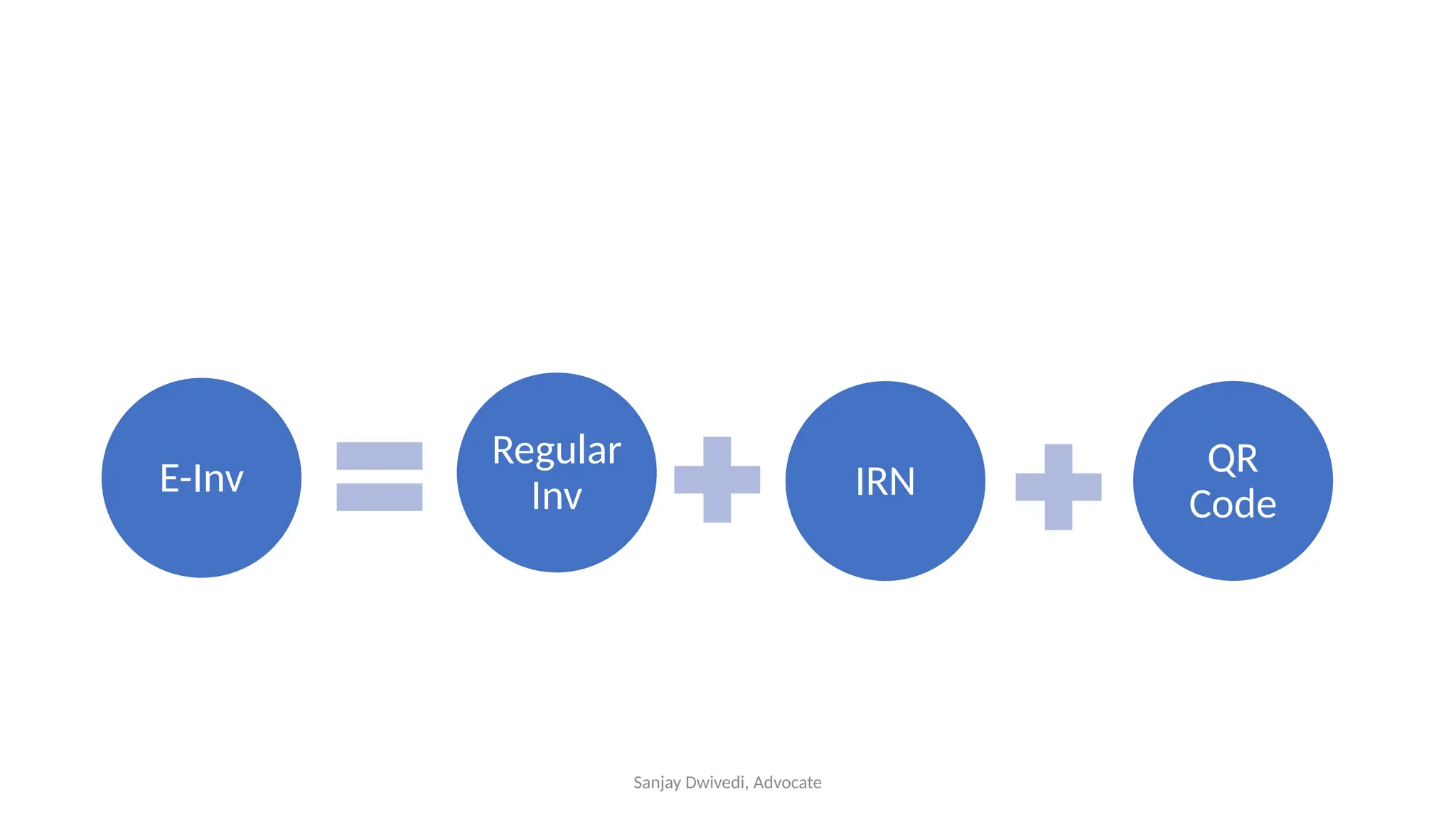
E-Inv QR
Code
Regular
Inv IRN
Sanjay Dwivedi, Advocate
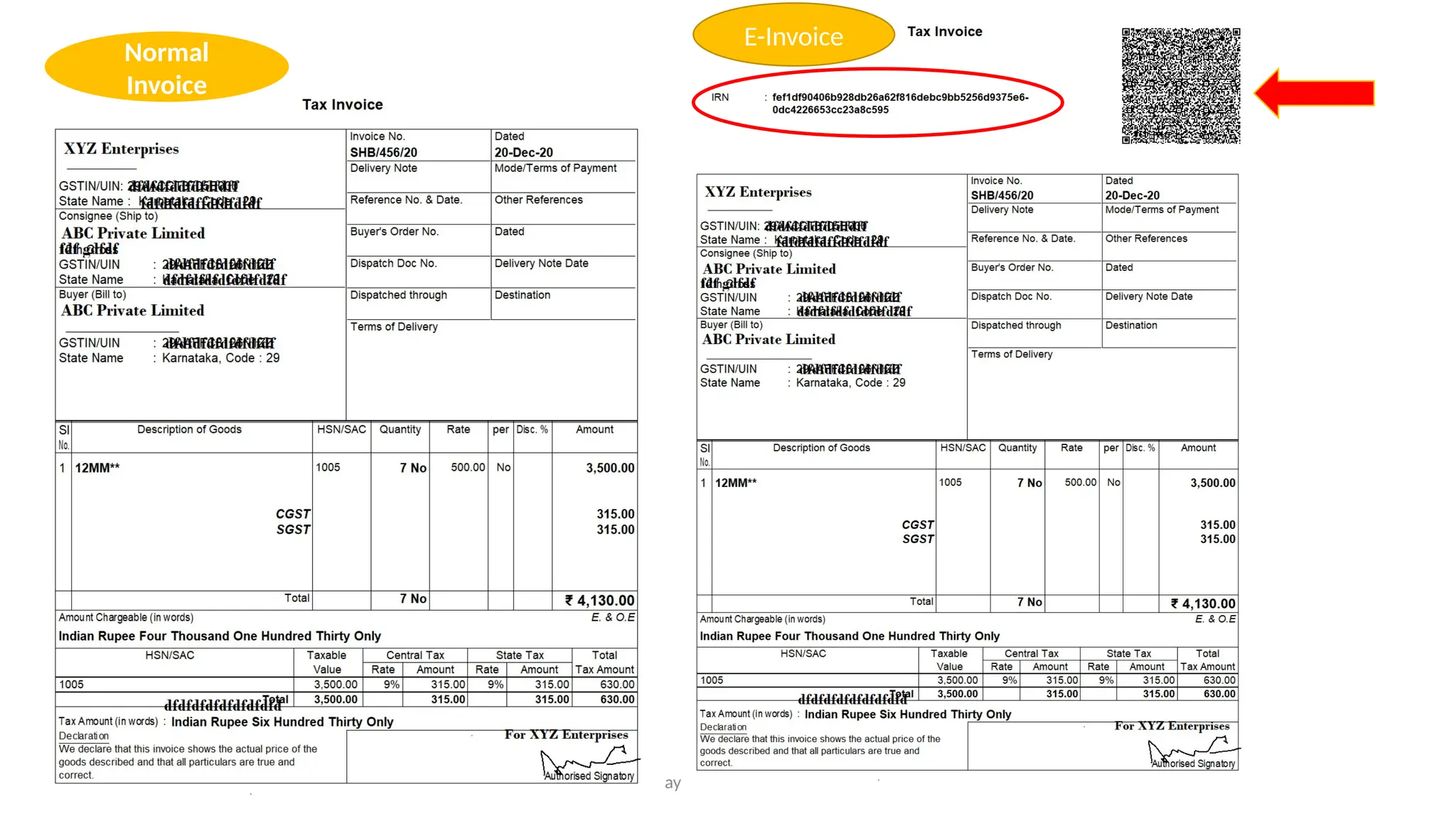
Normal
Invoice
E-Invoice
Sanjay Dwivedi, Advocate
Invoice Reference Number
• IRN is a unique 64-character hash
• For example:
35054cc24d97033afc24f49ec4444dbab81f542c555f9d30359dc
75794e06bbe
• It is unique to the invoice. Every invoice will have different
IRN. No two invoices can have the same IRN
Sanjay Dwivedi, Advocate
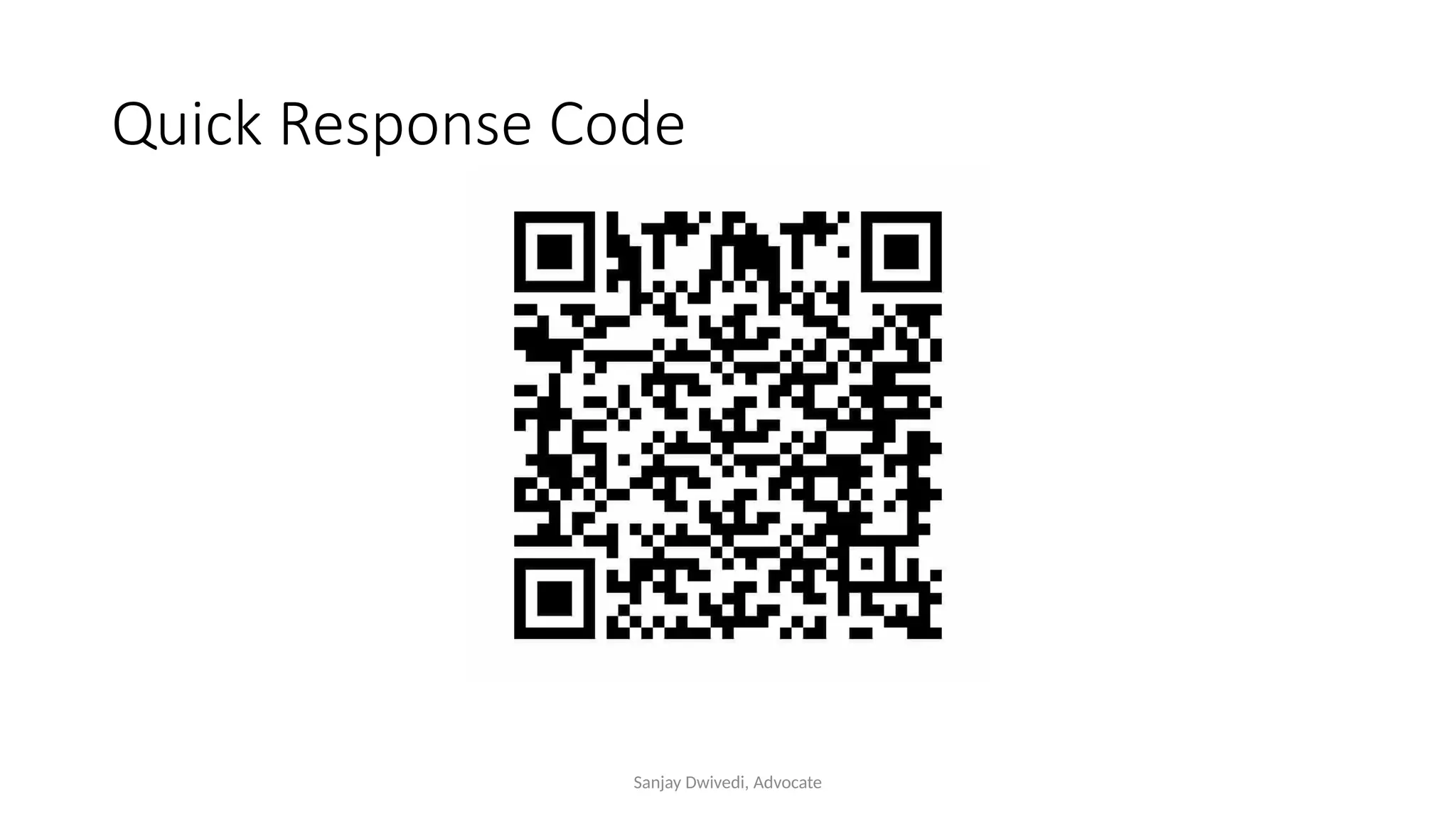
Quick Response Code
Sanjay Dwivedi, Advocate
Tax Invoice
 Proof of transaction
 Determination of tax
 Record for future
 Absence evasion
Sanjay Dwivedi, Advocate
Why e-Invoice?
Problem
• Manipulation of Invoice
Solutions
 Reduction of cash transaction
 e-way bill for goods
 RFID on Vehicles
 e-Invoice
Sanjay Dwivedi, Advocate
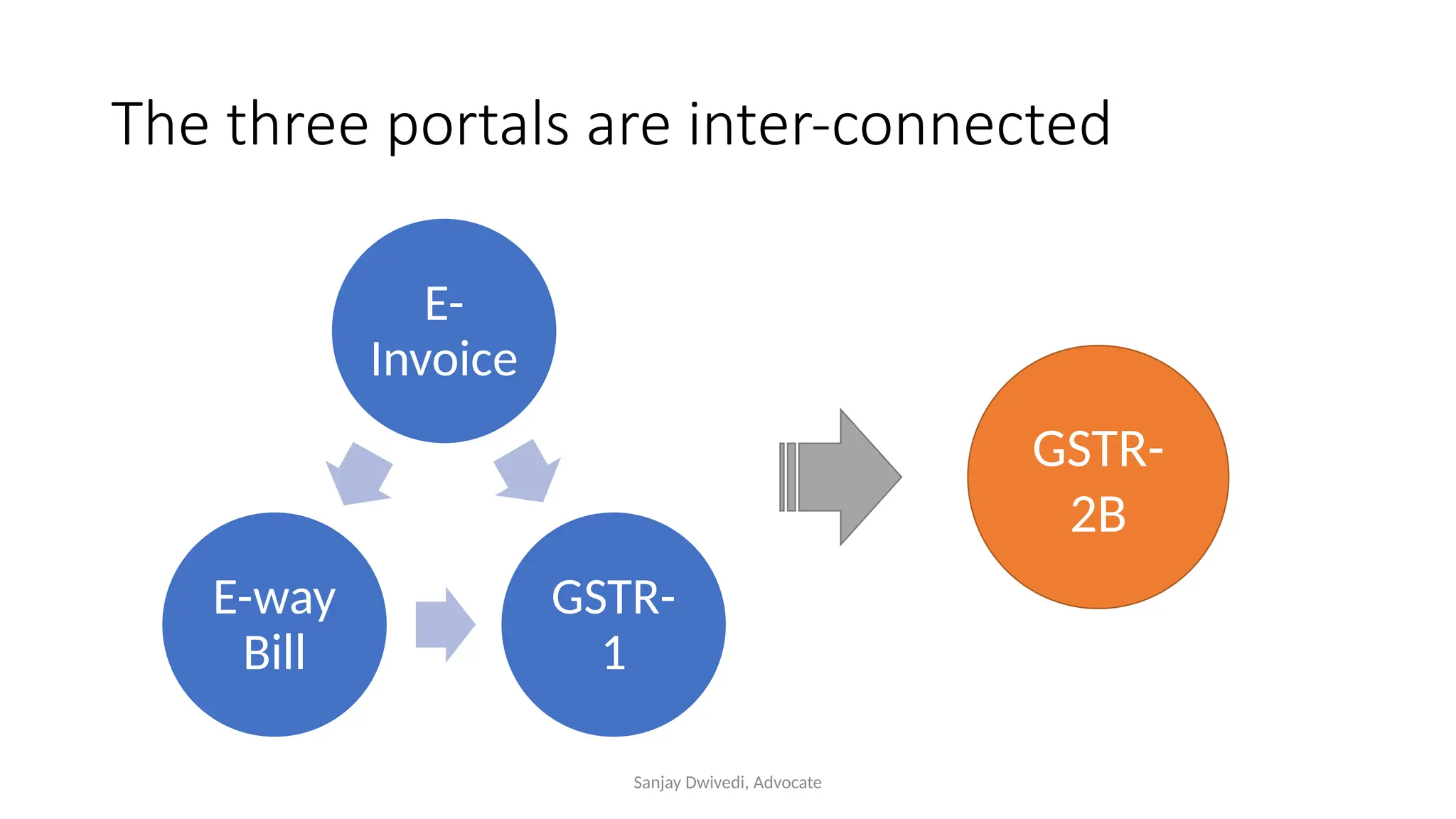
The three portals are inter-connected
E-
Invoice
GSTR-
1
E-way
Bill
GSTR-
2B
Sanjay Dwivedi, Advocate
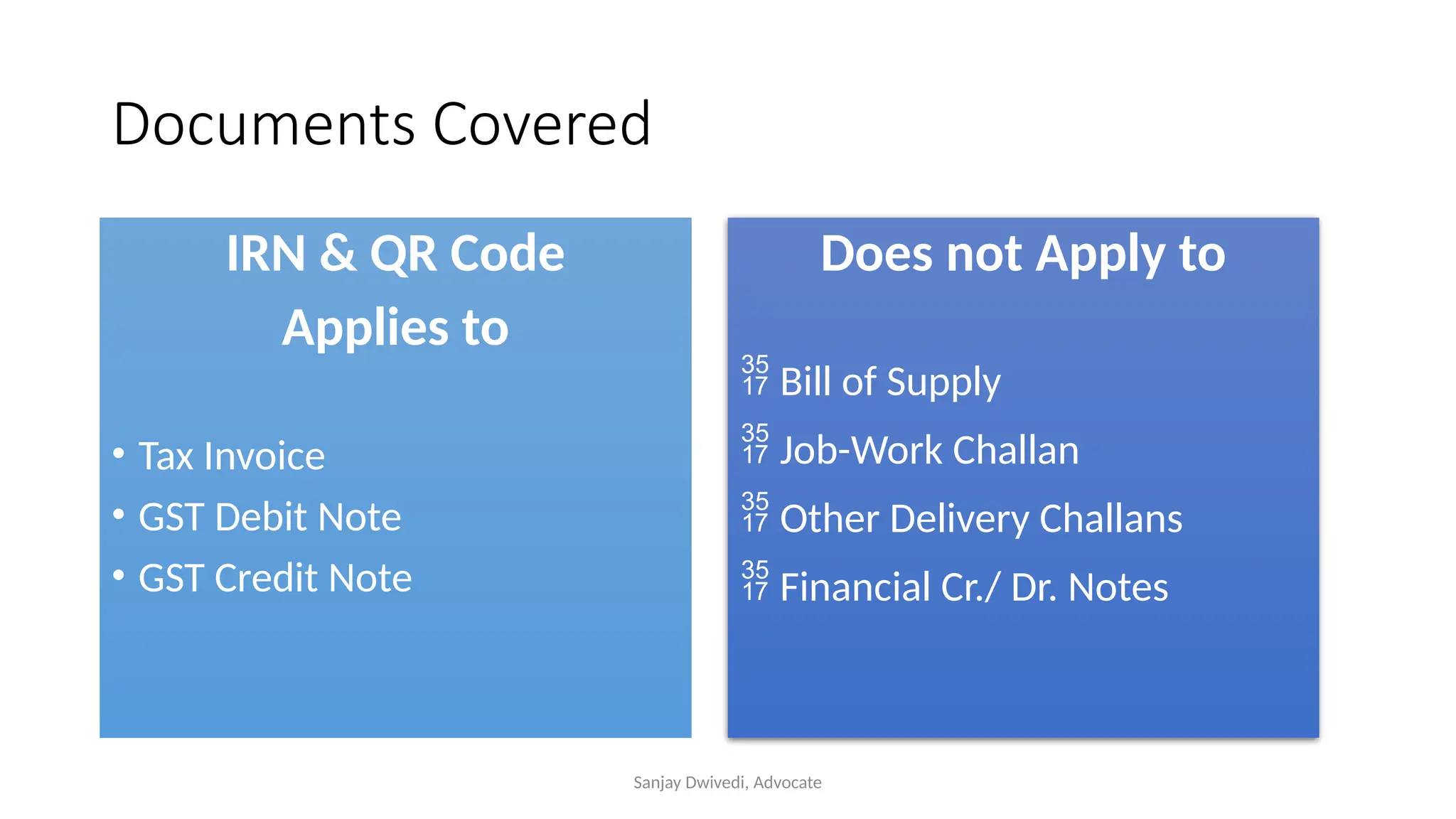
Documents Covered
IRN & QR Code
Applies to
• Tax Invoice
• GST Debit Note
• GST Credit Note
Does not Apply to
 Bill of Supply
 Job-Work Challan
 Other Delivery Challans
 Financial Cr./ Dr. Notes
Sanjay Dwivedi, Advocate
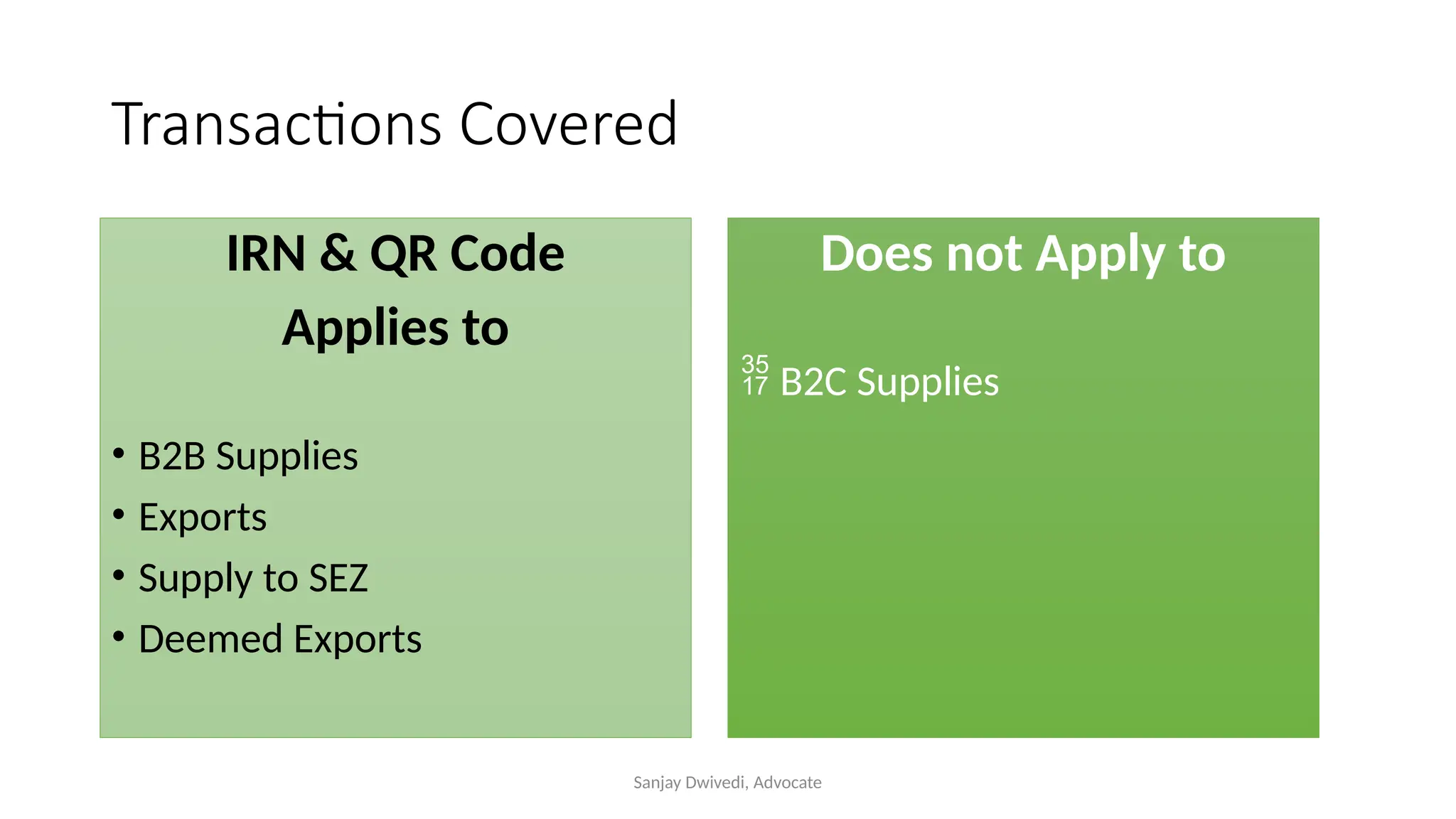
Transactions Covered
IRN & QR Code
Applies to
• B2B Supplies
• Exports
• Supply to SEZ
• Deemed Exports
Does not Apply to
 B2C Supplies
Sanjay Dwivedi, Advocate
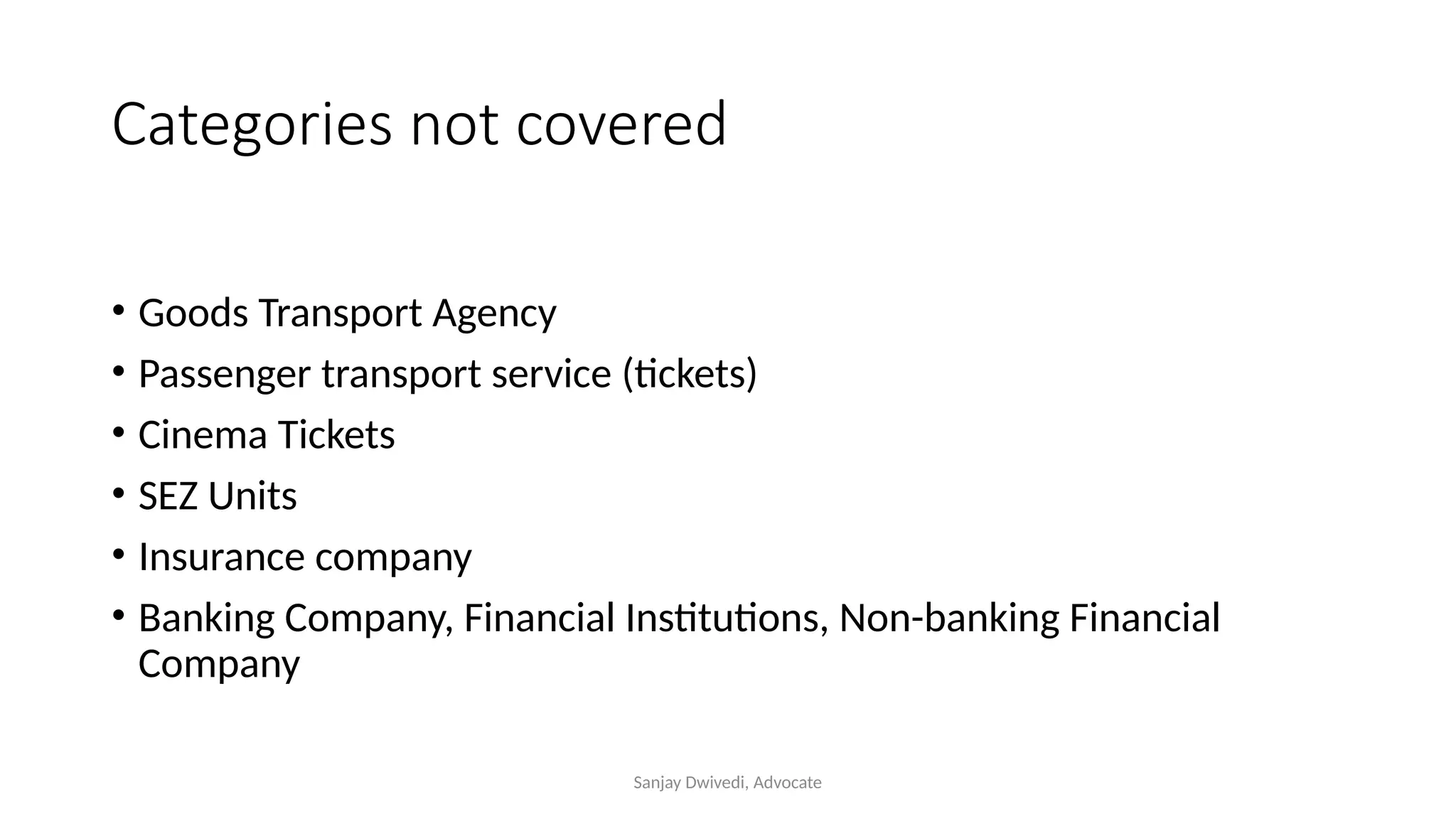
Categories not covered
• Goods Transport Agency
• Passenger transport service (tickets)
• Cinema Tickets
• SEZ Units
• Insurance company
• Banking Company, Financial Institutions, Non-banking Financial
Company
Sanjay Dwivedi, Advocate
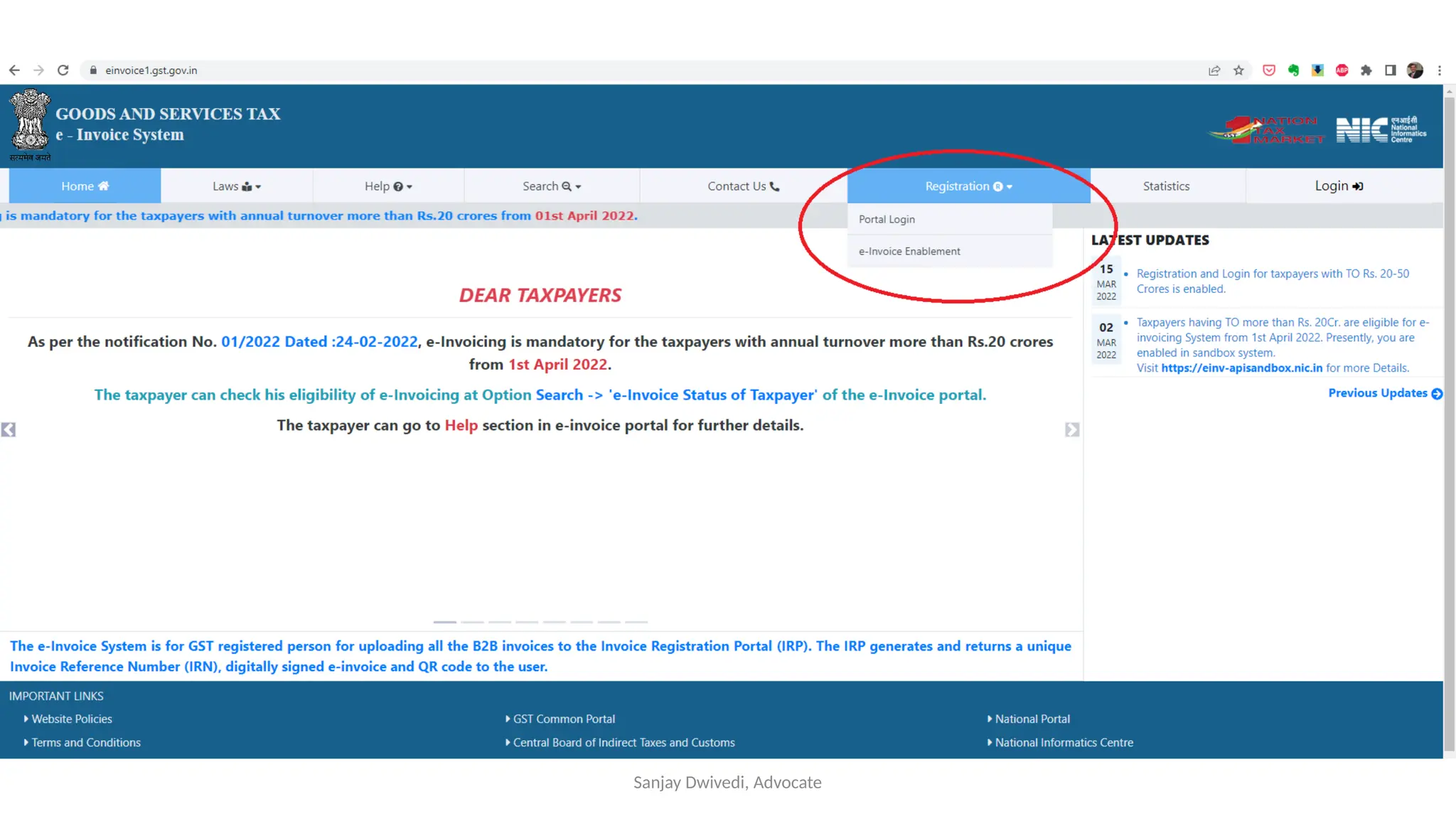
How?
• Login to the portal: https://einvoice1.gst.gov.in/
• Your e-way bill login details will work on this portal also.
• One who is not registered on e-way bill portal, will need to register
separately on the e-invoice portal.
• Check whether your GSTIN is enabled
Sanjay Dwivedi, Advocate
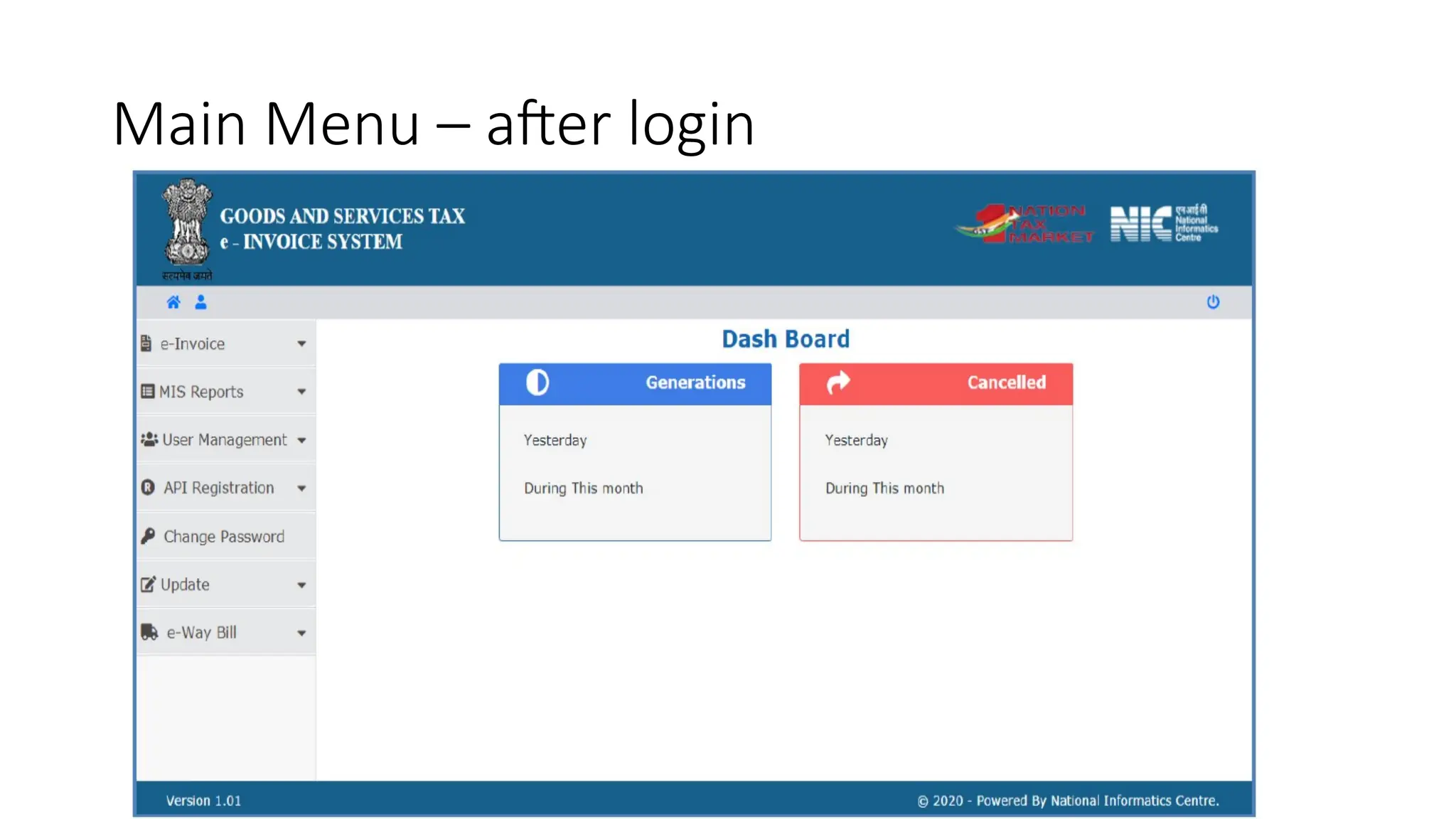
Main Menu – after login
Sanjay Dwivedi, Advocate
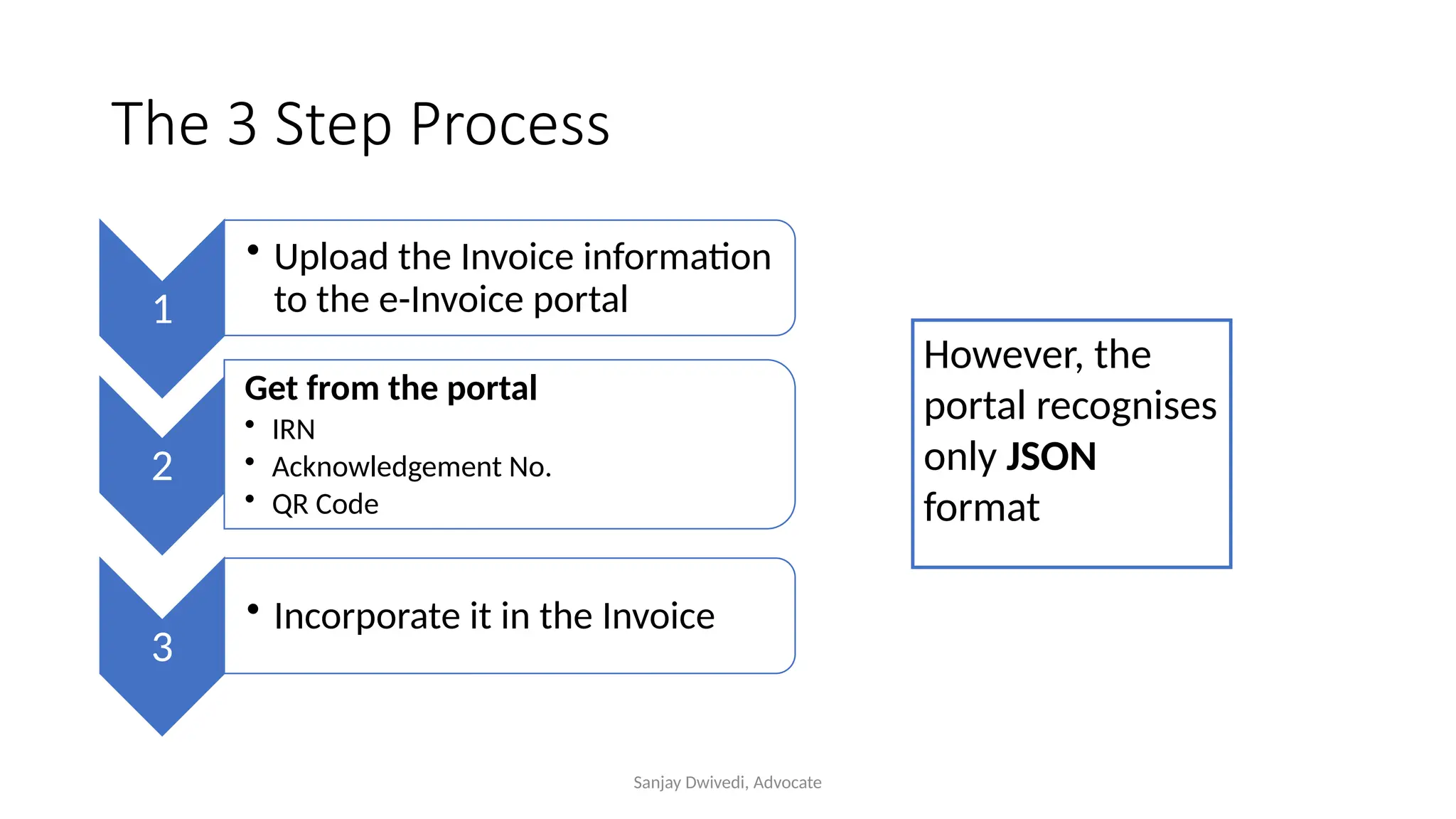
The 3 Step Process
1
• Upload the Invoice information
to the e-Invoice portal
2
Get from the portal
• IRN
• Acknowledgement No.
• QR Code
3
• Incorporate it in the Invoice
However, the
portal recognises
only JSON
format
Sanjay Dwivedi, Advocate
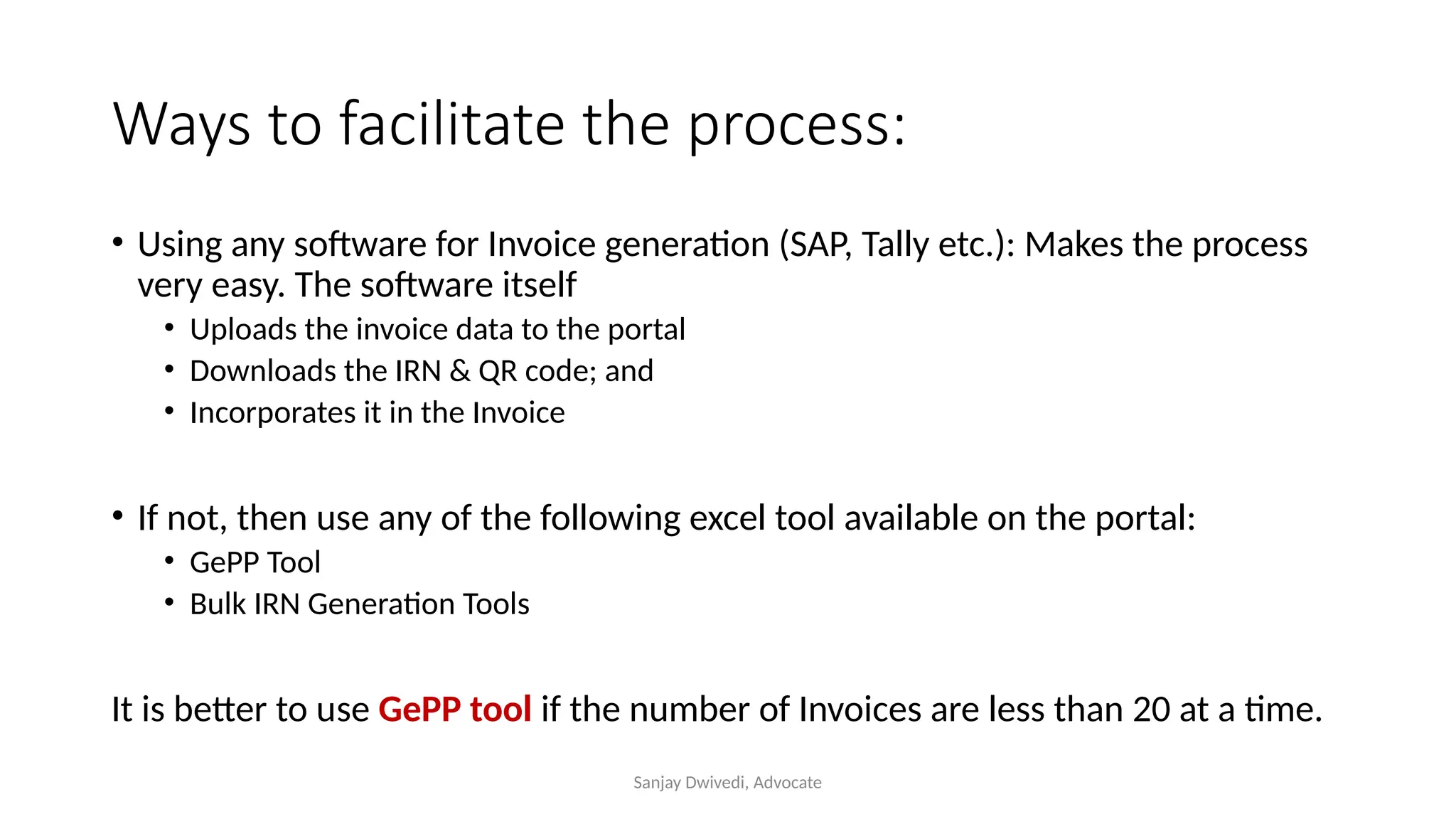
Ways to facilitate the process:
• Using any software for Invoice generation (SAP, Tally etc.): Makes the process
very easy. The software itself
• Uploads the invoice data to the portal
• Downloads the IRN & QR code; and
• Incorporates it in the Invoice
• If not, then use any of the following excel tool available on the portal:
• GePP Tool
• Bulk IRN Generation Tools
It is better to use GePP tool if the number of Invoices are less than 20 at a time.
Sanjay Dwivedi, Advocate
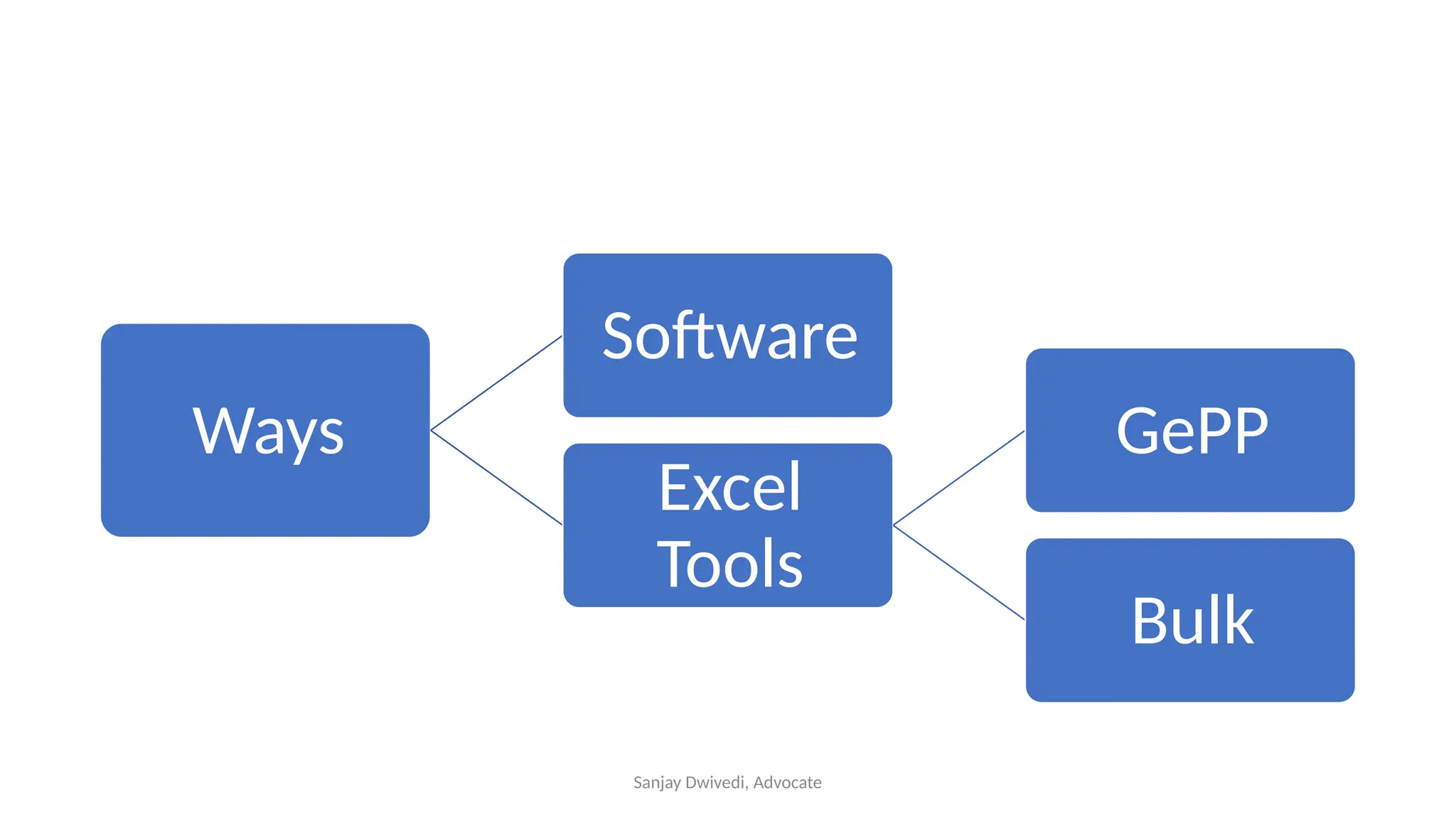
Ways
Software
Excel
Tools
GePP
Bulk
Sanjay Dwivedi, Advocate
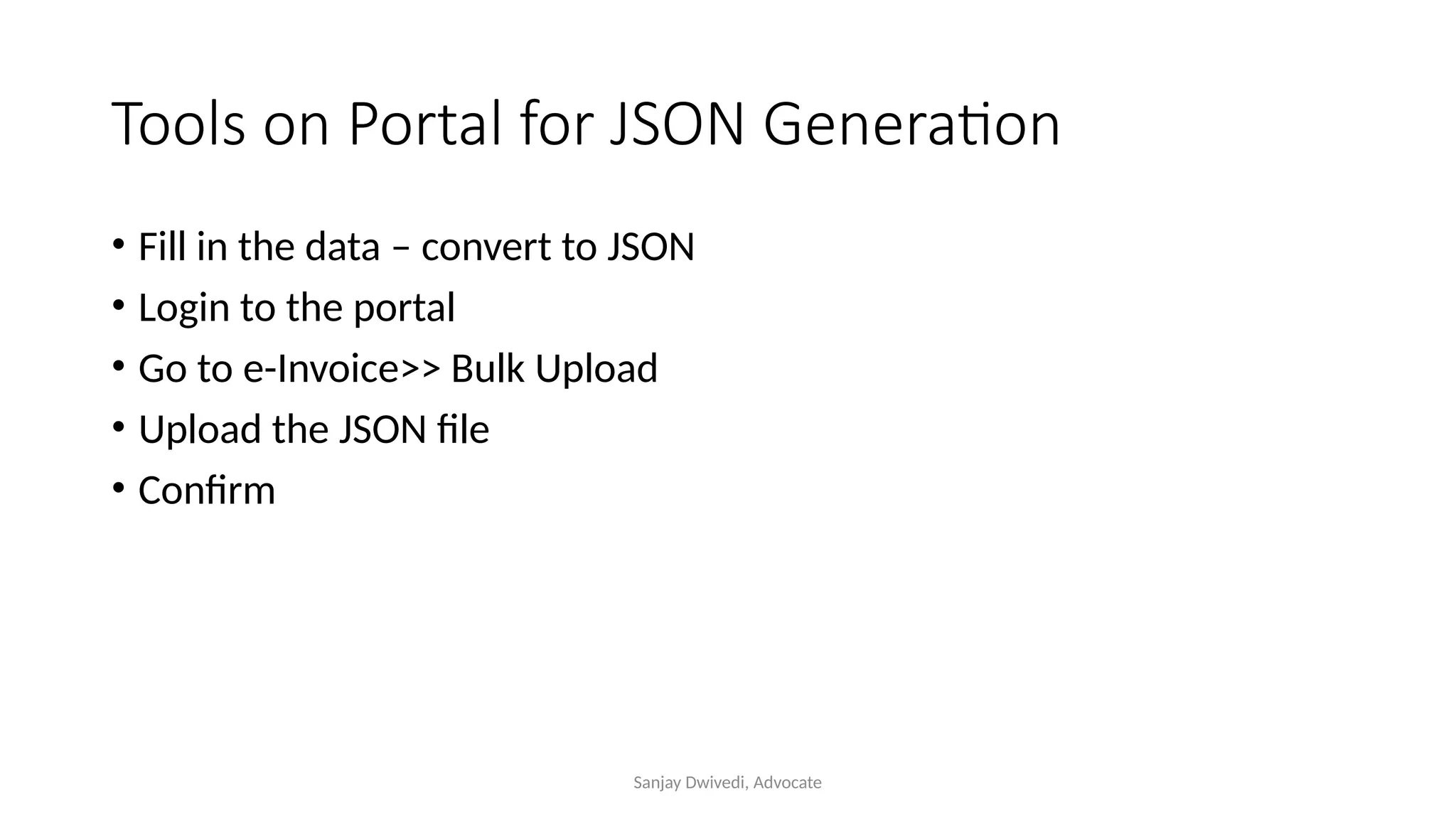
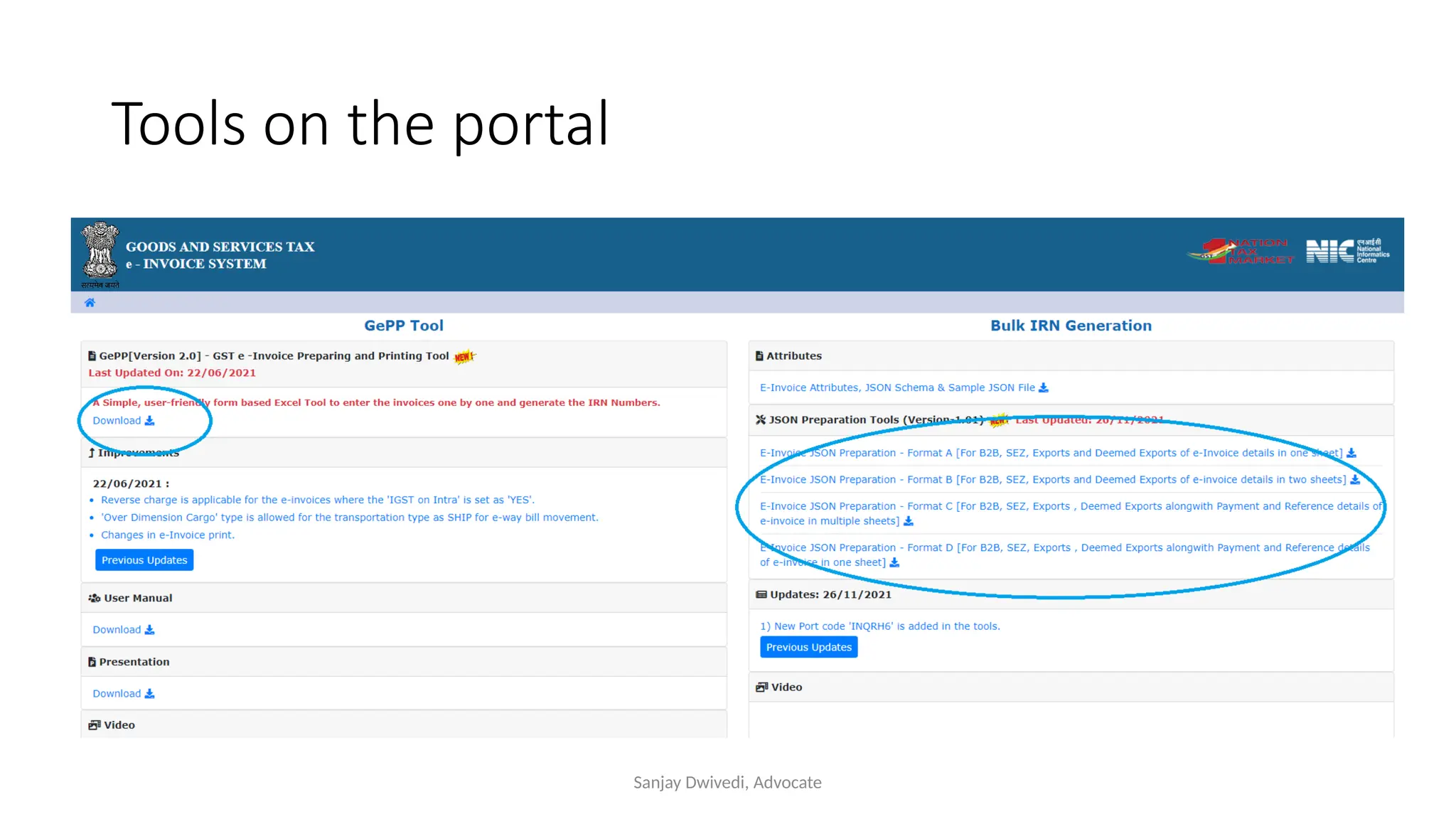
Tools on Portal for JSON Generation
• Fill in the data – convert to JSON
• Login to the portal
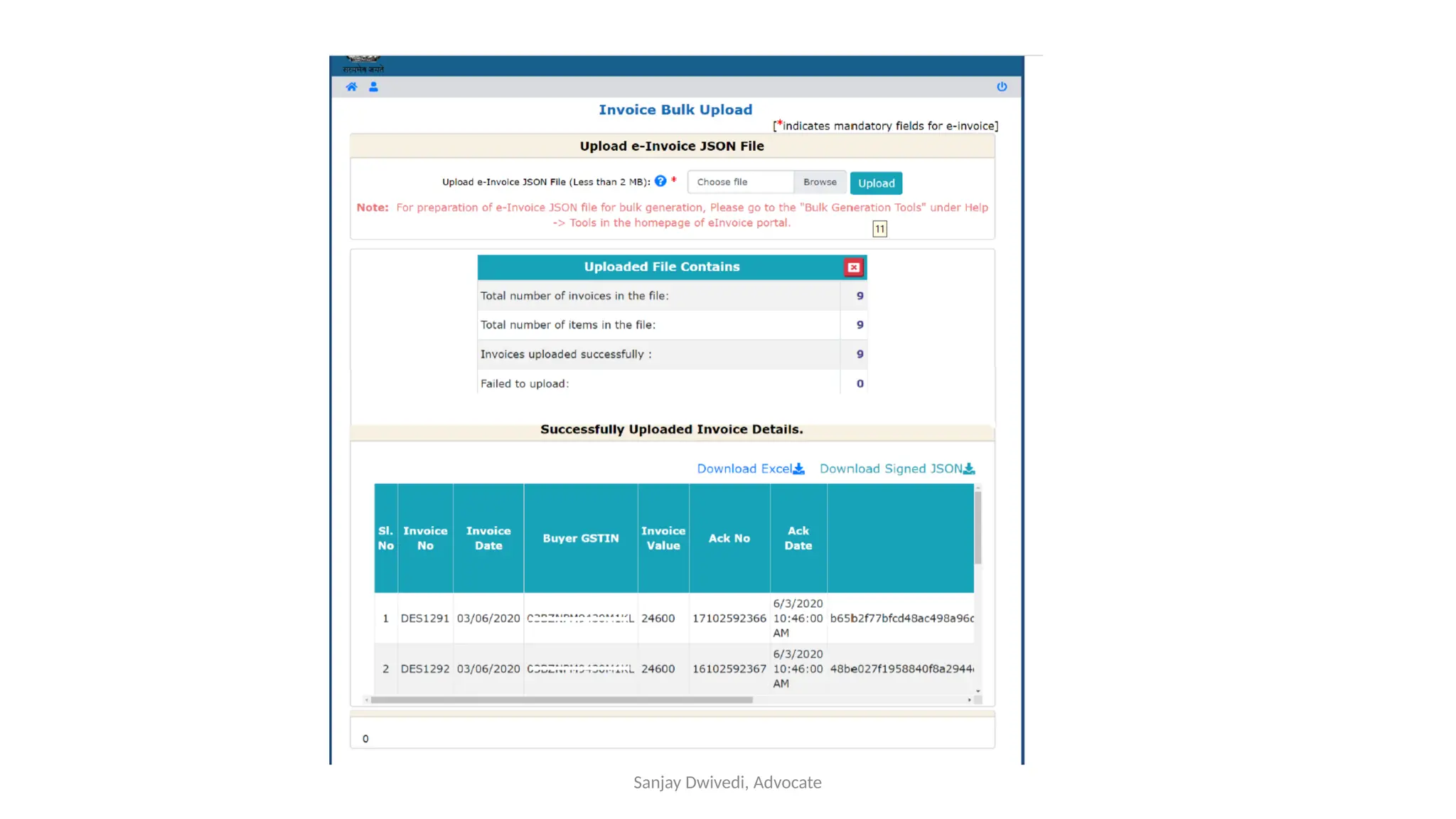
• Go to e-Invoice>> Bulk Upload
• Upload the JSON file
• Confirm
Sanjay Dwivedi, Advocate
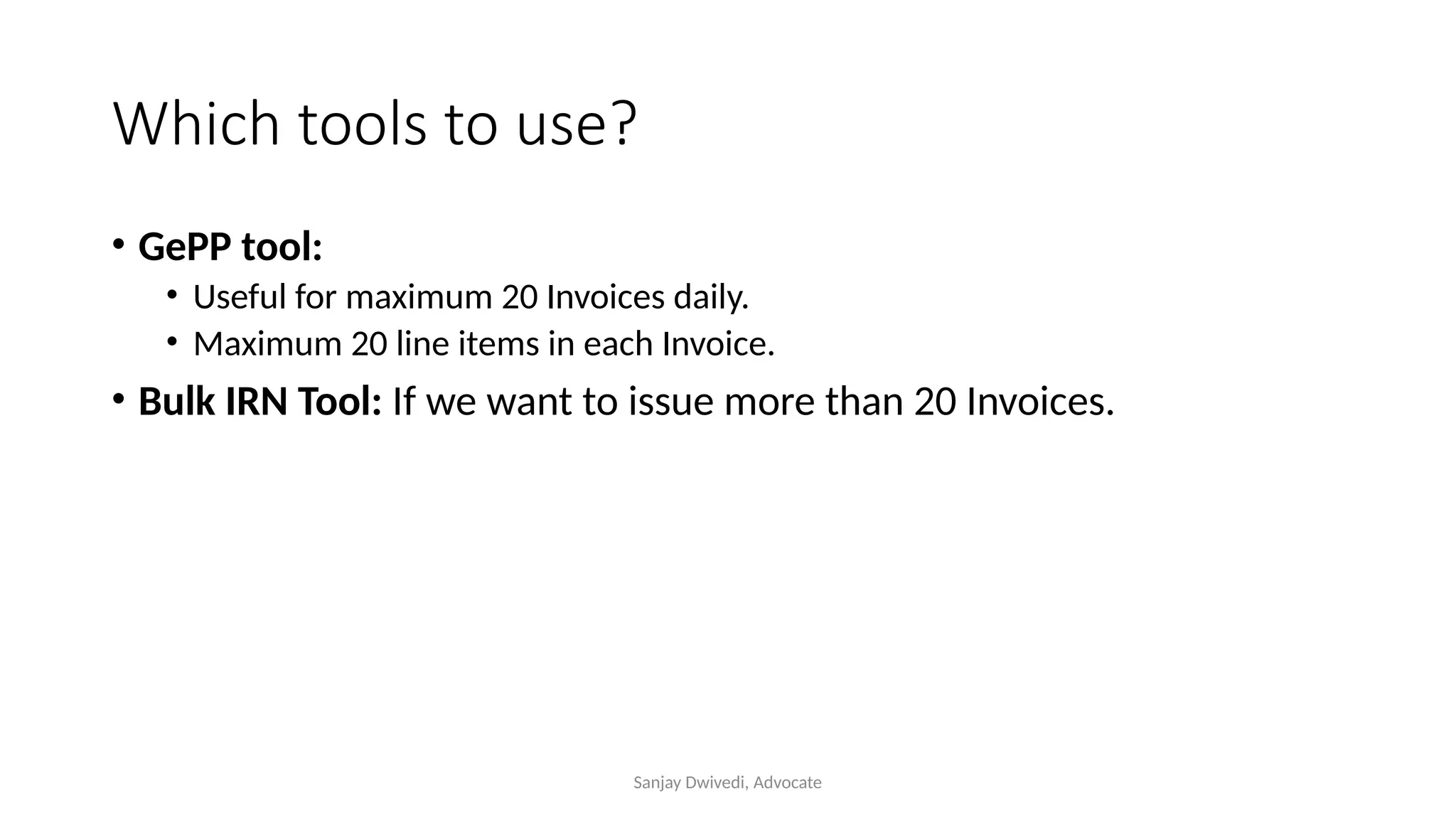
Which tools to use?
• GePP tool:
• Useful for maximum 20 Invoices daily.
• Maximum 20 line items in each Invoice.
• Bulk IRN Tool: If we want to issue more than 20 Invoices.
Sanjay Dwivedi, Advocate
Tools on the portal
Sanjay Dwivedi, Advocate
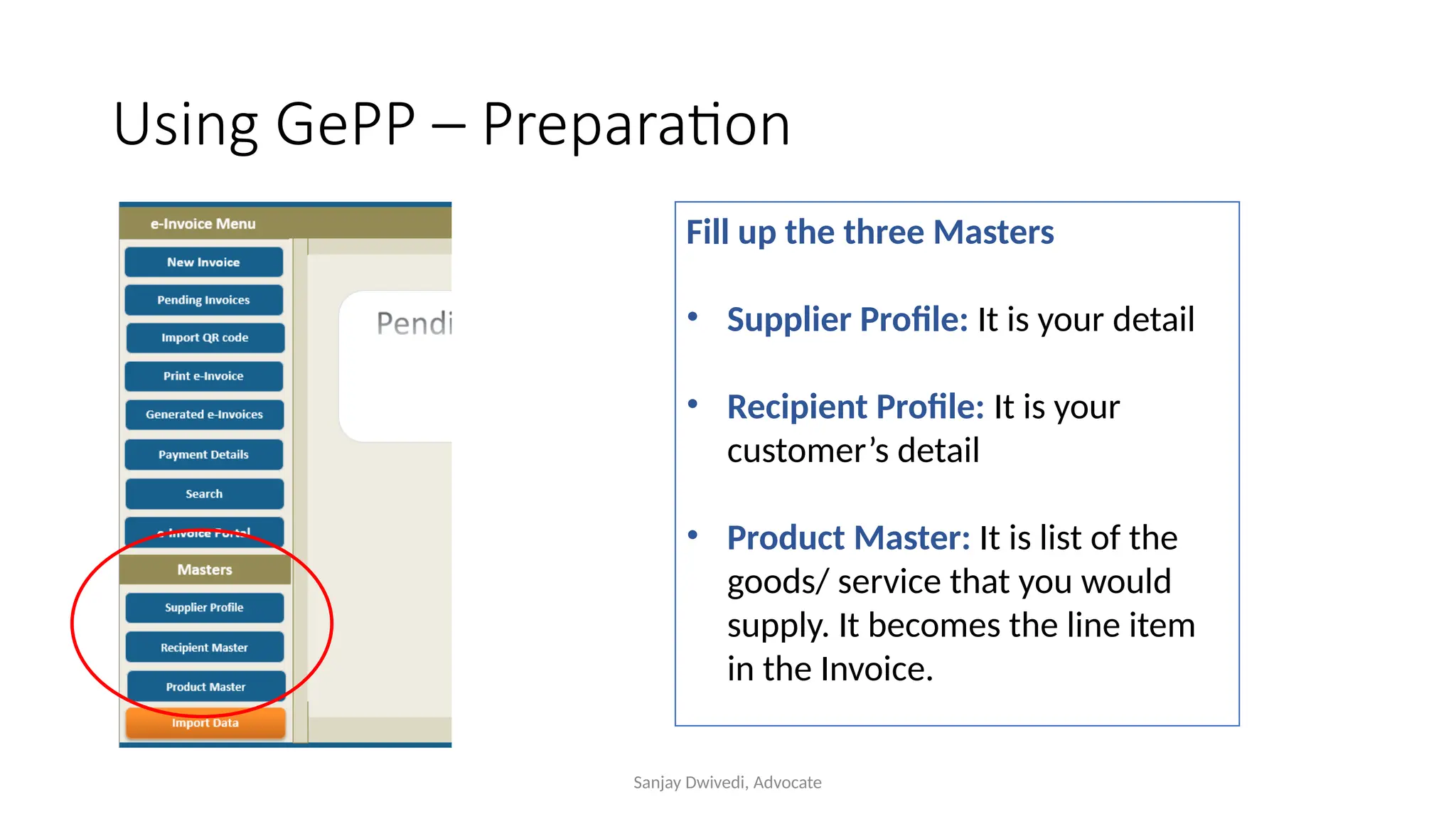
Using GePP – Preparation
Fill up the three Masters
• Supplier Profile: It is your detail
• Recipient Profile: It is your
customer’s detail
• Product Master: It is list of the
goods/ service that you would
supply. It becomes the line item
in the Invoice.
Sanjay Dwivedi, Advocate
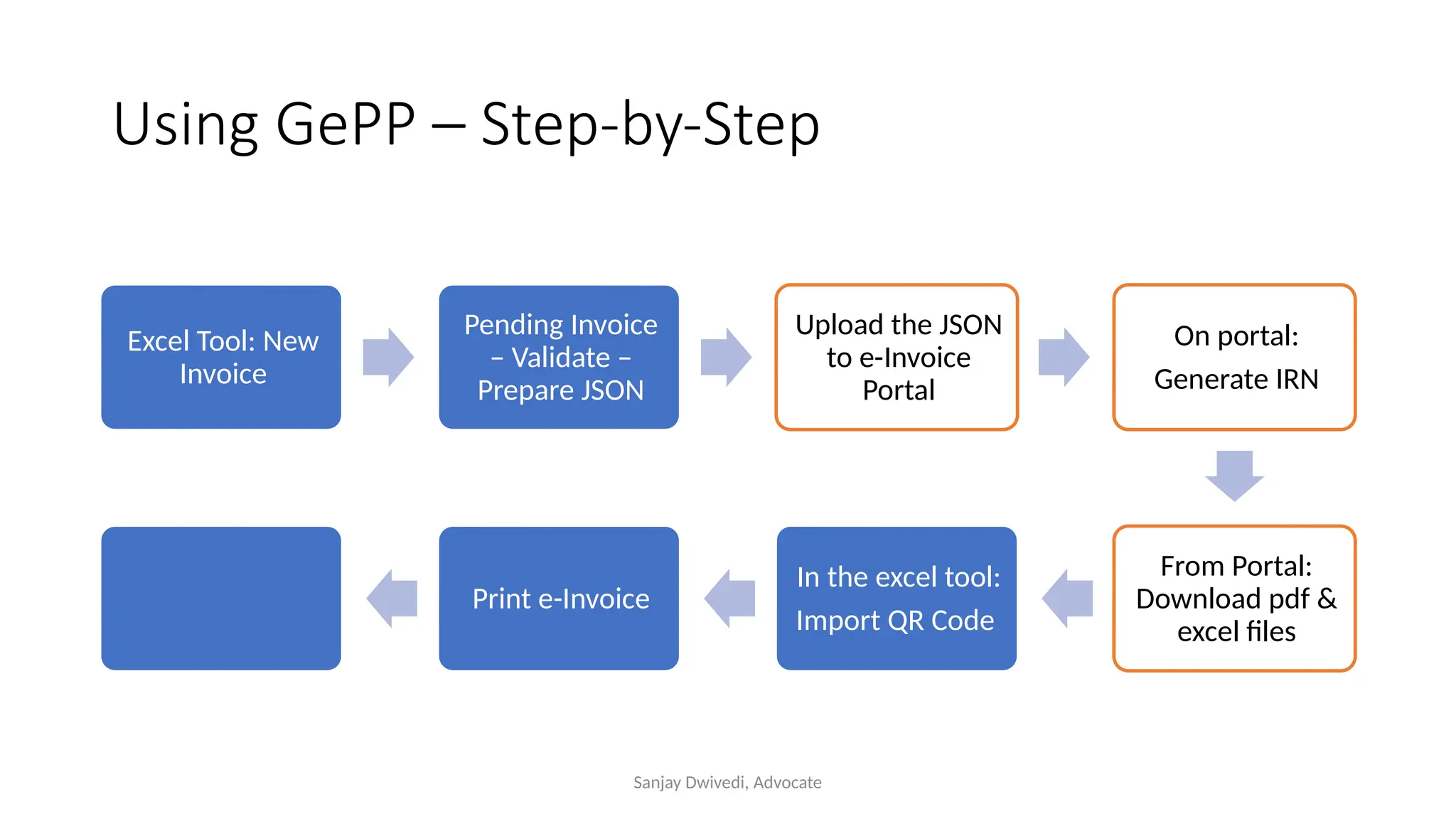
Using GePP – Step-by-Step
Excel Tool: New
Invoice
Pending Invoice
– Validate –
Prepare JSON
Upload the JSON
to e-Invoice
Portal
On portal:
Generate IRN
From Portal:
Download pdf &
excel files
In the excel tool:
Import QR Code
Print e-Invoice
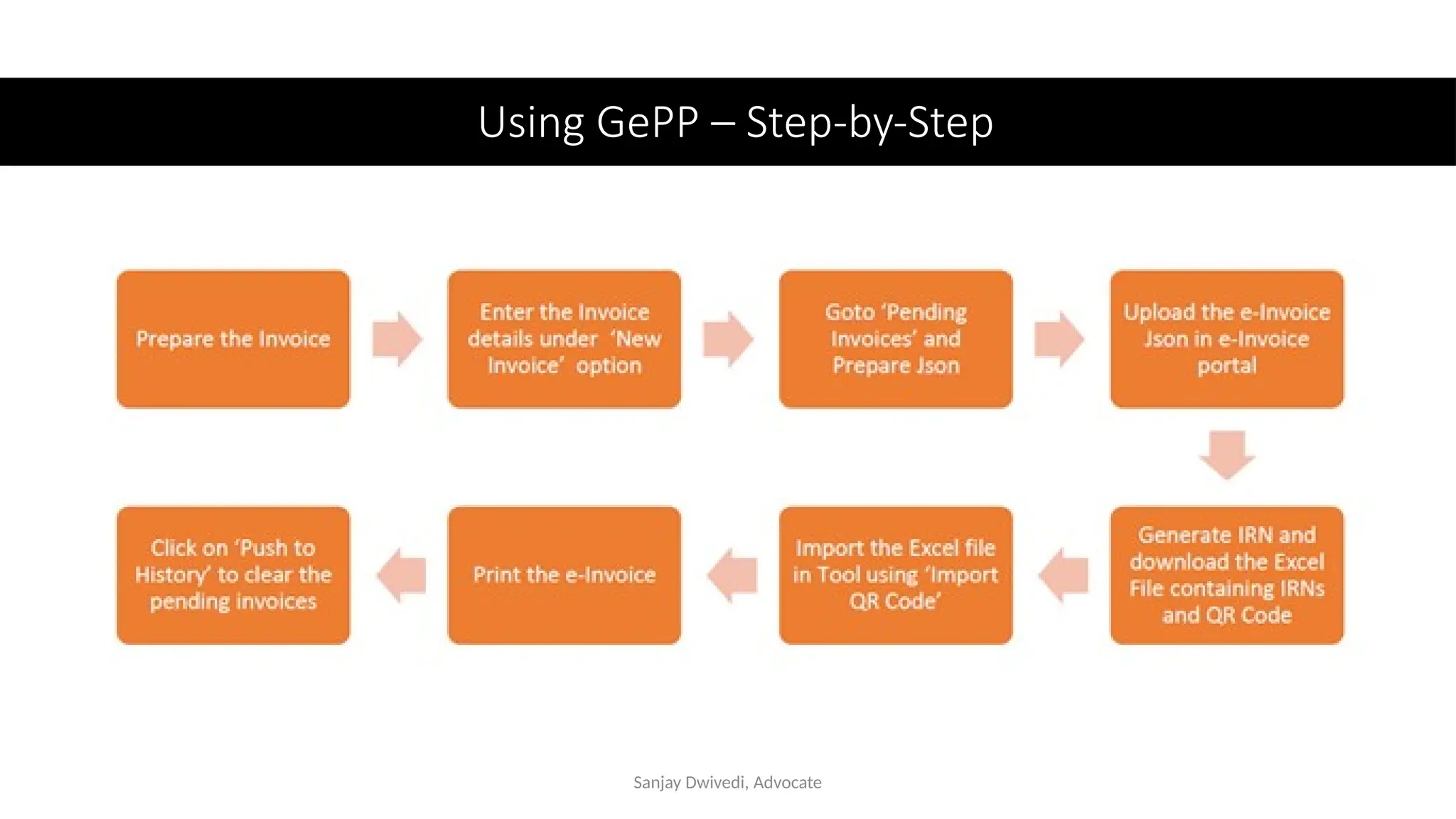
Using GePP – Step-by-Step
Sanjay Dwivedi, Advocate
GePP: New Invoice
• New Invoice
• Fill up first column first
• Type initials of legal name. Double click the full name.
• Add new product:
• Sr. No.
• Product description (initials)….select
• Correct the unit price
• Check
• Submit …Submit …..Confirm
Sanjay Dwivedi, Advocate
GePP: Complete the process
• Go to eInvoice/ Validate/ Prepare Json
• Upload the Json to e-Invoice portal
• Download pdf & excel
• Menu/ Pending Invoices/ Import QR Code (pulls the excel file in the
tool)
• More/ Push to History
Sanjay Dwivedi, Advocate
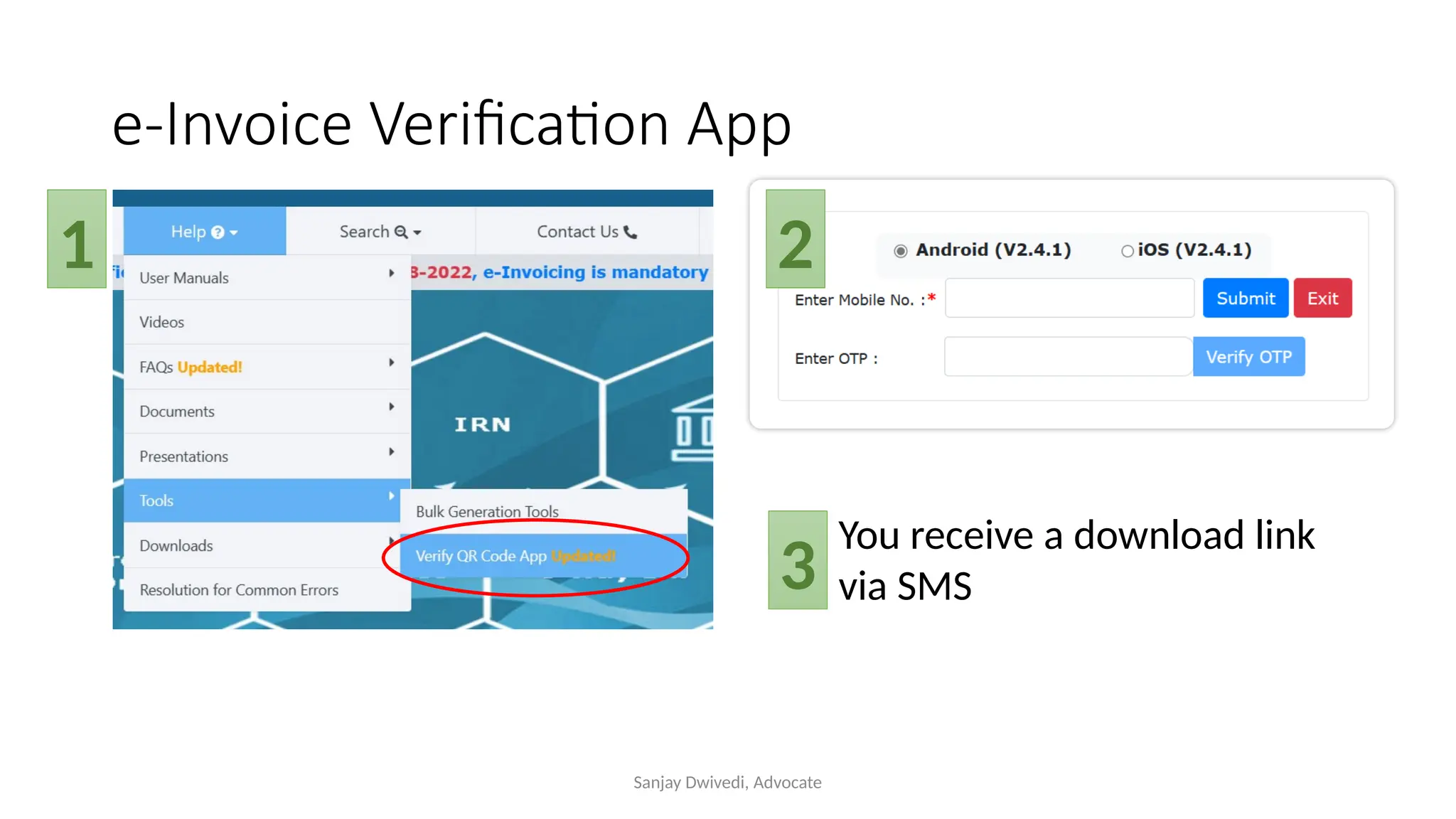
e-Invoice Verification App
1 2
You receive a download link
via SMS
3
Sanjay Dwivedi, Advocate
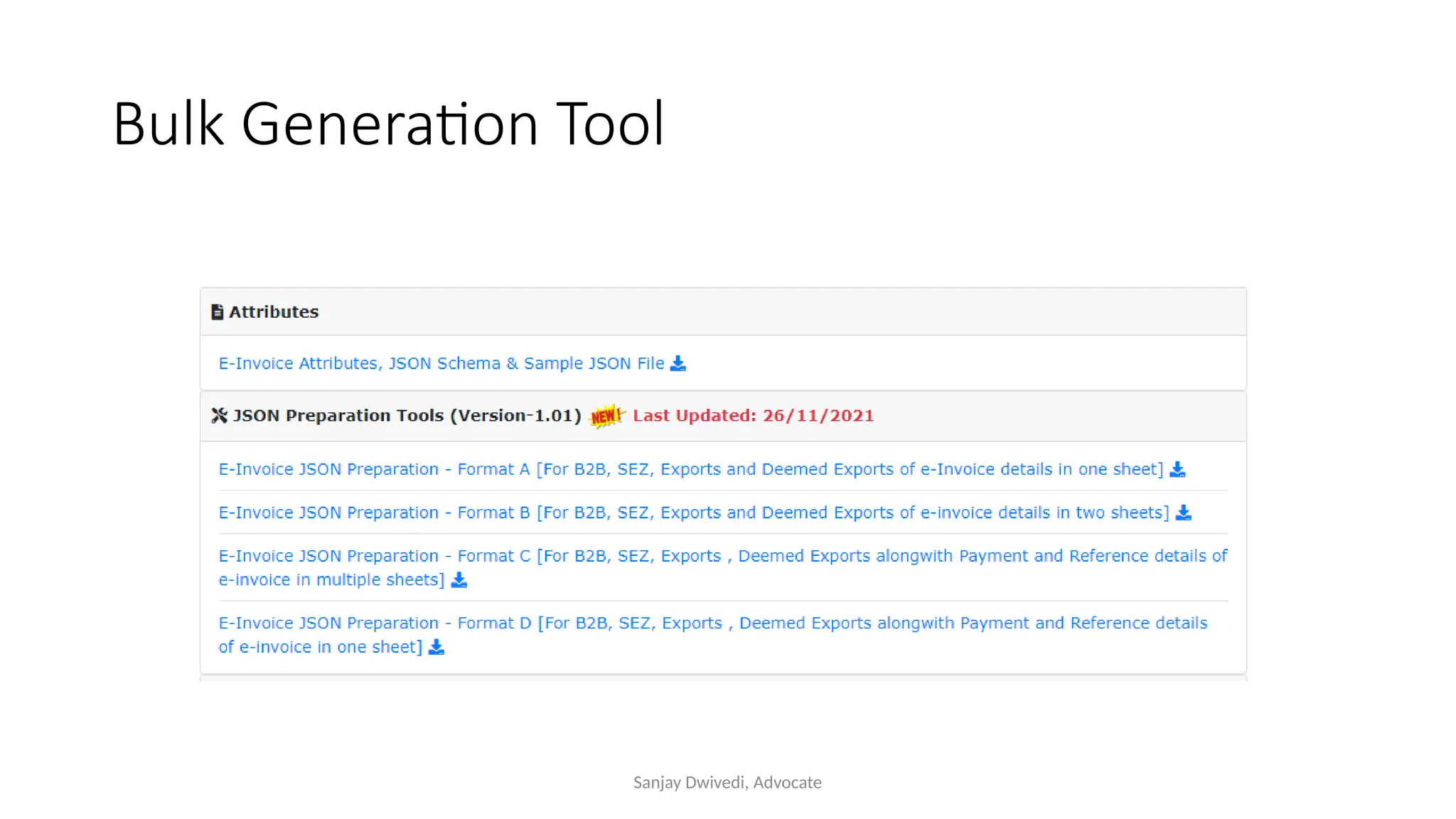
Bulk Generation Tool
Sanjay Dwivedi, Advocate
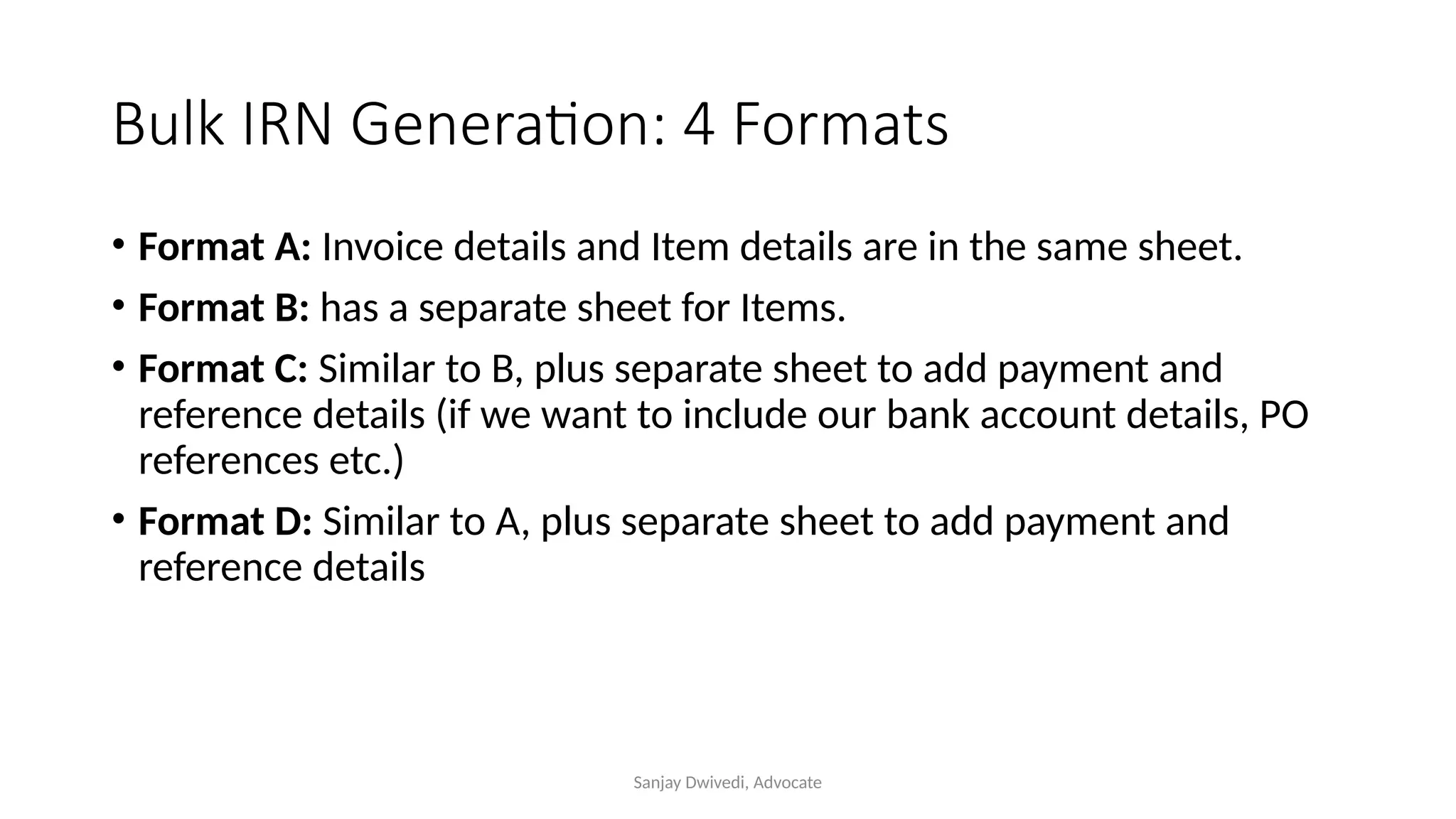
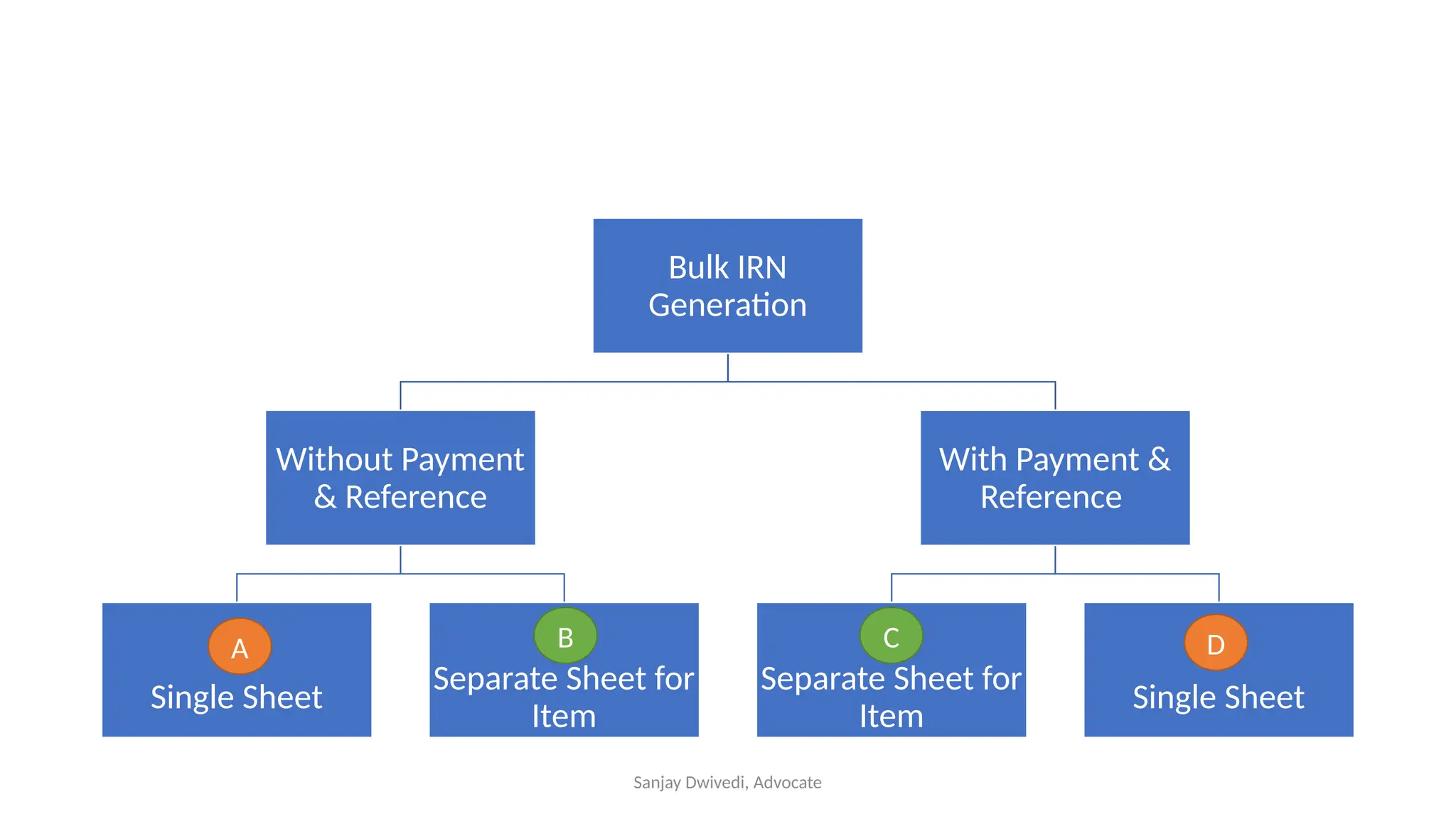
Bulk IRN Generation: 4 Formats
• Format A: Invoice details and Item details are in the same sheet.
• Format B: has a separate sheet for Items.
• Format C: Similar to B, plus separate sheet to add payment and
reference details (if we want to include our bank account details, PO
references etc.)
• Format D: Similar to A, plus separate sheet to add payment and
reference details
Sanjay Dwivedi, Advocate
Bulk IRN
Generation
Without Payment
& Reference
Single Sheet
Separate Sheet for
Item
With Payment &
Reference
Separate Sheet for
Item
Single Sheet
A D
B C
Sanjay Dwivedi, Advocate
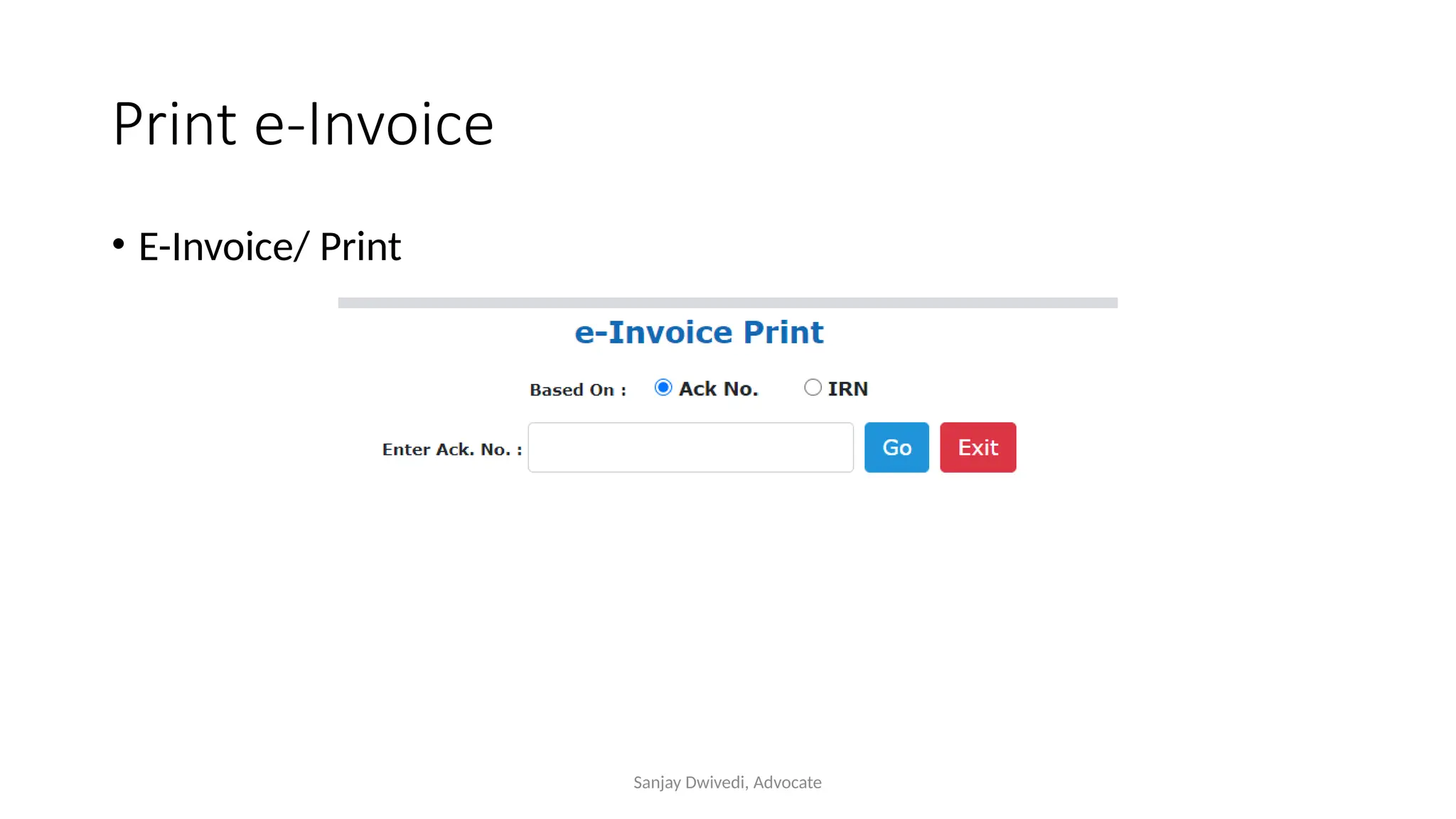
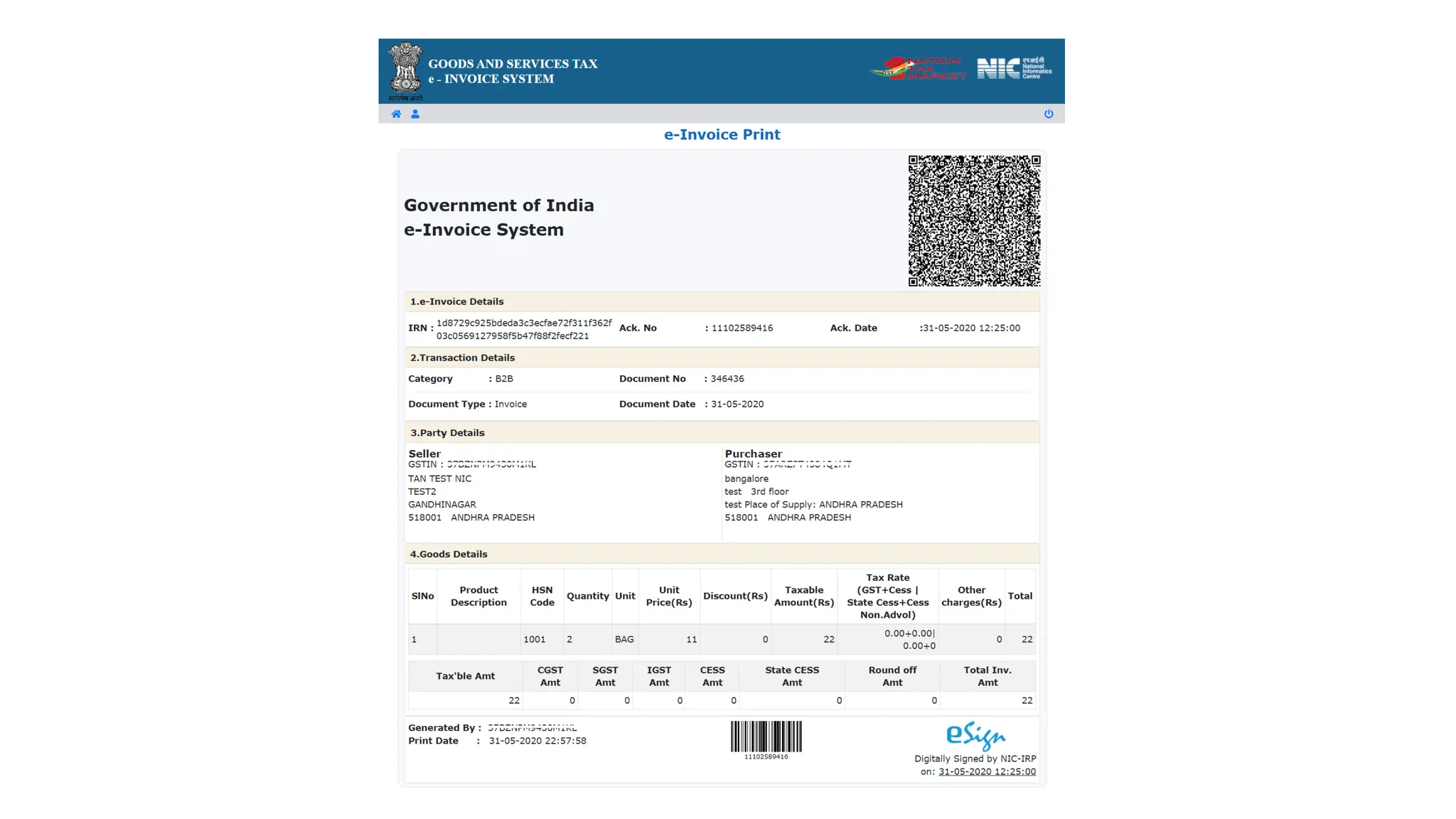
Print e-Invoice
• E-Invoice/ Print
Sanjay Dwivedi, Advocate
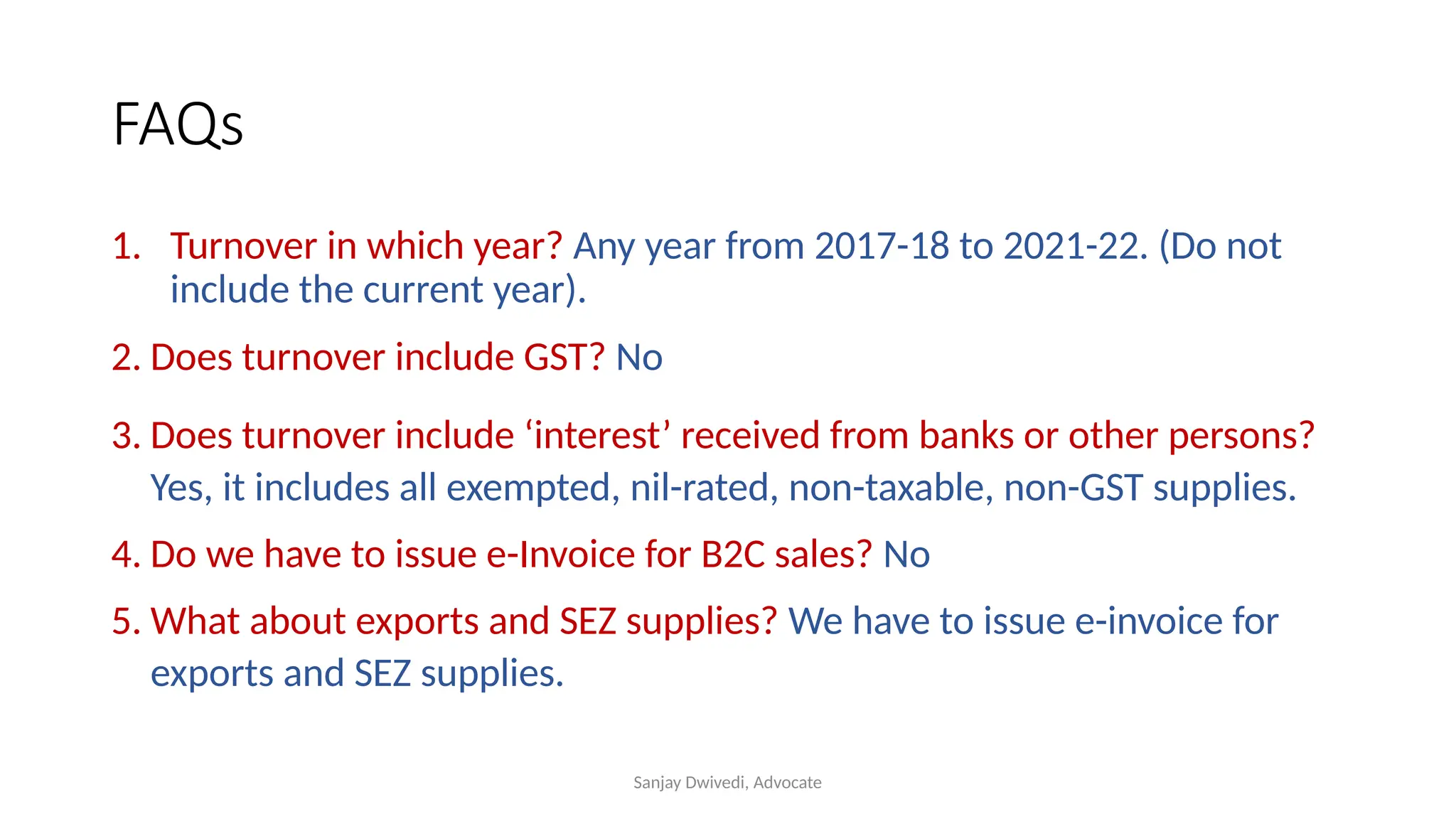
FAQs
1. Turnover in which year? Any year from 2017-18 to 2021-22. (Do not
include the current year).
2. Does turnover include GST? No
3. Does turnover include ‘interest’ received from banks or other persons?
Yes, it includes all exempted, nil-rated, non-taxable, non-GST supplies.
4. Do we have to issue e-Invoice for B2C sales? No
5. What about exports and SEZ supplies? We have to issue e-invoice for
exports and SEZ supplies.
Sanjay Dwivedi, Advocate
FAQs
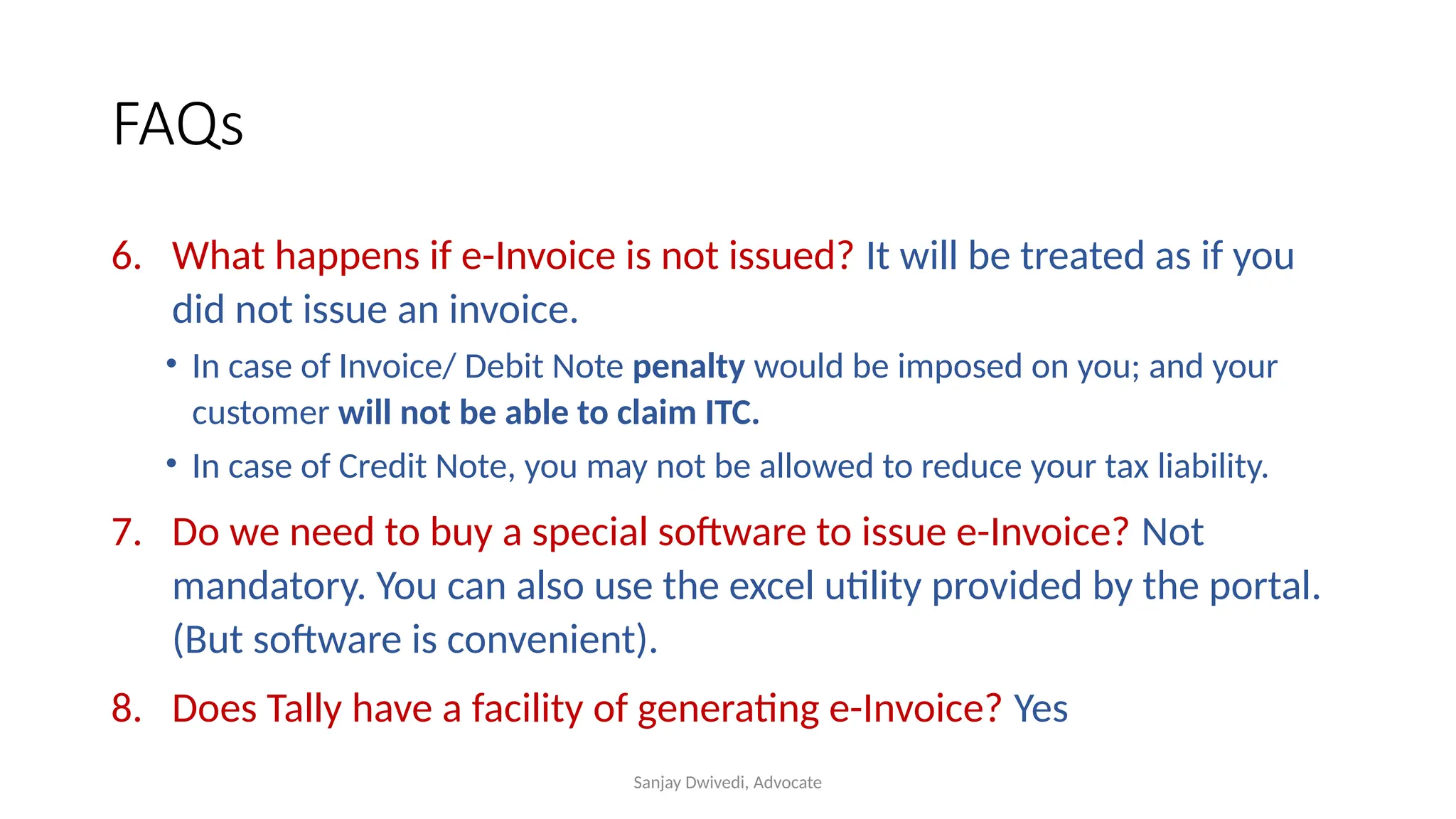
6. What happens if e-Invoice is not issued? It will be treated as if you
did not issue an invoice.
• In case of Invoice/ Debit Note penalty would be imposed on you; and your
customer will not be able to claim ITC.
• In case of Credit Note, you may not be allowed to reduce your tax liability.
7. Do we need to buy a special software to issue e-Invoice? Not
mandatory. You can also use the excel utility provided by the portal.
(But software is convenient).
8. Does Tally have a facility of generating e-Invoice? Yes
Sanjay Dwivedi, Advocate
Legal Provisions
• Rule 48
• Notification 13/2017-CT
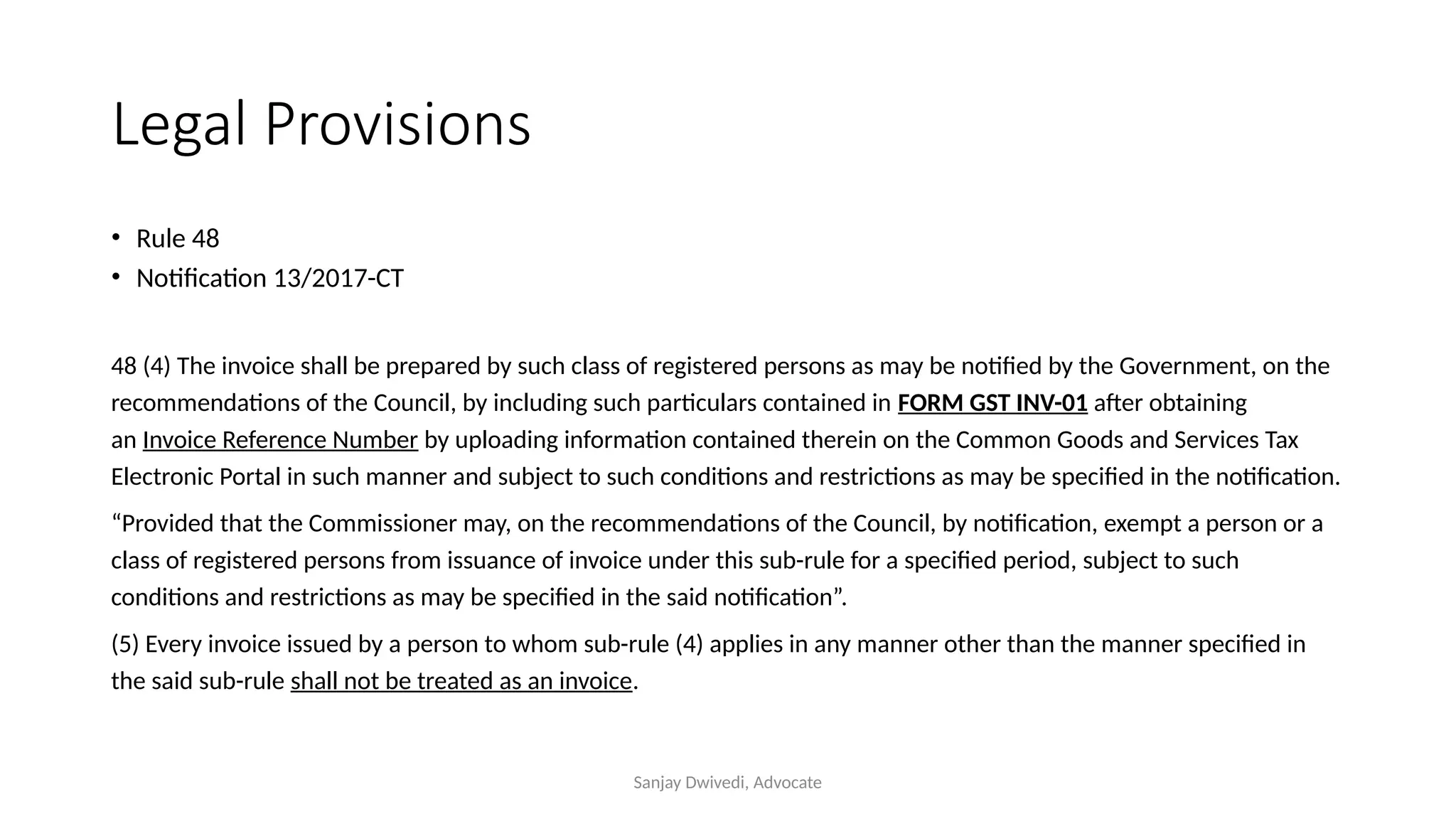
48 (4) The invoice shall be prepared by such class of registered persons as may be notified by the Government, on the
recommendations of the Council, by including such particulars contained in FORM GST INV-01 after obtaining
an Invoice Reference Number by uploading information contained therein on the Common Goods and Services Tax
Electronic Portal in such manner and subject to such conditions and restrictions as may be specified in the notification.
“Provided that the Commissioner may, on the recommendations of the Council, by notification, exempt a person or a
class of registered persons from issuance of invoice under this sub-rule for a specified period, subject to such
conditions and restrictions as may be specified in the said notification”.
(5) Every invoice issued by a person to whom sub-rule (4) applies in any manner other than the manner specified in
the said sub-rule shall not be treated as an invoice.
Sanjay Dwivedi, Advocate
• Invoice to contain particulars mentioned in form INV-01
• Invoice to contain IRN
• IRN to be obtained from GST portal
• The above, applies to a notified class.
• If the above applies, and still you don’t follow it – your invoice will not
be treated as a GST Invoice. It means
• you have made a supply without Invoice
• Goods would be liable to confiscation
•
Sanjay Dwivedi, Advocate
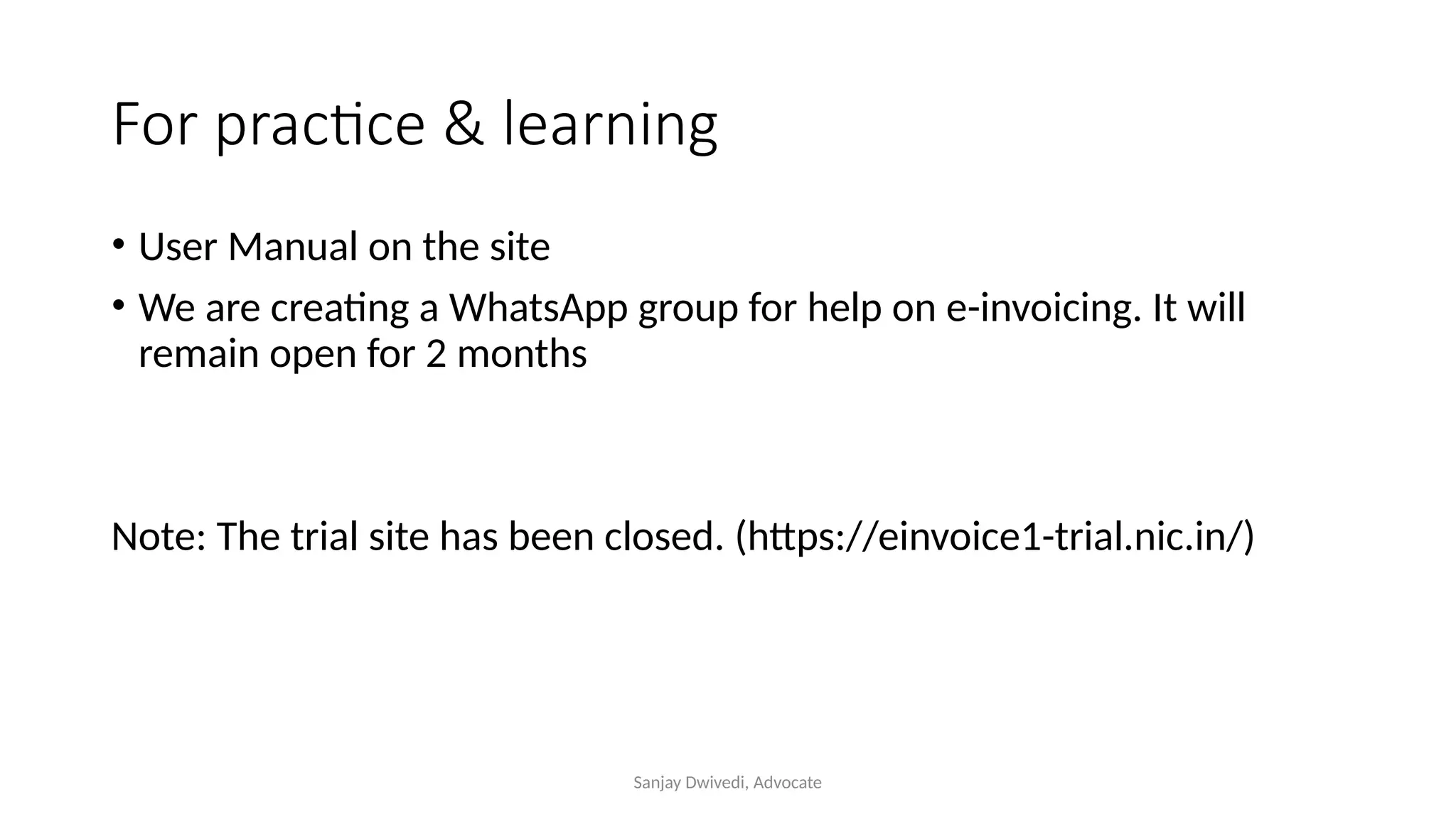
For practice & learning
• User Manual on the site
• We are creating a WhatsApp group for help on e-invoicing. It will
remain open for 2 months
Note: The trial site has been closed. (https://einvoice1-trial.nic.in/)
Sanjay Dwivedi, Advocate
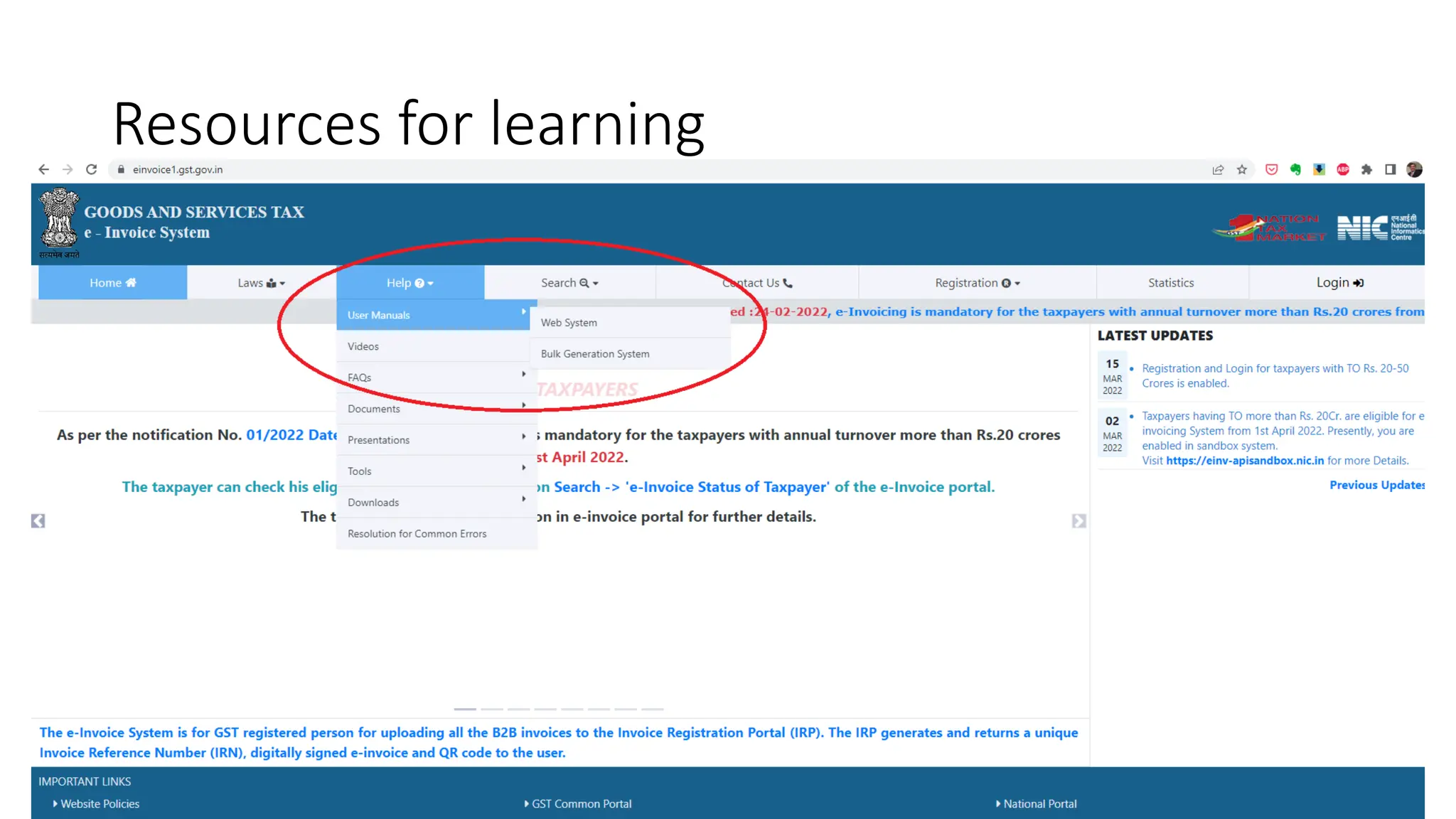
Resources for learning
Sanjay Dwivedi, Advocate
Sanjay Dwivedi
Advocate
9320 456 555
sanjay@srdlegal.in

GST E-Invoice: Understanding the Concept and Process

  • 1.
  • 2.
    Sanjay Dwivedi, Advocate Today’sAgenda  What is e-Invoice? How is it different from our regular invoice?  Why e-Invoice?  Documents for which e-Invoicing is required.  Transactions for which e-Invoicing is required.  Categories of taxpayers who are exempted from issuing e-Invoice.  Process of generating e-Invoice.  Tools available for generating JSON  Using GePP – Step-by-Step  Using Bulk IRN Generation Tool  Legal Provisions  Resources for Learning
  • 3.
    Sanjay Dwivedi, Advocate E-InvQR Code Regular Inv IRN
  • 4.
  • 5.
    Sanjay Dwivedi, Advocate InvoiceReference Number • IRN is a unique 64-character hash • For example: 35054cc24d97033afc24f49ec4444dbab81f542c555f9d30359dc 75794e06bbe • It is unique to the invoice. Every invoice will have different IRN. No two invoices can have the same IRN
  • 6.
  • 7.
    Sanjay Dwivedi, Advocate TaxInvoice  Proof of transaction  Determination of tax  Record for future  Absence evasion
  • 8.
    Sanjay Dwivedi, Advocate Whye-Invoice? Problem • Manipulation of Invoice Solutions  Reduction of cash transaction  e-way bill for goods  RFID on Vehicles  e-Invoice
  • 9.
    Sanjay Dwivedi, Advocate Thethree portals are inter-connected E- Invoice GSTR- 1 E-way Bill GSTR- 2B
  • 10.
    Sanjay Dwivedi, Advocate DocumentsCovered IRN & QR Code Applies to • Tax Invoice • GST Debit Note • GST Credit Note Does not Apply to  Bill of Supply  Job-Work Challan  Other Delivery Challans  Financial Cr./ Dr. Notes
  • 11.
    Sanjay Dwivedi, Advocate TransactionsCovered IRN & QR Code Applies to • B2B Supplies • Exports • Supply to SEZ • Deemed Exports Does not Apply to  B2C Supplies
  • 12.
    Sanjay Dwivedi, Advocate Categoriesnot covered • Goods Transport Agency • Passenger transport service (tickets) • Cinema Tickets • SEZ Units • Insurance company • Banking Company, Financial Institutions, Non-banking Financial Company
  • 13.
    Sanjay Dwivedi, Advocate How? •Login to the portal: https://einvoice1.gst.gov.in/ • Your e-way bill login details will work on this portal also. • One who is not registered on e-way bill portal, will need to register separately on the e-invoice portal. • Check whether your GSTIN is enabled
  • 14.
  • 15.
    Sanjay Dwivedi, Advocate MainMenu – after login
  • 16.
    Sanjay Dwivedi, Advocate The3 Step Process 1 • Upload the Invoice information to the e-Invoice portal 2 Get from the portal • IRN • Acknowledgement No. • QR Code 3 • Incorporate it in the Invoice However, the portal recognises only JSON format
  • 17.
    Sanjay Dwivedi, Advocate Waysto facilitate the process: • Using any software for Invoice generation (SAP, Tally etc.): Makes the process very easy. The software itself • Uploads the invoice data to the portal • Downloads the IRN & QR code; and • Incorporates it in the Invoice • If not, then use any of the following excel tool available on the portal: • GePP Tool • Bulk IRN Generation Tools It is better to use GePP tool if the number of Invoices are less than 20 at a time.
  • 18.
  • 19.
    Sanjay Dwivedi, Advocate Toolson Portal for JSON Generation • Fill in the data – convert to JSON • Login to the portal • Go to e-Invoice>> Bulk Upload • Upload the JSON file • Confirm
  • 20.
    Sanjay Dwivedi, Advocate Whichtools to use? • GePP tool: • Useful for maximum 20 Invoices daily. • Maximum 20 line items in each Invoice. • Bulk IRN Tool: If we want to issue more than 20 Invoices.
  • 21.
  • 22.
    Sanjay Dwivedi, Advocate UsingGePP – Preparation Fill up the three Masters • Supplier Profile: It is your detail • Recipient Profile: It is your customer’s detail • Product Master: It is list of the goods/ service that you would supply. It becomes the line item in the Invoice.
  • 23.
    Sanjay Dwivedi, Advocate UsingGePP – Step-by-Step Excel Tool: New Invoice Pending Invoice – Validate – Prepare JSON Upload the JSON to e-Invoice Portal On portal: Generate IRN From Portal: Download pdf & excel files In the excel tool: Import QR Code Print e-Invoice
  • 24.
    Using GePP –Step-by-Step Sanjay Dwivedi, Advocate
  • 25.
    Sanjay Dwivedi, Advocate GePP:New Invoice • New Invoice • Fill up first column first • Type initials of legal name. Double click the full name. • Add new product: • Sr. No. • Product description (initials)….select • Correct the unit price • Check • Submit …Submit …..Confirm
  • 26.
    Sanjay Dwivedi, Advocate GePP:Complete the process • Go to eInvoice/ Validate/ Prepare Json • Upload the Json to e-Invoice portal • Download pdf & excel • Menu/ Pending Invoices/ Import QR Code (pulls the excel file in the tool) • More/ Push to History
  • 27.
    Sanjay Dwivedi, Advocate e-InvoiceVerification App 1 2 You receive a download link via SMS 3
  • 28.
  • 29.
    Sanjay Dwivedi, Advocate BulkIRN Generation: 4 Formats • Format A: Invoice details and Item details are in the same sheet. • Format B: has a separate sheet for Items. • Format C: Similar to B, plus separate sheet to add payment and reference details (if we want to include our bank account details, PO references etc.) • Format D: Similar to A, plus separate sheet to add payment and reference details
  • 30.
    Sanjay Dwivedi, Advocate BulkIRN Generation Without Payment & Reference Single Sheet Separate Sheet for Item With Payment & Reference Separate Sheet for Item Single Sheet A D B C
  • 31.
  • 32.
    Sanjay Dwivedi, Advocate Printe-Invoice • E-Invoice/ Print
  • 33.
  • 34.
    Sanjay Dwivedi, Advocate FAQs 1.Turnover in which year? Any year from 2017-18 to 2021-22. (Do not include the current year). 2. Does turnover include GST? No 3. Does turnover include ‘interest’ received from banks or other persons? Yes, it includes all exempted, nil-rated, non-taxable, non-GST supplies. 4. Do we have to issue e-Invoice for B2C sales? No 5. What about exports and SEZ supplies? We have to issue e-invoice for exports and SEZ supplies.
  • 35.
    Sanjay Dwivedi, Advocate FAQs 6.What happens if e-Invoice is not issued? It will be treated as if you did not issue an invoice. • In case of Invoice/ Debit Note penalty would be imposed on you; and your customer will not be able to claim ITC. • In case of Credit Note, you may not be allowed to reduce your tax liability. 7. Do we need to buy a special software to issue e-Invoice? Not mandatory. You can also use the excel utility provided by the portal. (But software is convenient). 8. Does Tally have a facility of generating e-Invoice? Yes
  • 36.
    Sanjay Dwivedi, Advocate LegalProvisions • Rule 48 • Notification 13/2017-CT 48 (4) The invoice shall be prepared by such class of registered persons as may be notified by the Government, on the recommendations of the Council, by including such particulars contained in FORM GST INV-01 after obtaining an Invoice Reference Number by uploading information contained therein on the Common Goods and Services Tax Electronic Portal in such manner and subject to such conditions and restrictions as may be specified in the notification. “Provided that the Commissioner may, on the recommendations of the Council, by notification, exempt a person or a class of registered persons from issuance of invoice under this sub-rule for a specified period, subject to such conditions and restrictions as may be specified in the said notification”. (5) Every invoice issued by a person to whom sub-rule (4) applies in any manner other than the manner specified in the said sub-rule shall not be treated as an invoice.
  • 37.
    Sanjay Dwivedi, Advocate •Invoice to contain particulars mentioned in form INV-01 • Invoice to contain IRN • IRN to be obtained from GST portal • The above, applies to a notified class. • If the above applies, and still you don’t follow it – your invoice will not be treated as a GST Invoice. It means • you have made a supply without Invoice • Goods would be liable to confiscation •
  • 38.
    Sanjay Dwivedi, Advocate Forpractice & learning • User Manual on the site • We are creating a WhatsApp group for help on e-invoicing. It will remain open for 2 months Note: The trial site has been closed. (https://einvoice1-trial.nic.in/)
  • 39.
  • 40.
    Sanjay Dwivedi, Advocate SanjayDwivedi Advocate 9320 456 555 sanjay@srdlegal.in