Google
Search
Console
01
02
Basic Introduction:
This tool was formerly known as Webmaster
Tools.
It plays role of a bridge between a website and
the Google crawlers.
Only owner of the website or user having
access of website can see the data on GSC.
02
Basic Introduction:
It navigates website in two ways.
1. Domain Property
[all subdomains and multiple protocols]
2. URL prefix property
[only URL with the specified prefix]
What GSC does?
monitor maintain and troubleshoot your site’s presence in
Google search results.
Provides reports and data that can help us improve our
ranking in search engine.
Gives overview of the web page’s overall performance.
04
2
1
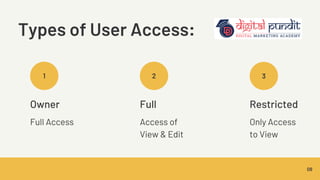
Types of User Access:
Owner
Full Access
08
3
Full
Access of
View & Edit
Restricted
Only Access
to View
Features of
Google Search
Console 06
1) Total Clicks:
Total clicks is how many
times a user clicked
through to your site. How
this is counted depends
on the search result type
Website
Performance
1.
07
2) Total Impressions:
Total impressions is how
many times a user saw a
link to your site in search
results.
3) Average CTR:
Average CTR is the
percentage of impressions
that resulted in a click.
10
4) Average position:
Average position is the
average position of your
site in search results,
based on its highest
position whenever it
appeared in a search.
Know the terms
Queries
Queries shows the search
results from where traffic
is coming from.
Pages
These are the top pages
which are being ranked
on the search engine.
Countries
This is the list of countries
from where most of the
people searching from.
Devices
From which devices
people are searching is
shown here.
Search Appearance
GSC informs what search
engines shows as a
result.
Dates
This is the number of
clicks according to the
dates. 15
2. URL Inspection
URL on Google Page Indexing Page served over
HTTPS
Mobile friendly
16
Note: If new URL is updated; tell Google to index immediately.
3. Indexing
Indexed: These URLs are indexed
by Google.
Not Indexed: These URLs are not
indexed by Google.
19
Note: GSC gives reasons why pages
are not indexed and gives solution
to that.
Pages:
Video Pages
These are the number of indexed
videos on the page.
If fail to index any of them; there
are also reasons and solution
given
19
Sitemaps
Here you can submit the
sitemaps of your site.
Below it shows the list of
submitted sitemaps.
19
Removals
You can request which pages
should not be indexed.
These can be T&C page, policies
or certifications.
19
Thank you!
17
Prepared By:-
Pooja Ravariya

GSC Pooja.pdf

  • 1.
  • 2.
    02 Basic Introduction: This toolwas formerly known as Webmaster Tools. It plays role of a bridge between a website and the Google crawlers. Only owner of the website or user having access of website can see the data on GSC.
  • 3.
    02 Basic Introduction: It navigateswebsite in two ways. 1. Domain Property [all subdomains and multiple protocols] 2. URL prefix property [only URL with the specified prefix]
  • 4.
    What GSC does? monitormaintain and troubleshoot your site’s presence in Google search results. Provides reports and data that can help us improve our ranking in search engine. Gives overview of the web page’s overall performance. 04
  • 5.
    2 1 Types of UserAccess: Owner Full Access 08 3 Full Access of View & Edit Restricted Only Access to View
  • 6.
  • 7.
    1) Total Clicks: Totalclicks is how many times a user clicked through to your site. How this is counted depends on the search result type Website Performance 1. 07 2) Total Impressions: Total impressions is how many times a user saw a link to your site in search results.
  • 8.
    3) Average CTR: AverageCTR is the percentage of impressions that resulted in a click. 10 4) Average position: Average position is the average position of your site in search results, based on its highest position whenever it appeared in a search.
  • 9.
    Know the terms Queries Queriesshows the search results from where traffic is coming from. Pages These are the top pages which are being ranked on the search engine. Countries This is the list of countries from where most of the people searching from. Devices From which devices people are searching is shown here. Search Appearance GSC informs what search engines shows as a result. Dates This is the number of clicks according to the dates. 15
  • 10.
    2. URL Inspection URLon Google Page Indexing Page served over HTTPS Mobile friendly 16 Note: If new URL is updated; tell Google to index immediately.
  • 11.
    3. Indexing Indexed: TheseURLs are indexed by Google. Not Indexed: These URLs are not indexed by Google. 19 Note: GSC gives reasons why pages are not indexed and gives solution to that. Pages:
  • 12.
    Video Pages These arethe number of indexed videos on the page. If fail to index any of them; there are also reasons and solution given 19
  • 13.
    Sitemaps Here you cansubmit the sitemaps of your site. Below it shows the list of submitted sitemaps. 19
  • 14.
    Removals You can requestwhich pages should not be indexed. These can be T&C page, policies or certifications. 19
  • 15.