Graph-Tool
The Efficient Network
AnalyzingTool for Python	

Mosky
Graph-Tool
in Practice

Mosky
MOSKY
3
MOSKY
• Python Charmer at Pinkoi
3
MOSKY
• Python Charmer at Pinkoi
• An author of the Python packages:	

• MoSQL, Clime, Uniout, ZIPCodeTW, …
3
MOSKY
• Python Charmer at Pinkoi
• An author of the Python packages:	

• MoSQL, Clime, Uniout, ZIPCodeTW, …
• A speaker of the conferences	

• 2014: PyCon APAC, OSDC; 2013: PyCon APAC, PyConTW, COSCUP, …
3
MOSKY
• Python Charmer at Pinkoi
• An author of the Python packages:	

• MoSQL, Clime, Uniout, ZIPCodeTW, …
• A speaker of the conferences	

• 2014: PyCon APAC, OSDC; 2013: PyCon APAC, PyConTW, COSCUP, …
• A Python instructor
3
MOSKY
• Python Charmer at Pinkoi
• An author of the Python packages:	

• MoSQL, Clime, Uniout, ZIPCodeTW, …
• A speaker of the conferences	

• 2014: PyCon APAC, OSDC; 2013: PyCon APAC, PyConTW, COSCUP, …
• A Python instructor
• mosky.tw
3
OUTLINE
4
OUTLINE
• Introduction
4
OUTLINE
• Introduction
• Create Graph
4
OUTLINE
• Introduction
• Create Graph
• Visualize Graph
4
OUTLINE
• Introduction
• Create Graph
• Visualize Graph
• Analyze Graph
4
OUTLINE
• Introduction
• Create Graph
• Visualize Graph
• Analyze Graph
• Conclusion
4
INTRODUCTION
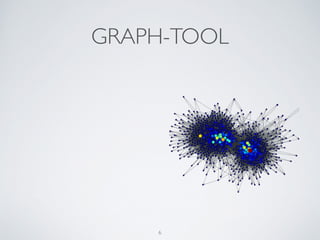
GRAPH-TOOL
6
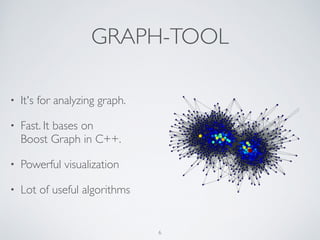
GRAPH-TOOL
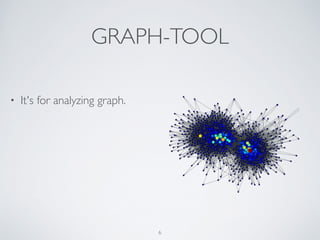
• It's for analyzing graph.
6
GRAPH-TOOL
• It's for analyzing graph.
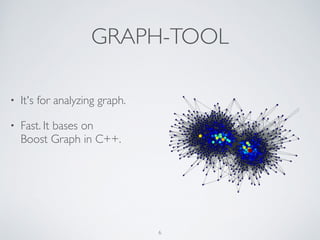
• Fast. It bases on 

Boost Graph in C++.
6
GRAPH-TOOL
• It's for analyzing graph.
• Fast. It bases on 

Boost Graph in C++.
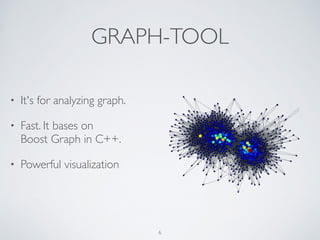
• Powerful visualization
6
GRAPH-TOOL
• It's for analyzing graph.
• Fast. It bases on 

Boost Graph in C++.
• Powerful visualization
• Lot of useful algorithms
6
GET GRAPH-TOOL
7
GET GRAPH-TOOL
• Super easy on Debian / Ubuntu	

• http://graph-tool.skewed.de/download#debian
7
GET GRAPH-TOOL
• Super easy on Debian / Ubuntu	

• http://graph-tool.skewed.de/download#debian
• Super hard on Mac	

• http://graph-tool.skewed.de/download#macos	

• Install the dependencies by homebrew and pip. 

Then compile it from source.	

• Note it may take you 3~4 hours. I warned you!
7
CREATE GRAPH
BEFORE STARTING
9
BEFORE STARTING
• Define your problem.
9
BEFORE STARTING
• Define your problem.
• Convert it into a graphic form.
9
BEFORE STARTING
• Define your problem.
• Convert it into a graphic form.
• Parse raw data.
9
MY PROBLEM
10
MY PROBLEM
• To improve the duration of an online marketplace.
10
MY PROBLEM
• To improve the duration of an online marketplace.
• What's product browsing flow that users prefer?
10
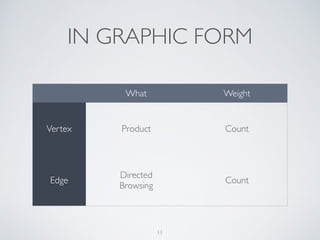
IN GRAPHIC FORM
11
What Weight
Vertex Product Count
Edge
Directed	

Browsing
Count
PARSING
12
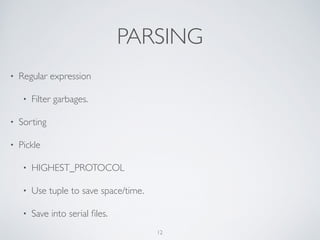
PARSING
• Regular expression	

• Filter garbages.
12
PARSING
• Regular expression	

• Filter garbages.
• Sorting
12
PARSING
• Regular expression	

• Filter garbages.
• Sorting
• Pickle	

• HIGHEST_PROTOCOL	

• Use tuple to save space/time.	

• Save into serial files.
12
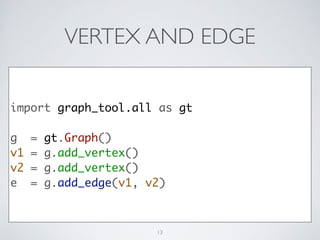
VERTEX AND EDGE
import graph_tool.all as gt	
!
g = gt.Graph()	
v1 = g.add_vertex()	
v2 = g.add_vertex()	
e = g.add_edge(v1, v2)
13
PROPERTY
v_count_p = g.new_vertex_property('int')	
!
# store it in our graph, optionally	
g.vp['count'] = v_count_p
14
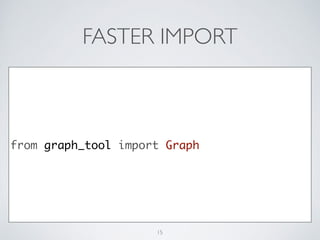
FASTER IMPORT
from graph_tool import Graph
15
COUNTING
name_v_map = {}	
for name in names:	
v = name_v_map.get(name)	
if v is None:	
v = g.add_vertex()	
v_count_p[v] = 0	
name_v_map[name] = v	
v_count_p[v] += 1
16
VISUALIZE GRAPH
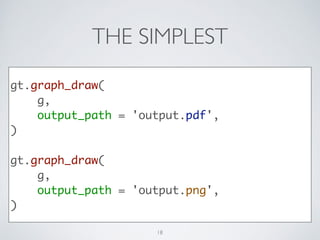
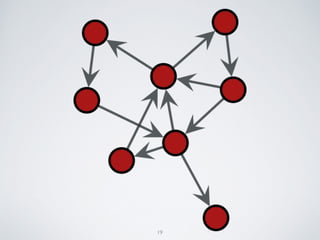
THE SIMPLEST
gt.graph_draw(	
g,	
output_path = 'output.pdf',	
)	
!
gt.graph_draw(	
g,	
output_path = 'output.png',	
)
18
19
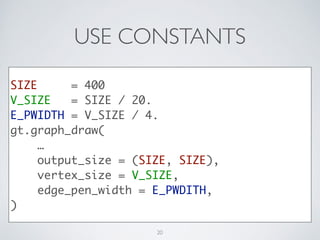
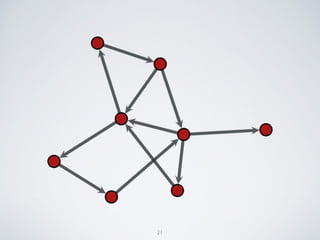
USE CONSTANTS
SIZE = 400	
V_SIZE = SIZE / 20.	
E_PWIDTH = V_SIZE / 4.	
gt.graph_draw(	
…	
output_size = (SIZE, SIZE),	
vertex_size = V_SIZE,	
edge_pen_width = E_PWDITH,	
)
20
21
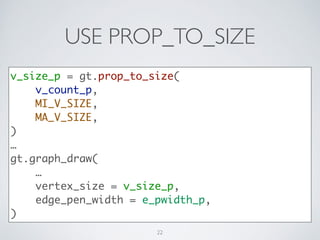
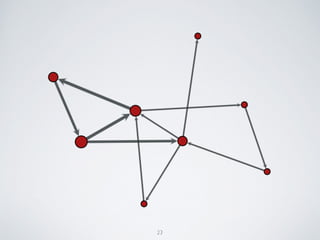
USE PROP_TO_SIZE
v_size_p = gt.prop_to_size(	
v_count_p,	
MI_V_SIZE,	
MA_V_SIZE,	
)	
…	
gt.graph_draw(	
…	
vertex_size = v_size_p,	
edge_pen_width = e_pwidth_p,	
)
22
23
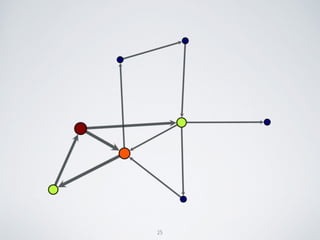
USE FILL_COLOR
gt.graph_draw(	
…	
vertex_fill_color = v_size_p,	
)
24
25
ANALYZE GRAPH
CHOOSE AN ALGORITHM
27
CHOOSE AN ALGORITHM
• Search algorithms	

• BFS search …
27
CHOOSE AN ALGORITHM
• Search algorithms	

• BFS search …
• Assessing graph topology	

• shortest path …
27
CHOOSE AN ALGORITHM
• Search algorithms	

• BFS search …
• Assessing graph topology	

• shortest path …
• Centrality measures	

• pagerank, betweenness, closeness …
27
28
• Maximum flow algorithms
28
• Maximum flow algorithms
• Community structures
28
• Maximum flow algorithms
• Community structures
• Clustering coefficients
28
CENTRALITY MEASURES
29
CENTRALITY MEASURES
• Degree centrality	

• the number of links incident upon a node	

• the immediate risk of taking a node out
29
CENTRALITY MEASURES
• Degree centrality	

• the number of links incident upon a node	

• the immediate risk of taking a node out
• Closeness centrality	

• sum of a node's distances to all other nodes	

• the cost to spread information to all other nodes
29
30
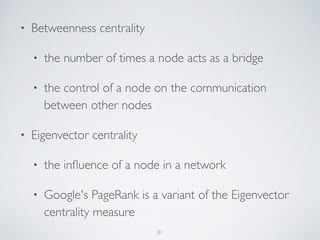
• Betweenness centrality	

• the number of times a node acts as a bridge	

• the control of a node on the communication
between other nodes
30
• Betweenness centrality	

• the number of times a node acts as a bridge	

• the control of a node on the communication
between other nodes
• Eigenvector centrality	

• the influence of a node in a network	

• Google's PageRank is a variant of the Eigenvector
centrality measure
30
MY CHOICE
31
MY CHOICE
• Centrality measures - Closeness centrality
31
MY CHOICE
• Centrality measures - Closeness centrality
• Get the products are easier to all other products.
31
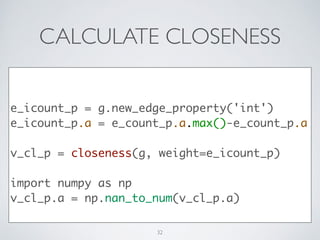
CALCULATE CLOSENESS
!
!
e_icount_p = g.new_edge_property('int')	
e_icount_p.a = e_count_p.a.max()-e_count_p.a	
!
v_cl_p = closeness(g, weight=e_icount_p)	
!
import numpy as np	
v_cl_p.a = np.nan_to_num(v_cl_p.a)	
32
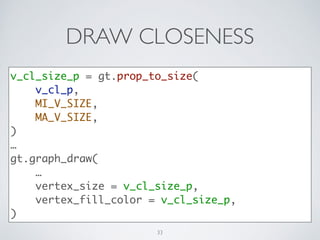
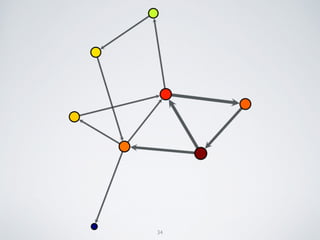
DRAW CLOSENESS
v_cl_size_p = gt.prop_to_size(	
v_cl_p,	
MI_V_SIZE,	
MA_V_SIZE,	
)	
…	
gt.graph_draw(	
…	
vertex_fill_color = v_cl_size_p,	
)
33
34
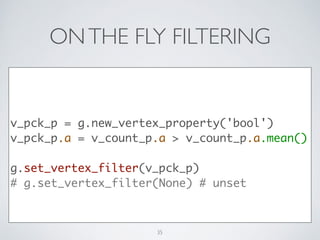
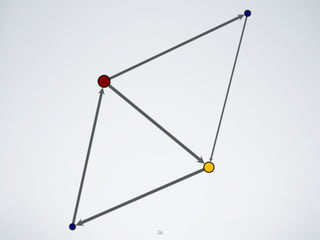
ONTHE FLY FILTERING
!
v_pck_p = g.new_vertex_property('bool')	
v_pck_p.a = v_count_p.a > v_count_p.a.mean()	
!
g.set_vertex_filter(v_pck_p)	
# g.set_vertex_filter(None) # unset
35
36
TOP N
t10_idxs = v_count_p.a.argsort()[-10:][::-1]	
!
t1_idx = t10_idxs[0]	
t1_v = g.vertex(t1_idx)	
t1_name = v_name_p[t1_v]	
t1_count = v_count_p[t1_v]
37
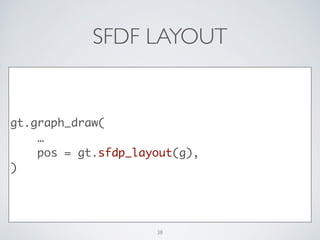
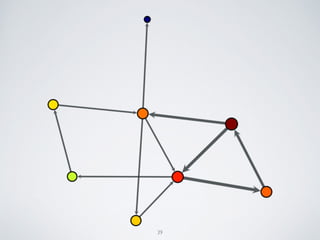
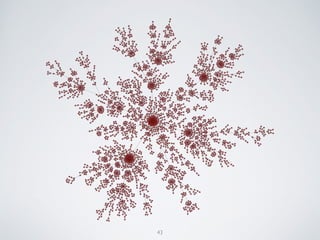
SFDF LAYOUT
gt.graph_draw(	
…	
pos = gt.sfdp_layout(g),	
)
38
39
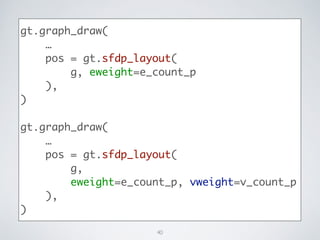
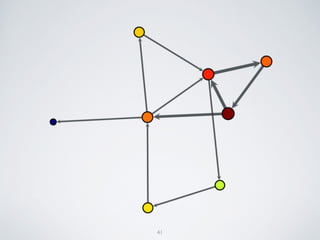
gt.graph_draw(	
…	
pos = gt.sfdp_layout(	
g, eweight=e_count_p	
),	
)	
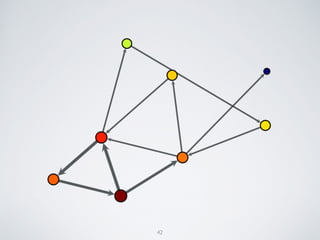
!
gt.graph_draw(	
…	
pos = gt.sfdp_layout(	
g,	
eweight=e_count_p, vweight=v_count_p	
),	
)
40
41
42
43
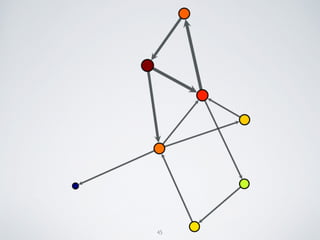
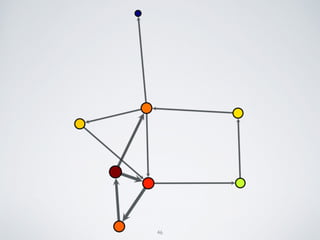
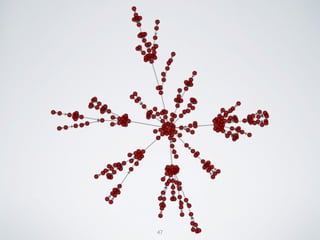
FR LAYOUT
gt.graph_draw(	
…	
pos = gt.fruchterman_reingold_layout(g),	
)	
!
gt.graph_draw(	
…	
pos = gt.fruchterman_reingold_layout(	
g, weight=e_count_p	
),	
)
44
45
46
47
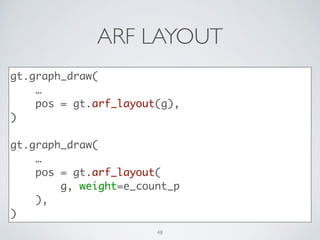
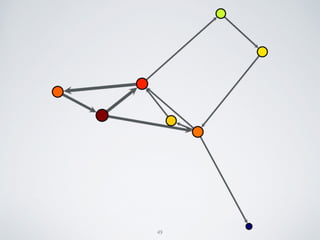
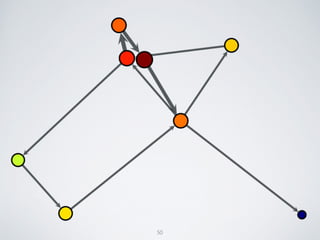
ARF LAYOUT
gt.graph_draw(	
…	
pos = gt.arf_layout(g),	
)	
!
gt.graph_draw(	
…	
pos = gt.arf_layout(	
g, weight=e_count_p	
),	
)
48
49
50
51
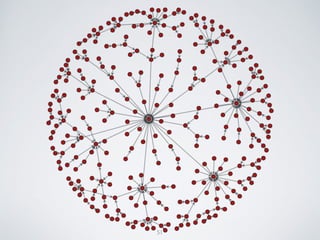
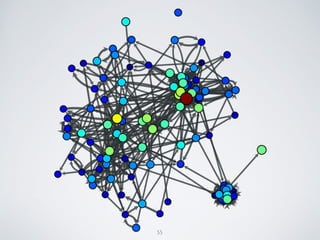
MY GRAPH
53
CONCLUSION
55
CONCLUSION
• Define problem in graphic form.
55
CONCLUSION
• Define problem in graphic form.
• Parse raw data.	

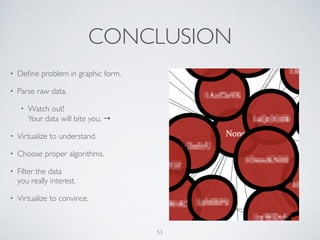
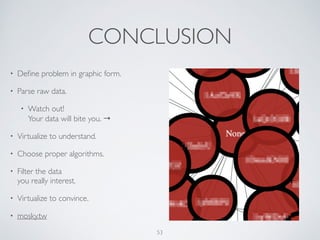
• Watch out! 

Your data will bite you. →
55
CONCLUSION
• Define problem in graphic form.
• Parse raw data.	

• Watch out! 

Your data will bite you. →
• Visualize to understand.
55
CONCLUSION
• Define problem in graphic form.
• Parse raw data.	

• Watch out! 

Your data will bite you. →
• Visualize to understand.
• Choose a proper algorithms.
55
CONCLUSION
• Define problem in graphic form.
• Parse raw data.	

• Watch out! 

Your data will bite you. →
• Visualize to understand.
• Choose a proper algorithms.
• Filter data which interest you.
55
CONCLUSION
• Define problem in graphic form.
• Parse raw data.	

• Watch out! 

Your data will bite you. →
• Visualize to understand.
• Choose a proper algorithms.
• Filter data which interest you.
• Visualize again to convince.
55
CONCLUSION
• Define problem in graphic form.
• Parse raw data.	

• Watch out! 

Your data will bite you. →
• Visualize to understand.
• Choose a proper algorithms.
• Filter data which interest you.
• Visualize again to convince.
• mosky.tw
55
CONCLUSION
DEMO
COSCUP 2014
2014.07.19 - 2014.07.20 | Academia Sinica,Taipei,Taiwan
LINKS
• Quick start using graph-tool

http://graph-tool.skewed.de/static/doc/quickstart.html	

• Learn more about Graph object

http://graph-tool.skewed.de/static/doc/graph_tool.html	

• The possible property value types

http://graph-tool.skewed.de/static/doc/
graph_tool.html#graph_tool.PropertyMap
58
• Graph drawing and layout

http://graph-tool.skewed.de/static/doc/draw.html 	

• Available subpackages - Graph-Tool

http://graph-tool.skewed.de/static/doc/
graph_tool.html#available-subpackages 	

• Centrality - Wiki

http://en.wikipedia.org/wiki/Centrality 	

• NumPy Reference

http://docs.scipy.org/doc/numpy/reference/
59

Graph-Tool in Practice