Practicing Python 3
Mosky
Python?
Websites
➤ Pinkoi
➤ Google search engine
➤ Instagram
➤ MAU: 700M @ 2017/5
➤ Uber
➤ Pinterest
3
Desktop Applications
➤ Dropbox
➤ Disney
➤ For animation studio tools.
➤ Blender
➤ A 3D graphics software.
4
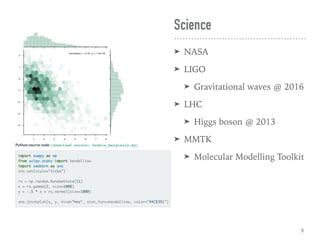
Science
➤ NASA
➤ LIGO
➤ Gravitational waves @ 2016
➤ LHC
➤ Higgs boson @ 2013
➤ MMTK
➤ Molecular Modelling Toolkit
5
Embedded System
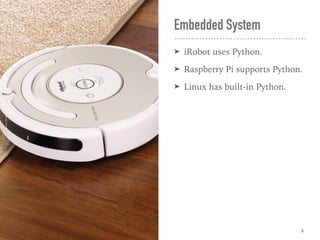
➤ iRobot uses Python.
➤ Raspberry Pi supports Python.
➤ Linux has built-in Python.
6
Why?
➤ Python is slower than C, Java,
➤ But much faster to write,
➤ And easy to speed up.
➤ Numba | Cython
➤ Has the rich libraries.
➤ Emphasizes code readability.
➤ Easier to learn.
➤ Easier to co-work.
➤ “Time is money.”
7
Showcases
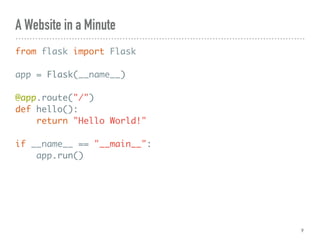
A Website in a Minute
from flask import Flask
app = Flask(__name__)
@app.route("/")
def hello():
return "Hello World!"
if __name__ == "__main__":
app.run()
9
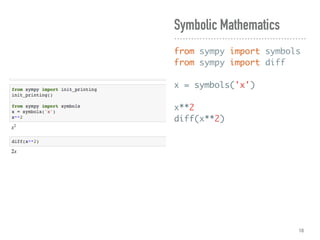
Symbolic Mathematics
from sympy import symbols
from sympy import diff

x = symbols('x')
x**2
diff(x**2)
10
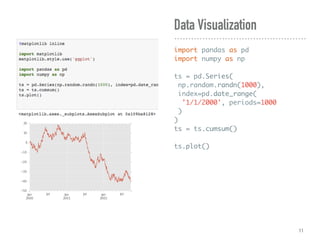
Data Visualization
import pandas as pd
import numpy as np
ts = pd.Series(
np.random.randn(1000),
index=pd.date_range(
'1/1/2000', periods=1000
)
)
ts = ts.cumsum()
ts.plot()
11
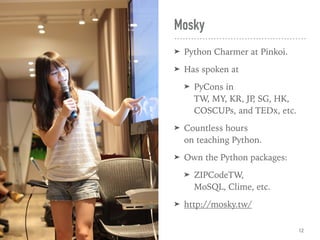
Mosky
➤ Python Charmer at Pinkoi.
➤ Has spoken at
➤ PyCons in 

TW, MY, KR, JP, SG, HK,

COSCUPs, and TEDx, etc.
➤ Countless hours 

on teaching Python.
➤ Own the Python packages:
➤ ZIPCodeTW, 

MoSQL, Clime, etc.
➤ http://mosky.tw/
12
➤ The Foundation Part:
➤ Primitives
➤ If & While
➤ Composites
➤ For, Try, Def
➤ Common Functions
➤ Input & Output
➤ Command Line
Arguments
➤ The Fascinating Part:
➤ Yield
➤ Comprehensions
➤ Functional Tricks
➤ Import Antigravity***
➤ Module & Package
➤ Class
➤ And the checkpoints!
The Outline
13
Our Toolbox
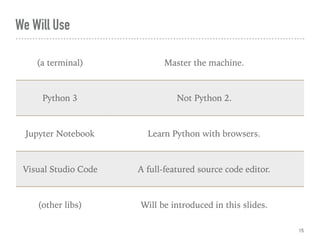
(a terminal) Master the machine.
Python 3 Not Python 2.
Jupyter Notebook Learn Python with browsers.
Visual Studio Code A full-featured source code editor.
(other libs) Will be introduced in this slides.
We Will Use
15
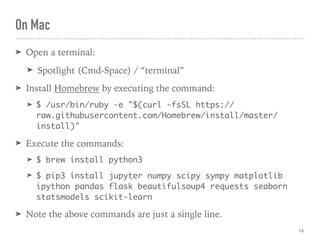
➤ Open a terminal:
➤ Spotlight (Cmd-Space) / “terminal”
➤ Install Homebrew by executing the command:
➤ $ /usr/bin/ruby -e "$(curl -fsSL https://
raw.githubusercontent.com/Homebrew/install/master/
install)"
➤ Execute the commands:
➤ $ brew install python3
➤ $ pip3 install jupyter numpy scipy sympy matplotlib
ipython pandas flask beautifulsoup4 requests seaborn
statsmodels scikit-learn
➤ Note the above commands are just a single line.
On Mac
16
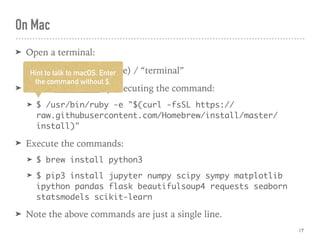
➤ Open a terminal:
➤ Spotlight (Cmd-Space) / “terminal”
➤ Install Homebrew by executing the command:
➤ $ /usr/bin/ruby -e "$(curl -fsSL https://
raw.githubusercontent.com/Homebrew/install/master/
install)"
➤ Execute the commands:
➤ $ brew install python3
➤ $ pip3 install jupyter numpy scipy sympy matplotlib
ipython pandas flask beautifulsoup4 requests seaborn
statsmodels scikit-learn
➤ Note the above commands are just a single line.
Hint to talk to macOS. Enter
the command without $.
On Mac
17
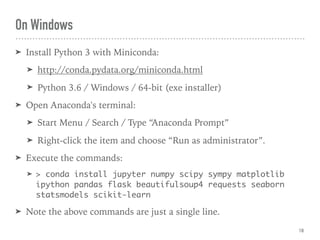
➤ Install Python 3 with Miniconda:
➤ http://conda.pydata.org/miniconda.html
➤ Python 3.6 / Windows / 64-bit (exe installer)
➤ Open Anaconda's terminal:
➤ Start Menu / Search / Type “Anaconda Prompt”
➤ Right-click the item and choose “Run as administrator”.
➤ Execute the commands:
➤ > conda install jupyter numpy scipy sympy matplotlib
ipython pandas flask beautifulsoup4 requests seaborn
statsmodels scikit-learn
➤ Note the above commands are just a single line.
On Windows
18
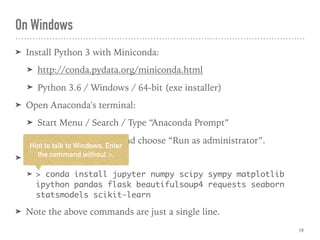
➤ Install Python 3 with Miniconda:
➤ http://conda.pydata.org/miniconda.html
➤ Python 3.6 / Windows / 64-bit (exe installer)
➤ Open Anaconda's terminal:
➤ Start Menu / Search / Type “Anaconda Prompt”
➤ Right-click the item and choose “Run as administrator”.
➤ Execute the commands:
➤ > conda install jupyter numpy scipy sympy matplotlib
ipython pandas flask beautifulsoup4 requests seaborn
statsmodels scikit-learn
➤ Note the above commands are just a single line.
Hint to talk to Windows. Enter
the command without >.
On Windows
19
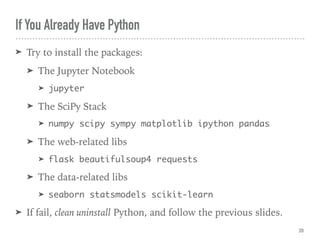
If You Already Have Python
➤ Try to install the packages:
➤ The Jupyter Notebook
➤ jupyter
➤ The SciPy Stack
➤ numpy scipy sympy matplotlib ipython pandas
➤ The web-related libs
➤ flask beautifulsoup4 requests
➤ The data-related libs
➤ seaborn statsmodels scikit-learn
➤ If fail, clean uninstall Python, and follow the previous slides.
20
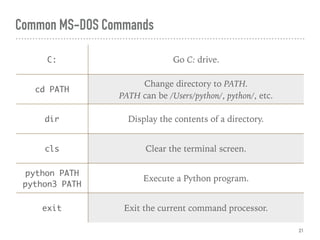
Common MS-DOS Commands
21
C: Go C: drive.
cd PATH
Change directory to PATH.

PATH can be /Users/python/, python/, etc.
dir Display the contents of a directory.
cls Clear the terminal screen.
python PATH
python3 PATH
Execute a Python program.
exit Exit the current command processor.
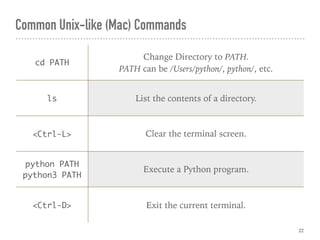
Common Unix-like (Mac) Commands
22
cd PATH
Change Directory to PATH.

PATH can be /Users/python/, python/, etc.
ls List the contents of a directory.
<Ctrl-L> Clear the terminal screen.
python PATH

python3 PATH
Execute a Python program.
<Ctrl-D> Exit the current terminal.
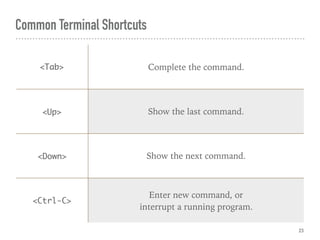
Common Terminal Shortcuts
23
<Tab> Complete the command.
<Up> Show the last command.
<Down> Show the next command.
<Ctrl-C>
Enter new command, or
interrupt a running program.
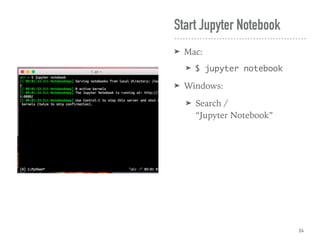
Start Jupyter Notebook
➤ Mac:
➤ $ jupyter notebook
➤ Windows:
➤ Search / 

“Jupyter Notebook”
24
Install Visual Studio Code
➤ If you already have a source code editor, it's okay to skip.
➤ Install:
➤ https://code.visualstudio.com/download
➤ Open an integrated terminal:
➤ Visual Studio Code / View / Integrated Terminal
➤ Execute a Python program:
➤ $ cd PROJECT_DIR
➤ $ python hello.py
➤ or
➤ $ python3 hello.py
25
Hello, Python!
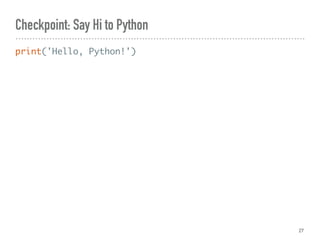
Checkpoint: Say Hi to Python
print('Hello, Python!')
27
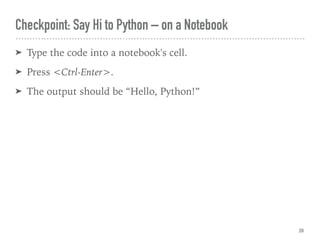
Checkpoint: Say Hi to Python – on a Notebook
➤ Type the code into a notebook's cell.
➤ Press <Ctrl-Enter>.
➤ The output should be “Hello, Python!”
28
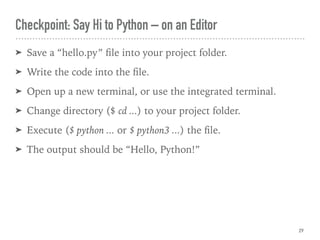
Checkpoint: Say Hi to Python – on an Editor
➤ Save a “hello.py” file into your project folder.
➤ Write the code into the file.
➤ Open up a new terminal, or use the integrated terminal.
➤ Change directory ($ cd ...) to your project folder.
➤ Execute ($ python ... or $ python3 ...) the file.
➤ The output should be “Hello, Python!”
29
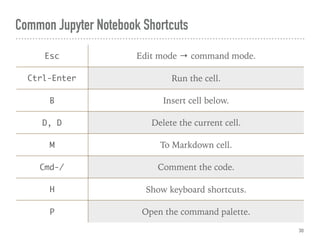
Common Jupyter Notebook Shortcuts
30
Esc Edit mode → command mode.
Ctrl-Enter Run the cell.
B Insert cell below.
D, D Delete the current cell.
M To Markdown cell.
Cmd-/ Comment the code.
H Show keyboard shortcuts.
P Open the command palette.
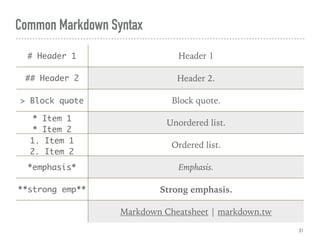
Common Markdown Syntax
31
# Header 1 Header 1
## Header 2 Header 2.
> Block quote Block quote.
* Item 1

* Item 2
Unordered list.
1. Item 1

2. Item 2
Ordered list.
*emphasis* Emphasis.
**strong emp** Strong emphasis.
Markdown Cheatsheet | markdown.tw
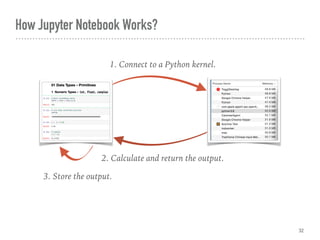
How Jupyter Notebook Works?
32
1. Connect to a Python kernel.
2. Calculate and return the output.
3. Store the output.
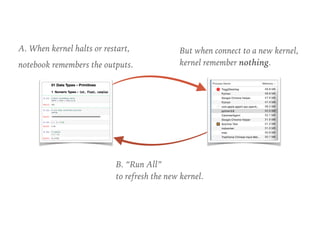
A. When kernel halts or restart,
notebook remembers the outputs.
B. “Run All” 

to refresh the new kernel.
But when connect to a new kernel,

kernel remember nothing.
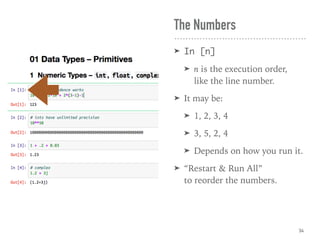
The Numbers
➤ In [n]
➤ n is the execution order,

like the line number.
➤ It may be:
➤ 1, 2, 3, 4
➤ 3, 5, 2, 4
➤ Depends on how you run it.
➤ “Restart & Run All” 

to reorder the numbers.
34
Primitives
Data Types
Programming?
➤ Programming 

is abstracting.
➤ Abstract the world with:
➤ Data types: 1.
➤ Operations: 1+1.
➤ Control flow: if ... else.
➤ They are from:
➤ Libraries.
➤ Your own code.
36
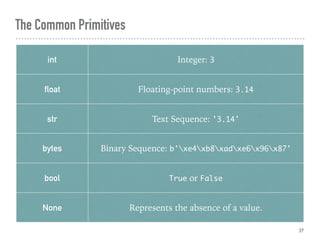
The Common Primitives
37
int Integer: 3
float Floating-point numbers: 3.14
str Text Sequence: '3.14'
bytes Binary Sequence: b'xe4xb8xadxe6x96x87'
bool True or False
None Represents the absence of a value.
Variables
➤ Points to an “object”.
➤ Everything in Python is an
object, including class.
➤ The object:
➤ Has a (data) type.
➤ Supports an operation set.
➤ Lives in the memory.
38
“01_data_types_primitives.ipynb
-The Notebook Time
39
➤ del x
➤ Now the x points to nothing.
➤ The object will be collected if no variable points to it.
Delete the “Pointing”
40
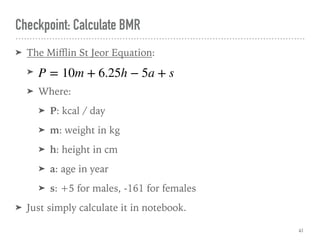
Checkpoint: Calculate BMR
➤ The Mifflin St Jeor Equation:
➤
➤ Where:
➤ P: kcal / day
➤ m: weight in kg
➤ h: height in cm
➤ a: age in year
➤ s: +5 for males, -161 for females
➤ Just simply calculate it in notebook.
41
P = 10m + 6.25h − 5a + s
If & While
Control Flow
If & While
➤ if <condition>: ...
➤ Run inner block if true.
➤ while <condition>: ...
➤ The while-loop.
➤ Run inner block while true.
➤ I.e. run until false.
43
“02_control_flow_if_while.ipynb
-The Notebook Time
44
Keep Learning
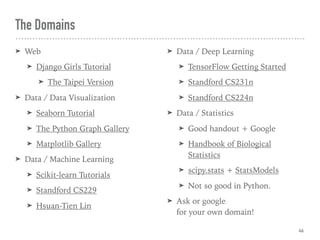
The Domains
➤ Web
➤ Django Girls Tutorial
➤ The Taipei Version
➤ Data / Data Visualization
➤ Seaborn Tutorial
➤ The Python Graph Gallery
➤ Matplotlib Gallery
➤ Data / Machine Learning
➤ Scikit-learn Tutorials
➤ Standford CS229
➤ Hsuan-Tien Lin
➤ Data / Deep Learning
➤ TensorFlow Getting Started
➤ Standford CS231n
➤ Standford CS224n
➤ Data / Statistics
➤ Good handout + Google
➤ Handbook of Biological
Statistics
➤ scipy.stats + StatsModels
➤ Not so good in Python.
➤ Ask or google 

for your own domain!
46
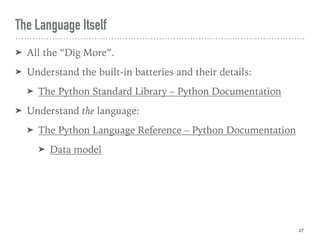
The Language Itself
➤ All the “Dig More”.
➤ Understand the built-in batteries and their details:
➤ The Python Standard Library – Python Documentation
➤ Understand the language:
➤ The Python Language Reference – Python Documentation
➤ Data model
47
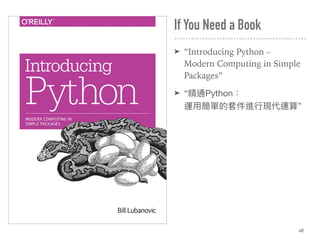
If You Need a Book
➤ “Introducing Python – 

Modern Computing in Simple
Packages”
➤ “精通Python:

運⽤用簡單的套件進⾏行行現代運算”
48
The Learning Tips
➤ Problem → project → learn things!
➤ Make it work, make it right, and finally make it fast!
➤ Learn from the great people in our communities:
➤ Taipei.py
➤ PyHUG
➤ PyCon TW
➤ Python Taiwan
➤ And sleep well, seriously.
➤ Anyway, have fun with Python!
49
Composites
Data Types
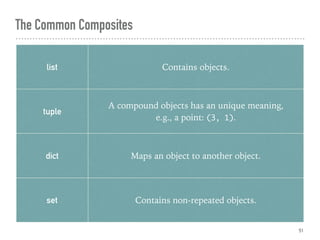
The Common Composites
51
list Contains objects.
tuple
A compound objects has an unique meaning,

e.g., a point: (3, 1).
dict Maps an object to another object.
set Contains non-repeated objects.
“03_data_types_composites.ipynb
-The Notebook Time
52
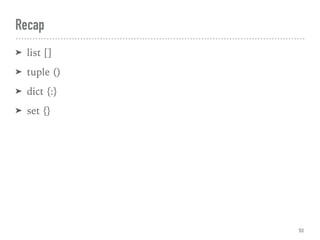
Recap
➤ list []
➤ tuple ()
➤ dict {:}
➤ set {}
53
For
Control Flow
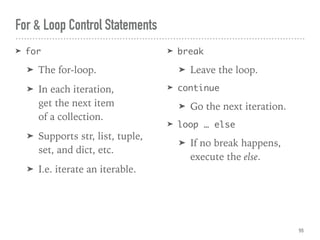
For & Loop Control Statements
➤ for
➤ The for-loop.
➤ In each iteration, 

get the next item 

of a collection.
➤ Supports str, list, tuple,
set, and dict, etc.
➤ I.e. iterate an iterable.
➤ break
➤ Leave the loop.
➤ continue
➤ Go the next iteration.
➤ loop … else
➤ If no break happens, 

execute the else.
55
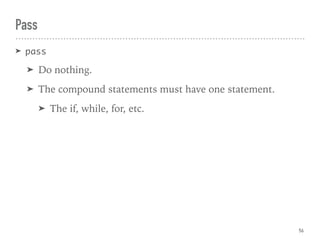
Pass
➤ pass
➤ Do nothing.
➤ The compound statements must have one statement.
➤ The if, while, for, etc.
56
“04_control_flow_for.ipynb
-The Notebook Time
57
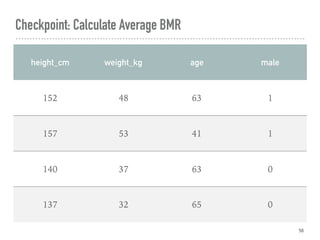
Checkpoint: Calculate Average BMR
58
height_cm weight_kg age male
152 48 63 1
157 53 41 1
140 37 63 0
137 32 65 0
Try
Control Flow
“05_control_flow_try.ipynb
-The Notebook Time
60
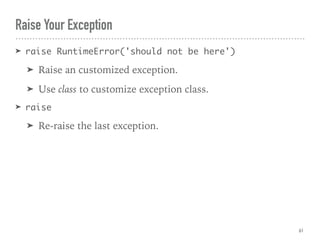
Raise Your Exception
➤ raise RuntimeError('should not be here')
➤ Raise an customized exception.
➤ Use class to customize exception class.
➤ raise
➤ Re-raise the last exception.
61
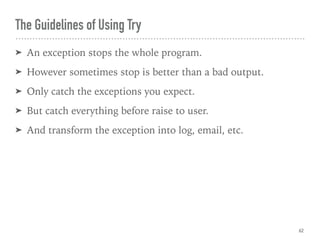
The Guidelines of Using Try
➤ An exception stops the whole program.
➤ However sometimes stop is better than a bad output.
➤ Only catch the exceptions you expect.
➤ But catch everything before raise to user.
➤ And transform the exception into log, email, etc.
62
Def
Control Flow
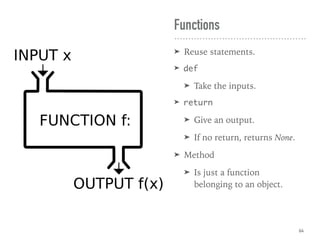
Functions
➤ Reuse statements.
➤ def
➤ Take the inputs.
➤ return
➤ Give an output.
➤ If no return, returns None.
➤ Method
➤ Is just a function 

belonging to an object.
64
“06_control_flow_def.ipynb
-The Notebook Time
65
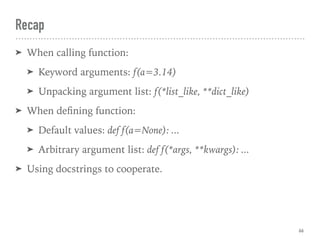
Recap
➤ When calling function:
➤ Keyword arguments: f(a=3.14)
➤ Unpacking argument list: f(*list_like, **dict_like)
➤ When defining function:
➤ Default values: def f(a=None): ...
➤ Arbitrary argument list: def f(*args, **kwargs): ...
➤ Using docstrings to cooperate.
66
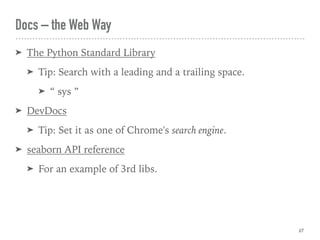
Docs – the Web Way
➤ The Python Standard Library
➤ Tip: Search with a leading and a trailing space.
➤ “ sys ”
➤ DevDocs
➤ Tip: Set it as one of Chrome's search engine.
➤ seaborn API reference
➤ For an example of 3rd libs.
67
The Guidelines of Designing Functions
➤ Use the simplest form first.
➤ Unless the calling code looks superfluous.
68
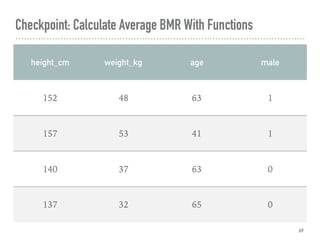
Checkpoint: Calculate Average BMR With Functions
69
height_cm weight_kg age male
152 48 63 1
157 53 41 1
140 37 63 0
137 32 65 0
Common Functions
Libraries
“07_libraries_

common_functions.ipynb
-The Notebook Time
71
Input & Output
Libraries
Input & Output
➤ IO: input & output.
➤ Standard IOs:
➤ stdout: standard output.
➤ stderr: standard error.
➤ stdin: standard input.
➤ File IOs:
➤ Including networking.
➤ Command line arguments
➤ Always validate user's inputs.
73
“08_libraries_input_output.ipynb
-The Notebook Time
74
Checkpoint: Calculate Average BMR From the Dataset
➤ Read the dataset_howell1.csv in.
➤ Skip the first line which doesn't contain data.
➤ Transform the datatypes.
➤ Calculate the average BMR from the dataset.
75
Command Line
Arguments
Libraries
“09_libraries_

command_line_arguments.py
-The Notebook Time
77
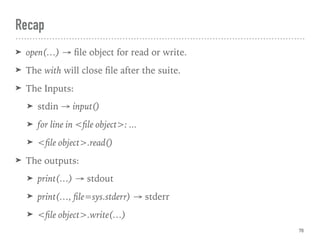
Recap
➤ open(…) → file object for read or write.
➤ The with will close file after the suite.
➤ The Inputs:
➤ stdin → input()
➤ for line in <file object>: ...
➤ <file object>.read()
➤ The outputs:
➤ print(…) → stdout
➤ print(…, file=sys.stderr) → stderr
➤ <file object>.write(…)
78
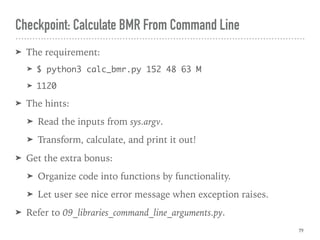
Checkpoint: Calculate BMR From Command Line
➤ The requirement:
➤ $ python3 calc_bmr.py 152 48 63 M
➤ 1120
➤ The hints:
➤ Read the inputs from sys.argv.
➤ Transform, calculate, and print it out!
➤ Get the extra bonus:
➤ Organize code into functions by functionality.
➤ Let user see nice error message when exception raises.
➤ Refer to 09_libraries_command_line_arguments.py.
79
Yield
Control Flow
“10_control_flow_yield.ipynb
-The Notebook Time
81
“Yield” Creates a Generator
➤ If a function uses yield, it returns a generator.
➤ Save memory.
➤ Simplify code.
82
Comprehensions
Control Flow
“11_control_flow_

comprehensions.ipynb
-The Notebook Time
84
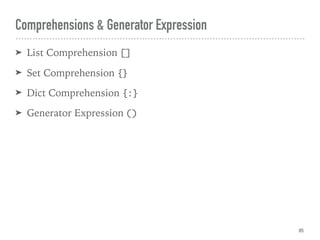
Comprehensions & Generator Expression
➤ List Comprehension []
➤ Set Comprehension {}
➤ Dict Comprehension {:}
➤ Generator Expression ()
85
Functional Tricks
Libraries
The Functional Tricks
➤ The functional programming:
➤ Is a programming paradigm.
➤ Avoids changing-state and mutable data.
➤ Sometimes makes code clean, sometimes doesn't.
➤ Use it wisely.
➤ Python is not a functional language.
➤ But provides some useful tools.
87
“12_libraries_functional_tricks.ipynb
-The Notebook Time
88
➤ Recommend:
➤ https://github.com/Suor/funcy
➤ Not so recommend:
➤ https://github.com/pytoolz/toolz
➤ https://github.com/EntilZha/PyFunctional
The Popular Functional Libs
89
Checkpoint: Calculate Average BMR With Comprehensions
➤ Either the table or the CSV is okay.
➤ Use at least one comprehension.
90
Import Antigravity
Libraries
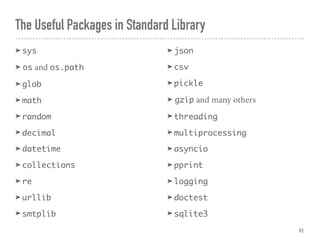
The Useful Packages in Standard Library
➤ sys
➤ os and os.path
➤ glob
➤ math
➤ random
➤ decimal
➤ datetime
➤ collections
➤ re
➤ urllib
➤ smtplib
➤ json
➤ csv
➤ pickle
➤ gzip and many others
➤ threading
➤ multiprocessing
➤ asyncio
➤ pprint
➤ logging
➤ doctest
➤ sqlite3
92
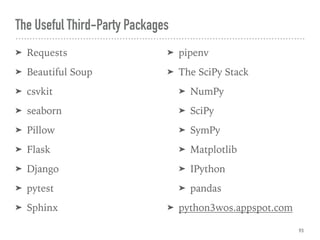
The Useful Third-Party Packages
➤ Requests
➤ Beautiful Soup
➤ csvkit
➤ seaborn
➤ Pillow
➤ Flask
➤ Django
➤ pytest
➤ Sphinx
➤ pipenv
➤ The SciPy Stack
➤ NumPy
➤ SciPy
➤ SymPy
➤ Matplotlib
➤ IPython
➤ pandas
➤ python3wos.appspot.com
93
“13_*_libraries_

import_antigravity_*.ipynb
-The Notebook Time
94
Install Third-Party Package
➤ When using pip:
➤ pip install <package name>
➤ When using Conda:
➤ conda install <package name>
95
Checkpoint: Visualization
➤ Explore from 13_7_libraries_import_antigravity_seaborn.ipynb .
➤ Refer to Seaborn API Reference to plot different graphs.
➤ Refer to StatsModels Datasets for different datasets.
➤ Tip: “fair” in http://www.statsmodels.org/stable/datasets/
generated/fair.html is the name of the dataset.
➤ Share your interesting insights with us!
96
Module & Package
Libraries
ma.py mb.py
Import Module
➤ A Python file is just a Python module:
import ma
import mb
➤ A module has a namespace:
ma.var
mb.var
➤ The vars are different variables.
99
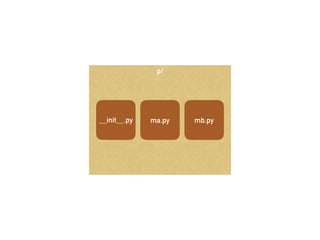
p/
__init__.py ma.py mb.py