AD Group Policy Objects
AGENDA
➔
Why Group Plicies are needed?
➔
Components of Group policy objects.
➔
The various areas where group policies can be applied.
➔
Advantages of using Group policies.
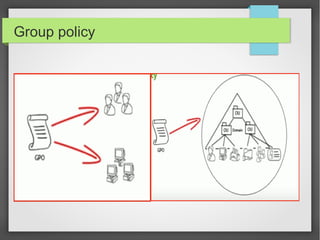
Group policy
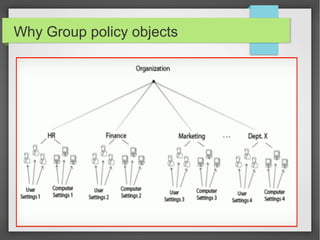
Why Group policy objects
Group Policy Architecture
➔
There are two components in Group Policy Architecture.
➔
Server Component.
➔
Client Component.
Server Component
➔
Microsoft Management Console (MMC)
➔
Its used to spcify group policies
➔
Administrative Templates
➔
Security settings
➔
IP security
➔
Scripts
➔
Software installation
➔
Internet Explorer maintanence
Client Component
➔
Process, Interpret and apply the settings to all the objects
mapped to a specific AD container.
➔
Administrative Templates
➔
Software installation
➔
Security settings
➔
Scripts
➔
IP security
➔
Disk Quotas
➔
Remote installation
Administration Of GPOs
➔
It's accomplished by using two consoles
➔
Group Policy Management Console (GPMC)
➔
GPMC is used to create GPO
➔
Group Policy Object Editor.
➔
GPO Editor is used to modify the Group policy settings.
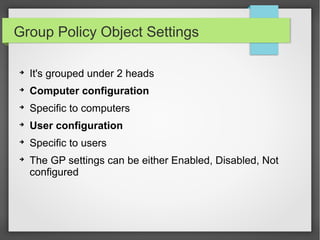
Group Policy Object Settings
➔
It's grouped under 2 heads
➔
Computer configuration
➔
Specific to computers
➔
User configuration
➔
Specific to users
➔
The GP settings can be either Enabled, Disabled, Not
configured
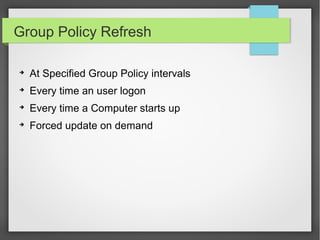
Group Policy Refresh
➔
At Specified Group Policy intervals
➔
Every time an user logon
➔
Every time a Computer starts up
➔
Forced update on demand
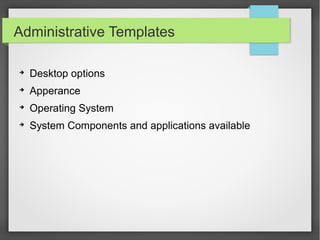
Administrative Templates
➔
Desktop options
➔
Apperance
➔
Operating System
➔
System Components and applications available
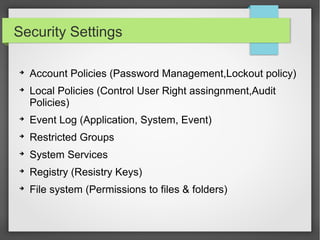
Security Settings
➔
Account Policies (Password Management,Lockout policy)
➔
Local Policies (Control User Right assingnment,Audit
Policies)
➔
Event Log (Application, System, Event)
➔
Restricted Groups
➔
System Services
➔
Registry (Resistry Keys)
➔
File system (Permissions to files & folders)
S/W Restriction & Wireless N/w Policies
➔
Software Restriction:
➔
Its controls Types of softwares and functionalities of
softwares
➔
Maintain Security of computers
➔
Wireless N/W policies:
➔
Configuring woreless n/w settings
➔
Specify preferred n/w
Software Installation
➔
When Software to install
➔
During user log on
➔
During computer start up
➔
On-Demand
➔
To apply upgrades
Scripts & Disk Quotas
➔
Scripts
➔
Automate certain tasks
➔
Starting applications
➔
System services
➔
Backups
➔
Disk Quotas
➔
Specific disk space for each user
Benefits of using Group policy
➔
Centralized control of settings and configurations
➔
Reliable and enhanced security
➔
Cost and time Saving
➔
Reduce the number of technicians
Gpo windows(4)

Gpo windows(4)

  • 1.
  • 2.
    AGENDA ➔ Why Group Pliciesare needed? ➔ Components of Group policy objects. ➔ The various areas where group policies can be applied. ➔ Advantages of using Group policies.
  • 3.
  • 4.
  • 5.
    Group Policy Architecture ➔ Thereare two components in Group Policy Architecture. ➔ Server Component. ➔ Client Component.
  • 6.
    Server Component ➔ Microsoft ManagementConsole (MMC) ➔ Its used to spcify group policies ➔ Administrative Templates ➔ Security settings ➔ IP security ➔ Scripts ➔ Software installation ➔ Internet Explorer maintanence
  • 7.
    Client Component ➔ Process, Interpretand apply the settings to all the objects mapped to a specific AD container. ➔ Administrative Templates ➔ Software installation ➔ Security settings ➔ Scripts ➔ IP security ➔ Disk Quotas ➔ Remote installation
  • 8.
    Administration Of GPOs ➔ It'saccomplished by using two consoles ➔ Group Policy Management Console (GPMC) ➔ GPMC is used to create GPO ➔ Group Policy Object Editor. ➔ GPO Editor is used to modify the Group policy settings.
  • 9.
    Group Policy ObjectSettings ➔ It's grouped under 2 heads ➔ Computer configuration ➔ Specific to computers ➔ User configuration ➔ Specific to users ➔ The GP settings can be either Enabled, Disabled, Not configured
  • 10.
    Group Policy Refresh ➔ AtSpecified Group Policy intervals ➔ Every time an user logon ➔ Every time a Computer starts up ➔ Forced update on demand
  • 11.
    Administrative Templates ➔ Desktop options ➔ Apperance ➔ OperatingSystem ➔ System Components and applications available
  • 12.
    Security Settings ➔ Account Policies(Password Management,Lockout policy) ➔ Local Policies (Control User Right assingnment,Audit Policies) ➔ Event Log (Application, System, Event) ➔ Restricted Groups ➔ System Services ➔ Registry (Resistry Keys) ➔ File system (Permissions to files & folders)
  • 13.
    S/W Restriction &Wireless N/w Policies ➔ Software Restriction: ➔ Its controls Types of softwares and functionalities of softwares ➔ Maintain Security of computers ➔ Wireless N/W policies: ➔ Configuring woreless n/w settings ➔ Specify preferred n/w
  • 14.
    Software Installation ➔ When Softwareto install ➔ During user log on ➔ During computer start up ➔ On-Demand ➔ To apply upgrades
  • 15.
    Scripts & DiskQuotas ➔ Scripts ➔ Automate certain tasks ➔ Starting applications ➔ System services ➔ Backups ➔ Disk Quotas ➔ Specific disk space for each user
  • 16.
    Benefits of usingGroup policy ➔ Centralized control of settings and configurations ➔ Reliable and enhanced security ➔ Cost and time Saving ➔ Reduce the number of technicians