How We Help Your business Claim and maintain Your Google Places Listing
Who We Areelsue Virtual Assistants help small local businesses be successful in establishing their web presence and brand awareness by providing Local Business Listing Optimization and Local Business Website services.Our love of web-based and mobile technologies and our marketing and administrative backgrounds make us a leader in BlogSite and Social Media services.
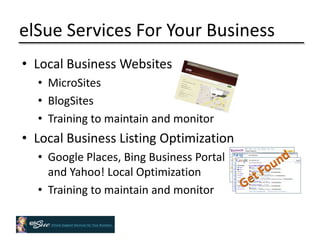
elSue Services For Your Business	Local Business WebsitesMicroSites
BlogSites
Training to maintain and monitorLocal Business Listing OptimizationGoogle Places, Bing Business Portal and Yahoo! Local Optimization
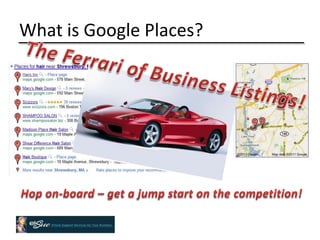
Training to maintain and monitorWhat is Google Places?The Ferrari of Business Listings!Hop on-board – get a jump start on the competition!
Why Google Places?It’s Free!  You won’t have to tap into your marketing budget!What’s the first thing you do when looking for a restaurant, nail salon, store – you Google it!People search Google to find local informationA great way to attract new customersStay ahead of the competition!
People Are On The Go – Searching For Your Business!
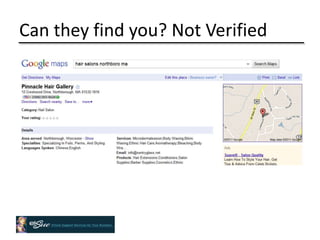
Can they find you? Not Verified
Owner Verified
Preparation Have the following info ready in one spotKeywords Business description Email for your Google accountResearch citations to be consistent with your business description and keywords
Create a Google Account	You need a Google account to claim Google Places pageYou don’t need a Gmail account – an email with your business domain is idealWith a Google account, your business can setup Google voice and other free appselsue is more than happy to set this up for you
Search for your Business ListingGoogle search bar – type in your businessClick on the Place pageClick on Business Owner?Edit your listingGoogle Places homepageAdd a businessSearch by phone number If you are unable to find your business you will need to add a new listing
Claim Your Business ListingIf you do not find your listing, you will need to follow Google’s instructions on how to add your business listing.
Edit Your Listing – Basic InformationDescription – 200 characters Categories –  5 industry/business specificService area and location settingsHours of operationPayment options
Enhance Your ListingPhotos – add up to 10Add photos of your products, storefront, or teamelSue offers  a “photo shoot” service at your business location – inquireVideos – add up 5Add a “how to” or product demo videos
Reviews & CitationsReviews are a great way to promote your business through the testimonials of satisfied and happy customersCitations are mentions of your business name and address on other web pages, even if they don’t link back to your website elSue works with you to increase reviews and citations – result – higher ranking!
Local RecommendationsThe places user’s likewhen users rate places they like, Google will tell them about related places they may be interested in Example, if a users rates 5 stars for his favorite restaurant in Holliston, Mass, Google will try to recommend other places in the city similar to the restaurant the user ratedThe places user’s friends likeratings can be shared with friends and users can see the places they’ve recommended.
Details SectionAdd more information about your businessServicesSpecialtiesParkingLanguageA link to your “menu” or your “blog”Whatever you like - Make more of your Google Place page and take advantage of the details section
Create and Promote an Offer
The DashboardShare an UpdateRespond to Reviews
The Dashboard – MonitorImpressionsActions
The Dashboard - MonitorTop Search QueriesDriving Stats – where driving directions came from
Google Keyword ToolRank higher with the search engines using Google’s Keyword tool – easy!
More Business Listing Options
Bing Business Portal30% of consumers use Bing as their method to search onlineClaim and enhance with photosPromote “deals” Integrates with FacebookIt’s FREE
Yahoo! LocalBoost your listingsPotential customers from your area use Yahoo! Local every day
GWord of mouth online – reviewsAdd business information and photosCommunicate with your customersTrack your business trendsMotivate customers – promote discounts, special events, limited time offersEntice new customers
Brick and Mortar businessesSpecials and promotionsVenue statsFree stats and analytics Promotions, campaigns, and eventsProvide value – connect with your customers
Yext – Manage Your Listing
Yext – Manage Your Listings

Google Places

  • 1.
    How We HelpYour business Claim and maintain Your Google Places Listing
  • 2.
    Who We AreelsueVirtual Assistants help small local businesses be successful in establishing their web presence and brand awareness by providing Local Business Listing Optimization and Local Business Website services.Our love of web-based and mobile technologies and our marketing and administrative backgrounds make us a leader in BlogSite and Social Media services.
  • 3.
    elSue Services ForYour Business Local Business WebsitesMicroSites
  • 4.
  • 5.
    Training to maintainand monitorLocal Business Listing OptimizationGoogle Places, Bing Business Portal and Yahoo! Local Optimization
  • 6.
    Training to maintainand monitorWhat is Google Places?The Ferrari of Business Listings!Hop on-board – get a jump start on the competition!
  • 7.
    Why Google Places?It’sFree! You won’t have to tap into your marketing budget!What’s the first thing you do when looking for a restaurant, nail salon, store – you Google it!People search Google to find local informationA great way to attract new customersStay ahead of the competition!
  • 8.
    People Are OnThe Go – Searching For Your Business!
  • 9.
    Can they findyou? Not Verified
  • 10.
  • 11.
    Preparation Have thefollowing info ready in one spotKeywords Business description Email for your Google accountResearch citations to be consistent with your business description and keywords
  • 12.
    Create a GoogleAccount You need a Google account to claim Google Places pageYou don’t need a Gmail account – an email with your business domain is idealWith a Google account, your business can setup Google voice and other free appselsue is more than happy to set this up for you
  • 13.
    Search for yourBusiness ListingGoogle search bar – type in your businessClick on the Place pageClick on Business Owner?Edit your listingGoogle Places homepageAdd a businessSearch by phone number If you are unable to find your business you will need to add a new listing
  • 14.
    Claim Your BusinessListingIf you do not find your listing, you will need to follow Google’s instructions on how to add your business listing.
  • 15.
    Edit Your Listing– Basic InformationDescription – 200 characters Categories – 5 industry/business specificService area and location settingsHours of operationPayment options
  • 16.
    Enhance Your ListingPhotos– add up to 10Add photos of your products, storefront, or teamelSue offers a “photo shoot” service at your business location – inquireVideos – add up 5Add a “how to” or product demo videos
  • 17.
    Reviews & CitationsReviewsare a great way to promote your business through the testimonials of satisfied and happy customersCitations are mentions of your business name and address on other web pages, even if they don’t link back to your website elSue works with you to increase reviews and citations – result – higher ranking!
  • 18.
    Local RecommendationsThe placesuser’s likewhen users rate places they like, Google will tell them about related places they may be interested in Example, if a users rates 5 stars for his favorite restaurant in Holliston, Mass, Google will try to recommend other places in the city similar to the restaurant the user ratedThe places user’s friends likeratings can be shared with friends and users can see the places they’ve recommended.
  • 19.
    Details SectionAdd moreinformation about your businessServicesSpecialtiesParkingLanguageA link to your “menu” or your “blog”Whatever you like - Make more of your Google Place page and take advantage of the details section
  • 20.
  • 21.
    The DashboardShare anUpdateRespond to Reviews
  • 22.
    The Dashboard –MonitorImpressionsActions
  • 23.
    The Dashboard -MonitorTop Search QueriesDriving Stats – where driving directions came from
  • 24.
    Google Keyword ToolRankhigher with the search engines using Google’s Keyword tool – easy!
  • 25.
  • 26.
    Bing Business Portal30%of consumers use Bing as their method to search onlineClaim and enhance with photosPromote “deals” Integrates with FacebookIt’s FREE
  • 27.
    Yahoo! LocalBoost yourlistingsPotential customers from your area use Yahoo! Local every day
  • 28.
    GWord of mouthonline – reviewsAdd business information and photosCommunicate with your customersTrack your business trendsMotivate customers – promote discounts, special events, limited time offersEntice new customers
  • 29.
    Brick and MortarbusinessesSpecials and promotionsVenue statsFree stats and analytics Promotions, campaigns, and eventsProvide value – connect with your customers
  • 30.
    Yext – ManageYour Listing
  • 31.
    Yext – ManageYour Listings

Editor's Notes

  • #5 Ferrari 360 Spider
  • #10 Keywords – research before hand – use Google Keyword toolBusiness description – 200 characters – need to be well thought out, match your website and other business listings and citations
  • #12 If you are unable to find your business listing and need to add it go to http://www.google.com/support/
  • #19 Create our own screen grab from elSue listing.
  • #21 Create our own screen grab from elSue listing.