GO WITH THE
FLOW


BEGINNERS GUIDE TO A
WORDPRESS WORKFLOW
● Ann — @redrambles
● Mom of four
● Self-Taught developer
● Teaches Beginners
● Life-long learner
● Strong belief in mentoring
● Also a fan of craft beer (hint,
hint)
HOW I GOT STARTED
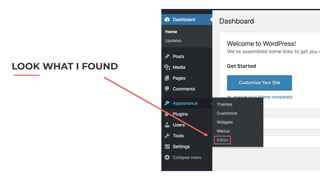
LOOK WHAT I FOUND
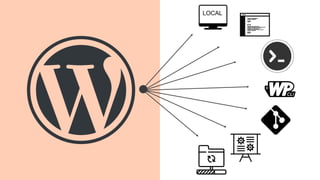
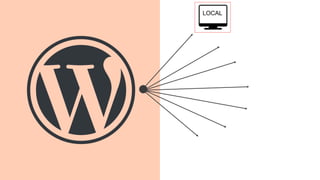
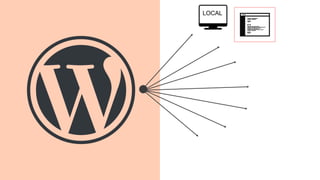
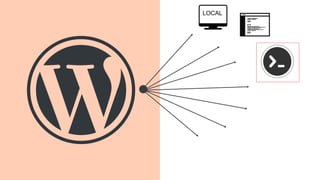
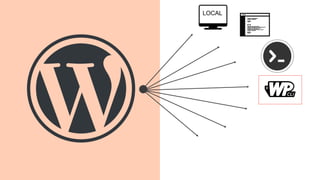
LOCAL
WHAT IS A WORKFLOW?
A process by which you make edits to a live site.
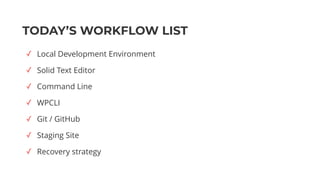
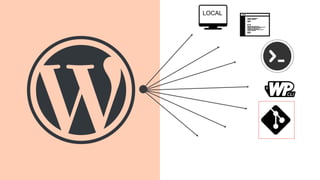
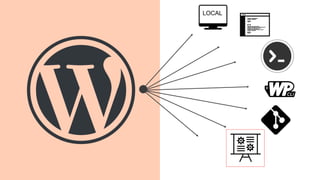
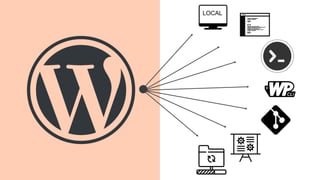
TODAY’S WORKFLOW LIST
✓ Local Development Environment
✓ Solid Text Editor
✓ Command Line
✓ WPCLI
✓ Git / GitHub
✓ Staging Site
✓ Recovery strategy
WHY USE A WORKFLOW?
● Makes you more efficient
● Fewer errors slip into production
● Increases your confidence as a developer
LOCAL
A server environment on your
own computer.
LOCAL DEVELOPMENT
WHAT IS IT?
LOCAL DEVELOPMENT
● Just you and your computer
● Much faster - direct access to your files
● You can work offline
● Don’t have to pay for hosting
● Allows for a much wider range of tools
● Grows your confidence as a developer
WHY USE IT?
e
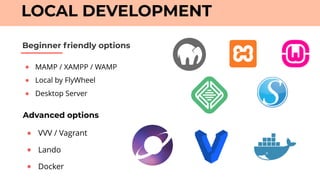
● MAMP / XAMPP / WAMP
● Local by FlyWheel
● Desktop Server
Beginner friendly options
LOCAL DEVELOPMENT
Advanced options
● VVV / Vagrant
● Lando
● Docker
LOCAL
WHAT IS IT?
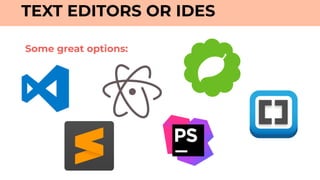
TEXT EDITORS OR IDES
A computer program used to edit code.
What to look for
TEXT EDITORS OR IDES
✓ Cross Platform
✓ Rich Plugin / Package Environment
✓ Speed / Light weight
✓ Customizable
✓ Git integration *
✓ Terminal integration * Does not replace the Command Line
Some great options:
TEXT EDITORS OR IDES
● Make a choice and stick to it (minimum 3 months)
● Read up on Tips / Tricks / Best Practices
● Search for your text editor and your preferred
language(s) for even MOAR tips!
Recommendations:
LOCAL
● It’s the most flexible and powerful way to interact with your computer
● Manipulate Files / Directories (list | copy | mv |delete | create)
● Download files (curl)
● SSH
● Search
● Show hidden files
● See what’s running on your computer and how much CPU is consumed
WHY BOTHER?
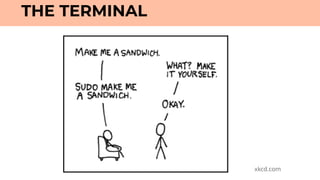
THE TERMINAL
● Able to install software as a superuser (sudo)
● Quickly run scripts (PHP, Node, Ruby, Python)
● There are some things that you can only DO in the Terminal
OK THAT’S NICE, BUT REALLY WHY BOTHER?
THE TERMINAL
THE TERMINAL
xkcd.com
● Have your computer speak out loud (Mac only)
● It can even sing! Sort of.
FUN THINGS TO DO
THE TERMINAL
say	-v	"Good	News"	"Thank	Goodness	for	coffee"
● Play games (Snake, Tetris, Solitaire)
LOCAL
WHAT IS IT?
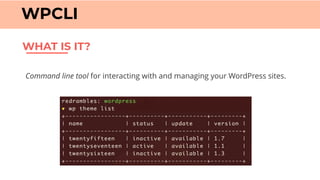
WPCLI
Command line tool for interacting with and managing your WordPress sites.
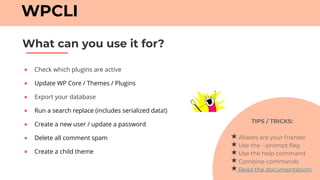
● Check which plugins are active
● Update WP Core / Themes / Plugins
● Export your database
● Run a search replace (includes serialized data!)
● Create a new user / update a password
● Delete all comment spam
● Create a child theme
What can you use it for?
WPCLI
TIPS / TRICKS:
Aliases are your friends!
Use the --prompt flag
Use the help command
Combine commands
Read the documentation!
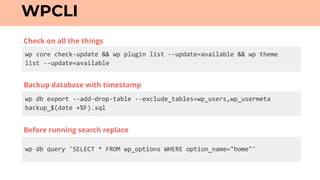
wp	core	check-update	&&	wp	plugin	list	--update=available	&&	wp	theme		
list	--update=available
WPCLI
wp	db	export	--add-drop-table	--exclude_tables=wp_users,wp_usermeta	
backup_$(date	+%F).sql
wp	db	query	'SELECT	*	FROM	wp_options	WHERE	option_name="home"'
Backup database with timestamp
Check on all the things
Before running search replace
LOCAL
WHAT IS IT?
GIT
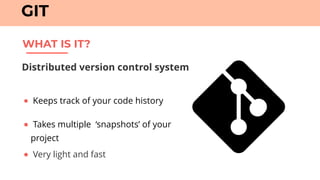
Distributed version control system
● Keeps track of your code history
● Takes multiple ‘snapshots’ of your
project
● Very light and fast
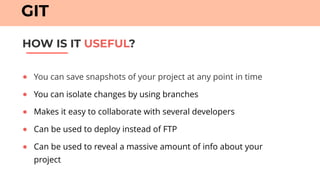
● You can save snapshots of your project at any point in time
● You can isolate changes by using branches
● Makes it easy to collaborate with several developers
● Can be used to deploy instead of FTP
● Can be used to reveal a massive amount of info about your
project
HOW IS IT USEFUL?
GIT
● Git is NOT GitHub
● Use a .gitignore file
● Git workflow
● Stick to the command line
CONSIDERATIONS
GIT
LOCAL
WHAT IS IT?
STAGING SITE
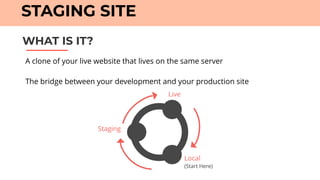
A clone of your live website that lives on the same server

The bridge between your development and your production site
Live
Staging
Local
(Start Here)
● Can test in the same environment as your production site
● A space to get feedback
● Another full backup
● Can be password protected
HOW IS IT USEFUL?
STAGING SITE
LOCAL
● Make FULL backups regularly
● Automate this process.
● Test it!
WHAT IF SOMETHING STILL GOES WRONG?
RECOVERY STRATEGY
● Managed Hosting
● Plugins
● Have a backup off-server
● Local Dev Environment (TimeMachine)
Recommendations:
RECOVERY STRATEGY
Managed
A WORD ABOUT HOSTING
● Staging site
● Git Deploy
● Dependable Recovery Strategy
Unmanaged
● DIY Staging Site (Subdomain)
● SSH ? Git Deploy : Nope
● DIY Recovery Strategy
LOCAL
YAASS
WHAT WE DIDN’T TALK ABOUT
● Task Runners (Gulp / Grunt)
● Dependency Management (Composer)
● Unit Tests
● Preprocessors (Sass)
● CD / CI
MAIN TAKEAWAY ?
● Pick ONE thing
● Research it
● Fold it into your workflow
● Become comfortable
● Rinse and Repeat
● Win at Life
WORKFLOWS ARE INCREMENTAL!
Q&A BREAK
Thank You. Questions?
@redrambles

Go with the Flow - A Guide to a WordPress Workflow

  • 1.
    GO WITH THE FLOW 
 BEGINNERSGUIDE TO A WORDPRESS WORKFLOW
  • 2.
    ● Ann —@redrambles ● Mom of four ● Self-Taught developer ● Teaches Beginners ● Life-long learner ● Strong belief in mentoring ● Also a fan of craft beer (hint, hint)
  • 3.
    HOW I GOTSTARTED
  • 4.
  • 6.
  • 7.
    WHAT IS AWORKFLOW? A process by which you make edits to a live site.
  • 8.
    TODAY’S WORKFLOW LIST ✓Local Development Environment ✓ Solid Text Editor ✓ Command Line ✓ WPCLI ✓ Git / GitHub ✓ Staging Site ✓ Recovery strategy
  • 9.
    WHY USE AWORKFLOW? ● Makes you more efficient ● Fewer errors slip into production ● Increases your confidence as a developer
  • 10.
  • 11.
    A server environmenton your own computer. LOCAL DEVELOPMENT WHAT IS IT?
  • 12.
    LOCAL DEVELOPMENT ● Justyou and your computer ● Much faster - direct access to your files ● You can work offline ● Don’t have to pay for hosting ● Allows for a much wider range of tools ● Grows your confidence as a developer WHY USE IT? e
  • 13.
    ● MAMP /XAMPP / WAMP ● Local by FlyWheel ● Desktop Server Beginner friendly options LOCAL DEVELOPMENT Advanced options ● VVV / Vagrant ● Lando ● Docker
  • 14.
  • 15.
    WHAT IS IT? TEXTEDITORS OR IDES A computer program used to edit code.
  • 16.
    What to lookfor TEXT EDITORS OR IDES ✓ Cross Platform ✓ Rich Plugin / Package Environment ✓ Speed / Light weight ✓ Customizable ✓ Git integration * ✓ Terminal integration * Does not replace the Command Line
  • 17.
    Some great options: TEXTEDITORS OR IDES
  • 18.
    TEXT EDITORS ORIDES ● Make a choice and stick to it (minimum 3 months) ● Read up on Tips / Tricks / Best Practices ● Search for your text editor and your preferred language(s) for even MOAR tips! Recommendations:
  • 19.
  • 20.
    ● It’s themost flexible and powerful way to interact with your computer ● Manipulate Files / Directories (list | copy | mv |delete | create) ● Download files (curl) ● SSH ● Search ● Show hidden files ● See what’s running on your computer and how much CPU is consumed WHY BOTHER? THE TERMINAL
  • 21.
    ● Able toinstall software as a superuser (sudo) ● Quickly run scripts (PHP, Node, Ruby, Python) ● There are some things that you can only DO in the Terminal OK THAT’S NICE, BUT REALLY WHY BOTHER? THE TERMINAL
  • 22.
  • 23.
    ● Have yourcomputer speak out loud (Mac only) ● It can even sing! Sort of. FUN THINGS TO DO THE TERMINAL say -v "Good News" "Thank Goodness for coffee" ● Play games (Snake, Tetris, Solitaire)
  • 24.
  • 25.
    WHAT IS IT? WPCLI Commandline tool for interacting with and managing your WordPress sites.
  • 26.
    ● Check whichplugins are active ● Update WP Core / Themes / Plugins ● Export your database ● Run a search replace (includes serialized data!) ● Create a new user / update a password ● Delete all comment spam ● Create a child theme What can you use it for? WPCLI TIPS / TRICKS: Aliases are your friends! Use the --prompt flag Use the help command Combine commands Read the documentation!
  • 27.
  • 28.
  • 29.
    WHAT IS IT? GIT Distributedversion control system ● Keeps track of your code history ● Takes multiple ‘snapshots’ of your project ● Very light and fast
  • 30.
    ● You cansave snapshots of your project at any point in time ● You can isolate changes by using branches ● Makes it easy to collaborate with several developers ● Can be used to deploy instead of FTP ● Can be used to reveal a massive amount of info about your project HOW IS IT USEFUL? GIT
  • 31.
    ● Git isNOT GitHub ● Use a .gitignore file ● Git workflow ● Stick to the command line CONSIDERATIONS GIT
  • 32.
  • 33.
    WHAT IS IT? STAGINGSITE A clone of your live website that lives on the same server
 The bridge between your development and your production site Live Staging Local (Start Here)
  • 34.
    ● Can testin the same environment as your production site ● A space to get feedback ● Another full backup ● Can be password protected HOW IS IT USEFUL? STAGING SITE
  • 35.
  • 36.
    ● Make FULLbackups regularly ● Automate this process. ● Test it! WHAT IF SOMETHING STILL GOES WRONG? RECOVERY STRATEGY
  • 37.
    ● Managed Hosting ●Plugins ● Have a backup off-server ● Local Dev Environment (TimeMachine) Recommendations: RECOVERY STRATEGY
  • 38.
    Managed A WORD ABOUTHOSTING ● Staging site ● Git Deploy ● Dependable Recovery Strategy Unmanaged ● DIY Staging Site (Subdomain) ● SSH ? Git Deploy : Nope ● DIY Recovery Strategy
  • 39.
  • 40.
    WHAT WE DIDN’TTALK ABOUT ● Task Runners (Gulp / Grunt) ● Dependency Management (Composer) ● Unit Tests ● Preprocessors (Sass) ● CD / CI
  • 41.
  • 42.
    ● Pick ONEthing ● Research it ● Fold it into your workflow ● Become comfortable ● Rinse and Repeat ● Win at Life WORKFLOWS ARE INCREMENTAL!
  • 43.
    Q&A BREAK Thank You.Questions? @redrambles