Task Runners + Theming:
Automating Your Workflow
@JoshuaGilmer
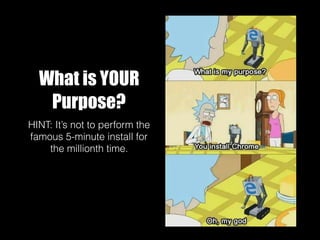
What is YOUR
Purpose?
HINT: It’s not to perform the
famous 5-minute install for
the millionth time.
What can a task-runner do?
• Compile, standardize, map and minify code
• Lint/Debug/Handle Error Messages
• Update your browser without refreshing
• Unit Testing and QA
• Aid in production deployment
How Does This Save Time?
• When I want to start a new WordPress website, in just 30 seconds I have:
• Downloaded the latest version of WP into my projects directory
• Created a local database
• Installed WordPress
• Created a boilerplate _s skeleton theme with my author info pre-populated
• Activated the theme
• Created my WordPress User login
• Set my permissions, and admin color scheme
• Set the timezone
• Downloaded my go-to plugins like ACF/Gravity Forms, activated them and saved their licenses
• Opened Chrome to the home page for the new site
• Started watchers/listeners for changes in my SASS/JS code
Am I READY for this?
Crawl, Walk, $ run
• Have you ever done any the following:
• Used MAMP, WAMP, XAMP or locally hosted?
• Used a command line interface (Ex:Terminal)?
• Used node.js and/or NPM, or installed a code
library? Ruby? Git Cloned a repo?
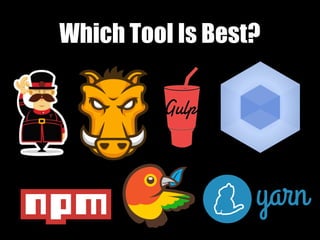
Which Tool Is Best?
Pros & Cons
• Grunt is slower, but the learning curve is easier
• Gulp is faster, but less intuitive
• NPM is no frills, really quick deploys, we better
pipe in some error handling
• Webpack is for when you’re moving into the realm
of product development.
• Yeoman and other generators are good prefabs
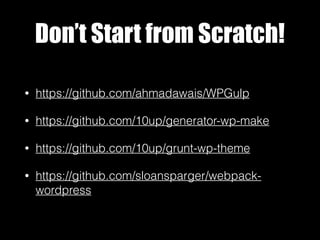
Don’t Start from Scratch!
• https://github.com/ahmadawais/WPGulp
• https://github.com/10up/generator-wp-make
• https://github.com/10up/grunt-wp-theme
• https://github.com/sloansparger/webpack-
wordpress
Caveats
• Working in groups or on different machines
• Which version of node do you have? NPM?
• Is this a Windows Machine or a Mac?
• Libraries break in real-time.
• Automating locally vs on your host
@JoshuaGilmer
“Thanks for your time.”

Task runners + theming automating your workflow

  • 1.
    Task Runners +Theming: Automating Your Workflow @JoshuaGilmer
  • 2.
    What is YOUR Purpose? HINT:It’s not to perform the famous 5-minute install for the millionth time.
  • 3.
    What can atask-runner do? • Compile, standardize, map and minify code • Lint/Debug/Handle Error Messages • Update your browser without refreshing • Unit Testing and QA • Aid in production deployment
  • 4.
    How Does ThisSave Time? • When I want to start a new WordPress website, in just 30 seconds I have: • Downloaded the latest version of WP into my projects directory • Created a local database • Installed WordPress • Created a boilerplate _s skeleton theme with my author info pre-populated • Activated the theme • Created my WordPress User login • Set my permissions, and admin color scheme • Set the timezone • Downloaded my go-to plugins like ACF/Gravity Forms, activated them and saved their licenses • Opened Chrome to the home page for the new site • Started watchers/listeners for changes in my SASS/JS code
  • 5.
    Am I READYfor this?
  • 6.
    Crawl, Walk, $run • Have you ever done any the following: • Used MAMP, WAMP, XAMP or locally hosted? • Used a command line interface (Ex:Terminal)? • Used node.js and/or NPM, or installed a code library? Ruby? Git Cloned a repo?
  • 7.
  • 8.
    Pros & Cons •Grunt is slower, but the learning curve is easier • Gulp is faster, but less intuitive • NPM is no frills, really quick deploys, we better pipe in some error handling • Webpack is for when you’re moving into the realm of product development. • Yeoman and other generators are good prefabs
  • 9.
    Don’t Start fromScratch! • https://github.com/ahmadawais/WPGulp • https://github.com/10up/generator-wp-make • https://github.com/10up/grunt-wp-theme • https://github.com/sloansparger/webpack- wordpress
  • 10.
    Caveats • Working ingroups or on different machines • Which version of node do you have? NPM? • Is this a Windows Machine or a Mac? • Libraries break in real-time. • Automating locally vs on your host
  • 11.