GNOME Terminal Basics
GNOME Terminal is a terminal emulator for the
GNOME desktop environment written by Havoc
Pennington and others.
Terminal emulators allow users to access a UNIX
shell while remaining on their graphical desktop.
GNOME Terminal Basics
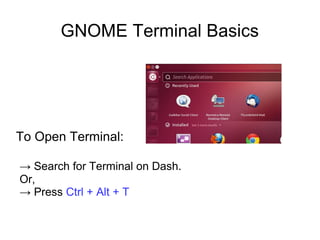
To Open Terminal:
→ Search for Terminal on Dash.
Or,
→ Press Ctrl + Alt + T
GNOME Terminal Basics
About display prompt:
khassan@Ubuntu:~$
user@computer:~$
~ Represents Home directory.
$ Represents the user.
GNOME Terminal Basics
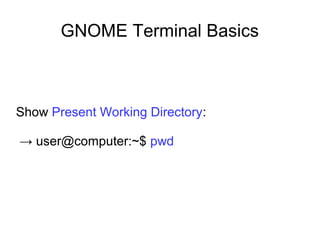
Show Present Working Directory:
→ user@computer:~$ pwd
GNOME Terminal Basics
List all files and folders in current directory:
:~$ ls [ Lists color coded files and folder names.
Blue names are directories, Light blue
names are protected directories, White
names are files and Green names are
executable files.]
GNOME Terminal Basics
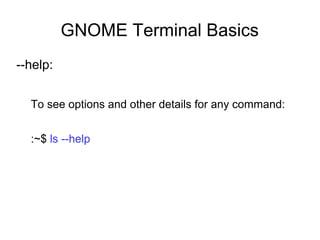
--help:
To see options and other details for any command:
:~$ ls --help
GNOME Terminal Basics
Clear:
To clear screen:
$ clear
[ This command clears the screen but you can still find
previous commands by pressing uparrow key. ]
GNOME Terminal Basics
Change directory:
$ cd / [goes to the root directory.]
$ cd [goes to home directory from anywhere.]
$ cd Desktop/
~/Desktop$ pwd
[ /home/username/Desktop ]
$ cd ../ [ Up one directory]
GNOME Terminal Basics
Make Directory:
~/Desktop$ mkdir “Test Directory”
Or,
~/Desktop$ mkdir -m 777 “Test Directory”
[ -m option represents mode like chmod.
The directory name has a space and so the
quotation mark. ]
GNOME Terminal Basics
Remove Directory:
$ rmdir directoryName
GNOME Terminal Basics
To Create a File:
$ touch filename
[ file will not be created if the file already exists. ]
$ >filename
[ fill will be created and replace previous one. ]
$ >>filename
[ as touch ]
GNOME Terminal Basics
Editing a file using any editor:
$ gedit filename.txt
[ gedit is the notepad like editor in Ubuntu. ]
$ nano filename.txt
$ vim filename.txt
GNOME Terminal Basics
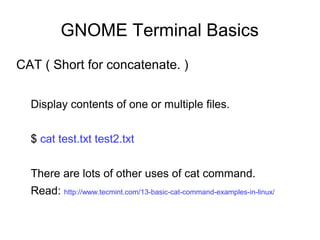
CAT ( Short for concatenate. )
Display contents of one or multiple files.
$ cat test.txt test2.txt
There are lots of other uses of cat command.
Read: http://www.tecmint.com/13-basic-cat-command-examples-in-linux/
GNOME Terminal Basics
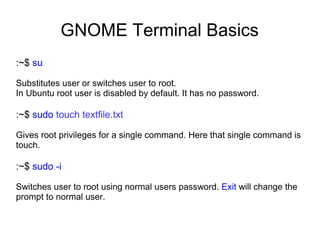
:~$ su
Substitutes user or switches user to root.
In Ubuntu root user is disabled by default. It has no password.
:~$ sudo touch textfile.txt
Gives root privileges for a single command. Here that single command is
touch.
:~$ sudo -i
Switches user to root using normal users password. Exit will change the
prompt to normal user.
GNOME Terminal Basics
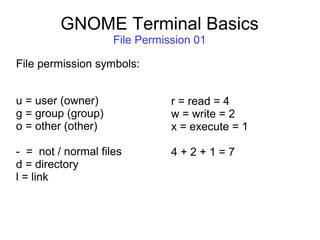
File Permission 01
File permission symbols:
u = user (owner)
g = group (group)
o = other (other)
- = not / normal files
d = directory
l = link
r = read = 4
w = write = 2
x = execute = 1
4 + 2 + 1 = 7
GNOME Terminal Basics
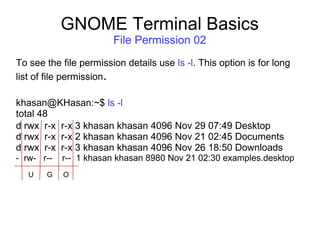
File Permission 02
To see the file permission details use ls -l. This option is for long
list of file permission.
khasan@KHasan:~$ ls -l
total 48
d rwx r-x r-x 3 khasan khasan 4096 Nov 29 07:49 Desktop
d rwx r-x r-x 2 khasan khasan 4096 Nov 21 02:45 Documents
d rwx r-x r-x 3 khasan khasan 4096 Nov 26 18:50 Downloads
- rw- r-- r-- 1 khasan khasan 8980 Nov 21 02:30 examples.desktop
G OU
GNOME Terminal Basics
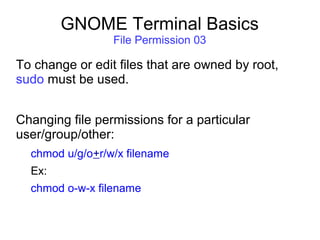
File Permission 03
To change or edit files that are owned by root,
sudo must be used.
Changing file permissions for a particular
user/group/other:
chmod u/g/o+r/w/x filename
Ex:
chmod o-w-x filename
GNOME Terminal Basics
File Permission 04
To change file permission for all types of user:
[ To change or edit files that are owned by root, sudo must be used. ]
chmod -R ugo filename
Ex:
chmod -R 777 filename
4 = Read, 2 = Write, 1 = Execute, 0 = none
4+2+1 = 7
GNOME Terminal Basics
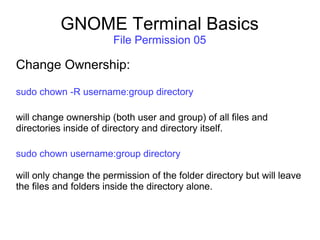
File Permission 05
Change Ownership:
sudo chown -R username:group directory
will change ownership (both user and group) of all files and
directories inside of directory and directory itself.
sudo chown username:group directory
will only change the permission of the folder directory but will leave
the files and folders inside the directory alone.
GNOME Terminal Basic
To Be Continued...

Gnome terminal basics

  • 1.
    GNOME Terminal Basics GNOMETerminal is a terminal emulator for the GNOME desktop environment written by Havoc Pennington and others. Terminal emulators allow users to access a UNIX shell while remaining on their graphical desktop.
  • 2.
    GNOME Terminal Basics ToOpen Terminal: → Search for Terminal on Dash. Or, → Press Ctrl + Alt + T
  • 3.
    GNOME Terminal Basics Aboutdisplay prompt: khassan@Ubuntu:~$ user@computer:~$ ~ Represents Home directory. $ Represents the user.
  • 4.
    GNOME Terminal Basics ShowPresent Working Directory: → user@computer:~$ pwd
  • 5.
    GNOME Terminal Basics Listall files and folders in current directory: :~$ ls [ Lists color coded files and folder names. Blue names are directories, Light blue names are protected directories, White names are files and Green names are executable files.]
  • 6.
    GNOME Terminal Basics --help: Tosee options and other details for any command: :~$ ls --help
  • 7.
    GNOME Terminal Basics Clear: Toclear screen: $ clear [ This command clears the screen but you can still find previous commands by pressing uparrow key. ]
  • 8.
    GNOME Terminal Basics Changedirectory: $ cd / [goes to the root directory.] $ cd [goes to home directory from anywhere.] $ cd Desktop/ ~/Desktop$ pwd [ /home/username/Desktop ] $ cd ../ [ Up one directory]
  • 9.
    GNOME Terminal Basics MakeDirectory: ~/Desktop$ mkdir “Test Directory” Or, ~/Desktop$ mkdir -m 777 “Test Directory” [ -m option represents mode like chmod. The directory name has a space and so the quotation mark. ]
  • 10.
    GNOME Terminal Basics RemoveDirectory: $ rmdir directoryName
  • 11.
    GNOME Terminal Basics ToCreate a File: $ touch filename [ file will not be created if the file already exists. ] $ >filename [ fill will be created and replace previous one. ] $ >>filename [ as touch ]
  • 12.
    GNOME Terminal Basics Editinga file using any editor: $ gedit filename.txt [ gedit is the notepad like editor in Ubuntu. ] $ nano filename.txt $ vim filename.txt
  • 13.
    GNOME Terminal Basics CAT( Short for concatenate. ) Display contents of one or multiple files. $ cat test.txt test2.txt There are lots of other uses of cat command. Read: http://www.tecmint.com/13-basic-cat-command-examples-in-linux/
  • 14.
    GNOME Terminal Basics :~$su Substitutes user or switches user to root. In Ubuntu root user is disabled by default. It has no password. :~$ sudo touch textfile.txt Gives root privileges for a single command. Here that single command is touch. :~$ sudo -i Switches user to root using normal users password. Exit will change the prompt to normal user.
  • 15.
    GNOME Terminal Basics FilePermission 01 File permission symbols: u = user (owner) g = group (group) o = other (other) - = not / normal files d = directory l = link r = read = 4 w = write = 2 x = execute = 1 4 + 2 + 1 = 7
  • 16.
    GNOME Terminal Basics FilePermission 02 To see the file permission details use ls -l. This option is for long list of file permission. khasan@KHasan:~$ ls -l total 48 d rwx r-x r-x 3 khasan khasan 4096 Nov 29 07:49 Desktop d rwx r-x r-x 2 khasan khasan 4096 Nov 21 02:45 Documents d rwx r-x r-x 3 khasan khasan 4096 Nov 26 18:50 Downloads - rw- r-- r-- 1 khasan khasan 8980 Nov 21 02:30 examples.desktop G OU
  • 17.
    GNOME Terminal Basics FilePermission 03 To change or edit files that are owned by root, sudo must be used. Changing file permissions for a particular user/group/other: chmod u/g/o+r/w/x filename Ex: chmod o-w-x filename
  • 18.
    GNOME Terminal Basics FilePermission 04 To change file permission for all types of user: [ To change or edit files that are owned by root, sudo must be used. ] chmod -R ugo filename Ex: chmod -R 777 filename 4 = Read, 2 = Write, 1 = Execute, 0 = none 4+2+1 = 7
  • 19.
    GNOME Terminal Basics FilePermission 05 Change Ownership: sudo chown -R username:group directory will change ownership (both user and group) of all files and directories inside of directory and directory itself. sudo chown username:group directory will only change the permission of the folder directory but will leave the files and folders inside the directory alone.
  • 20.
    GNOME Terminal Basic ToBe Continued...