Global Conductor
for Brand Programming
Global Conductor
Q: What is Global Conductor anyway?
The replacement for Conductor
Device Provisioning
Device Management
Brand Programming
Licensing
Content Delivery
Schedule
Q: When will we see things? When will we get to use it?
Already started
Device Provisioning and Device Management are in
use
Working out issues and extending functionality
Focuses on new players, better view of existing
Brand Programming is next
Design phase is underway
Design Process
Q: How do you design something like Global Conductor?
User-Centered Design
Talking to and listening to users
Learn tasks from talking to and watching Music
Supervisors – building on work by Moses and Jim
Distinguish between how you do your work because of
Conductor vs. how you want to do your work
Find the common and most repeated tasks, determine
best practices for doing them, then design for that
Tasks
Concentrating on these areas:
Finding music
Finding a specific song vs. hunting and gathering
Finding music for one brand, and finding music for another
Grouping music
Collections shared across brands vs. branded collections
Collections shared across supervisors
Programing, scheduling music
Messaging
Designing
Brand Programming
Step 1: Build a logical model of tasks and data
What are the pieces? How do they fit together?
Is it easily explainable?
Do similar pieces work the same way in different areas?
Model
Music
Collections of Music
Channels
Brands
Devices
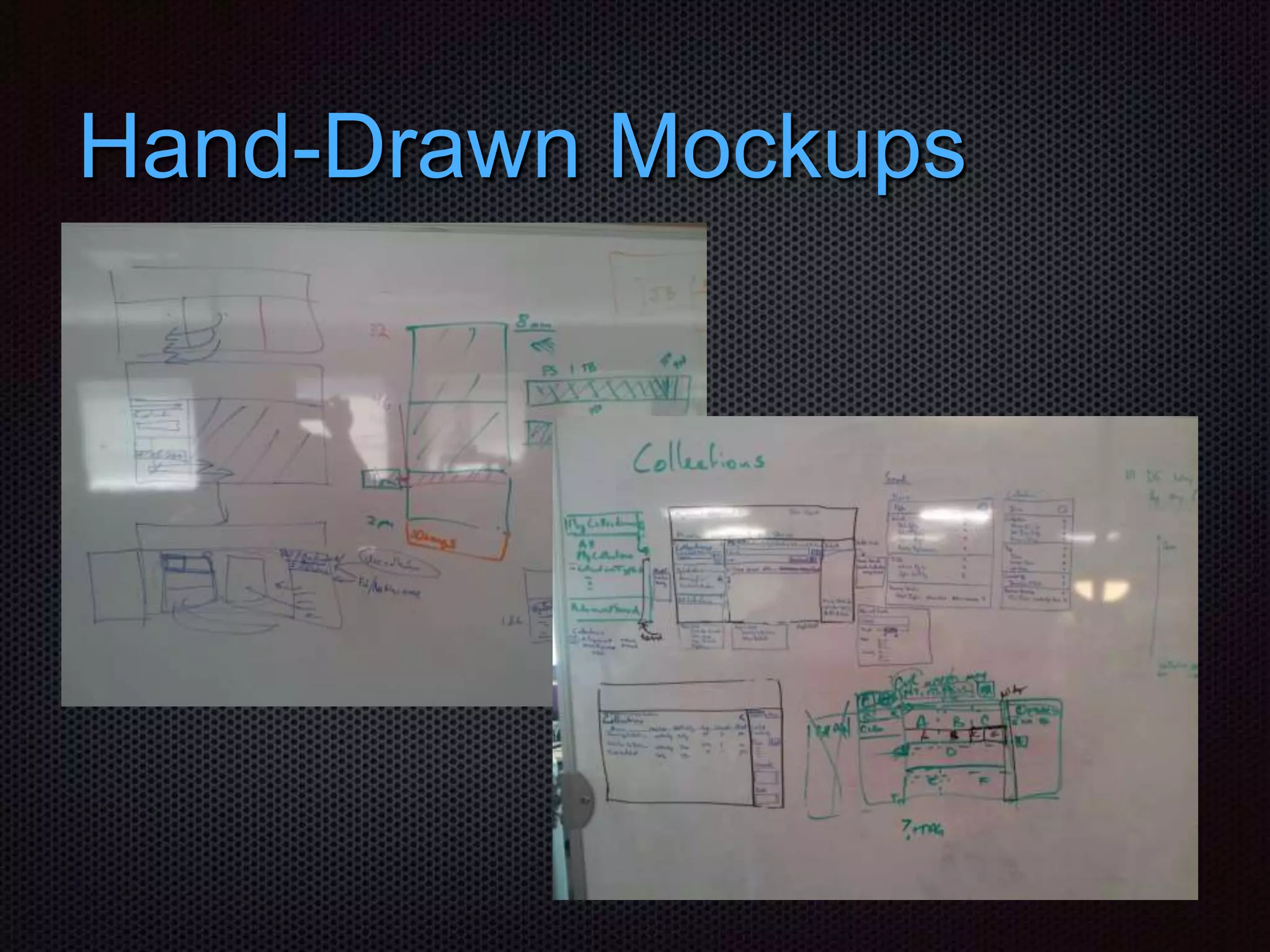
Visualizing the Model
Step 2: Draw mockups by hand
 Get lots of paper, large whiteboards
 Draw screens that support the tasks and best practices
 Step through each task one by one
Hand-Drawn Mockups
Design Getting Sticky
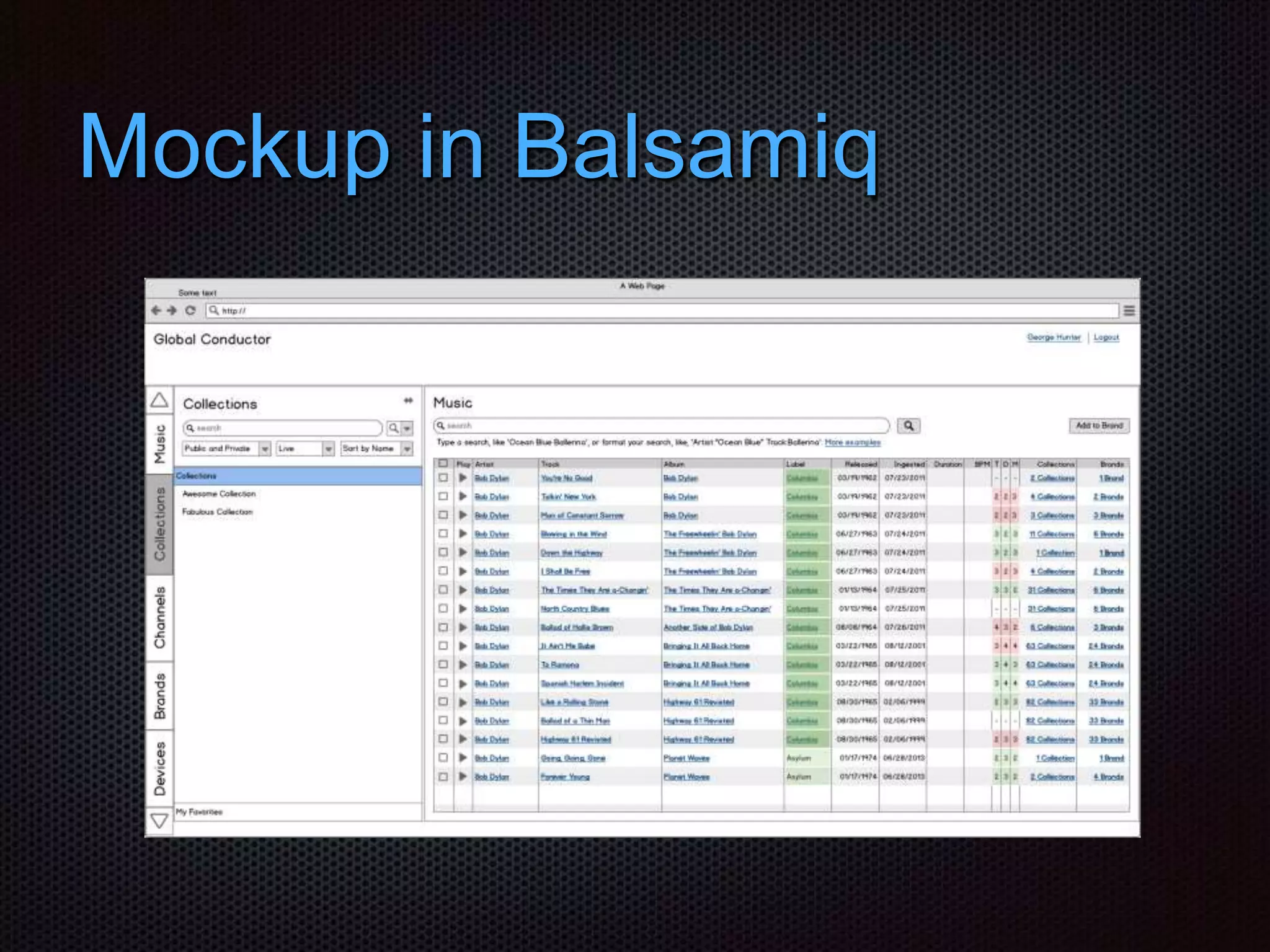
Step 3: Draw wireframes in software (Balsamiq)
Changes getting smaller
Able to show different people the same thing
Mockup in Balsamiq
Test and Verify the Design
Step 4: Review with users, stakeholders, dev
Step 5: Usability test the wireframes with users
Step 6: Give brave users working code, adjust as needed
Planning
Q: How will it be decided what to build first, next, last?
What needs to be built first?
What adds most value to users for the effort?
Can we can we deliver pieces instead of waiting to
finish the whole thing?
Add new functionality rather than replacing
Some Details
Q: Will it be a desktop application, like Conductor, or a web-app in a browser?
Web-app, accessible from anywhere
Role-based, using permissions, to enable users to see the parts they use
Can also be a portal for customers, like Serenade
Q: What size screen will it work on?
Designed to fit on laptop monitors.
Will work better on larger displays.
Likely to work on mobile, but only some tasks, like listening to or removing songs.
Q & A

Global Conductor Explained

  • 1.
  • 2.
    Global Conductor Q: Whatis Global Conductor anyway? The replacement for Conductor Device Provisioning Device Management Brand Programming Licensing Content Delivery
  • 3.
    Schedule Q: When willwe see things? When will we get to use it? Already started Device Provisioning and Device Management are in use Working out issues and extending functionality Focuses on new players, better view of existing Brand Programming is next Design phase is underway
  • 4.
    Design Process Q: Howdo you design something like Global Conductor? User-Centered Design Talking to and listening to users Learn tasks from talking to and watching Music Supervisors – building on work by Moses and Jim Distinguish between how you do your work because of Conductor vs. how you want to do your work Find the common and most repeated tasks, determine best practices for doing them, then design for that
  • 5.
    Tasks Concentrating on theseareas: Finding music Finding a specific song vs. hunting and gathering Finding music for one brand, and finding music for another Grouping music Collections shared across brands vs. branded collections Collections shared across supervisors Programing, scheduling music Messaging
  • 6.
    Designing Brand Programming Step 1:Build a logical model of tasks and data What are the pieces? How do they fit together? Is it easily explainable? Do similar pieces work the same way in different areas?
  • 7.
  • 8.
    Visualizing the Model Step2: Draw mockups by hand  Get lots of paper, large whiteboards  Draw screens that support the tasks and best practices  Step through each task one by one
  • 9.
  • 10.
    Design Getting Sticky Step3: Draw wireframes in software (Balsamiq) Changes getting smaller Able to show different people the same thing
  • 11.
  • 12.
    Test and Verifythe Design Step 4: Review with users, stakeholders, dev Step 5: Usability test the wireframes with users Step 6: Give brave users working code, adjust as needed
  • 13.
    Planning Q: How willit be decided what to build first, next, last? What needs to be built first? What adds most value to users for the effort? Can we can we deliver pieces instead of waiting to finish the whole thing? Add new functionality rather than replacing
  • 14.
    Some Details Q: Willit be a desktop application, like Conductor, or a web-app in a browser? Web-app, accessible from anywhere Role-based, using permissions, to enable users to see the parts they use Can also be a portal for customers, like Serenade Q: What size screen will it work on? Designed to fit on laptop monitors. Will work better on larger displays. Likely to work on mobile, but only some tasks, like listening to or removing songs.
  • 15.