Getting Started with
MirrorMaker 2
Mickael Maison - IBM
Ryanne Dolan - Twitter
Kafka Summit EU 2021
Summary
- Pain points of MM1
- Overview of MM2 Connectors
- Deployment modes
- Use cases and Scenarios
- Tips and Tricks to get started
Why MM2?
• Address problems with legacy MirrorMaker (MM1)
• Take advantage of Connect ecosystem
• Enable new replication use-cases
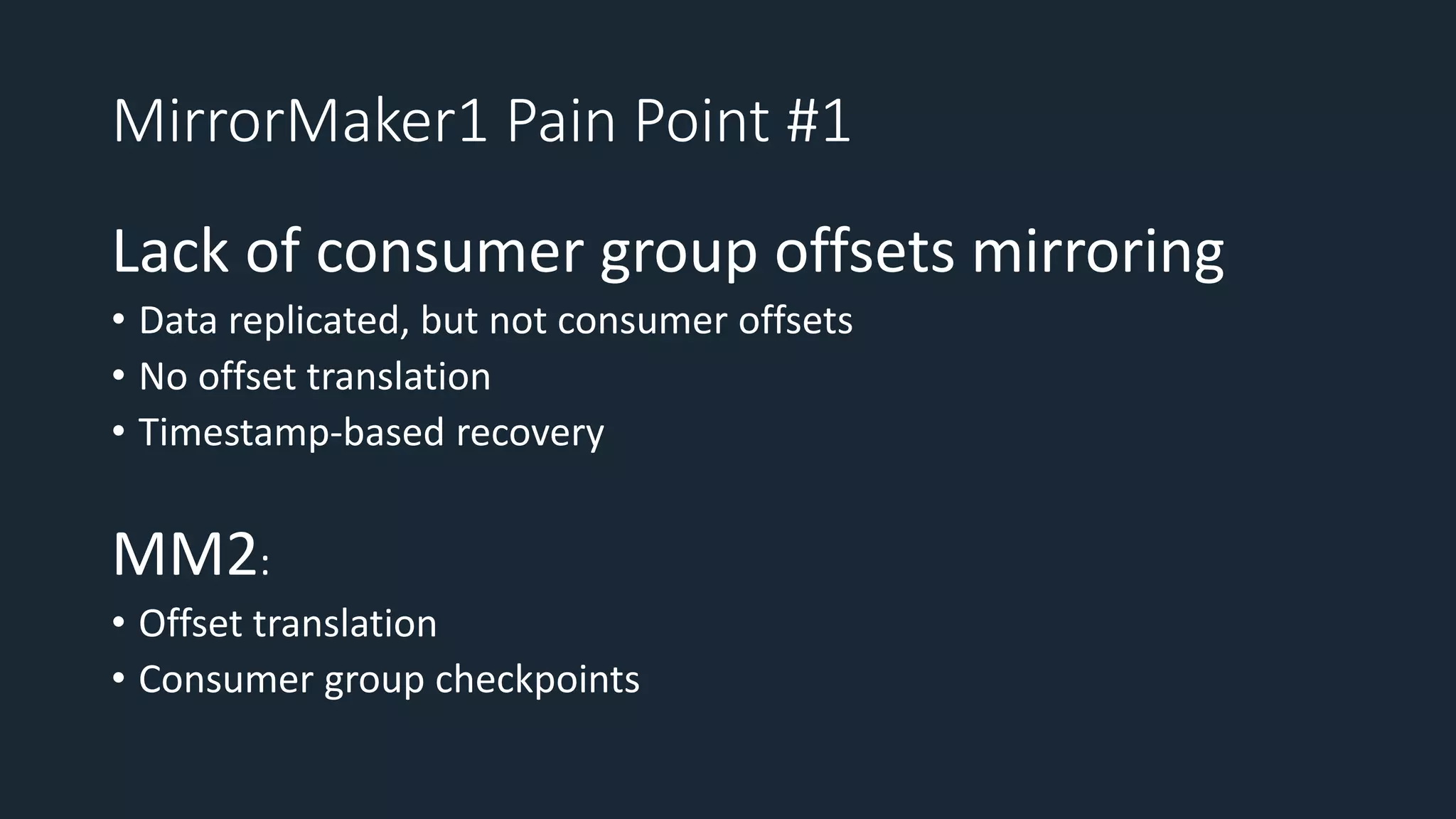
MirrorMaker1 Pain Point #1
Lack of consumer group offsets mirroring
• Data replicated, but not consumer offsets
• No offset translation
• Timestamp-based recovery
MM2:
• Offset translation
• Consumer group checkpoints
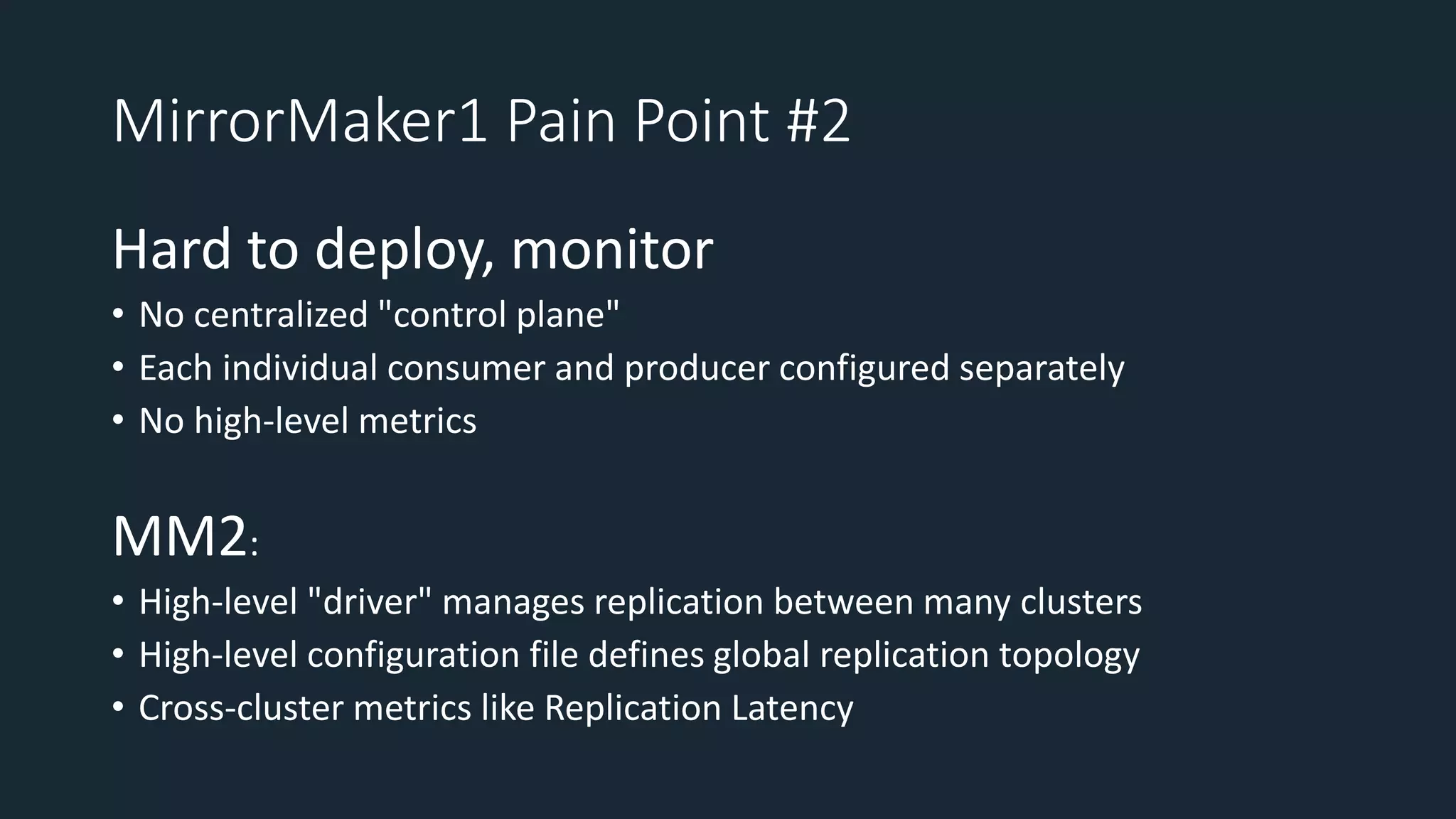
MirrorMaker1 Pain Point #2
Hard to deploy, monitor
• No centralized "control plane"
• Each individual consumer and producer configured separately
• No high-level metrics
MM2:
• High-level "driver" manages replication between many clusters
• High-level configuration file defines global replication topology
• Cross-cluster metrics like Replication Latency
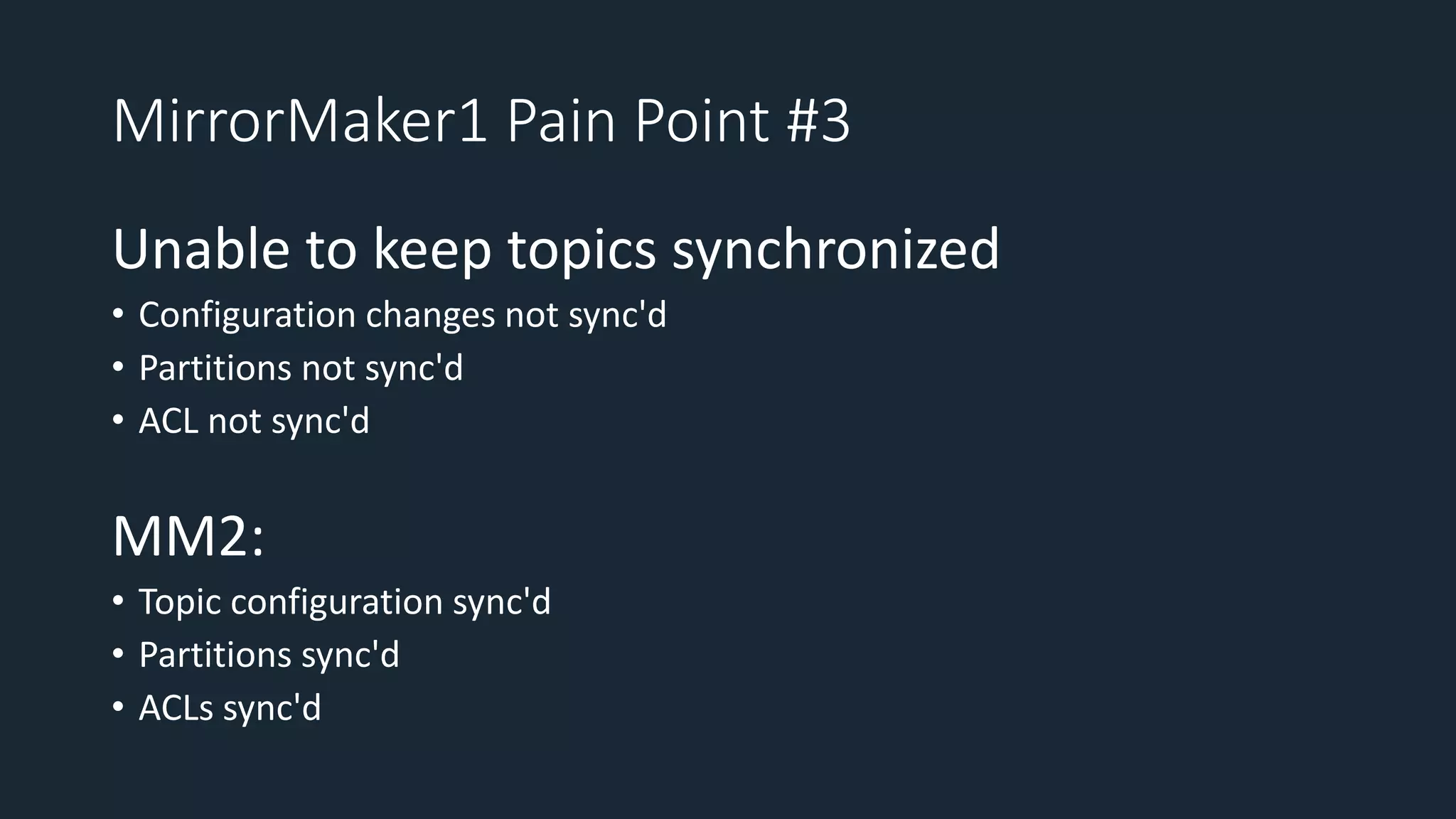
MirrorMaker1 Pain Point #3
Unable to keep topics synchronized
• Configuration changes not sync'd
• Partitions not sync'd
• ACL not sync'd
MM2:
• Topic configuration sync'd
• Partitions sync'd
• ACLs sync'd
The
Connectors
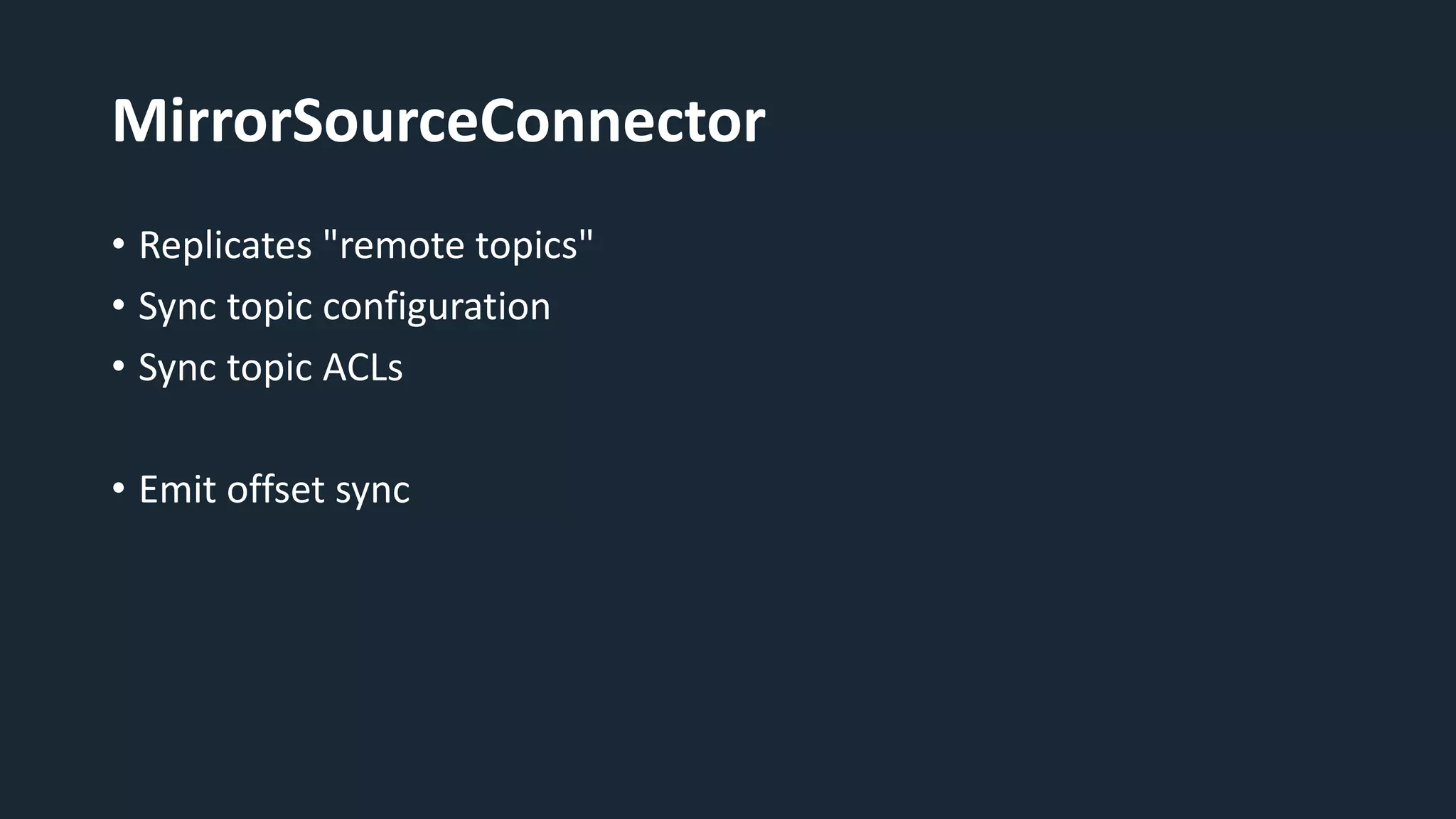
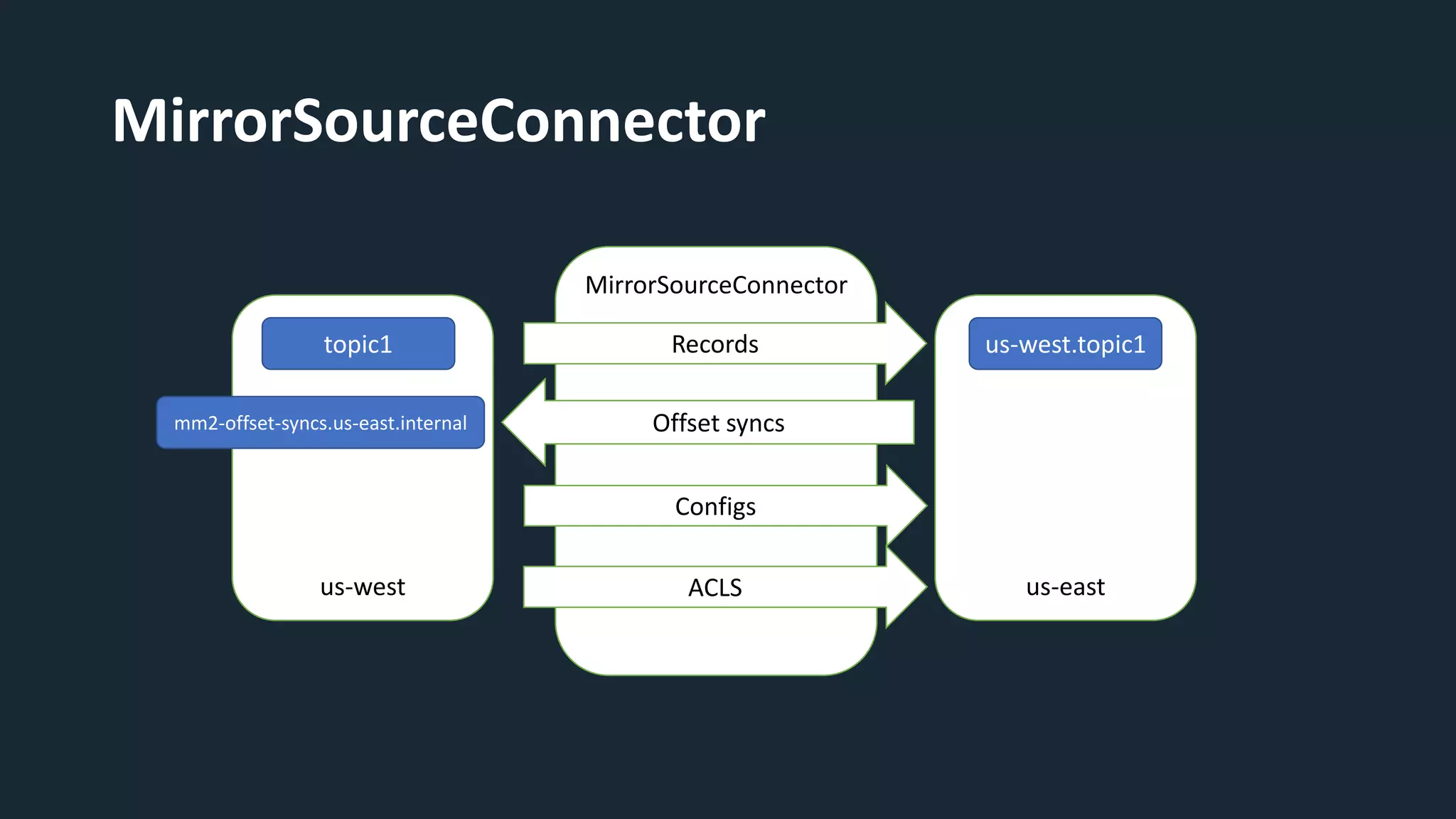
MirrorSourceConnector
• Replicates "remote topics"
• Sync topic configuration
• Sync topic ACLs
• Emit offset sync
us-east
MirrorSourceConnector
us-west.topic1
us-west
Configs
ACLS
Records
Offset syncs
topic1
mm2-offset-syncs.us-east.internal
us-west
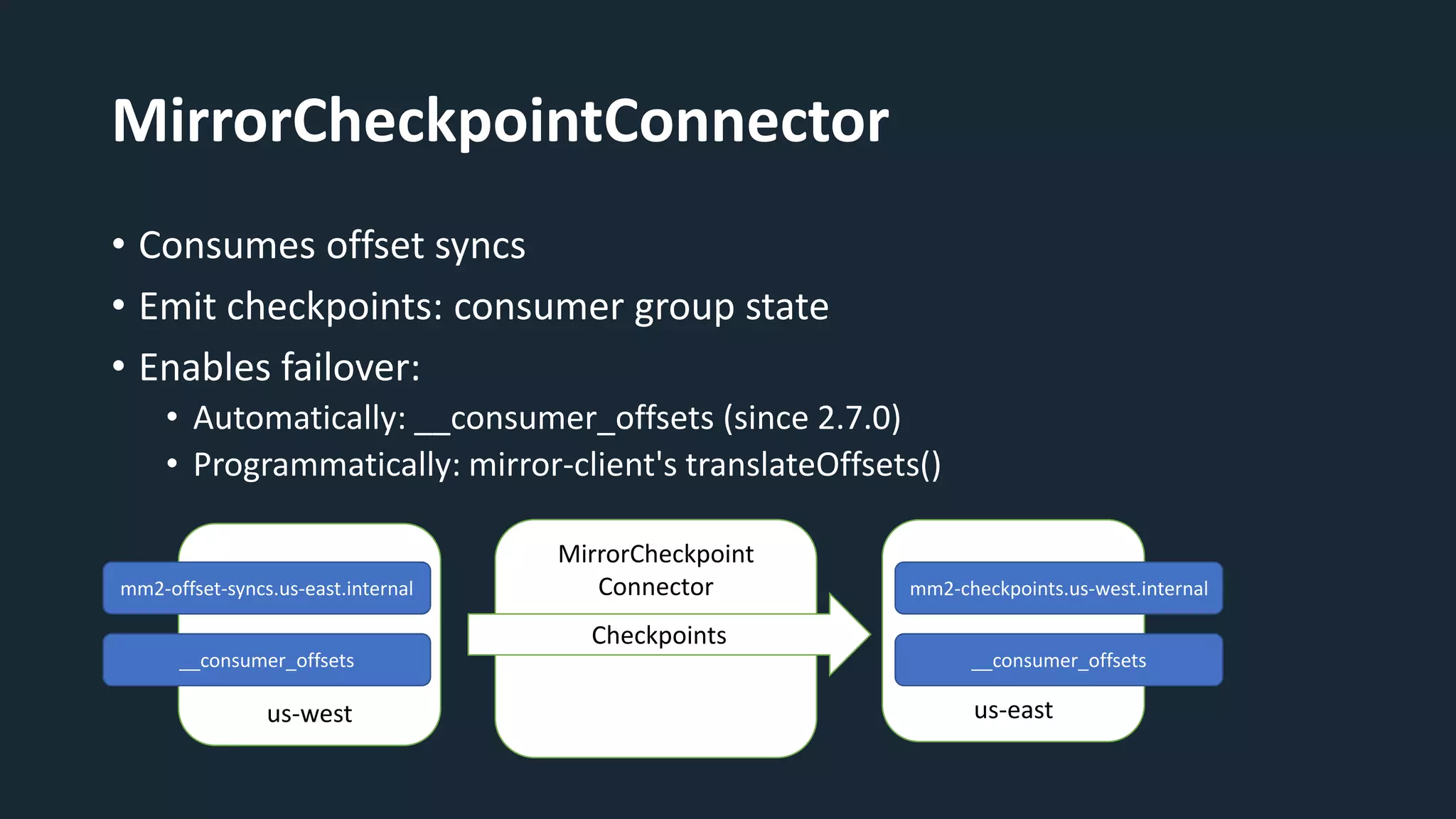
MirrorCheckpointConnector
• Consumes offset syncs
• Emit checkpoints: consumer group state
• Enables failover:
• Automatically: __consumer_offsets (since 2.7.0)
• Programmatically: mirror-client's translateOffsets()
us-east
MirrorCheckpoint
Connector
Checkpoints
mm2-offset-syncs.us-east.internal mm2-checkpoints.us-west.internal
__consumer_offsets
__consumer_offsets
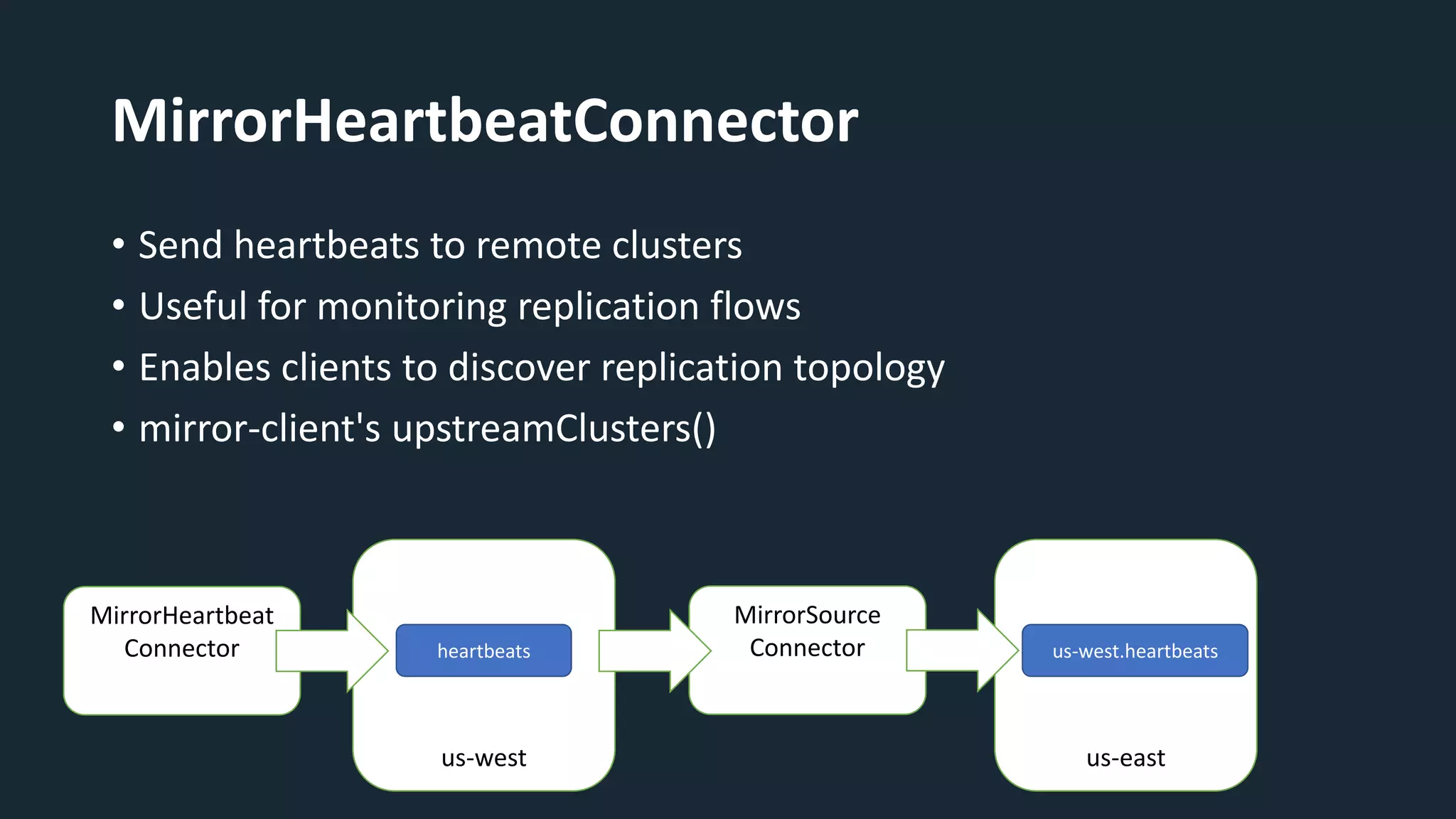
MirrorHeartbeatConnector
• Send heartbeats to remote clusters
• Useful for monitoring replication flows
• Enables clients to discover replication topology
• mirror-client's upstreamClusters()
us-west
MirrorHeartbeat
Connector heartbeats
MirrorSource
Connector
us-east
us-west.heartbeats
Deployment
Modes
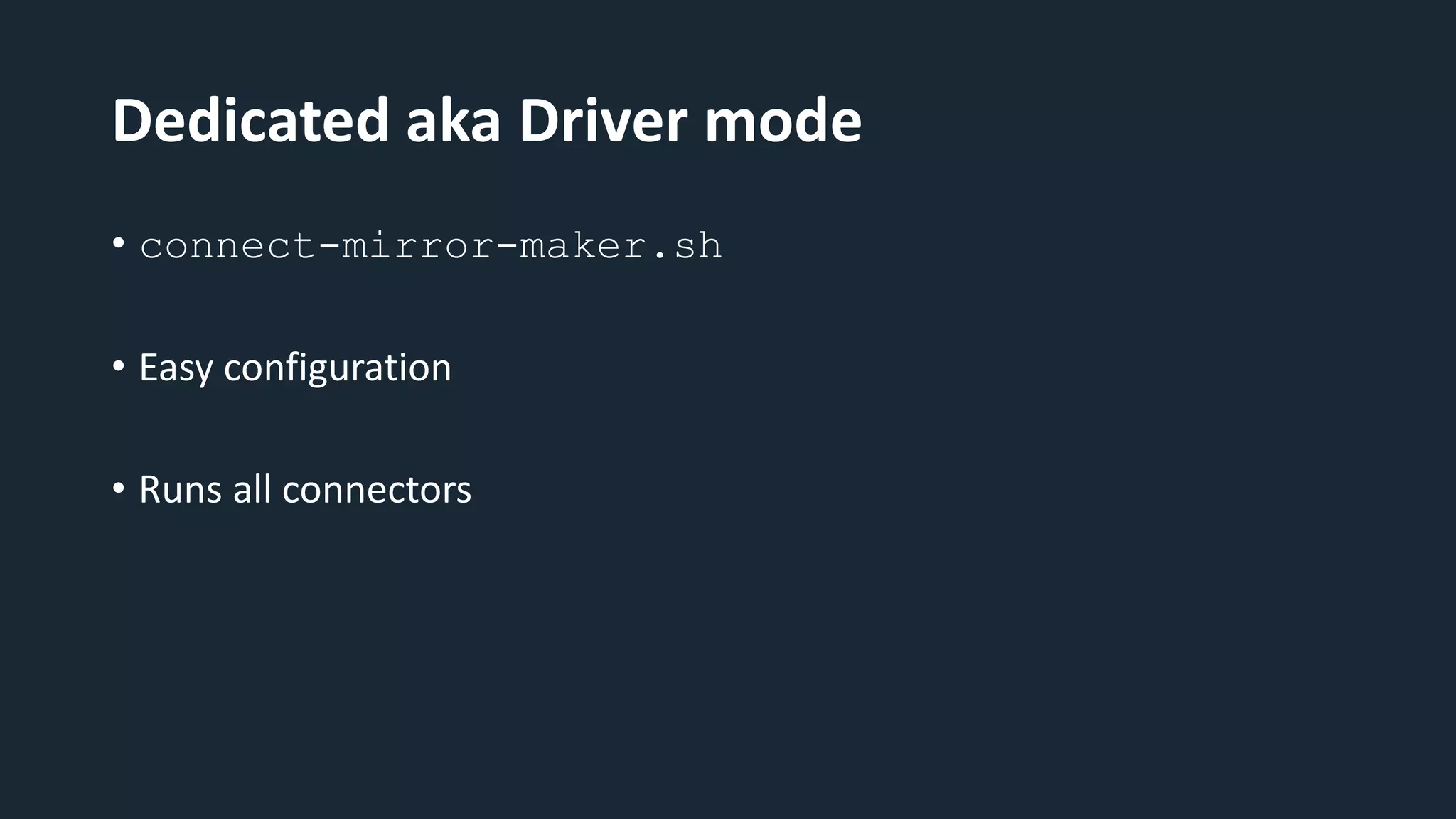
Dedicated aka Driver mode
• connect-mirror-maker.sh
• Easy configuration
• Runs all connectors
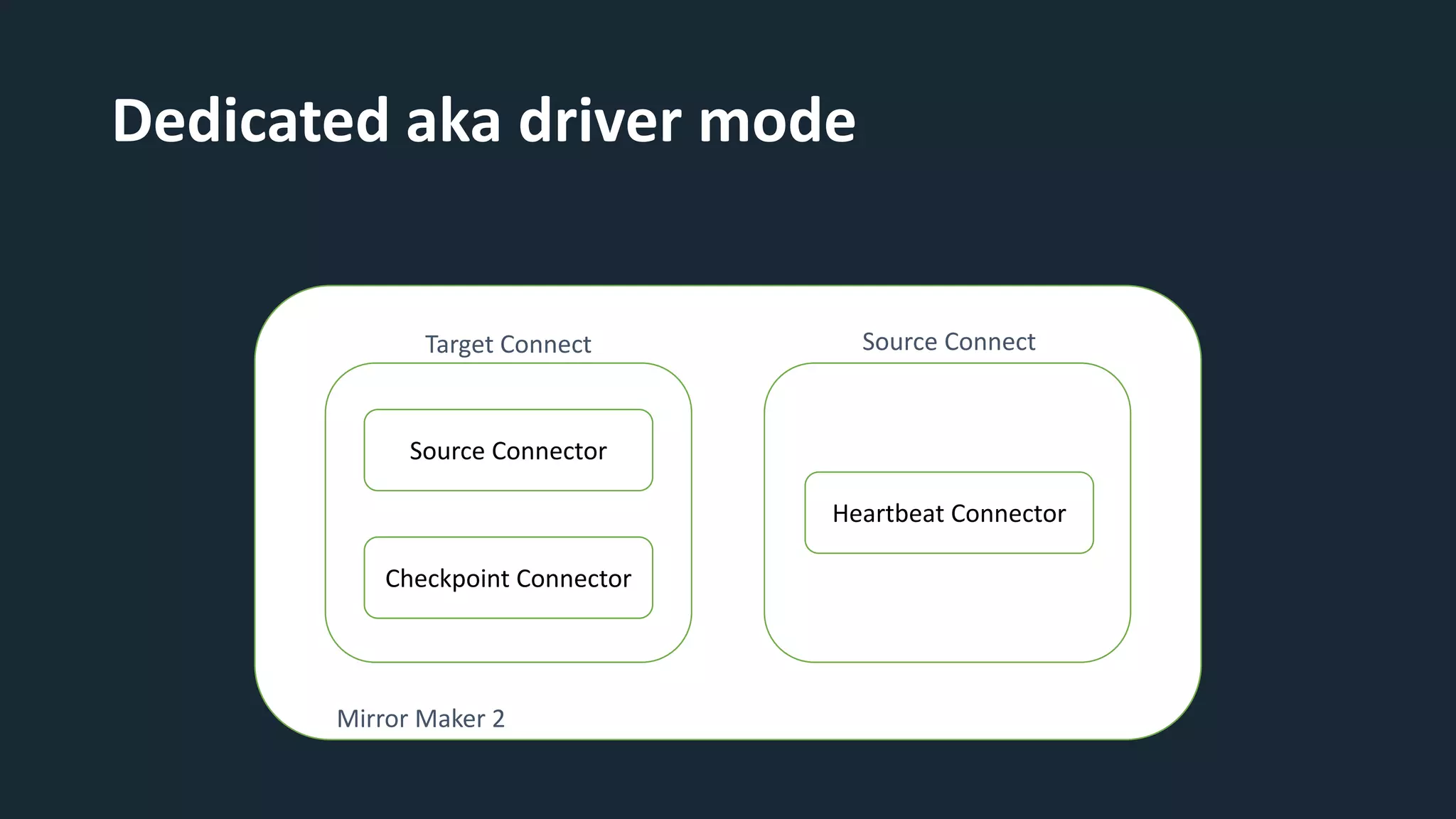
Dedicated aka driver mode
Source Connector
Checkpoint Connector
Heartbeat Connector
Target Connect Source Connect
Mirror Maker 2
Connect Distributed
• Reuse existing Connect cluster
• Full control
• More configuration
Use cases
and
scenarios
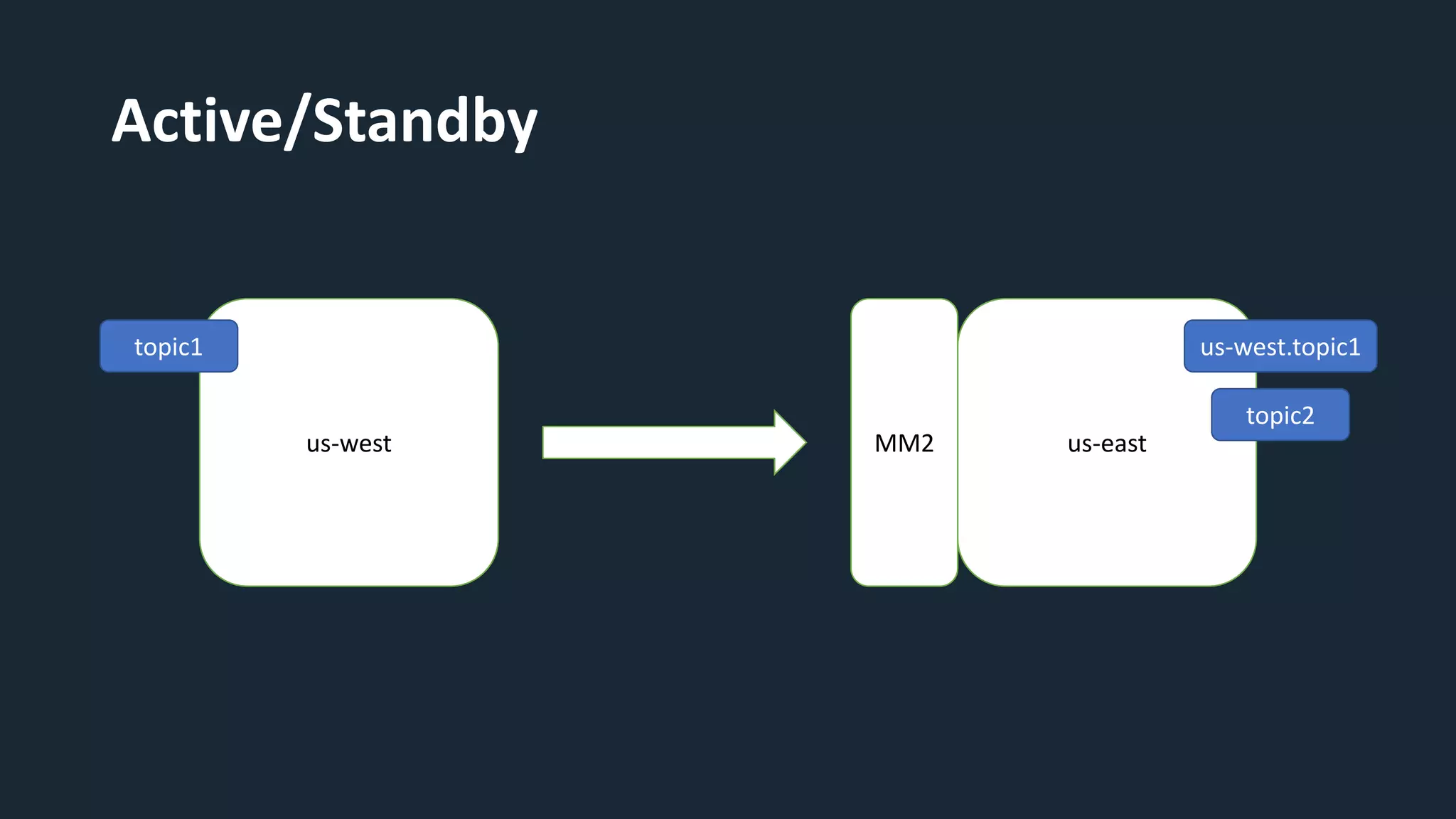
Active/Standby
us-west us-east
MM2
topic1 us-west.topic1
topic2
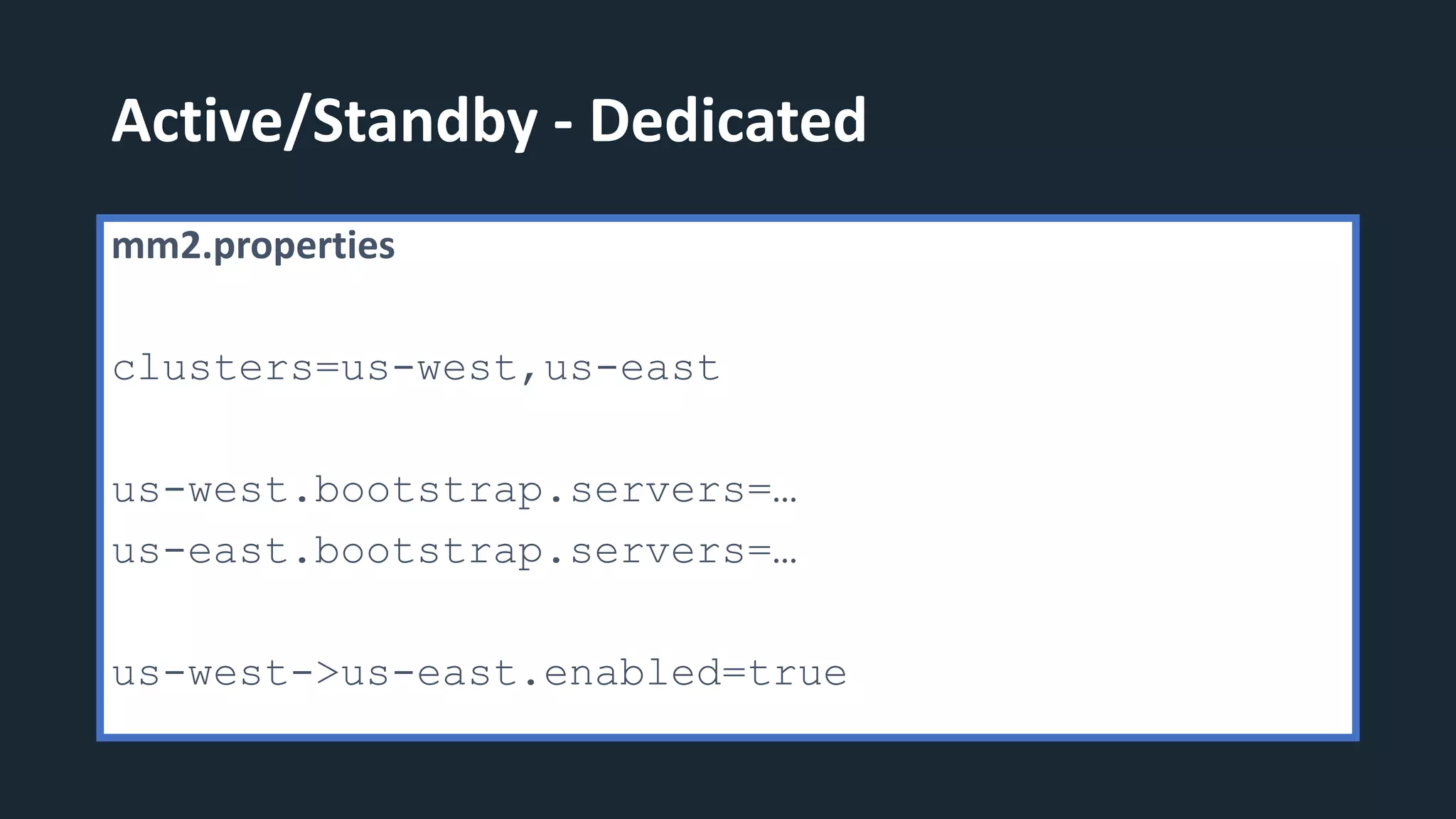
Active/Standby - Dedicated
mm2.properties
clusters=us-west,us-east
us-west.bootstrap.servers=…
us-east.bootstrap.servers=…
us-west->us-east.enabled=true
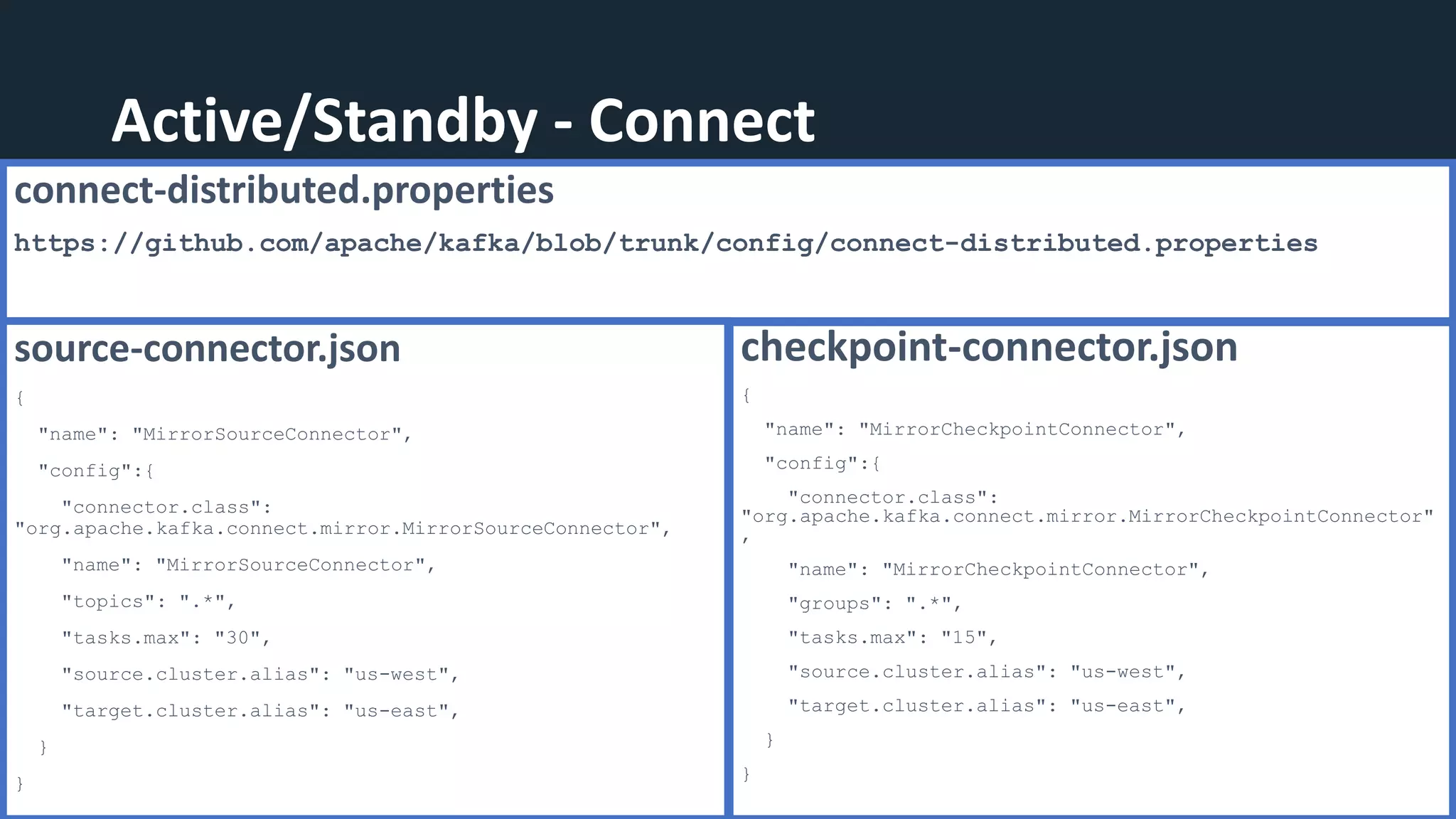
Active/Standby - Connect
connect-distributed.properties
https://github.com/apache/kafka/blob/trunk/config/connect-distributed.properties
source-connector.json
{
"name": "MirrorSourceConnector",
"config":{
"connector.class":
"org.apache.kafka.connect.mirror.MirrorSourceConnector",
"name": "MirrorSourceConnector",
"topics": ".*",
"tasks.max": "30",
"source.cluster.alias": "us-west",
"target.cluster.alias": "us-east",
}
}
checkpoint-connector.json
{
"name": "MirrorCheckpointConnector",
"config":{
"connector.class":
"org.apache.kafka.connect.mirror.MirrorCheckpointConnector"
,
"name": "MirrorCheckpointConnector",
"groups": ".*",
"tasks.max": "15",
"source.cluster.alias": "us-west",
"target.cluster.alias": "us-east",
}
}
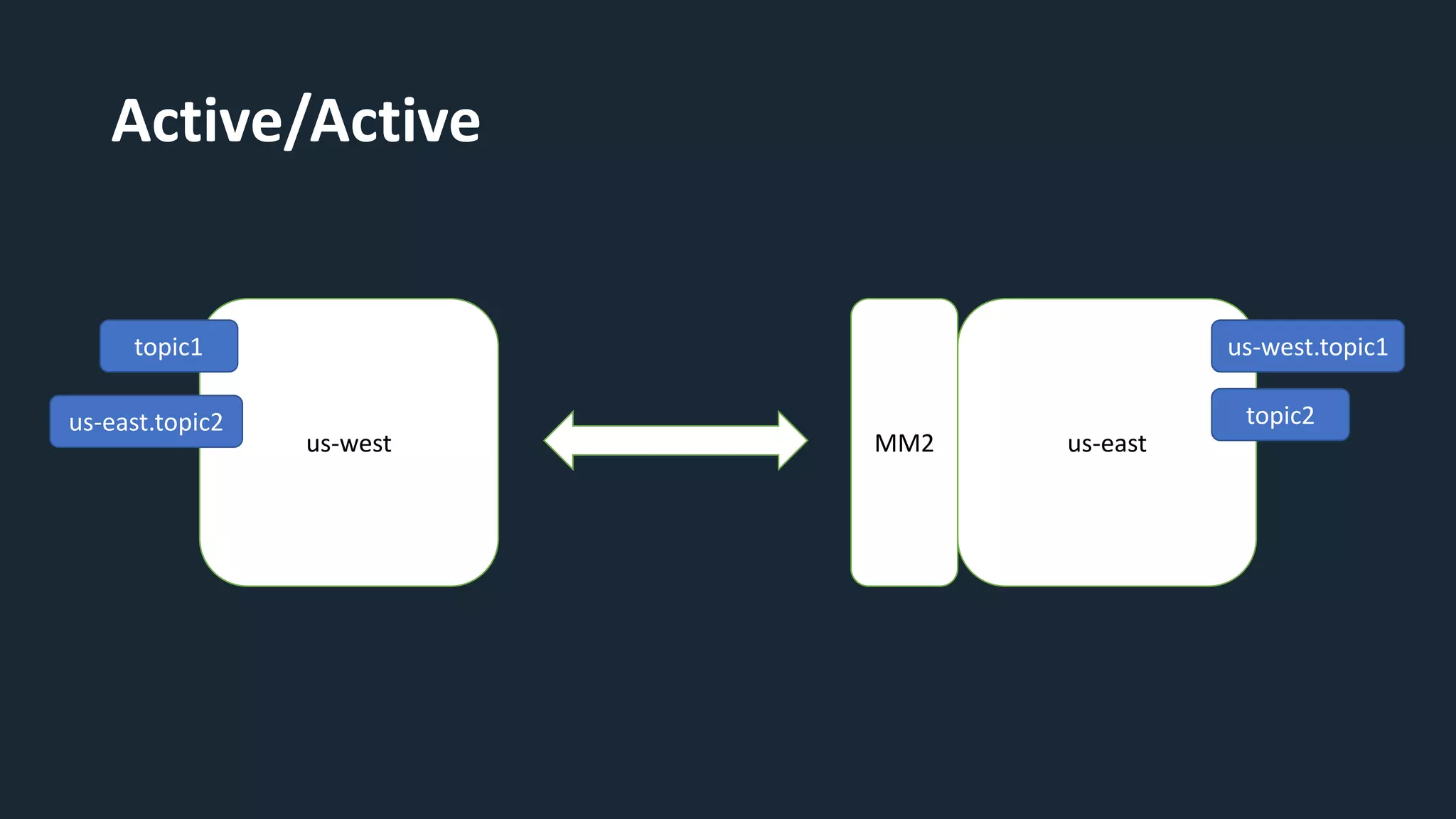
Active/Active
us-west us-east
MM2
topic1 us-west.topic1
topic2
us-east.topic2
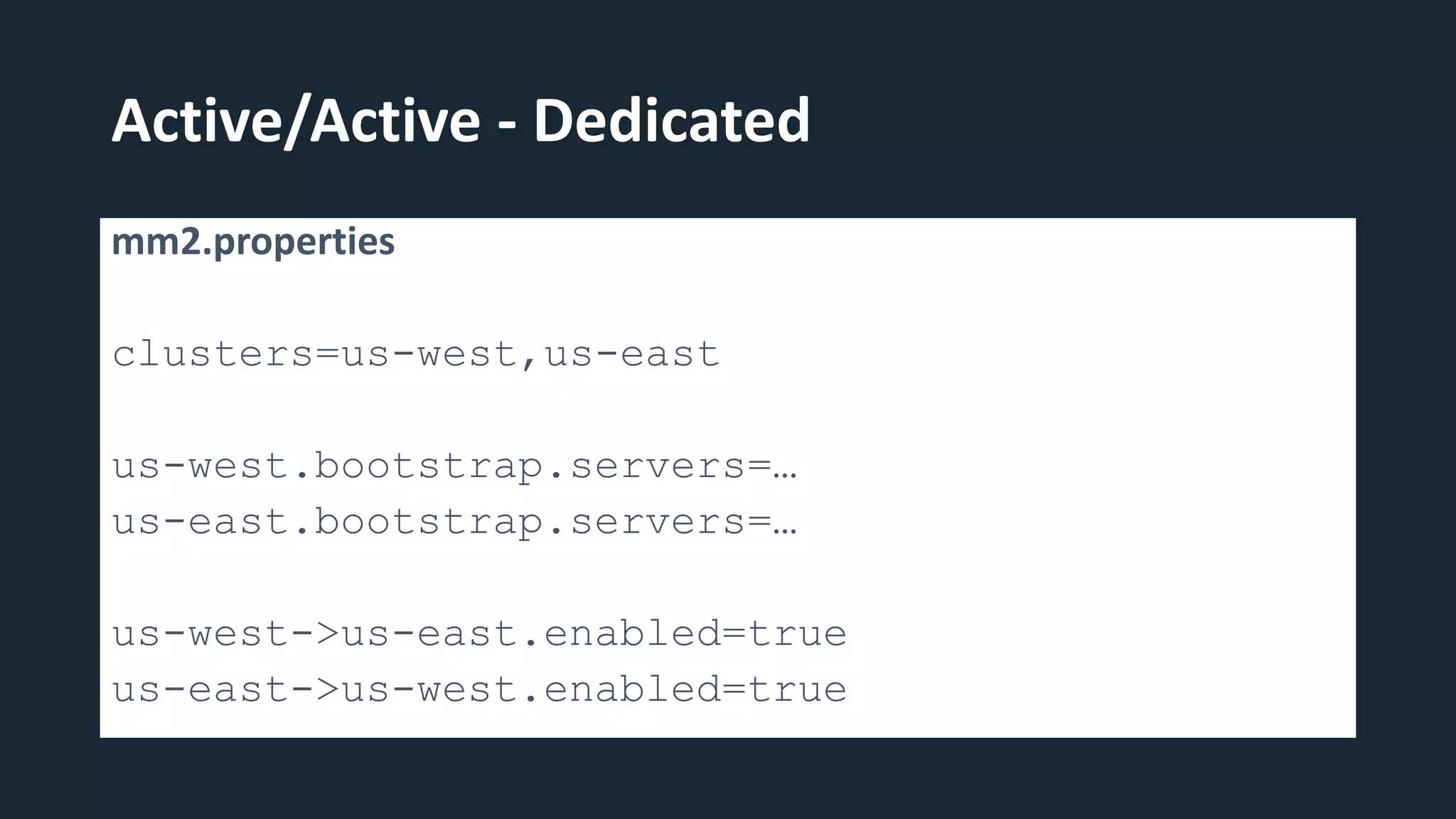
Active/Active - Dedicated
mm2.properties
clusters=us-west,us-east
us-west.bootstrap.servers=…
us-east.bootstrap.servers=…
us-west->us-east.enabled=true
us-east->us-west.enabled=true
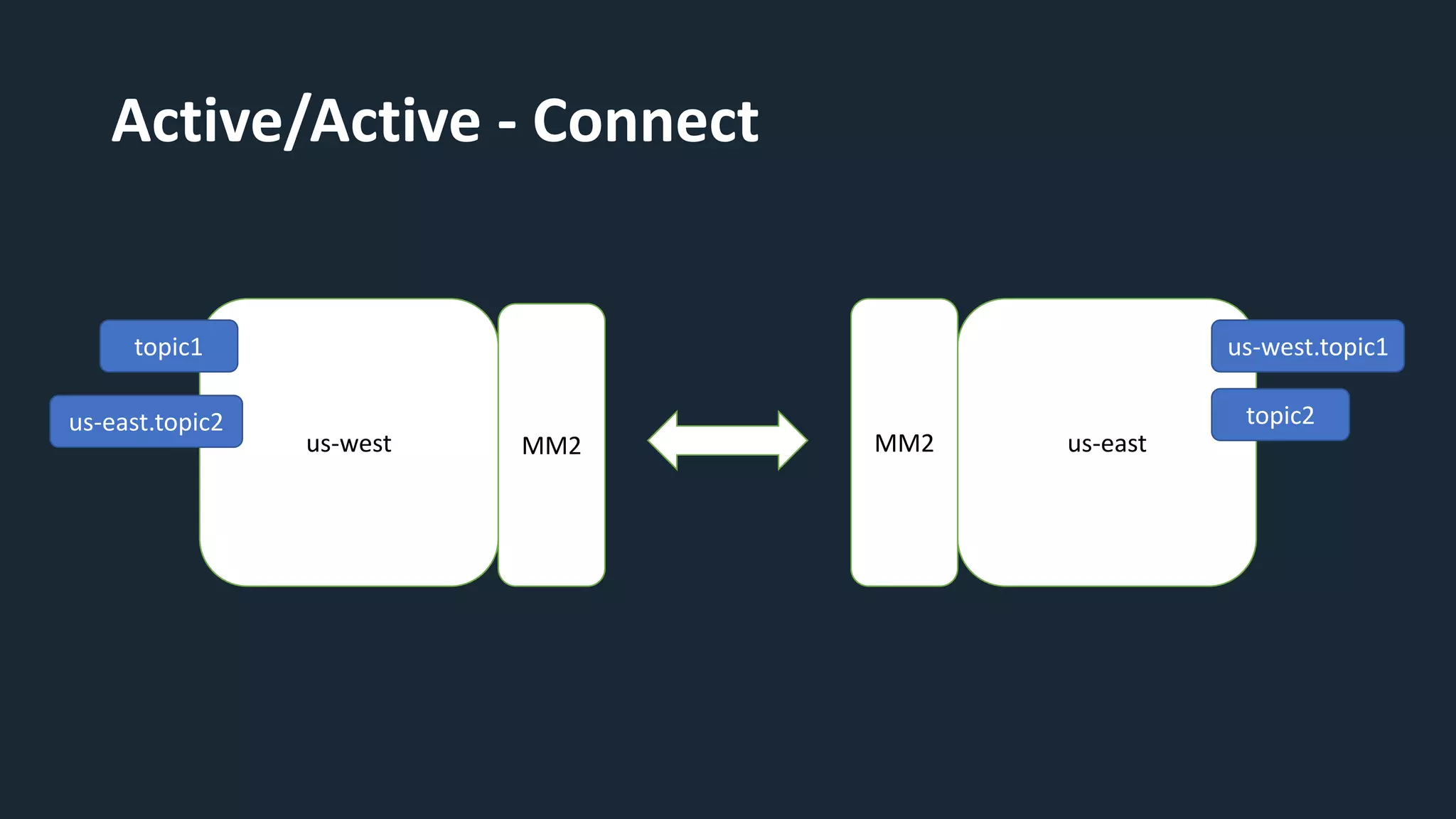
Active/Active - Connect
us-west us-east
MM2
topic1 us-west.topic1
topic2
us-east.topic2
MM2
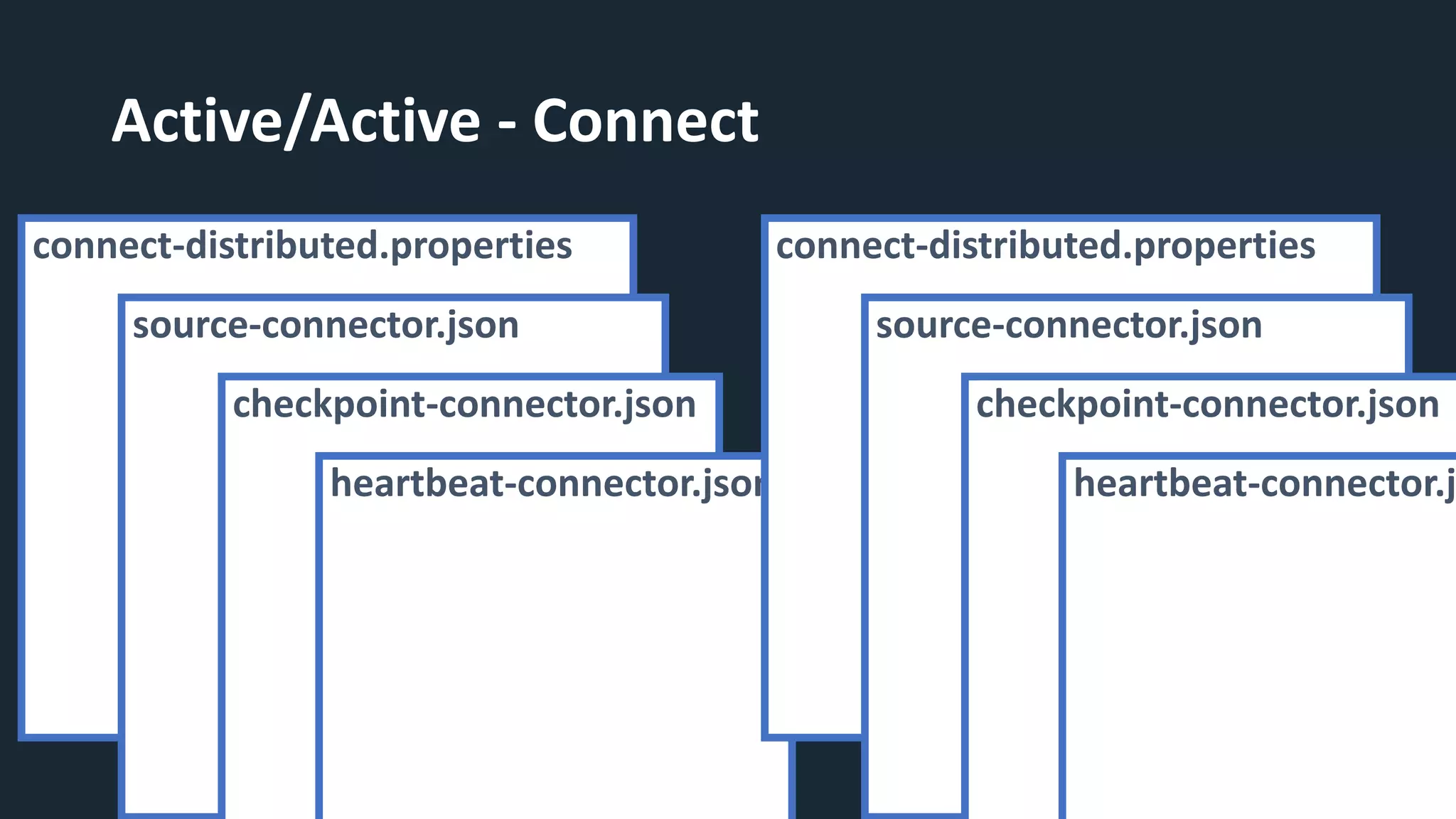
Active/Active - Connect
connect-distributed.properties
source-connector.json
checkpoint-connector.json
heartbeat-connector.json
connect-distributed.properties
source-connector.json
checkpoint-connector.json
heartbeat-connector.j
Going
into
Production
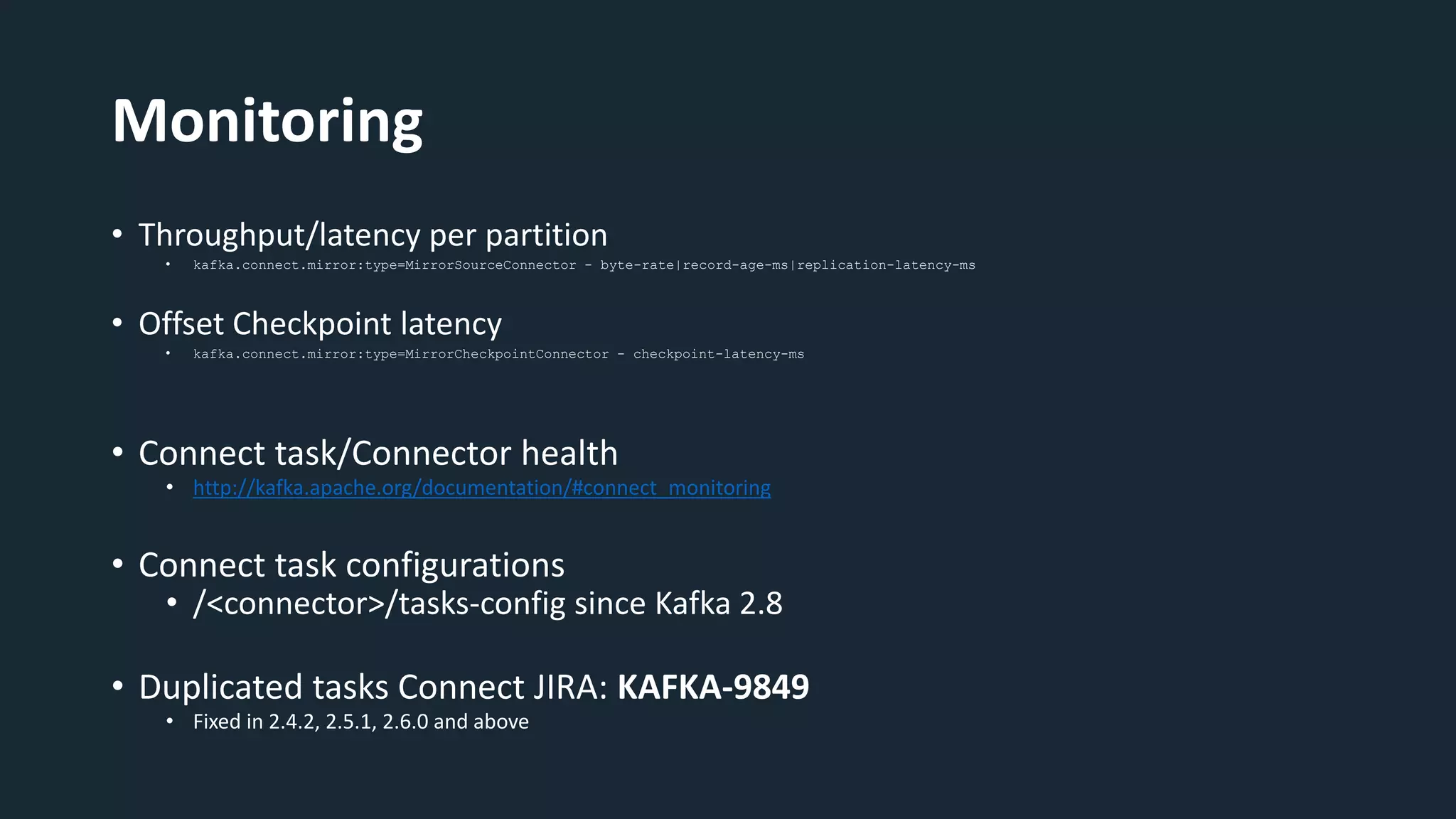
Monitoring
• Throughput/latency per partition
• kafka.connect.mirror:type=MirrorSourceConnector - byte-rate|record-age-ms|replication-latency-ms
• Offset Checkpoint latency
• kafka.connect.mirror:type=MirrorCheckpointConnector - checkpoint-latency-ms
• Connect task/Connector health
• http://kafka.apache.org/documentation/#connect_monitoring
• Connect task configurations
• /<connector>/tasks-config since Kafka 2.8
• Duplicated tasks Connect JIRA: KAFKA-9849
• Fixed in 2.4.2, 2.5.1, 2.6.0 and above
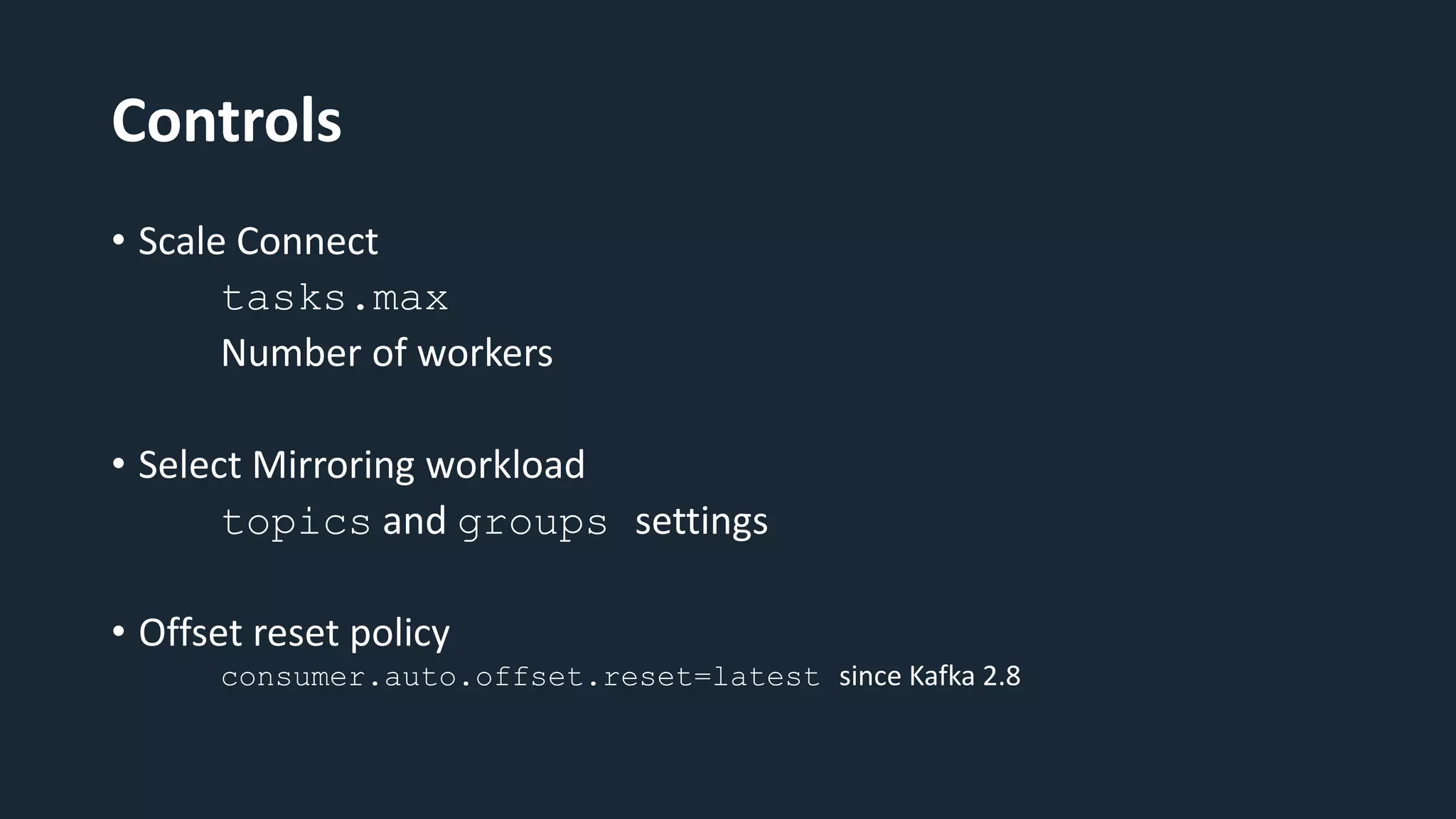
Controls
• Scale Connect
tasks.max
Number of workers
• Select Mirroring workload
topics and groups settings
• Offset reset policy
consumer.auto.offset.reset=latest since Kafka 2.8
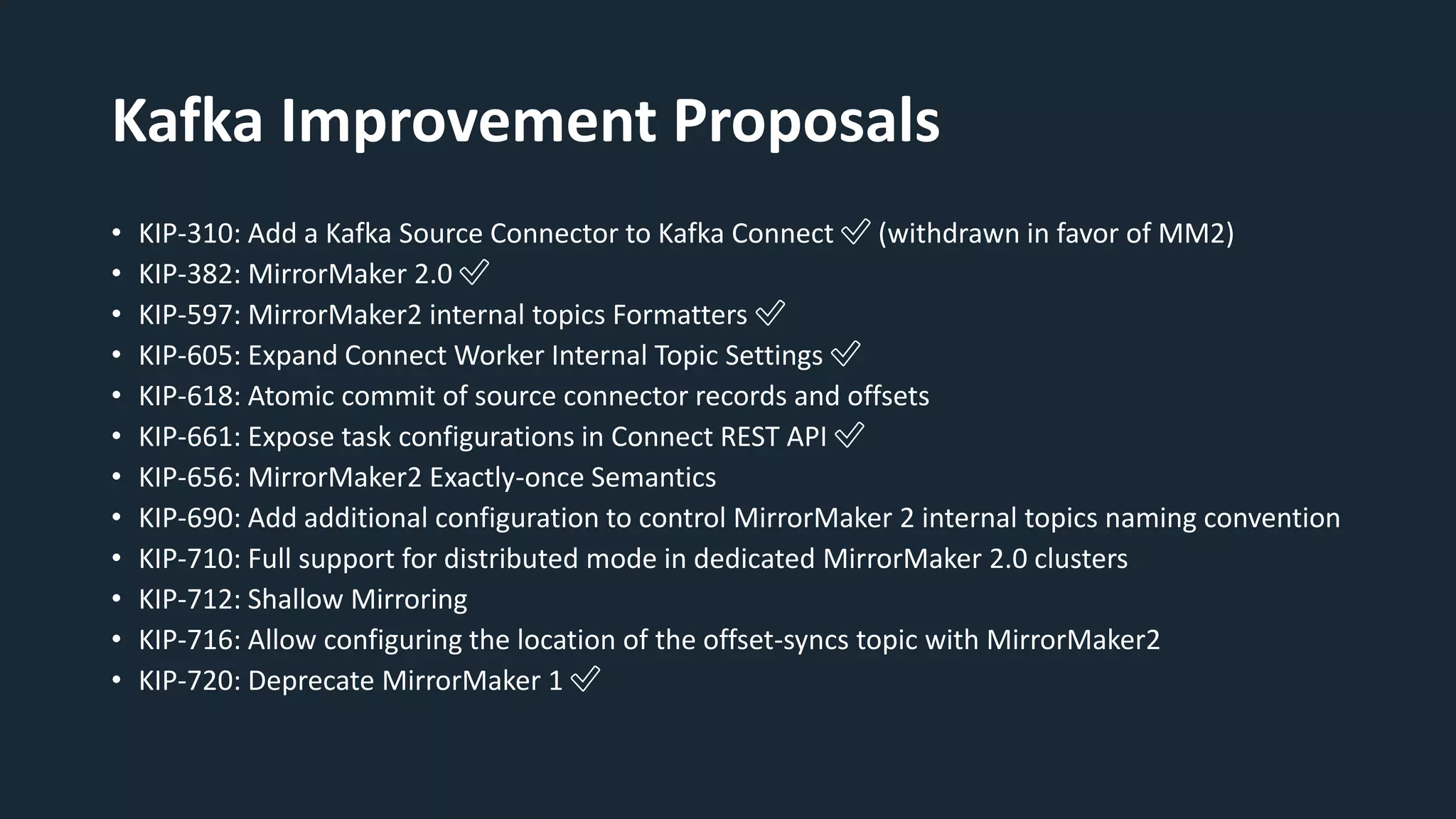
Kafka Improvement Proposals
• KIP-310: Add a Kafka Source Connector to Kafka Connect ✅ (withdrawn in favor of MM2)
• KIP-382: MirrorMaker 2.0 ✅
• KIP-597: MirrorMaker2 internal topics Formatters ✅
• KIP-605: Expand Connect Worker Internal Topic Settings ✅
• KIP-618: Atomic commit of source connector records and offsets
• KIP-661: Expose task configurations in Connect REST API ✅
• KIP-656: MirrorMaker2 Exactly-once Semantics
• KIP-690: Add additional configuration to control MirrorMaker 2 internal topics naming convention
• KIP-710: Full support for distributed mode in dedicated MirrorMaker 2.0 clusters
• KIP-712: Shallow Mirroring
• KIP-716: Allow configuring the location of the offset-syncs topic with MirrorMaker2
• KIP-720: Deprecate MirrorMaker 1 ✅
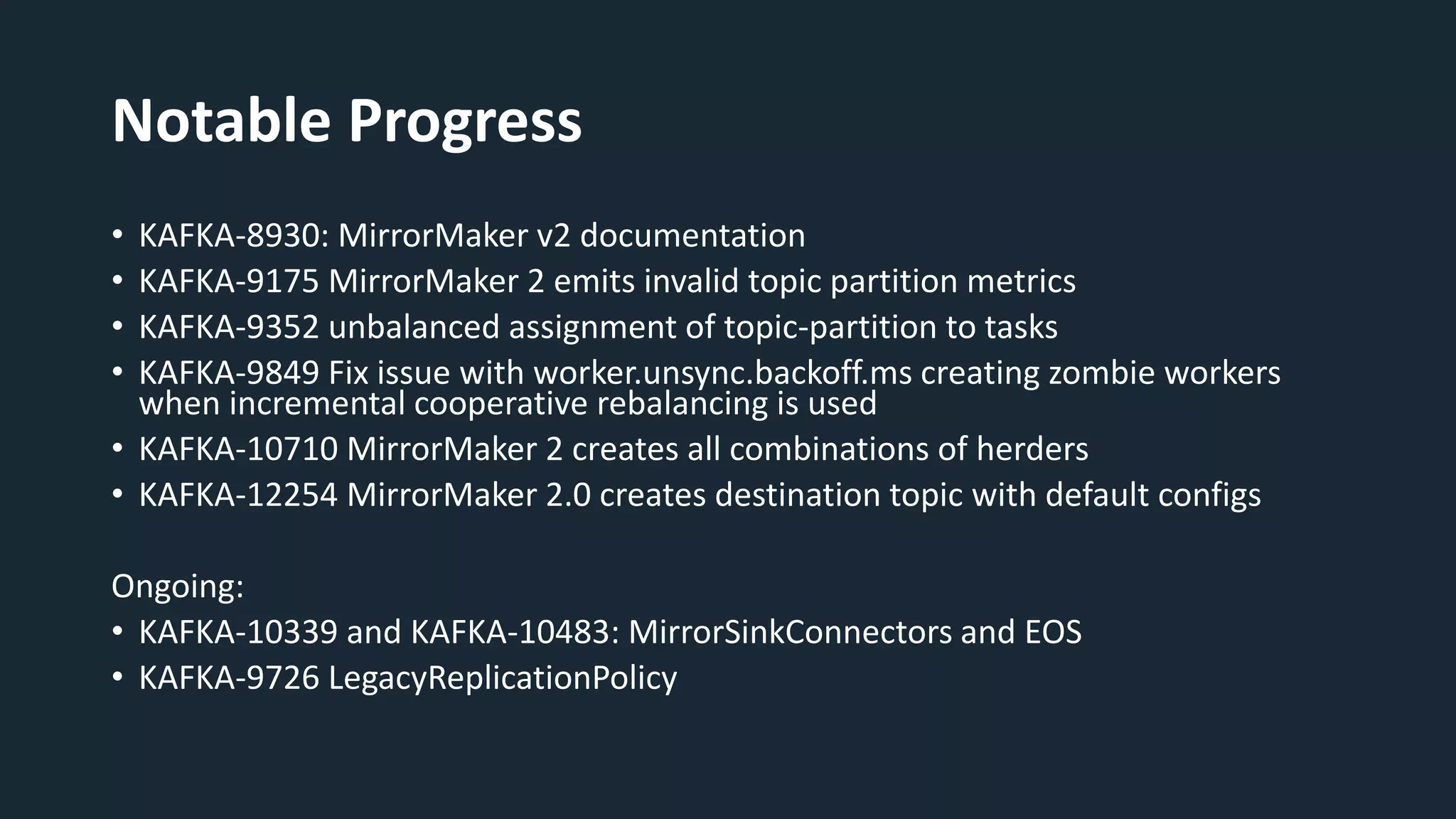
Notable Progress
• KAFKA-8930: MirrorMaker v2 documentation
• KAFKA-9175 MirrorMaker 2 emits invalid topic partition metrics
• KAFKA-9352 unbalanced assignment of topic-partition to tasks
• KAFKA-9849 Fix issue with worker.unsync.backoff.ms creating zombie workers
when incremental cooperative rebalancing is used
• KAFKA-10710 MirrorMaker 2 creates all combinations of herders
• KAFKA-12254 MirrorMaker 2.0 creates destination topic with default configs
Ongoing:
• KAFKA-10339 and KAFKA-10483: MirrorSinkConnectors and EOS
• KAFKA-9726 LegacyReplicationPolicy
Thank You!
Mickael Maison - @MickaelMaison
Ryanne Dolan -@DolanRyanne
https://kafka.apache.org/documentation/#georeplication
https://github.com/apache/kafka/tree/trunk/connect/mirror
https://cwiki.apache.org/confluence/display/KAFKA/KIP-382%3A+MirrorMaker+2.0

Getting up to speed with MirrorMaker 2 | Mickael Maison, IBM and Ryanne Dolan, Twitter, Inc

Editor's Notes

  • #4 Replication use cases including: disaster recovery, backup, failover/failback, cloud migration, and so on.
  • #5 The basic problem here is that, in Kafka, offsets are never guaranteed to be consistent between clusters, even if the same records are sent in the exact same order. (Actually, you can observe this even within one cluster if you try sending the same records to two different topics. – maybe same order) This is problematic if we want one cluster to be a mirror of another cluster. The data might be the same, but the offsets will definitely be different. So unless we solve this problem, we can’t really have a so-called “backup cluster”. Not a very good backup. MM2: we’ll talk about how MM2 solves this problem, but basically we need to keep a mapping of offsets between clusters so we can translate offsets between them. Timestamp-based recovery has been available since KIP-33. Basically, rewind to a previous point in time and use this as a basis for disaster recovery. Very problematic in practice. For example, you hafta assume each consumer is caught up to real-time. If there is a lagging consumer, you might end up fast-forwarding accidentally Consumer group offset mirroring is the biggest feature of MM2. Each consumer group is checkpointed automatically between clusters, so you know how to recover each individual consumer.
  • #6 Consumer producer config: bad UX High level driver: think of as a bunch of replication workers running together under one consistent control plane. Much better than configuring a bunch of individual producers and consumers. Driver spins up a whole bunch of producers and consumers.
  • #7 Key word here is “synchronized” (not just replicated). ”Topics” is more than just ”records”. Topics have metadata, e.g. the number of paritions, ACLs, etc. So again, MM1 didn’t create a very good “mirror”.
  • #8 In the second part of the session, I want to give you tips and practical knowledge about running MM2. By the end of this session, you should be able to get it running yourself The first decision to make is the deployment mode, how are you going to run MM2. As said, MM2 is a set of connectors for Kafka Connect but there are 2 options: - Dedicated mode - Explicitly on Connect
  • #10 Within the MM2 process, you get 2 Connect runtimes 1 runtime for the target cluster where the source and checkpoint connectors run 1 runtime for the source cluster as the heartbeat connector produces records to the source cluster
  • #13 In the second part of the session, I want to give you tips and practical knowledge about running MM2. By the end of this session, you should be able to get it running yourself The first decision to make is the deployment mode, how are you going to run MM2. As said, MM2 is a set of connectors for Kafka Connect but there are 2 options: - Dedicated mode - Explicitly on Connect
  • #14 Dedicated also known as driver mode This is the mode first encountered by many people as it’s what happens when you run the connect-mirror-maker.sh tool. A lot happens behind the scenes. You don’t interact with Connect explicitly and the REST API is not available. This mode offers a very expressive way to configure it and is set up via a single file. It runs all connectors directly. It’s great to get started or if you have a small to medium use case without specific requirements.
  • #15 Within the MM2 process, you get 2 Connect runtimes 1 runtime for the target cluster where the source and checkpoint connectors run 1 runtime for the source cluster as the heartbeat connector produces records to the source cluster
  • #16 You can also run the Connectors directly in Connect like any other connectors we know and already use Connect Distributed, I’m not going to cover Connect Standalone. Great if you have Connect clusters This provides full control you can start exactly the connectors you want. Also to keep Connect runtimes near clusters with their topics trade-off Configured via JSON files, 1 per connector so it’s more complex
  • #17 Hopefully you know understand the deployment options and have picked your preferred solution. Let’s now look at at use cases MM2 enable. It covers a lot of scenarios and pretty much any cluster topology can be built. In the interest of time, I’ll cover the 2 most common ones. Ryanne in his talk at the last Kafka Summit in London demonstrated a few more advanced scenarios
  • #18 Active/Standby, misleading name as you can use the target cluster. Just mirroring is unidirectional Any topics/groups on us-west will be mirrored to us-east. Naming is fully configurable
  • #19 List your clusters Connection information + SSL + SASL Use the fancy arrow notation to describe mirroring direction Very simple
  • #20 A bit more configuration with Connect Slides will be available later. The point is not look at the exact payloads but instead see it’s not a lot of JSON in the end. No heartbeat as it would requires second connect runtime
  • #21 Very similar to Active/Standby MM2 prevents loops Both runtimes run all 3 connectors
  • #22 Basically just add an extra line enabling mirroring in the other direction. That’s it done! Note that here you’ll be running Source connectors on both runtimes. One of them is distant from its Kafka cluster.
  • #23 In order to do active-active you need 2 connect clusters. You could deploy Dedicated this way too
  • #24 More configuration files. Hopefully at this point you are not doing curl to start connectors. You should have a system to deploy connectors so in the end this should not be a lot of work/overhead
  • #25 Now that we learned how to run MM2, let’s look at some tips to go into production
  • #26 Obviously like any production systems, you want to monitor MM2 closely Fortunately, MM2 connectors provide many metrics. Source connector: check throughput and latency. Also consider record-age if mirroring existing topics with old records. Record-age is difference between record timestamp and time MM2 consume record. Latency is difference between record timestamp and Connect successfully produced record to target cluster. Checkpoint connector latency Overall Connect health/ task count and state Are all tasks running? How many tasks? Have we reached max? Be sure to run one of the latest releases to have the fix for KAFKA-9849. Connect could duplicate tasks when rebalancing. Data could be mirrored twice and significant load increase!
  • #27 It’s also important to be aware of the controls you have as an operator. In terms of performance, you can scale connectors via 2 mechanisms Number of tasks, How many tasks can be packed onto a worker depends on many factors. Monitor your worker system resources Number of workers running tasks You can also adjust the workload and make sure what is being mirrored is what you want. MM2 prevents creating loops but still be careful as default setting is .*! In many scenarios you typically don’t want to mirror all your topics/groups. Careful with regex as it’s easy to make a mistake. Since 2.5 (KIP-558), you can use the Connect REST API to see the active list of topics and check it’s what you expect. From Kafka 2.8 (KIP-661), you can use connector/tasks-config to see partitions assigned to each task Finally you can adjust where your connectors starts mirroring with the offset reset policy especially if mirroring large topics
  • #28 MM2 leverages Connect, so improvements to Connect help MM2! (e.g. EOS) Lot of MM2-related KIPs recently. Real momentum! Sorry if I missed some!
  • #29 New georeplication section replaces old MM1 documentation.
  • #30 For we’ve given you the tools to get started with MM2 and hope you’ll be able to run it successfully. Thank you for attending our session. Feel free to reach us on Twitter if you have any questions.