ReactJS
Krishna Sunuwar
@s2krish
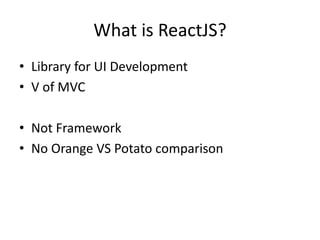
What is ReactJS?
• Library for UI Development
• V of MVC
• Not Framework
• No Orange VS Potato comparison
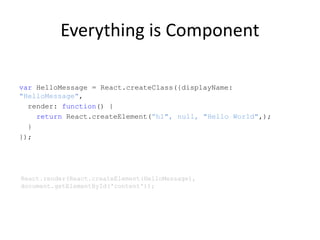
Everything is Component
var HelloMessage = React.createClass({displayName:
"HelloMessage",
render: function() {
return React.createElement(”h1", null, "Hello World",);
}
});
React.render(React.createElement(HelloMessage),
document.getElementById('content'));
JXS
var HelloMessage = React.createClass({
render: function() {
return <h1>Hello World</h1>;
}
});
React.render(<HelloMessage name="John" />,
document.getElementById('content'));
• Standard HTML – accept all attributes
• Not class but className
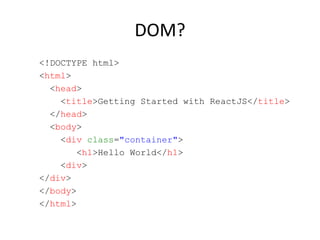
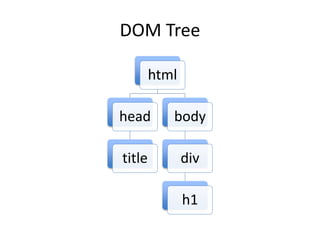
DOM?
<!DOCTYPE html>
<html>
<head>
<title>Getting Started with ReactJS</title>
</head>
<body>
<div class="container">
<h1>Hello World</h1>
<div>
</div>
</body>
</html>
DOM Tree
html
head
title
body
div
h1
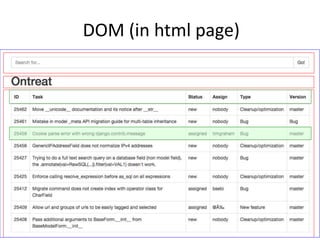
DOM (in html page)
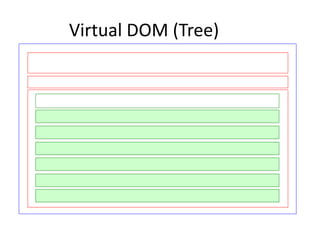
Virtual DOM (Tree)
Virtual DOM
• ReactJS use concept of Virtual DOM
• Is fast and efficient
• On every state change, it re-render entire Virtual
DOM
• Use diff algorithm with browser DOM tree
• On browser, selectively render subtrees of nodes
based on state change
• Also, can render on server and sync with local
client
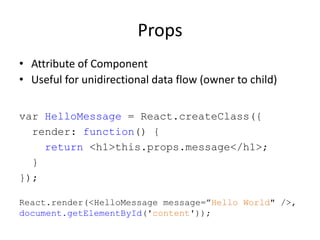
Props
• Attribute of Component
• Useful for unidirectional data flow (owner to child)
var HelloMessage = React.createClass({
render: function() {
return <h1>this.props.message</h1>;
}
});
React.render(<HelloMessage message=”Hello World" />,
document.getElementById('content'));
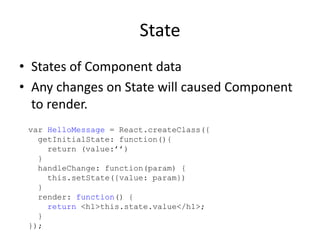
State
• States of Component data
• Any changes on State will caused Component
to render.
var HelloMessage = React.createClass({
getInitialState: function(){
return (value:’’)
}
handleChange: function(param) {
this.setState({value: param})
}
render: function() {
return <h1>this.state.value</h1>;
}
});
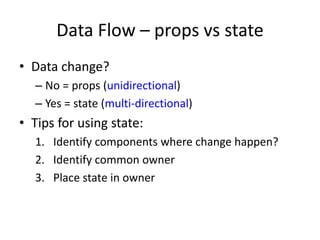
Data Flow – props vs state
• Data change?
– No = props (unidirectional)
– Yes = state (multi-directional)
• Tips for using state:
1. Identify components where change happen?
2. Identify common owner
3. Place state in owner
Events
• ReactJS has cross browser event.
• CamelCase Event Handler, just like vanilla
JavaScript e.g. onChange
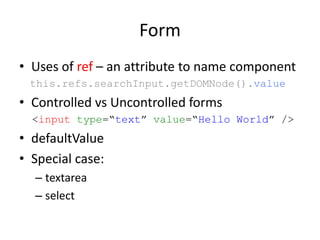
Form
• Uses of ref – an attribute to name component
this.refs.searchInput.getDOMNode().value
• Controlled vs Uncontrolled forms
<input type=“text” value=“Hello World” />
• defaultValue
• Special case:
– textarea
– select
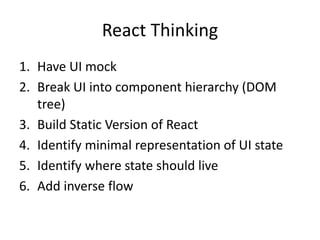
React Thinking
1. Have UI mock
2. Break UI into component hierarchy (DOM
tree)
3. Build Static Version of React
4. Identify minimal representation of UI state
5. Identify where state should live
6. Add inverse flow
In Summery
component, props, state, form, event, data flow
Q&A

Getting started with ReactJS

  • 1.
  • 2.
    What is ReactJS? •Library for UI Development • V of MVC • Not Framework • No Orange VS Potato comparison
  • 3.
    Everything is Component varHelloMessage = React.createClass({displayName: "HelloMessage", render: function() { return React.createElement(”h1", null, "Hello World",); } }); React.render(React.createElement(HelloMessage), document.getElementById('content'));
  • 4.
    JXS var HelloMessage =React.createClass({ render: function() { return <h1>Hello World</h1>; } }); React.render(<HelloMessage name="John" />, document.getElementById('content')); • Standard HTML – accept all attributes • Not class but className
  • 5.
    DOM? <!DOCTYPE html> <html> <head> <title>Getting Startedwith ReactJS</title> </head> <body> <div class="container"> <h1>Hello World</h1> <div> </div> </body> </html>
  • 6.
  • 7.
  • 8.
  • 9.
    Virtual DOM • ReactJSuse concept of Virtual DOM • Is fast and efficient • On every state change, it re-render entire Virtual DOM • Use diff algorithm with browser DOM tree • On browser, selectively render subtrees of nodes based on state change • Also, can render on server and sync with local client
  • 10.
    Props • Attribute ofComponent • Useful for unidirectional data flow (owner to child) var HelloMessage = React.createClass({ render: function() { return <h1>this.props.message</h1>; } }); React.render(<HelloMessage message=”Hello World" />, document.getElementById('content'));
  • 11.
    State • States ofComponent data • Any changes on State will caused Component to render. var HelloMessage = React.createClass({ getInitialState: function(){ return (value:’’) } handleChange: function(param) { this.setState({value: param}) } render: function() { return <h1>this.state.value</h1>; } });
  • 12.
    Data Flow –props vs state • Data change? – No = props (unidirectional) – Yes = state (multi-directional) • Tips for using state: 1. Identify components where change happen? 2. Identify common owner 3. Place state in owner
  • 13.
    Events • ReactJS hascross browser event. • CamelCase Event Handler, just like vanilla JavaScript e.g. onChange
  • 14.
    Form • Uses ofref – an attribute to name component this.refs.searchInput.getDOMNode().value • Controlled vs Uncontrolled forms <input type=“text” value=“Hello World” /> • defaultValue • Special case: – textarea – select
  • 15.
    React Thinking 1. HaveUI mock 2. Break UI into component hierarchy (DOM tree) 3. Build Static Version of React 4. Identify minimal representation of UI state 5. Identify where state should live 6. Add inverse flow
  • 16.
    In Summery component, props,state, form, event, data flow Q&A