Setting Up Your Own Content
Management System – Drupal
Brian Pichman
Evolve Project
What is a Content Management System
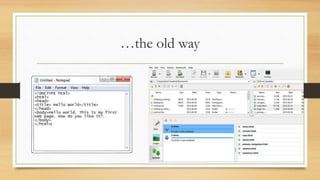
…the old way
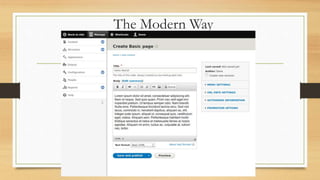
The Modern Way
A Content Management System…
• Manages:
• Content such as pictures, PowerPoints, PDFs, and more
• Organizes “web-pages”
• Can often be themed
• Think of it as a digital repository
Types of Content Management Systems
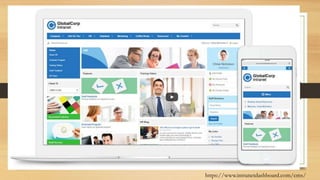
• Intranet for Employee Records / Information / Other
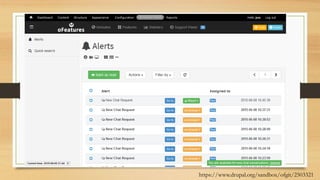
• Ticketing Systems
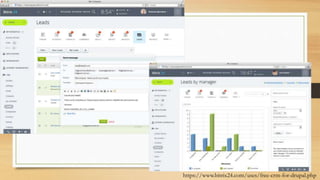
• Customer Contact Information (CRM Customer Relationship Management)
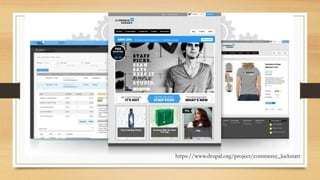
• Online Stores
• Digital Repositories
• Blogs
• Informational Website
https://www.intranetdashboard.com/cms/
https://www.drupal.org/sandbox/ofgit/2503321
https://www.bitrix24.com/uses/free-crm-for-drupal.php
https://www.drupal.org/project/commerce_kickstart
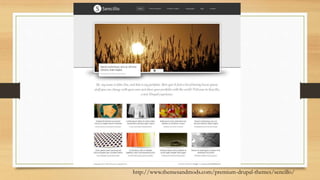
http://www.themesandmods.com/premium-drupal-themes/sencillo/
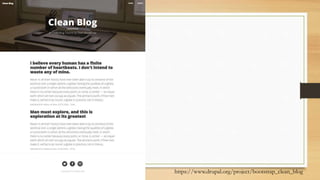
https://www.drupal.org/project/bootstrap_clean_blog
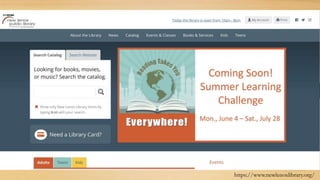
https://www.newlenoxlibrary.org/
Useful Links!
• https://simplytest.me/
• Test Drupal sites, plugins, etc.
• Great for workshops and testing!
• https://themeforest.net/category/cms-themes/drupal
• Paid templates and pre-built packages
• https://groups.drupal.org/libraries/resources
• Resources for libraries (libraries who use Drupal, Modules, Integrations)
What is “Drupal”
• Drupal is free, open source software that can be used by individuals or
groups of users -- even those lacking technical skills -- to easily create and
manage many types of Web sites. The application includes a content
management platform and a development framework.
• https://whatis.techtarget.com/definition/Drupal
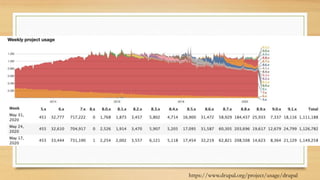
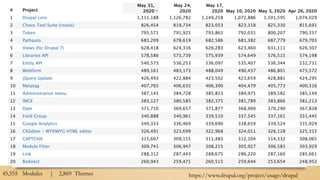
https://www.drupal.org/project/usage/drupal
https://www.drupal.org/project/usage/drupal45,555 Modules | 2,869 Themes
Free Like Kittens
• ”Free” means
• You will need to either pay someone to install/setup or use your own time.
• You will need to pay/self maintain and update the site
• You will need a hosting provider
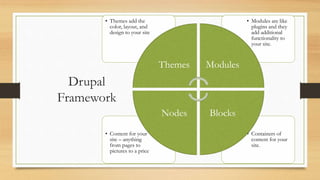
Drupal
Framework
• Containers of
content for your
site.
• Content for your
site – anything
from pages to
pictures to a price
• Modules are like
plugins and they
add additional
functionality to
your site.
• Themes add the
color, layout, and
design to your site
Themes Modules
BlocksNodes
Pathauto
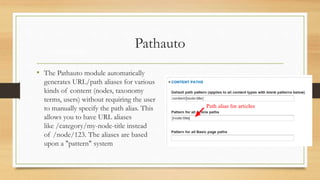
• The Pathauto module automatically
generates URL/path aliases for various
kinds of content (nodes, taxonomy
terms, users) without requiring the user
to manually specify the path alias. This
allows you to have URL aliases
like /category/my-node-title instead
of /node/123. The aliases are based
upon a "pattern" system
Favorite Modules
CKEditor
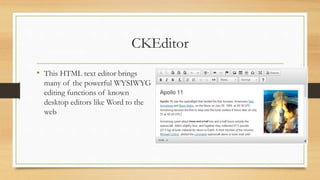
• This HTML text editor brings
many of the powerful WYSIWYG
editing functions of known
desktop editors like Word to the
web
Favorite Modules
Blocks
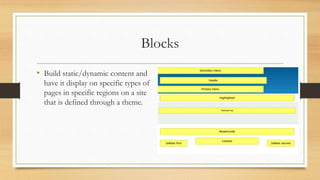
• Build static/dynamic content and
have it display on specific types of
pages in specific regions on a site
that is defined through a theme.
Nodes
• Node is anything that is content – whether that be a picture, page, sound, etc.
• You can create and define your own types of content through Drupal
• Page
• Article
• Event
• Recipes
• You define what that content should contain – every field you choose is considered
a “node”
Taxonomy
• Metadata!
• Create your own groups/categories
for content – allow for filtering or
searching on your site.
• This is great if you are using Views
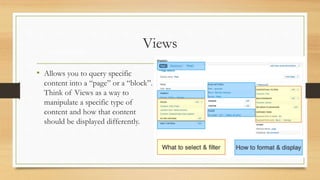
Views
• Allows you to query specific
content into a “page” or a “block”.
Think of Views as a way to
manipulate a specific type of
content and how that content
should be displayed differently.
Favorite Modules
Permissions
• Everything can be given roles and
responsibilities refined down to
specific types of content
Getting Started
The Installation Way
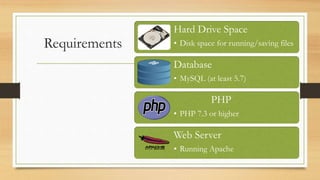
Requirements
Hard Drive Space
• Disk space for running/saving files
Database
• MySQL (at least 5.7)
PHP
• PHP 7.3 or higher
Web Server
• Running Apache
Installation
• To download Drupal and copy it to your Web Server:
• Using your web browser, navigate to http://drupal.org/project/drupal.
• You will need to have a database created ahead of time.
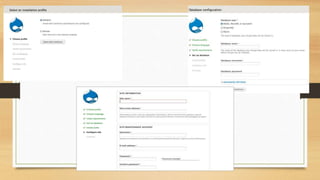
• From the location on your webserver you uploaded Drupal installation files
too, access it via the web and follow the prompts:
Use Cases
• Host Content Files
• Created Music, Videos, Art.
• “Showcase”
• Host Intranet Information
• Sell (Magento)
• Personal or Professional Websites
Test Spin
Live Demo
Questions?
• Email: Bpichman@evolveproject.org
• Twitter: @Bpichman
• www.evolveproject.org

Getting Started with Drupal