Set up your profile!
          • Easy as … well, you
            know…

          1.) Log on to the
            computer with your
            student ID. Your
            password should be
            govalle77.
Set up your profile!
          2.) Click on the
            Internet Icon -
            Explorer, Safari, or
            Firefox

          3.) Go to google.com
Set up your profile!
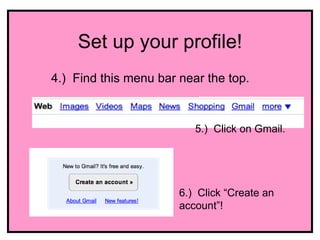
4.) Find this menu bar near the top.


                          5.) Click on Gmail.


                       6.) Click “Create an
                       account”!
Set up your profile!
7.) Fill in the form and let me know if you have
   any questions.

I’ll be coming around to write down your log-in
     information in case you forget later on.
Set up your profile!
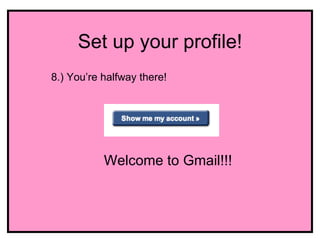
8.) You’re halfway there!


           Welcome to Gmail!!!
Set up your profile!
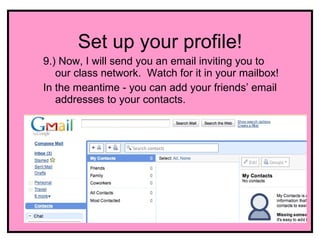
9.) Now, I will send you an email inviting you to
   our class network. Watch for it in your mailbox!
In the meantime - you can add your friends’ email
   addresses to your contacts.
Set up your profile!
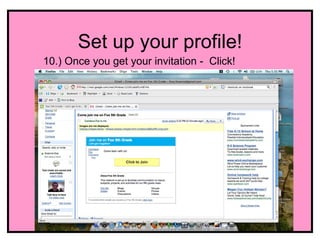
10.) Once you get your invitation - Click!
Set up your profile!
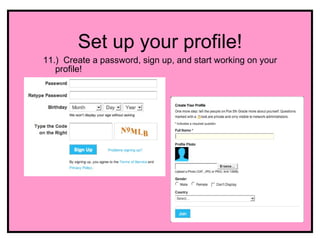
11.) Create a password, sign up, and start working on your
   profile!
Set up your profile!
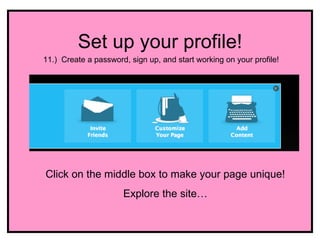
11.) Create a password, sign up, and start working on your profile!


Click on the middle box to make your page unique!
                      Explore the site…

Get set up on the Ning

  • 1.
    Set up yourprofile! • Easy as … well, you know… 1.) Log on to the computer with your student ID. Your password should be govalle77.
  • 2.
    Set up yourprofile! 2.) Click on the Internet Icon - Explorer, Safari, or Firefox 3.) Go to google.com
  • 3.
    Set up yourprofile! 4.) Find this menu bar near the top. 5.) Click on Gmail. 6.) Click “Create an account”!
  • 4.
    Set up yourprofile! 7.) Fill in the form and let me know if you have any questions. I’ll be coming around to write down your log-in information in case you forget later on.
  • 5.
    Set up yourprofile! 8.) You’re halfway there! Welcome to Gmail!!!
  • 6.
    Set up yourprofile! 9.) Now, I will send you an email inviting you to our class network. Watch for it in your mailbox! In the meantime - you can add your friends’ email addresses to your contacts.
  • 7.
    Set up yourprofile! 10.) Once you get your invitation - Click!
  • 8.
    Set up yourprofile! 11.) Create a password, sign up, and start working on your profile!
  • 9.
    Set up yourprofile! 11.) Create a password, sign up, and start working on your profile! Click on the middle box to make your page unique! Explore the site…