Gain the cloud advantage
•	Cloud computing explained
•	Decide if the cloud is right for you
•	See how to get started in the cloud
What is cloud computing?
Many businesses are moving their IT to
the cloud. But what is cloud computing,
and why has it created such a buzz?

and own, it becomes a service – or a set
of services – you pay for by the month.  
Some companies use the cloud for practically
everything. Others use it for specific
business functions, such as helping their
sales team log and keep track of calls.

When you use cloud computing, you access 	
your company data and applications online.
For instance, you might log in to your
accounts system via your PC or laptop but
your data is hosted in a data centre.

However you choose to use the cloud, it can bring
extra flexibility, mobility and security to your company.
And that’s why it’s worth investigating – particularly
if you think you’re due an IT upgrade anyway.

Cloud computing means that instead of IT
being equipment and software you buy

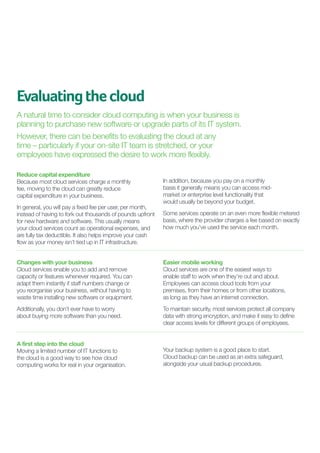
Is it cloud computing?
Many businesses use the cloud without
realising it. Here are four characteristics
of cloud computing services.

1	
2	
3	
4	

You pay for the service monthly.
You can access it anywhere, via a web browser.
Data backups are handled for you automatically.
You can easily expand the service with your business.

Cloud computing in action
Here are some common uses for cloud computing:
Email. It takes a lot of effort and IT resources to set up and manage your own email
server. Cloud email systems provide identical functionality, with far less hassle.
File storage. Storing files in the cloud offers greater flexibility, enabling you to access
data from any computer and from devices like smart phones. This means you and your
staff always have the right information on hand, even when away from the office.
Backups. Cloud backup services automatically back your data up to a safe location, so you don’t
have to worry about full disks or corrupted files. This reduces the burden on your IT team too.

Accounting. A cloud accounting service enables you to process day-to-day transactions 	
efficiently, and grant remote access to users.
Enterprise Resource Planning. Combine information about sales, customers
and suppliers to create an overall view of your company’s processes and prospects,
and hold it in the cloud where you can access it anytime, anywhere.
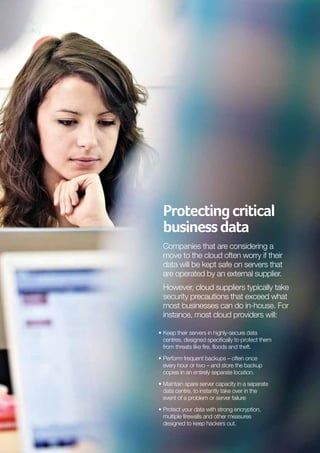
Evaluating the cloud
A natural time to consider cloud computing is when your business is
planning to purchase new software or upgrade parts of its IT system.
However, there can be benefits to evaluating the cloud at any
time – particularly if your on-site IT team is stretched, or your
employees have expressed the desire to work more flexibly.
Reduce capital expenditure
Because most cloud services charge a monthly
fee, moving to the cloud can greatly reduce
capital expenditure in your business.
In general, you will pay a fixed fee per user, per month,
instead of having to fork out thousands of pounds upfront
for new hardware and software. This usually means
your cloud services count as operational expenses, and
are fully tax deductible. It also helps improve your cash
flow as your money isn’t tied up in IT infrastructure.

In addition, because you pay on a monthly
basis it generally means you can access midmarket or enterprise level functionality that
would usually be beyond your budget.
Some services operate on an even more flexible metered
basis, where the provider charges a fee based on exactly
how much you’ve used the service each month.

Changes with your business
Cloud services enable you to add and remove
capacity or features whenever required. You can
adapt them instantly if staff numbers change or
you reorganise your business, without having to
waste time installing new software or equipment.

Easier mobile working
Cloud services are one of the easiest ways to
enable staff to work when they’re out and about.
Employees can access cloud tools from your
premises, from their homes or from other locations,
as long as they have an internet connection.

Additionally, you don’t ever have to worry
about buying more software than you need.

To maintain security, most services protect all company
data with strong encryption, and make it easy to define
clear access levels for different groups of employees.

A first step into the cloud
Moving a limited number of IT functions to
the cloud is a good way to see how cloud
computing works for real in your organisation.

	
Your backup system is a good place to start.
Cloud backup can be used as an extra safeguard,
alongside your usual backup procedures.
Protecting critical
business data
Companies that are considering a
move to the cloud often worry if their
data will be kept safe on servers that
are operated by an external supplier.
However, cloud suppliers typically take
security precautions that exceed what
most businesses can do in-house. For
instance, most cloud providers will:
•	 eep their servers in highly-secure data
K
centres, designed specifically to protect them
from threats like fire, floods and theft.
•	 erform frequent backups – often once
P
every hour or two – and store the backup
copies in an entirely separate location.
•	 aintain spare server capacity in a separate
M
data centre, to instantly take over in the
event of a problem or server failure
•	 rotect your data with strong encryption,
P
multiple firewalls and other measures
designed to keep hackers out.
What to look for
Make sure you check the reputation of any cloud providers you consider.
Search online for complaints and news stories about them, and look
for evidence that they work with companies similar to yours.
Backups included?
Most cloud services will offer a level of data backup as
standard. However, be sure to check your supplier’s
backup policies carefully. For extra reassurance,
you could take local backups of key data too.
Check where your data is stored
Some cloud services store data on servers in other
parts of the world. However, under European law
you may only transfer personal data - like customer
details – outside the European Economic Area
(EEA) when there is adequate protection.
If your provider’s servers are outside the EEA, they will
most likely be in the USA. In this case, check your provider
is part of the US-EU Safe Harbor Framework. This
guarantees they meet the data protection requirements.
If your provider has servers in other locations, contact
the Information Commissioner’s Office for advice.

Security measures	
Most cloud services have invested in significant
security measures to protect against attacks
from hackers and online criminals.
If possible, find a cloud supplier which regularly
subjects its systems to independent security audits.
In many cases, cloud providers with financial and
banking clients have the tightest security.
Business continuity and service level agreements
If you rely on cloud computing for core business
functions, the costs of downtime can mount quickly.
Make sure you have a robust service level agreement
(SLA) that guarantees you a certain level of uptime, and
pays adequate compensation if the SLA is not met.
An expert’s advice
“A good time to consider moving to the cloud is when you’re looking to upgrade
your hardware or software anyway,” says Craig Sharp, managing director of
Abussi, an IT support company in Birmingham, and a Sage Business Expert.
“Many companies assume they should just replace their
old equipment with updated versions. But actually, often
the better option is to fill that gap with a cloud service.”
However, he warns against making assumptions
about cost. “It’s not about saving money,”
he cautions. “Over time, moving to the cloud
might be 10% – 20% cheaper. The real benefits
come in business continuity and flexibility.”
“Business continuity is important, because your whole
company can suffer if your systems go down. When
you move to the cloud, you get agreement that your
cloud supplier will maintain everything for you, back
your data up and ensure the system is available when
you need it. That’s better than having equipment on
your premises that you have to maintain yourself.”
Craig also says the cloud can make mobile working
much more straightforward. “Businesses have had
to become more flexible over the last few years,”
he explains, “but it’s hard to access data stored
in the office when you’re out and about.”

“Put it in the cloud, and you can log in easily from your
laptop or your smart phone – wherever you are.”
Although acknowledging that security worries have
held some companies back from moving to the cloud,
Craig reckons it’s important to put them in context.
“Many businesses don’t have good backup
procedures,” he says. “Their valuable data is kept on
ageing computers that could fail at any time. They
have more chance of losing data as things stand
than they would if it were stored in the cloud.”
Although you can sign up to some cloud services in just
a few minutes, Craig also says it’s important to know
understand the implications. “If you’re signing up to a
relatively isolated service, like an online accounting system,
then it should be quite straightforward to get started.”
“However,” he continues, “in many cases
there are technical things to think about – so
look for a provider you can trust, who knows
what needs doing and in what order.”
“Often, moving to a cloud service means transferring
a lot of data across your internet connection. That
can take time, but you only have to do it once.”
Follow us on:
@sageUK
www.facebook.com/SageUK
http://www.youtube.com/SageUKOfficial

Gain the Cloud Advantage

  • 1.
    Gain the cloudadvantage • Cloud computing explained • Decide if the cloud is right for you • See how to get started in the cloud
  • 2.
    What is cloudcomputing? Many businesses are moving their IT to the cloud. But what is cloud computing, and why has it created such a buzz? and own, it becomes a service – or a set of services – you pay for by the month. Some companies use the cloud for practically everything. Others use it for specific business functions, such as helping their sales team log and keep track of calls. When you use cloud computing, you access your company data and applications online. For instance, you might log in to your accounts system via your PC or laptop but your data is hosted in a data centre. However you choose to use the cloud, it can bring extra flexibility, mobility and security to your company. And that’s why it’s worth investigating – particularly if you think you’re due an IT upgrade anyway. Cloud computing means that instead of IT being equipment and software you buy Is it cloud computing? Many businesses use the cloud without realising it. Here are four characteristics of cloud computing services. 1 2 3 4 You pay for the service monthly. You can access it anywhere, via a web browser. Data backups are handled for you automatically. You can easily expand the service with your business. Cloud computing in action Here are some common uses for cloud computing: Email. It takes a lot of effort and IT resources to set up and manage your own email server. Cloud email systems provide identical functionality, with far less hassle. File storage. Storing files in the cloud offers greater flexibility, enabling you to access data from any computer and from devices like smart phones. This means you and your staff always have the right information on hand, even when away from the office. Backups. Cloud backup services automatically back your data up to a safe location, so you don’t have to worry about full disks or corrupted files. This reduces the burden on your IT team too. Accounting. A cloud accounting service enables you to process day-to-day transactions efficiently, and grant remote access to users. Enterprise Resource Planning. Combine information about sales, customers and suppliers to create an overall view of your company’s processes and prospects, and hold it in the cloud where you can access it anytime, anywhere.
  • 3.
    Evaluating the cloud Anatural time to consider cloud computing is when your business is planning to purchase new software or upgrade parts of its IT system. However, there can be benefits to evaluating the cloud at any time – particularly if your on-site IT team is stretched, or your employees have expressed the desire to work more flexibly. Reduce capital expenditure Because most cloud services charge a monthly fee, moving to the cloud can greatly reduce capital expenditure in your business. In general, you will pay a fixed fee per user, per month, instead of having to fork out thousands of pounds upfront for new hardware and software. This usually means your cloud services count as operational expenses, and are fully tax deductible. It also helps improve your cash flow as your money isn’t tied up in IT infrastructure. In addition, because you pay on a monthly basis it generally means you can access midmarket or enterprise level functionality that would usually be beyond your budget. Some services operate on an even more flexible metered basis, where the provider charges a fee based on exactly how much you’ve used the service each month. Changes with your business Cloud services enable you to add and remove capacity or features whenever required. You can adapt them instantly if staff numbers change or you reorganise your business, without having to waste time installing new software or equipment. Easier mobile working Cloud services are one of the easiest ways to enable staff to work when they’re out and about. Employees can access cloud tools from your premises, from their homes or from other locations, as long as they have an internet connection. Additionally, you don’t ever have to worry about buying more software than you need. To maintain security, most services protect all company data with strong encryption, and make it easy to define clear access levels for different groups of employees. A first step into the cloud Moving a limited number of IT functions to the cloud is a good way to see how cloud computing works for real in your organisation. Your backup system is a good place to start. Cloud backup can be used as an extra safeguard, alongside your usual backup procedures.
  • 4.
    Protecting critical business data Companiesthat are considering a move to the cloud often worry if their data will be kept safe on servers that are operated by an external supplier. However, cloud suppliers typically take security precautions that exceed what most businesses can do in-house. For instance, most cloud providers will: • eep their servers in highly-secure data K centres, designed specifically to protect them from threats like fire, floods and theft. • erform frequent backups – often once P every hour or two – and store the backup copies in an entirely separate location. • aintain spare server capacity in a separate M data centre, to instantly take over in the event of a problem or server failure • rotect your data with strong encryption, P multiple firewalls and other measures designed to keep hackers out.
  • 5.
    What to lookfor Make sure you check the reputation of any cloud providers you consider. Search online for complaints and news stories about them, and look for evidence that they work with companies similar to yours. Backups included? Most cloud services will offer a level of data backup as standard. However, be sure to check your supplier’s backup policies carefully. For extra reassurance, you could take local backups of key data too. Check where your data is stored Some cloud services store data on servers in other parts of the world. However, under European law you may only transfer personal data - like customer details – outside the European Economic Area (EEA) when there is adequate protection. If your provider’s servers are outside the EEA, they will most likely be in the USA. In this case, check your provider is part of the US-EU Safe Harbor Framework. This guarantees they meet the data protection requirements. If your provider has servers in other locations, contact the Information Commissioner’s Office for advice. Security measures Most cloud services have invested in significant security measures to protect against attacks from hackers and online criminals. If possible, find a cloud supplier which regularly subjects its systems to independent security audits. In many cases, cloud providers with financial and banking clients have the tightest security. Business continuity and service level agreements If you rely on cloud computing for core business functions, the costs of downtime can mount quickly. Make sure you have a robust service level agreement (SLA) that guarantees you a certain level of uptime, and pays adequate compensation if the SLA is not met.
  • 6.
    An expert’s advice “Agood time to consider moving to the cloud is when you’re looking to upgrade your hardware or software anyway,” says Craig Sharp, managing director of Abussi, an IT support company in Birmingham, and a Sage Business Expert. “Many companies assume they should just replace their old equipment with updated versions. But actually, often the better option is to fill that gap with a cloud service.” However, he warns against making assumptions about cost. “It’s not about saving money,” he cautions. “Over time, moving to the cloud might be 10% – 20% cheaper. The real benefits come in business continuity and flexibility.” “Business continuity is important, because your whole company can suffer if your systems go down. When you move to the cloud, you get agreement that your cloud supplier will maintain everything for you, back your data up and ensure the system is available when you need it. That’s better than having equipment on your premises that you have to maintain yourself.” Craig also says the cloud can make mobile working much more straightforward. “Businesses have had to become more flexible over the last few years,” he explains, “but it’s hard to access data stored in the office when you’re out and about.” “Put it in the cloud, and you can log in easily from your laptop or your smart phone – wherever you are.” Although acknowledging that security worries have held some companies back from moving to the cloud, Craig reckons it’s important to put them in context. “Many businesses don’t have good backup procedures,” he says. “Their valuable data is kept on ageing computers that could fail at any time. They have more chance of losing data as things stand than they would if it were stored in the cloud.” Although you can sign up to some cloud services in just a few minutes, Craig also says it’s important to know understand the implications. “If you’re signing up to a relatively isolated service, like an online accounting system, then it should be quite straightforward to get started.” “However,” he continues, “in many cases there are technical things to think about – so look for a provider you can trust, who knows what needs doing and in what order.” “Often, moving to a cloud service means transferring a lot of data across your internet connection. That can take time, but you only have to do it once.”
  • 7.