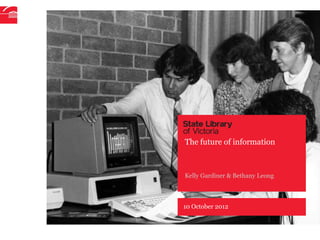
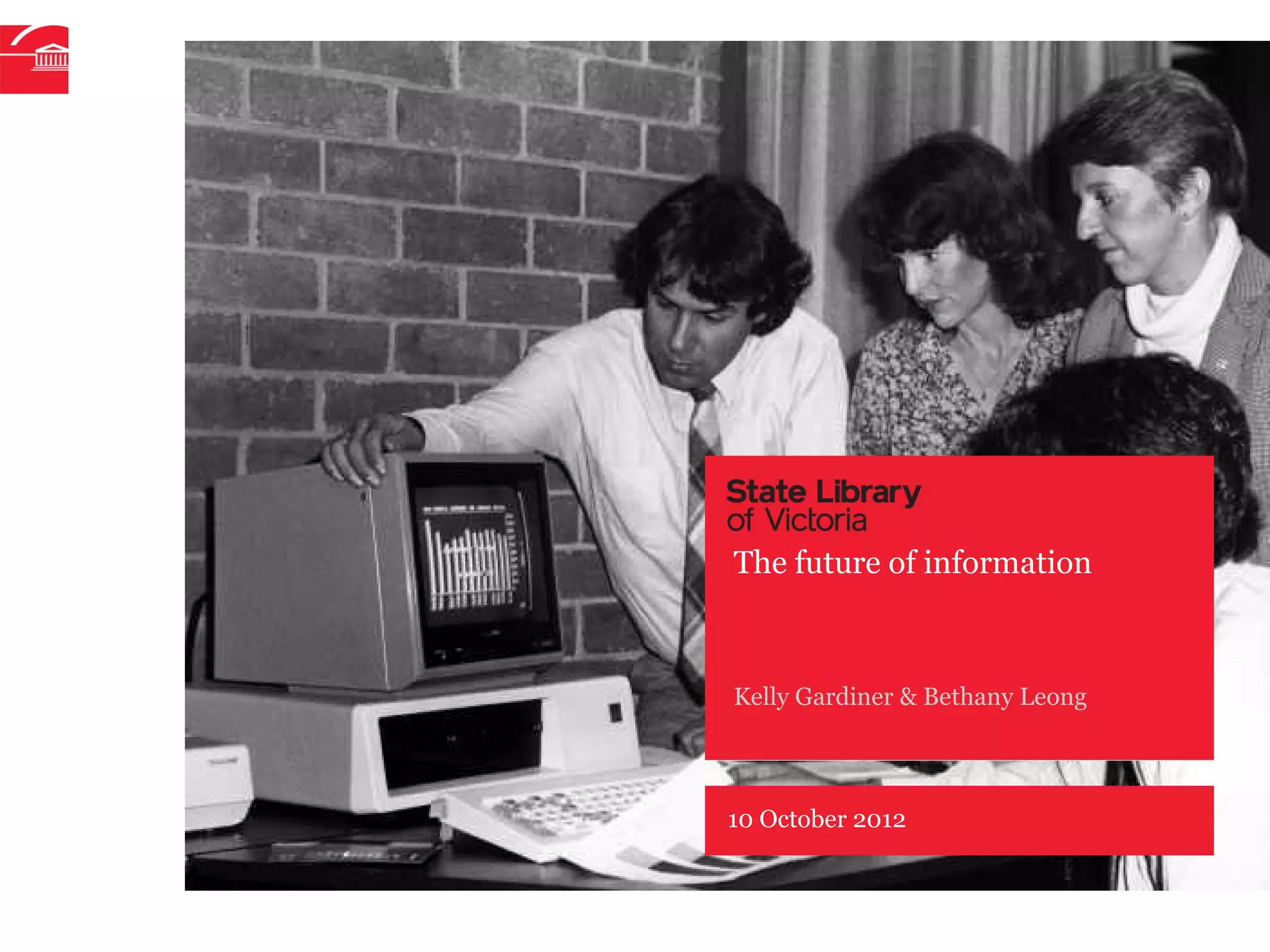
The future of information


Kelly Gardiner & Bethany Leong


10 October 2012
The future of …


Information                             And what does it all mean for…
• Search and social search
• Open data                             Learning
• Universal library search              • Personal learning environments
• Digitised collections                 • Game-based and challenge-based
• Rich live media                         learning
• Digital publishing                    • Collaborative learning
                                        • MOOCs
Technology                              • Changing capabilities
• Mobile learning and devices
• Cloud services and tools
• NBN-enabled content
• Voice and gesture driven interfaces
• Augmented reality (via devices)


                                        P–2
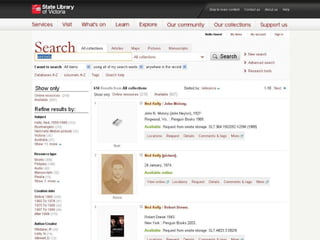
Search


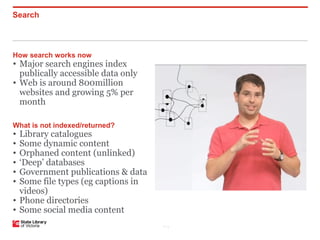
How search works now
• Major search engines index
  publically accessible data only
• Web is around 800million
  websites and growing 5% per
  month

What is not indexed/returned?
• Library catalogues
• Some dynamic content
• Orphaned content (unlinked)
• ‘Deep’ databases
• Government publications & data
• Some file types (eg captions in
  videos)
• Phone directories
• Some social media content
                                    P–3
P–4
Social search


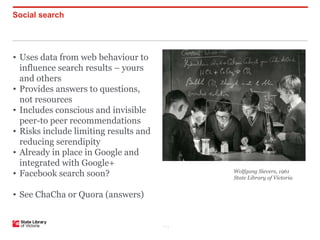
• Uses data from web behaviour to
  influence search results – yours
  and others
• Provides answers to questions,
  not resources
• Includes conscious and invisible
  peer-to peer recommendations
• Risks include limiting results and
  reducing serendipity
• Already in place in Google and
  integrated with Google+
• Facebook search soon?                      Wolfgang Sievers, 1961
                                             State Library of Victoria


• See ChaCha or Quora (answers)


                                       P–5
Integrated search


Imagine …                              Issues

• Searching across the surface and     • Even more information
the deep web
                                       • Social and personalised search
• Customising your search style and    might restrict our world view
preferred sources
                                       • Most people will only ever use a
• Tailoring and targeting individual   simple search
searches
                                       • Search skills are about finding
• Search personalised for you          and analysing
through your data and others’
                                       • Reliance on key commercial
• Searching all libraries &            vendors
collections with other sources


                                       P–6
Digital publishing


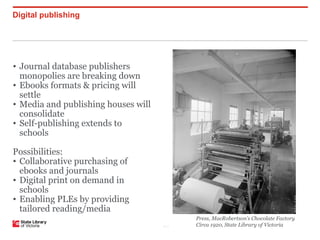
• Journal database publishers
  monopolies are breaking down
• Ebooks formats & pricing will
  settle
• Media and publishing houses will
  consolidate
• Self-publishing extends to
  schools

Possibilities:
• Collaborative purchasing of
  ebooks and journals
• Digital print on demand in
  schools
• Enabling PLEs by providing
  tailored reading/media
                                           Press, MacRobertson’s Chocolate Factory
                                     P–7   Circa 1920, State Library of Victoria
Creation and curation, rich media


• Students research, create, upload,
share and curate their own content and
resources
• Educators do too
• Librarians always have!
• Organic process in online
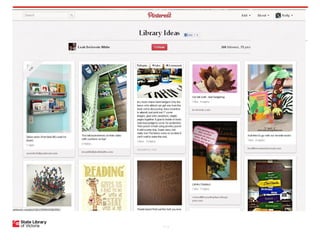
communities leads to Pinterest &
Tumblr, home made videos on
YouTube
• Multimedia becomes ubiquitous on
all devices
• Immersive web-enabled TV.


• How can we enable the instinct to
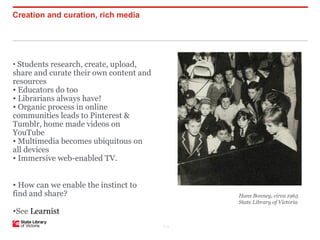
find and share?                                Hans Bonney, circa 1965
                                               State Library of Victoria
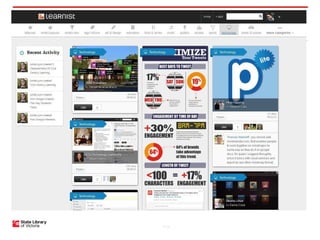
•See Learnist
                                         P–8
P–9
P–10
Personal learning environments


•A Personal Learning Network is an on-
tap stream of information, resources,
answers, discussion, contacts and
support
• A Personal Learning Environment is
all of this plus a customisable online
space where all your materials and
tools are collected.
• For students – resources can be
curated and added
• For teachers and library teams – free
ongoing PD.

Imagine it with integrated
personalised search capacity

• See VicPLN, Gooru.
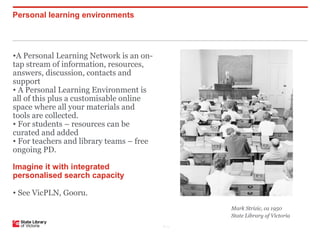
                                                 Mark Strizic, ca 1950
                                                 State Library of Victoria
                                          P–11
Game-based learning


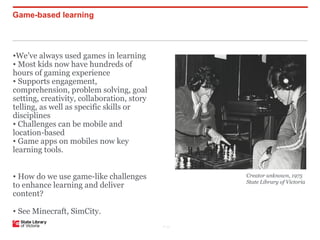
•We’ve always used games in learning
• Most kids now have hundreds of
hours of gaming experience
• Supports engagement,
comprehension, problem solving, goal
setting, creativity, collaboration, story
telling, as well as specific skills or
disciplines
• Challenges can be mobile and
location-based
• Game apps on mobiles now key
learning tools.


• How do we use game-like challenges               Creator unknown, 1975
                                                   State Library of Victoria
to enhance learning and deliver
content?

• See Minecraft, SimCity.
                                            P–12
Mobile learning and devices


Learning wherever you are
•Phones, tablets, netbooks – and TVs
• Extend learning beyond the
classroom/library
• Enable use of rich media and
interactive learning
• Enable location-based active learning
• Apps like Evernote allow access to
research and notes on any device
• Class sets, BYOD, 1-1 devices
• Becomes a platform for future
developments.

See Evernote.
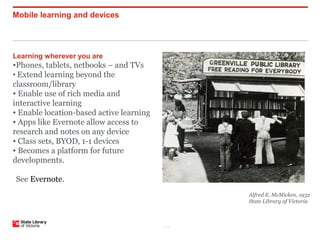
                                                 Alfred E. McMicken, 1932
                                                 State Library of Victoria


                                          P–13
Cloud services


Web-based tools and services
• Social networks for professional
  development
• Research tools for senior students
  and post-secondary
• Your browser now has enormous
  capability
• Google alone has myriad features and
  services
• More larger organisations are moving
  to this – Ultranet is a custom-built
  cloud
• Online learning, collaboration and
  classrooms.


• See Dropbox, Zotero, Mendeley,
  Lore, Edmodo.
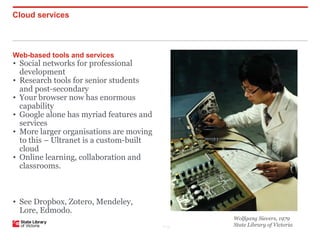
                                                Wolfgang Sievers, 1979
                                         P–14   State Library of Victoria
Colour and movement


                                                 Voice and gesture driven
                                                 applications
                                                 • Touch phones and tablets are gesture-
                                                 driven
                                                 • Games consoles (eg Kinect, Wii)
                                                 • Wave your credit card – or phone
                                                 • Voice activation already enabled in
                                                 phones, lap tops, tablets
                                                 • Next generation of those annoying
                                                 phone systems: natural language
                                                 enquiries – two-way
                                                 • Developing eye motion and other
                                                 subtle gesture-driven products
                                                 • Think multimodal web (inc GPS,
                                                 handwriting, voice)
                                                 • Will rollout in Search soon
                                                 • What does it mean for text? For
                                                 literacy? For people with disabilities?

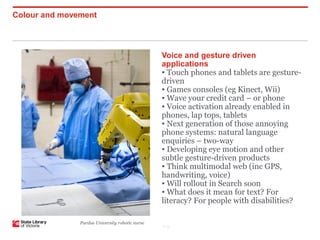
               Purdue University robotic nurse
                                                 P–15
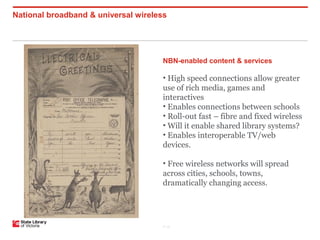
National broadband & universal wireless


                                      NBN-enabled content & services

                                      • High speed connections allow greater
                                      use of rich media, games and
                                      interactives
                                      • Enables connections between schools
                                      • Roll-out fast – fibre and fixed wireless
                                      • Will it enable shared library systems?
                                      • Enables interoperable TV/web
                                      devices.

                                      • Free wireless networks will spread
                                      across cities, schools, towns,
                                      dramatically changing access.


                                      P–16
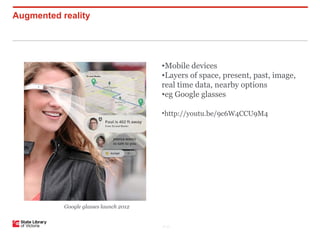
Augmented reality


                                        •Mobile devices
                                        •Layers of space, present, past, image,
                                        real time data, nearby options
                                        •eg Google glasses

                                        •http://youtu.be/9c6W4CCU9M4


           Google glasses launch 2012


                                        P–17
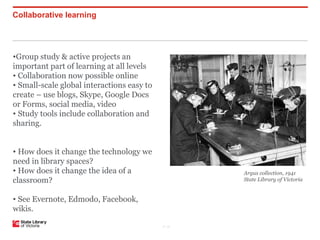
Collaborative learning


•Group study & active projects an
important part of learning at all levels
• Collaboration now possible online
• Small-scale global interactions easy to
create – use blogs, Skype, Google Docs
or Forms, social media, video
• Study tools include collaboration and
sharing.


• How does it change the technology we
need in library spaces?
• How does it change the idea of a                 Argus collection, 1941
classroom?                                         State Library of Victoria


• See Evernote, Edmodo, Facebook,
wikis.

                                            P–18
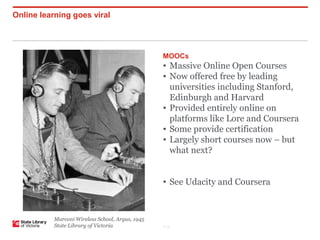
Online learning goes viral


                                                  MOOCs
                                                  • Massive Online Open Courses
                                                  • Now offered free by leading
                                                    universities including Stanford,
                                                    Edinburgh and Harvard
                                                  • Provided entirely online on
                                                    platforms like Lore and Coursera
                                                  • Some provide certification
                                                  • Largely short courses now – but
                                                    what next?


                                                  • See Udacity and Coursera


           Marconi Wireless School, Argus, 1945
           State Library of Victoria              P–19
Changing capabilities


Issues


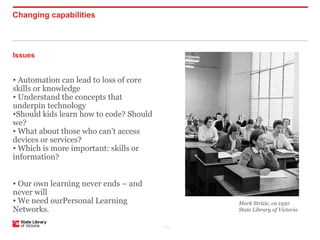
• Automation can lead to loss of core
skills or knowledge
• Understand the concepts that
underpin technology
•Should kids learn how to code? Should
we?
• What about those who can’t access
devices or services?
• Which is more important: skills or
information?


• Our own learning never ends – and
never will
• We need ourPersonal Learning                  Mark Strizic, ca 1950
Networks.                                       State Library of Victoria


                                         P–20
What does information mean?


And what is research?

• Easy to search, not easy to find
• Growing lack of research competence
• Changing role of librarians and
teachers: providing paths to resources
and the skills and tools to use them?
• Changing role of students: research-
and action-based learning?
• A complex set of competencies


Research steps:
• Define tasks and queries
• Find resources
• Select & evaluate information
• Organise materials
• Present findings.


                                         P–21
“The need to know the
capital of Florida died
when my phone
learned the answer.”
- Anthony Chivetta,
high school student
              P–22
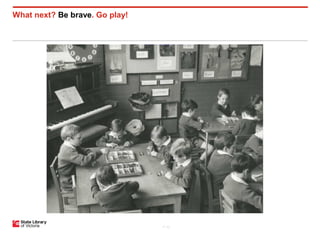
What next? Be brave. Go play!


                                P–23

The future of information

  • 1.
    The future ofinformation Kelly Gardiner & Bethany Leong 10 October 2012
  • 2.
    The future of… Information And what does it all mean for… • Search and social search • Open data Learning • Universal library search • Personal learning environments • Digitised collections • Game-based and challenge-based • Rich live media learning • Digital publishing • Collaborative learning • MOOCs Technology • Changing capabilities • Mobile learning and devices • Cloud services and tools • NBN-enabled content • Voice and gesture driven interfaces • Augmented reality (via devices) P–2
  • 3.
    Search How search worksnow • Major search engines index publically accessible data only • Web is around 800million websites and growing 5% per month What is not indexed/returned? • Library catalogues • Some dynamic content • Orphaned content (unlinked) • ‘Deep’ databases • Government publications & data • Some file types (eg captions in videos) • Phone directories • Some social media content P–3
  • 4.
  • 5.
    Social search • Usesdata from web behaviour to influence search results – yours and others • Provides answers to questions, not resources • Includes conscious and invisible peer-to peer recommendations • Risks include limiting results and reducing serendipity • Already in place in Google and integrated with Google+ • Facebook search soon? Wolfgang Sievers, 1961 State Library of Victoria • See ChaCha or Quora (answers) P–5
  • 6.
    Integrated search Imagine … Issues • Searching across the surface and • Even more information the deep web • Social and personalised search • Customising your search style and might restrict our world view preferred sources • Most people will only ever use a • Tailoring and targeting individual simple search searches • Search skills are about finding • Search personalised for you and analysing through your data and others’ • Reliance on key commercial • Searching all libraries & vendors collections with other sources P–6
  • 7.
    Digital publishing • Journaldatabase publishers monopolies are breaking down • Ebooks formats & pricing will settle • Media and publishing houses will consolidate • Self-publishing extends to schools Possibilities: • Collaborative purchasing of ebooks and journals • Digital print on demand in schools • Enabling PLEs by providing tailored reading/media Press, MacRobertson’s Chocolate Factory P–7 Circa 1920, State Library of Victoria
  • 8.
    Creation and curation,rich media • Students research, create, upload, share and curate their own content and resources • Educators do too • Librarians always have! • Organic process in online communities leads to Pinterest & Tumblr, home made videos on YouTube • Multimedia becomes ubiquitous on all devices • Immersive web-enabled TV. • How can we enable the instinct to find and share? Hans Bonney, circa 1965 State Library of Victoria •See Learnist P–8
  • 9.
  • 10.
  • 11.
    Personal learning environments •APersonal Learning Network is an on- tap stream of information, resources, answers, discussion, contacts and support • A Personal Learning Environment is all of this plus a customisable online space where all your materials and tools are collected. • For students – resources can be curated and added • For teachers and library teams – free ongoing PD. Imagine it with integrated personalised search capacity • See VicPLN, Gooru. Mark Strizic, ca 1950 State Library of Victoria P–11
  • 12.
    Game-based learning •We’ve alwaysused games in learning • Most kids now have hundreds of hours of gaming experience • Supports engagement, comprehension, problem solving, goal setting, creativity, collaboration, story telling, as well as specific skills or disciplines • Challenges can be mobile and location-based • Game apps on mobiles now key learning tools. • How do we use game-like challenges Creator unknown, 1975 State Library of Victoria to enhance learning and deliver content? • See Minecraft, SimCity. P–12
  • 13.
    Mobile learning anddevices Learning wherever you are •Phones, tablets, netbooks – and TVs • Extend learning beyond the classroom/library • Enable use of rich media and interactive learning • Enable location-based active learning • Apps like Evernote allow access to research and notes on any device • Class sets, BYOD, 1-1 devices • Becomes a platform for future developments. See Evernote. Alfred E. McMicken, 1932 State Library of Victoria P–13
  • 14.
    Cloud services Web-based toolsand services • Social networks for professional development • Research tools for senior students and post-secondary • Your browser now has enormous capability • Google alone has myriad features and services • More larger organisations are moving to this – Ultranet is a custom-built cloud • Online learning, collaboration and classrooms. • See Dropbox, Zotero, Mendeley, Lore, Edmodo. Wolfgang Sievers, 1979 P–14 State Library of Victoria
  • 15.
    Colour and movement Voice and gesture driven applications • Touch phones and tablets are gesture- driven • Games consoles (eg Kinect, Wii) • Wave your credit card – or phone • Voice activation already enabled in phones, lap tops, tablets • Next generation of those annoying phone systems: natural language enquiries – two-way • Developing eye motion and other subtle gesture-driven products • Think multimodal web (inc GPS, handwriting, voice) • Will rollout in Search soon • What does it mean for text? For literacy? For people with disabilities? Purdue University robotic nurse P–15
  • 16.
    National broadband &universal wireless NBN-enabled content & services • High speed connections allow greater use of rich media, games and interactives • Enables connections between schools • Roll-out fast – fibre and fixed wireless • Will it enable shared library systems? • Enables interoperable TV/web devices. • Free wireless networks will spread across cities, schools, towns, dramatically changing access. P–16
  • 17.
    Augmented reality •Mobile devices •Layers of space, present, past, image, real time data, nearby options •eg Google glasses •http://youtu.be/9c6W4CCU9M4 Google glasses launch 2012 P–17
  • 18.
    Collaborative learning •Group study& active projects an important part of learning at all levels • Collaboration now possible online • Small-scale global interactions easy to create – use blogs, Skype, Google Docs or Forms, social media, video • Study tools include collaboration and sharing. • How does it change the technology we need in library spaces? • How does it change the idea of a Argus collection, 1941 classroom? State Library of Victoria • See Evernote, Edmodo, Facebook, wikis. P–18
  • 19.
    Online learning goesviral MOOCs • Massive Online Open Courses • Now offered free by leading universities including Stanford, Edinburgh and Harvard • Provided entirely online on platforms like Lore and Coursera • Some provide certification • Largely short courses now – but what next? • See Udacity and Coursera Marconi Wireless School, Argus, 1945 State Library of Victoria P–19
  • 20.
    Changing capabilities Issues • Automationcan lead to loss of core skills or knowledge • Understand the concepts that underpin technology •Should kids learn how to code? Should we? • What about those who can’t access devices or services? • Which is more important: skills or information? • Our own learning never ends – and never will • We need ourPersonal Learning Mark Strizic, ca 1950 Networks. State Library of Victoria P–20
  • 21.
    What does informationmean? And what is research? • Easy to search, not easy to find • Growing lack of research competence • Changing role of librarians and teachers: providing paths to resources and the skills and tools to use them? • Changing role of students: research- and action-based learning? • A complex set of competencies Research steps: • Define tasks and queries • Find resources • Select & evaluate information • Organise materials • Present findings. P–21
  • 22.
    “The need toknow the capital of Florida died when my phone learned the answer.” - Anthony Chivetta, high school student P–22
  • 23.
    What next? Bebrave. Go play! P–23