C++ Function
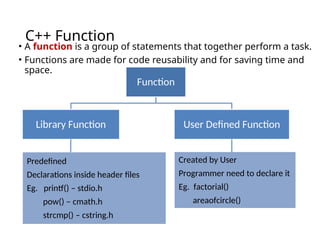
• Afunction is a group of statements that together perform a task.
• Functions are made for code reusability and for saving time and
space.
Function
Library Function
Predefined
Declarations inside header files
Eg. printf() – stdio.h
pow() – cmath.h
strcmp() – cstring.h
User Defined Function
Created by User
Programmer need to declare it
Eg. factorial()
areaofcircle()
3.
C++ Function –(Cont…)
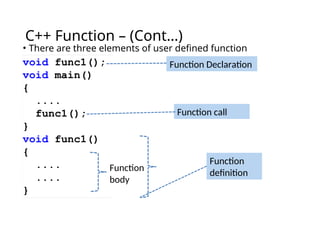
• There are three elements of user defined function
Function Declaration
Function call
Function
body
Function
definition
4.
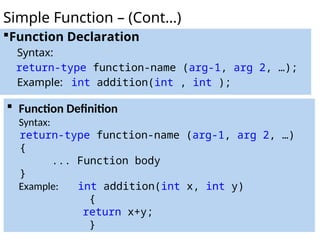
Function Declaration
Syntax:
return-type function-name(arg-1, arg 2, …);
Example: int addition(int , int );
Simple Function – (Cont…)
Function Definition
Syntax:
return-type function-name (arg-1, arg 2, …)
{
... Function body
}
Example: int addition(int x, int y)
{
return x+y;
}
5.
Categories of Function
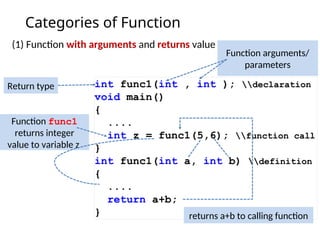
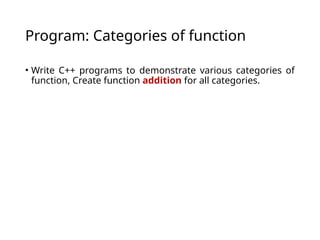
(1)Function with arguments and returns value
Return type
Function arguments/
parameters
Function func1
returns integer
value to variable z
returns a+b to calling function
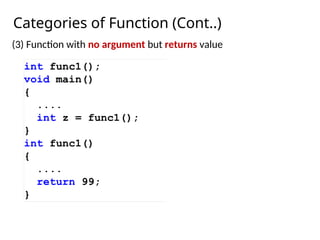
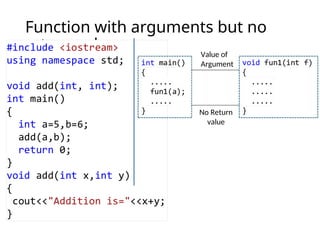
Function with noargument but
returns value
No
Input
Function
Result
13.
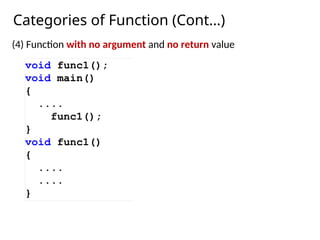
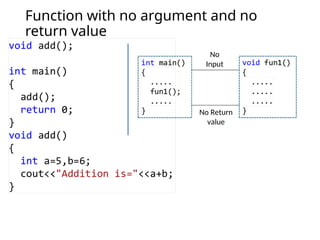
Function with noargument and no
return value
No
Input
No Return
value
14.
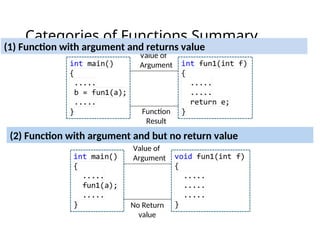
Categories of FunctionsSummary
Value of
Argument
Function
Result
(1) Function with argument and returns value
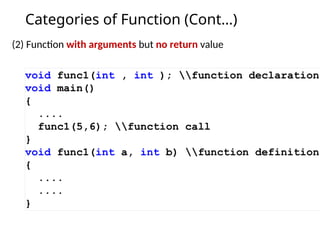
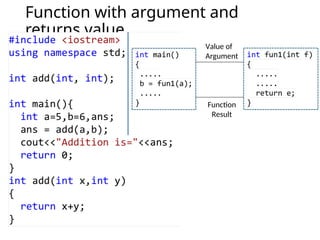
(2) Function with argument and but no return value
Value of
Argument
No Return
value
15.
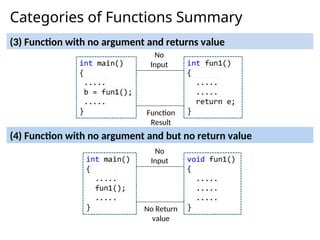
Categories of FunctionsSummary
(3) Function with no argument and returns value
(4) Function with no argument and but no return value
No
Input
Function
Result
No
Input
No Return
value
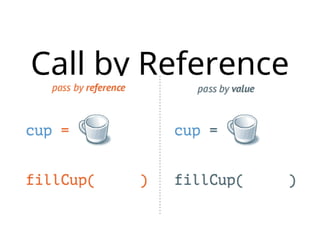
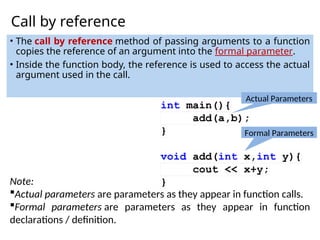
Call by reference
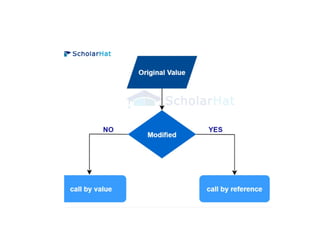
•The call by reference method of passing arguments to a function
copies the reference of an argument into the formal parameter.
• Inside the function body, the reference is used to access the actual
argument used in the call.
Note:
Actual parameters are parameters as they appear in function calls.
Formal parameters are parameters as they appear in function
declarations / definition.
Actual Parameters
Formal Parameters
19.
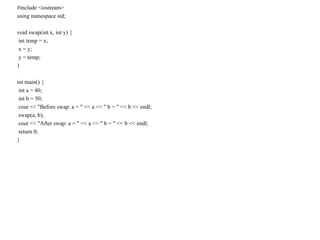
#include <iostream>
using namespacestd;
void swap(int x, int y) {
int temp = x;
x = y;
y = temp;
}
int main() {
int a = 40;
int b = 50;
cout << "Before swap: a = " << a << " b = " << b << endl;
swap(a, b);
cout << "After swap: a = " << a << " b = " << b << endl;
return 0;
}
20.
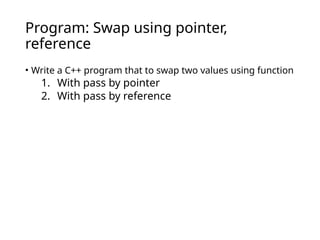
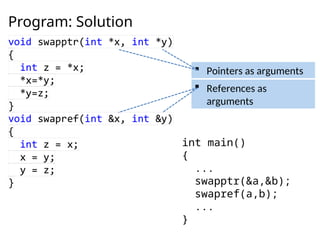
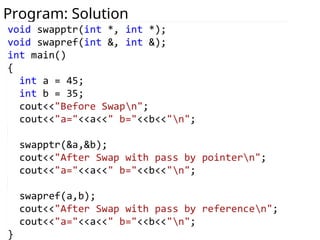
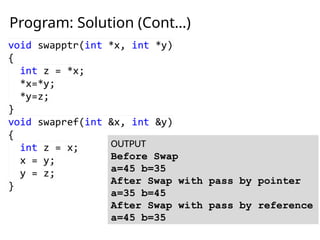
Program: Swap usingpointer,
reference
• Write a C++ program that to swap two values using function
1. With pass by pointer
2. With pass by reference
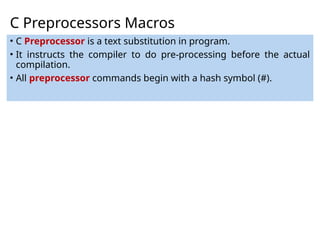
C Preprocessors Macros
•C Preprocessor is a text substitution in program.
• It instructs the compiler to do pre-processing before the actual
compilation.
• All preprocessor commands begin with a hash symbol (#).
26.
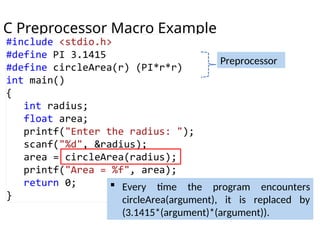
C Preprocessor MacroExample
Preprocessor
Every time the program encounters
circleArea(argument), it is replaced by
(3.1415*(argument)*(argument)).
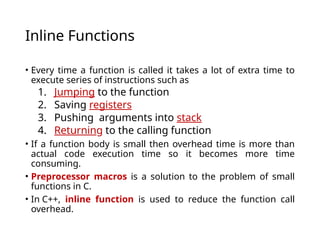
Inline Functions
• Everytime a function is called it takes a lot of extra time to
execute series of instructions such as
1. Jumping to the function
2. Saving registers
3. Pushing arguments into stack
4. Returning to the calling function
• If a function body is small then overhead time is more than
actual code execution time so it becomes more time
consuming.
• Preprocessor macros is a solution to the problem of small
functions in C.
• In C++, inline function is used to reduce the function call
overhead.
29.
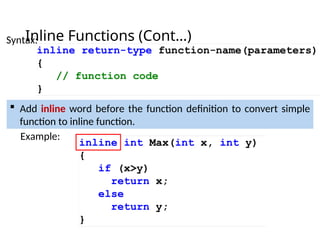
Inline Functions (Cont…)
Add inline word before the function definition to convert simple
function to inline function.
Example:
Syntax:
30.
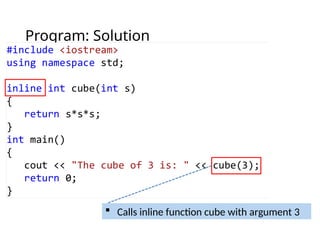
Program: Inline function
•Write a C++ program to create inline function that returns
cube of given number (i.e n=3, cube=(n*n*n)=27).
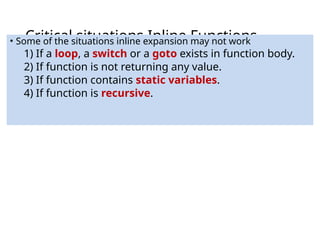
Critical situations InlineFunctions
• Some of the situations inline expansion may not work
1) If a loop, a switch or a goto exists in function body.
2) If function is not returning any value.
3) If function contains static variables.
4) If function is recursive.
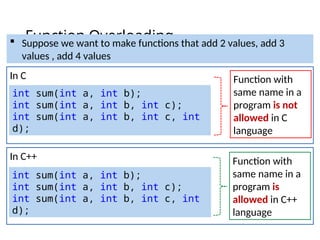
Function Overloading
In C
intsum(int a, int b);
int sum(int a, int b, int c);
int sum(int a, int b, int c, int
d);
In C++
int sum(int a, int b);
int sum(int a, int b, int c);
int sum(int a, int b, int c, int
d);
Suppose we want to make functions that add 2 values, add 3
values , add 4 values
Function with
same name in a
program is not
allowed in C
language
Function with
same name in a
program is
allowed in C++
language
35.
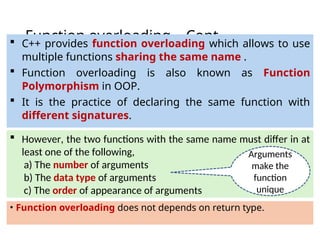
Function overloading –Cont…
• Function overloading does not depends on return type.
C++ provides function overloading which allows to use
multiple functions sharing the same name .
Function overloading is also known as Function
Polymorphism in OOP.
It is the practice of declaring the same function with
different signatures.
However, the two functions with the same name must differ in at
least one of the following,
a) The number of arguments
b) The data type of arguments
c) The order of appearance of arguments
Arguments
make the
function
unique
36.
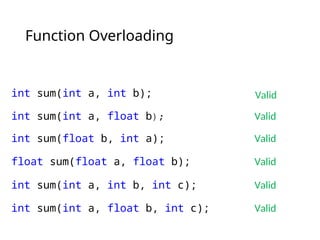
Function Overloading
int sum(inta, int b); Valid
int sum(int a, float b); Valid
int sum(float b, int a); Valid
float sum(float a, float b); Valid
int sum(int a, int b, int c); Valid
int sum(int a, float b, int c); Valid
37.
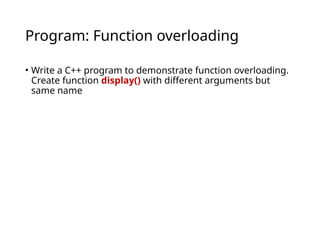
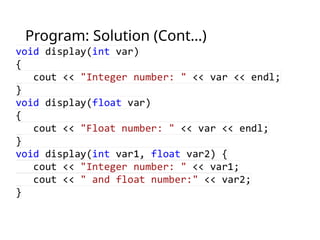
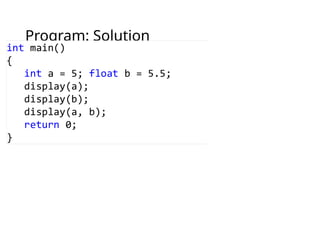
Program: Function overloading
•Write a C++ program to demonstrate function overloading.
Create function display() with different arguments but
same name
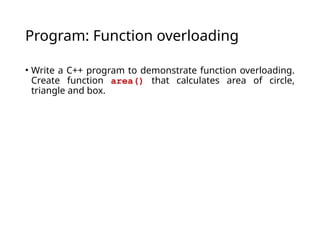
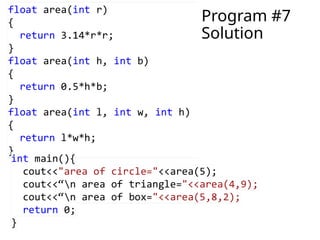
Program: Function overloading
•Write a C++ program to demonstrate function overloading.
Create function area() that calculates area of circle,
triangle and box.
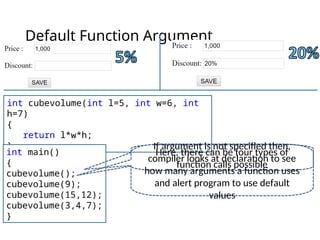
Default Function Argument
intcubevolume(int l=5, int w=6, int
h=7)
{
return l*w*h;
}
int main()
{
cubevolume();
cubevolume(9);
cubevolume(15,12);
cubevolume(3,4,7);
}
Here, there can be four types of
function calls possible
If argument is not specified then,
compiler looks at declaration to see
how many arguments a function uses
and alert program to use default
values
44.
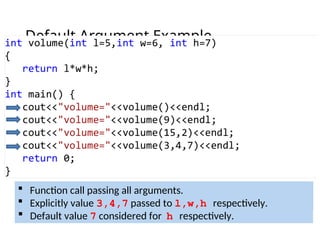
Default Argument Example
Function call without passing argument.
Default value 5,6,7 considered for l, w, h respectively.
Function call passing only one argument.
Explicitly value 9 passed to l.
Default value 6,7 considered for w,h respectively.
Function call passing two arguments.
Explicitly value 15,2 passed to l,w respectively.
Default value 7 considered for h respectively.
Function call passing all arguments.
Explicitly value 3,4,7 passed to l,w,h respectively.
45.
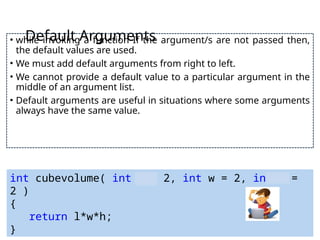
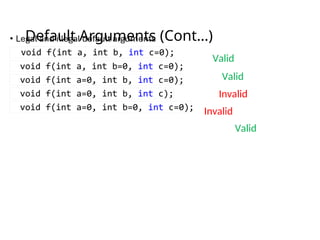
Default Arguments
• whileinvoking a function If the argument/s are not passed then,
the default values are used.
• We must add default arguments from right to left.
• We cannot provide a default value to a particular argument in the
middle of an argument list.
• Default arguments are useful in situations where some arguments
always have the same value.
int cubevolume( int l = 2, int w = 2, int h =
2 )
{
return l*w*h;
}
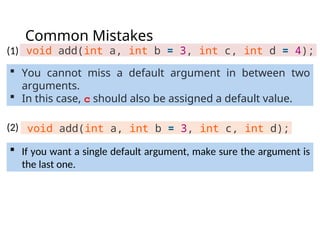
Common Mistakes
void add(inta, int b = 3, int c, int d = 4);
If you want a single default argument, make sure the argument is
the last one.
void add(int a, int b = 3, int c, int d);
You cannot miss a default argument in between two
arguments.
In this case, c should also be assigned a default value.
(1)
(2)
48.
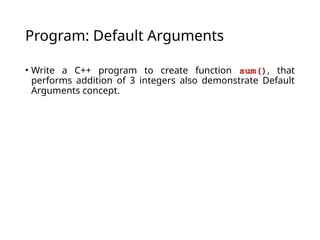
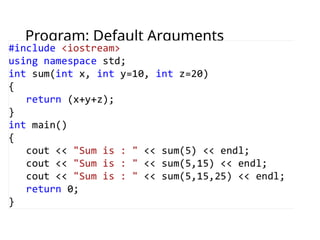
Program: Default Arguments
•Write a C++ program to create function sum(), that
performs addition of 3 integers also demonstrate Default
Arguments concept.
#17 Actual parameters are parameters as they appear in function calls.
Formal parameters are parameters as they appear in function declarations.
Although formal parameters are always variables (which does not mean that they are always variable parameters), actual parameters do not have to be variables. You can use numbers, expressions, or even function calls as actual parameters.
#35 Function overloading, lets you use multiple functions sharing the same name
Function overloading is the practice of declaring the same function with
Different number of parameters
Different argument data types
#46 If the argument/s are not passed while invoking a function then, the default values are used.
If a function is called by passing argument/s, those arguments are used by the function.