Using FSG’s & ADI
to Create / Review
Financial Statements
Using FSG’s & ADI
to Create / Review
Financial Statements
Andrew G. Diamond
DARC Corporation
2
AgendaAgenda
• Introduction
• Steps to create F/S’s
• How to generate F/S output
• F/S Analysis
3
Keys to SuccessKeys to Success
• Become familiar w/your COA structure
– Know account ranges and parent accounts
– Print out COA listing and Rollup ranges
• Draft a hard copy of what you want your F/S to look
like
4
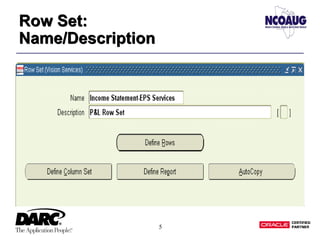
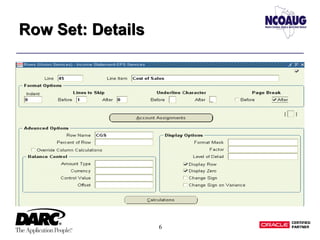
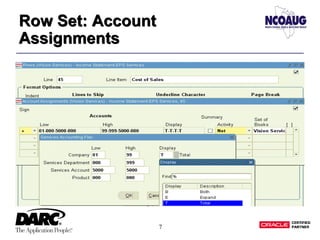
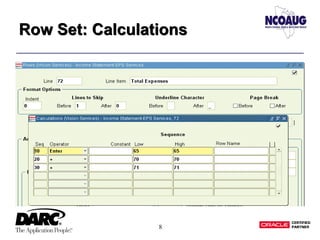
What is a Row Set?What is a Row Set?
• Row Sets typically define row format and content.
They often include:
– Accounts
– Line item descriptions
– Row totals
– Row calculations
5
Row Set:
Name/Description
Row Set:
Name/Description
6
Row Set: DetailsRow Set: Details
7
Row Set: Account
Assignments
Row Set: Account
Assignments
8
Row Set: CalculationsRow Set: Calculations
9
What is a Column Set?What is a Column Set?
• Column Sets typically define the format and content
of the columns in an FSG report
• Oracle provides seeded column sets, or you can build
your own
10
Column Set AttributesColumn Set Attributes
• The commonly assumed attributes for a column set
are:
– Time period (PTD, QTD, YTD, etc)
– Account type (Actual, Budget or Encumbrance)
• These two elements are defined by an Amount Type
11
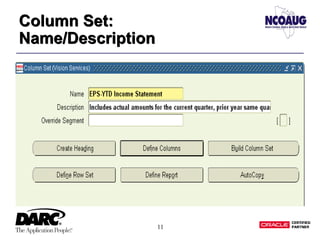
Column Set:
Name/Description
Column Set:
Name/Description
12
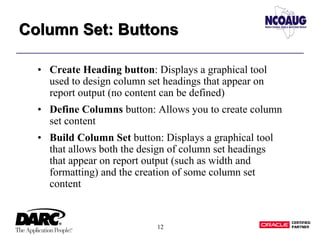
Column Set: ButtonsColumn Set: Buttons
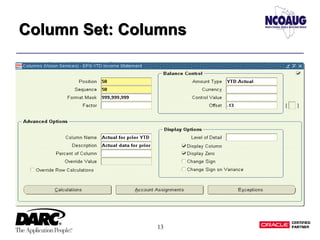
• Create Heading button: Displays a graphical tool
used to design column set headings that appear on
report output (no content can be defined)
• Define Columns button: Allows you to create column
set content
• Build Column Set button: Displays a graphical tool
that allows both the design of column set headings
that appear on report output (such as width and
formatting) and the creation of some column set
content
13
Column Set: ColumnsColumn Set: Columns
14
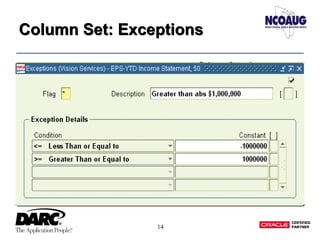
Column Set: ExceptionsColumn Set: Exceptions
15
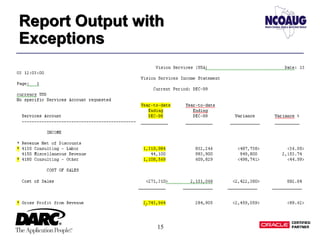
Report Output with
Exceptions
Report Output with
Exceptions
16
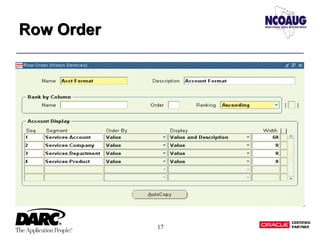
What is a Row Order?What is a Row Order?
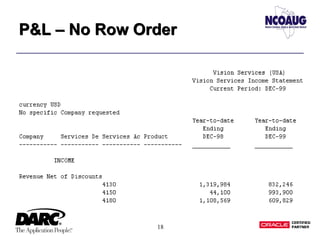
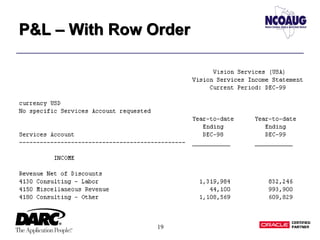
• Row Orders are used to control how detail rows are
displayed and/or sorted on a report
17
Row OrderRow Order
18
P&L – No Row OrderP&L – No Row Order
19
P&L – With Row OrderP&L – With Row Order
20
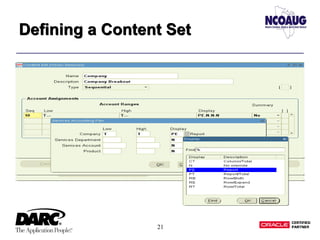
What is a Content Set?What is a Content Set?
• Content Sets are used to override row/column
account assignments and display types to create
multiple variations of existing reports
• You can generate many similar reports in a single run
by using content sets
21
Defining a Content SetDefining a Content Set
22
P&L – With Content SetP&L – With Content Set
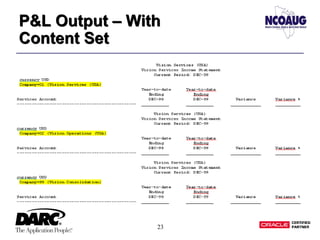
• Using the PE (Page Expand) functionality, one FSG
can generate three separate P&L’s:
– One P&L for Co 01
– One P&L for Co 02
– One P&L for Co 99
23
P&L Output – With
Content Set
P&L Output – With
Content Set
24
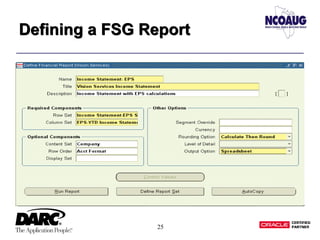
How do you define a FSG
Report?
How do you define a FSG
Report?
• Reports are created by specifying a combination of
report components (ie Row Set, Column Set, etc).
Typically, values specified when defining a report
override values specified at the individual component
level
• The value entered in the Title field will appear at the
top of the report
25
Defining a FSG ReportDefining a FSG Report
26
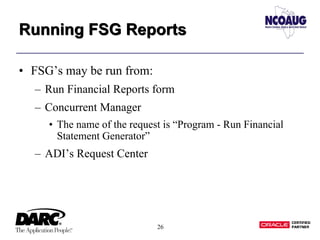
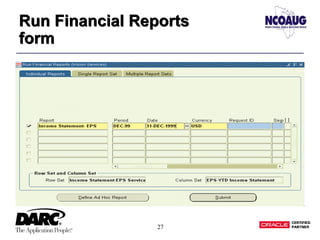
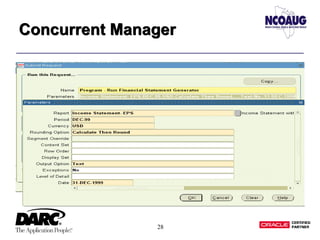
Running FSG ReportsRunning FSG Reports
• FSG’s may be run from:
– Run Financial Reports form
– Concurrent Manager
• The name of the request is “Program - Run Financial
Statement Generator”
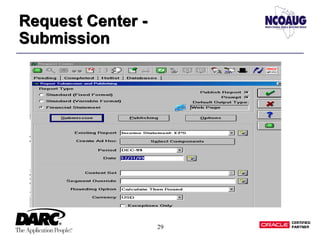
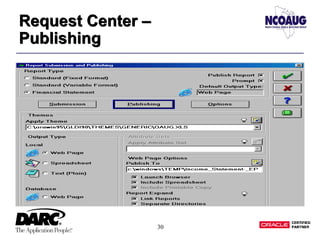
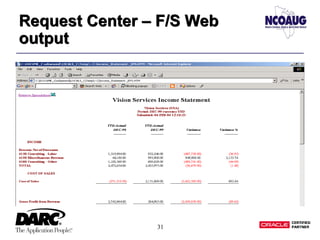
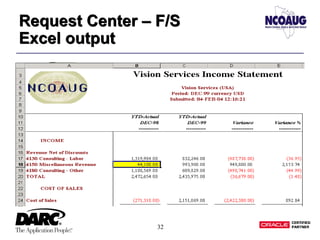
– ADI’s Request Center
27
Run Financial Reports
form
Run Financial Reports
form
28
Concurrent ManagerConcurrent Manager
29
Request Center -
Submission
Request Center -
Submission
30
Request Center –
Publishing
Request Center –
Publishing
31
Request Center – F/S Web
output
Request Center – F/S Web
output
32
Request Center – F/S
Excel output
Request Center – F/S
Excel output
33
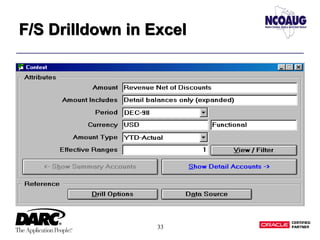
F/S Drilldown in ExcelF/S Drilldown in Excel
34
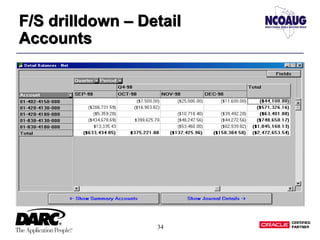
F/S drilldown – Detail
Accounts
F/S drilldown – Detail
Accounts
35
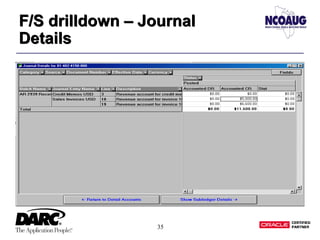
F/S drilldown – Journal
Details
F/S drilldown – Journal
Details
36
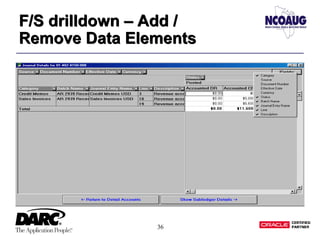
F/S drilldown – Add /
Remove Data Elements
F/S drilldown – Add /
Remove Data Elements
37
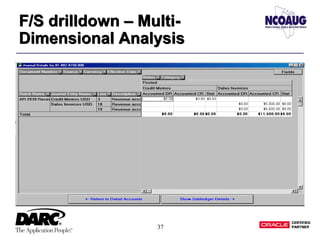
F/S drilldown – Multi-
Dimensional Analysis
F/S drilldown – Multi-
Dimensional Analysis
38
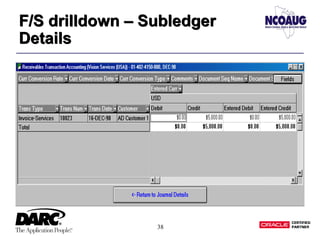
F/S drilldown – Subledger
Details
F/S drilldown – Subledger
Details
39
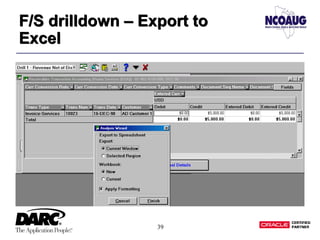
F/S drilldown – Export to
Excel
F/S drilldown – Export to
Excel
40
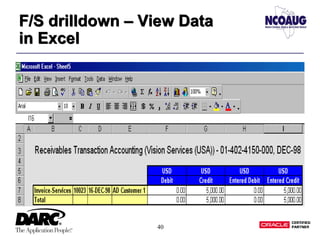
F/S drilldown – View Data
in Excel
F/S drilldown – View Data
in Excel
41
TipsTips
• You may Migrate FSG components from one
instance to another using “Program - FSG Transfer”
Concurrent Request
• Using the “AutoCopy” functionality, you may copy
existing FSG components
• Many Profile Options:
– ADI%
– FSG%
– GLDI%
42
Questions? Questions?Questions? Questions?
• Andy Diamond
• Email: adiamond@darc.com
• DARC Corporation
• Web: http://www.darc.com
43
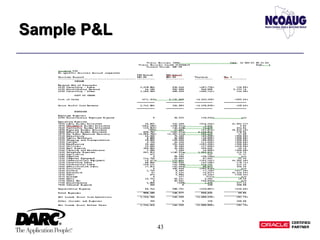
Sample P&LSample P&L

Fsg reporting