• 3 Phases / Aims:
– Migration of all data and information from Innovative Interfaces Millennium ERM
module into another storage format(s) for example MS Excel. This file would be
a temporary storage area until the library has decided to acquire a new ERMS
– Study existing ERMS products in the open market as well as Open Source
ERMS. Make recommendations for a new Electronic Resources Management
System (ERMS) for KAUST Library
– Implementation of the selected ERMS
Project Aims
• To update the Excel File for all subscribed and relevant Open Access electronic
resources including updated ejournal coverage period
• To update library staff work responsibilities with regards to ERM lifecycle
• To research and evaluate on available ERMS in the open market
• To recommend a suitable ERMS for our library
• To implement ERMS and update ERM workflows, procedures and policies
Project Objectives: 3 phases
• Types of Electronic Resources
– Electronic journals
– Electronic books
– Abstract and Indexing Databases
– Digital Audio Files
– Image Databases
Introduction
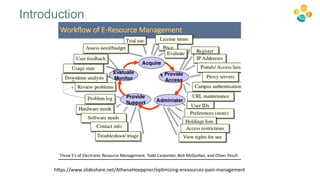
Electronic Resources Management include various phases such as:
1. Investigating new content for purchase or addition
2. Acquiring new content
3. Implementation
4. Ongoing evaluation and access, and annual review
5. Cancellation and replacement review
6. Preservation.
(TERMS 2.0, https://library.hud.ac.uk/blogs/terms/)
Introduction
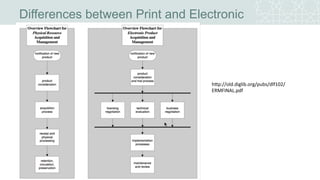
Differences between Print and Electronic
http://old.diglib.org/pubs/dlf102/ERMFINAL.
pdf
Introduction
https://www.slideshare.net/AthenaHoeppner/optimizing-eresources-pain-management
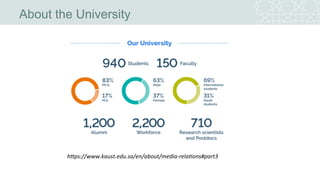
• King Abdullah University of Science and Technology was inaugurated on Sept 23,
2009
• International Graduate Research University
• “Located on the Red Sea at Thuwal,[8] is sited on more than 36 square kilometres
(14 sq mi), encompassing a marine sanctuary, museum, and research facility.”
• Close to 700 students from 63 nations enrolled for 2010
• KAUST aspires to be a destination for scientific and technological education and
research
• KAUST advances science and technology through distinctive and collaborative
research integrated with graduate education
https://www.kaust.edu.sa/en/about/vision
About the University
https://www.kaust.edu.sa/en/about/media-relations#part3
About the University
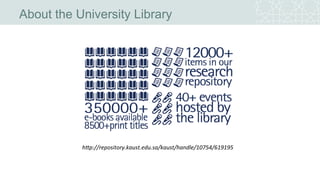
About the University Library
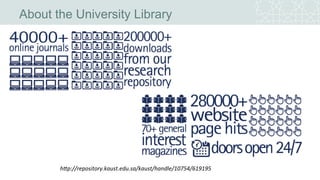
http://repository.kaust.edu.sa/kaust/handle/10754/619195
About the University Library
http://repository.kaust.edu.sa/kaust/handle/10754/619195
About the University Library
• Digitally born library
• Nearly 14,000 square meters of space on three levels
• Comfortable, attractive seating for 400 people
• 150 computer workstations throughout the building including two German and two Spanish
keyboards
• 20 glass-enclosed collaborative learning spaces (group study rooms)
• 12 group study rooms which offer large flat-screen display panels
• 33-seat computer learning lab equipped with advanced software for various science and
engineering subjects
• 75-seat Sea View meeting room, featuring dual computer projectors, video conferencing
capabilities, and with one of the university's best views
• Copy center where users can print, copy or scan documents
• Exhibit and display areas
• 64-seat café offering hot and cold refreshments.
https://library.kaust.edu.sa/page/facts-and-figures
Electronic Resources Expenditure
• Huge chunk of the library’s budget is dedicated for
electronic resources
Literature Review
• “Software module that assists the library in managing all the details related to its subscriptions to
electronic content” (Breeding , M. “Electronic Resource Management Systems.” Computers in
Libraries 28 , no. 7 ( July/August 2008 ): 7 –18 , 94–6 )
• “Electronic resource management systems aim to bring together disparate information related to
purchasing, managing, and evaluating electronic resources such as journals, e-books, and
databases” (Mihlrad, L. (2010). A Brief Introduction to ERMS. Journal of Electronic Resources in
Medical Libraries, 7(2), 151-158. doi:10.1080/15424065.2010.483151)
• Libraries have the choice to elect the method of acquiring ERMS:
– purchasing a commercial product
– purchasing an open-source product
– creating a local solution, utilizing such software as Microsoft Excel, Microsoft Access, or
MySQL.
(Mihlrad, L. (2010). A Brief Introduction to ERMS. Journal of Electronic Resources in Medical
Libraries, 7(2), 151-158. doi:10.1080/15424065.2010.483151)
KAUST Library ERMS
• Prior to Proquest 360 Resource Manager (new ERMS), the library was using
Innovative Interfaces Millennium ERM module
• Main function of this module
– Store Publishers’ Contact Information
– Store Library Holdings for E-Journals and E-Books packages
– Store the Publishers’ Administrative Information such as Username and Password
– Store Incident information
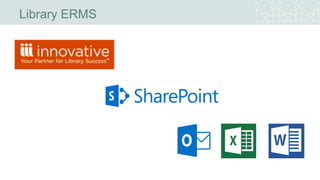
• Apart from that, ERM team uses MS Sharepoint to store important
documents such as:
– Soft copy of License Agreements
– Important emails
– Workflow documents
– Related ERM files in MS Excel and MS Word format such as E-Resources Acquisition
Procurement file, Procedures, Policies and Workflow charts
KAUST Library ERMS
• MS Outlook is the main vehicle for team communication
• On top of that, the library subscribed to Innovative Interfaces CASE as the AZ
Management system
• CASE was used to ‘pump’ E-Journal holdings information into Millennium ERM
module
• E-Books Marc data were uploaded into system via Millennium Cataloging module
• E-Books Marc data were obtained from the various e-book publishers
Library ERMS
Limitations of the old ERMS
• Updating E-Journal titles/packages was a pain and cumbersome. No batch
processing feature was present in Innovative CASE AZ admin module.
• Millennium ERM system was not robust enough to handle multiple triggers/alert email
features
• Interface was not user-friendly
• Was difficult to include the ERMS features around our ERM lifecycle
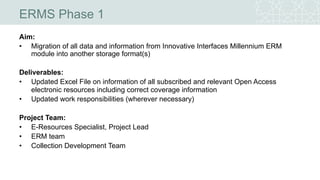
ERMS Phase 1
Aim:
• Migration of all data and information from Innovative Interfaces Millennium ERM
module into another storage format(s)
Deliverables:
• Updated Excel File on information of all subscribed and relevant Open Access
electronic resources including correct coverage information
• Updated work responsibilities (wherever necessary)
Project Team:
• E-Resources Specialist, Project Lead
• ERM team
• Collection Development Team
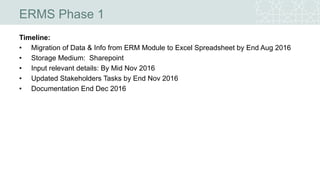
ERMS Phase 1
Timeline:
• Migration of Data & Info from ERM Module to Excel Spreadsheet by End Aug 2016
• Storage Medium: Sharepoint
• Input relevant details: By Mid Nov 2016
• Updated Stakeholders Tasks by End Nov 2016
• Documentation End Dec 2016
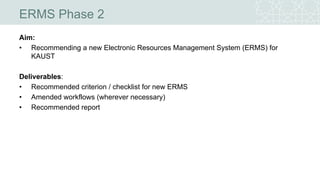
ERMS Phase 2
Aim:
• Recommending a new Electronic Resources Management System (ERMS) for
KAUST
Deliverables:
• Recommended criterion / checklist for new ERMS
• Amended workflows (wherever necessary)
• Recommended report
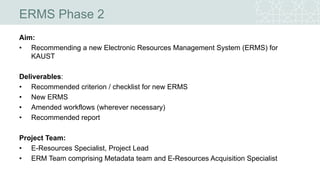
ERMS Phase 2
Aim:
• Recommending a new Electronic Resources Management System (ERMS) for
KAUST
Deliverables:
• Recommended criterion / checklist for new ERMS
• New ERMS
• Amended workflows (wherever necessary)
• Recommended report
Project Team:
• E-Resources Specialist, Project Lead
• ERM Team comprising Metadata team and E-Resources Acquisition Specialist
ERMS Phase 2
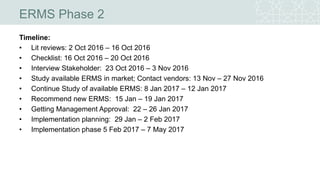
Timeline:
• Lit reviews: 2 Oct 2016 – 16 Oct 2016
• Checklist: 16 Oct 2016 – 20 Oct 2016
• Interview Stakeholder: 23 Oct 2016 – 3 Nov 2016
• Study available ERMS in market; Contact vendors: 13 Nov – 27 Nov 2016
• Continue Study of available ERMS: 8 Jan 2017 – 12 Jan 2017
• Recommend new ERMS: 15 Jan – 19 Jan 2017
• Getting Management Approval: 22 – 26 Jan 2017
• Implementation planning: 29 Jan – 2 Feb 2017
• Implementation phase 5 Feb 2017 – 7 May 2017
ERMS Recommendation Report
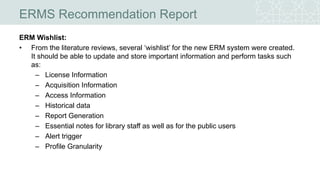
ERM Wishlist:
• From the literature reviews, several ‘wishlist’ for the new ERM system were created.
It should be able to update and store important information and perform tasks such
as:
– License Information
– Acquisition Information
– Access Information
– Historical data
– Report Generation
– Essential notes for library staff as well as for the public users
– Alert trigger
– Profile Granularity
ERMS Recommendation Report
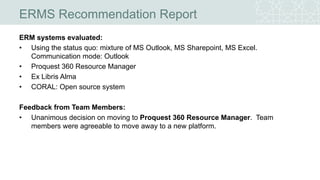
ERM systems evaluated:
• Using the status quo: mixture of MS Outlook, MS Sharepoint, MS Excel.
Communication mode: Outlook
• Proquest 360 Resource Manager
• Ex Libris Alma
• CORAL: Open source system
Feedback from Team Members:
• Unanimous decision on moving to Proquest 360 Resource Manager. Team
members were agreeable to move away to a new platform.
ERMS Recommendation Report
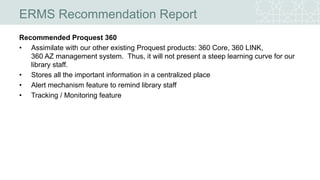
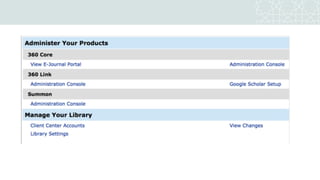
Recommended Proquest 360
• Assimilate with our other existing Proquest products: 360 Core, 360 LINK,
360 AZ management system. Thus, it will not present a steep learning curve for our
library staff.
• Stores all the important information in a centralized place
• Alert mechanism feature to remind library staff
• Tracking / Monitoring feature
ERMS Implementation
Project team’s recommendation was approved by Library Management
Implementation Timeline:
• Implementation planning: 29 Jan – 2 Feb 2017
• Implementation phase: 5 Feb 2017 – 7 May 2017
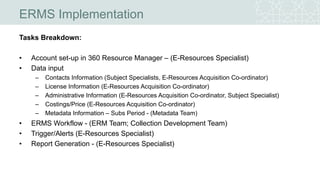
ERMS Implementation
Tasks Breakdown:
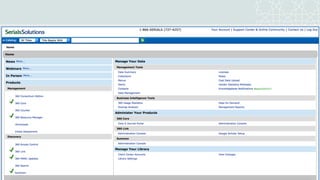
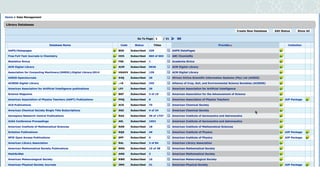
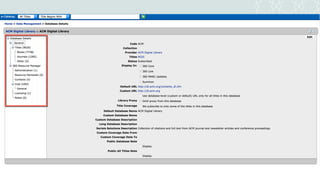
• Account set-up in 360 Resource Manager – (E-Resources Specialist)
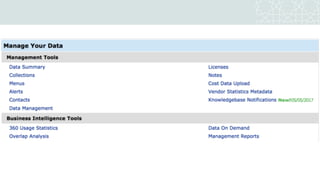
• Data input
– Contacts Information (Subject Specialists, E-Resources Acquisition Co-ordinator)
– License Information (E-Resources Acquisition Co-ordinator)
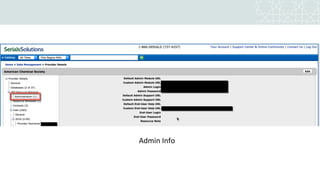
– Administrative Information (E-Resources Acquisition Co-ordinator, Subject Specialist)
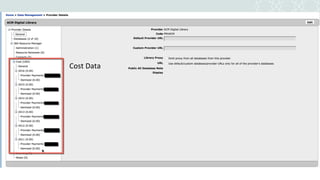
– Costings/Price (E-Resources Acquisition Co-ordinator)
– Metadata Information – Subs Period - (Metadata Team)
• ERMS Workflow - (ERM Team; Collection Development Team)
• Trigger/Alerts (E-Resources Specialist)
• Report Generation - (E-Resources Specialist)
Cost Data
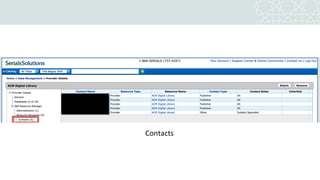
Contacts
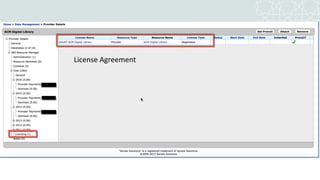
License Agreement
Admin Info
ERMS Implementation
Tasks Allocation
With the new ERMS, several tasks and stakeholders were identified.
Data Management:
Main Stakeholders: Metadata Team:
Updating/Maintaining our e-collection(s) for example: add/edit/delete new databases, new ebook /
ejournal titles/collection(s)
Conduct checks: access, link-checking, ensure that titles are displayed in AZ portal and Summon
Ensure articles are findable/discoverable in Summon
Contacts Information
Main Stakeholders: Subject Specialists, ERM team, E-Resources Acqui Ref Co-ordinator
Update of e-resources contact information into Proquest 360 Resource Manager:
Add Main contact for sales, billing
Add contact for metadata; Technical Support
Add contact for Gifts
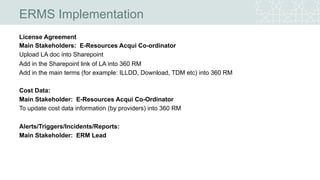
License Agreement
Main Stakeholders: E-Resources Acqui Co-ordinator
Upload LA doc into Sharepoint
Add in the Sharepoint link of LA into 360 RM
Add in the main terms (for example: ILLDD, Download, TDM etc) into 360 RM
Cost Data:
Main Stakeholder: E-Resources Acqui Co-Ordinator
To update cost data information (by providers) into 360 RM
Alerts/Triggers/Incidents/Reports:
Main Stakeholder: ERM Lead
ERMS Implementation
ERMS Implementation
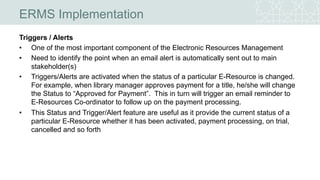
Triggers / Alerts
• One of the most important component of the Electronic Resources Management
• Need to identify the point when an email alert is automatically sent out to main
stakeholder(s)
• Triggers/Alerts are activated when the status of a particular E-Resource is changed.
For example, when library manager approves payment for a title, he/she will change
the Status to “Approved for Payment”. This in turn will trigger an email reminder to
E-Resources Co-ordinator to follow up on the payment processing.
• This Status and Trigger/Alert feature are useful as it provide the current status of a
particular E-Resource whether it has been activated, payment processing, on trial,
cancelled and so forth
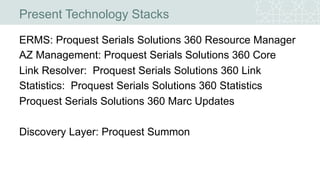
Present Technology Stacks
ERMS: Proquest Serials Solutions 360 Resource Manager
AZ Management: Proquest Serials Solutions 360 Core
Link Resolver: Proquest Serials Solutions 360 Link
Statistics: Proquest Serials Solutions 360 Statistics
Proquest Serials Solutions 360 Marc Updates
Discovery Layer: Proquest Summon
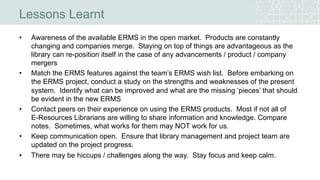
Lessons Learnt
• Awareness of the available ERMS in the open market. Products are constantly
changing and companies merge. Staying on top of things are advantageous as the
library can re-position itself in the case of any advancements / product / company
mergers
• Match the ERMS features against the team’s ERMS wish list. Before embarking on
the ERMS project, conduct a study on the strengths and weaknesses of the present
system. Identify what can be improved and what are the missing ‘pieces’ that should
be evident in the new ERMS
• Contact peers on their experience on using the ERMS products. Most if not all of
E-Resources Librarians are willing to share information and knowledge. Compare
notes. Sometimes, what works for them may NOT work for us.
• Keep communication open. Ensure that library management and project team are
updated on the project progress.
• There may be hiccups / challenges along the way. Stay focus and keep calm.
REFERENCES:
• https://www.kaust.edu.sa/en/about/media-relations#part2
• https://www.kaust.edu.sa/en/about/vision
• https://library.kaust.edu.sa/page/facts-and-figures
• http://repository.kaust.edu.sa/kaust/handle/10754/619195
• https://www.flickr.com/photos/kaust_photos/albums/72157622230920274
• https://www.flickr.com/photos/kaust_photos/albums/72157642207374073
• Breeding , M. “Electronic Resource Management Systems.” Computers in Libraries 28 , no. 7
( July/August 2008 ): 7 –18 , 94–6
• Mihlrad, L. (2010). A Brief Introduction to ERMS. Journal of Electronic Resources in Medical Libraries,
7(2), 151-158. doi:10.1080/15424065.2010.483151
• TERMS 2.0, https://library.hud.ac.uk/blogs/terms/
• http://old.diglib.org/pubs/dlf102/ERMFINAL.pdf
• https://en.wikipedia.org/wiki/King_Abdullah_University_of_Science_and_Technology

From Millennium ERMS to Proquest 360 Resource Manager

  • 2.
    • 3 Phases/ Aims: – Migration of all data and information from Innovative Interfaces Millennium ERM module into another storage format(s) for example MS Excel. This file would be a temporary storage area until the library has decided to acquire a new ERMS – Study existing ERMS products in the open market as well as Open Source ERMS. Make recommendations for a new Electronic Resources Management System (ERMS) for KAUST Library – Implementation of the selected ERMS Project Aims
  • 3.
    • To updatethe Excel File for all subscribed and relevant Open Access electronic resources including updated ejournal coverage period • To update library staff work responsibilities with regards to ERM lifecycle • To research and evaluate on available ERMS in the open market • To recommend a suitable ERMS for our library • To implement ERMS and update ERM workflows, procedures and policies Project Objectives: 3 phases
  • 4.
    • Types ofElectronic Resources – Electronic journals – Electronic books – Abstract and Indexing Databases – Digital Audio Files – Image Databases Introduction
  • 5.
    Electronic Resources Managementinclude various phases such as: 1. Investigating new content for purchase or addition 2. Acquiring new content 3. Implementation 4. Ongoing evaluation and access, and annual review 5. Cancellation and replacement review 6. Preservation. (TERMS 2.0, https://library.hud.ac.uk/blogs/terms/) Introduction
  • 6.
    Differences between Printand Electronic http://old.diglib.org/pubs/dlf102/ERMFINAL. pdf
  • 7.
  • 8.
    • King AbdullahUniversity of Science and Technology was inaugurated on Sept 23, 2009 • International Graduate Research University • “Located on the Red Sea at Thuwal,[8] is sited on more than 36 square kilometres (14 sq mi), encompassing a marine sanctuary, museum, and research facility.” • Close to 700 students from 63 nations enrolled for 2010 • KAUST aspires to be a destination for scientific and technological education and research • KAUST advances science and technology through distinctive and collaborative research integrated with graduate education https://www.kaust.edu.sa/en/about/vision About the University
  • 9.
  • 10.
  • 11.
    About the UniversityLibrary http://repository.kaust.edu.sa/kaust/handle/10754/619195
  • 12.
    About the UniversityLibrary http://repository.kaust.edu.sa/kaust/handle/10754/619195
  • 13.
  • 14.
    About the UniversityLibrary • Digitally born library • Nearly 14,000 square meters of space on three levels • Comfortable, attractive seating for 400 people • 150 computer workstations throughout the building including two German and two Spanish keyboards • 20 glass-enclosed collaborative learning spaces (group study rooms) • 12 group study rooms which offer large flat-screen display panels • 33-seat computer learning lab equipped with advanced software for various science and engineering subjects • 75-seat Sea View meeting room, featuring dual computer projectors, video conferencing capabilities, and with one of the university's best views • Copy center where users can print, copy or scan documents • Exhibit and display areas • 64-seat café offering hot and cold refreshments. https://library.kaust.edu.sa/page/facts-and-figures
  • 15.
    Electronic Resources Expenditure •Huge chunk of the library’s budget is dedicated for electronic resources
  • 16.
    Literature Review • “Softwaremodule that assists the library in managing all the details related to its subscriptions to electronic content” (Breeding , M. “Electronic Resource Management Systems.” Computers in Libraries 28 , no. 7 ( July/August 2008 ): 7 –18 , 94–6 ) • “Electronic resource management systems aim to bring together disparate information related to purchasing, managing, and evaluating electronic resources such as journals, e-books, and databases” (Mihlrad, L. (2010). A Brief Introduction to ERMS. Journal of Electronic Resources in Medical Libraries, 7(2), 151-158. doi:10.1080/15424065.2010.483151) • Libraries have the choice to elect the method of acquiring ERMS: – purchasing a commercial product – purchasing an open-source product – creating a local solution, utilizing such software as Microsoft Excel, Microsoft Access, or MySQL. (Mihlrad, L. (2010). A Brief Introduction to ERMS. Journal of Electronic Resources in Medical Libraries, 7(2), 151-158. doi:10.1080/15424065.2010.483151)
  • 17.
    KAUST Library ERMS •Prior to Proquest 360 Resource Manager (new ERMS), the library was using Innovative Interfaces Millennium ERM module • Main function of this module – Store Publishers’ Contact Information – Store Library Holdings for E-Journals and E-Books packages – Store the Publishers’ Administrative Information such as Username and Password – Store Incident information • Apart from that, ERM team uses MS Sharepoint to store important documents such as: – Soft copy of License Agreements – Important emails – Workflow documents – Related ERM files in MS Excel and MS Word format such as E-Resources Acquisition Procurement file, Procedures, Policies and Workflow charts
  • 18.
    KAUST Library ERMS •MS Outlook is the main vehicle for team communication • On top of that, the library subscribed to Innovative Interfaces CASE as the AZ Management system • CASE was used to ‘pump’ E-Journal holdings information into Millennium ERM module • E-Books Marc data were uploaded into system via Millennium Cataloging module • E-Books Marc data were obtained from the various e-book publishers
  • 19.
  • 20.
    Limitations of theold ERMS • Updating E-Journal titles/packages was a pain and cumbersome. No batch processing feature was present in Innovative CASE AZ admin module. • Millennium ERM system was not robust enough to handle multiple triggers/alert email features • Interface was not user-friendly • Was difficult to include the ERMS features around our ERM lifecycle
  • 21.
    ERMS Phase 1 Aim: •Migration of all data and information from Innovative Interfaces Millennium ERM module into another storage format(s) Deliverables: • Updated Excel File on information of all subscribed and relevant Open Access electronic resources including correct coverage information • Updated work responsibilities (wherever necessary) Project Team: • E-Resources Specialist, Project Lead • ERM team • Collection Development Team
  • 22.
    ERMS Phase 1 Timeline: •Migration of Data & Info from ERM Module to Excel Spreadsheet by End Aug 2016 • Storage Medium: Sharepoint • Input relevant details: By Mid Nov 2016 • Updated Stakeholders Tasks by End Nov 2016 • Documentation End Dec 2016
  • 23.
    ERMS Phase 2 Aim: •Recommending a new Electronic Resources Management System (ERMS) for KAUST Deliverables: • Recommended criterion / checklist for new ERMS • Amended workflows (wherever necessary) • Recommended report
  • 24.
    ERMS Phase 2 Aim: •Recommending a new Electronic Resources Management System (ERMS) for KAUST Deliverables: • Recommended criterion / checklist for new ERMS • New ERMS • Amended workflows (wherever necessary) • Recommended report Project Team: • E-Resources Specialist, Project Lead • ERM Team comprising Metadata team and E-Resources Acquisition Specialist
  • 25.
    ERMS Phase 2 Timeline: •Lit reviews: 2 Oct 2016 – 16 Oct 2016 • Checklist: 16 Oct 2016 – 20 Oct 2016 • Interview Stakeholder: 23 Oct 2016 – 3 Nov 2016 • Study available ERMS in market; Contact vendors: 13 Nov – 27 Nov 2016 • Continue Study of available ERMS: 8 Jan 2017 – 12 Jan 2017 • Recommend new ERMS: 15 Jan – 19 Jan 2017 • Getting Management Approval: 22 – 26 Jan 2017 • Implementation planning: 29 Jan – 2 Feb 2017 • Implementation phase 5 Feb 2017 – 7 May 2017
  • 26.
    ERMS Recommendation Report ERMWishlist: • From the literature reviews, several ‘wishlist’ for the new ERM system were created. It should be able to update and store important information and perform tasks such as: – License Information – Acquisition Information – Access Information – Historical data – Report Generation – Essential notes for library staff as well as for the public users – Alert trigger – Profile Granularity
  • 27.
    ERMS Recommendation Report ERMsystems evaluated: • Using the status quo: mixture of MS Outlook, MS Sharepoint, MS Excel. Communication mode: Outlook • Proquest 360 Resource Manager • Ex Libris Alma • CORAL: Open source system Feedback from Team Members: • Unanimous decision on moving to Proquest 360 Resource Manager. Team members were agreeable to move away to a new platform.
  • 28.
    ERMS Recommendation Report RecommendedProquest 360 • Assimilate with our other existing Proquest products: 360 Core, 360 LINK, 360 AZ management system. Thus, it will not present a steep learning curve for our library staff. • Stores all the important information in a centralized place • Alert mechanism feature to remind library staff • Tracking / Monitoring feature
  • 29.
    ERMS Implementation Project team’srecommendation was approved by Library Management Implementation Timeline: • Implementation planning: 29 Jan – 2 Feb 2017 • Implementation phase: 5 Feb 2017 – 7 May 2017
  • 30.
    ERMS Implementation Tasks Breakdown: •Account set-up in 360 Resource Manager – (E-Resources Specialist) • Data input – Contacts Information (Subject Specialists, E-Resources Acquisition Co-ordinator) – License Information (E-Resources Acquisition Co-ordinator) – Administrative Information (E-Resources Acquisition Co-ordinator, Subject Specialist) – Costings/Price (E-Resources Acquisition Co-ordinator) – Metadata Information – Subs Period - (Metadata Team) • ERMS Workflow - (ERM Team; Collection Development Team) • Trigger/Alerts (E-Resources Specialist) • Report Generation - (E-Resources Specialist)
  • 36.
  • 37.
  • 38.
  • 39.
  • 40.
    ERMS Implementation Tasks Allocation Withthe new ERMS, several tasks and stakeholders were identified. Data Management: Main Stakeholders: Metadata Team: Updating/Maintaining our e-collection(s) for example: add/edit/delete new databases, new ebook / ejournal titles/collection(s) Conduct checks: access, link-checking, ensure that titles are displayed in AZ portal and Summon Ensure articles are findable/discoverable in Summon Contacts Information Main Stakeholders: Subject Specialists, ERM team, E-Resources Acqui Ref Co-ordinator Update of e-resources contact information into Proquest 360 Resource Manager: Add Main contact for sales, billing Add contact for metadata; Technical Support Add contact for Gifts
  • 41.
    License Agreement Main Stakeholders:E-Resources Acqui Co-ordinator Upload LA doc into Sharepoint Add in the Sharepoint link of LA into 360 RM Add in the main terms (for example: ILLDD, Download, TDM etc) into 360 RM Cost Data: Main Stakeholder: E-Resources Acqui Co-Ordinator To update cost data information (by providers) into 360 RM Alerts/Triggers/Incidents/Reports: Main Stakeholder: ERM Lead ERMS Implementation
  • 42.
    ERMS Implementation Triggers /Alerts • One of the most important component of the Electronic Resources Management • Need to identify the point when an email alert is automatically sent out to main stakeholder(s) • Triggers/Alerts are activated when the status of a particular E-Resource is changed. For example, when library manager approves payment for a title, he/she will change the Status to “Approved for Payment”. This in turn will trigger an email reminder to E-Resources Co-ordinator to follow up on the payment processing. • This Status and Trigger/Alert feature are useful as it provide the current status of a particular E-Resource whether it has been activated, payment processing, on trial, cancelled and so forth
  • 43.
    Present Technology Stacks ERMS:Proquest Serials Solutions 360 Resource Manager AZ Management: Proquest Serials Solutions 360 Core Link Resolver: Proquest Serials Solutions 360 Link Statistics: Proquest Serials Solutions 360 Statistics Proquest Serials Solutions 360 Marc Updates Discovery Layer: Proquest Summon
  • 44.
    Lessons Learnt • Awarenessof the available ERMS in the open market. Products are constantly changing and companies merge. Staying on top of things are advantageous as the library can re-position itself in the case of any advancements / product / company mergers • Match the ERMS features against the team’s ERMS wish list. Before embarking on the ERMS project, conduct a study on the strengths and weaknesses of the present system. Identify what can be improved and what are the missing ‘pieces’ that should be evident in the new ERMS • Contact peers on their experience on using the ERMS products. Most if not all of E-Resources Librarians are willing to share information and knowledge. Compare notes. Sometimes, what works for them may NOT work for us. • Keep communication open. Ensure that library management and project team are updated on the project progress. • There may be hiccups / challenges along the way. Stay focus and keep calm.
  • 45.
    REFERENCES: • https://www.kaust.edu.sa/en/about/media-relations#part2 • https://www.kaust.edu.sa/en/about/vision •https://library.kaust.edu.sa/page/facts-and-figures • http://repository.kaust.edu.sa/kaust/handle/10754/619195 • https://www.flickr.com/photos/kaust_photos/albums/72157622230920274 • https://www.flickr.com/photos/kaust_photos/albums/72157642207374073 • Breeding , M. “Electronic Resource Management Systems.” Computers in Libraries 28 , no. 7 ( July/August 2008 ): 7 –18 , 94–6 • Mihlrad, L. (2010). A Brief Introduction to ERMS. Journal of Electronic Resources in Medical Libraries, 7(2), 151-158. doi:10.1080/15424065.2010.483151 • TERMS 2.0, https://library.hud.ac.uk/blogs/terms/ • http://old.diglib.org/pubs/dlf102/ERMFINAL.pdf • https://en.wikipedia.org/wiki/King_Abdullah_University_of_Science_and_Technology