Torino, tema yang cantik untuk LATEX Beamer
Hirwanto
Universitas Gadjah Mada
8 Juni 2013
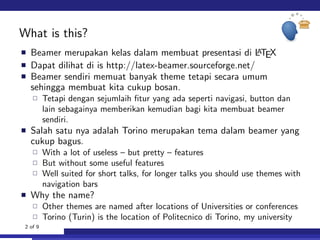
What is this?
Beamer merupakan kelas dalam membuat presentasi di LATEX
Dapat dilihat di is http://latex-beamer.sourceforge.net/
Beamer sendiri memuat banyak theme tetapi secara umum
sehingga membuat kita cukup bosan.
Tetapi dengan sejumlaih fitur yang ada seperti navigasi, button dan
lain sebagainya memberikan kemudian bagi kita membuat beamer
sendiri.
Salah satu nya adalah Torino merupakan tema dalam beamer yang
cukup bagus.
With a lot of useless – but pretty – features
But without some useful features
Well suited for short talks, for longer talks you should use themes with
navigation bars
Why the name?
Other themes are named after locations of Universities or conferences
Torino (Turin) is the location of Politecnico di Torino, my university
2 of 9
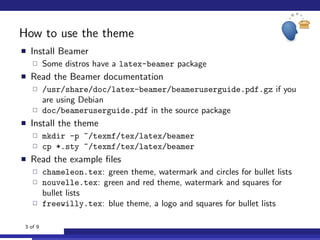
How to use the theme
Install Beamer
Some distros have a latex-beamer package
Read the Beamer documentation
/usr/share/doc/latex-beamer/beameruserguide.pdf.gz if you
are using Debian
doc/beameruserguide.pdf in the source package
Install the theme
mkdir -p ~/texmf/tex/latex/beamer
cp *.sty ~/texmf/tex/latex/beamer
Read the example files
chameleon.tex: green theme, watermark and circles for bullet lists
nouvelle.tex: green and red theme, watermark and squares for
bullet lists
freewilly.tex: blue theme, a logo and squares for bullet lists
3 of 9
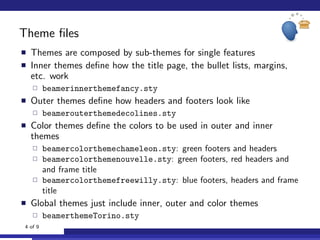
Theme files
Themes are composed by sub-themes for single features
Inner themes define how the title page, the bullet lists, margins,
etc. work
beamerinnerthemefancy.sty
Outer themes define how headers and footers look like
beamerouterthemedecolines.sty
Color themes define the colors to be used in outer and inner
themes
beamercolorthemechameleon.sty: green footers and headers
beamercolorthemenouvelle.sty: green footers, red headers and
and frame title
beamercolorthemefreewilly.sty: blue footers, headers and frame
title
Global themes just include inner, outer and color themes
beamerthemeTorino.sty
4 of 9
Configuring the theme
Beamer themes can be configured with options between [ and ]
usetheme[option1 = value, option2 = value]{Torino}
If you do not specify any option, you get
Simple title page
No watermark or logo
Chameleon (green) color theme
Squares for bullet lists
Color themes can be changed with usecolortheme
usecolortheme{nouvelle}: green and red
usecolortheme{freewilly}: blue
A logo, shown in the upper right corner, can be choosen with the
logo command
logo{includegraphics[height=50px]{logo-image}}
5 of 9
Alternative title page
A fancy title page can be enabled with the
alternativetitlepage option
You can put a logo in the title page, just pass the file name using
the titlepagelogo option
Remember to use a plain and top-aligned frame when using
alternative title pages:
begin{frame}[t,plain]
titlepage
end{frame}
6 of 9
Watermark
A watermark can be shown in the bottom right corner of frames
Use the watermark option to set name of the image file
The watermarkheight option specifies the height of the
watermark image
It’s a good idea to have a big image and shrink it, so it looks good
when the slide is full screen
If the image height in the slide is not the same as the original one,
you have to use the watermarkheightmult option
For example, if the image is 400 pixel tall but you want it to occupy
only 100 pixels, use
[watermarkheight=100px, watermarkheightmult=4]
It’s ugly but I don’t know how to fix it
7 of 9
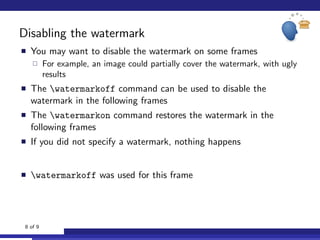
Disabling the watermark
You may want to disable the watermark on some frames
For example, an image could partially cover the watermark, with ugly
results
The watermarkoff command can be used to disable the
watermark in the following frames
The watermarkon command restores the watermark in the
following frames
If you did not specify a watermark, nothing happens
watermarkoff was used for this frame
8 of 9
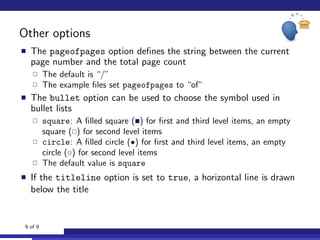
Other options
The pageofpages option defines the string between the current
page number and the total page count
The default is “/”
The example files set pageofpages to “of”
The bullet option can be used to choose the symbol used in
bullet lists
square: A filled square ( ) for first and third level items, an empty
square ( ) for second level items
circle: A filled circle (•) for first and third level items, an empty
circle (◦) for second level items
The default value is square
If the titleline option is set to true, a horizontal line is drawn
below the title
9 of 9

Freewilly with beamerusetheme Torino.sty

  • 1.
    Torino, tema yangcantik untuk LATEX Beamer Hirwanto Universitas Gadjah Mada 8 Juni 2013
  • 2.
    What is this? Beamermerupakan kelas dalam membuat presentasi di LATEX Dapat dilihat di is http://latex-beamer.sourceforge.net/ Beamer sendiri memuat banyak theme tetapi secara umum sehingga membuat kita cukup bosan. Tetapi dengan sejumlaih fitur yang ada seperti navigasi, button dan lain sebagainya memberikan kemudian bagi kita membuat beamer sendiri. Salah satu nya adalah Torino merupakan tema dalam beamer yang cukup bagus. With a lot of useless – but pretty – features But without some useful features Well suited for short talks, for longer talks you should use themes with navigation bars Why the name? Other themes are named after locations of Universities or conferences Torino (Turin) is the location of Politecnico di Torino, my university 2 of 9
  • 3.
    How to usethe theme Install Beamer Some distros have a latex-beamer package Read the Beamer documentation /usr/share/doc/latex-beamer/beameruserguide.pdf.gz if you are using Debian doc/beameruserguide.pdf in the source package Install the theme mkdir -p ~/texmf/tex/latex/beamer cp *.sty ~/texmf/tex/latex/beamer Read the example files chameleon.tex: green theme, watermark and circles for bullet lists nouvelle.tex: green and red theme, watermark and squares for bullet lists freewilly.tex: blue theme, a logo and squares for bullet lists 3 of 9
  • 4.
    Theme files Themes arecomposed by sub-themes for single features Inner themes define how the title page, the bullet lists, margins, etc. work beamerinnerthemefancy.sty Outer themes define how headers and footers look like beamerouterthemedecolines.sty Color themes define the colors to be used in outer and inner themes beamercolorthemechameleon.sty: green footers and headers beamercolorthemenouvelle.sty: green footers, red headers and and frame title beamercolorthemefreewilly.sty: blue footers, headers and frame title Global themes just include inner, outer and color themes beamerthemeTorino.sty 4 of 9
  • 5.
    Configuring the theme Beamerthemes can be configured with options between [ and ] usetheme[option1 = value, option2 = value]{Torino} If you do not specify any option, you get Simple title page No watermark or logo Chameleon (green) color theme Squares for bullet lists Color themes can be changed with usecolortheme usecolortheme{nouvelle}: green and red usecolortheme{freewilly}: blue A logo, shown in the upper right corner, can be choosen with the logo command logo{includegraphics[height=50px]{logo-image}} 5 of 9
  • 6.
    Alternative title page Afancy title page can be enabled with the alternativetitlepage option You can put a logo in the title page, just pass the file name using the titlepagelogo option Remember to use a plain and top-aligned frame when using alternative title pages: begin{frame}[t,plain] titlepage end{frame} 6 of 9
  • 7.
    Watermark A watermark canbe shown in the bottom right corner of frames Use the watermark option to set name of the image file The watermarkheight option specifies the height of the watermark image It’s a good idea to have a big image and shrink it, so it looks good when the slide is full screen If the image height in the slide is not the same as the original one, you have to use the watermarkheightmult option For example, if the image is 400 pixel tall but you want it to occupy only 100 pixels, use [watermarkheight=100px, watermarkheightmult=4] It’s ugly but I don’t know how to fix it 7 of 9
  • 8.
    Disabling the watermark Youmay want to disable the watermark on some frames For example, an image could partially cover the watermark, with ugly results The watermarkoff command can be used to disable the watermark in the following frames The watermarkon command restores the watermark in the following frames If you did not specify a watermark, nothing happens watermarkoff was used for this frame 8 of 9
  • 9.
    Other options The pageofpagesoption defines the string between the current page number and the total page count The default is “/” The example files set pageofpages to “of” The bullet option can be used to choose the symbol used in bullet lists square: A filled square ( ) for first and third level items, an empty square ( ) for second level items circle: A filled circle (•) for first and third level items, an empty circle (◦) for second level items The default value is square If the titleline option is set to true, a horizontal line is drawn below the title 9 of 9