








Amal Dev
Forms + Azure
Dev Days
About Me !!!
Microsoft MVP
10+ years of professional experience
Blogger
Speaker
Full Stack Web Developer in Microsoft
Technologies
Technical Analyst with UST Global
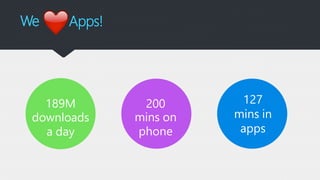
We Apps!
189M
downloads
a day
200
mins on
phone
127
mins in
apps
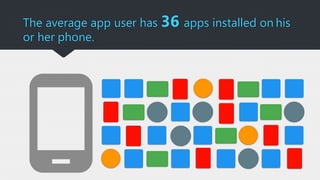
The average app user has 36 apps installed on his
or her phone.
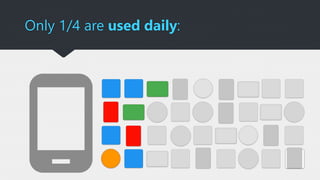
Only 1/4 are used daily:
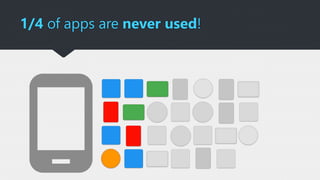
1/4 of apps are never used!
Bad App Experiences
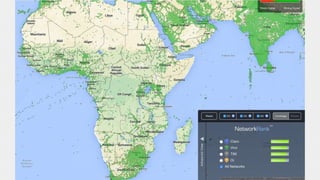
Always Connected ?
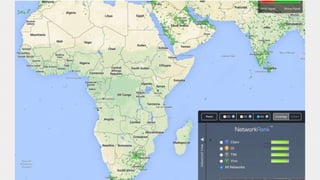
http://opensignal.com/coverage-maps
Offline Storage to your rescue !!!
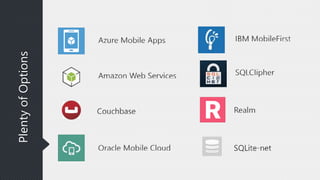
What about a backend ?
PlentyofOptions
Infrastructure
designed for Scale
100+ datacenters
Top 3 networks in the world
2x AWS, 6x Google DC Regions
G Series – Largest VM in World
32 cores, 448GB RAM, SSD….
Operational
Announced
* Operated by 21Vianet
Azure compute
regions open today
More than AWS and
Google Cloud combined
Datacenters recently
added in Canada
and India
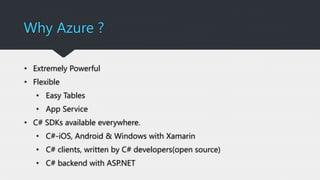
Why Azure ?
• Extremely Powerful
• Flexible
• Easy Tables
• App Service
• C# SDKs available everywhere.
• C#-iOS, Android & Windows with Xamarin
• C# clients, written by C# developers(open source)
• C# backend with ASP.NET
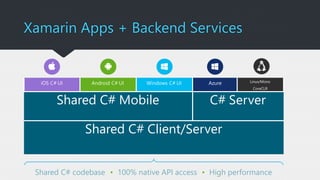
Shared C# codebase • 100% native API access • High performance
iOS C# UI Android C# UI Windows C# UI Azure Linux/Mono
CoreCLR
Shared C# Mobile C# Server
Shared C# Client/Server
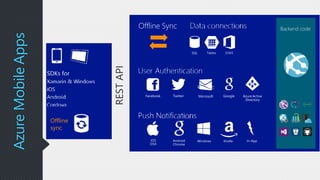
Xamarin Apps + Backend Services
RESTAPI
AzureMobileApps
Facebook Twitter Microsoft Google Azure Active
Directory
WindowsAndroid
Chrome
iOS
OSX
In-AppKindle
Backend code
SQL Tables O365
Offline Sync
Offline
sync
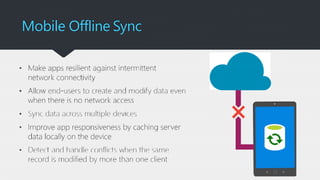
Mobile Offline Sync
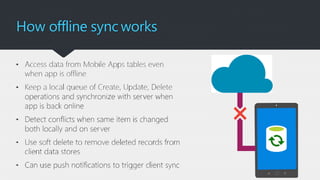
How offline sync works
Let’s add a backend
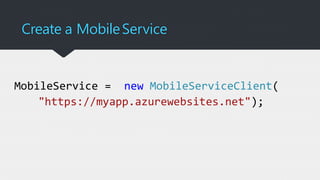
Create a MobileService
MobileService = new MobileServiceClient(
"https://myapp.azurewebsites.net");
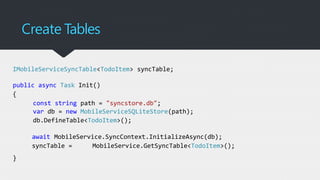
Create Tables
IMobileServiceSyncTable<TodoItem> syncTable;
public async Task Init()
{
const string path = "syncstore.db";
var db = new MobileServiceSQLiteStore(path);
db.DefineTable<TodoItem>();
await MobileService.SyncContext.InitializeAsync(db);
syncTable = MobileService.GetSyncTable<TodoItem>();
}
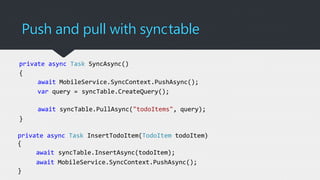
Push and pull with synctable
private async Task SyncAsync()
{
await MobileService.SyncContext.PushAsync();
var query = syncTable.CreateQuery();
await syncTable.PullAsync("todoItems", query);
}
private async Task InsertTodoItem(TodoItem todoItem)
{
await syncTable.InsertAsync(todoItem);
await MobileService.SyncContext.PushAsync();
}
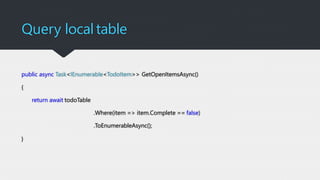
Query localtable
public async Task<IEnumerable<TodoItem>> GetOpenItemsAsync()
{
return await todoTable
.Where(item => item.Complete == false)
.ToEnumerableAsync();
}
DEMO
Thank You
Read my blogs at www.techrepository.in
Read my tweets @amaldevv

Forms + azure

Editor's Notes

  • #6 There are areound 189M downloads are happening every day On an average an user spends around 200 mins on phone and in that 127 minutes are spent on various apps
  • #7 We all have installed loads of app in your expanding and with latest advancements in storage technology it’s only going to increase
  • #8 Tell me how many apps you use on a daily basis, only a few right ? Mail, Whatsapp, Search, FB, Twitter
  • #9 There are loads of app sitting in our phone which we haven’t bothered to take a second look at it after installation
  • #10 Story of IFSC code app
  • #12 Combined map of 2g , 3g and 4g - US
  • #13 Combined map of 2g , 3g and 4g – Africa, SE Asia
  • #14 Only 4g- Africa and SE Asia
  • #22 Helps devs to create apps that are functional even in the absence of network connection In offline mode , users will be able to create and modify data which will be saved in a local data store When the app is back online, it syncs the local data with the backend It also include support for detecting conflicts in cases such when the same record is modified at both client and backend And also conflicts can be handled at both the ends,
  • #24 Azure portal demo
  • #25 MobileServiceClient table is used to connect to the backend
  • #26 Sync Table Sync table api should be used to support offline mode. Remember that you needs to initialize the local store first before any sync operations Local Store Is the data persistence layer in the client device. SDK provides a default local store implementation. For Windows, xamarin and android it’s based on SQLite and for iOS its based on Core.Data Sync Context Is associated with mobile service client object such as IMobileServiceClient and tracks changes made in the sync tables. It maintains an operation queue which keeps an ordered list of all the crud operations Initalize local store first, creates a sql lite db using mobileservice Create a table using Define table method, schema to be used is derived from ToDoItem table IMobileServiceSyncTable is used instead of IMobileServiceTable Uses a local database for all the crud operations and the sync context preserves the table relationships by tracking Working While using sync table, the client code controls the syncing of the data to the backend. The data will be sent only when push call is made, similarly the data will be pulled from the backend via an explicity call only. No auto sync in there Push Operation on the sync context which sends all the changes since the last push. Please note that all the changes are sent at once and there is no option to sync individual tables. The SDK makes some REST API calls to send the data to the mobile backend which in turn inserts it to the server store Pull Pull is done based on per-table basis and customized to pull only a subset of data, then the Azure SDK inserts the data into the local data store Implicit Pushes If a pull is executed against a table that has pending local updates, it will first execute a push on the sync context which helps to minimize the conflict between your local changes and the new data from the server Incremental Pushes First parameter for a pull operation is query-name, if nothing is specified then the SDK will perform a incremental sync. In this case whenever a pull operation returns a set of results the latest updatedAt timestamp from that resultset is stored in SDK local system tables, subsequent pull will return records only after that timestamp
  • #27 Code is not ideal for production env, for real world scenarios you need to write code in a way such that the data is synced when the network state changes SyncAsync is used to sync all your offline data with the backend To insert data we use InsertAsync method to insert the data into the local store and then calls the push method to sync it up with the backend Similary we will do that for update and delete operations