FND COMP Project Guidelines


As part of the Final Requirement for FND COMP subject, each student must create their own blog
regarding the recently approved Cybercrime Law of the Republic of the Philippines.

Project Instruction (BLOGGER Project) – 50 points

   1. Go to blogger.com and register for a free account, kindly click on the specified link to redirect it
      on blogger homepage.
   2. Once registered, start creating your blog. The topic of your blog must be related to Anti
      Cybercrime Act of the Philippines.
   3. Get the Official copy of the Cybercrime Law from http://www.gov.ph/2012/09/12/republic-act-
      no-10175/ and make it as the content of your blog post.
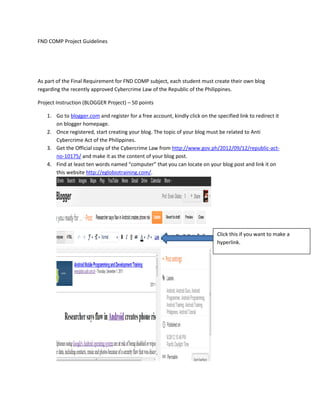
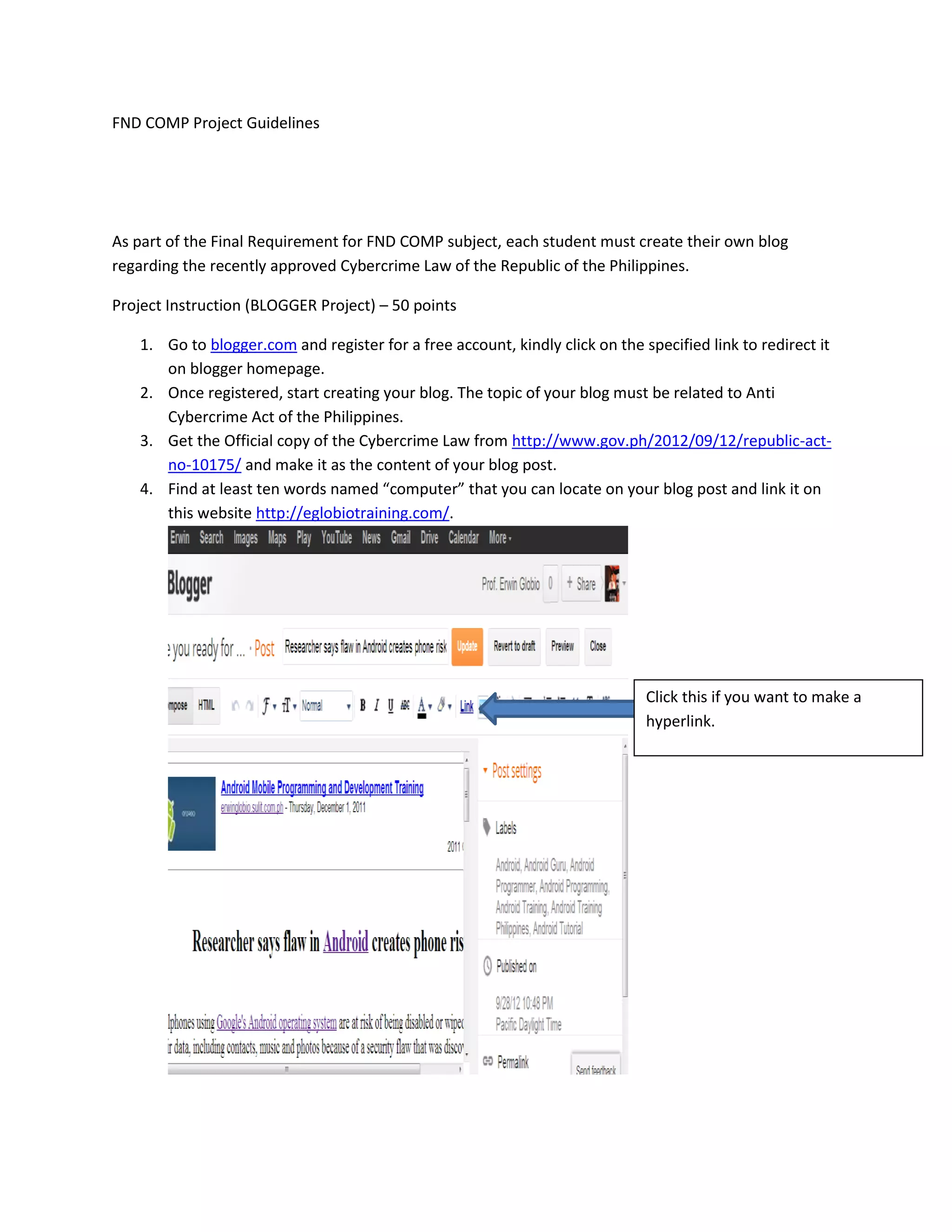
   4. Find at least ten words named “computer” that you can locate on your blog post and link it on
      this website http://eglobiotraining.com/.


                                                                              Click this if you want to make a
                                                                              hyperlink.
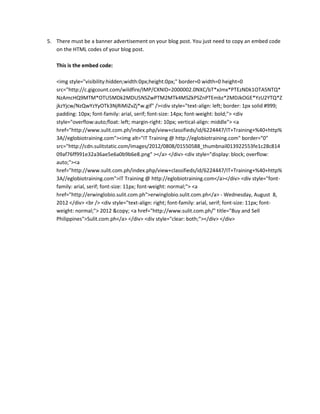
5. There must be a banner advertisement on your blog post. You just need to copy an embed code
   on the HTML codes of your blog post.

   This is the embed code:

   <img style="visibility:hidden;width:0px;height:0px;" border=0 width=0 height=0
   src="http://c.gigcount.com/wildfire/IMP/CXNID=2000002.0NXC/bT*xJmx*PTEzNDk1OTA5NTQ*
   NzAmcHQ9MTM*OTU5MDk2MDU5NSZwPTM2MTk4MSZkPSZnPTEmbz*2MDJkOGE*YzU2YTQ*Z
   jkzYjcw/NzQwYzYyOTk3NjRiMiZvZj*w.gif" /><div style="text-align: left; border: 1px solid #999;
   padding: 10px; font-family: arial, serif; font-size: 14px; font-weight: bold;"> <div
   style="overflow:auto;float: left; margin-right: 10px; vertical-align: middle"> <a
   href="http://www.sulit.com.ph/index.php/view+classifieds/id/6224447/IT+Training+%40+http%
   3A//eglobiotraining.com"><img alt="IT Training @ http://eglobiotraining.com" border="0"
   src="http://cdn.sulitstatic.com/images/2012/0808/01550588_thumbnail013922553fe1c28c814
   09af76ff991e32a36ae5e6a0b9b6e8.png" ></a> </div> <div style="display: block; overflow:
   auto;"><a
   href="http://www.sulit.com.ph/index.php/view+classifieds/id/6224447/IT+Training+%40+http%
   3A//eglobiotraining.com">IT Training @ http://eglobiotraining.com</a></div> <div style="font-
   family: arial, serif; font-size: 11px; font-weight: normal;"> <a
   href="http://erwinglobio.sulit.com.ph">erwinglobio.sulit.com.ph</a> - Wednesday, August 8,
   2012 </div> <br /> <div style="text-align: right; font-family: arial, serif; font-size: 11px; font-
   weight: normal;"> 2012 &copy; <a href="http://www.sulit.com.ph/" title="Buy and Sell
   Philippines">Sulit.com.ph</a> </div> <div style="clear: both;"></div> </div>
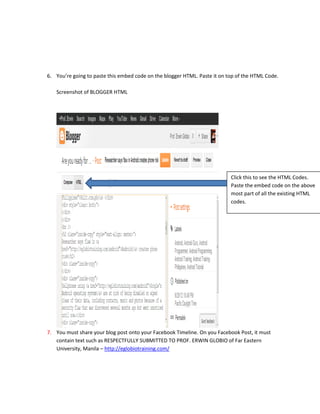
6. You’re going to paste this embed code on the blogger HTML. Paste it on top of the HTML Code.

   Screenshot of BLOGGER HTML


                                                                           Click this to see the HTML Codes.
                                                                           Paste the embed code on the above
                                                                           most part of all the existing HTML
                                                                           codes.


7. You must share your blog post onto your Facebook Timeline. On you Facebook Post, it must
   contain text such as RESPECTFULLY SUBMITTED TO PROF. ERWIN GLOBIO of Far Eastern
   University, Manila – http://eglobiotraining.com/
Project Instruction (Uploading Project on Moodle) - 50 points

    1. Upload your Final Project on your Moodle accounts for checking and grading.
    2. You need to upload both the screenshot of your blog post and the Facebook post. Put the
       screenshots on MS WORD but make sure that your Name or Profile Name must be visible on the
       screenshot. It means you need to upload two Document Files in MS WORD Format. Beneath the
       screenshot of your blog post, kindly paste the link URL of your blog post for me to be able to
       check your blog.
    3. Deadline of the submission will be on FRIDAY 12 October 2012 2355H. There would be no
       extension after the deadline. If you can submit your project earlier than the deadline, it would
       be better and you will receive a bonus points.
    4. Failure to submit the Final Requirements will mean failure on the Final Grade.
    5. Before uploading, organize your files onto a compressed zipped folder. You can only upload one
       file for this project. Compressed zipped file is a process of organizing more than one file onto a
       single folder file.


Note:

Failure to follow all the instructions will mean demerit or worst failure on your Final Grade. READ the
INSTRUCTIONS very carefully. GOOD LUCK.

If you have any other questions and clarification, feel free to email me at erwin_globio@yahoo.com

FND COMP Project Guidelines

  • 1.
    FND COMP ProjectGuidelines As part of the Final Requirement for FND COMP subject, each student must create their own blog regarding the recently approved Cybercrime Law of the Republic of the Philippines. Project Instruction (BLOGGER Project) – 50 points 1. Go to blogger.com and register for a free account, kindly click on the specified link to redirect it on blogger homepage. 2. Once registered, start creating your blog. The topic of your blog must be related to Anti Cybercrime Act of the Philippines. 3. Get the Official copy of the Cybercrime Law from http://www.gov.ph/2012/09/12/republic-act- no-10175/ and make it as the content of your blog post. 4. Find at least ten words named “computer” that you can locate on your blog post and link it on this website http://eglobiotraining.com/. Click this if you want to make a hyperlink.
  • 2.
    5. There mustbe a banner advertisement on your blog post. You just need to copy an embed code on the HTML codes of your blog post. This is the embed code: <img style="visibility:hidden;width:0px;height:0px;" border=0 width=0 height=0 src="http://c.gigcount.com/wildfire/IMP/CXNID=2000002.0NXC/bT*xJmx*PTEzNDk1OTA5NTQ* NzAmcHQ9MTM*OTU5MDk2MDU5NSZwPTM2MTk4MSZkPSZnPTEmbz*2MDJkOGE*YzU2YTQ*Z jkzYjcw/NzQwYzYyOTk3NjRiMiZvZj*w.gif" /><div style="text-align: left; border: 1px solid #999; padding: 10px; font-family: arial, serif; font-size: 14px; font-weight: bold;"> <div style="overflow:auto;float: left; margin-right: 10px; vertical-align: middle"> <a href="http://www.sulit.com.ph/index.php/view+classifieds/id/6224447/IT+Training+%40+http% 3A//eglobiotraining.com"><img alt="IT Training @ http://eglobiotraining.com" border="0" src="http://cdn.sulitstatic.com/images/2012/0808/01550588_thumbnail013922553fe1c28c814 09af76ff991e32a36ae5e6a0b9b6e8.png" ></a> </div> <div style="display: block; overflow: auto;"><a href="http://www.sulit.com.ph/index.php/view+classifieds/id/6224447/IT+Training+%40+http% 3A//eglobiotraining.com">IT Training @ http://eglobiotraining.com</a></div> <div style="font- family: arial, serif; font-size: 11px; font-weight: normal;"> <a href="http://erwinglobio.sulit.com.ph">erwinglobio.sulit.com.ph</a> - Wednesday, August 8, 2012 </div> <br /> <div style="text-align: right; font-family: arial, serif; font-size: 11px; font- weight: normal;"> 2012 &copy; <a href="http://www.sulit.com.ph/" title="Buy and Sell Philippines">Sulit.com.ph</a> </div> <div style="clear: both;"></div> </div>
  • 3.
    6. You’re goingto paste this embed code on the blogger HTML. Paste it on top of the HTML Code. Screenshot of BLOGGER HTML Click this to see the HTML Codes. Paste the embed code on the above most part of all the existing HTML codes. 7. You must share your blog post onto your Facebook Timeline. On you Facebook Post, it must contain text such as RESPECTFULLY SUBMITTED TO PROF. ERWIN GLOBIO of Far Eastern University, Manila – http://eglobiotraining.com/
  • 4.
    Project Instruction (UploadingProject on Moodle) - 50 points 1. Upload your Final Project on your Moodle accounts for checking and grading. 2. You need to upload both the screenshot of your blog post and the Facebook post. Put the screenshots on MS WORD but make sure that your Name or Profile Name must be visible on the screenshot. It means you need to upload two Document Files in MS WORD Format. Beneath the screenshot of your blog post, kindly paste the link URL of your blog post for me to be able to check your blog. 3. Deadline of the submission will be on FRIDAY 12 October 2012 2355H. There would be no extension after the deadline. If you can submit your project earlier than the deadline, it would be better and you will receive a bonus points. 4. Failure to submit the Final Requirements will mean failure on the Final Grade. 5. Before uploading, organize your files onto a compressed zipped folder. You can only upload one file for this project. Compressed zipped file is a process of organizing more than one file onto a single folder file. Note: Failure to follow all the instructions will mean demerit or worst failure on your Final Grade. READ the INSTRUCTIONS very carefully. GOOD LUCK. If you have any other questions and clarification, feel free to email me at erwin_globio@yahoo.com