




CONNECT. TRANSFORM. AUTOMATE.
FME 2015 and Beyond
Dale Lutz, Don Murray
Safe Harbor Statement
Our discussion may include predictions, estimates or other
information that might be considered forward-looking. While
these forward-looking statements represent our current judgment
on what the future holds, they are subject to risks and
uncertainties that could cause actual results to differ materially.
You are cautioned not to place undue reliance on these forward-
looking statements, which reflect our opinions only as of the date
of this presentation. Please keep in mind that we are not
obligating ourselves to revise or publicly release the results of
any revision to these forward- looking statements in light of new
information or future events. Throughout today’s discussion, we
will attempt to present some important factors relating to our
business that may affect our predictions.
CONNECT. TRANSFORM. AUTOMATE.
The Future
CONNECT. TRANSFORM. AUTOMATE.
Connect.
Transform.
Automate.
CONNECT. TRANSFORM. AUTOMATE.
IFC Writing
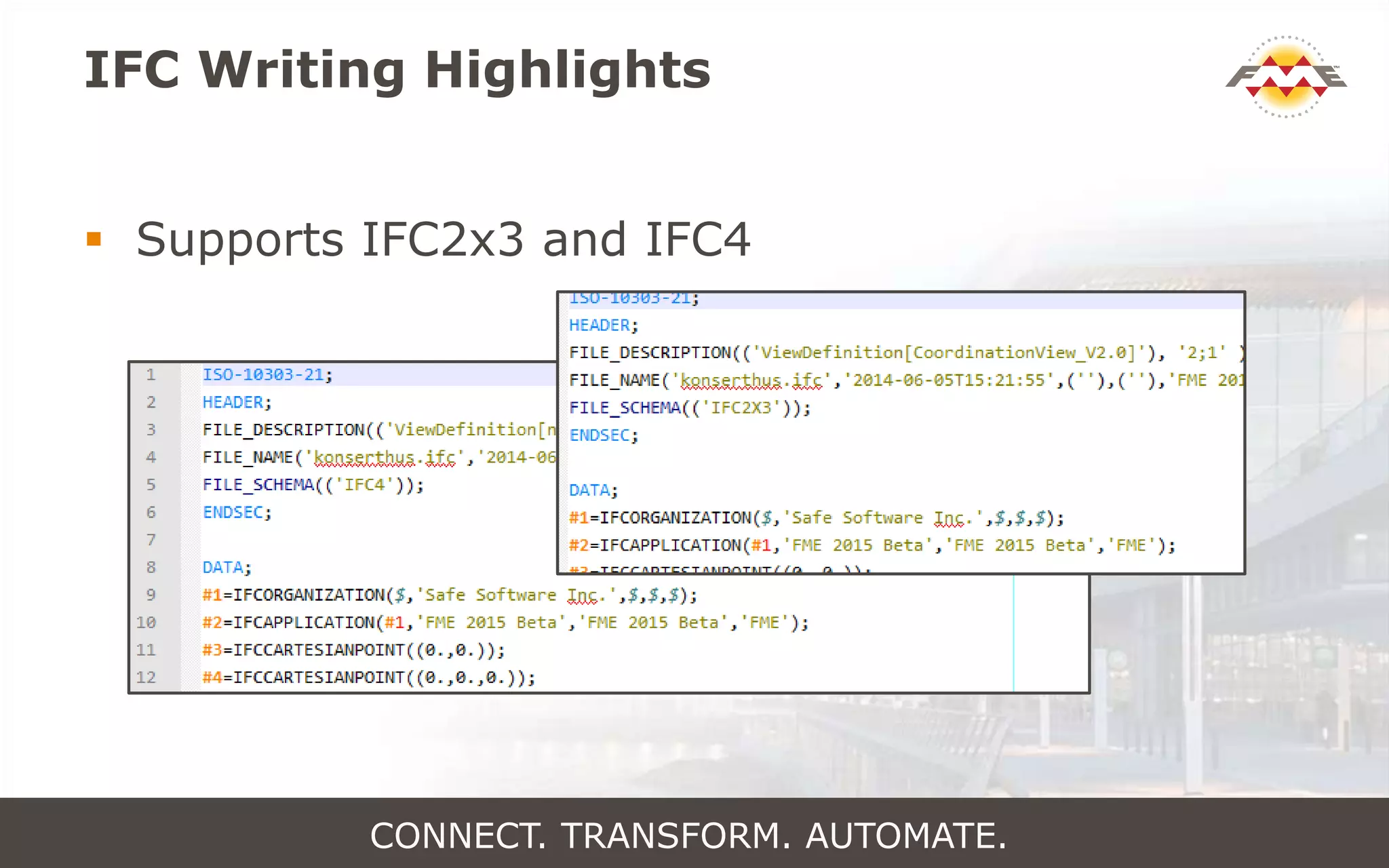
IFC Writing Highlights
 Supports IFC2x3 and IFC4
CONNECT. TRANSFORM. AUTOMATE.
IFC Writing Highlights
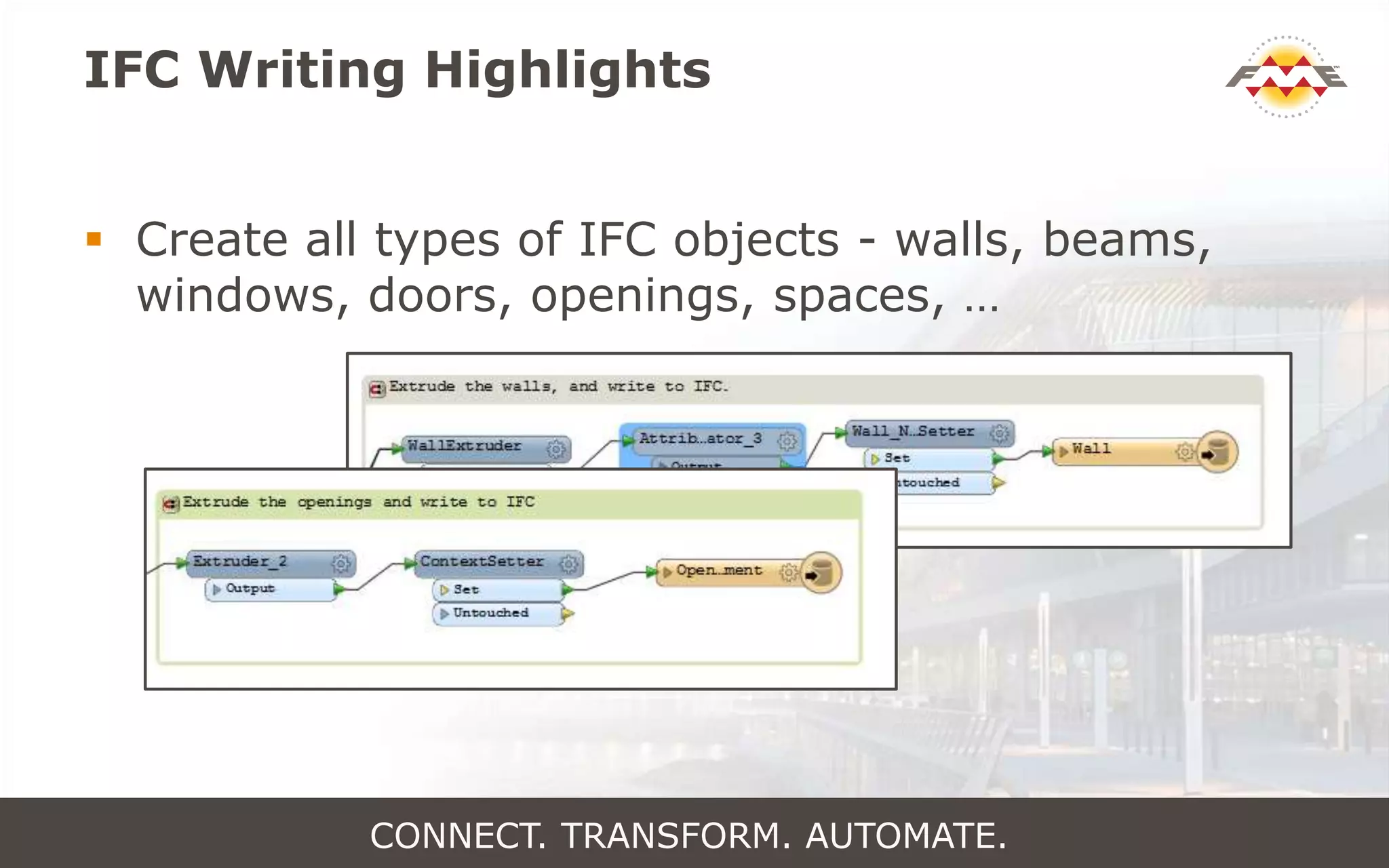
 Create all types of IFC objects - walls, beams,
windows, doors, openings, spaces, …
CONNECT. TRANSFORM. AUTOMATE.
IFC Writing Highlights
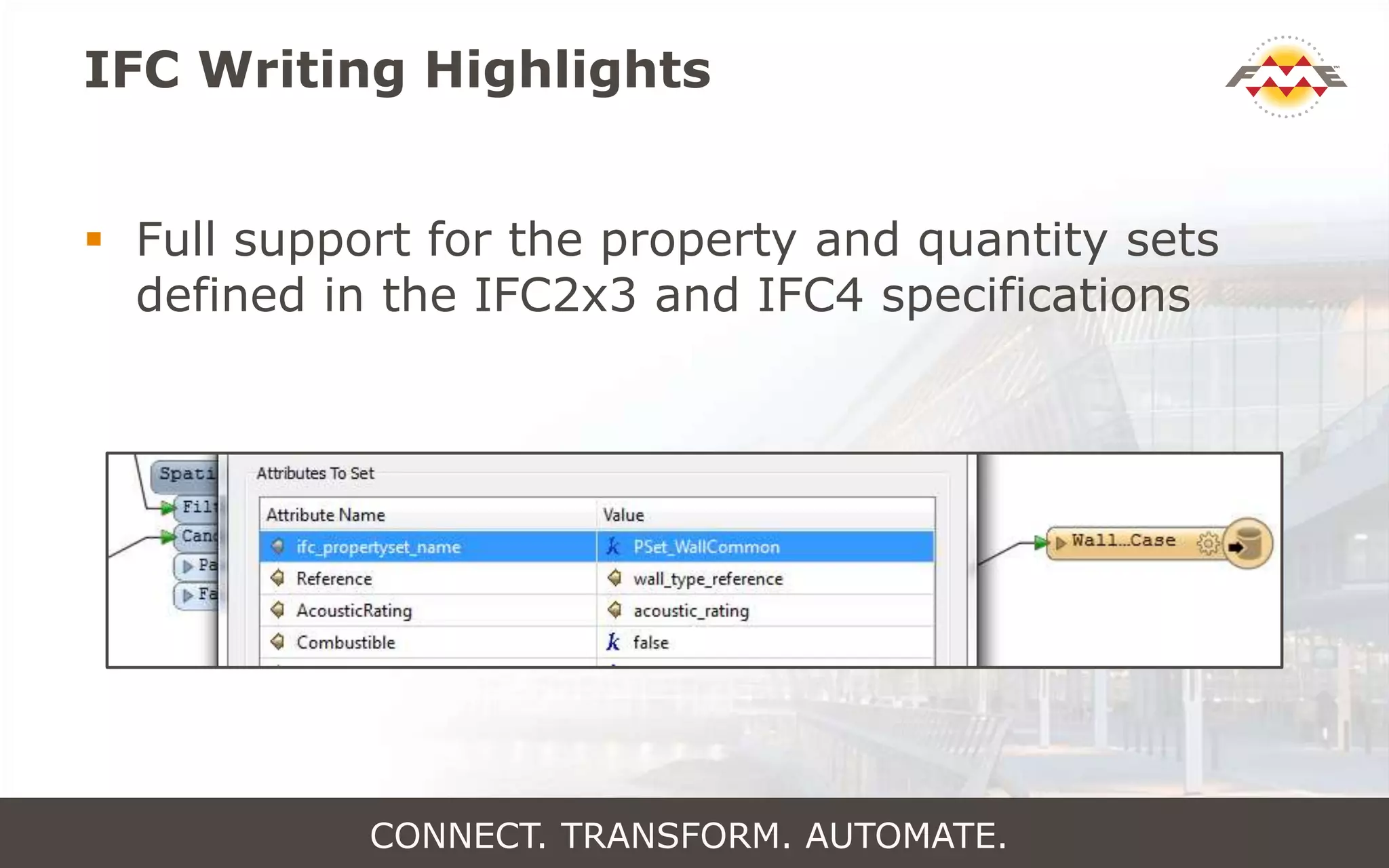
 Full support for the property and quantity sets
defined in the IFC2x3 and IFC4 specifications
CONNECT. TRANSFORM. AUTOMATE.
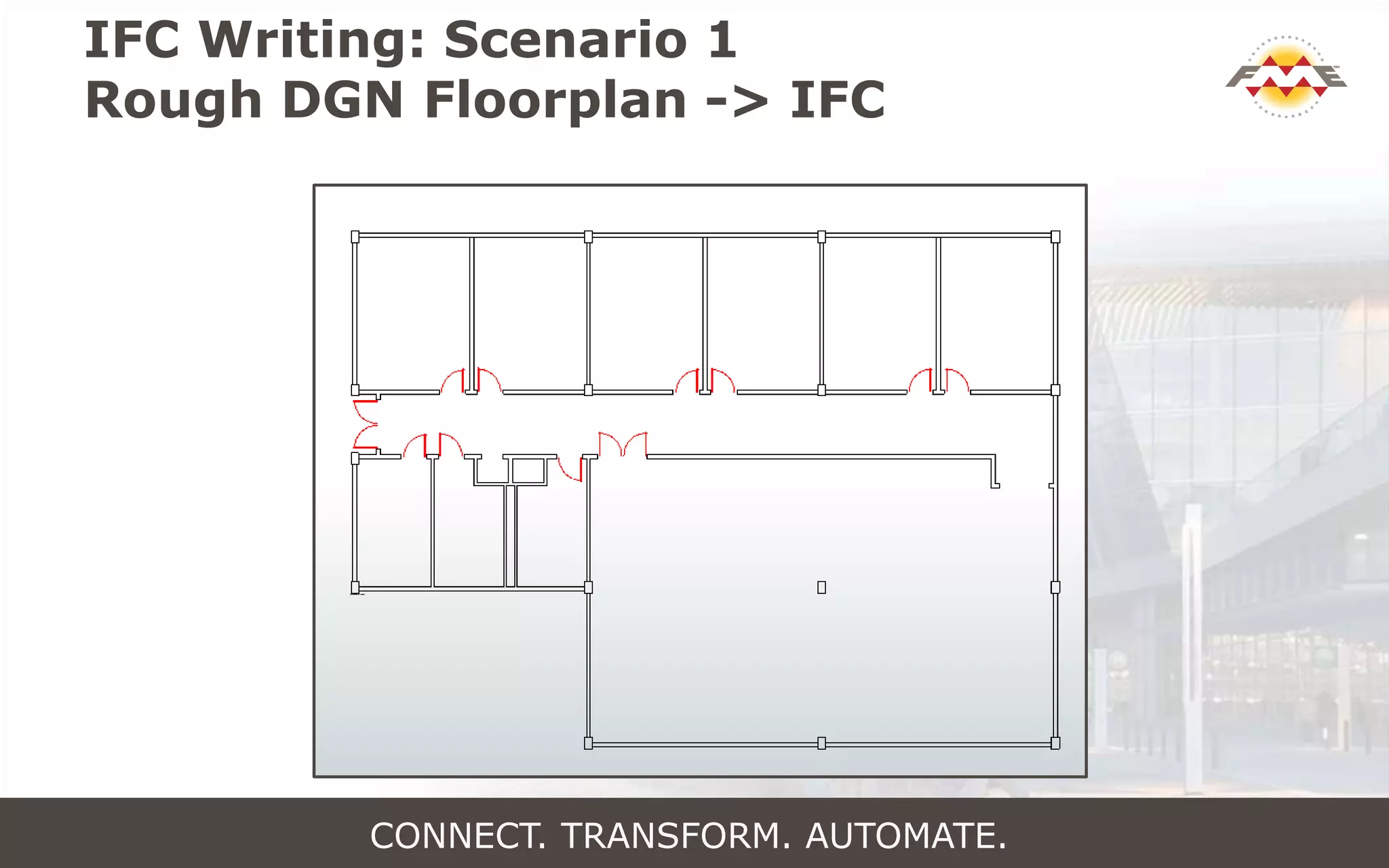
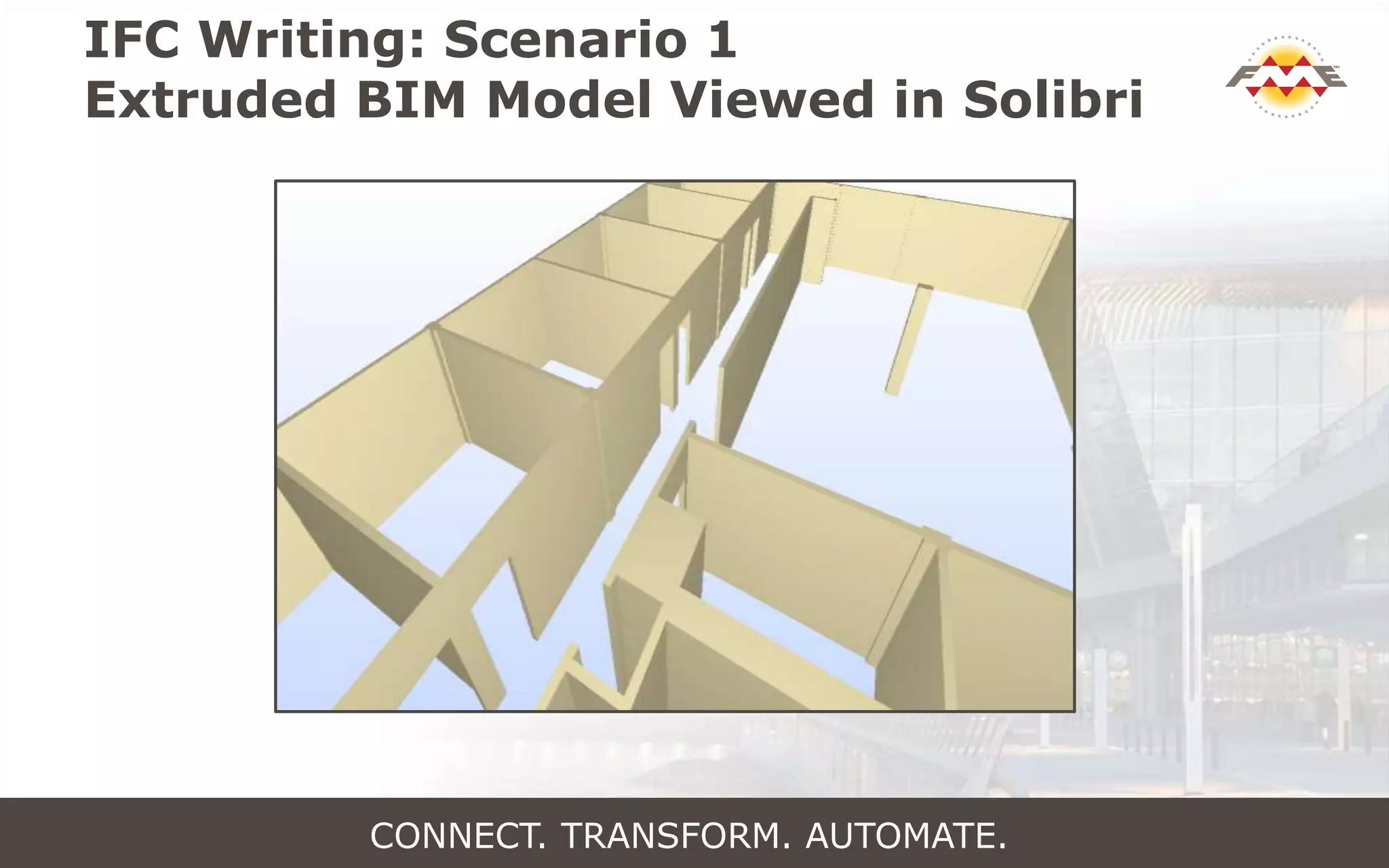
IFC Writing: Scenario 1
Rough DGN Floorplan -> IFC
CONNECT. TRANSFORM. AUTOMATE.
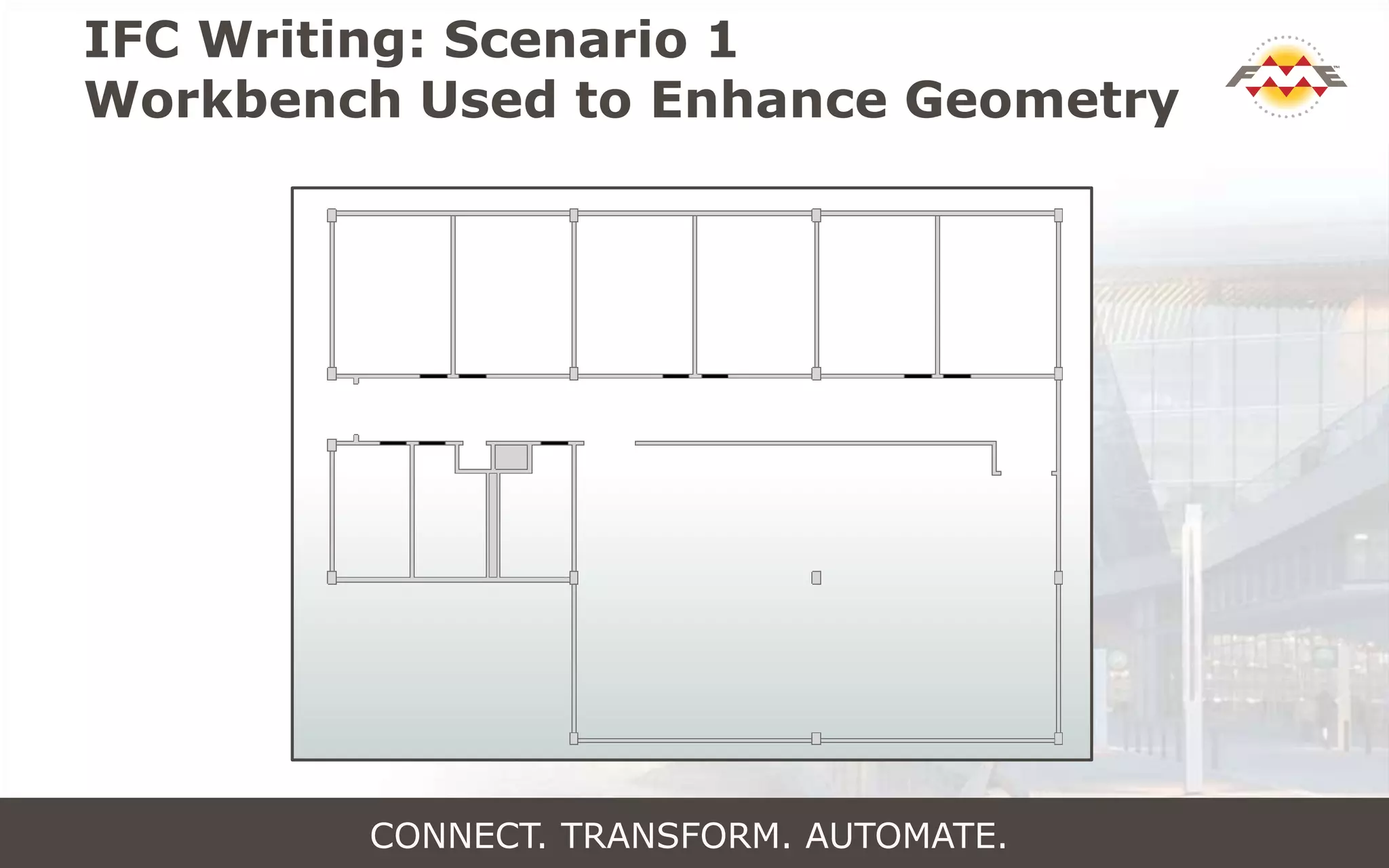
IFC Writing: Scenario 1
Workbench Used to Enhance Geometry
CONNECT. TRANSFORM. AUTOMATE.
IFC Writing: Scenario 1
Extruded BIM Model Viewed in Solibri
CONNECT. TRANSFORM. AUTOMATE.
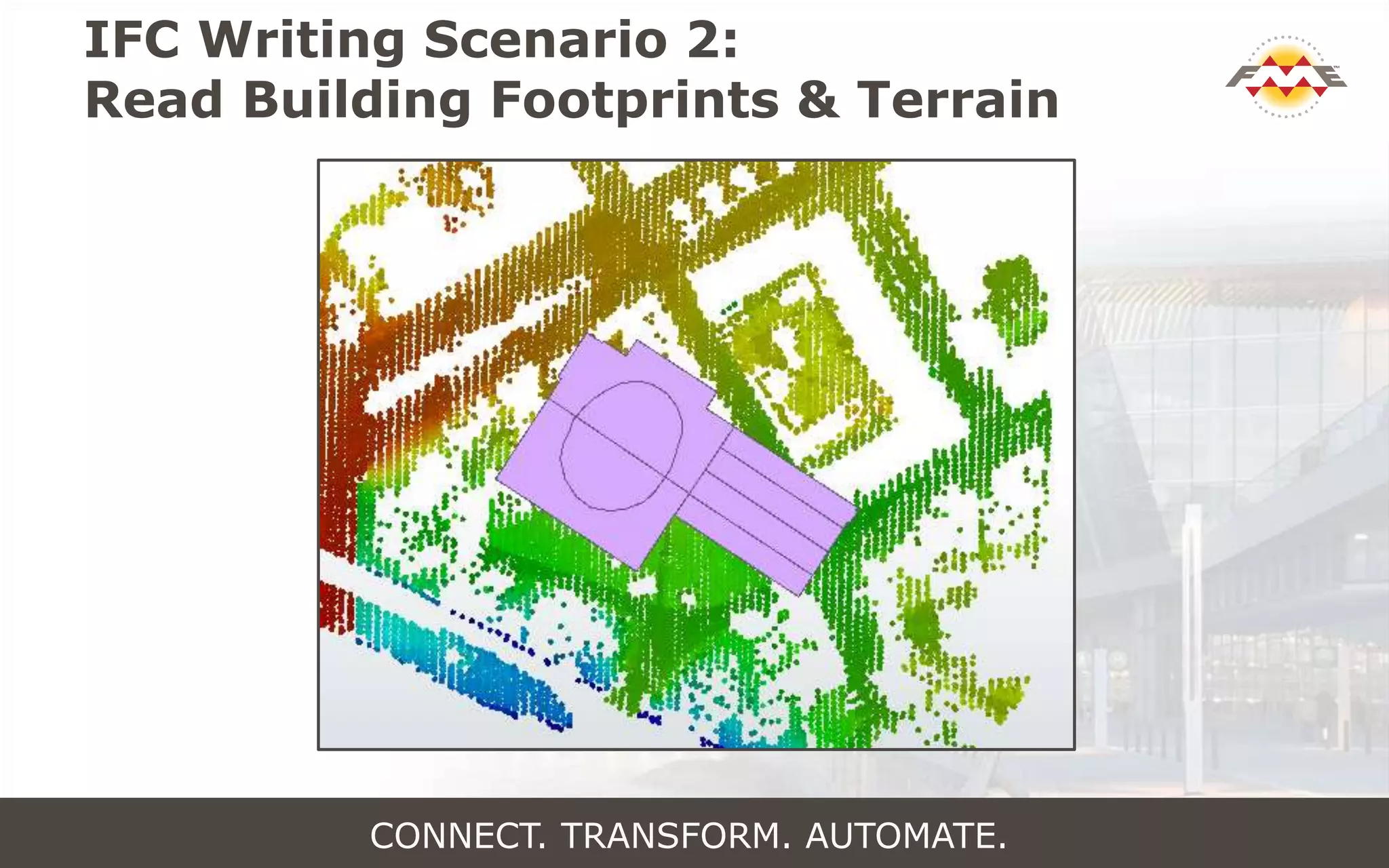
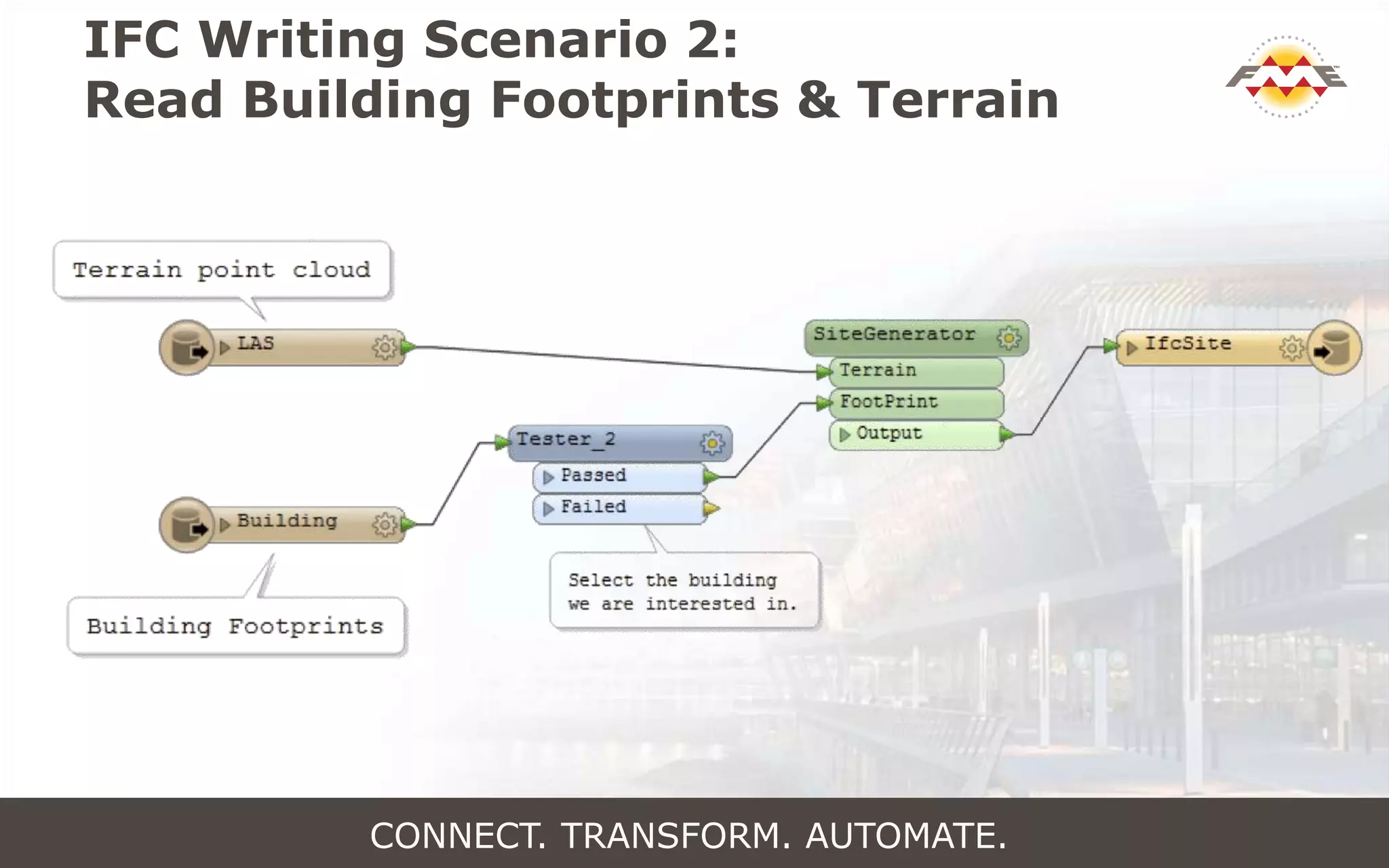
IFC Writing Scenario 2:
Read Building Footprints & Terrain
CONNECT. TRANSFORM. AUTOMATE.
IFC Writing Scenario 2:
Read Building Footprints & Terrain
CONNECT. TRANSFORM. AUTOMATE.
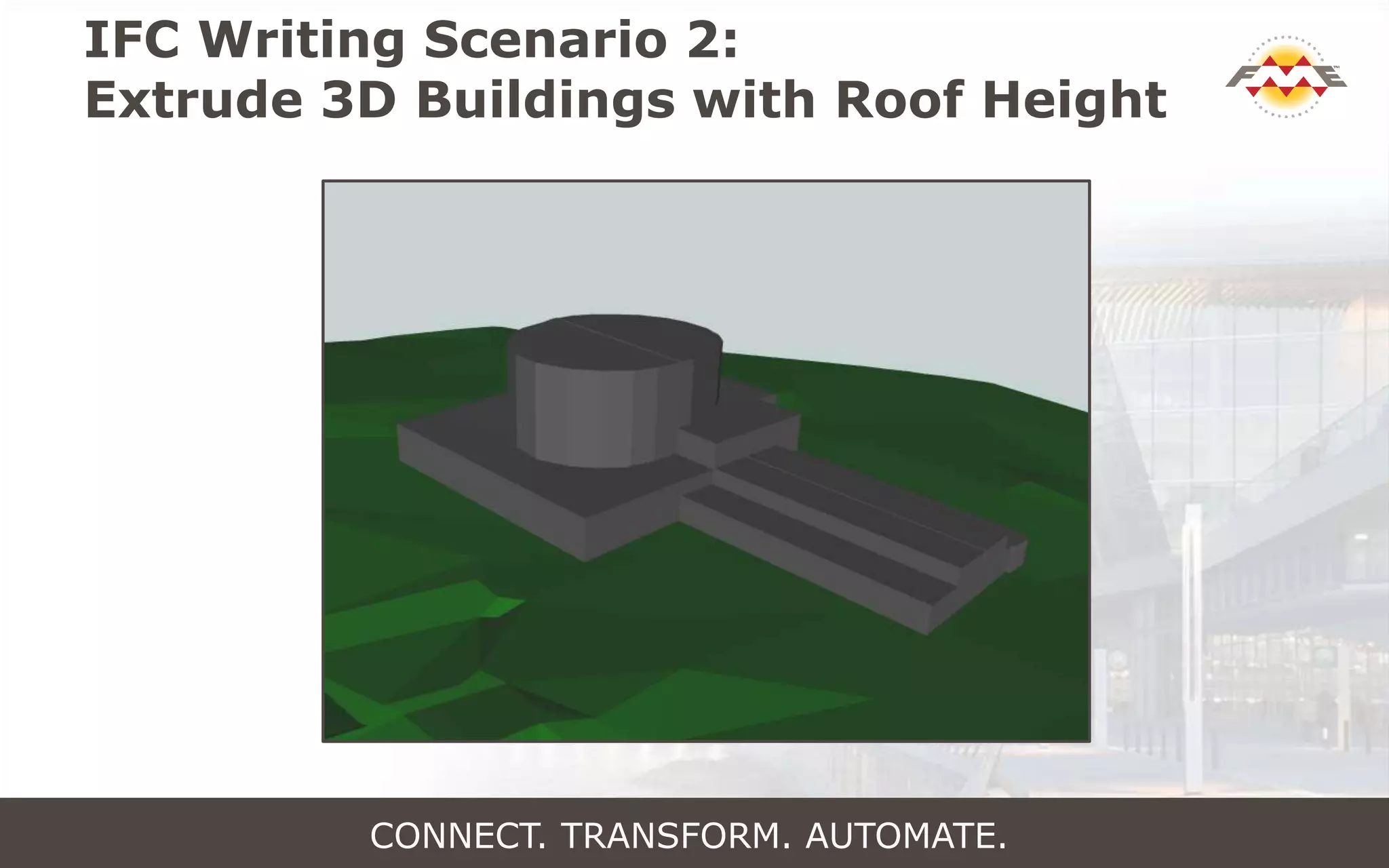
IFC Writing Scenario 2:
Extrude 3D Buildings with Roof Height
CONNECT. TRANSFORM. AUTOMATE.
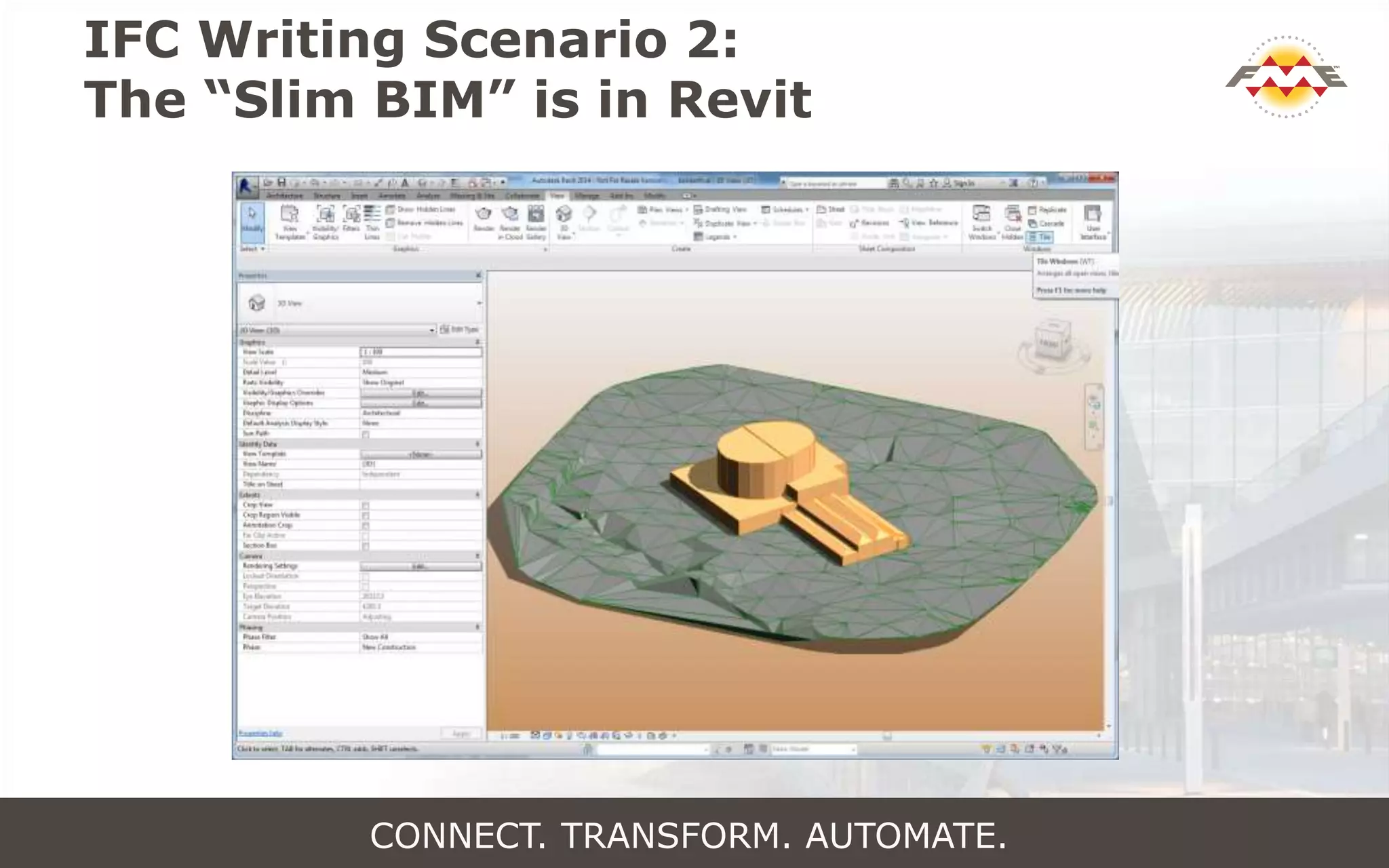
IFC Writing Scenario 2:
The “Slim BIM” is in Revit
CONNECT. TRANSFORM. AUTOMATE.
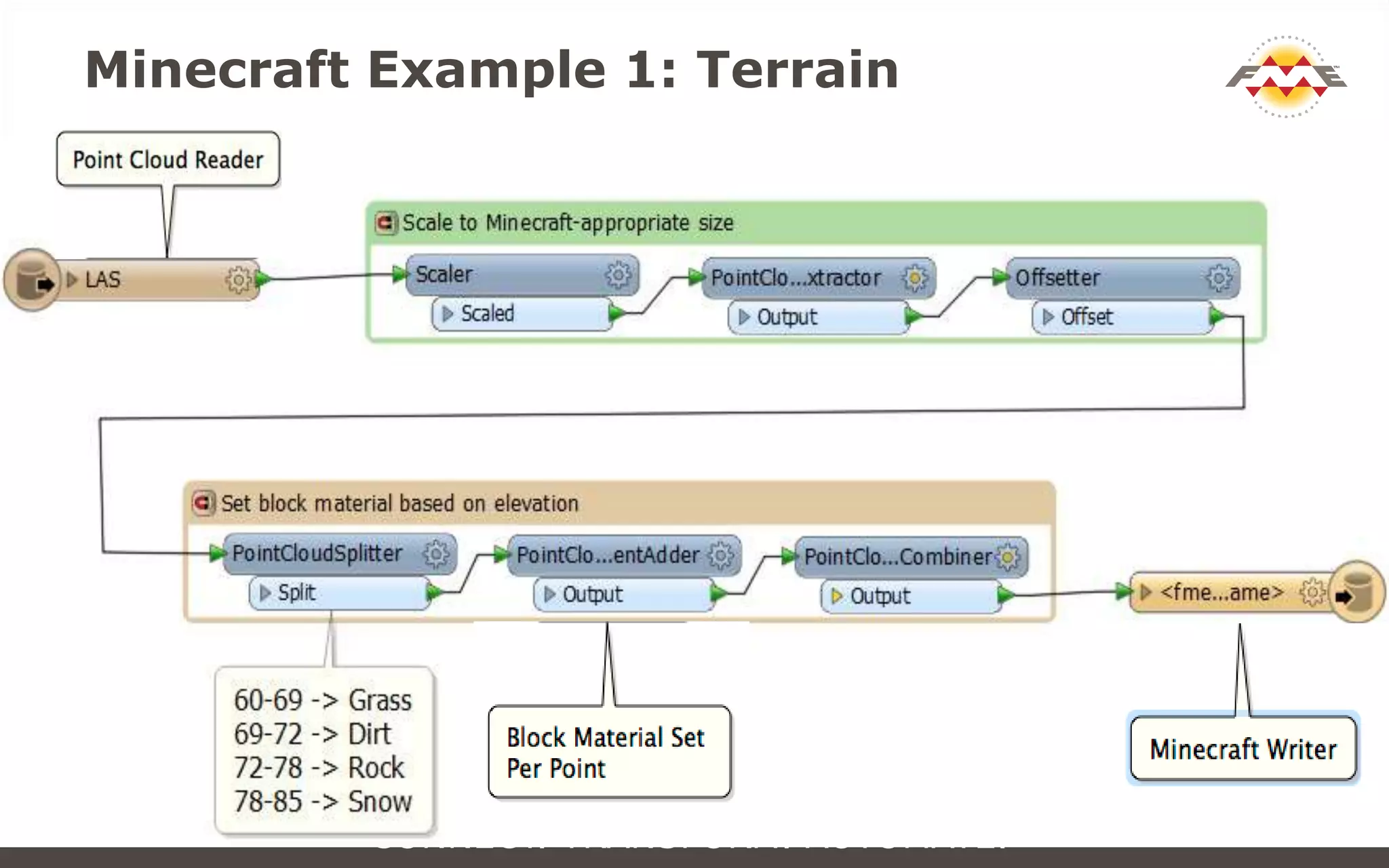
Minecraft Example 1: Terrain
CONNECT. TRANSFORM. AUTOMATE.
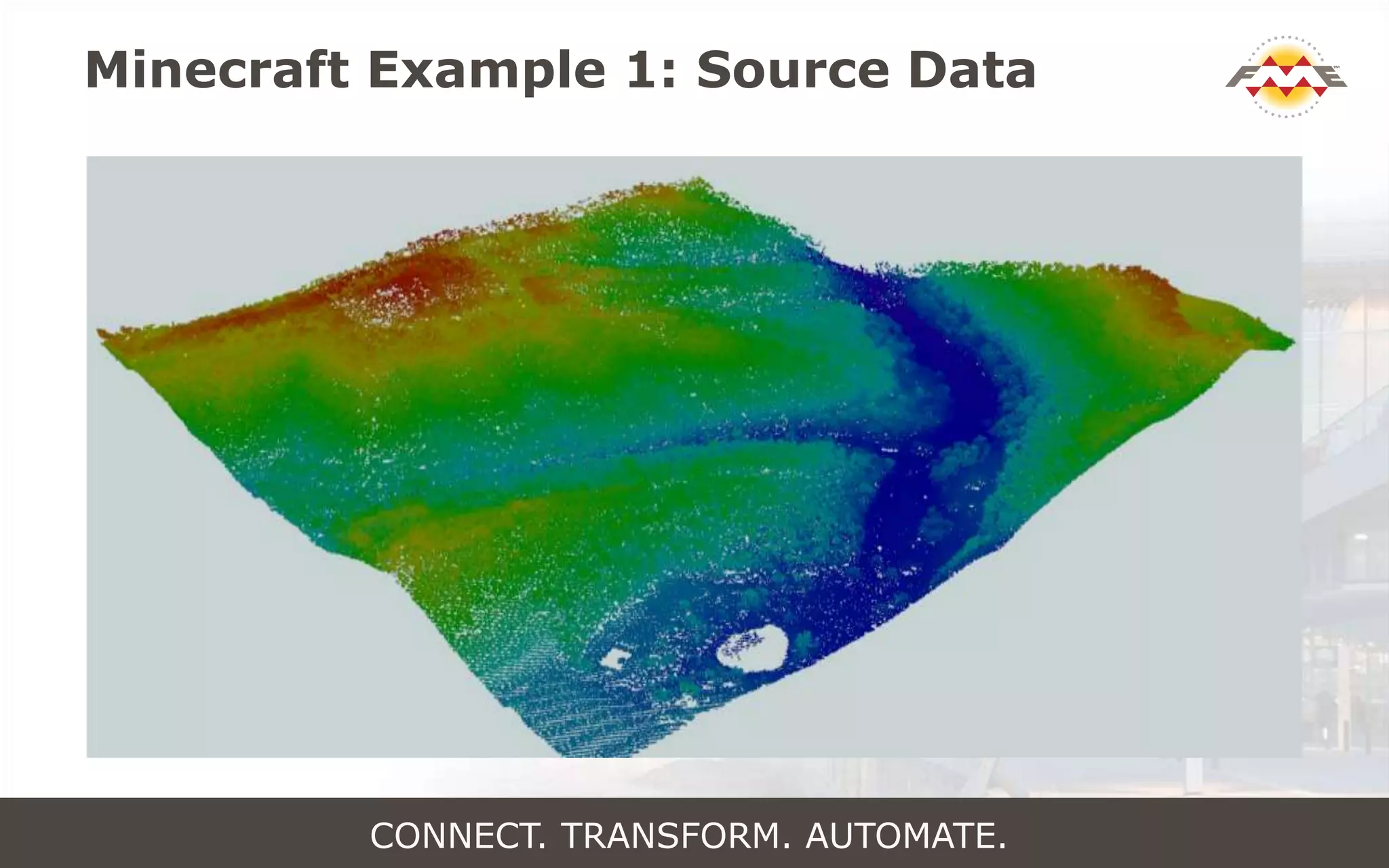
Minecraft Example 1: Source Data
CONNECT. TRANSFORM. AUTOMATE.
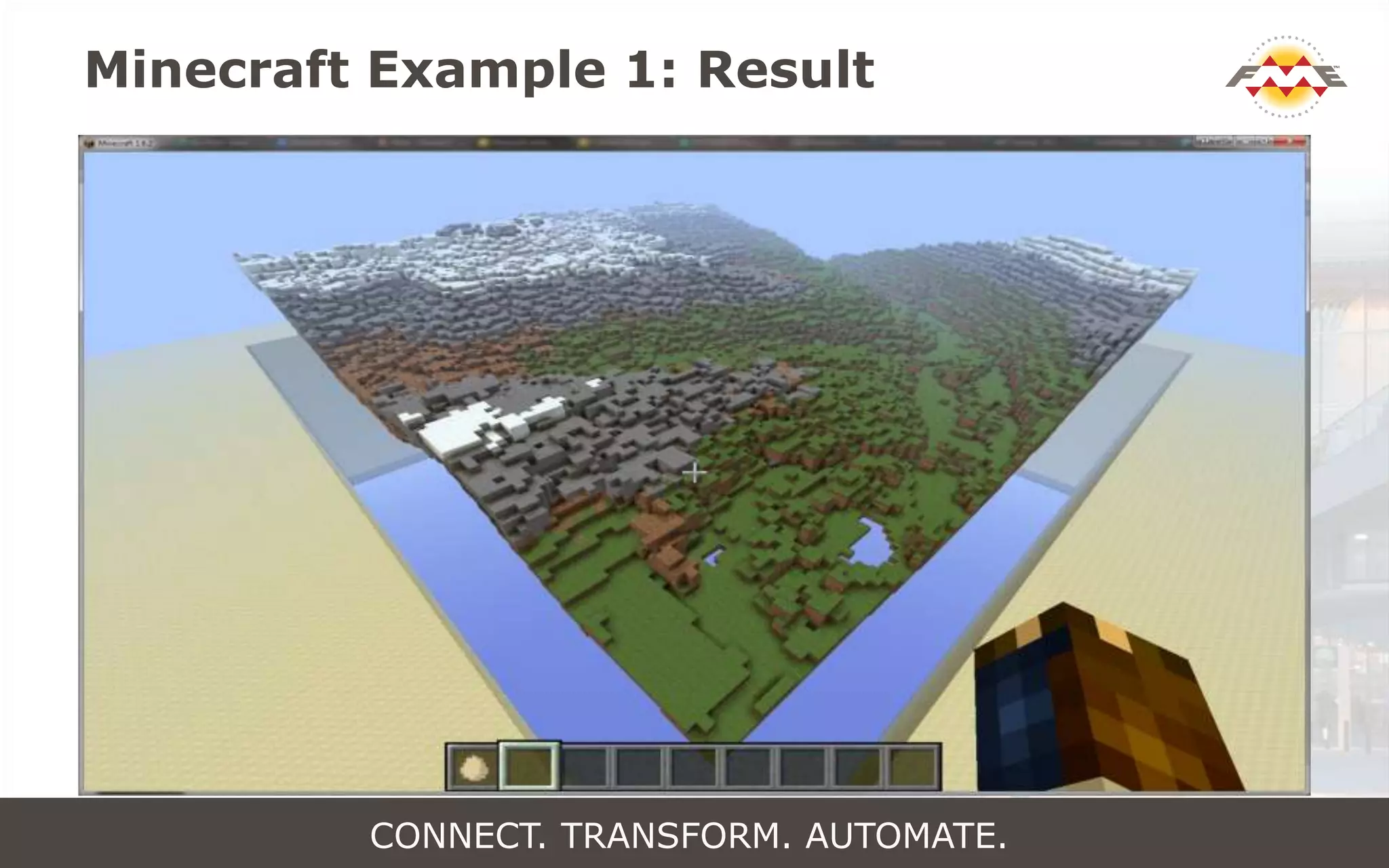
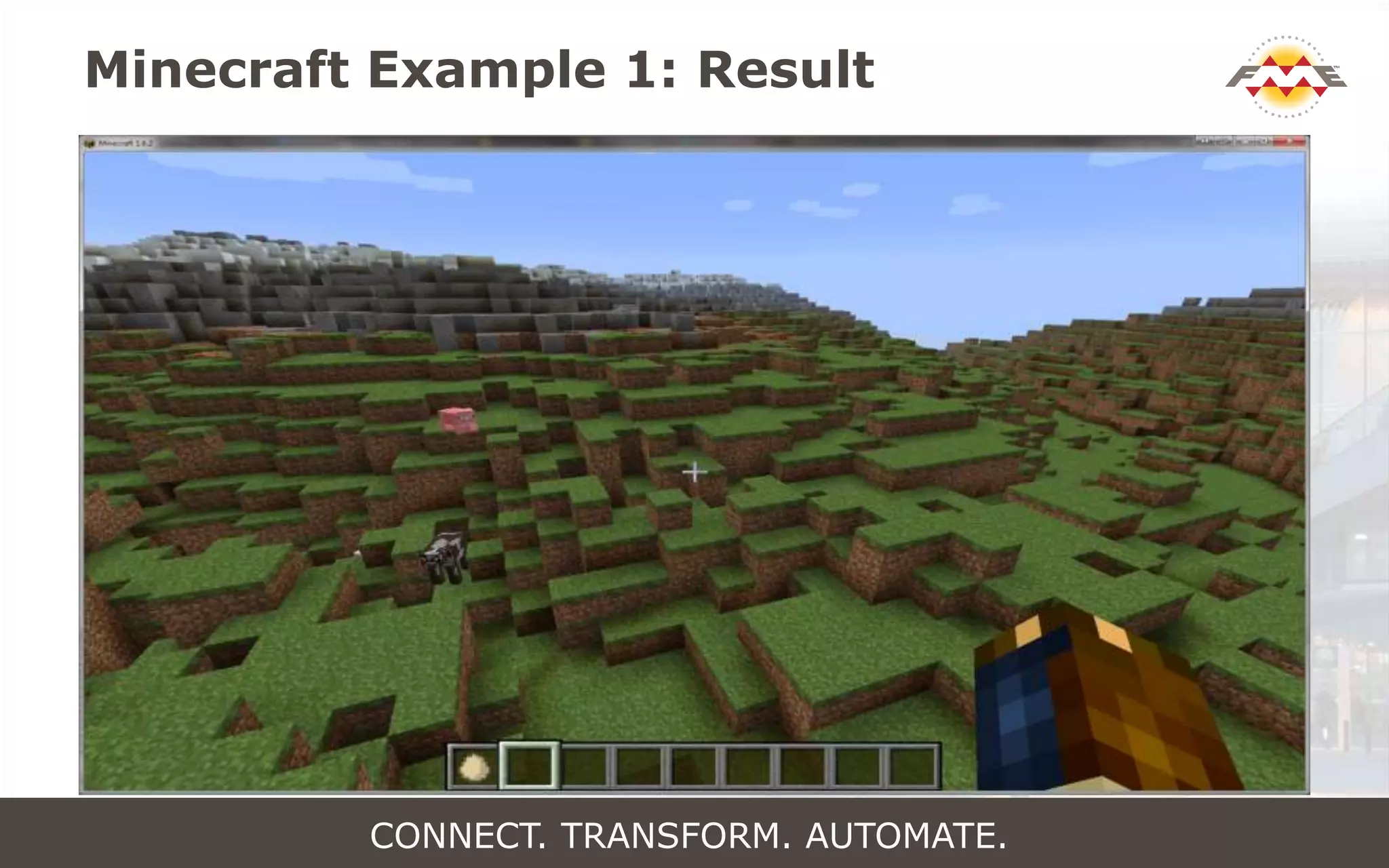
Minecraft Example 1: Result
CONNECT. TRANSFORM. AUTOMATE.
Minecraft Example 1: Result
CONNECT. TRANSFORM. AUTOMATE.
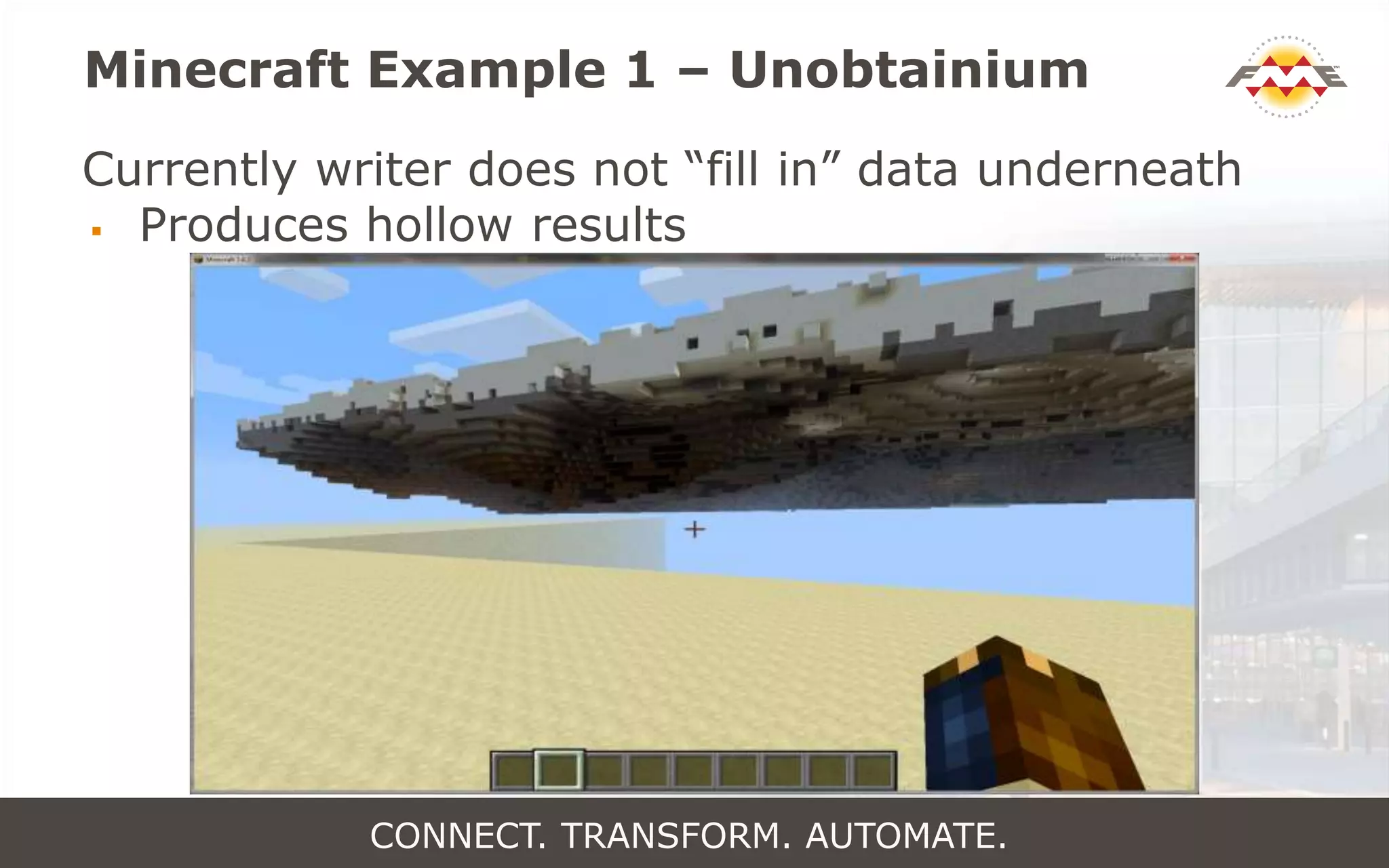
Minecraft Example 1 – Unobtainium
Currently writer does not “fill in” data underneath
 Produces hollow results
CONNECT. TRANSFORM. AUTOMATE.
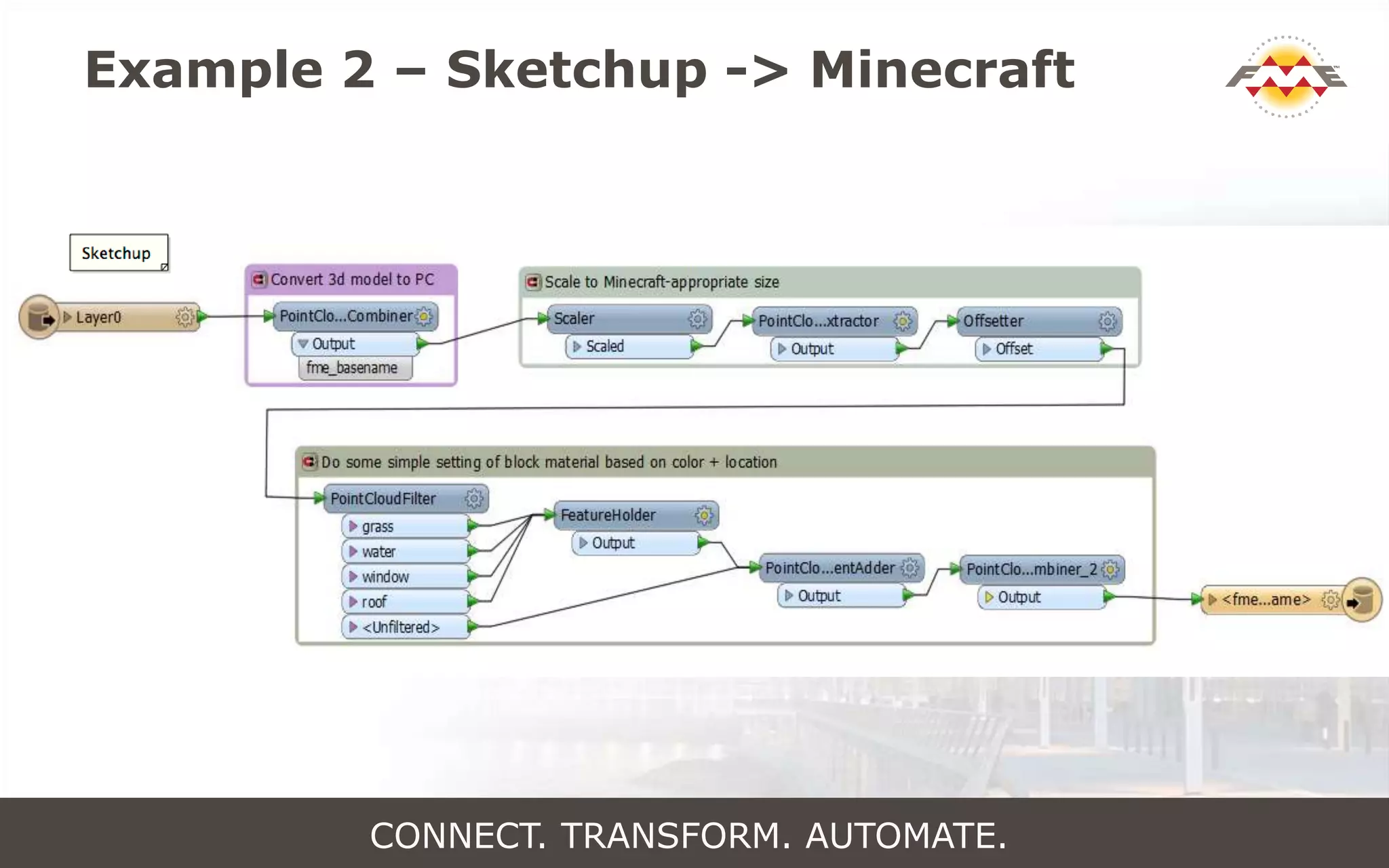
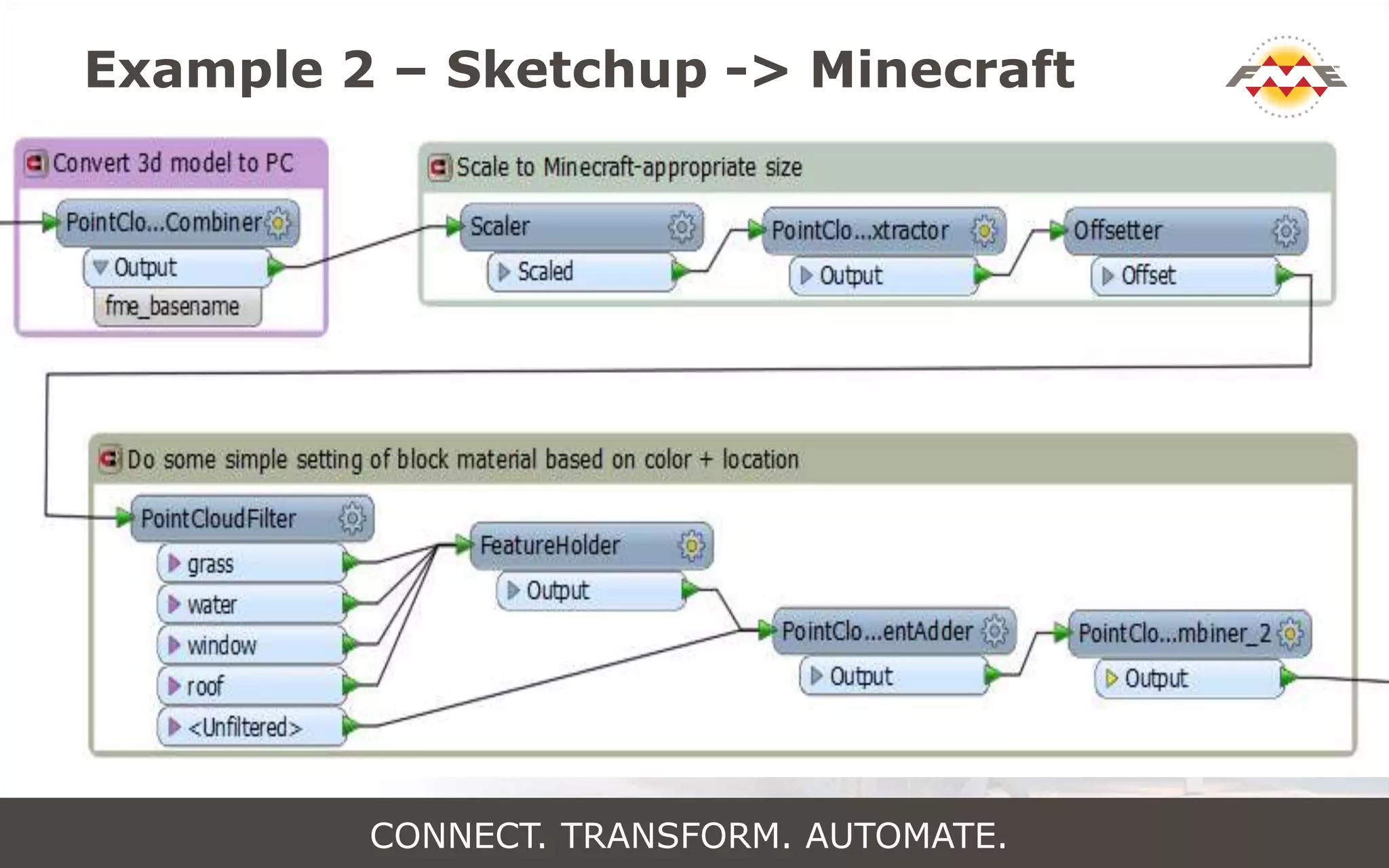
Example 2 – Sketchup -> Minecraft
CONNECT. TRANSFORM. AUTOMATE.
Example 2 – Sketchup -> Minecraft
CONNECT. TRANSFORM. AUTOMATE.
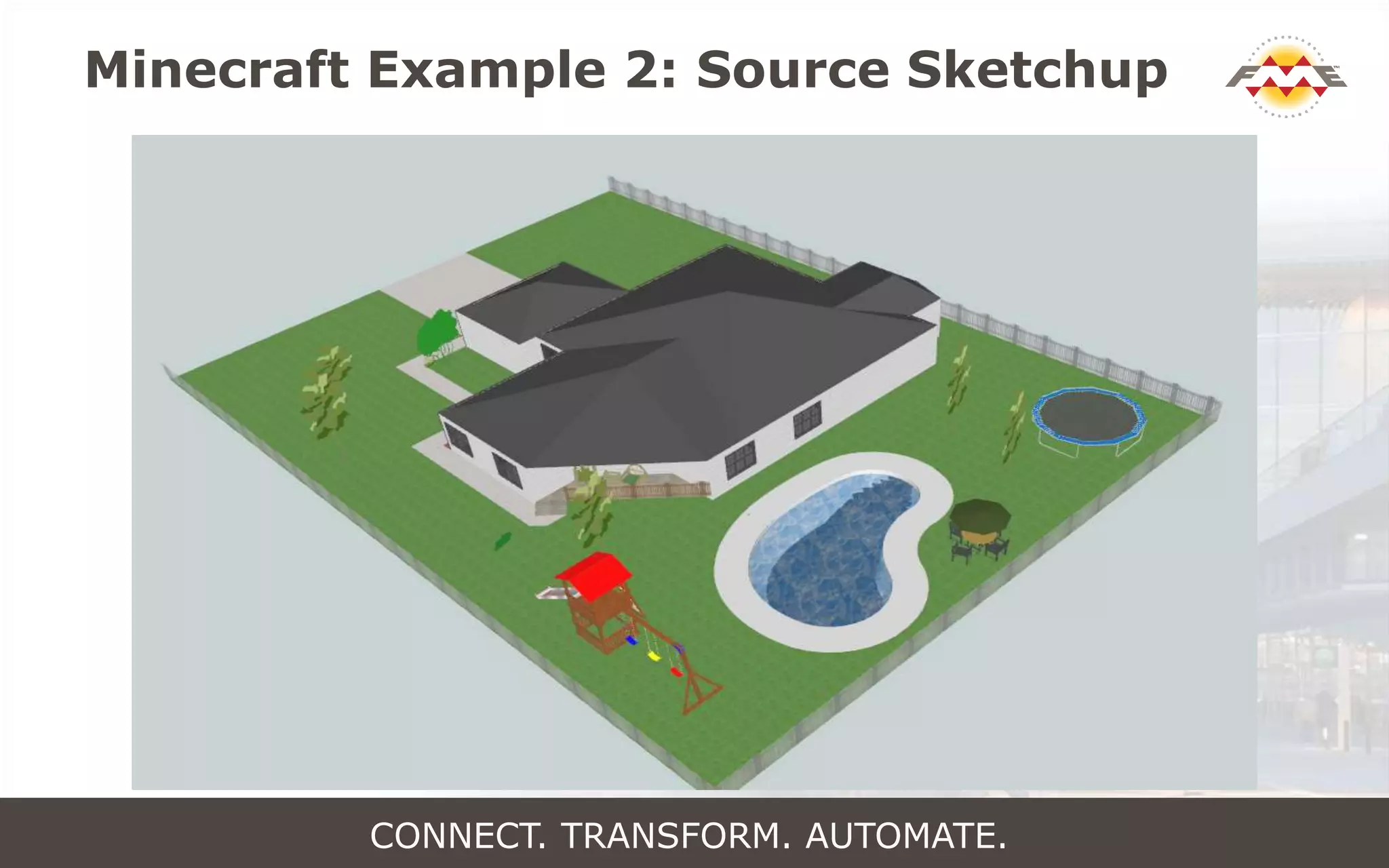
Minecraft Example 2: Source Sketchup
CONNECT. TRANSFORM. AUTOMATE.
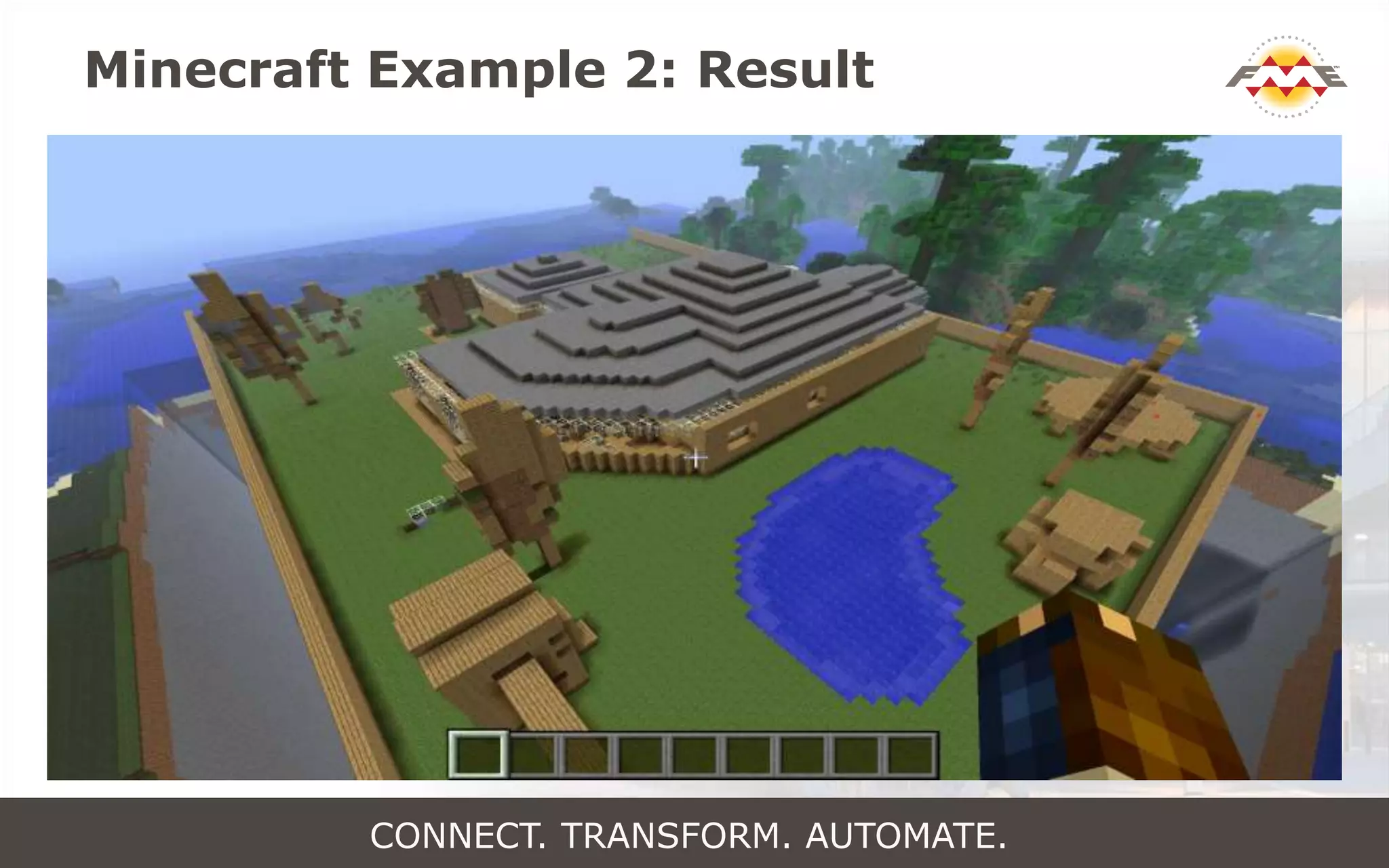
Minecraft Example 2: Result
CONNECT. TRANSFORM. AUTOMATE.
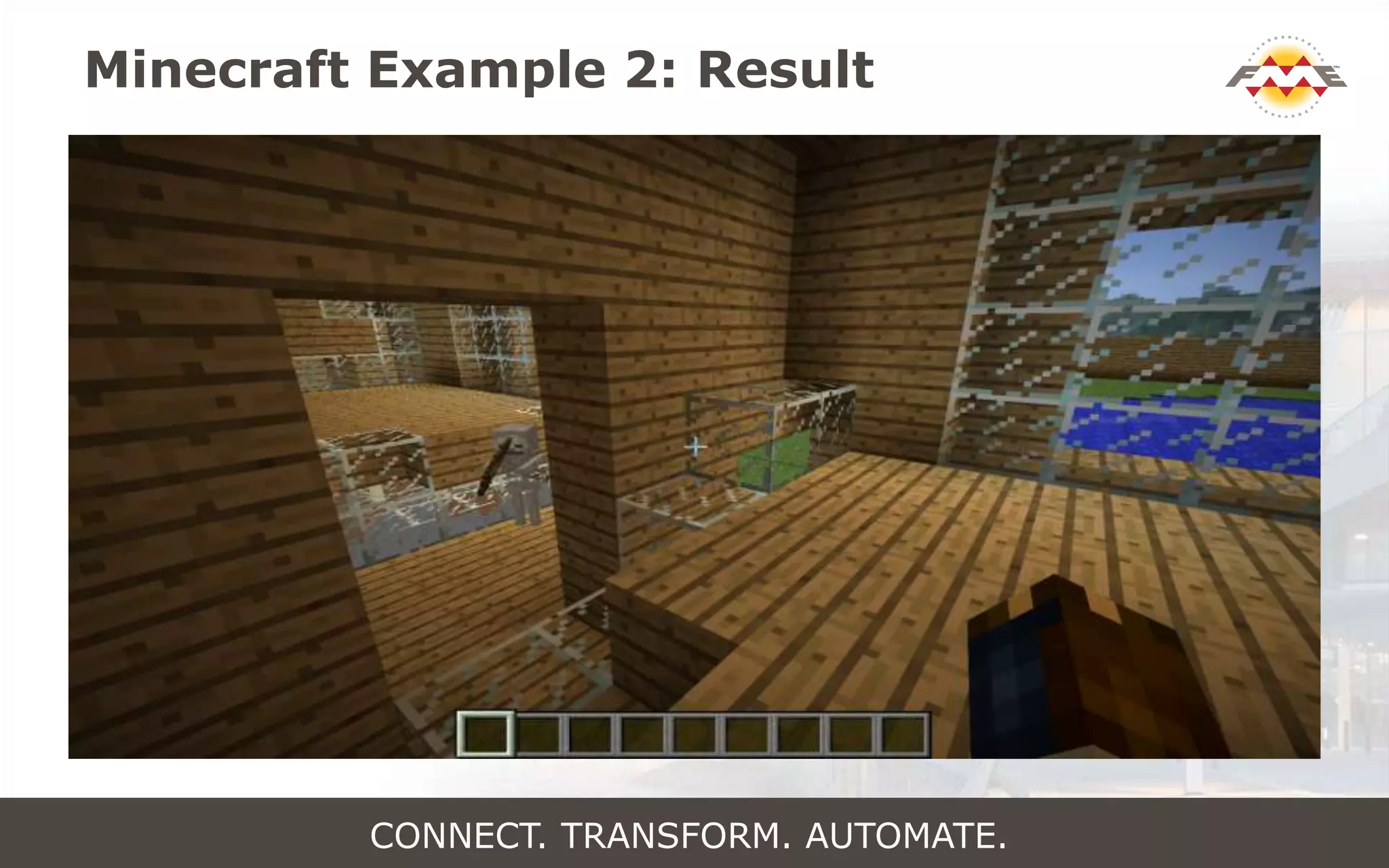
Minecraft Example 2: Result
CONNECT. TRANSFORM. AUTOMATE.
Web Services
Add A Web Service
CONNECT. TRANSFORM. AUTOMATE.
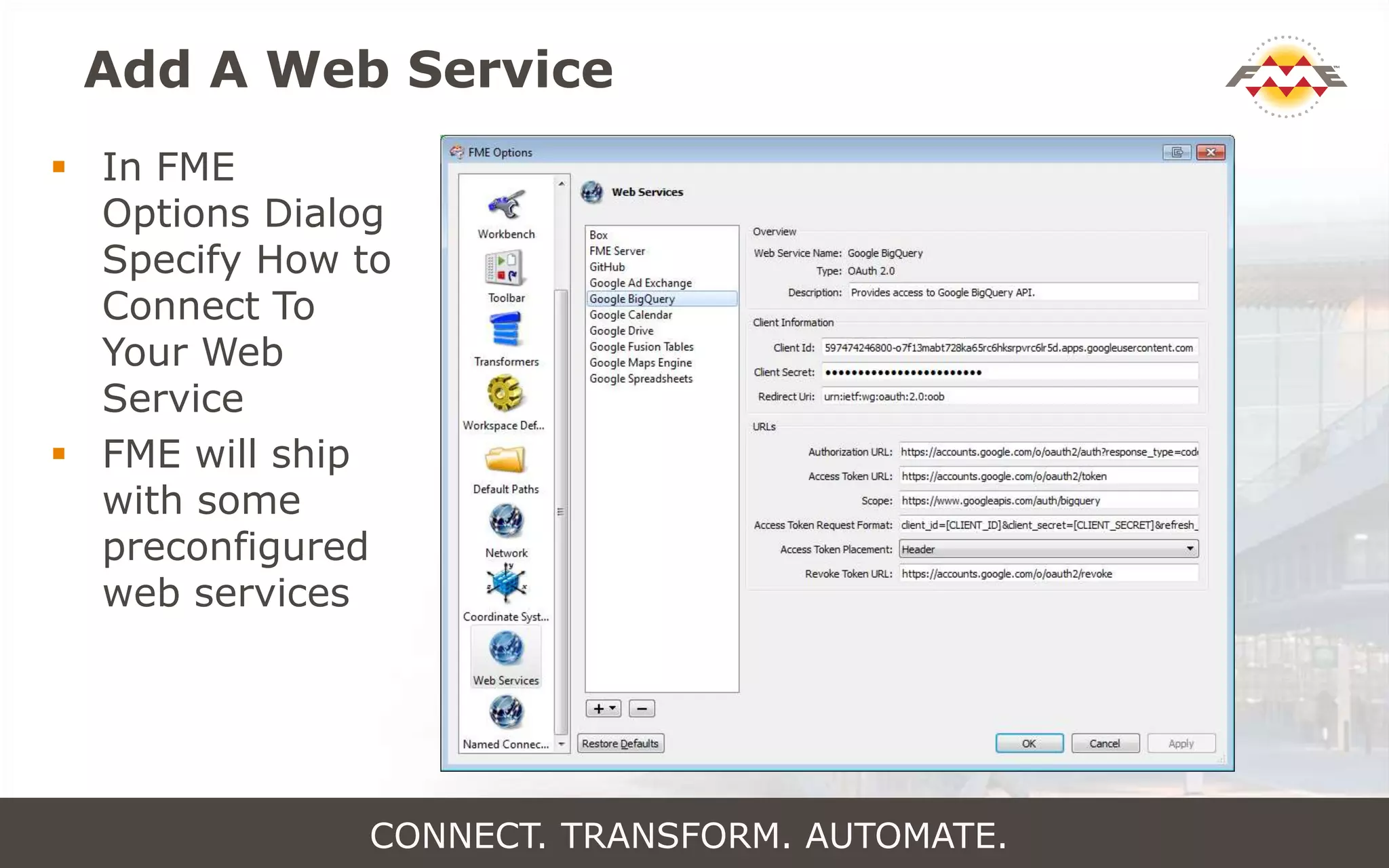
Add A Web Service
 In FME
Options Dialog
Specify How to
Connect To
Your Web
Service
 FME will ship
with some
preconfigured
web services
CONNECT. TRANSFORM. AUTOMATE.
Add & Use A Named Connection
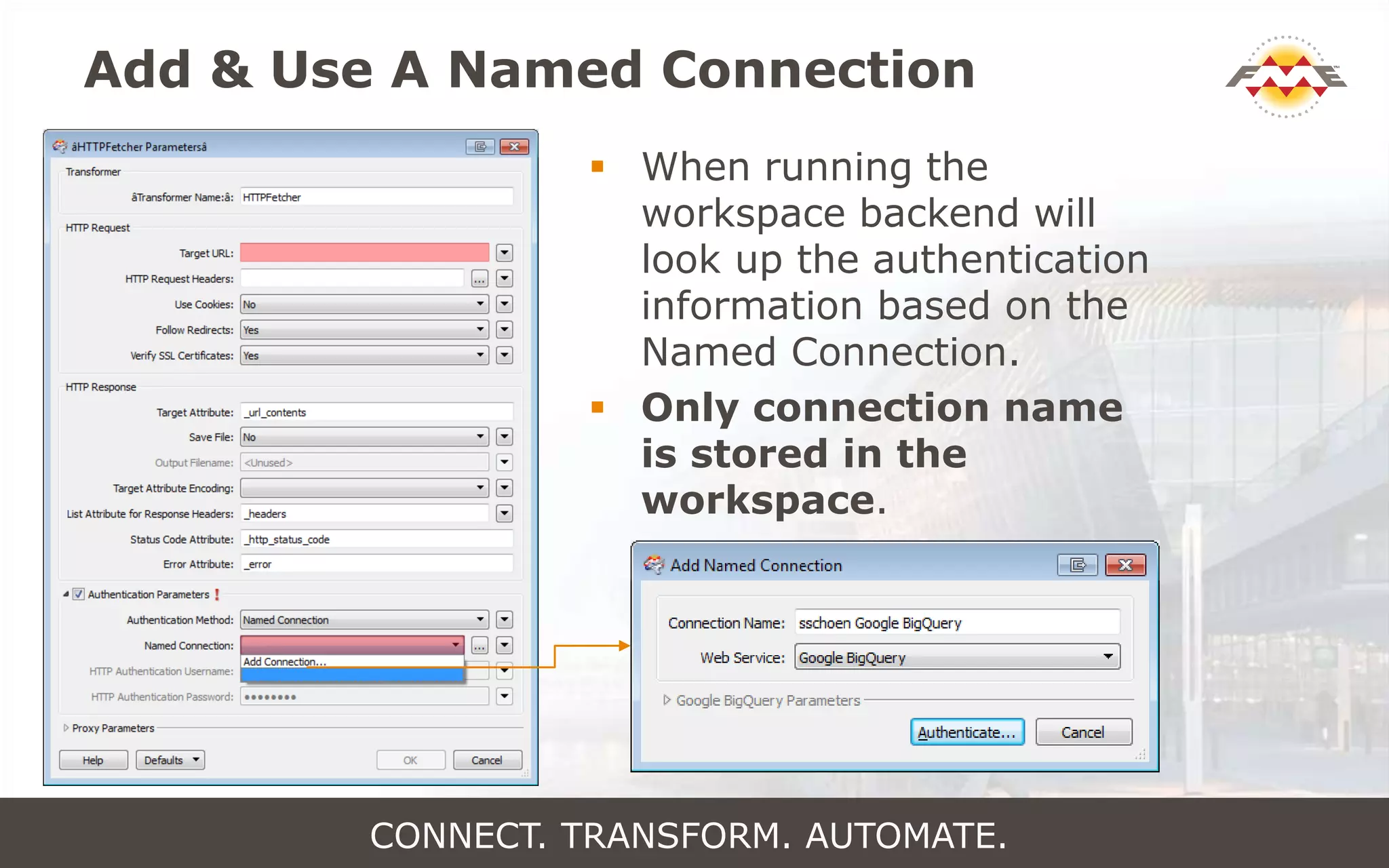
 When running the
workspace backend will
look up the authentication
information based on the
Named Connection.
 Only connection name
is stored in the
workspace.
CONNECT. TRANSFORM. AUTOMATE.
Update Named Connection
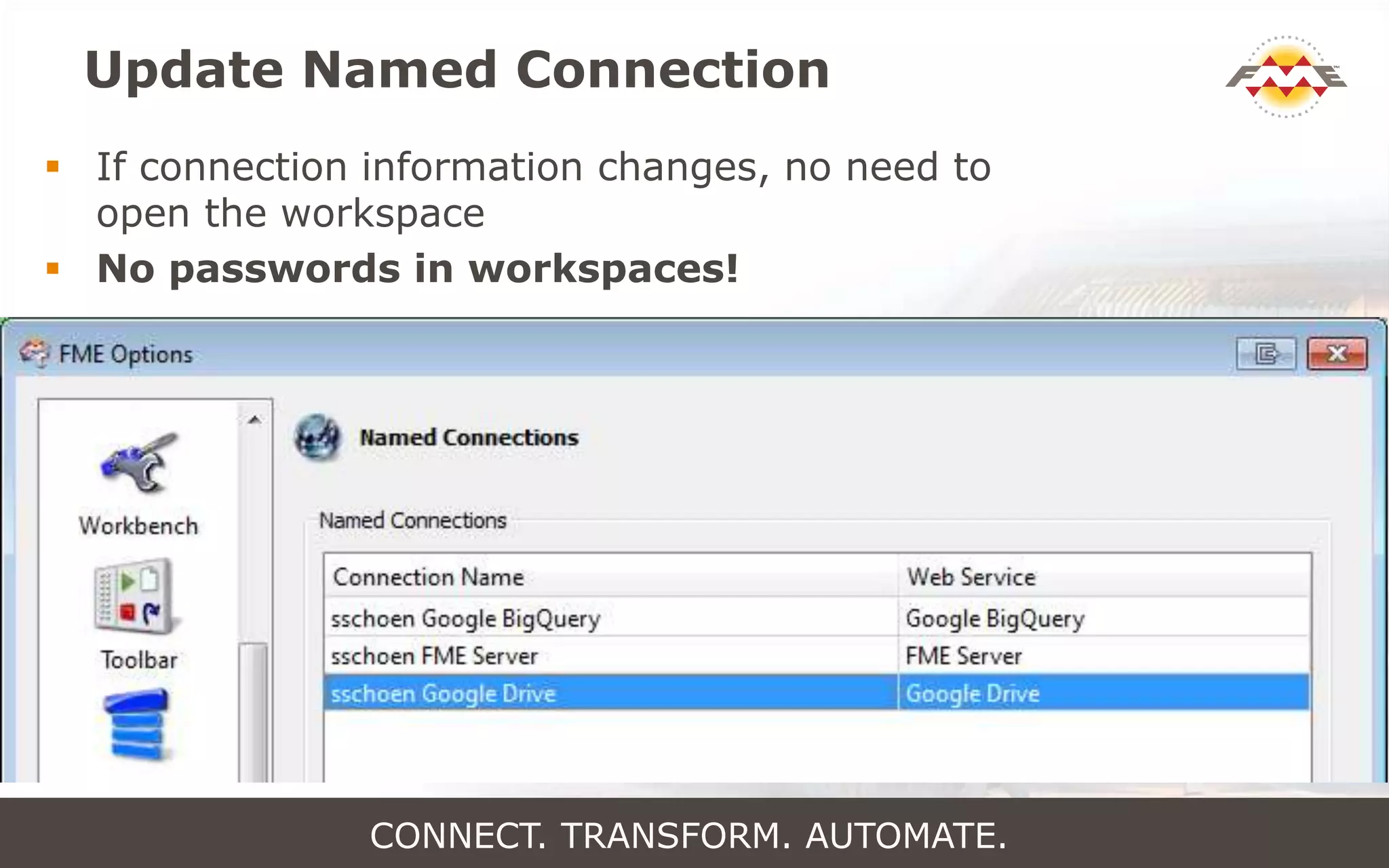
 If connection information changes, no need to
open the workspace
 No passwords in workspaces!
CONNECT. TRANSFORM. AUTOMATE.
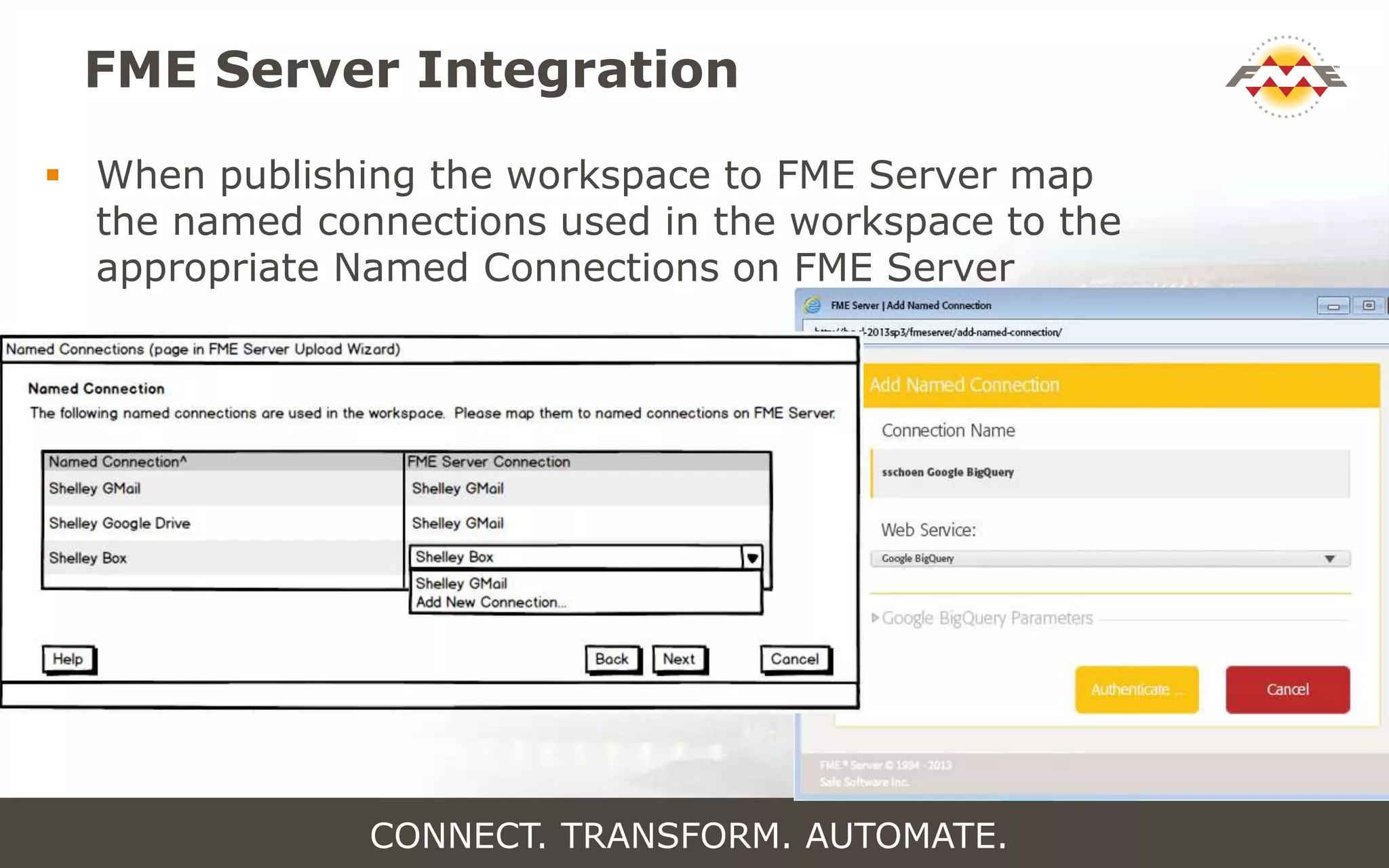
FME Server Integration
 When publishing the workspace to FME Server map
the named connections used in the workspace to the
appropriate Named Connections on FME Server
CONNECT. TRANSFORM. AUTOMATE.
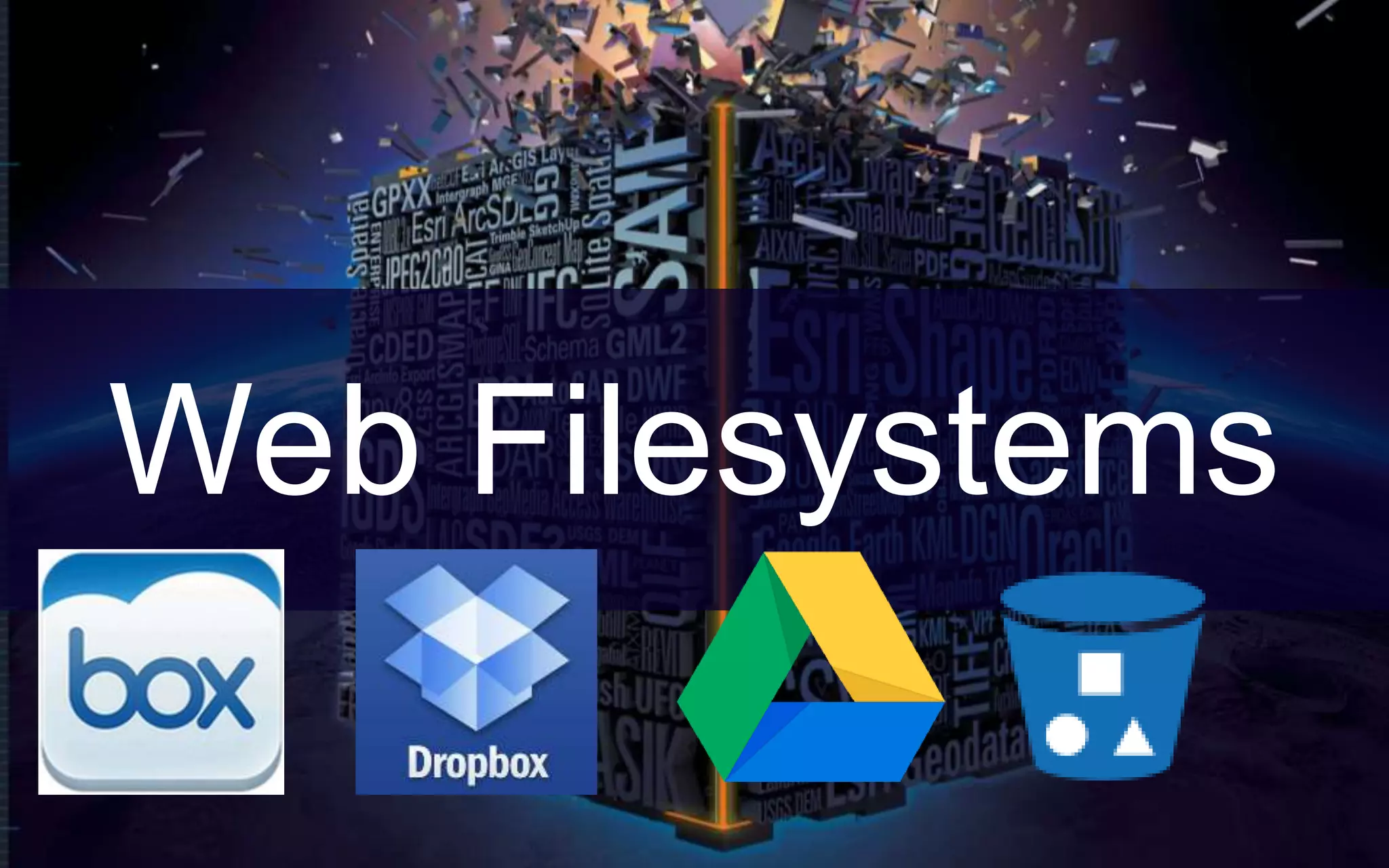
Web Filesystems
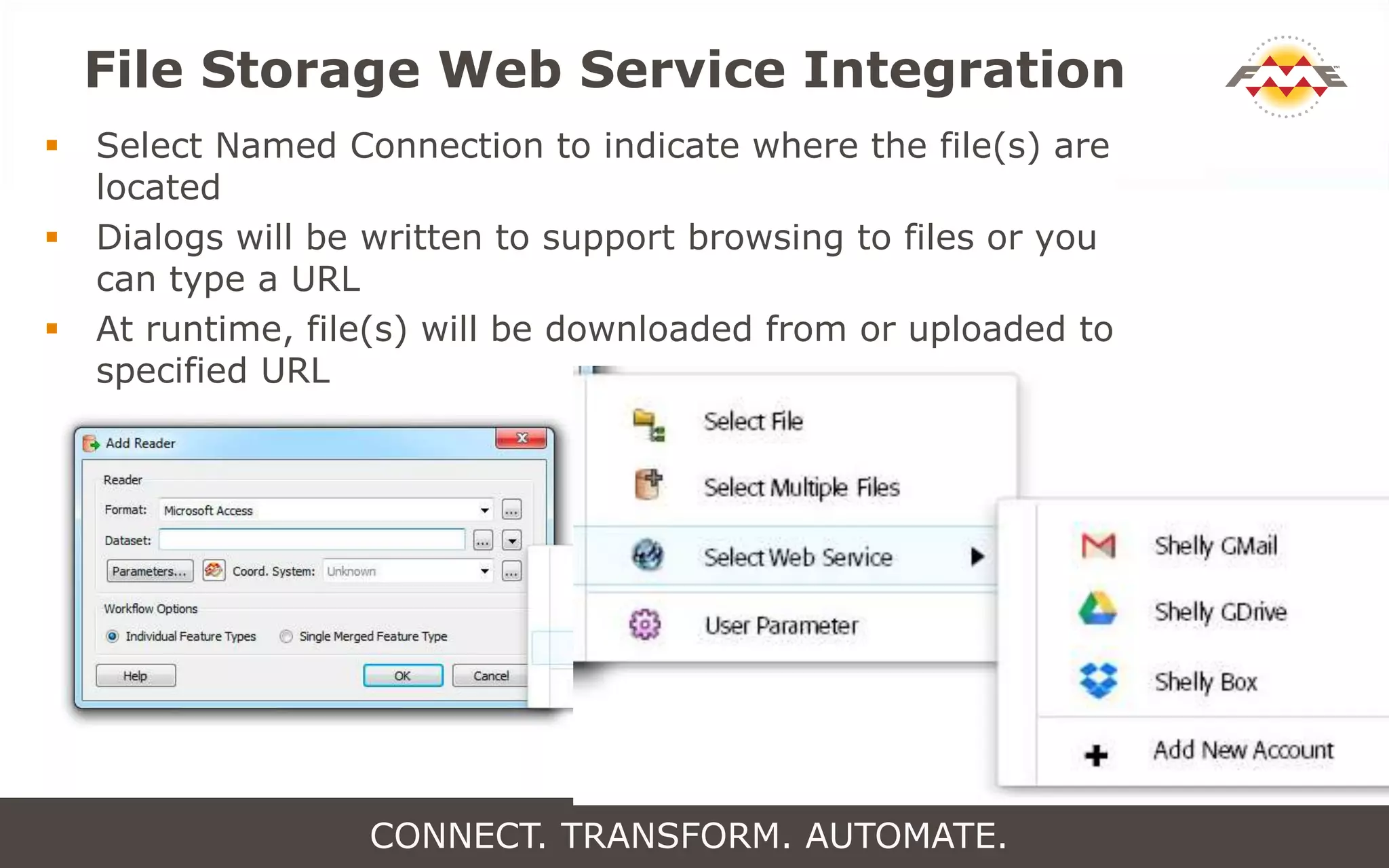
File Storage Web Service Integration
 Select Named Connection to indicate where the file(s) are
located
 Dialogs will be written to support browsing to files or you
can type a URL
 At runtime, file(s) will be downloaded from or uploaded to
specified URL
CONNECT. TRANSFORM. AUTOMATE.
Connect.
Transform.
Automate.
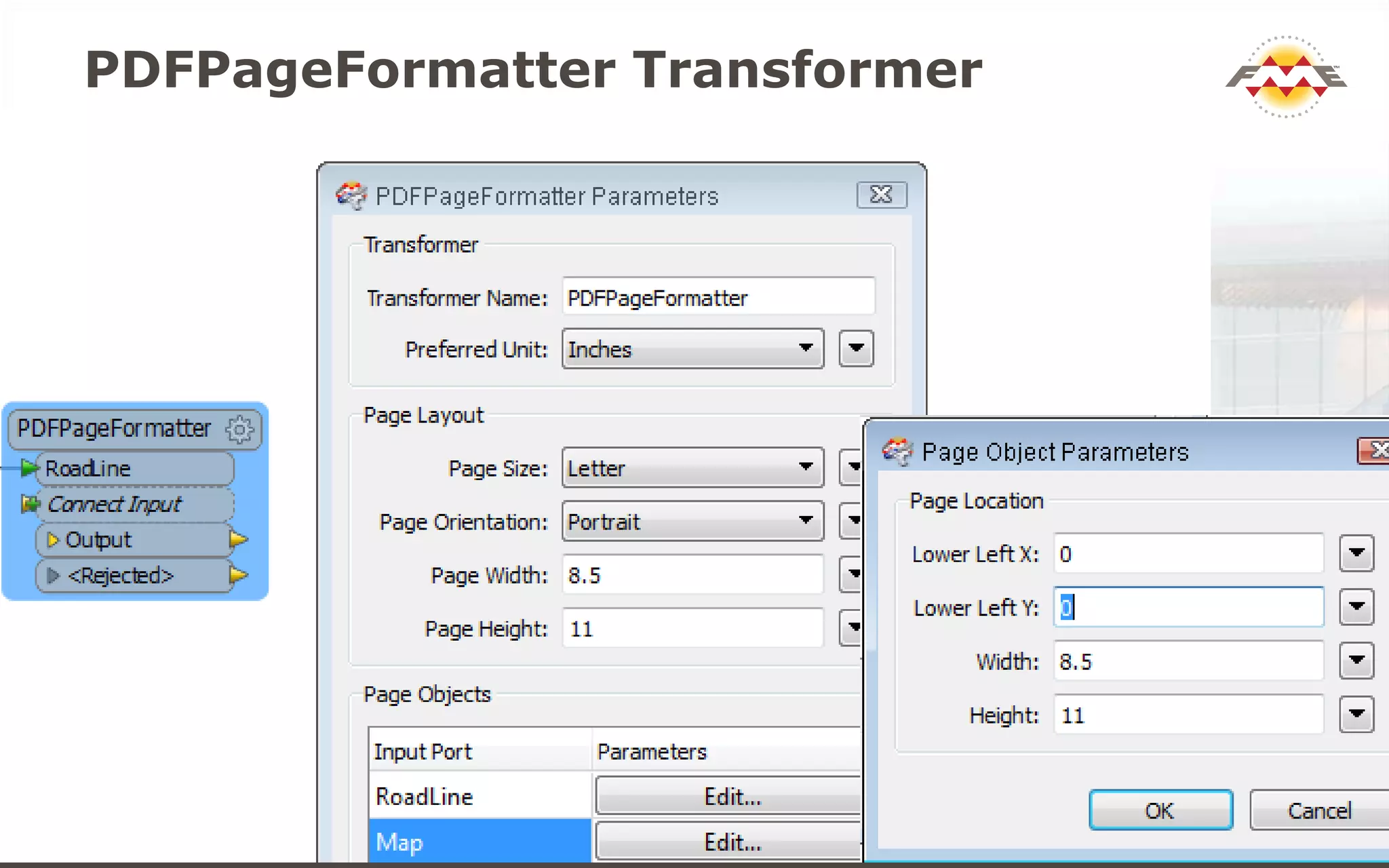
PDFPageFormatter Transformer
CONNECT. TRANSFORM. AUTOMATE.
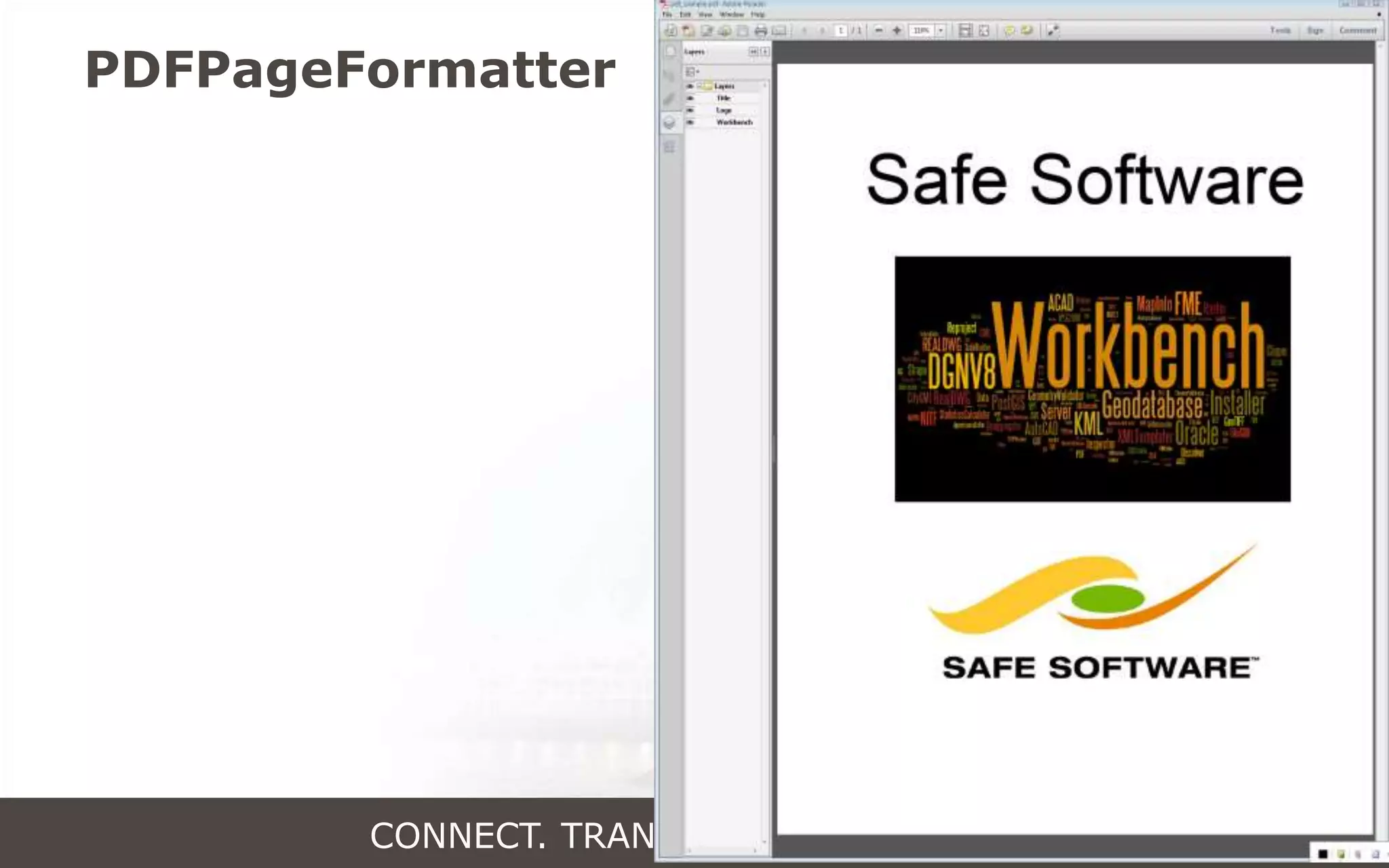
PDFPageFormatter Transformer
CONNECT. TRANSFORM. AUTOMATE.
Vote Early! Vote Often!
fme.ly/frank
en
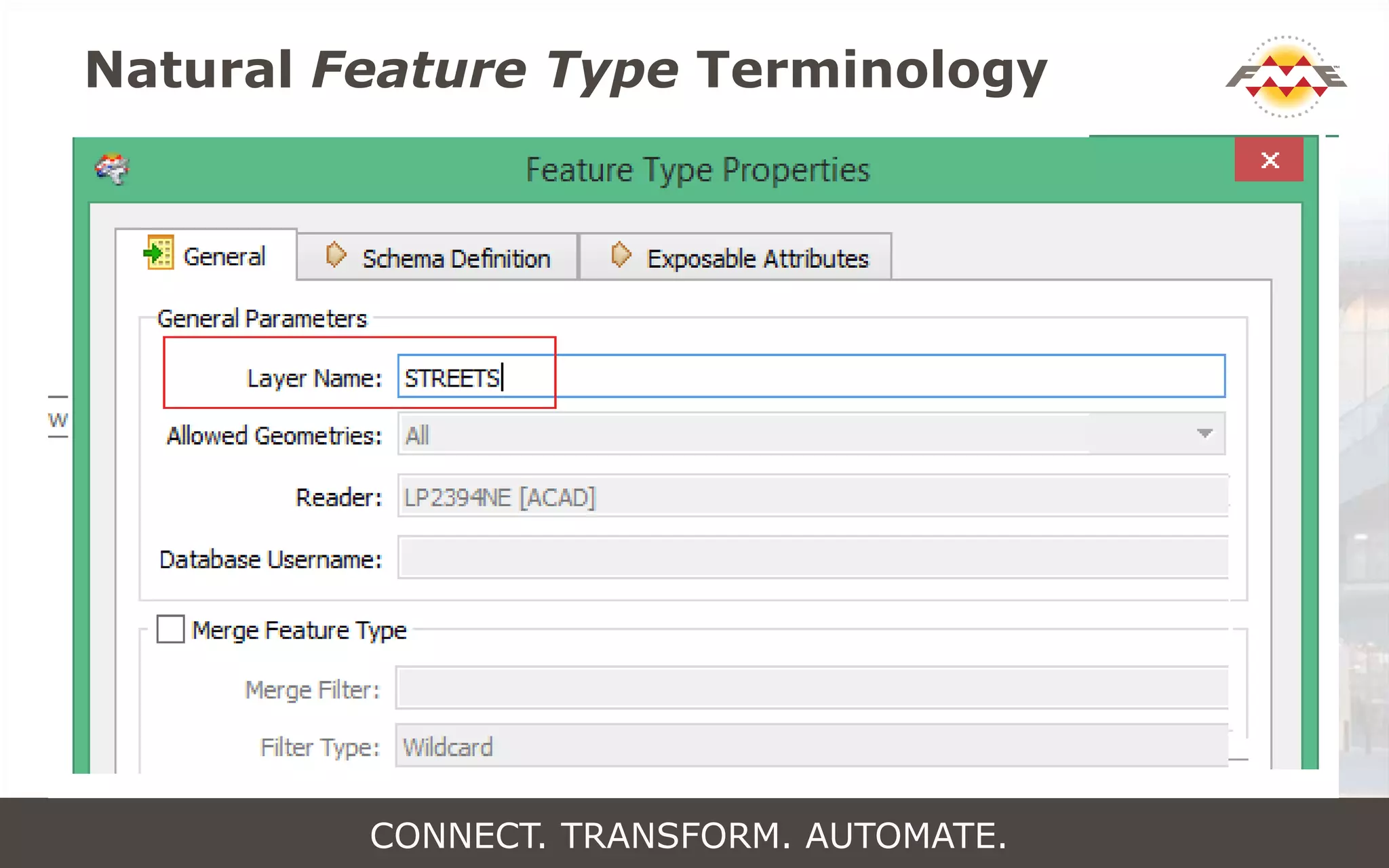
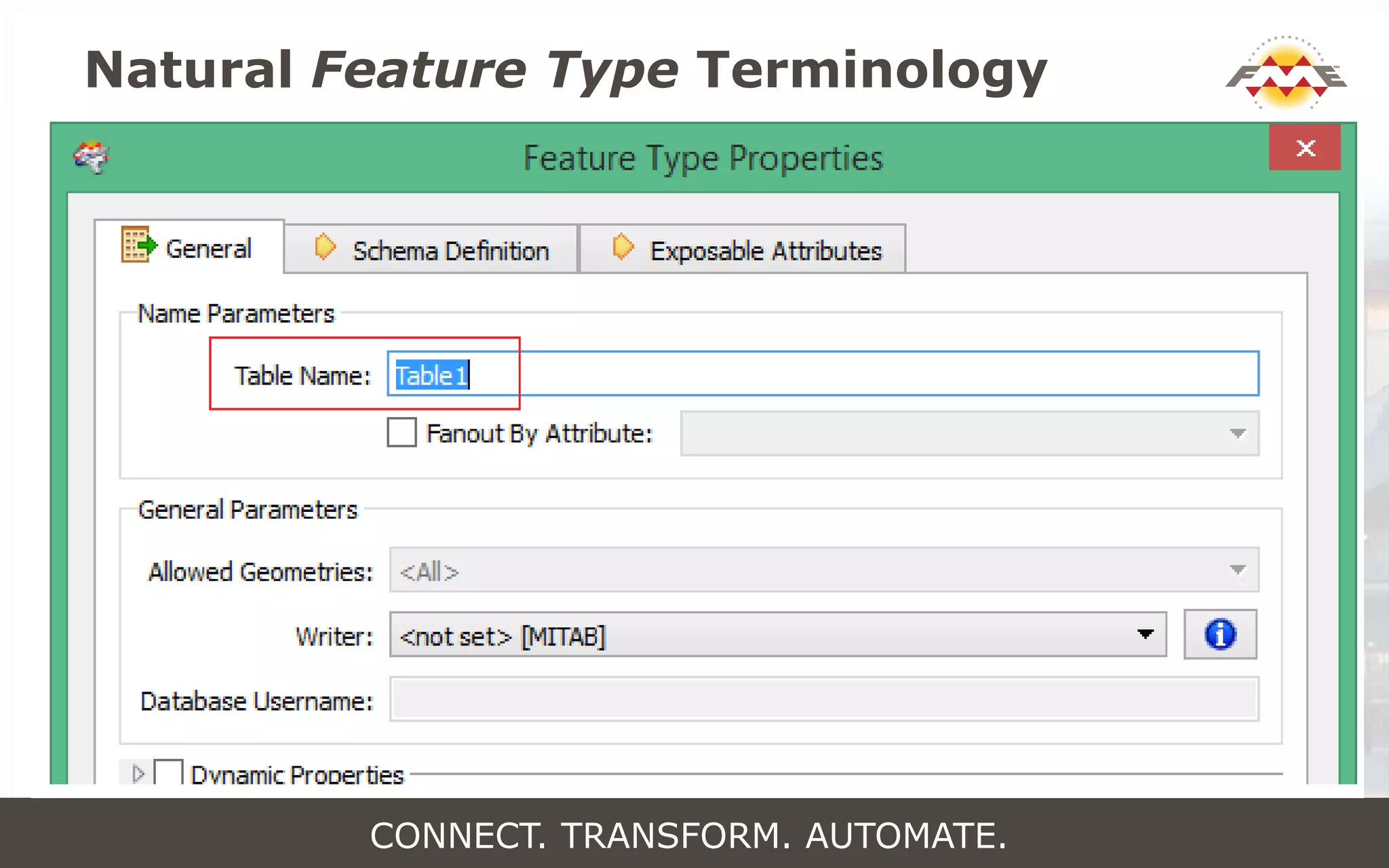
Natural Feature Type Terminology
CONNECT. TRANSFORM. AUTOMATE.
Natural Feature Type Terminology
CONNECT. TRANSFORM. AUTOMATE.
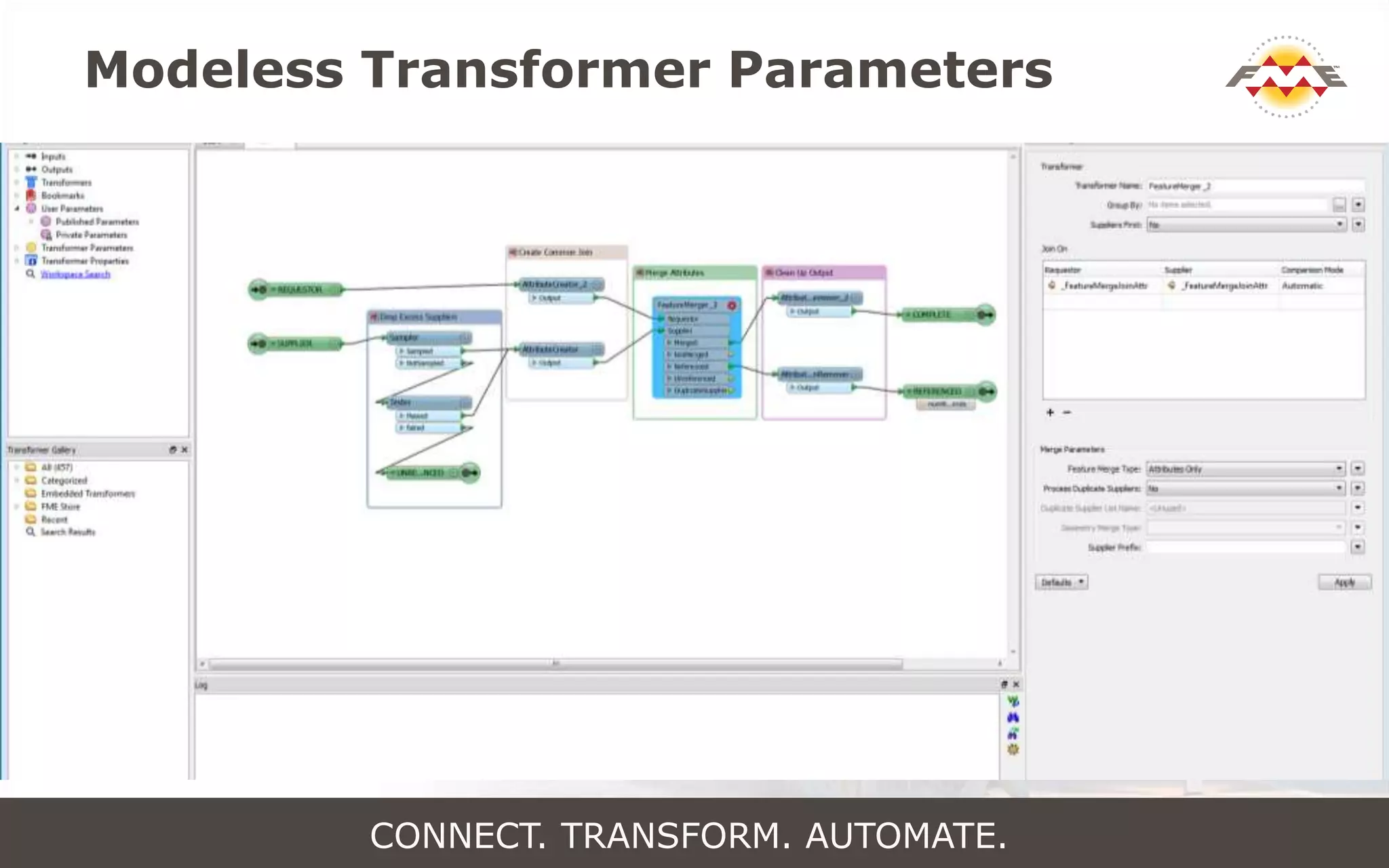
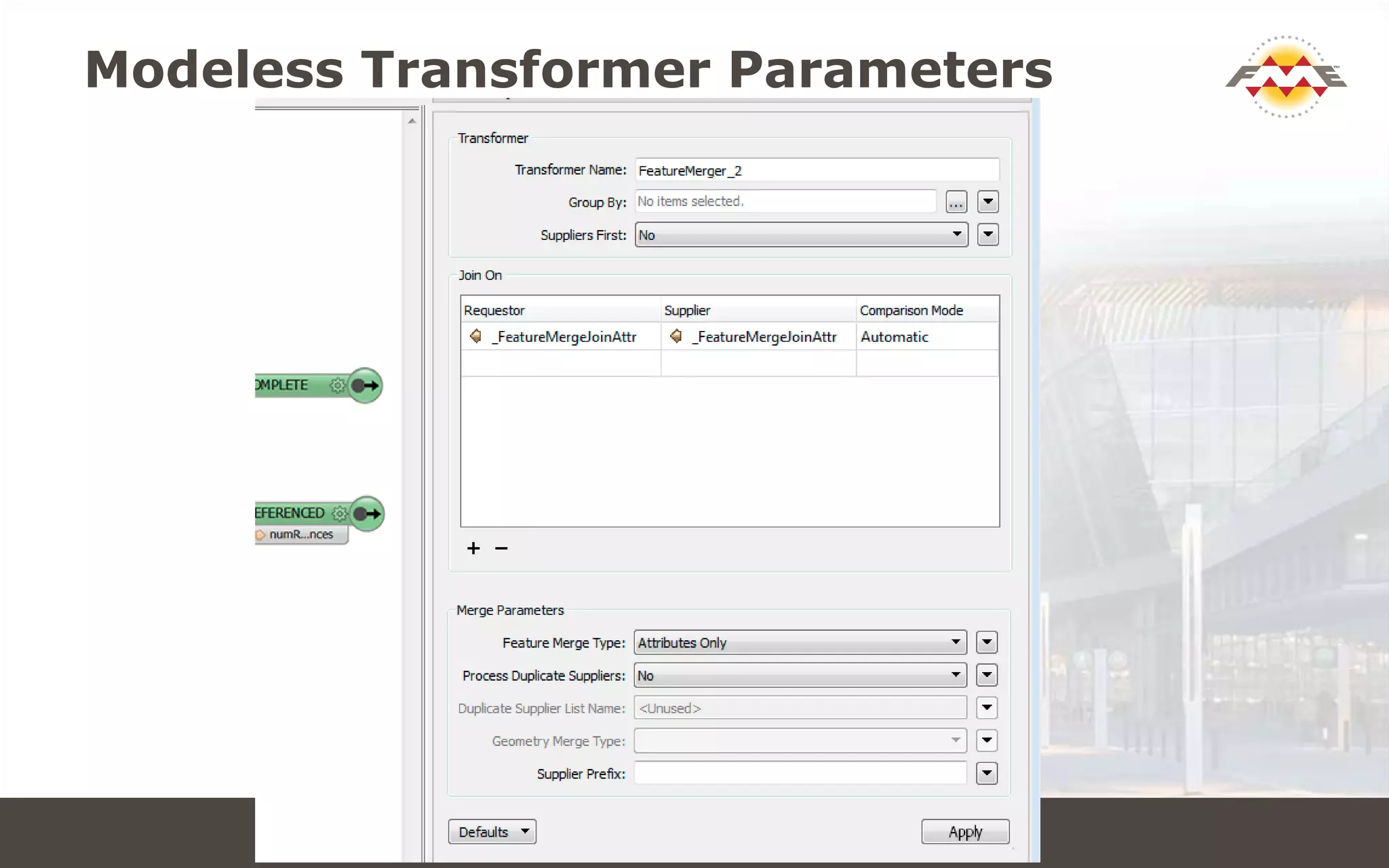
Modeless Transformer Parameters
CONNECT. TRANSFORM. AUTOMATE.
Modeless Transformer Parameters
CONNECT. TRANSFORM. AUTOMATE.
Autohiding Docks
CONNECT. TRANSFORM. AUTOMATE.
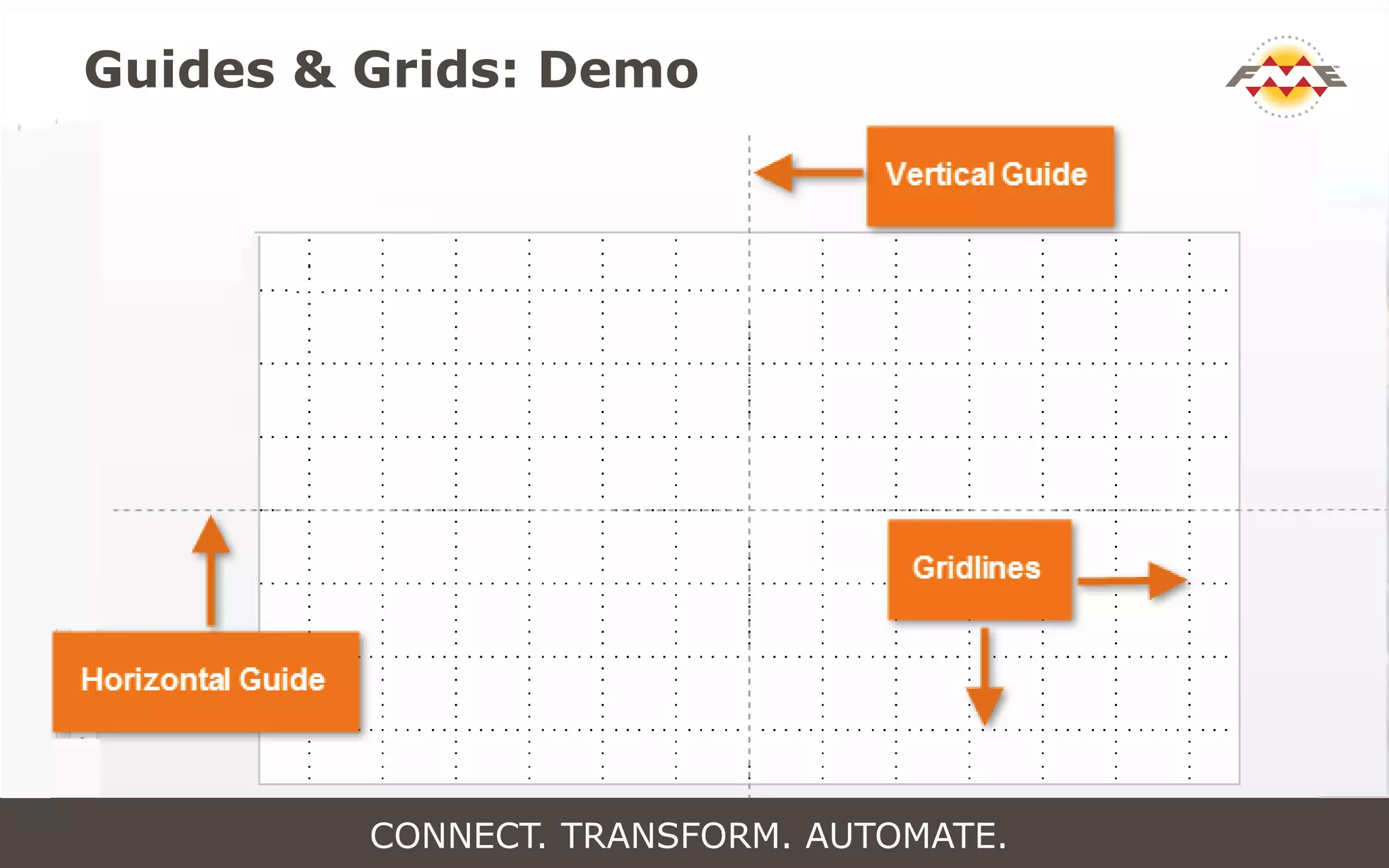
Guides & Grids: Demo
CONNECT. TRANSFORM. AUTOMATE.
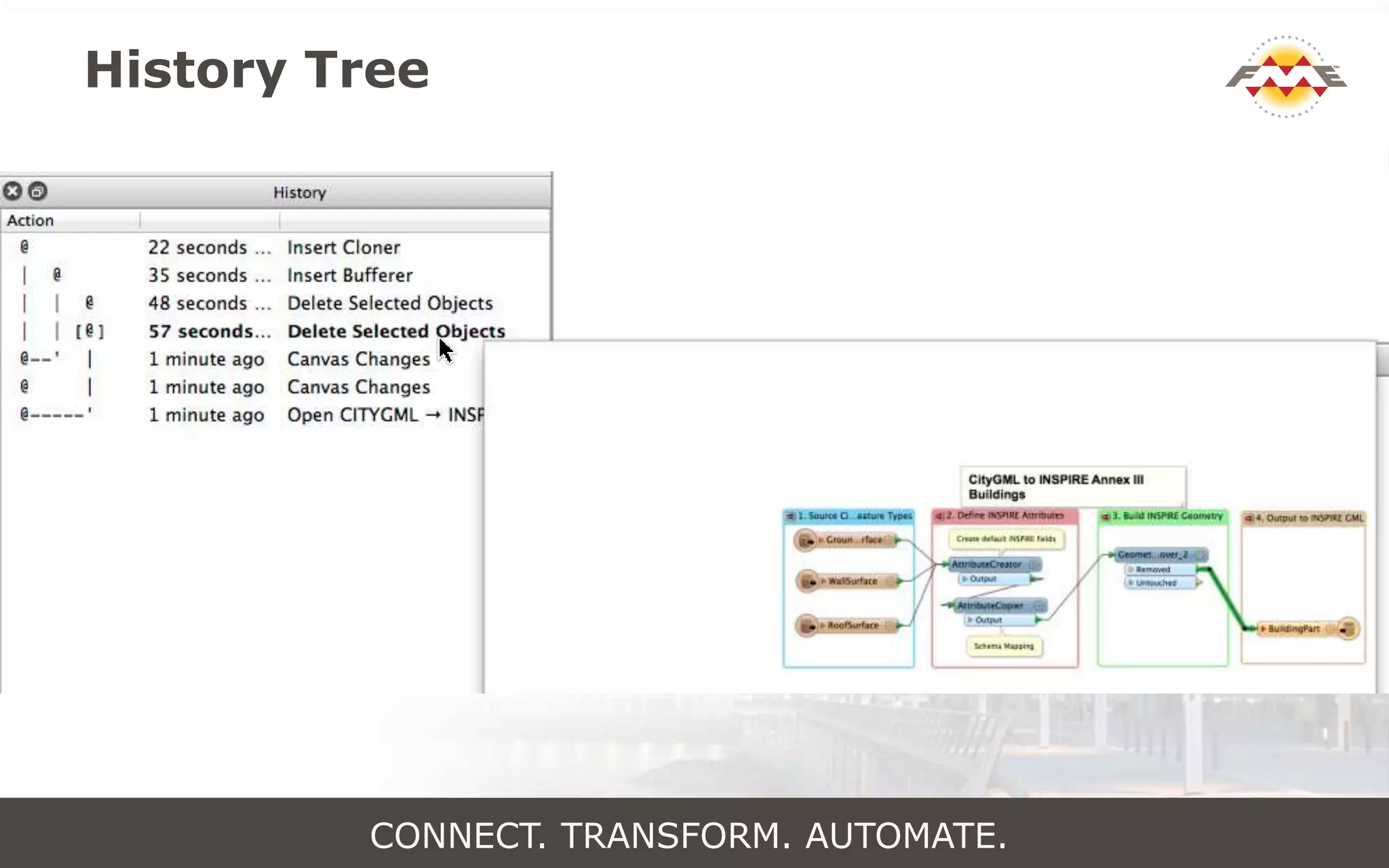
History Tree
CONNECT. TRANSFORM. AUTOMATE.
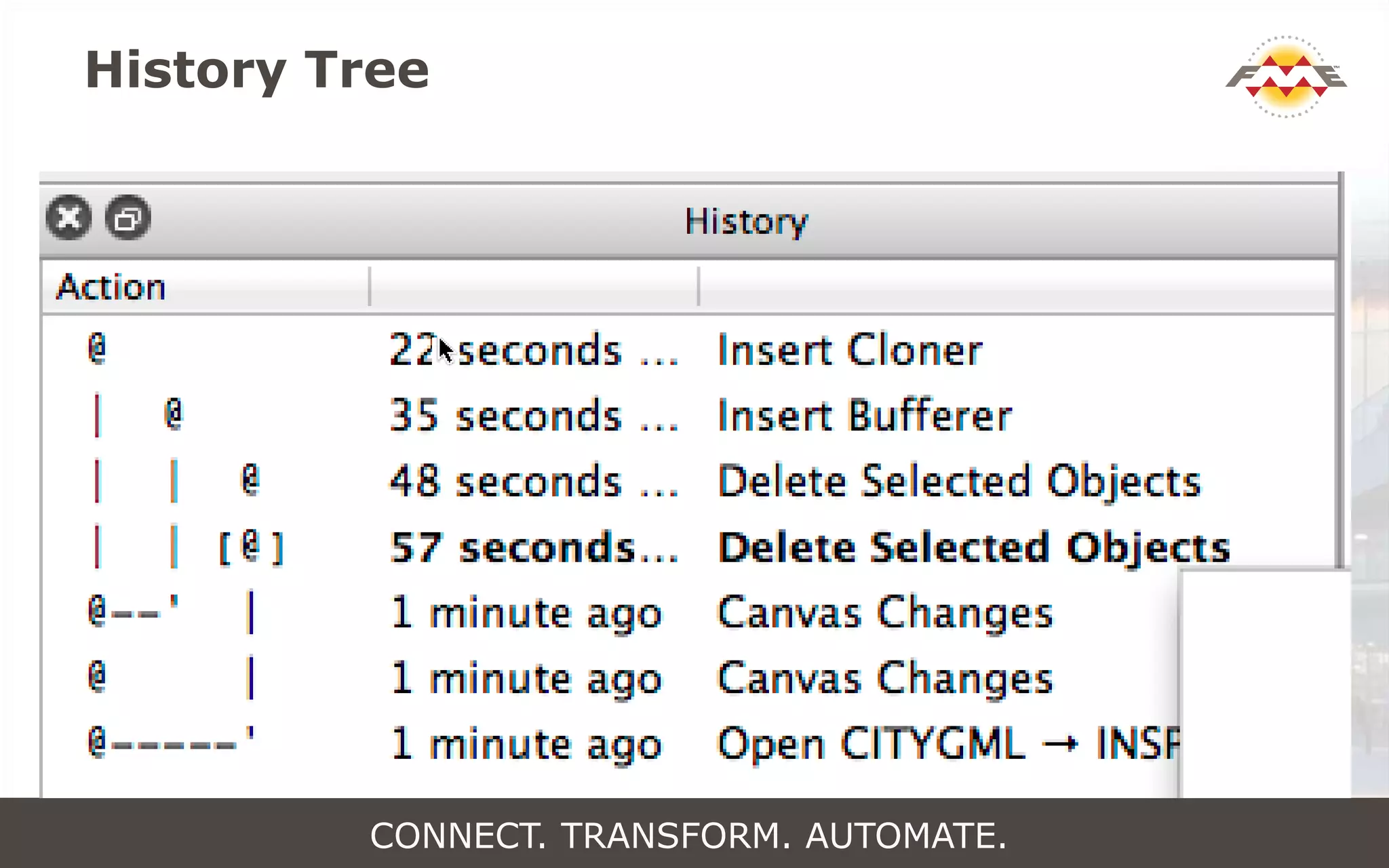
History Tree
CONNECT. TRANSFORM. AUTOMATE.
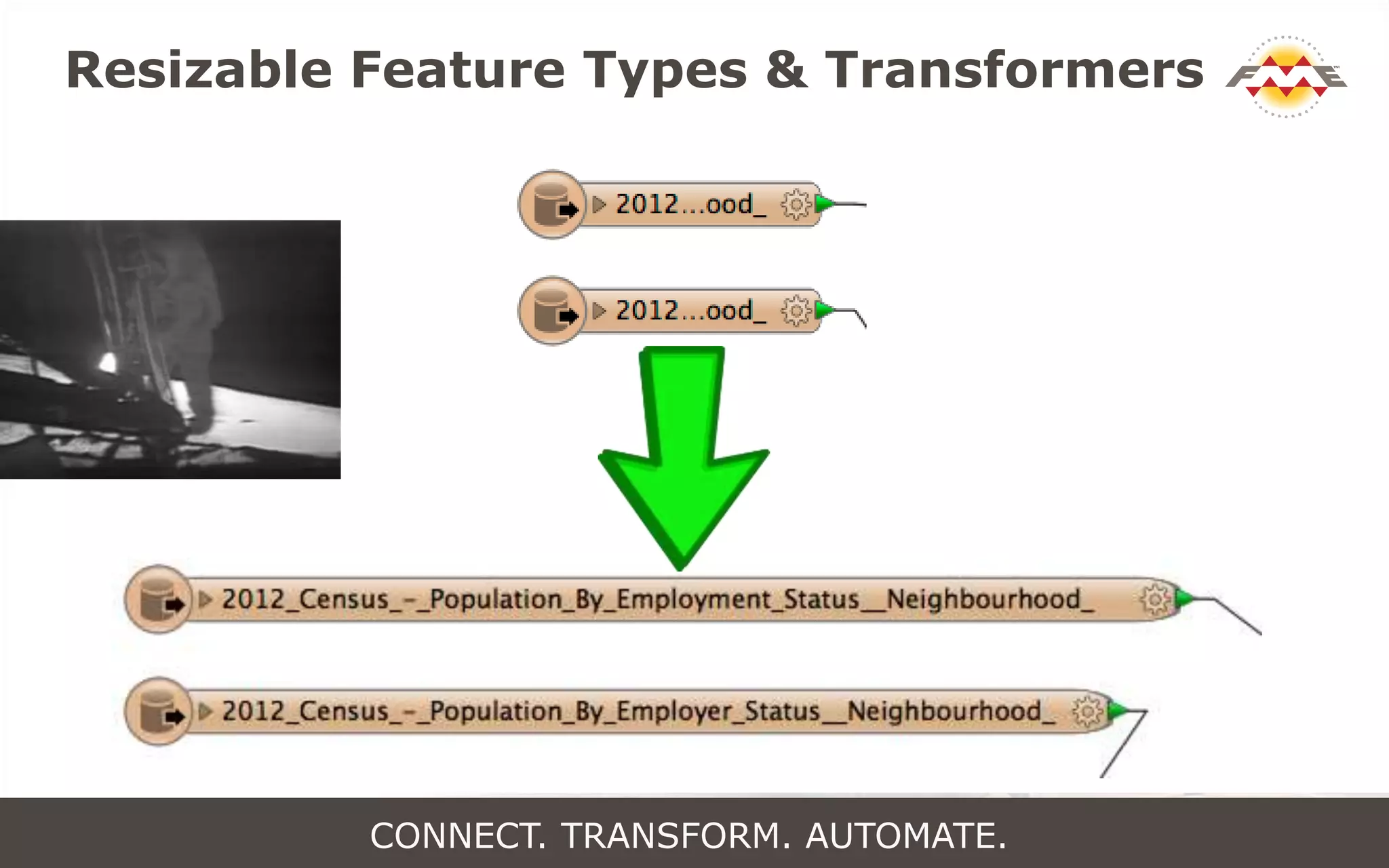
Resizable Feature Types & Transformers
CONNECT. TRANSFORM. AUTOMATE.
Vote Early! Vote Often!
fme.ly/frank
en
CONNECT. TRANSFORM. AUTOMATE.
Connect.
Transform.
Automate.
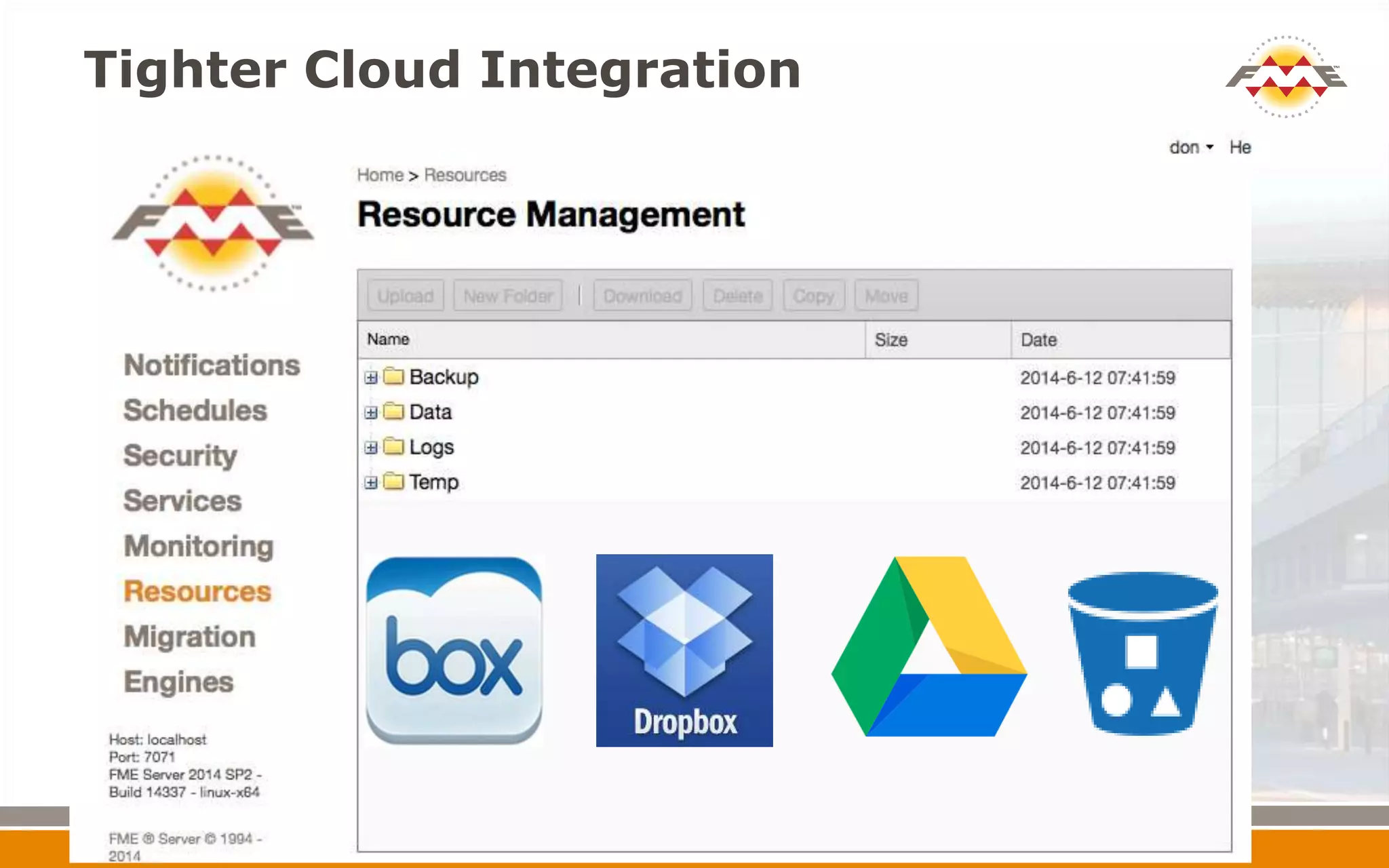
Tighter Cloud Integration
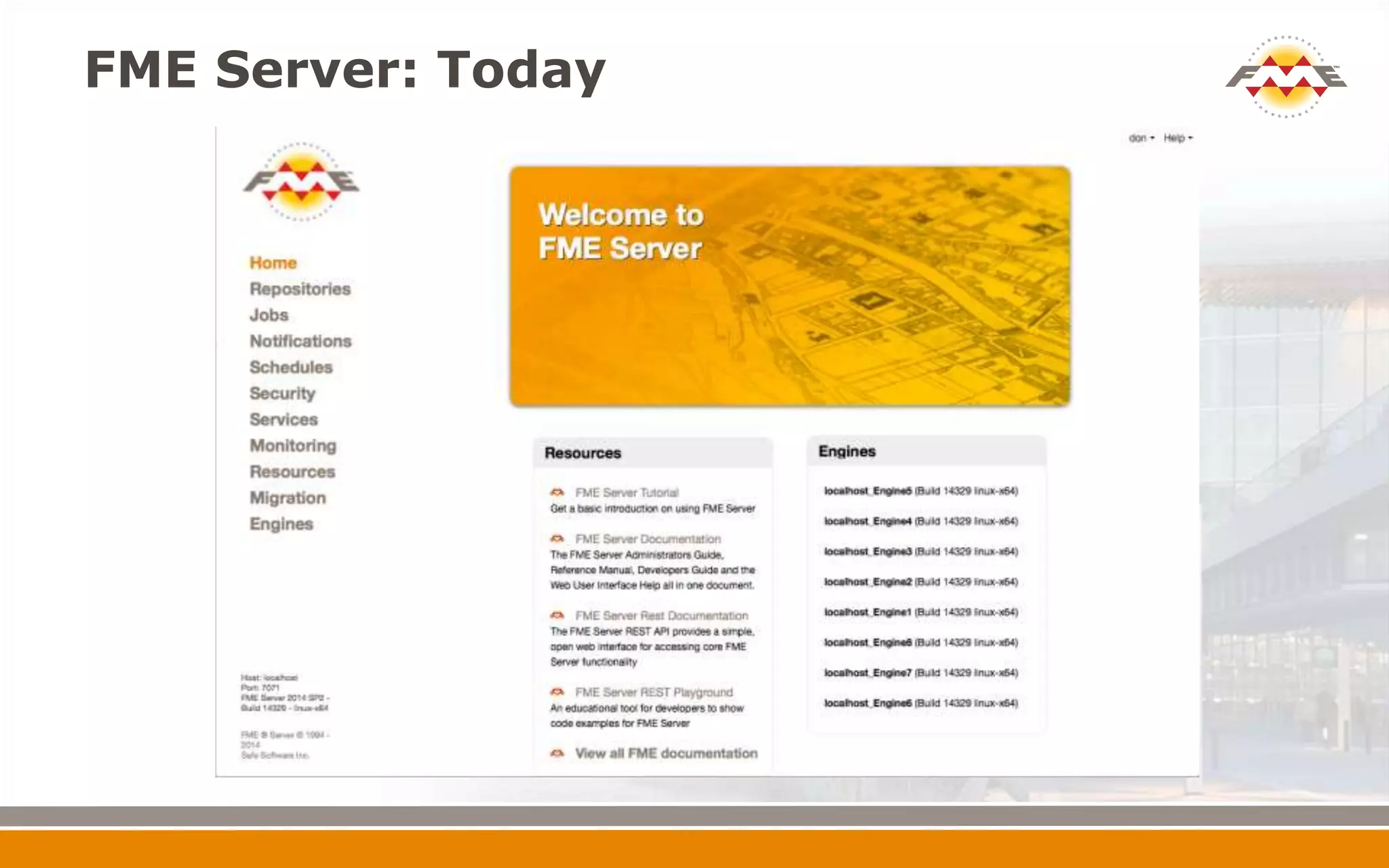
FME Server: Today
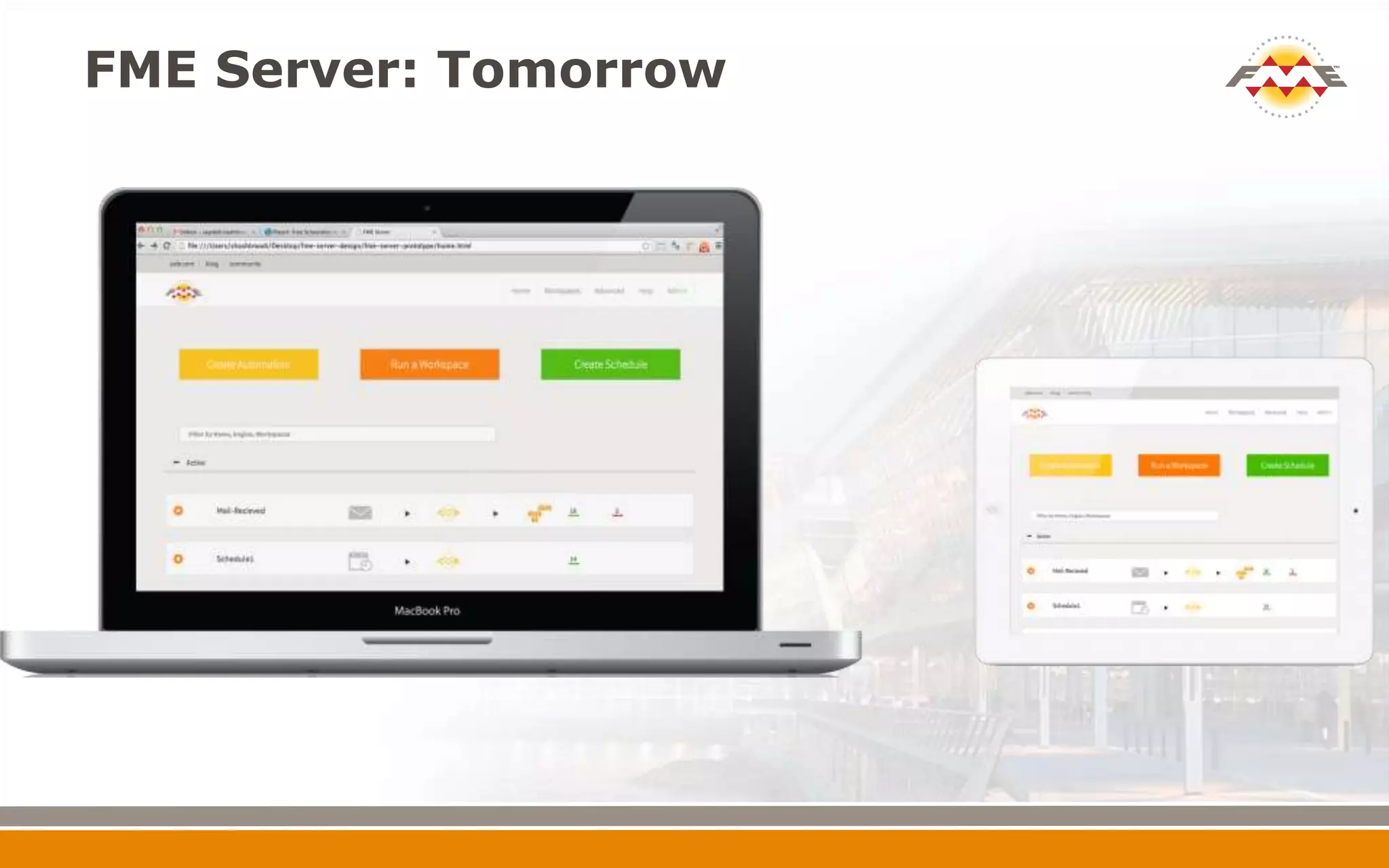
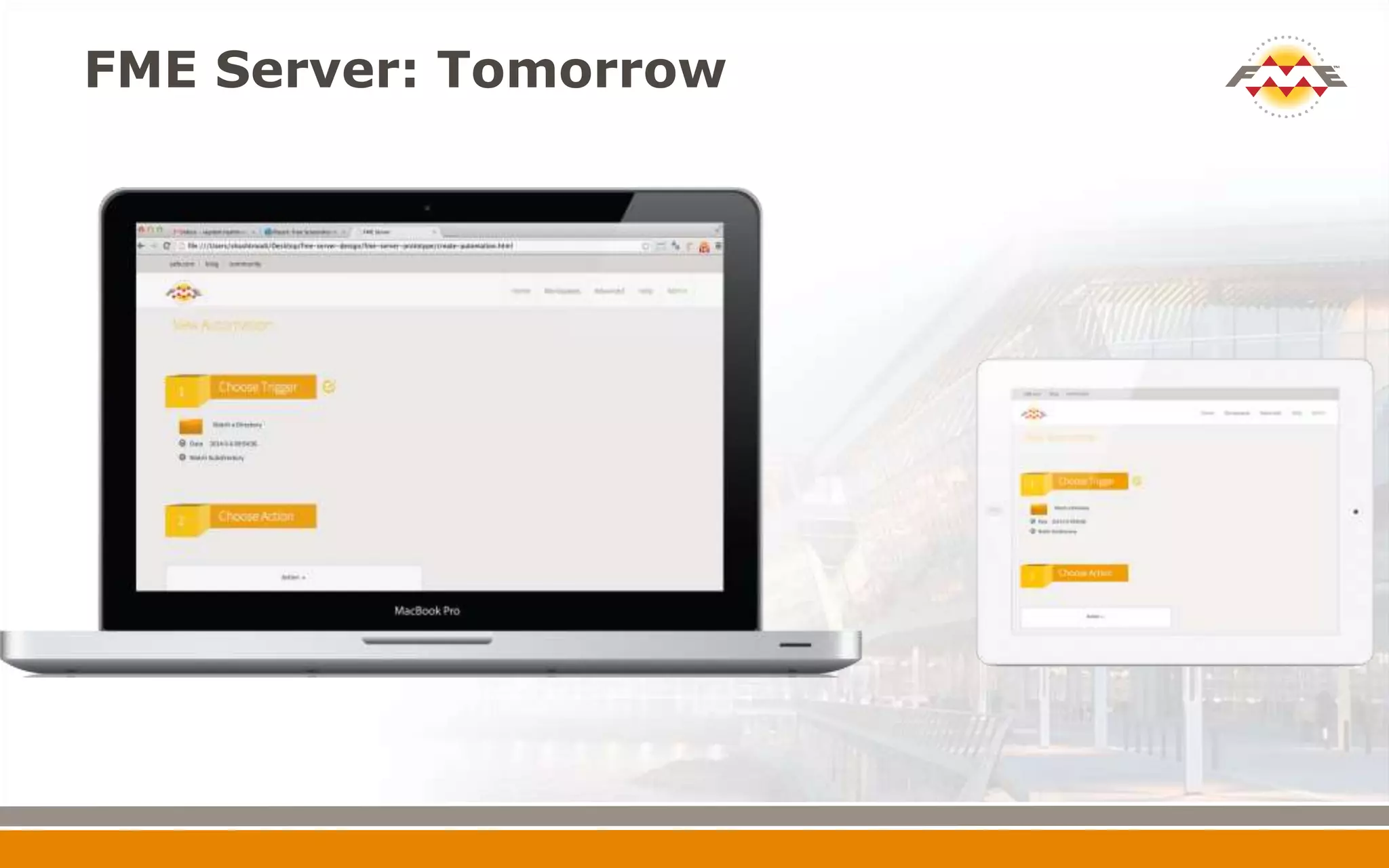
FME Server: Tomorrow
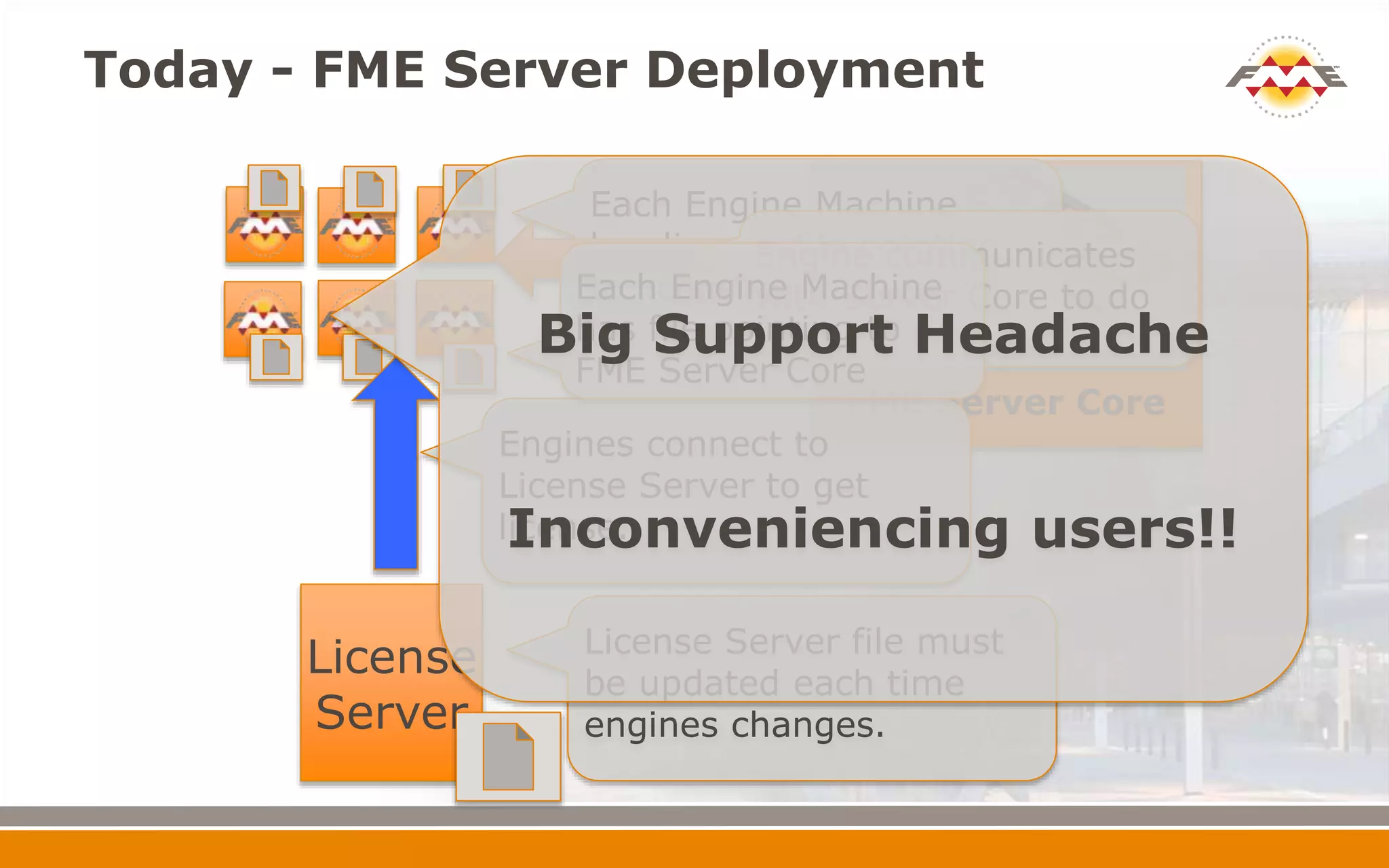
Today - FME Server Deployment
FME
FME Server Core
License
Server
Each Engine Machine
has license file pointing
to license server.
License Server file must
be updated each time
engines changes.
Engines connect to
License Server to get
license.
Engine communicates
with Server Core to do
work
Each Engine Machine
has file pointing to
FME Server Core
Big Support Headache
Inconveniencing users!!
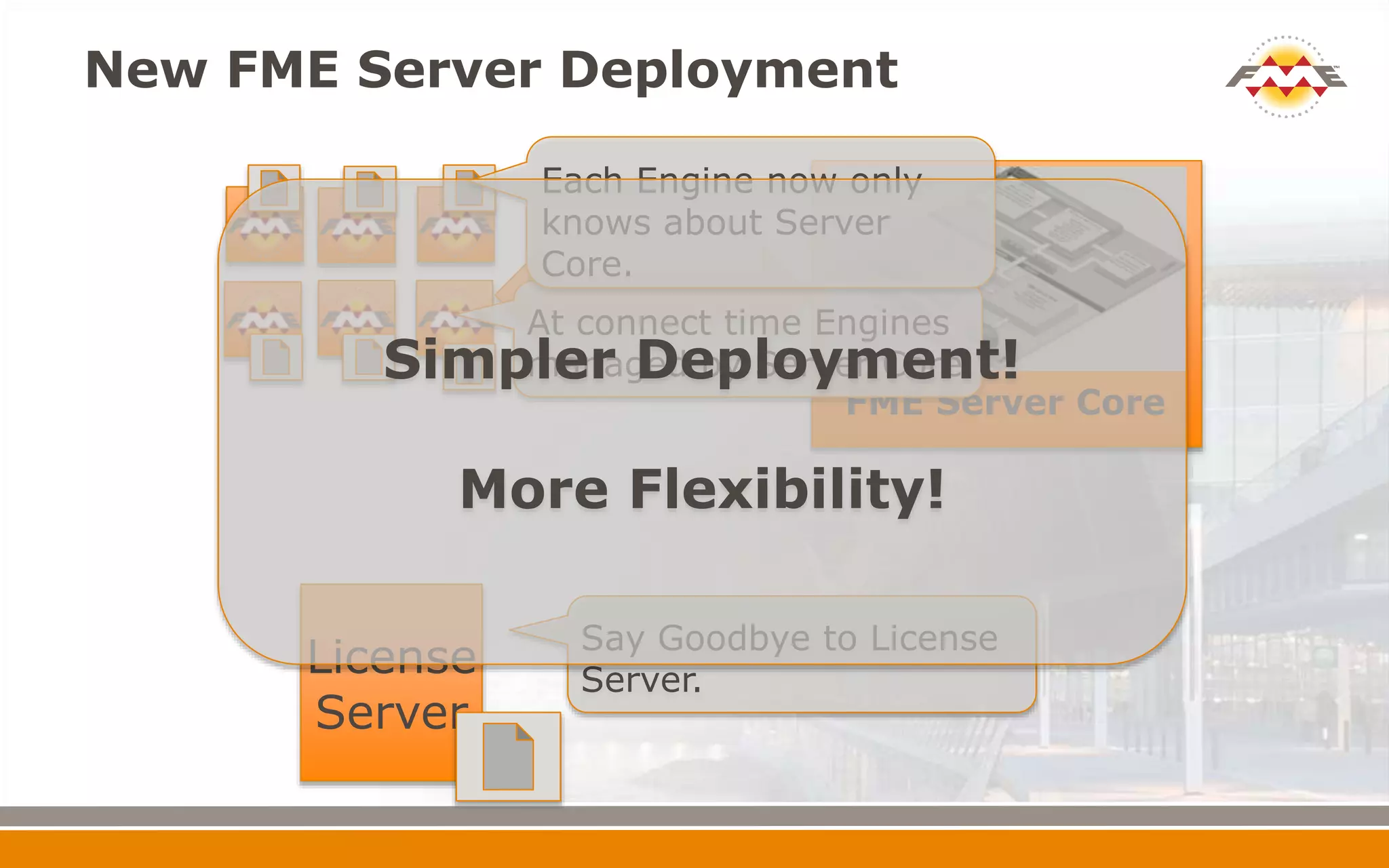
New FME Server Deployment
FME
FME Server Core
License
Server
Say Goodbye to License
Server.
At connect time Engines
managed by Server Core
Each Engine now only
knows about Server
Core.
Simpler Deployment!
More Flexibility!
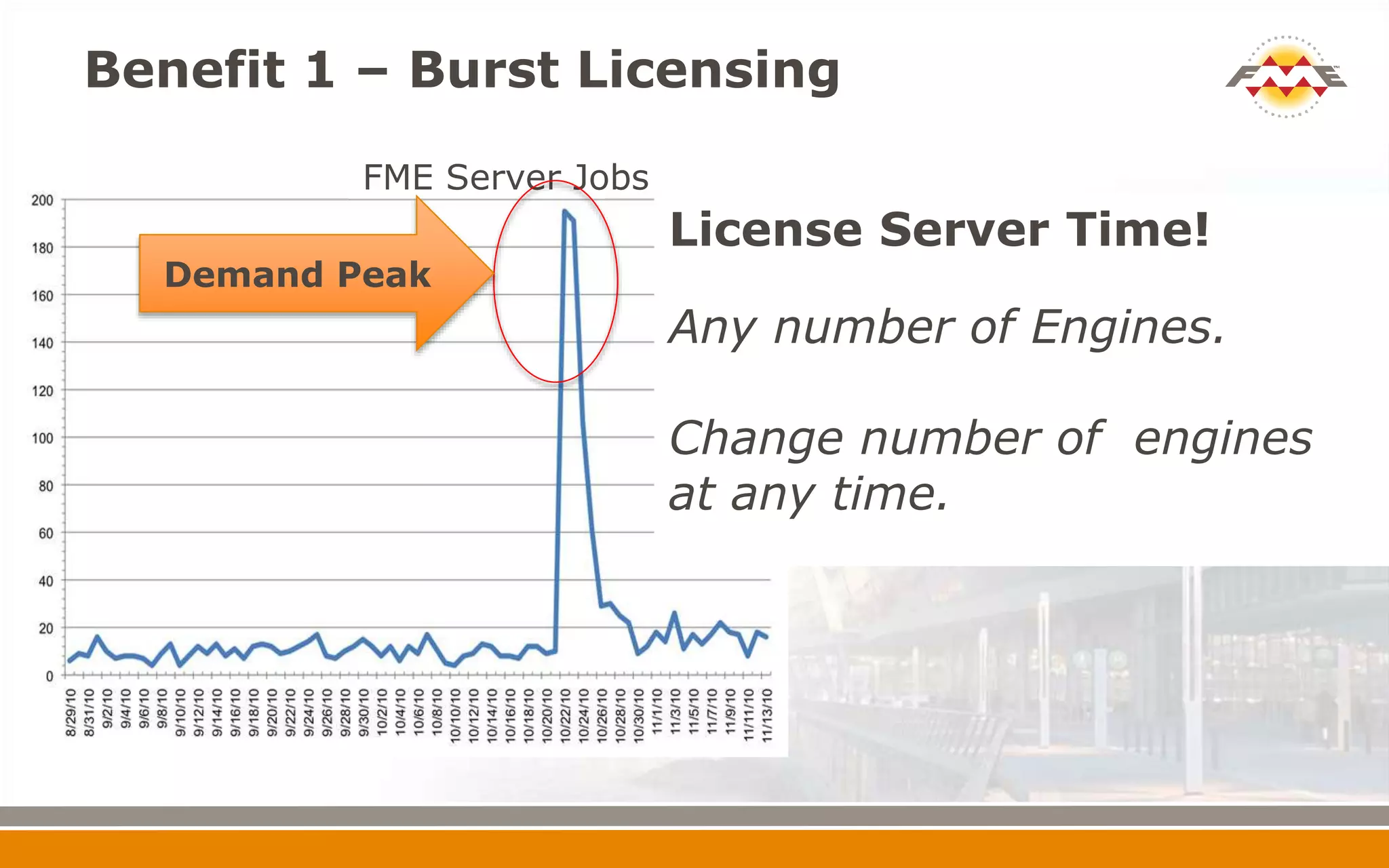
Benefit 1 – Burst Licensing
FME Server Jobs
License Server Time!
Any number of Engines.
Change number of engines
at any time.
Demand Peak
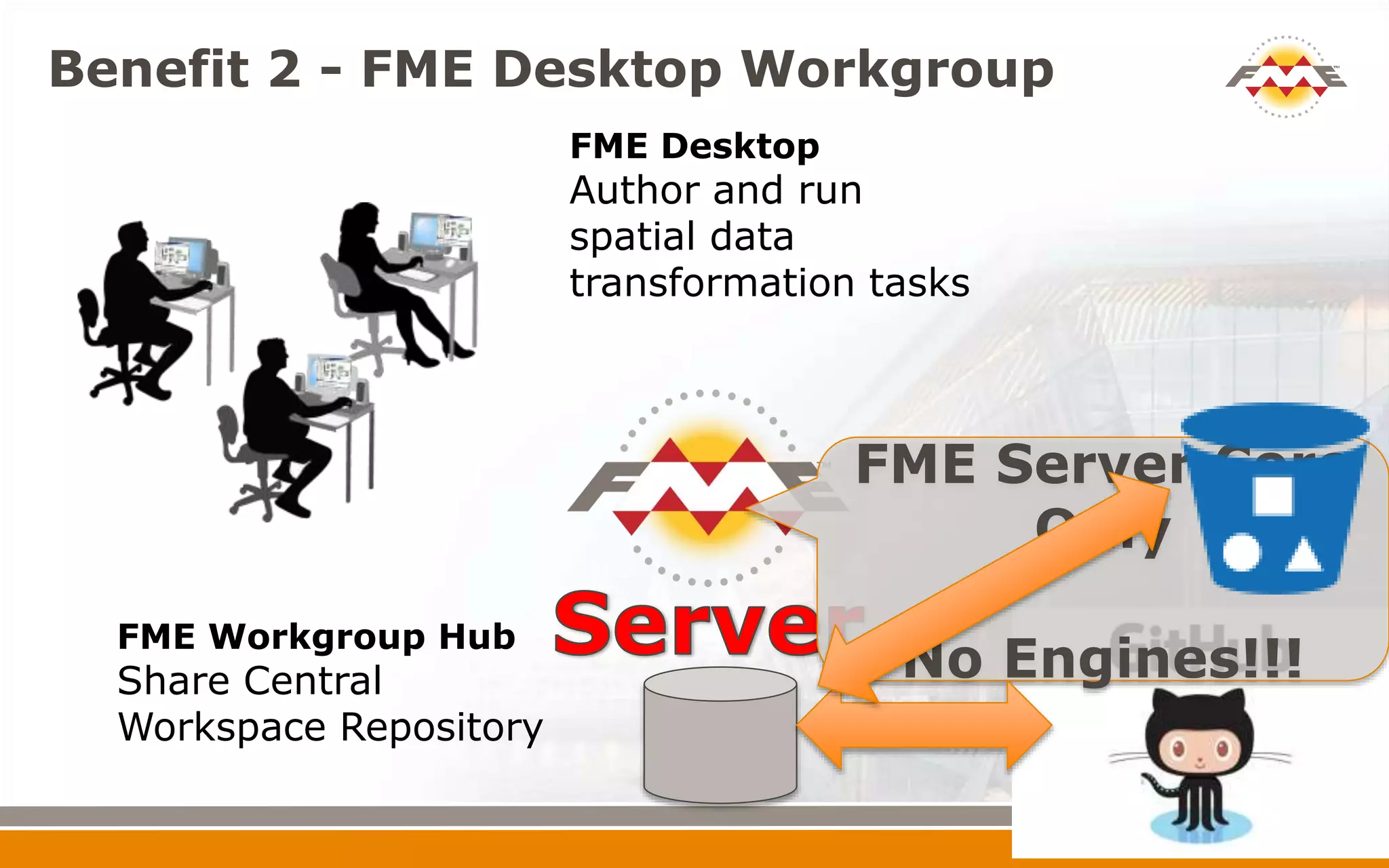
Benefit 2 - FME Desktop Workgroup
FME Desktop
Author and run
spatial data
transformation tasks
FME Workgroup Hub
Share Central
Workspace Repository
FME Server Core
Only
No Engines!!!
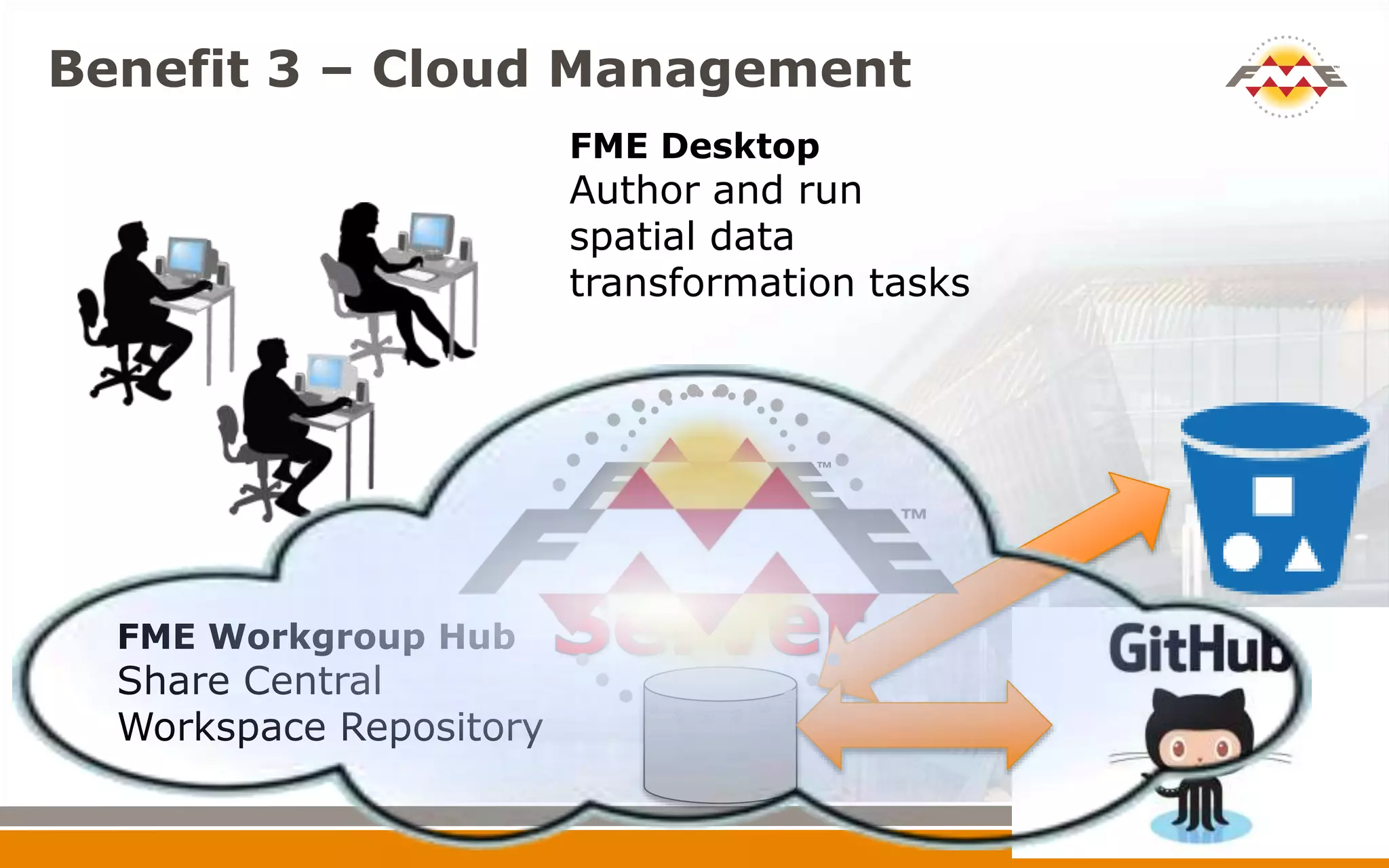
Benefit 3 – Cloud Management
FME Desktop
Author and run
spatial data
transformation tasks
FME Workgroup Hub
Share Central
Workspace Repository
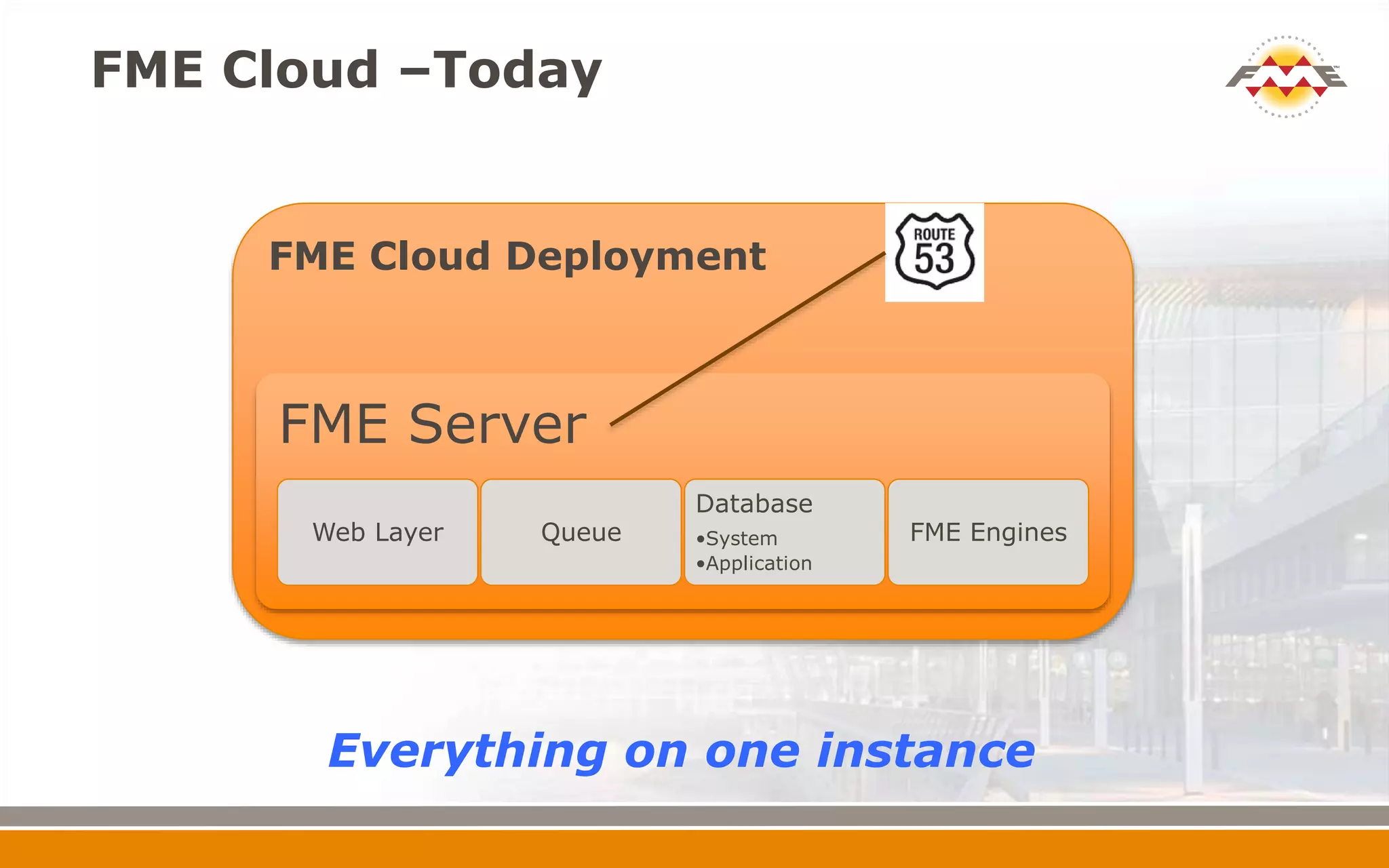
FME Cloud Deployment
FME Cloud –Today
FME Server
Web Layer Queue
Database
•System
•Application
FME Engines
Everything on one instance
FME Cloud Today
FME Cloud Tomorrow
Leverage
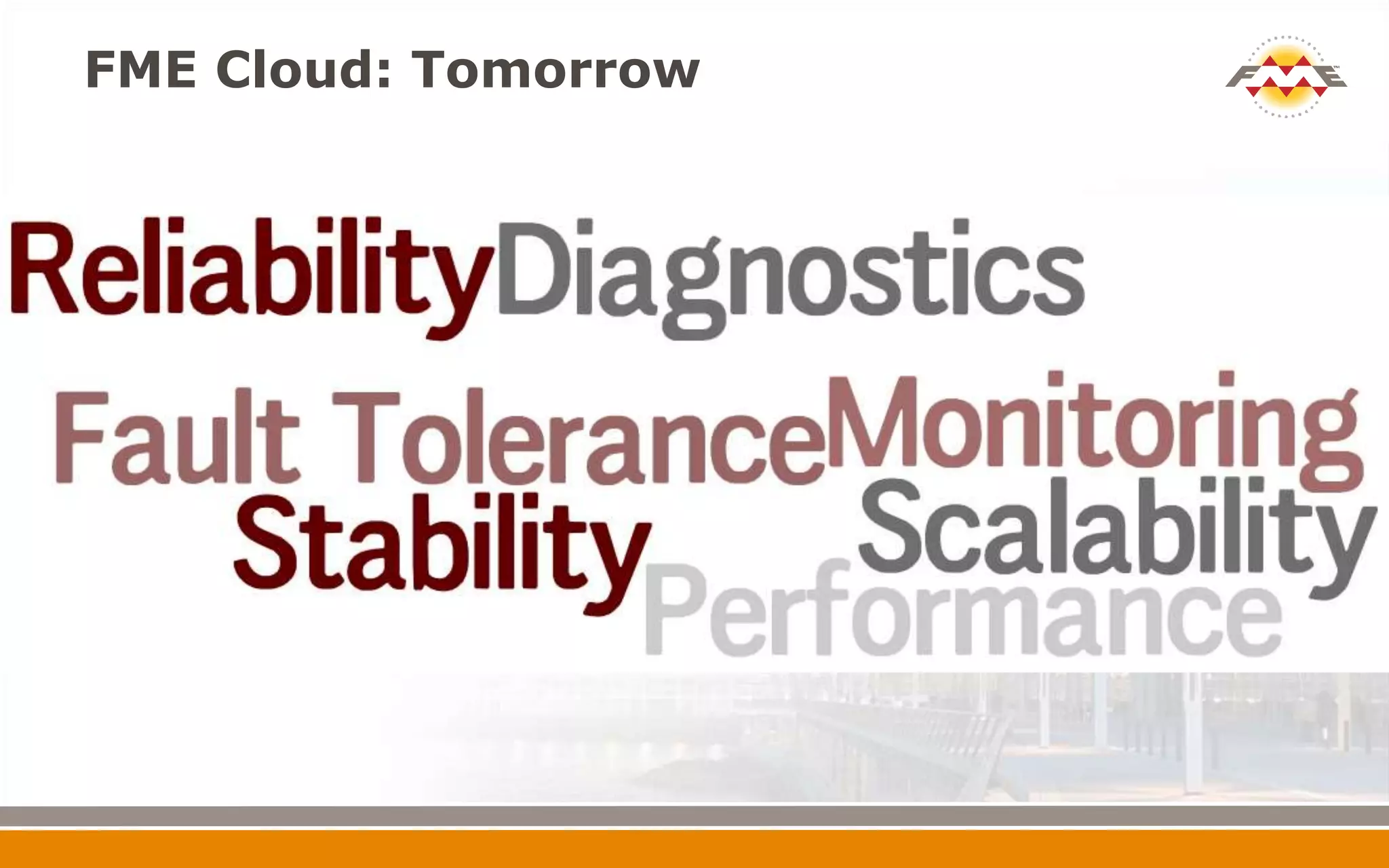
FME Cloud: Tomorrow
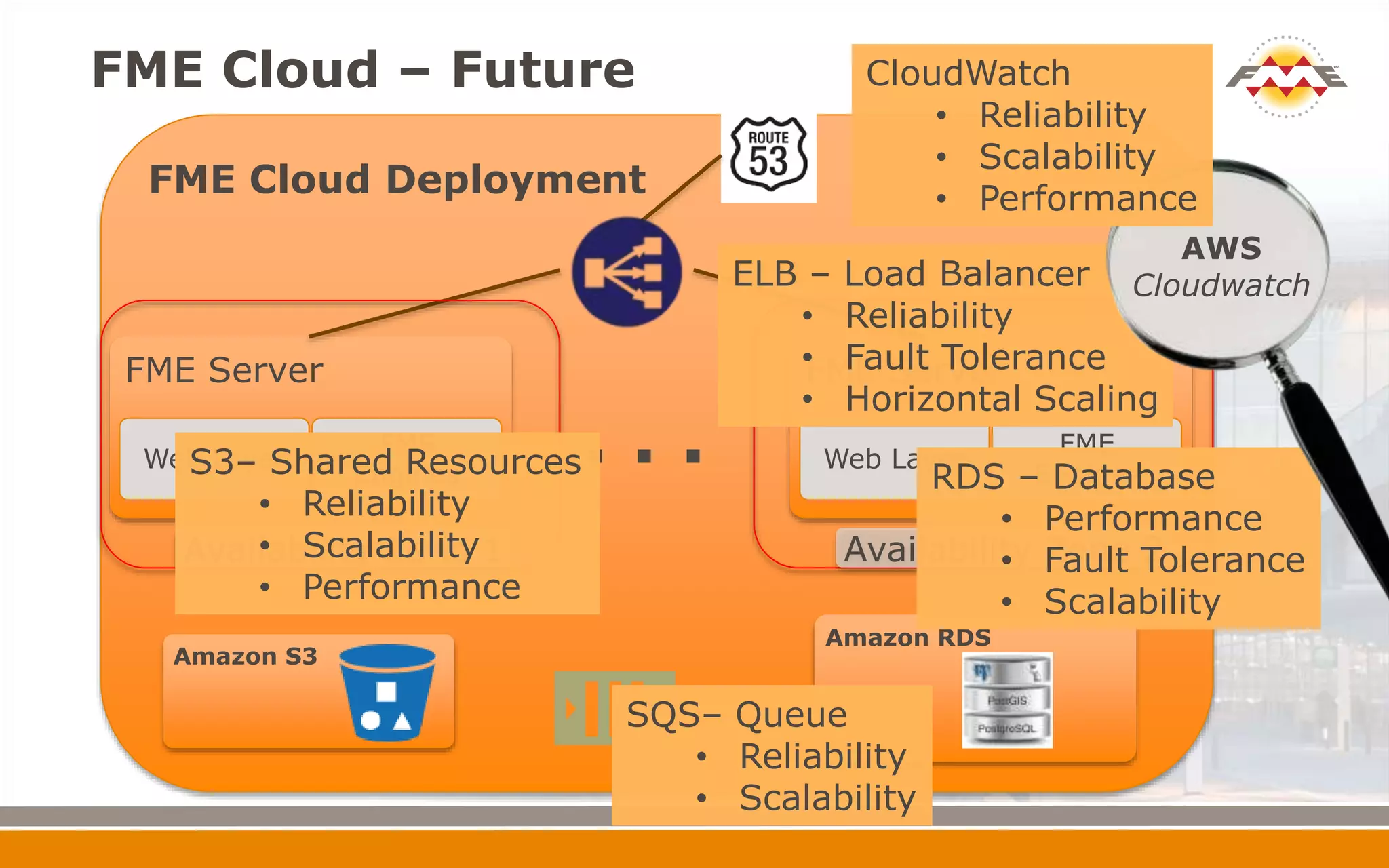
FME Cloud Deployment
FME Cloud – Future
FME Server
Web Layer
FME
Engines
ELB – Load Balancer
Amazon RDS
FME Server
Web Layer
FME
Engines
. . .
Amazon S3
Availability Zone 1 Availability Zone 2
ELB – Load Balancer
• Reliability
• Fault Tolerance
• Horizontal Scaling
RDS – Database
• Performance
• Fault Tolerance
• Scalability
AWS
Cloudwatch
SQS– Queue
• Reliability
• Scalability
S3– Shared Resources
• Reliability
• Scalability
• Performance
CloudWatch
• Reliability
• Scalability
• Performance
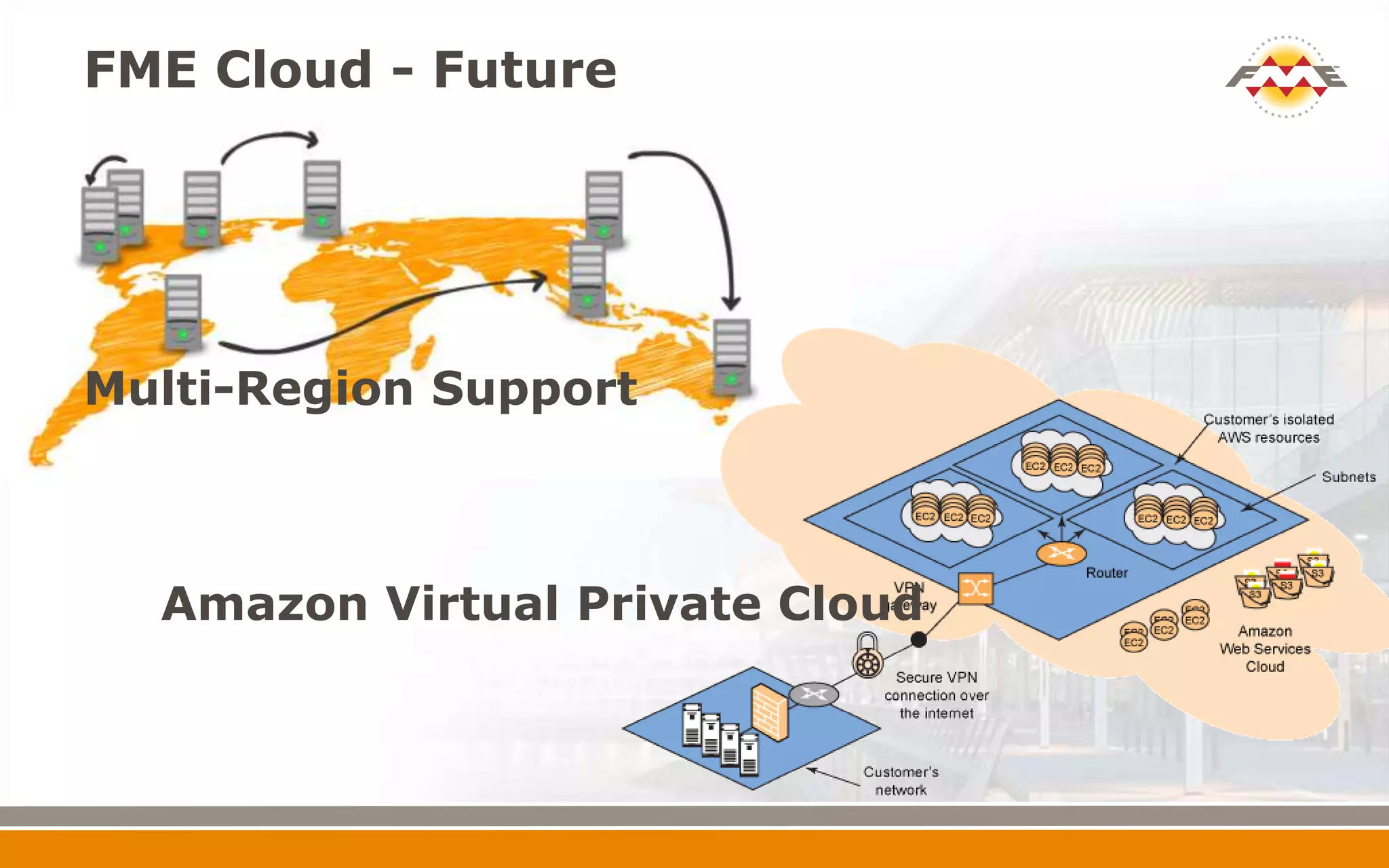
FME Cloud - Future
Multi-Region Support
Amazon Virtual Private Cloud
Thank You

FME 2015 and Beyond