AUTHORING
WITH FME 2019
Dale Lutz & Mark Ireland
DEMO
Basic Workspace Authoring: City Parks
Interface and Usability
Enhancements
“It ain’t what you do,
it’s the way that you do it!”
Many of the improvements in FME 2019 are about how
you author a workspace, and also how you share it.
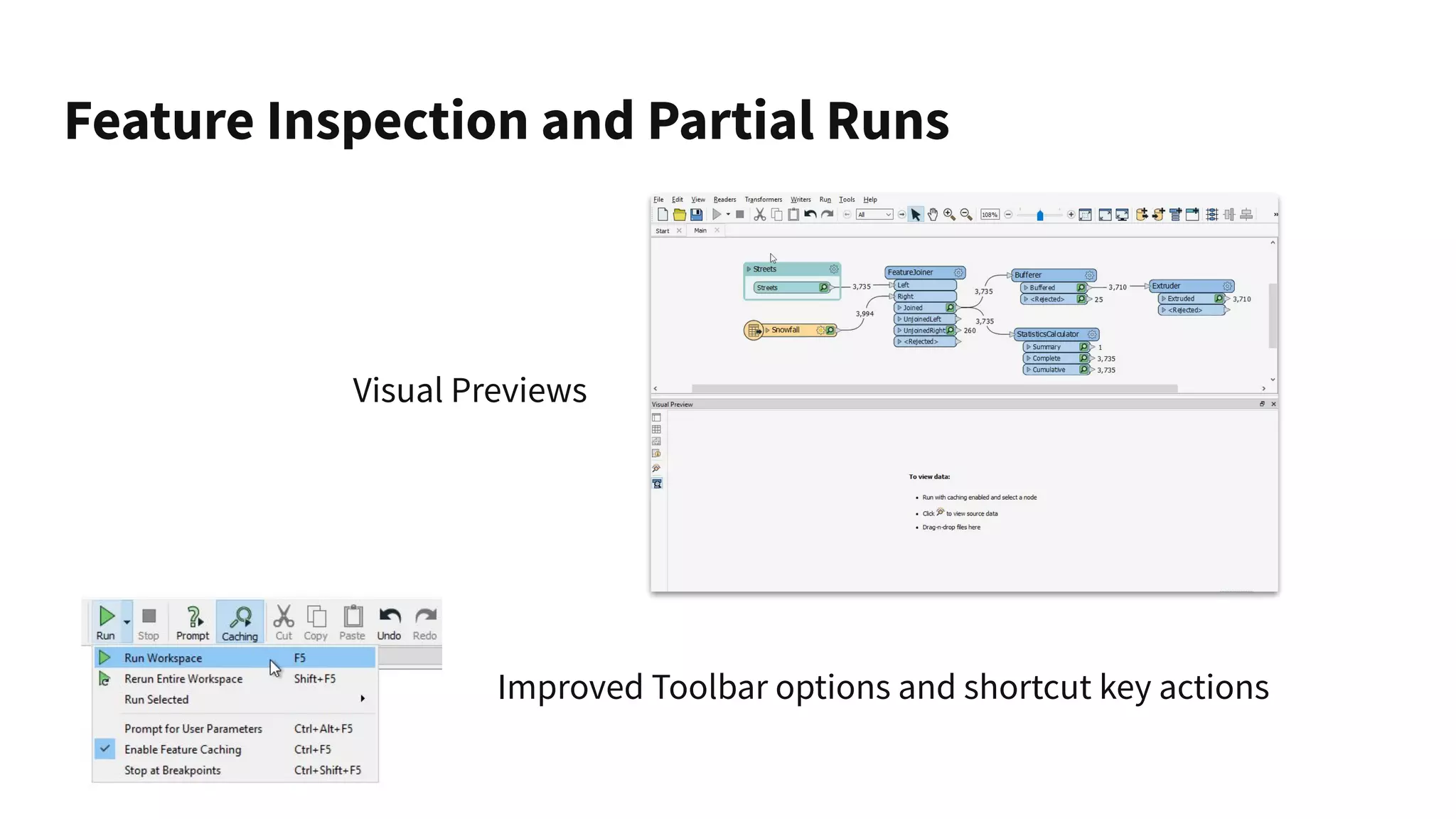
Feature Inspection and Partial Runs
Visual Previews
Improved Toolbar options and shortcut key actions
Best Practice and Workspace Style
● Automatic object resizing
● Bookmark color palettes
● Annotation color-matching
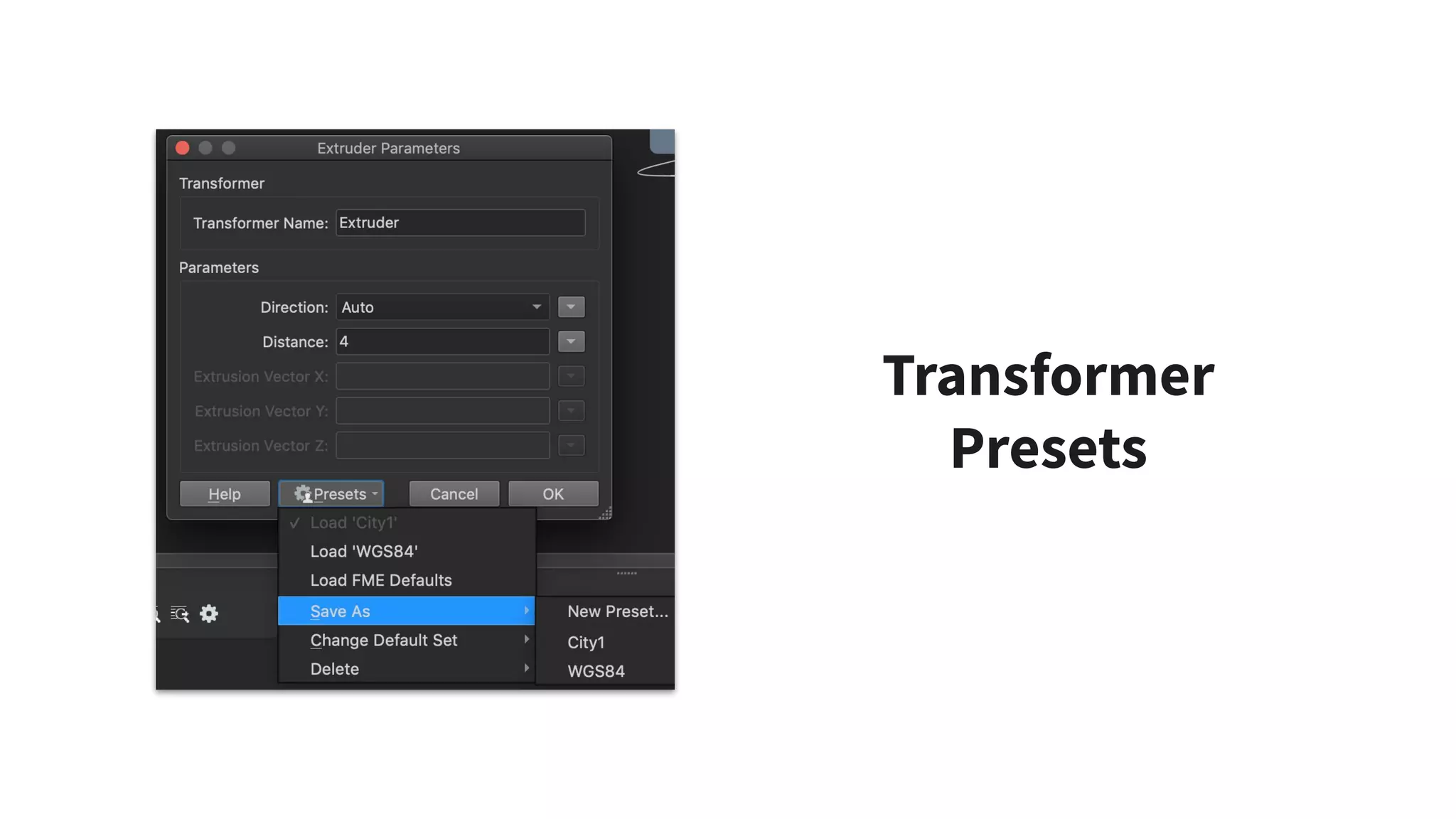
Transformer
Presets
Interface and Usability Enhancements
...and More!
DEMO
Authoring for
Performance
Key Performance
Techniques
1. Drop excess attributes
2. Filter excess features
3. Use performance-related
parameters
4. Consider feature order
5. Update transformers,
readers, and writers
6. Remove authoring artifacts
FME 2019
Specifics
1. Improved Dissolver
2. New Shapefile Reader/Writer
3. Parallel Processing changes
4. Group By Mode: Now works!
5. Bulk Mode
What is bulk
mode?
aka Feature Tables
● An accelerated processing
technique.
● Keep your data in bulk mode
as long as possible.
● Check the log window for
references to bulk mode or
feature tables.
● Will eventually become the
sole method of data
transformation.
DEMO
Authoring for Performance
3D Modelling and
Gaming
Formats
Native Revit Reading
Esri i3s
MicroStation Meshes
Unreal Engine
Experience your data in the
Unreal gaming environment.
3D Modelling and Gaming Formats:
Basic Steps to Gamification of Data
DEMO
Keeping FME
Agile
Packages: Keeping
FME Agile
Packages enable continuous
deployment
and out of step upgrades!
● Transformers, reader/writers, and web
connections now made available via .fpkg.
● Find on FME Hub:
○ S3Connector
○ CesiumIonConnector
○ RasterObjectDetector transformers
○ Natural Language Processing (NLP)
transformers
● Released independently of the FME release
cycle.
● Contribute your own content to FME Hub!
Natural Language Processing
New transformers for training FME
and executing natural language
processing, NLPTrainer and
NLPClassifier. [Blog]
Sharing Workspaces
Server-based sharing. No web-site development, no user account.
Run in a web browser or on FME Data Express mobile app.
DEMO
Keeping FME Agile
Thank you!
Race to safe.com/downloads to get FME 2019
More FME events...
● Intro to Desktop Training
(Thursday 25th April)
● Desktop Basic Training
(Monday 29th April - Friday 3rd May)
● Desktop Advanced Training
(Monday 13th - Friday 17th May)
● Automating with FME 2019
(Thursday 30th May)
● The FME World Tour
(ongoing through mid-June)
Questions?
Can we answer any

Authoring with FME 2019