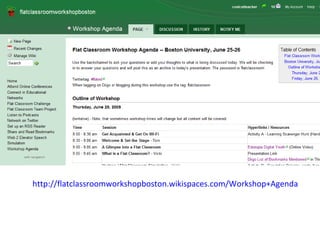
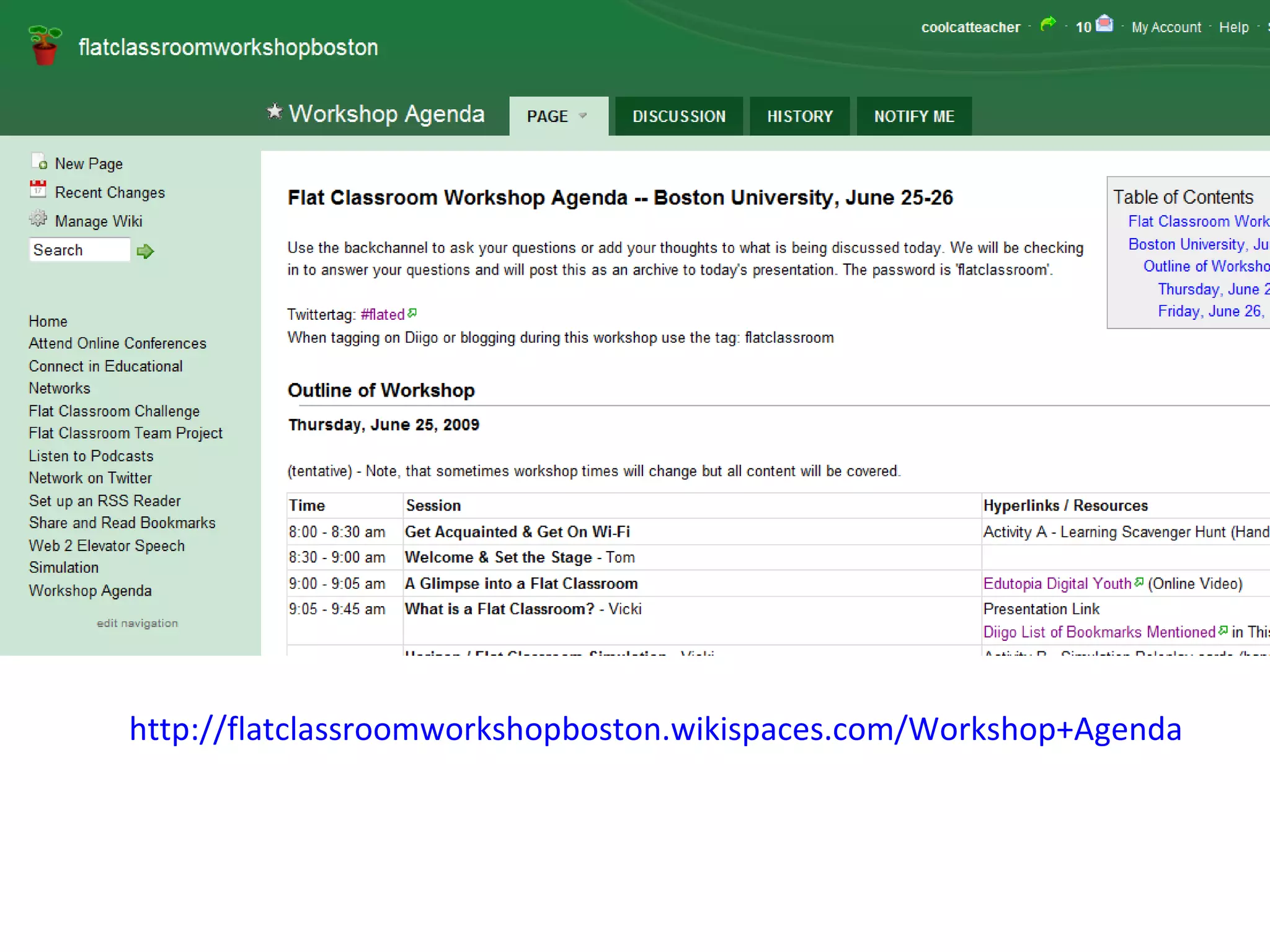

http://flatclassroomworkshopboston.wikispaces.com/Workshop+Agenda
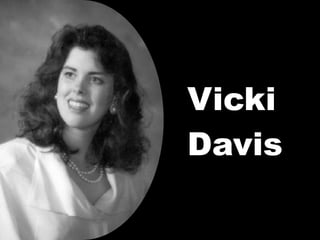
Vicki Davis
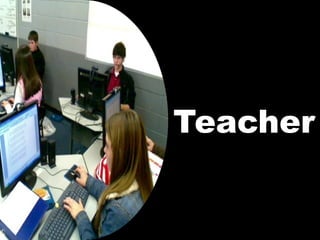
Teacher
 
 
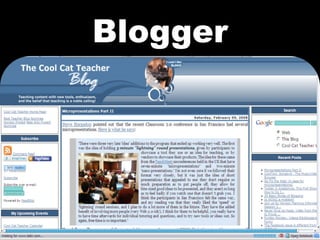
Blogger
 
 
Research Based Best Practices
Authentic Assessment
Cooperative Learning
Project Based Learning
 
“ Cool Cat Teacher” Vicki Davis
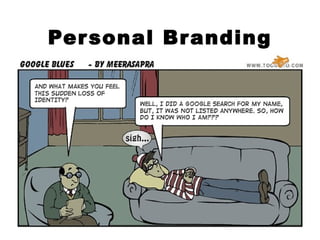
Personal Branding
 
 
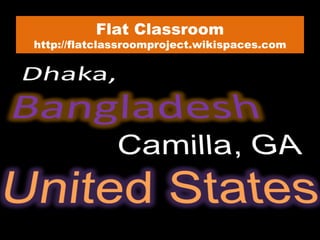
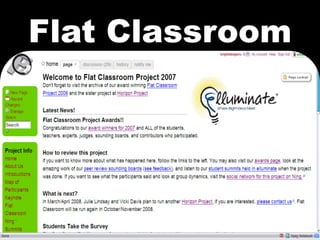
Flat Classroom http://flatclassroomproject.wikispaces.com
Flat Classroom
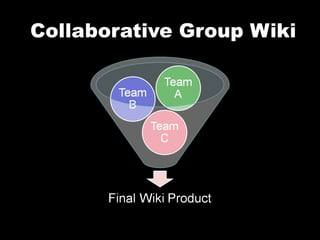
Collaborative Group Wiki
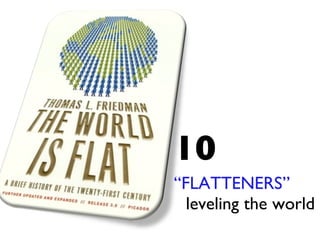
10 “ FLATTENERS”  leveling the world
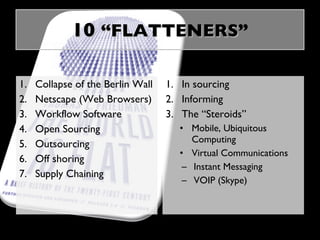
10  “FLATTENERS ” Collapse of the Berlin Wall Netscape (Web Browsers) Workflow Software Open Sourcing Outsourcing Off shoring Supply Chaining In sourcing Informing The “Steroids” Mobile, Ubiquitous Computing Virtual Communications Instant Messaging VOIP (Skype)
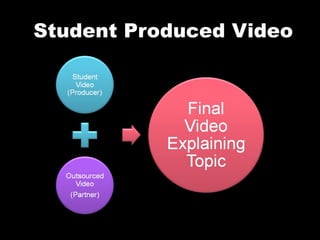
Student Produced Video
Casey C’s video -  http://www.youtube.com/watch?v=9xLSJMoZVcE
 
 
Higher Order Thinking
Higher Order  Living
 
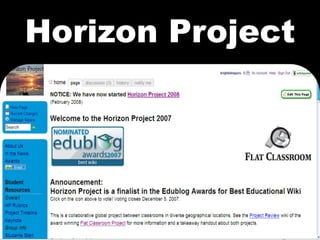
Horizon Project
 
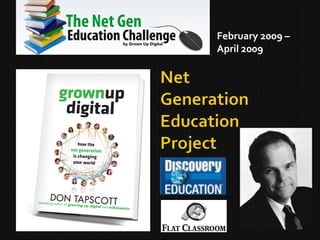
February 2009 –  April 2009
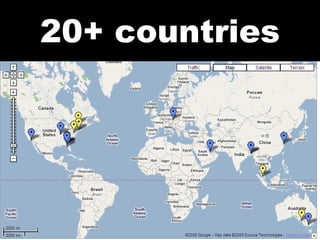
20+ countries
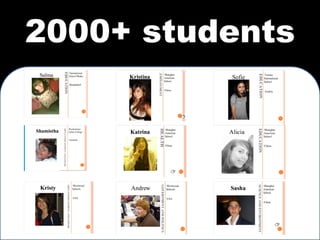
2000+ students
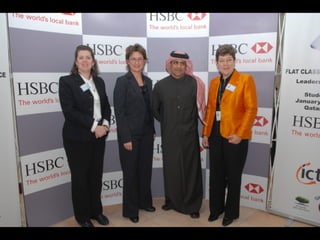
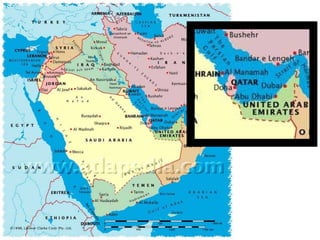
The Flat Classroom Conference Doha, Qatar March 2009 Sponsored by HSBC Bank & The Qatar Foundation
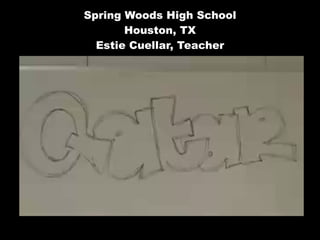
Spring Woods High School Houston, TX Estie Cuellar, Teacher
 
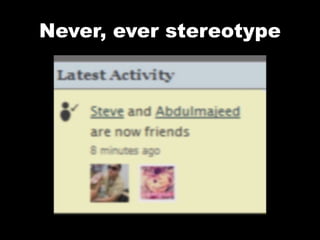
Never, ever stereotype
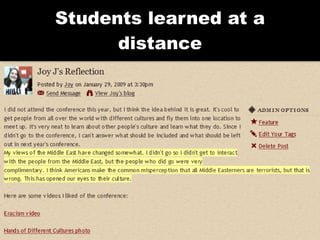
Students learned at a distance


Horizon Project 2008 Simulation Developed by Julie Lindsay Head of Information Technology and E-Learning Qatar Academy, State of Qatar
TREND - Grass Roots Video (GRV) [18 students] Project Manager for GRV - Jess N (QA Gr 10) Assistant Project Manager - Hilliary J (1WHS - Gr10) Subgroups/Areas of Impact: GRV Wiki A (Impact on education)  - Sarah Al F (QA Gr10) ,  Renea R (GHS) ,  Anna F (ASB),   Michael P (VIS)   GRV Wiki B (Impact on government, politics and employment)  - Linda I (BSGE Gr11),   Heidi Y (GHS) ,  Yume A (KGHS 3Yr) ,  Daniel B (GBA) GRV Wiki C (Impact on arts, entertainment and leisure)  - Shamar W (BSGE Gr11), Cristina C (ASB), Rachel M (PLC), Brayanna B (7thWHS Gr10) GRV Wiki D (Impact on science and health)  - Betsy B (7thWHS Gr10) ,  Leanne H (GBA), Kahla I (VIS), Khalid M (QA GR 11) Expert Advisor  - Jeff Utecht (China) Classroom teacher 1  - John Turner (Melbourne) Classroom teacher 2  - Rosalind Greehy (Spain) Classroom teacher 3  - Madeline Brownstone (NY, USA) Flat Classroom – Horizon Project 2008 http://flatclassrooms.com http://horizonproject2008.wikispaces.com
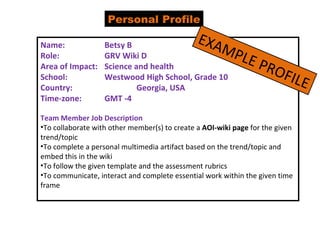
Personal Profile Name:  Betsy B Role: GRV Wiki D  Area of Impact: Science and health School: Westwood High School, Grade 10 Country: Georgia, USA Time-zone: GMT -4 Team Member Job Description To collaborate with other member(s) to create a  AOI-wiki page  for the given trend/topic To complete a personal multimedia artifact based on the trend/topic and embed this in the wiki To follow the given template and the assessment rubrics To communicate, interact and complete essential work within the given time frame EXAMPLE PROFILE
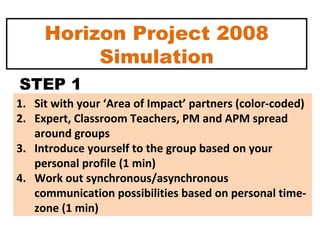
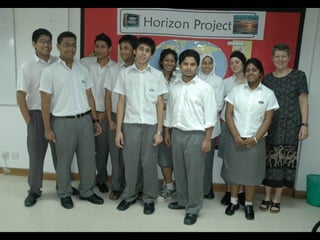
Horizon Project 2008 Simulation Sit with your ‘Area of Impact’ partners (color-coded) Expert, Classroom Teachers, PM and APM spread around groups Introduce yourself to the group based on your personal profile (1 min) Work out synchronous/asynchronous communication possibilities based on personal time-zone (1 min) STEP 1
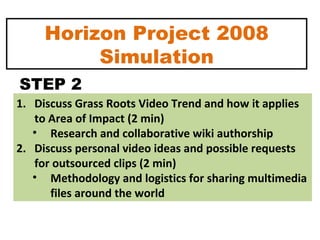
Horizon Project 2008 Simulation Discuss Grass Roots Video Trend and how it applies to Area of Impact (2 min) Research and collaborative wiki authorship Discuss personal video ideas and possible requests for outsourced clips (2 min) Methodology and logistics for sharing multimedia files around the world STEP 2
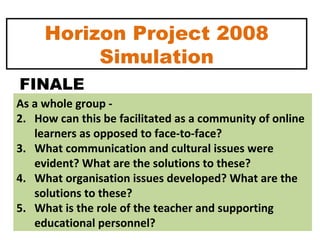
Horizon Project 2008 Simulation As a whole group -  How can this be facilitated as a community of online learners as opposed to face-to-face?  What communication and cultural issues were evident? What are the solutions to these? What organisation issues developed? What are the solutions to these? What is the role of the teacher and supporting educational personnel? FINALE
Where do NETS come in? or iNETS? What is the role of technology in facilitating these projects?  Wiki – ‘weapon of mass collaboration’ (Tapscott) Ning – weapon of mass connection What is the role of educational leaders to foster global interaction and successful project-based learning using online tools? Flat Classroom Conversations
Break
What is   Web 2.0?
 
 
The tools in school changed
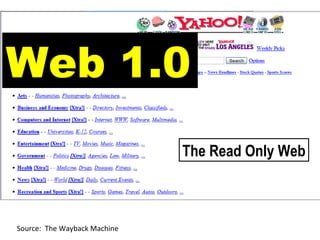
Source:  The Wayback Machine Web 1.0 The Read Only Web
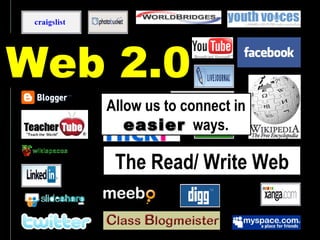
Web 2.0 The Read/ Write Web Allow us to connect in  easier   ways.
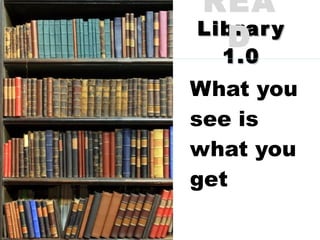
Library 1.0 What you see is what you get READ
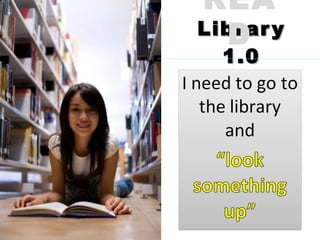
Library 1.0 READ
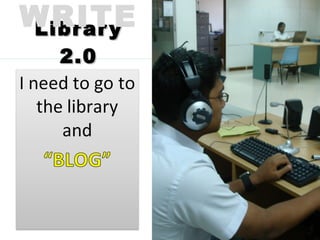
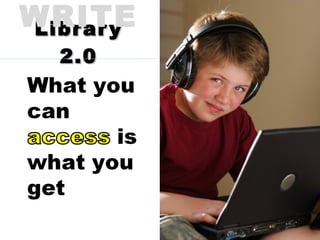
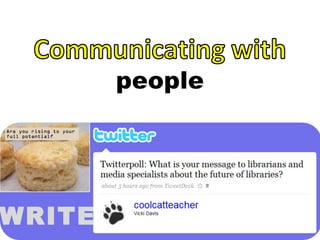
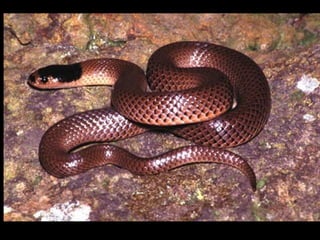
Library 2.0 WRITE
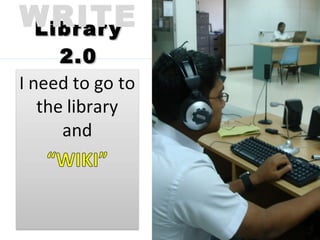
Library 2.0 WRITE
Library 2.0 WRITE
Library 2.0 WRITE
Library 2.0 WRITE
Library 2.0 WRITE
Library 2.0 WRITE
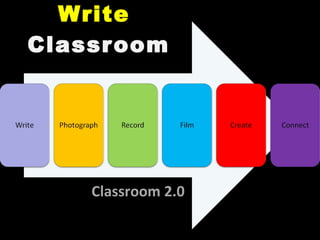
Write   Classroom Classroom 2.0
 
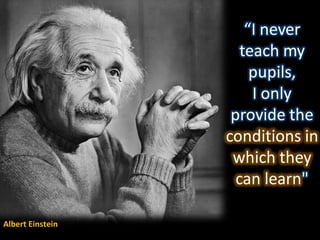
Albert Einstein
 
The power  of technology
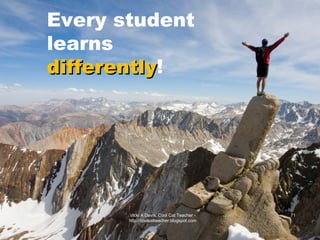
06/26/09 Vicki A Davis, Cool Cat Teacher - http://coolcatteacher.blogspot.com Every student learns differently !
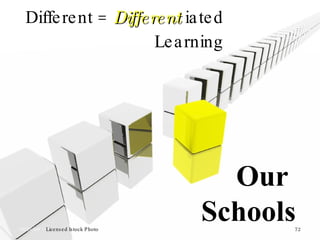
Different =  Different  iated Learning 06/26/09  –  Licensed Istock Photo Vicki A Davis, Cool Cat Teacher - http://coolcatteacher.blogspot.com Our  Schools
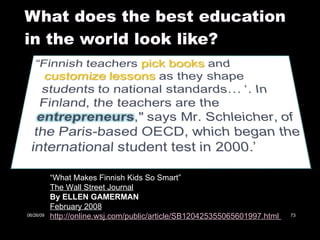
What does the best education in the world look like? “ What Makes Finnish Kids So Smart” The Wall Street Journal By ELLEN GAMERMAN February 2008 http://online.wsj.com/public/article/SB120425355065601997.html   06/26/09
http://flickr.com/photos/prittibaby/477057343/
Research & Audience! Online tools and resources allow students to gather and evaluate information efficiently, then communicate their thoughts and findings. Technology creates opportunities for students to do meaningful work that has value outside school, receive feedback on their work, and experience the rewards of publication or exhibition. Technology provides a widespread audience for students' work. Computers link students to the world, provide new reasons to write, and offer new sources of feedback on ideas ( Peck & Dorricott, 1994 ).  Vicki A Davis, Cool Cat Teacher - http://coolcatteacher.blogspot.com
The technology  mis conception
It’s not about the technology
 
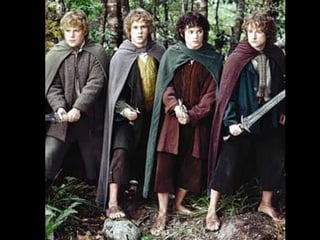
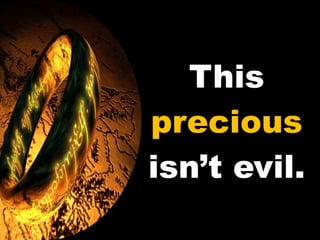
This  precious  isn’t evil.
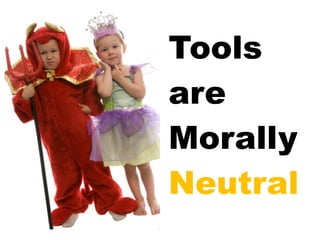
Tools are Morally Neutral
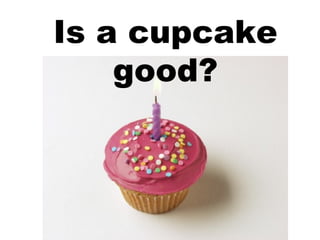
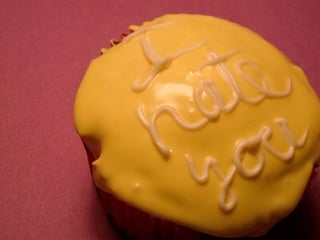
Is a cupcake good?
 
 
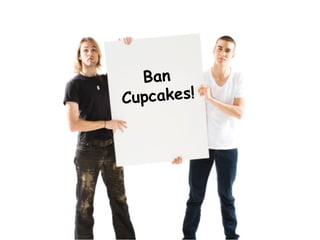
Ban Cupcakes!
Cell Phones
iPods
Online Videos
 
The most dangerous weapon ever invented
Digital Citizenship Education Essential for today’s student


Digital Citizenship
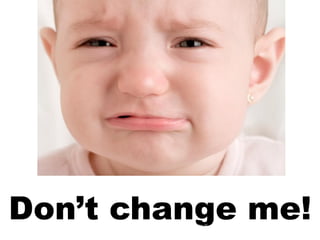
Don’t change me! 06/26/09 Vicki A Davis, Cool Cat Teacher - http://coolcatteacher.blogspot.com
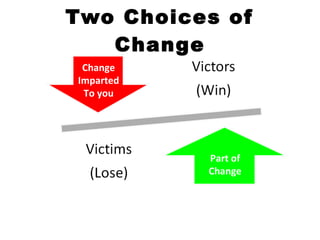
Two Choices of Change Part of Change Change Imparted To you
KAIZEN = Slow, steady improvement
15 minutes 2-3 times a week
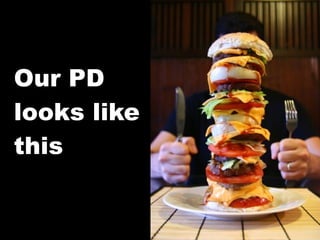
Our PD looks like  this
It should  look like this
We need these tools
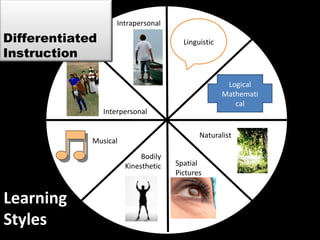
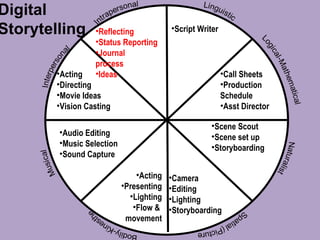
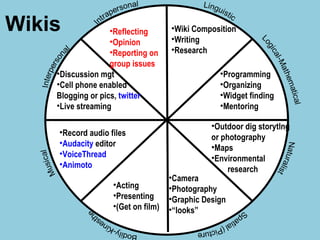
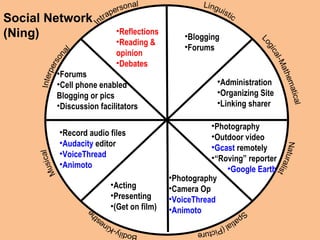
Learning Styles Logical Mathematical Linguistic Spatial Pictures Bodily Kinesthetic Musical Interpersonal Intrapersonal Naturalist Differentiated Instruction
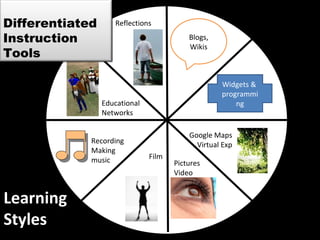
Learning Styles Widgets &  programming Blogs, Wikis Pictures Video Film Recording Making  music Educational Networks Reflections Google Maps Virtual Exp Differentiated Instruction Tools
 
We need each other
 
 
7 Steps to a FLAT Classroom
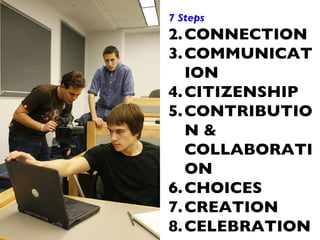
7 Steps CONNECTION COMMUNICATION CITIZENSHIP CONTRIBUTION & COLLABORATION CHOICES CREATION CELEBRATION
Connection Step #1 Yourself Your Administration Your Students
Backchannel today: http://tinyurl.com/flatconference fl  Password:  TBA Slides and Links posted at http://coolcatteacher.wikispaces.com
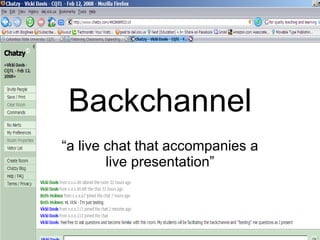
Backchannel “ a live chat that accompanies a live presentation”
Google Jockey A person who watches the backchannel and posts information and hyperlinks in response to questions that are posted.
Backchannel Moderator A person who monitors the backchannel chat and informs the speaker of predominant questions and issues arising from the conversation.
Classroom Uses Group Notetaking Link Sharing Quick Quiz Archivable Record Involvement of quieter students
Websites http://www.chatzy.com Google Presentations  http://docs.google.com Meebo Rooms  http://wwwl.meebo.com/rooms/ Skype Group Chat  http://www.skype.com
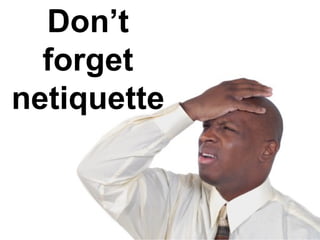
Don’t forget netiquette
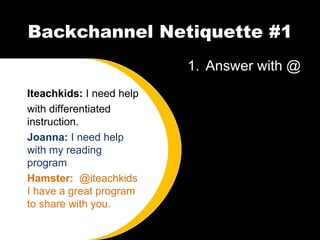
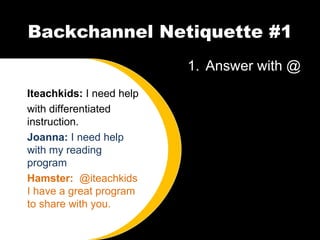
Backchannel Netiquette #1 Answer with @ Iteachkids:  I need help with differentiated instruction. Joanna:  I need help with my reading program Hamster:  @iteachkids I have a great program to share with you.
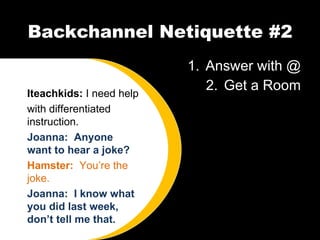
Backchannel Netiquette #2 Answer with @ Get a Room Iteachkids:  I need help with differentiated instruction. Joanna:  Anyone want to hear a joke? Hamster:  You’re the joke. Joanna:  I know what you did last week, don’t tell me that.
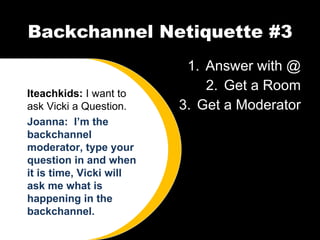
Backchannel Netiquette #3 Answer with @ Get a Room Get a Moderator Iteachkids:  I want to ask Vicki a Question. Joanna:  I’m the backchannel moderator, type your question in and when it is time, Vicki will ask me what is happening in the backchannel.
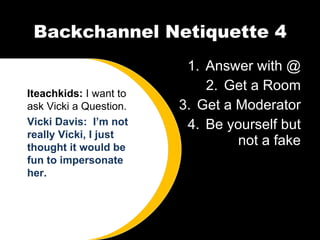
Backchannel Netiquette 4 Answer with @ Get a Room Get a Moderator Be yourself but not a fake Iteachkids:  I want to ask Vicki a Question. Vicki Davis:  I’m not really Vicki, I just thought it would be fun to impersonate her.
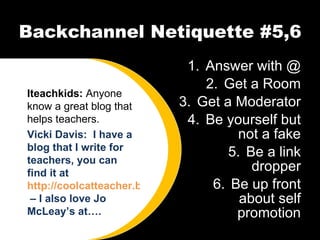
Backchannel Netiquette #5,6 Answer with @ Get a Room Get a Moderator Be yourself but not a fake Be a link dropper Be up front about self promotion Iteachkids:  Anyone know a great blog that helps teachers. Vicki Davis:  I have a blog that I write for teachers, you can find it at  http://coolcatteacher.blogspot.com  – I also love Jo McLeay’s at….
Our Backchannel Today http://tinyurl.com/flatconference Password:  TBA
Jigsaw is NOT like this! http://www.youtube.com/watch?v=Sfym8MdKNNY
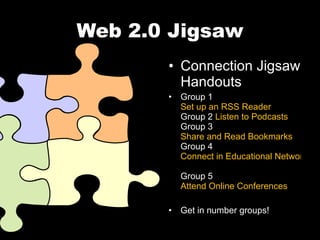
Web 2.0 Jigsaw Connection Jigsaw Handouts Group 1  Set up an RSS Reader Group 2  Listen to Podcasts Group 3  Share and Read Bookmarks Group 4  Connect in Educational Networks Group 5  Attend Online Conferences Get in number groups!
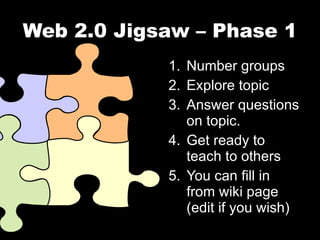
Web 2.0 Jigsaw – Phase 1 Number groups Explore topic Answer questions on topic. Get ready to teach to others You can fill in from wiki page (edit if you wish)
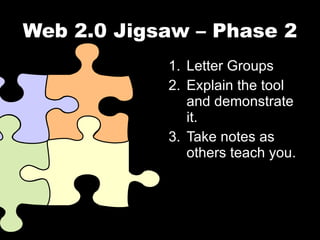
Web 2.0 Jigsaw – Phase 2 Letter Groups Explain the tool and demonstrate it. Take notes as others teach you.
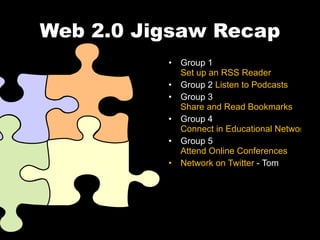
Web 2.0 Jigsaw Recap Group 1  Set up an RSS Reader Group 2  Listen to Podcasts Group 3  Share and Read Bookmarks Group 4  Connect in Educational Networks Group 5  Attend Online Conferences Network on Twitter  - Tom
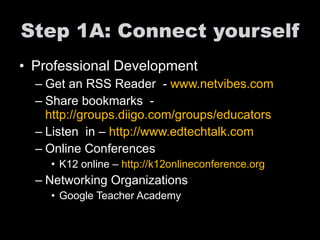
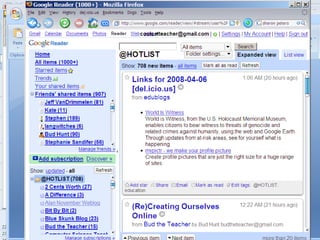
Step 1A: Connect yourself Professional Development Get an RSS Reader  -  www.netvibes.com Share bookmarks  -  http://groups.diigo.com/groups/educators   Listen  in –  http://www.edtechtalk.com   Online Conferences K12 online –  http://k12onlineconference.org   Networking Organizations Google Teacher Academy
 
The Connection Function
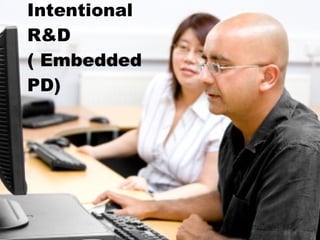
Intentional R&D ( Embedded PD)
Eat a watermelon
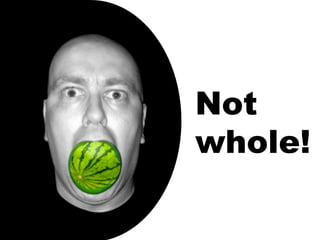
Not whole!
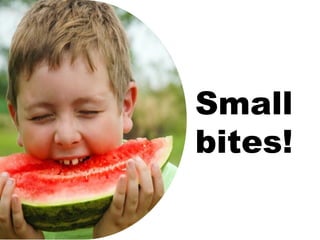
Small bites!
 
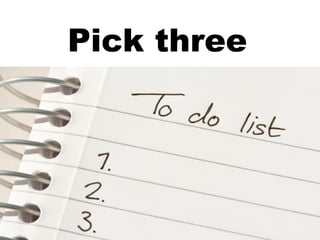
The power of Three! Pick three
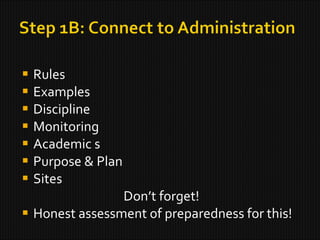
Rules Examples Discipline Monitoring Academic s Purpose & Plan Sites Don’t forget! Honest assessment of preparedness for this!
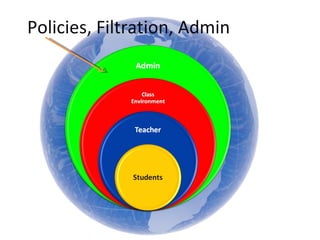
Policies, Filtration, Admin
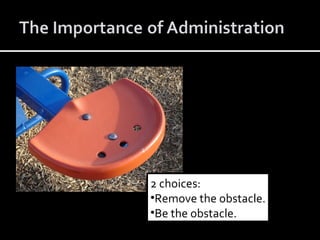
2 choices: Remove the obstacle. Be the obstacle.
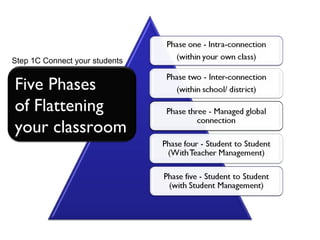
Step 1C Connect your students Five Phases of Flattening your classroom
Principle #1 The effective FLAT classroom structure has BOTH  ASYNCHRONOUS  and  SYNCHRONOUS  communications  methods.
http://flintriver.ning.com Not just about technology – it is about what you can do with technology to improve our world!
Step #2
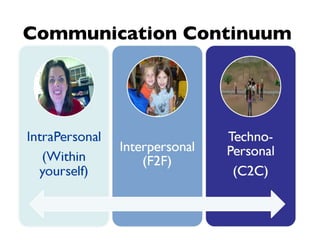
Communication Continuum
What does a flat classroom communication  look  like?
TWO types of communication methods: SYNCHRONOUS  and  ASYNCHRONOUS
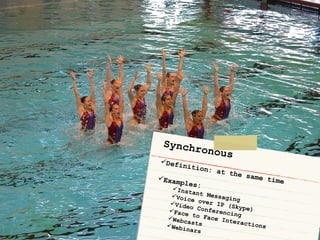
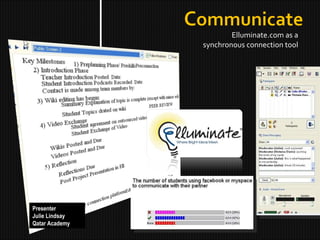
Synchronous Definition: at the same time Examples: Instant Messaging Voice over IP (Skype) Video Conferencing Face to Face Interactions Webcasts Webinars
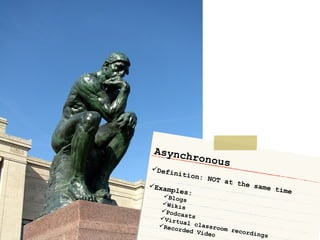
Asynchronous Definition: NOT at the same time Examples: Blogs Wikis Podcasts Virtual classroom recordings Recorded Video
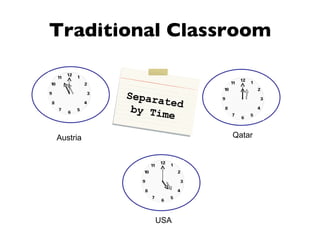
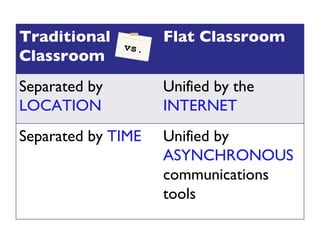
Traditional Classroom Austria Qatar USA Separated by Time
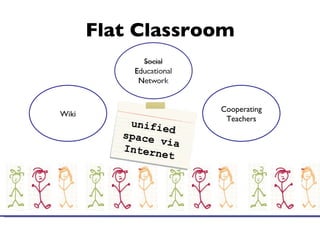
Flat Classroom Wiki Cooperating Teachers unified space via Internet
vs. Traditional Classroom Flat Classroom Separated by  LOCATION Unified by the  INTERNET Separated by  TIME Unified by  ASYNCHRONOUS  communications tools
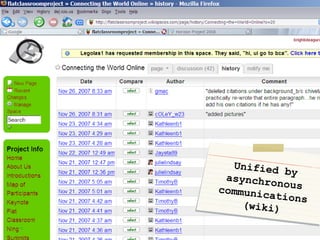
Unified by asynchronous communications (wiki)
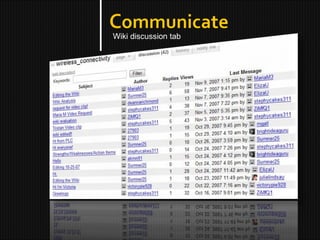
Wiki discussion tab
Elluminate.com as a synchronous connection tool Presenter Julie Lindsay Qatar Academy
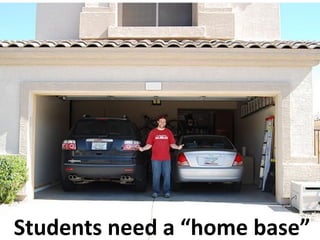
Students need a “home base”
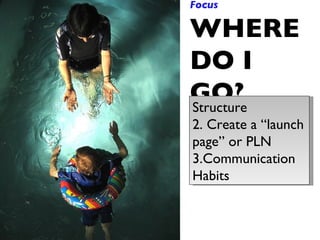
Focus WHERE DO I GO? Structure Create a “launch page” or PLN Communication Habits
 
 
Step #3
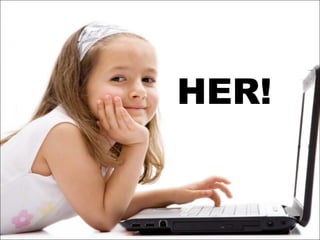
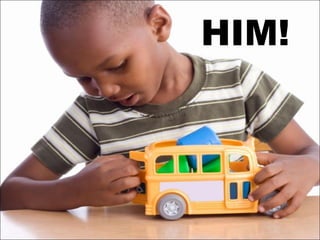
Never gamble with what you cannot afford to lose.
We never risk
HER!
HIM!
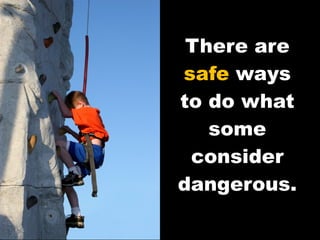
There are  safe  ways to do what some consider dangerous.
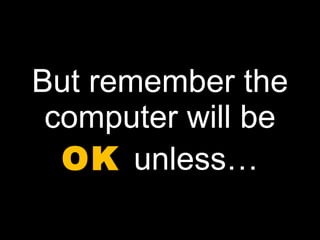
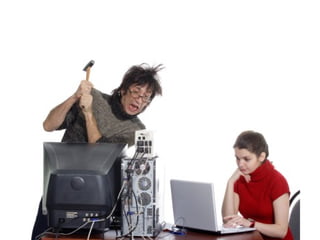
But remember the computer will be  OK  unless…
 
 
Contribute & Collaborate Step #4 Presenter Vicki Davis Westwood Schools
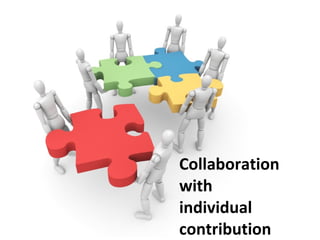
Collaboration with individual contribution
Accountability: Every student has their own ID!
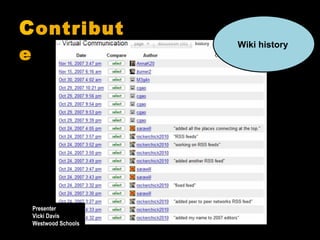
C ontribute Wiki history   Presenter Vicki Davis Westwood Schools
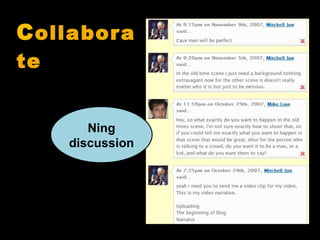
C ollaborate Ning discussion
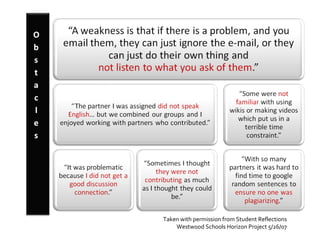
Taken with permission from Student Reflections Westwood Schools Horizon Project 5/26/07
 
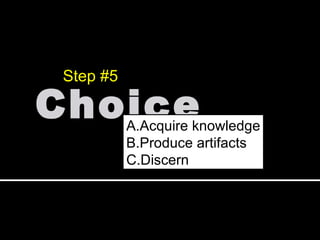
Choice Step #5 Acquire knowledge Produce artifacts Discern
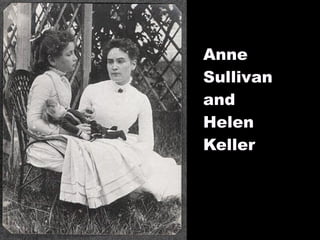
Anne  Sullivan and  Helen Keller
Excellent students learn the way we tell them to.
Creative students learn differently
Excellent schools differentiate.
Digital Storytelling Script Writer Call Sheets Production  Schedule Asst Director Acting Presenting Lighting Flow &  movement Camera Editing Lighting Storyboarding Audio Editing Music Selection Sound Capture Scene Scout Scene set up Storyboarding Acting Directing Movie Ideas Vision Casting Reflecting Status Reporting Journal  process Ideas
Wikis Wiki Composition Writing Research Programming Organizing Widget finding Mentoring Acting Presenting (Get on film) Camera Photography Graphic Design “ looks” Record audio files Audacity  editor VoiceThread Animoto Outdoor dig storytlng or photography Maps Environmental   research Discussion mgt Cell phone enabled  Blogging or pics,  twitter Live streaming Reflecting Opinion Reporting on group issues
Social Network (Ning) Blogging Forums Administration Organizing Site Linking sharer Acting Presenting (Get on film) Photography Camera Op VoiceThread Animoto Record audio files Audacity  editor VoiceThread Animoto Photography Outdoor video Gcast  remotely “ Roving” reporter Google Earth Forums Cell phone enabled  Blogging or pics Discussion facilitators Reflections Reading &  opinion Debates
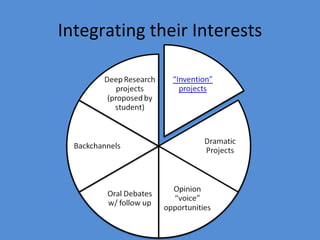
Integrating their Interests
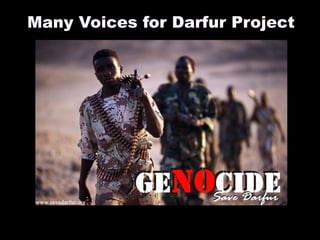
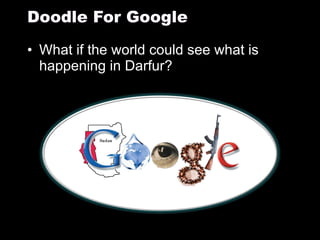
Many Voices for Darfur Project
Students responded in their way Unblocked facebook and myspace and signed petitions and shared w/ friends Blogged Created Photos Videos to CNN and Fox Called the White House
What if the world could see what is happening in Darfur? Doodle For Google
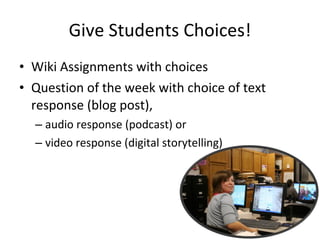
Give Students Choices! Wiki Assignments with choices Question of the week with choice of text response (blog post),  audio response (podcast) or  video response (digital storytelling)
Create Step #6
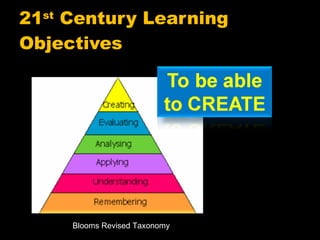
21 st  Century Learning Objectives Blooms Revised Taxonomy
Celebrate Step #7 Presenter Julie Lindsay Qatar Academy
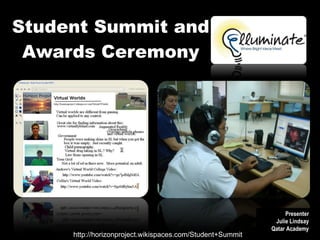
Student Summit and Awards Ceremony http://horizonproject.wikispaces.com/Student+Summit Presenter Julie Lindsay Qatar Academy
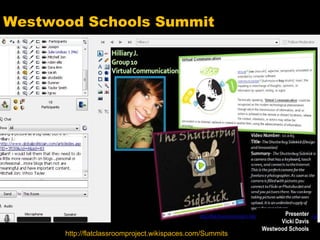
Westwood Schools Summit http://flatclassroomproject.wikispaces.com/Summits Presenter Vicki Davis Westwood Schools
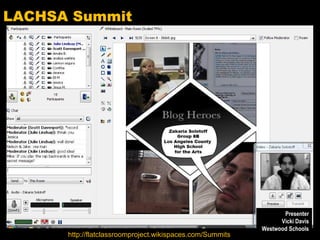
LACHSA Summit http://flatclassroomproject.wikispaces.com/Summits Presenter Vicki Davis Westwood Schools
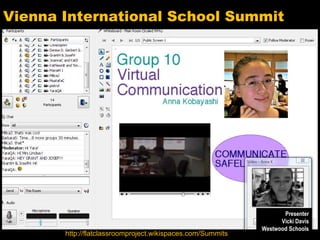
Vienna International School Summit http://flatclassroomproject.wikispaces.com/Summits Presenter Vicki Davis Westwood Schools
Popcorn Conversations
 
 
Eracism
Eracism Middle School Project Asynchronous Debate Component Culture Improve Inter-cultural understanding Virtual World Component Diary of Anne Frank – reconstruct apartment
Skype Conversation Skype in Bernajean Porter – Virtual World Expert Tom Daccord- Debate Expert Me – Teacher Your job Observe (worksheets) Contribute to conversation Prepare to offer feedback after we are over
Reflection
Break
Case Study Simulation Digital Citizenship
Case Study Role Play Role Play
Points about Digital Citizenship
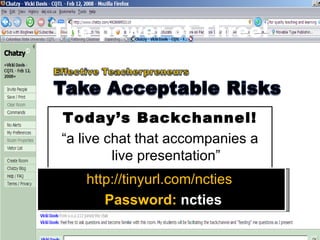
The power of Three! Backchannel Today’s Backchannel! “ a live chat that accompanies a live presentation” http://tinyurl.com/ncties   Password:  ncties
NOT  what you are keeping  OUT
What are you bringing  IN ?
 
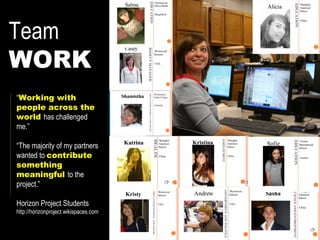
Team WORK “ Working with people across the world  has challenged me.” “ The majority of my partners wanted to  contribute something meaningful  to the project.” Horizon Project Students http://horizonproject.wikispaces.com
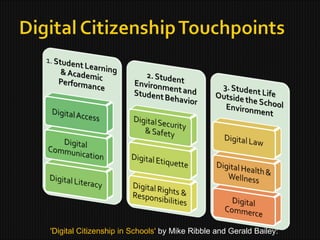
'Digital Citizenship in Schools'  by Mike Ribble and Gerald Bailey:
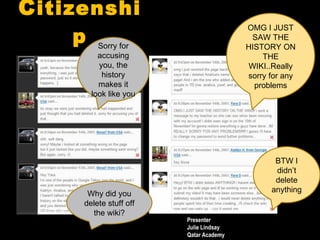
C itizenship Why did you delete stuff off the wiki? BTW I didn’t delete anything Sorry for accusing you, the history makes it look like you OMG I JUST SAW THE HISTORY ON THE WIKI..Really sorry for any problems Presenter Julie Lindsay Qatar Academy
A look back at the cultural scavenger hunt
Voting Free Vote: 3 options: Wiki Activity Elluminate Summit  (A look at online student meetings & Creating Graphics) Using the Cell Phones + Web 2.0 Smackdown Event Lab Time
Let’s do our selection Free Vote: 3 options: Wiki Activity Elluminate Summit  (A look at online student meetings & Creating Graphics) Using the Cell Phones Lab Time
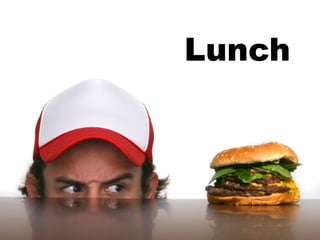
Lunch
 
Break
What does  literacy  look like?
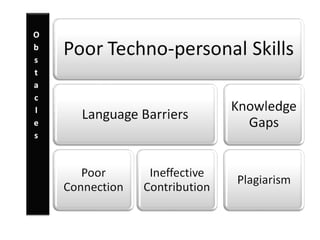
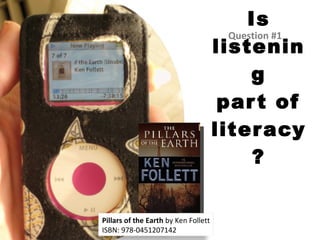
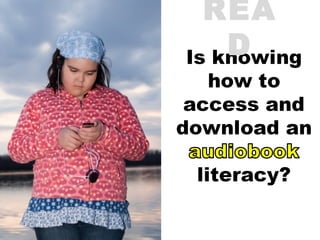
Is listening part of literacy? Question #1 Pillars of the Earth  by Ken Follett ISBN: 978-0451207142
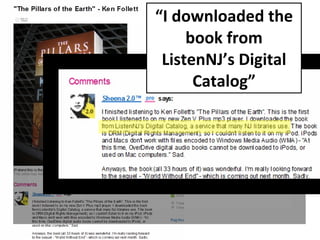
“ I downloaded the book from ListenNJ’s Digital Catalog”
READ
READ
READ
WRITE
WRITE
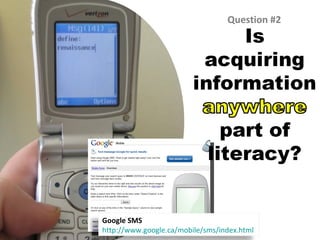
Question #2 Google SMS http://www.google.ca/mobile/sms/index.html
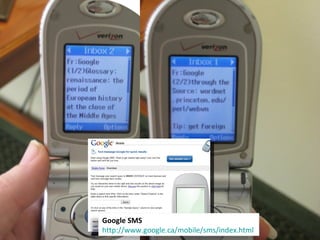
Google SMS http://www.google.ca/mobile/sms/index.html
10  seconds
READ
READ
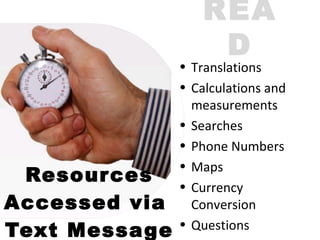
Resources Accessed via  Text Message READ Translations Calculations and measurements Searches Phone Numbers Maps Currency Conversion Questions
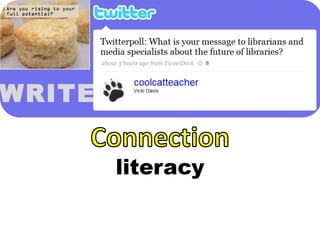
WRITE
WRITE
WRITE
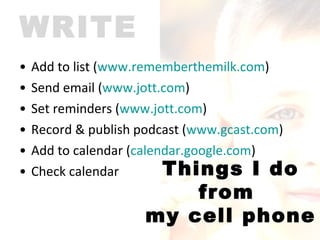
Add to list ( www.rememberthemilk.com ) Send email ( www.jott.com ) Set reminders ( www.jott.com ) Record & publish podcast ( www.gcast.com )  Add to calendar ( calendar.google.com )  Check calendar WRITE Things I do from  my cell phone
06/26/09 Vicki A Davis, Cool Cat Teacher - http://coolcatteacher.blogspot.com READ
WRITE
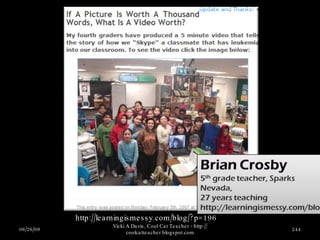
06/26/09 Vicki A Davis, Cool Cat Teacher - http://coolcatteacher.blogspot.com http://learningismessy.com/blog/?p=196
WRITE
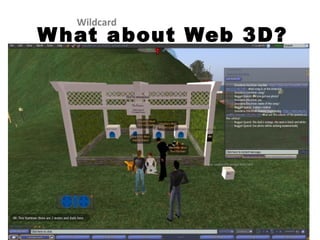
What about Web 3D? Wildcard
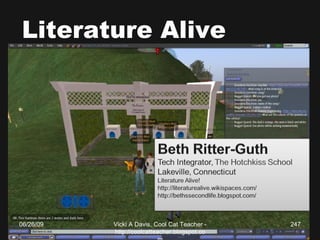
Literature Alive 06/26/09 Vicki A Davis, Cool Cat Teacher - http://coolcatteacher.blogspot.com
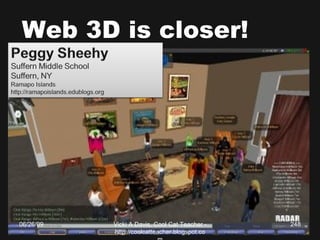
Web 3D is closer! 06/26/09 Vicki A Davis, Cool Cat Teacher - http://coolcatteacher.blogspot.com
06/26/09 Vicki A Davis, Cool Cat Teacher - http://coolcatteacher.blogspot.com Web 3D Wildcard
Redefining Literacy
Redefining Literacy “ The ability to read and write.” http://wordnet.princeton.edu/perl/webwn
Redefining Literacy “ Understanding how to do something.” http://en.wiktionary.org/wiki/literacy
Wiki Introduction Tom
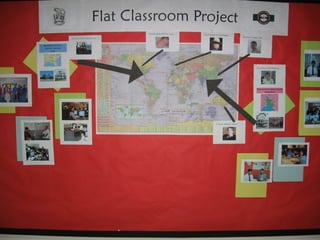
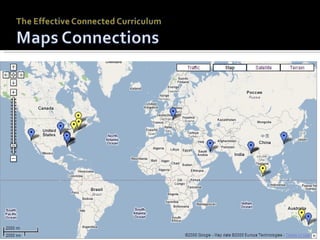
Flat Classrooms Around the World Flat Classroom Team Project
Your Challenge for tomorrow! http://flatclassroomworkshopboston.wikispaces.com/Flat+Classroom+Challenge You have a choice!!! Lab time tomorrow morning to get finished!
Take it away Tom!

Flat Classroom Workshop at Boston University

  • 1.
  • 2.
  • 3.
  • 4.
  • 5.
  • 6.
  • 7.
  • 8.
  • 9.
  • 10.
  • 11.
  • 12.
  • 13.
  • 14.
    “ Cool CatTeacher” Vicki Davis
  • 15.
  • 16.
  • 17.
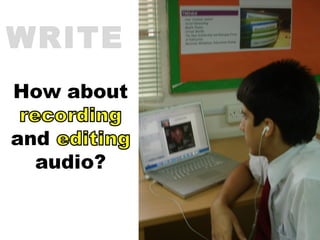
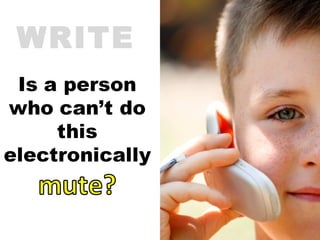
  • 18.
  • 19.
  • 20.
  • 21.
    10 “ FLATTENERS” leveling the world
  • 22.
    10 “FLATTENERS” Collapse of the Berlin Wall Netscape (Web Browsers) Workflow Software Open Sourcing Outsourcing Off shoring Supply Chaining In sourcing Informing The “Steroids” Mobile, Ubiquitous Computing Virtual Communications Instant Messaging VOIP (Skype)
  • 23.
  • 24.
    Casey C’s video- http://www.youtube.com/watch?v=9xLSJMoZVcE
  • 25.
  • 26.
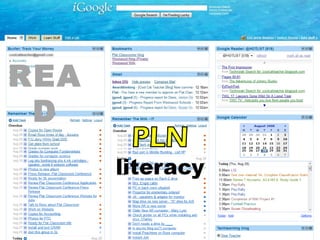
  • 27.
  • 28.
  • 29.
  • 30.
  • 31.
  • 32.
    February 2009 – April 2009
  • 33.
  • 34.
  • 35.
    The Flat ClassroomConference Doha, Qatar March 2009 Sponsored by HSBC Bank & The Qatar Foundation
  • 36.
    Spring Woods HighSchool Houston, TX Estie Cuellar, Teacher
  • 37.
  • 38.
  • 39.
  • 40.
  • 41.
  • 42.
  • 43.
    Horizon Project 2008Simulation Developed by Julie Lindsay Head of Information Technology and E-Learning Qatar Academy, State of Qatar
  • 44.
    TREND - GrassRoots Video (GRV) [18 students] Project Manager for GRV - Jess N (QA Gr 10) Assistant Project Manager - Hilliary J (1WHS - Gr10) Subgroups/Areas of Impact: GRV Wiki A (Impact on education) - Sarah Al F (QA Gr10) , Renea R (GHS) , Anna F (ASB), Michael P (VIS) GRV Wiki B (Impact on government, politics and employment) - Linda I (BSGE Gr11), Heidi Y (GHS) , Yume A (KGHS 3Yr) , Daniel B (GBA) GRV Wiki C (Impact on arts, entertainment and leisure) - Shamar W (BSGE Gr11), Cristina C (ASB), Rachel M (PLC), Brayanna B (7thWHS Gr10) GRV Wiki D (Impact on science and health) - Betsy B (7thWHS Gr10) , Leanne H (GBA), Kahla I (VIS), Khalid M (QA GR 11) Expert Advisor - Jeff Utecht (China) Classroom teacher 1 - John Turner (Melbourne) Classroom teacher 2 - Rosalind Greehy (Spain) Classroom teacher 3 - Madeline Brownstone (NY, USA) Flat Classroom – Horizon Project 2008 http://flatclassrooms.com http://horizonproject2008.wikispaces.com
  • 45.
    Personal Profile Name: Betsy B Role: GRV Wiki D Area of Impact: Science and health School: Westwood High School, Grade 10 Country: Georgia, USA Time-zone: GMT -4 Team Member Job Description To collaborate with other member(s) to create a AOI-wiki page for the given trend/topic To complete a personal multimedia artifact based on the trend/topic and embed this in the wiki To follow the given template and the assessment rubrics To communicate, interact and complete essential work within the given time frame EXAMPLE PROFILE
  • 46.
    Horizon Project 2008Simulation Sit with your ‘Area of Impact’ partners (color-coded) Expert, Classroom Teachers, PM and APM spread around groups Introduce yourself to the group based on your personal profile (1 min) Work out synchronous/asynchronous communication possibilities based on personal time-zone (1 min) STEP 1
  • 47.
    Horizon Project 2008Simulation Discuss Grass Roots Video Trend and how it applies to Area of Impact (2 min) Research and collaborative wiki authorship Discuss personal video ideas and possible requests for outsourced clips (2 min) Methodology and logistics for sharing multimedia files around the world STEP 2
  • 48.
    Horizon Project 2008Simulation As a whole group - How can this be facilitated as a community of online learners as opposed to face-to-face? What communication and cultural issues were evident? What are the solutions to these? What organisation issues developed? What are the solutions to these? What is the role of the teacher and supporting educational personnel? FINALE
  • 49.
    Where do NETScome in? or iNETS? What is the role of technology in facilitating these projects? Wiki – ‘weapon of mass collaboration’ (Tapscott) Ning – weapon of mass connection What is the role of educational leaders to foster global interaction and successful project-based learning using online tools? Flat Classroom Conversations
  • 50.
  • 51.
    What is Web 2.0?
  • 52.
  • 53.
  • 54.
    The tools inschool changed
  • 55.
    Source: TheWayback Machine Web 1.0 The Read Only Web
  • 56.
    Web 2.0 TheRead/ Write Web Allow us to connect in easier ways.
  • 57.
    Library 1.0 Whatyou see is what you get READ
  • 58.
  • 59.
  • 60.
  • 61.
  • 62.
  • 63.
  • 64.
  • 65.
  • 66.
    Write Classroom Classroom 2.0
  • 67.
  • 68.
  • 69.
  • 70.
    The power of technology
  • 71.
    06/26/09 Vicki ADavis, Cool Cat Teacher - http://coolcatteacher.blogspot.com Every student learns differently !
  • 72.
    Different = Different iated Learning 06/26/09 – Licensed Istock Photo Vicki A Davis, Cool Cat Teacher - http://coolcatteacher.blogspot.com Our Schools
  • 73.
    What does thebest education in the world look like? “ What Makes Finnish Kids So Smart” The Wall Street Journal By ELLEN GAMERMAN February 2008 http://online.wsj.com/public/article/SB120425355065601997.html 06/26/09
  • 74.
  • 75.
    Research & Audience!Online tools and resources allow students to gather and evaluate information efficiently, then communicate their thoughts and findings. Technology creates opportunities for students to do meaningful work that has value outside school, receive feedback on their work, and experience the rewards of publication or exhibition. Technology provides a widespread audience for students' work. Computers link students to the world, provide new reasons to write, and offer new sources of feedback on ideas ( Peck & Dorricott, 1994 ). Vicki A Davis, Cool Cat Teacher - http://coolcatteacher.blogspot.com
  • 76.
    The technology mis conception
  • 77.
    It’s not aboutthe technology
  • 78.
  • 79.
    This precious isn’t evil.
  • 80.
  • 81.
  • 82.
  • 83.
  • 84.
  • 85.
  • 86.
  • 87.
  • 88.
  • 89.
    The most dangerousweapon ever invented
  • 90.
    Digital Citizenship EducationEssential for today’s student
  • 91.
  • 92.
  • 93.
  • 94.
  • 95.
  • 96.
  • 97.
  • 98.
    Don’t change me!06/26/09 Vicki A Davis, Cool Cat Teacher - http://coolcatteacher.blogspot.com
  • 99.
    Two Choices ofChange Part of Change Change Imparted To you
  • 100.
    KAIZEN = Slow,steady improvement
  • 101.
    15 minutes 2-3times a week
  • 102.
    Our PD lookslike this
  • 103.
    It should look like this
  • 104.
  • 105.
    Learning Styles LogicalMathematical Linguistic Spatial Pictures Bodily Kinesthetic Musical Interpersonal Intrapersonal Naturalist Differentiated Instruction
  • 106.
    Learning Styles Widgets& programming Blogs, Wikis Pictures Video Film Recording Making music Educational Networks Reflections Google Maps Virtual Exp Differentiated Instruction Tools
  • 107.
  • 108.
  • 109.
  • 110.
  • 111.
    7 Steps toa FLAT Classroom
  • 112.
    7 Steps CONNECTIONCOMMUNICATION CITIZENSHIP CONTRIBUTION & COLLABORATION CHOICES CREATION CELEBRATION
  • 113.
    Connection Step #1Yourself Your Administration Your Students
  • 114.
    Backchannel today: http://tinyurl.com/flatconferencefl Password: TBA Slides and Links posted at http://coolcatteacher.wikispaces.com
  • 115.
    Backchannel “ alive chat that accompanies a live presentation”
  • 116.
    Google Jockey Aperson who watches the backchannel and posts information and hyperlinks in response to questions that are posted.
  • 117.
    Backchannel Moderator Aperson who monitors the backchannel chat and informs the speaker of predominant questions and issues arising from the conversation.
  • 118.
    Classroom Uses GroupNotetaking Link Sharing Quick Quiz Archivable Record Involvement of quieter students
  • 119.
    Websites http://www.chatzy.com GooglePresentations http://docs.google.com Meebo Rooms http://wwwl.meebo.com/rooms/ Skype Group Chat http://www.skype.com
  • 120.
  • 121.
    Backchannel Netiquette #1Answer with @ Iteachkids: I need help with differentiated instruction. Joanna: I need help with my reading program Hamster: @iteachkids I have a great program to share with you.
  • 122.
    Backchannel Netiquette #1Answer with @ Iteachkids: I need help with differentiated instruction. Joanna: I need help with my reading program Hamster: @iteachkids I have a great program to share with you.
  • 123.
    Backchannel Netiquette #2Answer with @ Get a Room Iteachkids: I need help with differentiated instruction. Joanna: Anyone want to hear a joke? Hamster: You’re the joke. Joanna: I know what you did last week, don’t tell me that.
  • 124.
    Backchannel Netiquette #3Answer with @ Get a Room Get a Moderator Iteachkids: I want to ask Vicki a Question. Joanna: I’m the backchannel moderator, type your question in and when it is time, Vicki will ask me what is happening in the backchannel.
  • 125.
    Backchannel Netiquette 4Answer with @ Get a Room Get a Moderator Be yourself but not a fake Iteachkids: I want to ask Vicki a Question. Vicki Davis: I’m not really Vicki, I just thought it would be fun to impersonate her.
  • 126.
    Backchannel Netiquette #5,6Answer with @ Get a Room Get a Moderator Be yourself but not a fake Be a link dropper Be up front about self promotion Iteachkids: Anyone know a great blog that helps teachers. Vicki Davis: I have a blog that I write for teachers, you can find it at http://coolcatteacher.blogspot.com – I also love Jo McLeay’s at….
  • 127.
    Our Backchannel Todayhttp://tinyurl.com/flatconference Password: TBA
  • 128.
    Jigsaw is NOTlike this! http://www.youtube.com/watch?v=Sfym8MdKNNY
  • 129.
    Web 2.0 JigsawConnection Jigsaw Handouts Group 1 Set up an RSS Reader Group 2 Listen to Podcasts Group 3 Share and Read Bookmarks Group 4 Connect in Educational Networks Group 5 Attend Online Conferences Get in number groups!
  • 130.
    Web 2.0 Jigsaw– Phase 1 Number groups Explore topic Answer questions on topic. Get ready to teach to others You can fill in from wiki page (edit if you wish)
  • 131.
    Web 2.0 Jigsaw– Phase 2 Letter Groups Explain the tool and demonstrate it. Take notes as others teach you.
  • 132.
    Web 2.0 JigsawRecap Group 1 Set up an RSS Reader Group 2 Listen to Podcasts Group 3 Share and Read Bookmarks Group 4 Connect in Educational Networks Group 5 Attend Online Conferences Network on Twitter - Tom
  • 133.
    Step 1A: Connectyourself Professional Development Get an RSS Reader - www.netvibes.com Share bookmarks - http://groups.diigo.com/groups/educators Listen in – http://www.edtechtalk.com Online Conferences K12 online – http://k12onlineconference.org Networking Organizations Google Teacher Academy
  • 134.
  • 135.
  • 136.
    Intentional R&D (Embedded PD)
  • 137.
  • 138.
  • 139.
  • 140.
  • 141.
    The power ofThree! Pick three
  • 142.
    Rules Examples DisciplineMonitoring Academic s Purpose & Plan Sites Don’t forget! Honest assessment of preparedness for this!
  • 143.
  • 144.
    2 choices: Removethe obstacle. Be the obstacle.
  • 145.
    Step 1C Connectyour students Five Phases of Flattening your classroom
  • 146.
    Principle #1 Theeffective FLAT classroom structure has BOTH ASYNCHRONOUS and SYNCHRONOUS communications methods.
  • 147.
    http://flintriver.ning.com Not justabout technology – it is about what you can do with technology to improve our world!
  • 148.
  • 149.
  • 150.
    What does aflat classroom communication look like?
  • 151.
    TWO types ofcommunication methods: SYNCHRONOUS and ASYNCHRONOUS
  • 152.
    Synchronous Definition: atthe same time Examples: Instant Messaging Voice over IP (Skype) Video Conferencing Face to Face Interactions Webcasts Webinars
  • 153.
    Asynchronous Definition: NOTat the same time Examples: Blogs Wikis Podcasts Virtual classroom recordings Recorded Video
  • 154.
    Traditional Classroom AustriaQatar USA Separated by Time
  • 155.
    Flat Classroom WikiCooperating Teachers unified space via Internet
  • 156.
    vs. Traditional ClassroomFlat Classroom Separated by LOCATION Unified by the INTERNET Separated by TIME Unified by ASYNCHRONOUS communications tools
  • 157.
    Unified by asynchronouscommunications (wiki)
  • 158.
  • 159.
    Elluminate.com as asynchronous connection tool Presenter Julie Lindsay Qatar Academy
  • 160.
    Students need a“home base”
  • 161.
    Focus WHERE DOI GO? Structure Create a “launch page” or PLN Communication Habits
  • 162.
  • 163.
  • 164.
  • 165.
    Never gamble withwhat you cannot afford to lose.
  • 166.
  • 167.
  • 168.
  • 169.
    There are safe ways to do what some consider dangerous.
  • 170.
    But remember thecomputer will be OK unless…
  • 171.
  • 172.
  • 173.
    Contribute & CollaborateStep #4 Presenter Vicki Davis Westwood Schools
  • 174.
  • 175.
  • 176.
    C ontribute Wikihistory Presenter Vicki Davis Westwood Schools
  • 177.
  • 178.
    Taken with permissionfrom Student Reflections Westwood Schools Horizon Project 5/26/07
  • 179.
  • 180.
    Choice Step #5Acquire knowledge Produce artifacts Discern
  • 181.
    Anne Sullivanand Helen Keller
  • 182.
    Excellent students learnthe way we tell them to.
  • 183.
  • 184.
  • 185.
    Digital Storytelling ScriptWriter Call Sheets Production Schedule Asst Director Acting Presenting Lighting Flow & movement Camera Editing Lighting Storyboarding Audio Editing Music Selection Sound Capture Scene Scout Scene set up Storyboarding Acting Directing Movie Ideas Vision Casting Reflecting Status Reporting Journal process Ideas
  • 186.
    Wikis Wiki CompositionWriting Research Programming Organizing Widget finding Mentoring Acting Presenting (Get on film) Camera Photography Graphic Design “ looks” Record audio files Audacity editor VoiceThread Animoto Outdoor dig storytlng or photography Maps Environmental research Discussion mgt Cell phone enabled Blogging or pics, twitter Live streaming Reflecting Opinion Reporting on group issues
  • 187.
    Social Network (Ning)Blogging Forums Administration Organizing Site Linking sharer Acting Presenting (Get on film) Photography Camera Op VoiceThread Animoto Record audio files Audacity editor VoiceThread Animoto Photography Outdoor video Gcast remotely “ Roving” reporter Google Earth Forums Cell phone enabled Blogging or pics Discussion facilitators Reflections Reading & opinion Debates
  • 188.
  • 189.
    Many Voices forDarfur Project
  • 190.
    Students responded intheir way Unblocked facebook and myspace and signed petitions and shared w/ friends Blogged Created Photos Videos to CNN and Fox Called the White House
  • 191.
    What if theworld could see what is happening in Darfur? Doodle For Google
  • 192.
    Give Students Choices!Wiki Assignments with choices Question of the week with choice of text response (blog post), audio response (podcast) or video response (digital storytelling)
  • 193.
  • 194.
    21 st Century Learning Objectives Blooms Revised Taxonomy
  • 195.
    Celebrate Step #7Presenter Julie Lindsay Qatar Academy
  • 196.
    Student Summit andAwards Ceremony http://horizonproject.wikispaces.com/Student+Summit Presenter Julie Lindsay Qatar Academy
  • 197.
    Westwood Schools Summithttp://flatclassroomproject.wikispaces.com/Summits Presenter Vicki Davis Westwood Schools
  • 198.
  • 199.
    Vienna International SchoolSummit http://flatclassroomproject.wikispaces.com/Summits Presenter Vicki Davis Westwood Schools
  • 200.
  • 201.
  • 202.
  • 203.
  • 204.
    Eracism Middle SchoolProject Asynchronous Debate Component Culture Improve Inter-cultural understanding Virtual World Component Diary of Anne Frank – reconstruct apartment
  • 205.
    Skype Conversation Skypein Bernajean Porter – Virtual World Expert Tom Daccord- Debate Expert Me – Teacher Your job Observe (worksheets) Contribute to conversation Prepare to offer feedback after we are over
  • 206.
  • 207.
  • 208.
    Case Study SimulationDigital Citizenship
  • 209.
    Case Study RolePlay Role Play
  • 210.
  • 211.
    The power ofThree! Backchannel Today’s Backchannel! “ a live chat that accompanies a live presentation” http://tinyurl.com/ncties Password: ncties
  • 212.
    NOT whatyou are keeping OUT
  • 213.
    What are youbringing IN ?
  • 214.
  • 215.
    Team WORK “Working with people across the world has challenged me.” “ The majority of my partners wanted to contribute something meaningful to the project.” Horizon Project Students http://horizonproject.wikispaces.com
  • 216.
    'Digital Citizenship inSchools' by Mike Ribble and Gerald Bailey:
  • 217.
    C itizenship Whydid you delete stuff off the wiki? BTW I didn’t delete anything Sorry for accusing you, the history makes it look like you OMG I JUST SAW THE HISTORY ON THE WIKI..Really sorry for any problems Presenter Julie Lindsay Qatar Academy
  • 218.
    A look backat the cultural scavenger hunt
  • 219.
    Voting Free Vote:3 options: Wiki Activity Elluminate Summit (A look at online student meetings & Creating Graphics) Using the Cell Phones + Web 2.0 Smackdown Event Lab Time
  • 220.
    Let’s do ourselection Free Vote: 3 options: Wiki Activity Elluminate Summit (A look at online student meetings & Creating Graphics) Using the Cell Phones Lab Time
  • 221.
  • 222.
  • 223.
  • 224.
    What does literacy look like?
  • 225.
    Is listening partof literacy? Question #1 Pillars of the Earth by Ken Follett ISBN: 978-0451207142
  • 226.
    “ I downloadedthe book from ListenNJ’s Digital Catalog”
  • 227.
  • 228.
  • 229.
  • 230.
  • 231.
  • 232.
    Question #2 GoogleSMS http://www.google.ca/mobile/sms/index.html
  • 233.
  • 234.
  • 235.
  • 236.
  • 237.
    Resources Accessed via Text Message READ Translations Calculations and measurements Searches Phone Numbers Maps Currency Conversion Questions
  • 238.
  • 239.
  • 240.
  • 241.
    Add to list( www.rememberthemilk.com ) Send email ( www.jott.com ) Set reminders ( www.jott.com ) Record & publish podcast ( www.gcast.com ) Add to calendar ( calendar.google.com ) Check calendar WRITE Things I do from my cell phone
  • 242.
    06/26/09 Vicki ADavis, Cool Cat Teacher - http://coolcatteacher.blogspot.com READ
  • 243.
  • 244.
    06/26/09 Vicki ADavis, Cool Cat Teacher - http://coolcatteacher.blogspot.com http://learningismessy.com/blog/?p=196
  • 245.
  • 246.
    What about Web3D? Wildcard
  • 247.
    Literature Alive 06/26/09Vicki A Davis, Cool Cat Teacher - http://coolcatteacher.blogspot.com
  • 248.
    Web 3D iscloser! 06/26/09 Vicki A Davis, Cool Cat Teacher - http://coolcatteacher.blogspot.com
  • 249.
    06/26/09 Vicki ADavis, Cool Cat Teacher - http://coolcatteacher.blogspot.com Web 3D Wildcard
  • 250.
  • 251.
    Redefining Literacy “The ability to read and write.” http://wordnet.princeton.edu/perl/webwn
  • 252.
    Redefining Literacy “Understanding how to do something.” http://en.wiktionary.org/wiki/literacy
  • 253.
  • 254.
    Flat Classrooms Aroundthe World Flat Classroom Team Project
  • 255.
    Your Challenge fortomorrow! http://flatclassroomworkshopboston.wikispaces.com/Flat+Classroom+Challenge You have a choice!!! Lab time tomorrow morning to get finished!
  • 256.

Editor's Notes

  • #3 Hello, my name is Vicki Davis and I am a
  • #4 Classroom teacher in a
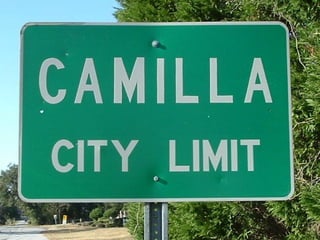
  • #5 small town of Camilla Georgia – population 8,000 people
  • #6 At a small school, Westwood, which is about 360 students k-12 and is a private school, although the tuition is very low – about $3300 a year but people outside Camilla know me as
  • #7 The cool cat teacher which has a little over 8000 readers now and has opened the world up for me and my classes,but truly, despite the awards my classroom and blog have won, I most like to call myself
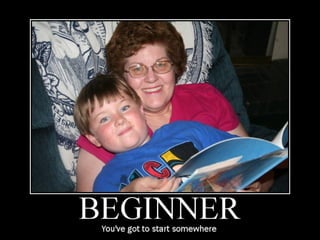
  • #8 , the ”poster child for the beginner” Like my youngest son, who has just learned to read, I’m a relative newcomer to these technologies. In November 2005, I attended the
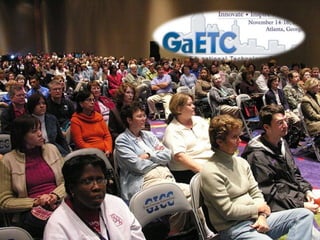
  • #9 Georgia Educators Technology Conference in Atlanta with a commission from my curriculum director to bring technologies back to my classroom that would enable me to better facilitiate
  • #10 Research based best practices such as
  • #11 Authentic assessment
  • #12 Cooperative Learning and
  • #13 Project based learning. I must admit, I felt a little like this (pause)
  • #14 Pause for them to get it.
  • #15 So, when I came back to Camilla, I started using wikis with my students immediately and sat down in my classroom to begin blogging. I turned to a student and said, “I have to create a blog and I have to name the thing – what should I name it?” The students sitting there said, “Well, Mrs. Vicki, you’re cool and we’re the wildcats, so, why don’t you call it the cool Cat teacher blog
  • #16 .” Little did I know, now people know me more by Cool Cat Teacher than my real name, Vicki Davis. It has become my personal brand – although I really wasn’t looking for such a thing at the time. Little did I know, I’d find myself here later with a blog that has a little a quarter of a million views a month. It has been a lot of fun. But that blog, led to another pivotal event
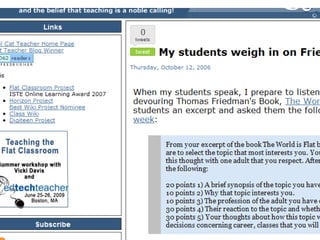
  • #17 event for my classroom and I when I wrote a blog post in October 2006 called “My students weigh in on Friedman’s Flat World.”
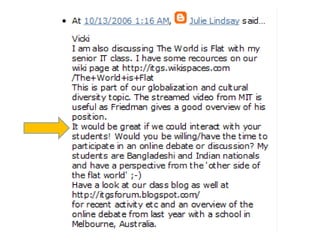
  • #18 Julie Lindsay, now one of my dearest friends responded with a simple request: “ It would be great if we could interact with your students! Would you be willing/ have the time to participate in an online debate or discussion? My students are Bangladeshi and Indian nationals and have a perspective from the ‘other side of the flat world.’”
  • #19 She was at the International School Dhaka, Bangladesh. Her students were primarily Indian and Bangladeshi nationals who practiced the Muslim, mine, primarily Anglo Christian background.
  • #20 So, Julie and I began to correspond and kicked off the first Flat Classroom project in November 2006.
  • #21 write a group report on a collaborative tool called a wiki
  • #22 about each of the 10 trends in Friedman’s book
  • #23 like Mobile Computing and Virtual communications and their impact on education and business.
  • #24 In addition to the wiki, the students also created videos about their topic where that to outsource, or receive video from their partner on the other side of the world and this is the type of video that emerged.
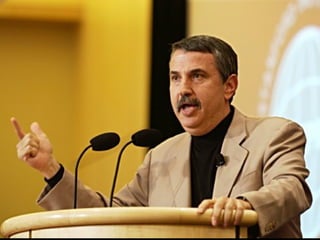
  • #26 Within the first week, something amazing happened, Thomas Friedman found us – gave us his hearty support and praised what we were doing. He went on to include us in the update of his book in July 2007, but
  • #27 But the second week was when I was sold forever on the power of this method. I was at break and had 3 students come line up at my desk and say they had to tell me something. I was afraid – it usually is something serious when they line up at my desk. They said something like this: “ Mrs. Vicki, the news media is wrong.” I got chillbumps on my arms.   “ About what?”   “ They say that all muslims want to kill us, and that is just not true.”   My eyes teared up and I looked at them again, wanting to let them finish and to know that the words coming were their words, not mine.   “ And why do you say that,” I whispered.   “ Because they are great and we are having fun working with them. They are people just like us who happen to live on the other side of the world.”   Another chimed in, “You have to judge people for who they are, not by the labels they wear.”   And at that moment. Although I knew they were learning a lot about my topic, computer science, and I knew they were learning a lot about movie making, wikis, and other tools, at that moment, I was sold. I knew that a new chapter of my life and the life of my students had begun and that this model of teaching would be a part of my life for the rest of my life.   My students, my tenth graders, had experienced a change in world view without ever having left Camilla, Georgia. And my friends, if we can do that, then that, is the truest, highest form of education we can impart on future society.
  • #28 Don’t get me wrong – these projects aren’t just about feeling good and meeting new people – they are about intense, deep learning experiences where a topic is learned thoroughly and well and higher order thinking is our goal.
  • #29 But here, we’re talking about a higher order of iving and that, to me, is the most important take away.
  • #30 Now, I’d like you to meet a young man named Steve. Steve is from inner city Houston and his teacher, Estie Cuellar participated in Flat Classroom in the fall of 2008.
  • #31 By then, Julie and I had won several awards and many teachers had joined 7 projects including new ones called the Horizon Project, studying emerging technology trends in education,
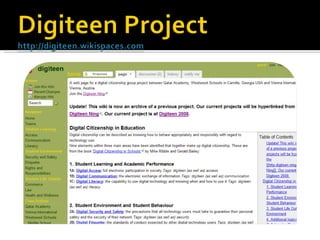
  • #32 and the Digiteen project, a digital citizenship project for younger students.
  • #33 And later that school year, we’d have the NetGenEd project, a collaboration with another award winning author, Don Tapscott, based upon his research in Grown Up Digital .
  • #34 These projects had linked more than 20 countries
  • #35 And more than 2000 students and their teachers.
  • #36 Steve’s class, led by a newcomer to blogging and Web 2.0, Estie Cuellar, saw that we were having a conference in Doha Qatar and although we offered 4 scholarships to pay their expenses once they got there, they had to raise their airfare – almost $1600 a person! Without local support, what did they do?
  • #37 They made a rap video about their dream and you can see Steve here leading the group. They raised enough money for three students and two teachers to attend the conference
  • #38 In Doha, Qatar – in the middle of the middle east where Steve traveled last January.
  • #39 and this is a glimpse into the students that were there. Now, let’s see Steve at the conference talking about all the friends he made! To me, the respect he shows here for his friends including pronunciation is beautiful. Then, when he returns, what does he say? (show clip) He has learned not to stereotype. And look at what the students proposed and voted as their project. Students are the best book ever written for one another!
  • #40 All of the classrooms that attended had their classes participate virtually. Interestingly, when I returned, and asked my students what they learned,they said, “I learned not to stereotype.” Why? How?
  • #41 Well, this is something powerful called a vicarious learning experience. For example, if scientists want to help someone get over the phobia of snakes, then they just have to watch someone else holding a snake. The person then gets closer and closer and eventually can actually handle a snake themselves! This is talked about in the influencer.
  • #42 Well, Joy learned a deep lesson by watching her classmates travel to Qatar and come back safely – she learned that the Middle East is a place with real people just like every where else!
  • #43 We would never have gone to Qatar, however, without the lose connections built first through the Internet – through these powerful social networking tools. But it starts with safe, academically productive connections and that is what Flat Classroom is. It is a model of teaching where you merge your classroom with that of others.  
  • #44 Now, let’s see how these projects work by experiencing first hand a simulation of the projects!
  • #52 It is amazing we can do this and truly, global collaboration has been around for some time. So, at this point, you’ll ask – what is the difference between this and having an email penpal or other types of connection? The difference lies in a relatively new use of the Internet that we call Web 2.0.
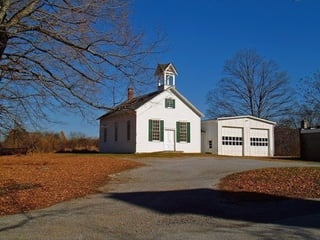
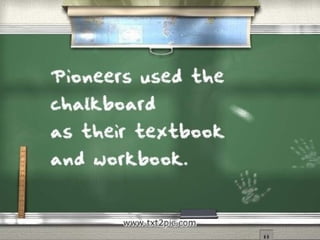
  • #53 In the pioneer days, children were taught in one room schoolhouses and shared a slateboard and writing utensil, in fact
  • #54 if you were in one of these classrooms, the chalkboard would have been your textbook and workbook.
  • #55 Then, with the industrial age, paper became affordable and the tools in school changed to paper, at first that old mimeographed paper (that we would smell) and then to copy machines. We have been in this age for some time where we use paper by the truckload, literally. Then,
  • #56 The Internet came along in the early 1990’s but only was an information source for schools because web pages were difficult to create and required knowledge of HTML programming. Because of the difficulty and expense, schools did not publish on the Internet, so this first internet is often called the read only internet or Web 1.0.
  • #57 How many of you have heard of some of these websites? You see, around the year 2000, we started being able to easily publish things on the web – it started with eBay ratings and Amazong book reviews, but quickly morphed into many of the websites you see here. Let’s look at this transformation in a school context by looking at just our libraries.
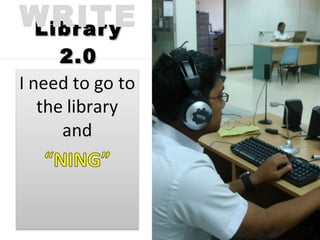
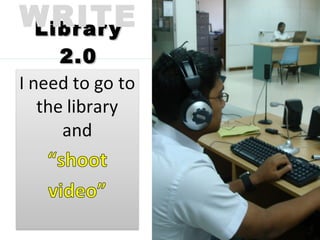
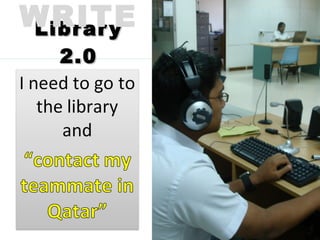
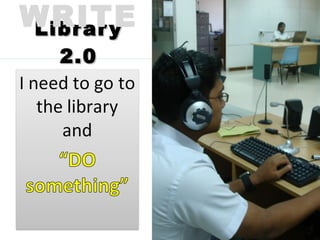
  • #59 In Library 1.0, students would say: “I need to go to the library and look something up.” Well, now that we’ve moved to the read/write web and the read/write classroom – why do students at my school ask to go to the library. Here is what I hear:
  • #60 I need to go to the library and blog
  • #61 wiki
  • #62 ning
  • #63 Shoot video
  • #64 Contact my teammate in Qatar
  • #65 The point is they need to go DO something. School and libraries are active places and
  • #66 What you can access is what you get!
  • #67 Write? Can they take photographs and share them? Record? Film? Create and connect with other students via educational networks?
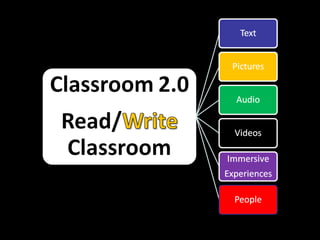
  • #68 The read/write library has not only text and pictures, but audio, videos, immersive experiences, people – rich connections through the Internet. Or at least it should.
  • #69 So, why do we want to do this? Why isn’t paper good enough? In addition to being a genius, Einstein was known to be a good teacher, and what was his definition of a good classroom, a place that had the “conditions in which they can learn.” We say we can’t keep their attention and yet they do
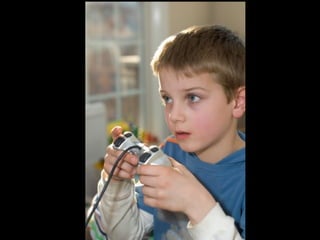
  • #70 This for hours. They are learning, but are they learning what we want them to!
  • #71 power of technology is seen in the fact that every student
  • #72 Learns differently.
  • #73 How many of you have had courses on Differentiated Instruction? Well, having these different technologies allows our students to learn in a differentiated manner. Technology lets us teach people differently. But what about test scores? Well,
  • #74 If we look at arguably the best education system in the world, the Finnish teachers pick books and customize lessons as they shape students to national standards. "In most countries, education feels like a car factory. In Finland, the teachers are the entrepreneurs," says Mr. Schleicher, of the Paris-based OECD, which began the international student test in 2000.
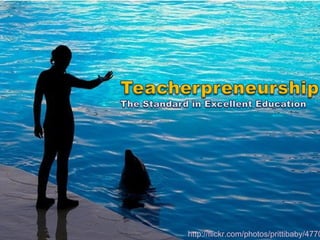
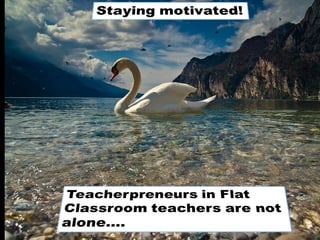
  • #75 Photo: - Today we’re talking about Teacherpreneurship to an audience of people I would consider teacherpreneurs. I’ve seen your videos and this is who you are, although you may not know it!
  • #76 Include Information on having a global audience here from CARET So, we see that customization of the classroom is important. Another important element is that of audience. Students are a great audience for one another and can provide far more feedback and reinforcement than even the most involved teacher. But, here is one thing you have to remember,
  • #77 The technology misconception is that
  • #78 it is not about the technology. We don’t teach blogging, wikis, podcasting for their sake, but for what they let us do.
  • #79 We’re on a journey. However, we need to know that
  • #80 In that movie, the “precious” ring was evil. In our cases, we must know that
  • #81 most technologies are morality-neutral. It is how you use them that determines its use.
  • #82 How many of you think cupcakes are good! Are they?
  • #83 What about when it is used to hurt someone’s feelings?
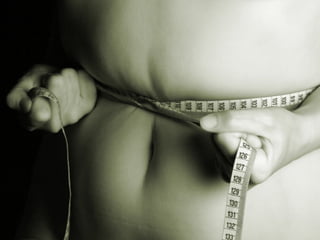
  • #84 Or how about when a compulsion to eat them makes a person obese? What do we do?
  • #85 Ban cupcakes? That is preposterous! We teach people to be kind and to use cupcakes in good ways? Shouldn’t we do the same thing with?
  • #86 Cell phones
  • #87 Cell phones
  • #88 Cell phones
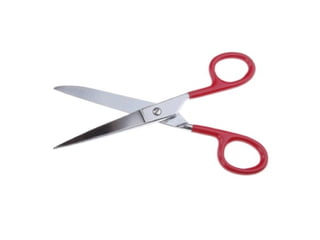
  • #89 We don’t ban scissors and they could kill someone! We teach kids not to run with them! To use them well and our schools are full of other dangerous weapons such as
  • #90 Man. Men, women, boys, and girls can do irreparable harm, and yet we don’t ban humans. Instead, we teach the humans in our school out to behave appropriately. That is what we do in school and
  • #91 What we need is digital citizenship education. Just as we teach children how to
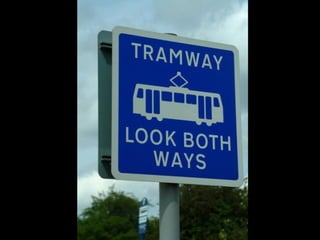
  • #92 Look both ways
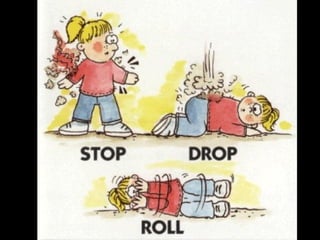
  • #93 Stop Drop and Roll and
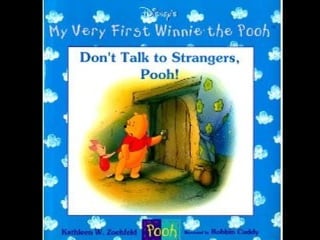
  • #94 Don’t talk to strangers. We also need to teach them to
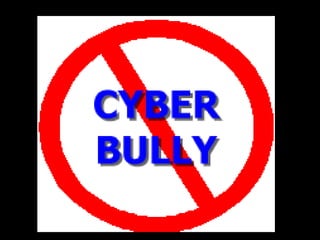
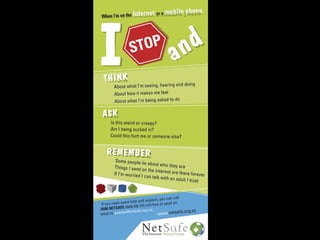
  • #95 No cyberbullying
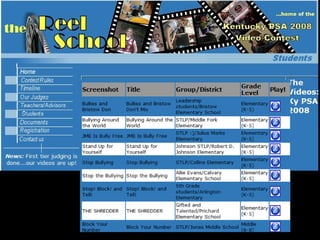
  • #96 Stop, Block and Tell, as done with this Kentucky Film Contest
  • #97 And don’t meet someone you meet online without an adult with you
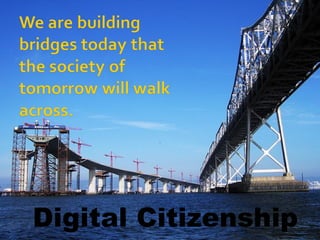
  • #98 What we need is Digital citizenship education. This is our internet, it is our world, and we are building bridges today that the society of tomorrow will walk across. We’ll come back to digital citizenship later. But, the tough thing is that all of this requires change…
  • #99 My husband always says that the only people who like change are babies with dirty diapers and even then, they cry the whole time
  • #100 But the thing about change is you only have two choices – you can be the victim or the victor. Victims are the ones that have people force change on them – the victors, or winners become PART of change.
  • #105 But we need these tools so that we can
  • #106 Differentiate and reach all of the students and their different learning styles and
  • #107 These tools can do it. You can combine these tools to reach every child in your classroom with your content. Every child. So we can
  • #108 Insert cartoon of boy about running through sprinklers Bring their attention and energies INTO the classroom – like this little boy. But in addition to needing these tools, in a post 9-11 world
  • #109 We also need each other
  • #110 Students are the greatest textbook ever written for one another and
  • #111 We need more global cooperation and collaboration as shown here at the Flat Classroom conference.
  • #112 So, let’s jump into these tools and learn how to connect ourselves. http://flickr.com/photos/extranoise/350901033/ - Green Stairs by extranoise accessed 4/8/2008 –
  • #113 http://flickr.com/photos/tostie14/93877458/ by Tostie14 4/5/2008 4:01 pm – We will spend the next two days teaching you how to flatten your own classroom. And, as you’ve already seen you learn by doing. So, the first step of
  • #114 Flattening your classroom is connecting yourself. And the first step is to connect yourselves to others.
  • #115 So,first,let’s connect ourselves through a backchannel.
  • #116 A backchannel is a live chat that accompanies a live presentation. We will use my chatzy room today that costs me $9 a year to take the ads off.
  • #117 Before we move into our presentation, let’s get a few things out of the way.
  • #118 Before we move into our presentation, let’s get a few things out of the way.
  • #119 Before we move into our presentation, let’s get a few things out of the way.
  • #120 Before we move into our presentation, let’s get a few things out of the way.
  • #138 Just remember, the lesson of the watermelon as you consider today’s menu. How do you eat a watermelon?
  • #139 If you eat it whole, you’ll choke.
  • #140 No, the way you eat a watermelon is one bit at a time.
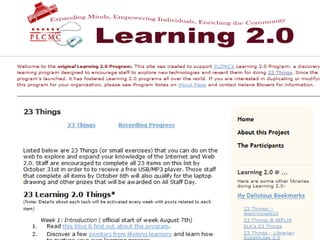
  • #141 This is why things like “23 things” are so successful at transforming people into technology mavens – it is embedding technology in part of their life.
  • #142 And that is what I suggest for you to do today. Your assignment for this webinar today is to come up with your “Big Three” at the end of the webinar. Pick three things – start there!
  • #143 What are the rules? What are some examples of how this is being done now? What disciplinary measures will be in place WHEN something happens (not if.)
  • #144 We’re going to look at the teacherpeneur in four major areas today: student relations. Personal habits of teacherpreneurs, class structure, and administrative relations. We’ll also highlight what has changed and what has stayed the same throughout the history of teachers. Note to self: put a globe around this.
  • #147 http://flickr.com/photos/extranoise/350901033/ - Green Stairs by extranoise accessed 4/8/2008 – The effective flat classroom has both of these methods.
  • #150 Intrapersonal (within yourself) Interpersonal (face to face) Techno-personal (computer 2 computer)
  • #151 What does a flat Classroom look like?
  • #152 Number two http://flickr.com/photos/spilt-milk/357015070/ - yoppy's photo stream accessed 4/5/2008 6:08 pm Defining Asynchronous and Synchronous Communications The two types of communication are asynchronous and synchronous.
  • #153 Sychronized Swimming http://flickr.com/photos/krhamm/171302038 by KRHamm accessed 4/5/2008 5:52 PM Synchronous means doing things at the same time and in the same place such as these synchronized swimmers. The classroom is a synchronous environment – we are synchronized and all inhabiting that classroom in the same time and space. We are together. Schools are already good at enriching our synchronous classroom environment using tools like video conferencing, webinars, and live broadcasts from around the world. However, synchronous is no longer enough.
  • #154 http://flickr.com/photos/seatbelt67/502255276 Brian - Progressive Spin's Photostream on Flickr accessed 4/5/2008 Asynchronous means NOT at the same time – for example this famous statue by Rodin was created by him over 100 years a go and we enjoy it now. We did not get to enjoy it or interact with him while he worked.
  • #155 The traditional classrooms is also separated by time. This has made classroom to classroom cooperation between the continents difficult if not impossible because while one set of students is in class, another is at home eating dinner or asleep. This has made it difficult to videoconference and communicate directly, however
  • #156 is unified by internet tools like wikis, blogs, social networks (which I prefer to call educational networks) and cooperating teachers. The classrooms may then cooperate with objectives, projects, and assignments created on these common platforms.
  • #157 So, the flat classroom removes the barriers of time and space, allowing students to collaborate across the world and even across time with legacy projects… our student’s grandchildren could literally contribute to a project that today’s students did in gradeschool.
  • #158 Likewise students may write a group report together using a wiki as shown by the history of this wiki page from the Flat Classroom 2007 project. - http://flatclassroomproject.wikispaces.com/page/history/Connecting+the+World+Online?o=20
  • #161 Give students a starting point.
  • #162 http://flickr.com/photos/kikisdad/120493400 Ctd 2005's photostream
  • #167 Did you know that you are here because of Web 2.0?
  • #168 We can implement technology but it better be for a purpose and not just to look cute, so today we’re going to talk about technology driven differentiation and the other things to make our schools successful.
  • #169 That the things we used in school are efficient, effective, and transport us to a better education for our kids.
  • #171 Did you know that you are here because of Web 2.0?
  • #179 These are quotes from the students in the project.
  • #180 As we look at this, we see the primary obstacles to such projects.
  • #183 The technology misconception is that it is not about the technology.
  • #184 The technology misconception is that it is not about the technology.
  • #185 The technology misconception is that it is not about the technology.
  • #213 Did you know that you are here because of Web 2.0?
  • #214 Did you know that you are here because of Web 2.0?
  • #215 Seven countries and more than
  • #225 All of these things are part of the fact that we are redefining literacy.
  • #226 I listened to a book on the way here? Is that literacy. Book Shown: Pillars of the Earth by Ken Follett – I recommend for adult readers only.
  • #227 How about this person who listened to it on their mp3 player, posted the picture to Flickr and wrote a review. Notice that this person downloaded the book from Nisten NJ’s digital catalog.
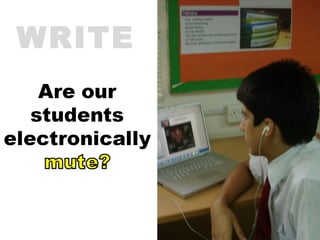
  • #231 And take it one step further – is the person unable to make an audio recording and upload it a virtual mute?
  • #232 And take it one step further – is the person unable to make an audio recording and upload it a virtual mute?
  • #233 To learn more about this see – Google SMS - http://www.google.ca/mobile/sms/index.html
  • #234 To learn more about this see – Google SMS - http://www.google.ca/mobile/sms/index.html
  • #235 Because that last definition took 10 seconds for me to find. I’d challenge anyone to find it in a dictionary at that same speed?
  • #236 Is acquiring information efficiently part of literacy?
  • #237 Is acquiring information efficiently part of literacy?
  • #238 Is acquiring information efficiently part of literacy?
  • #239 And take it one step further – is the person unable to make an audio recording and upload it a virtual mute?
  • #240 And take it one step further – is the person unable to make an audio recording and upload it a virtual mute?
  • #241 And take it one step further – is the person unable to make an audio recording and upload it a virtual mute?
  • #243 Igoogle is my life. If it is worth managing – it is worth having an igoogle gadget for.
  • #245 Brian Crosby, who works with students in Nevada could have settled into a comfort zone that comes from 27 years of teaching, and yet, he reached out and used Skype to bring a child with leukemia into his classroom.
  • #248 Just a moment we’ll talk about Web 3D and this immersive world that we are in. If you will please share your favorite slurls and places to network in SL – or if you are here and represent a group, please share the information and the links as I present these next few topics.
  • #249 Peggy will have 6 islands now in SL. I’ve got the money for our first island, but no budget for building it – we’ll be building from scratch! Oh boy!
  • #251 We’re here to talk about Library 2.0, and yet to understand library 2.0, we must ask ourselves.
  • #252 We’re here to talk about Library 2.0, and yet to understand library 2.0, we must ask ourselves.
  • #253 We’re here to talk about Library 2.0, and yet to understand library 2.0, we must ask ourselves.