Robin Fay Robinfay.net @georgiawebgurl Flash, Bam, Alakazam! Photos in a 2.0 World    
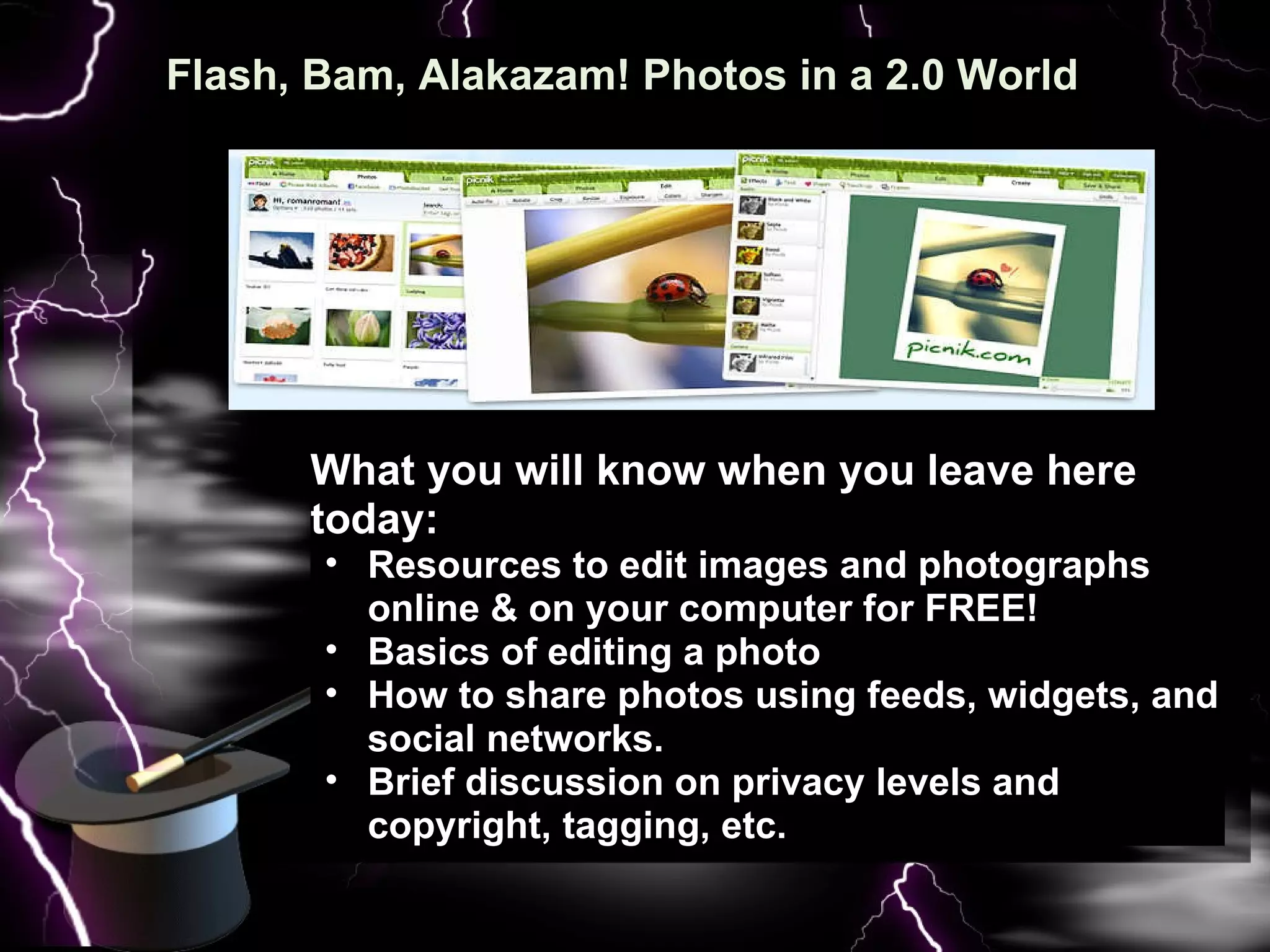
Flash, Bam, Alakazam! Photos in a 2.0 World   What you will know when you leave here today: Resources to edit images and photographs online & on your computer for FREE! Basics of editing a photo How to share photos using feeds, widgets, and social networks. Brief discussion on privacy levels and copyright, tagging, etc.
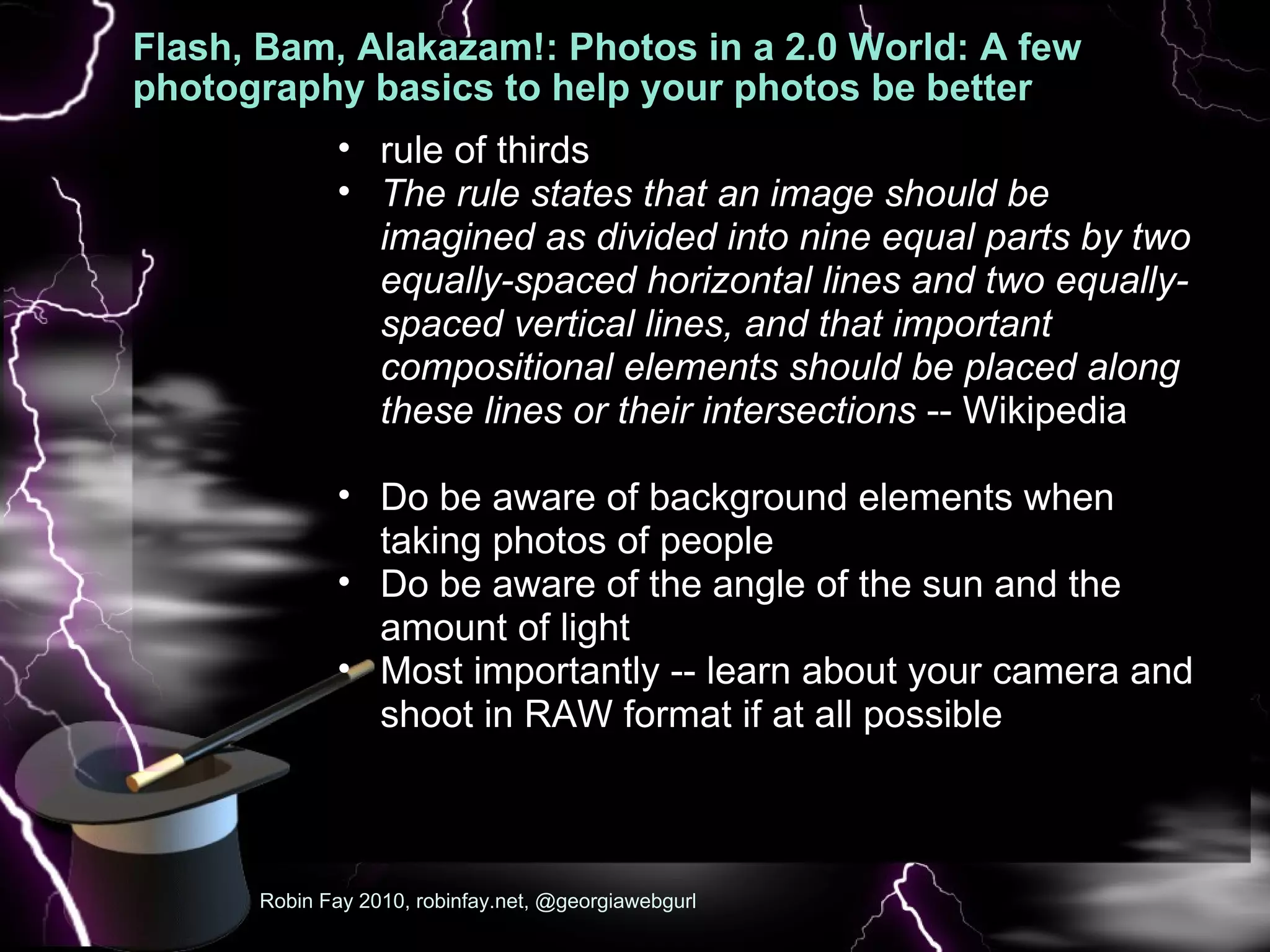
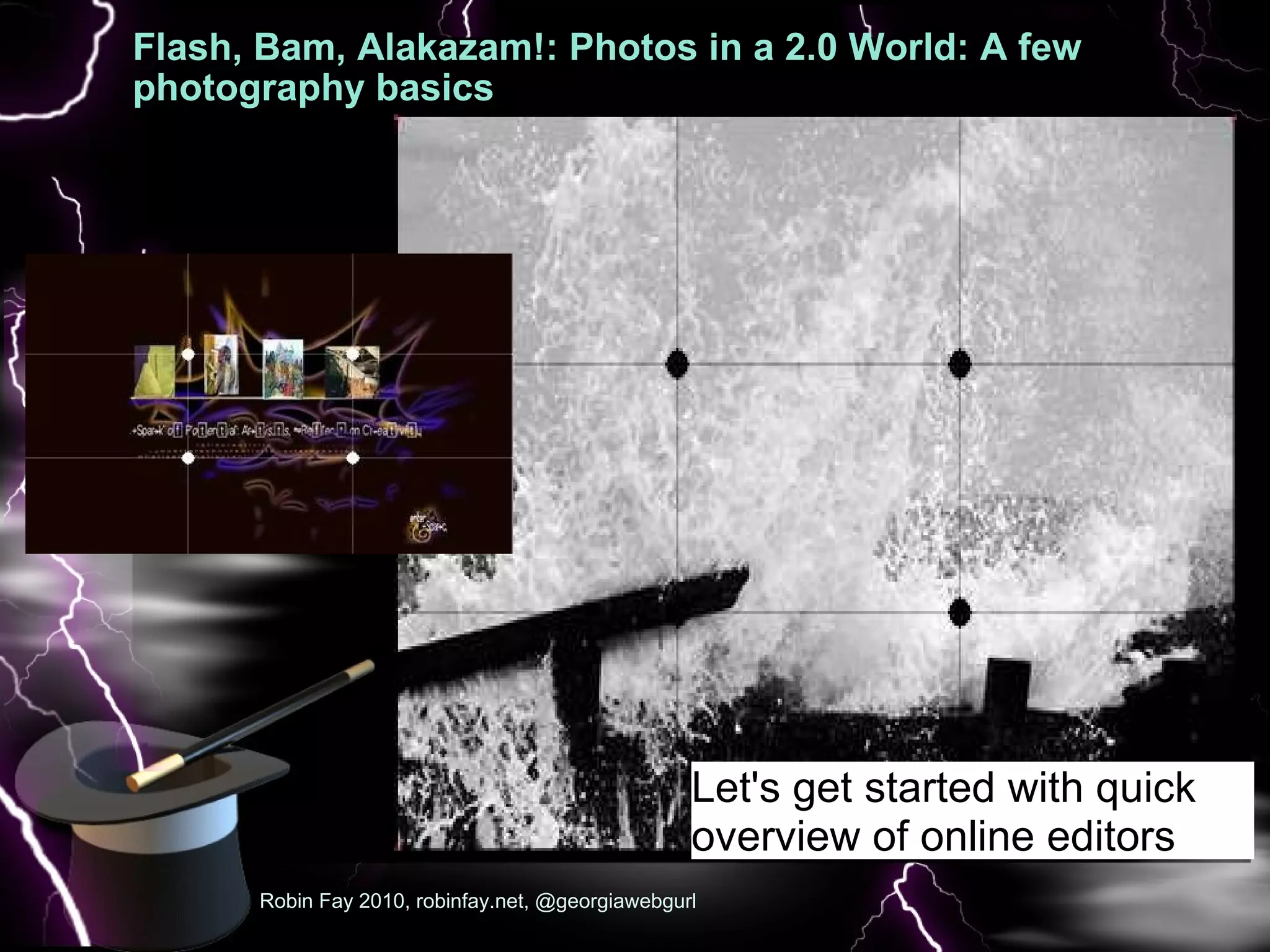
Flash, Bam, Alakazam!: Photos in a 2.0 World: A few photography basics to help your photos be better A few  Robin Fay 2010, robinfay.net, @georgiawebgurl rule of thirds The rule states that an image should be imagined as divided into nine equal parts by two equally-spaced horizontal lines and two equally-spaced vertical lines, and that important compositional elements should be placed along these lines or their intersections  -- Wikipedia   Do be aware of background elements when taking photos of people Do be aware of the angle of the sun and the amount of light Most importantly -- learn about your camera and shoot in RAW format if at all possible
Flash, Bam, Alakazam!: Photos in a 2.0 World: A few photography basics  A few  Robin Fay 2010, robinfay.net, @georgiawebgurl Let's get started with quick overview of online editors
Flash, Bam, Alakazam!: Photos in a 2.0 World: online editors: photoshop.com  :   If you have ever signed up for anything Adobe (even a workshop), you have an Adobe ID  Photoshop.com is free; not to be confused with photoshop the software Very easy to use  Easy to create galleries  Preview options  NOTHING TO DOWNLOAD Robin Fay 2010, robinfay.net, @georgiawebgurl
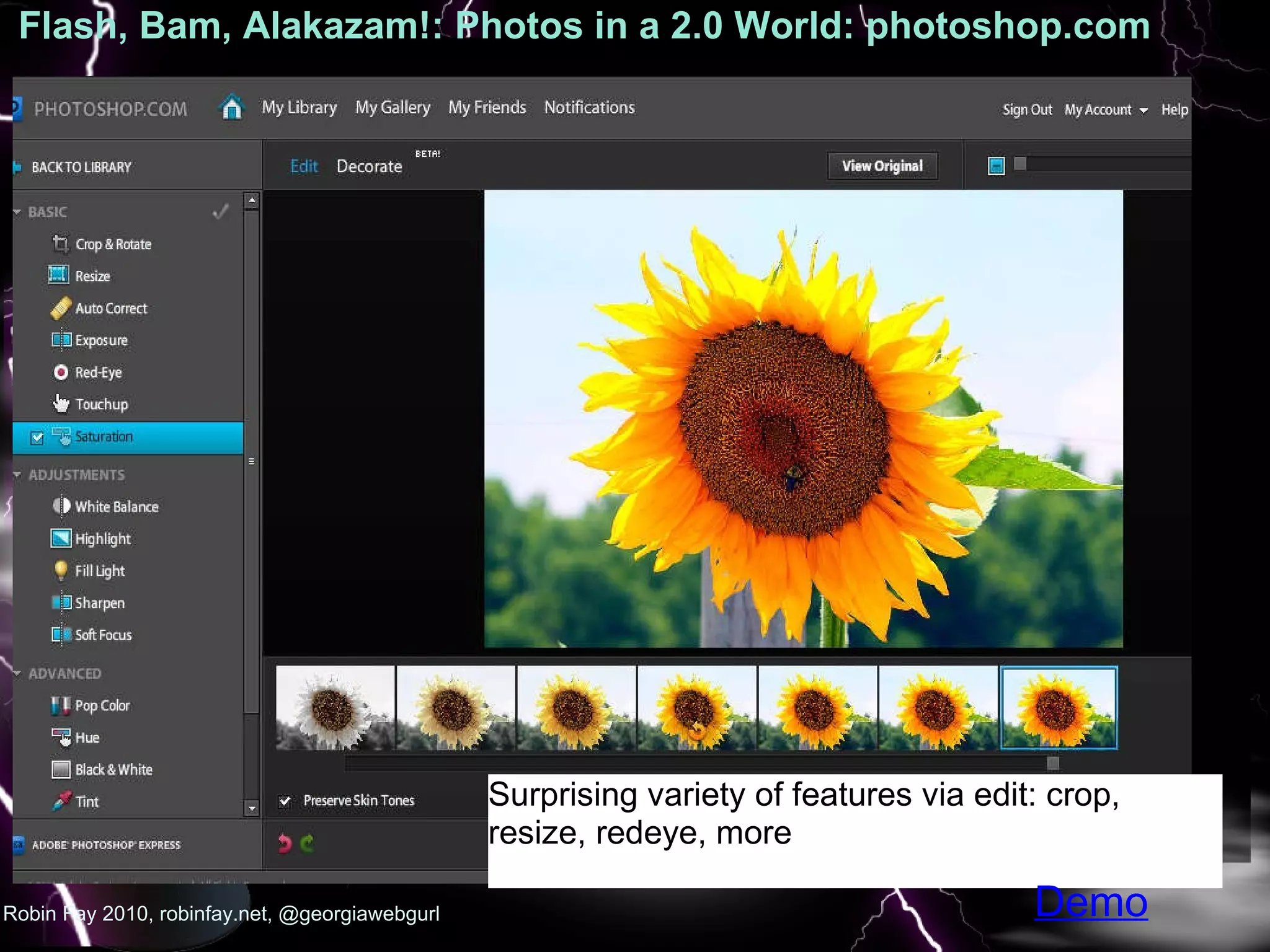
Flash, Bam, Alakazam!: Photos in a 2.0 World: photoshop.com  :   Robin Fay 2010, robinfay.net, @georgiawebgurl Surprising variety of features via edit: crop, resize, redeye, more Demo
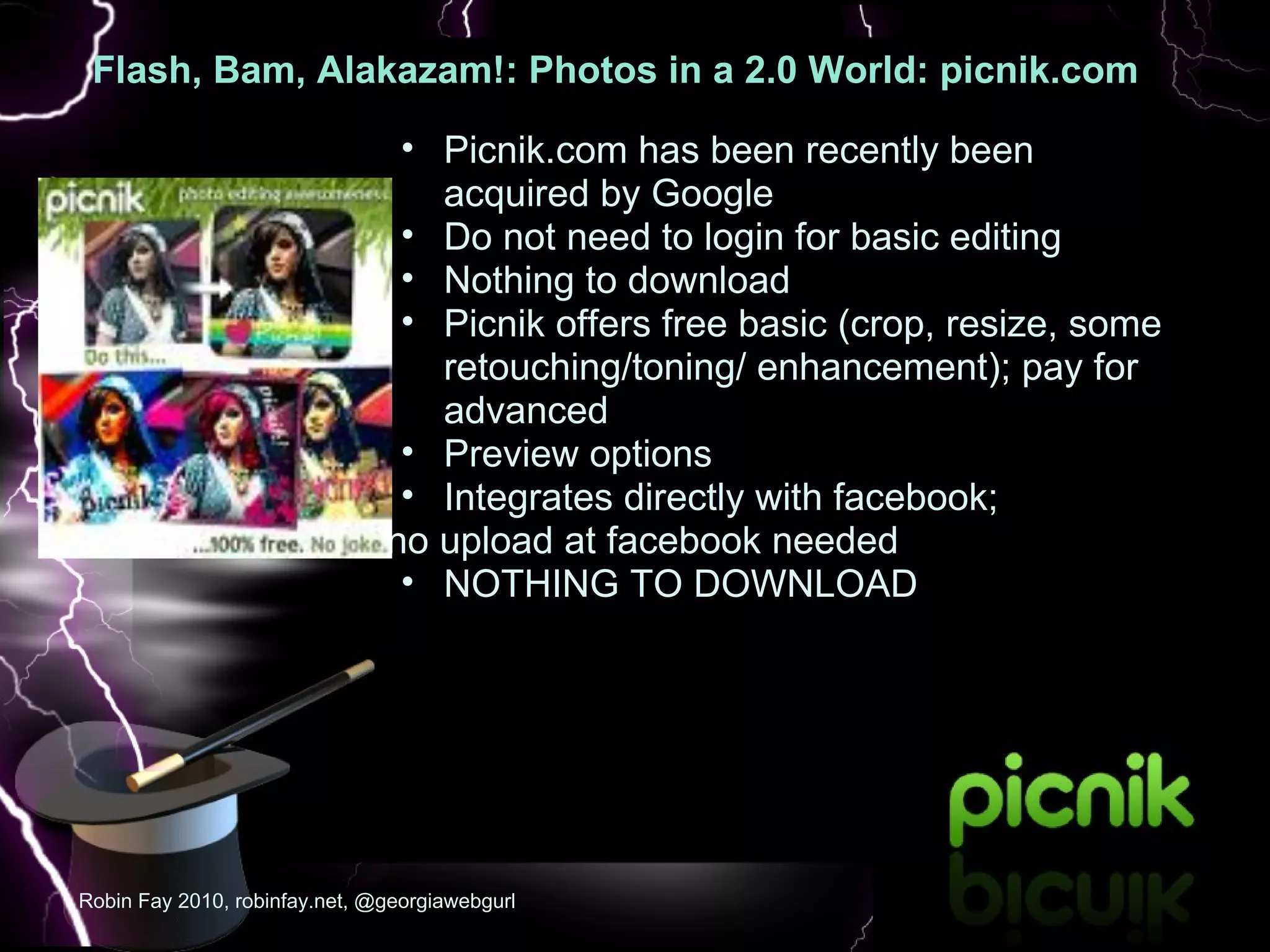
Flash, Bam, Alakazam!: Photos in a 2.0 World: picnik.com   :  Picnik.com has been recently been acquired by Google  Do not need to login for basic editing Nothing to download Picnik offers free basic (crop, resize, some retouching/toning/ enhancement); pay for advanced Preview options  Integrates directly with facebook;  no upload at facebook needed NOTHING TO DOWNLOAD Robin Fay 2010, robinfay.net, @georgiawebgurl
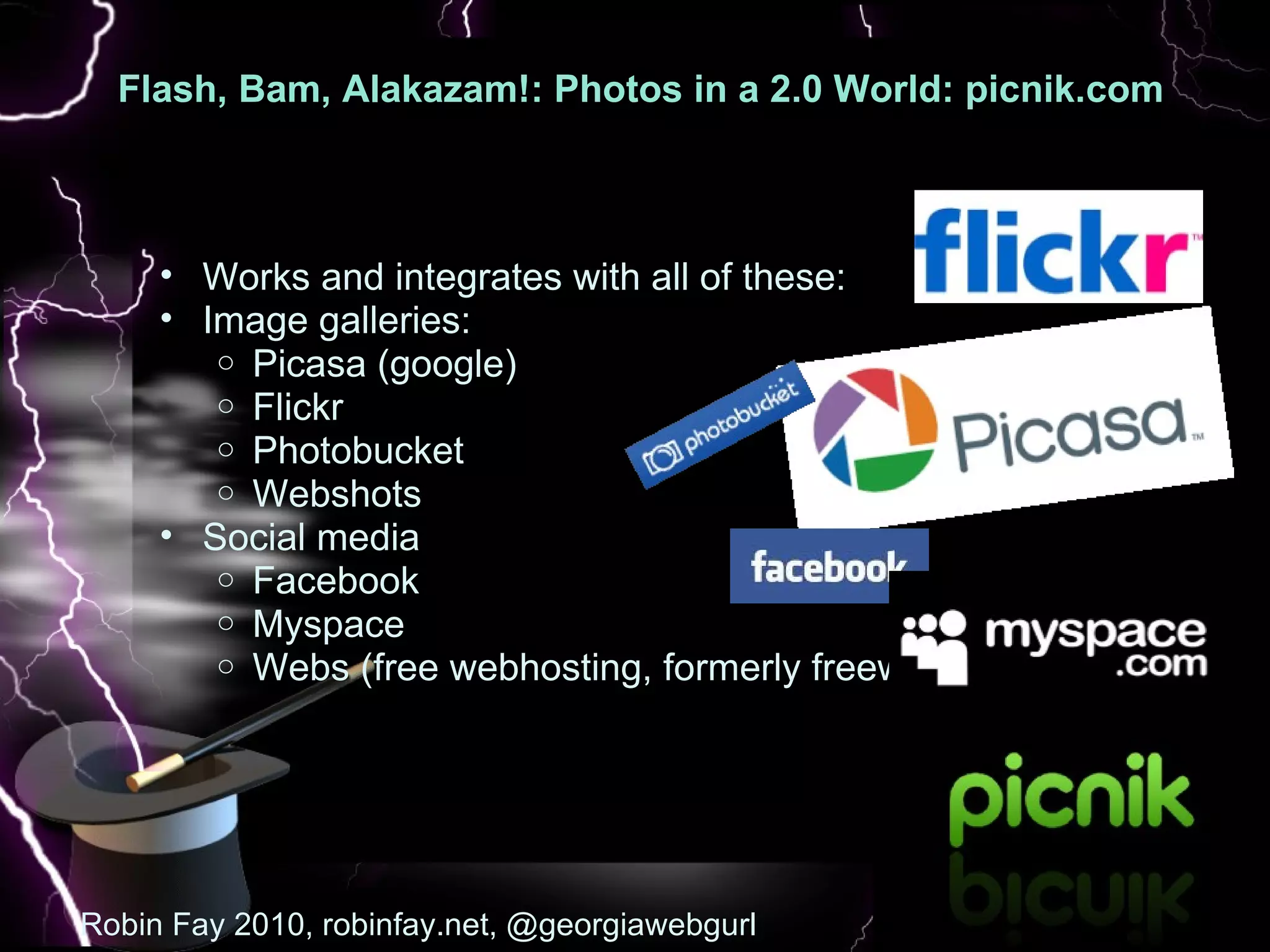
Flash, Bam, Alakazam!: Photos in a 2.0 World: picnik.com   :  Robin Fay 2010, robinfay.net, @georgiawebgurl Works and integrates with all of these:  Image galleries: Picasa (google) Flickr Photobucket Webshots Social media Facebook Myspace Webs (free webhosting, formerly freewebs.com)
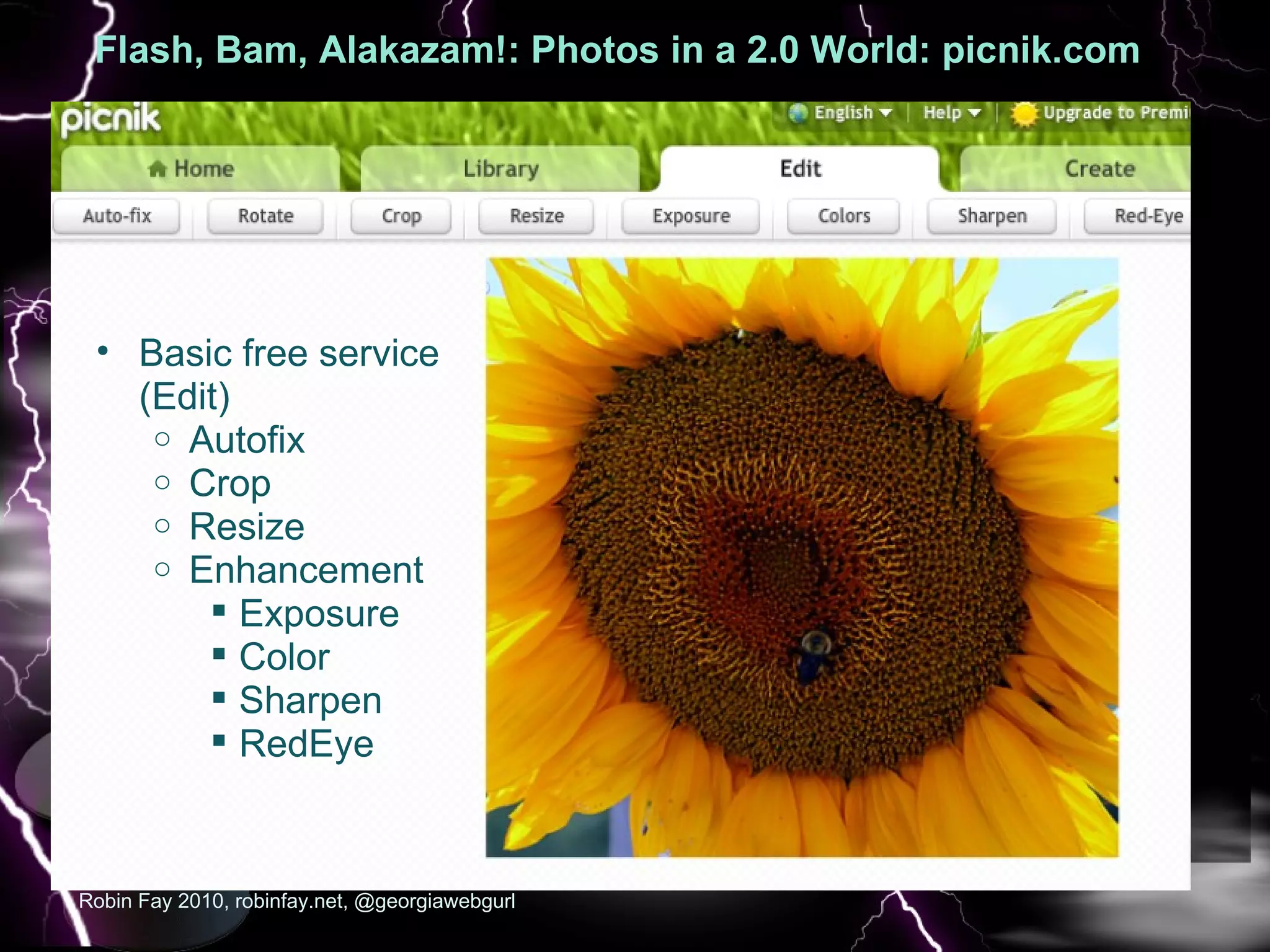
Flash, Bam, Alakazam!: Photos in a 2.0 World: picnik.com   :  Robin Fay 2010, robinfay.net, @georgiawebgurl Basic free service (Edit) Autofix Crop Resize Enhancement Exposure  Color Sharpen RedEye
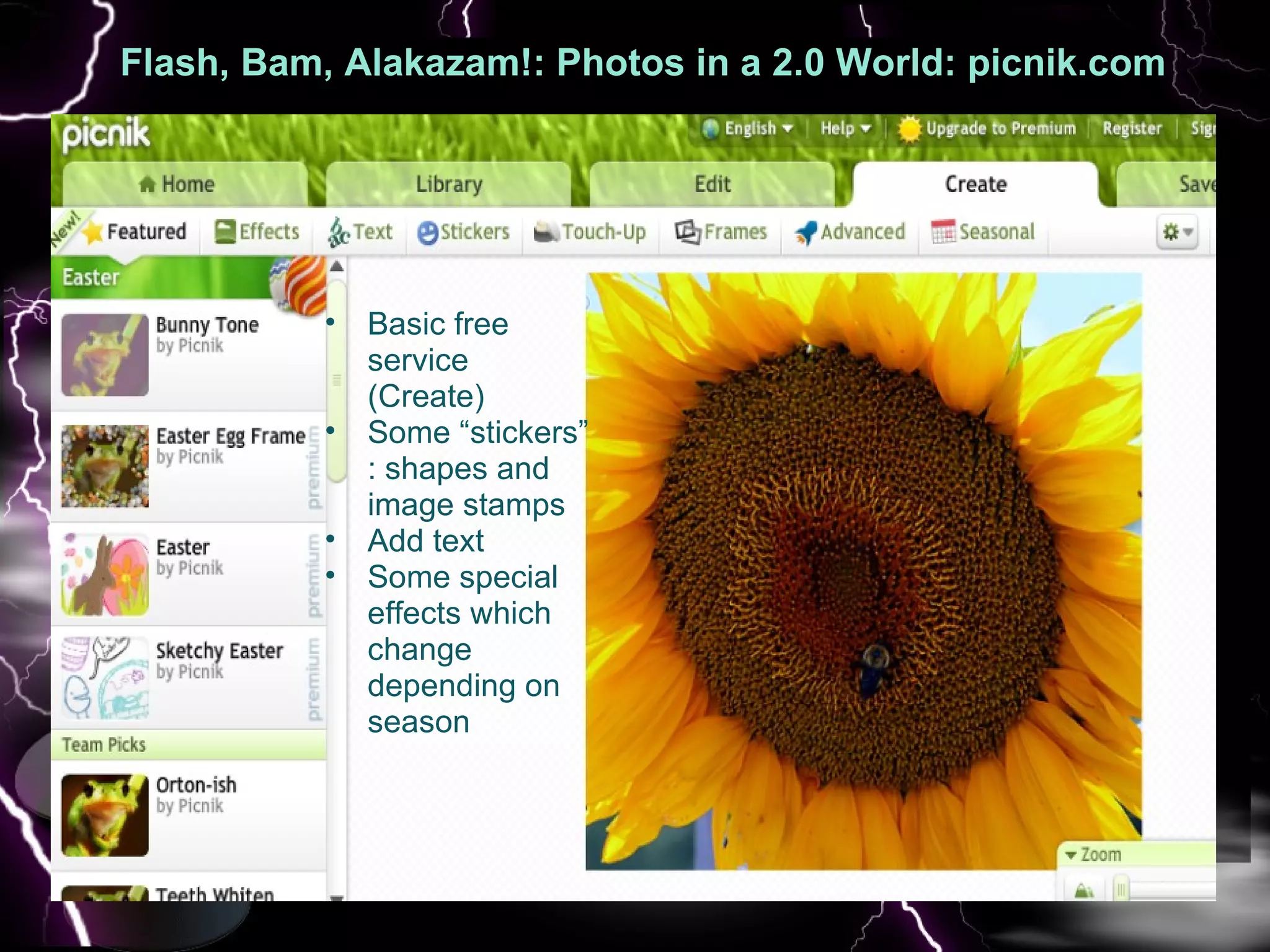
Flash, Bam, Alakazam!: Photos in a 2.0 World: picnik.com   :  Basic free service (Create) Some “stickers” : shapes and image stamps Add text Some special effects which change depending on season
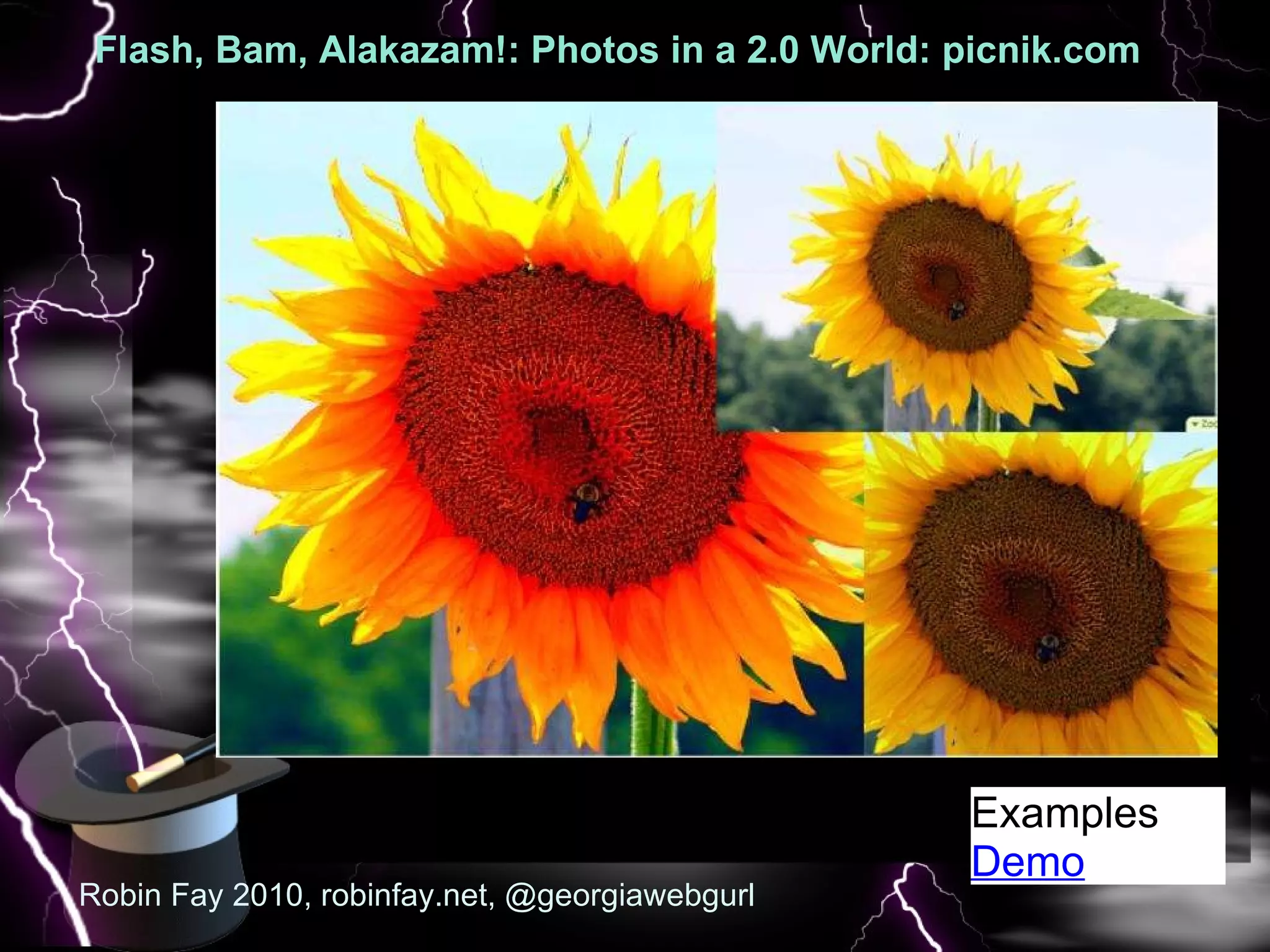
Flash, Bam, Alakazam!: Photos in a 2.0 World: picnik.com   :  Robin Fay 2010, robinfay.net, @georgiawebgurl Examples Demo
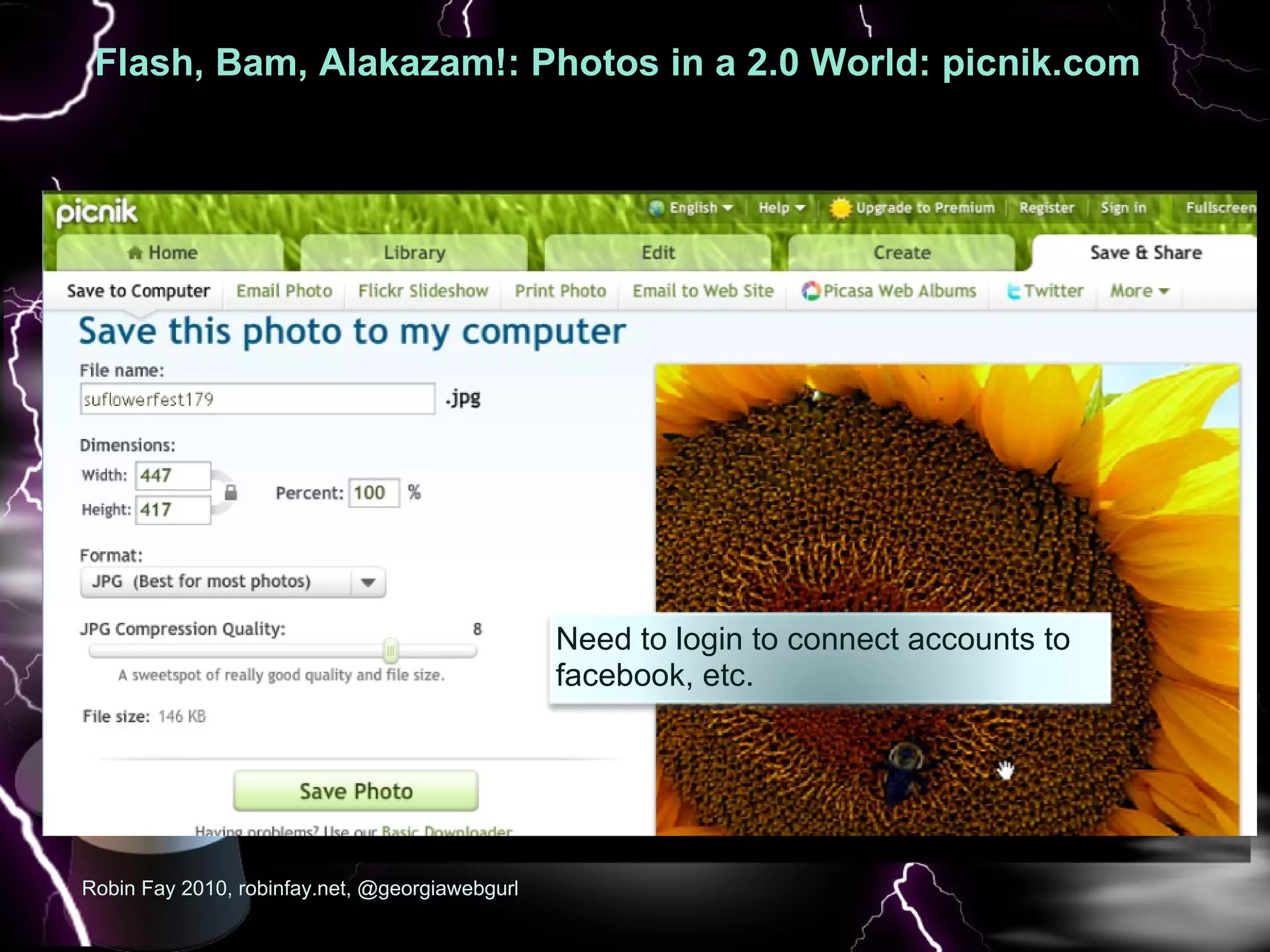
Flash, Bam, Alakazam!: Photos in a 2.0 World: picnik.com   :  Robin Fay 2010, robinfay.net, @georgiawebgurl Need to login to connect accounts to facebook, etc.
Flash, Bam, Alakazam!: Photos in a 2.0 World: picnik.com   :  Good for: Quick edits Easy edits & processing of photos for social media sites Fun family photos Low learning curve/user friendly Action based terminology (edit, create, share, fix, etc.) Guided image editing Can create slideshows and print materials (calendars, etc.)  No downloads or logins needed*  Robin Fay 2010, robinfay.net, @georgiawebgurl
Flash, Bam, Alakazam!: Photos in a 2.0 World: picnik.com   :  NOT  good for: Creating original images: can create but need to upload an image first; no create from scratch Vector based work  More professional level work Collaboration  Other formats: Export in JPG only Mobile (not YET)  Robin Fay 2010, robinfay.net, georgiawebgurl Our whirlwind tour continues with another online art and image tool, aviary ...
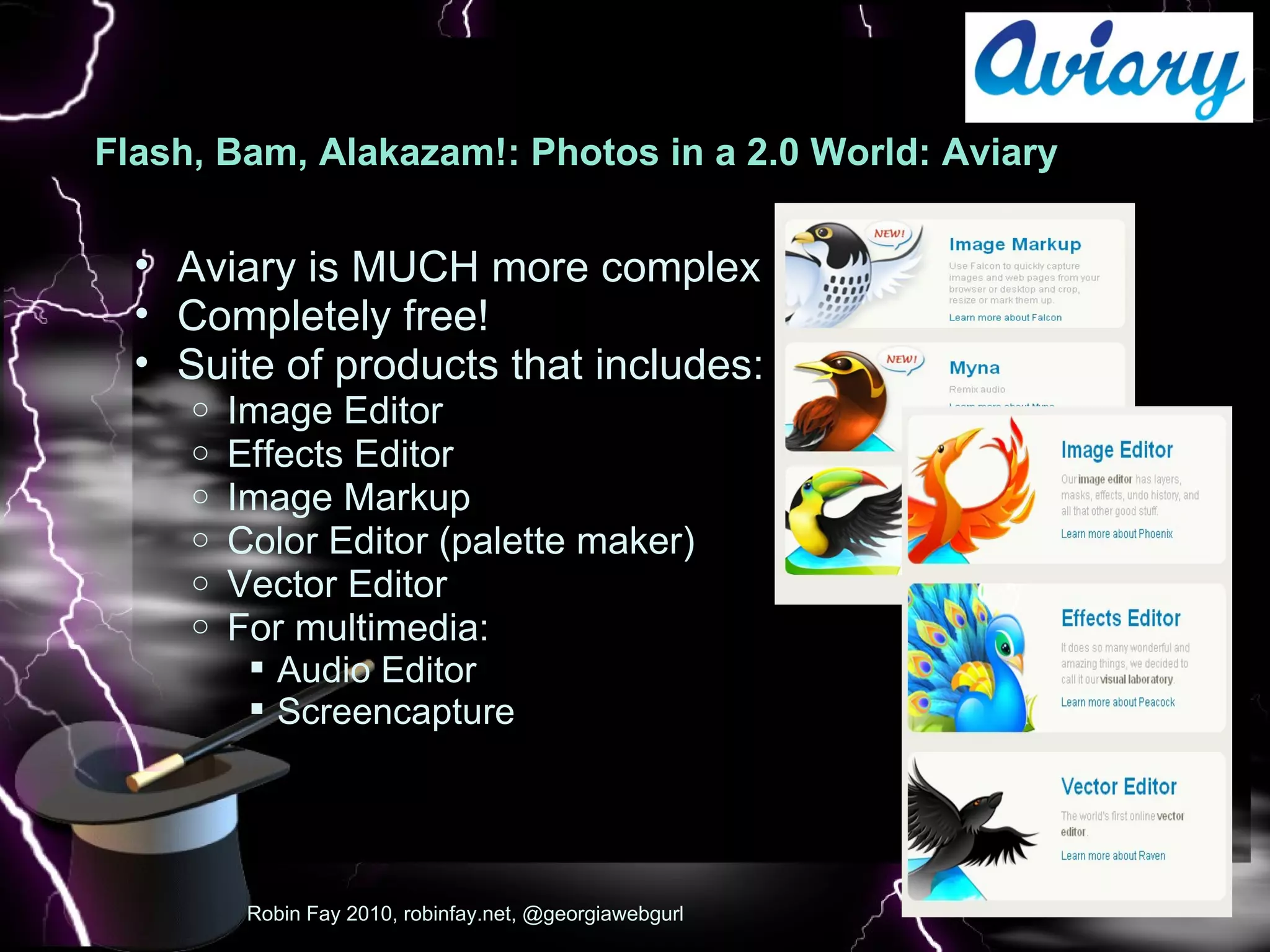
Flash, Bam, Alakazam!: Photos in a 2.0 World: Aviary  : Pic Robin Fay 2010, robinfay.net, @georgiawebgurl Aviary is MUCH more complex Completely free!  Suite of products that includes: Image Editor Effects Editor Image Markup Color Editor (palette maker) Vector Editor For multimedia: Audio Editor Screencapture
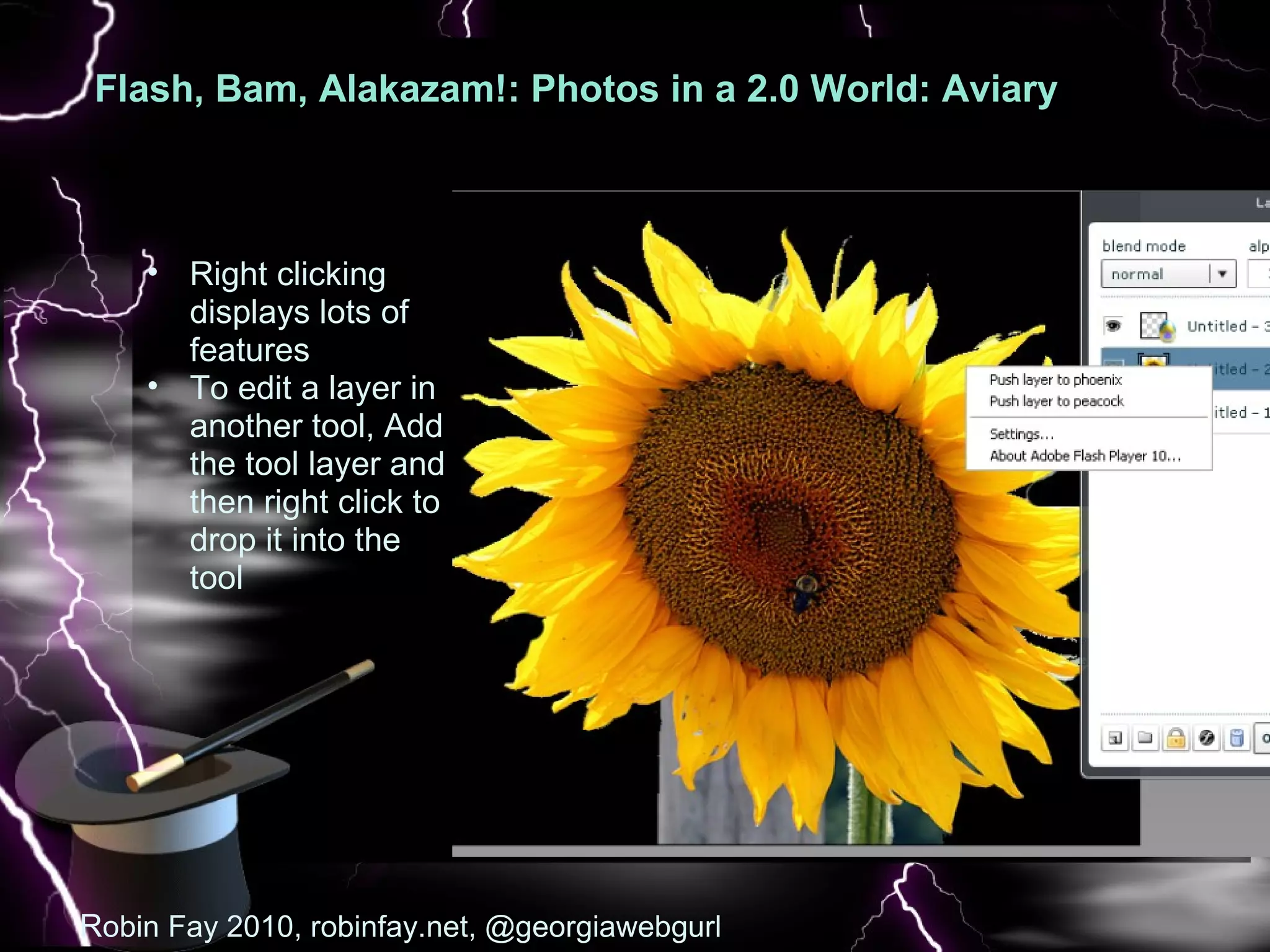
Flash, Bam, Alakazam!: Photos in a 2.0 World: Aviary  : Pic R obin Fay 2010, robinfay.net, @georgiawebgurl Right clicking displays lots of features To edit a layer in another tool, Add the tool layer and then right click to drop it into the tool
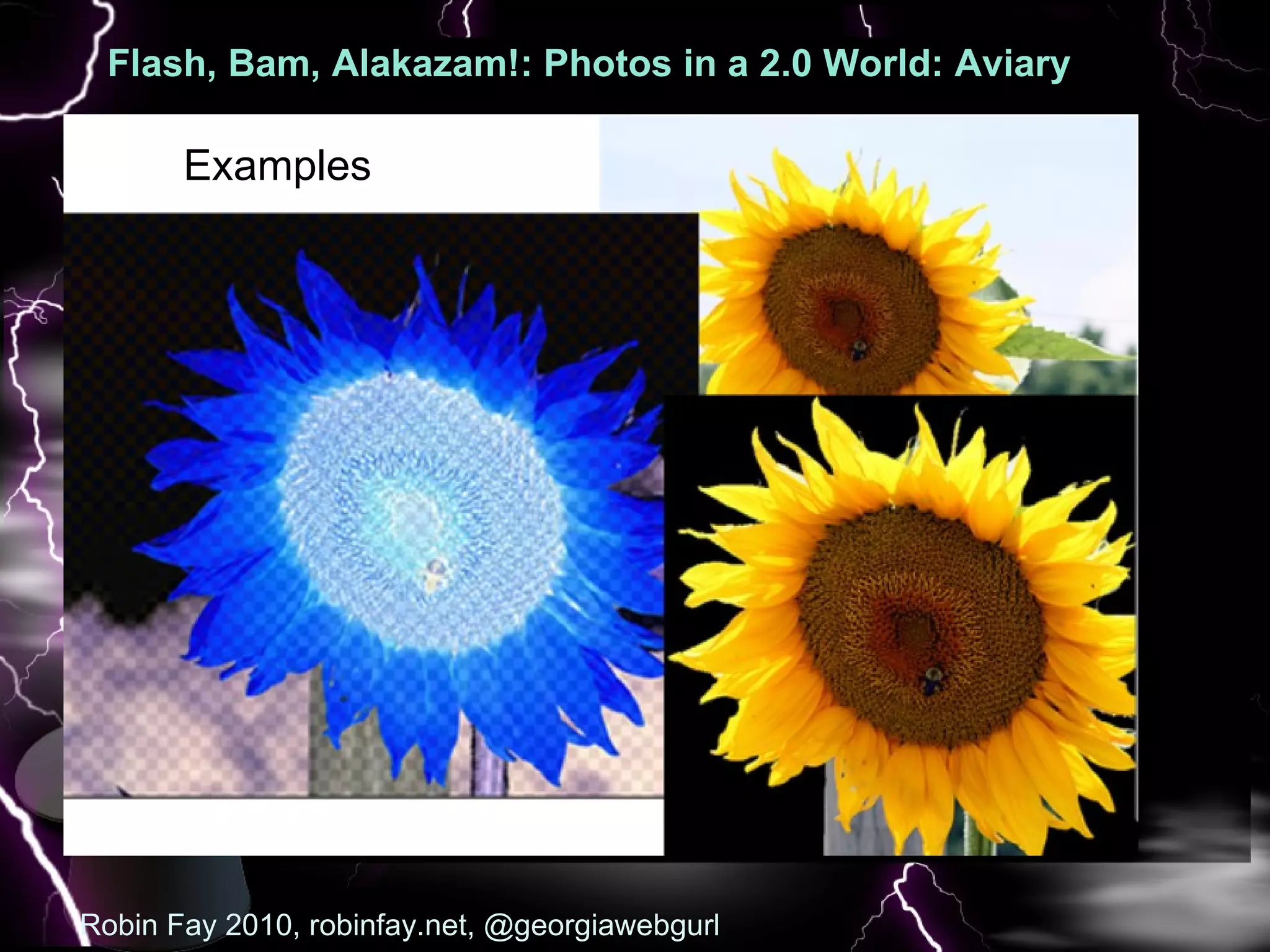
Flash, Bam, Alakazam!: Photos in a 2.0 World: Aviary  : Pic Robin Fay 2010, robinfay.net, @georgiawebgurl Examples
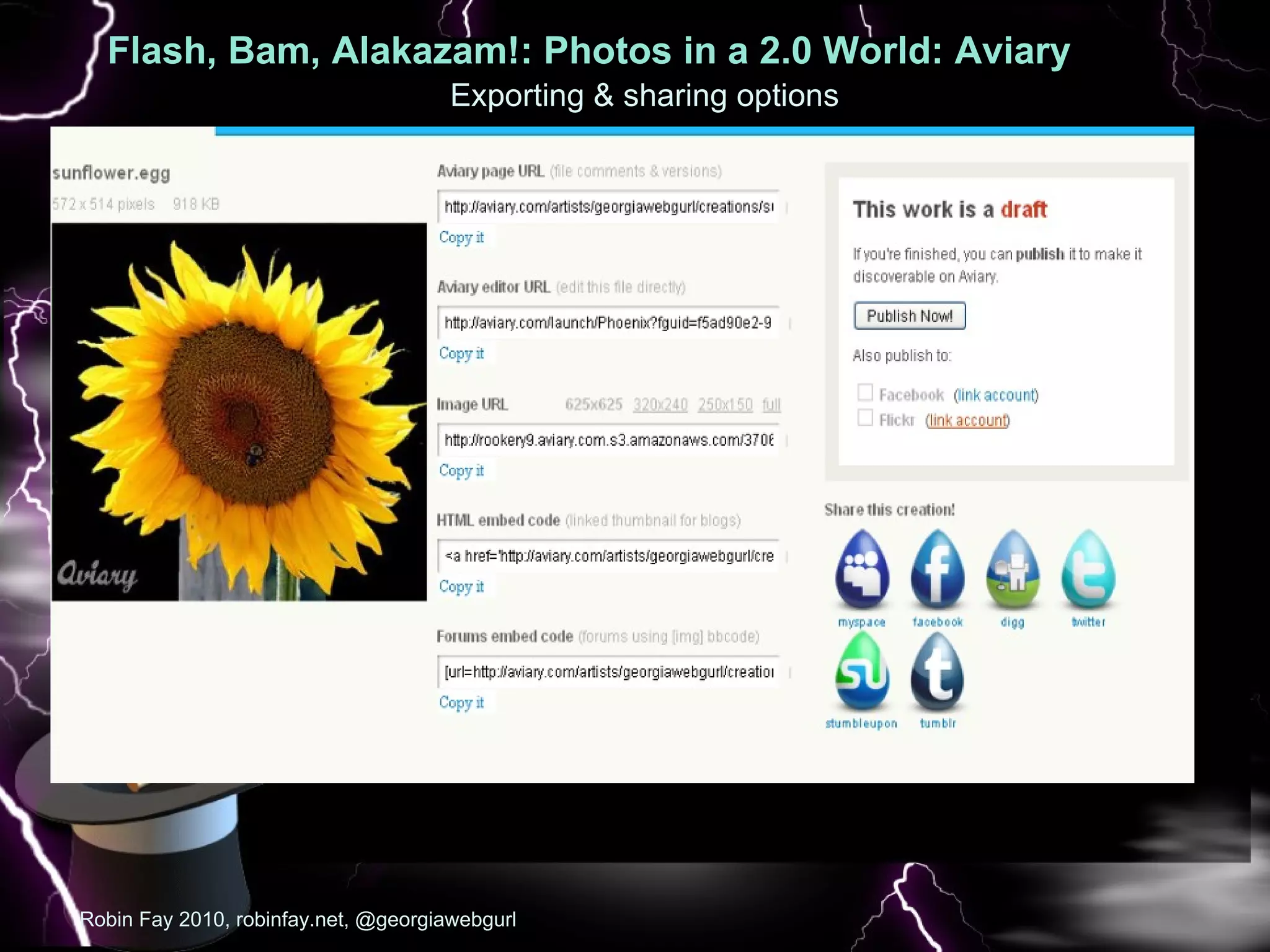
Flash, Bam, Alakazam!: Photos in a 2.0 World: Aviary  : Pic Robin Fay 2010, robinfay.net, @georgiawebgurl Exporting & sharing options
Flash, Bam, Alakazam!: Photos in a 2.0 World: Aviary  : Pic Good for: More complex work using layering and masking Vector based drawing Developing color palettes (screencapture & audio editing) Working with images clipped from the web Collaboration tools built in Aviary facebook app now available Mobile?  Robin Fay 2010, robinfay.net,  @georgiawebgurl Moving on to downloadable software... a Photoshop like software... GIMP.
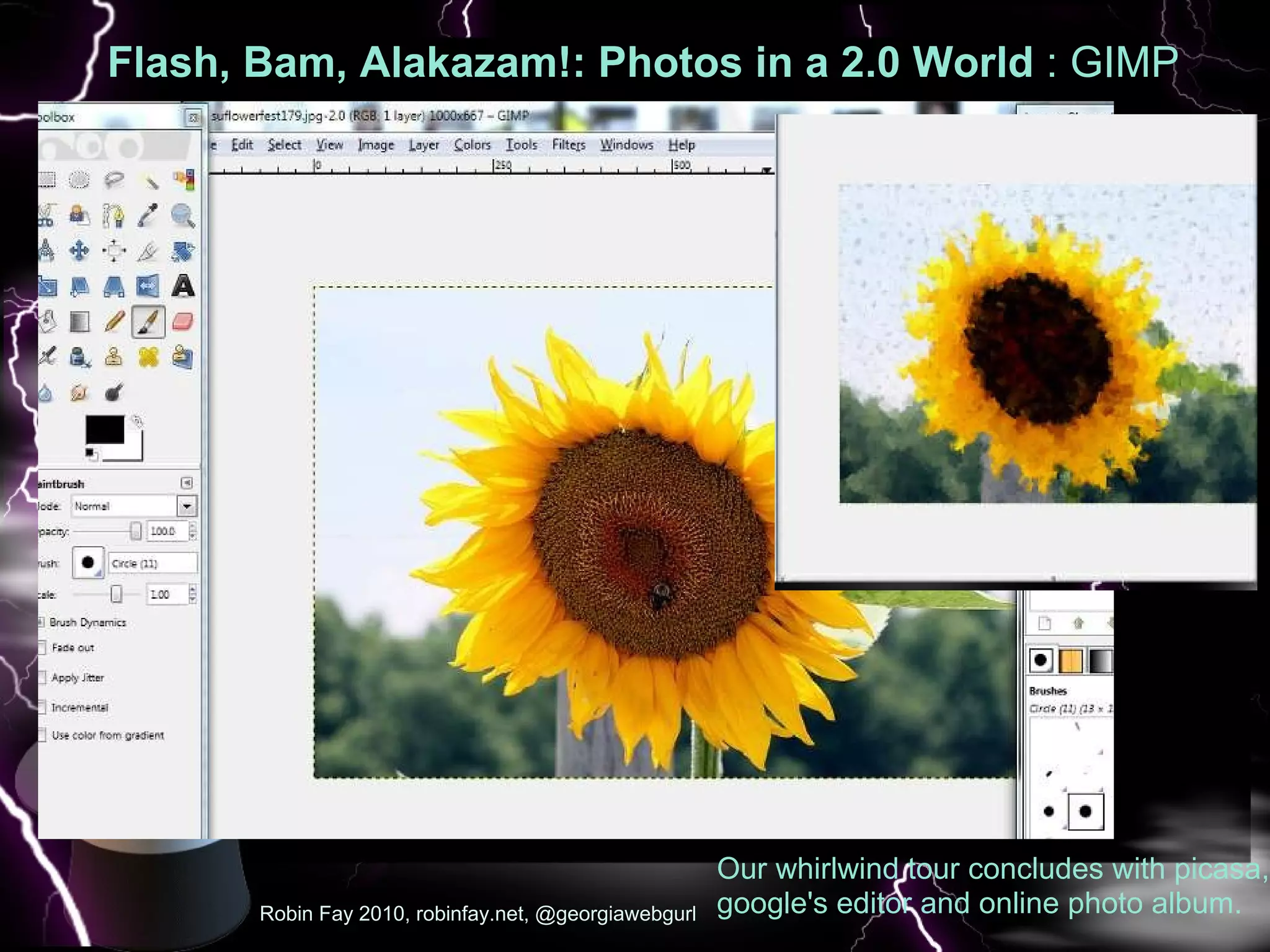
Flash, Bam, Alakazam!: Photos in a 2.0 World: GIMP    GIMP ( GNU Image Manipulation Program)   Downloadable, opensource Customizable, dock-able menus Many features of photoshop Can participate in development Image editing and painting tools (Brush, Pencil, Airbrush, Clone, etc).  Similar to Aviary.  Transformation tools (rotate, scale, etc.) Filters, masking & more  Some animation features  http://www.gimp.org to download Robin Fay 2010, robinfay.net,  @georgiawebgurl
Flash, Bam, Alakazam!: Photos in a 2.0 World  : GIMP Robin Fay 2010, robinfay.net, @georgiawebgurl Our whirlwind tour concludes with picasa, google's editor and online photo album.
Flash, Bam, Alakazam!: Photos in a 2.0 World: GIMP   Good for: More complex work when Photoshop is not an option Mobile-- GIMP to Go!  Need something free    Not Good for:  Quick and easy If you can not download to a computer Robin Fay 2010, robinfay.net, @georgiawebgurl
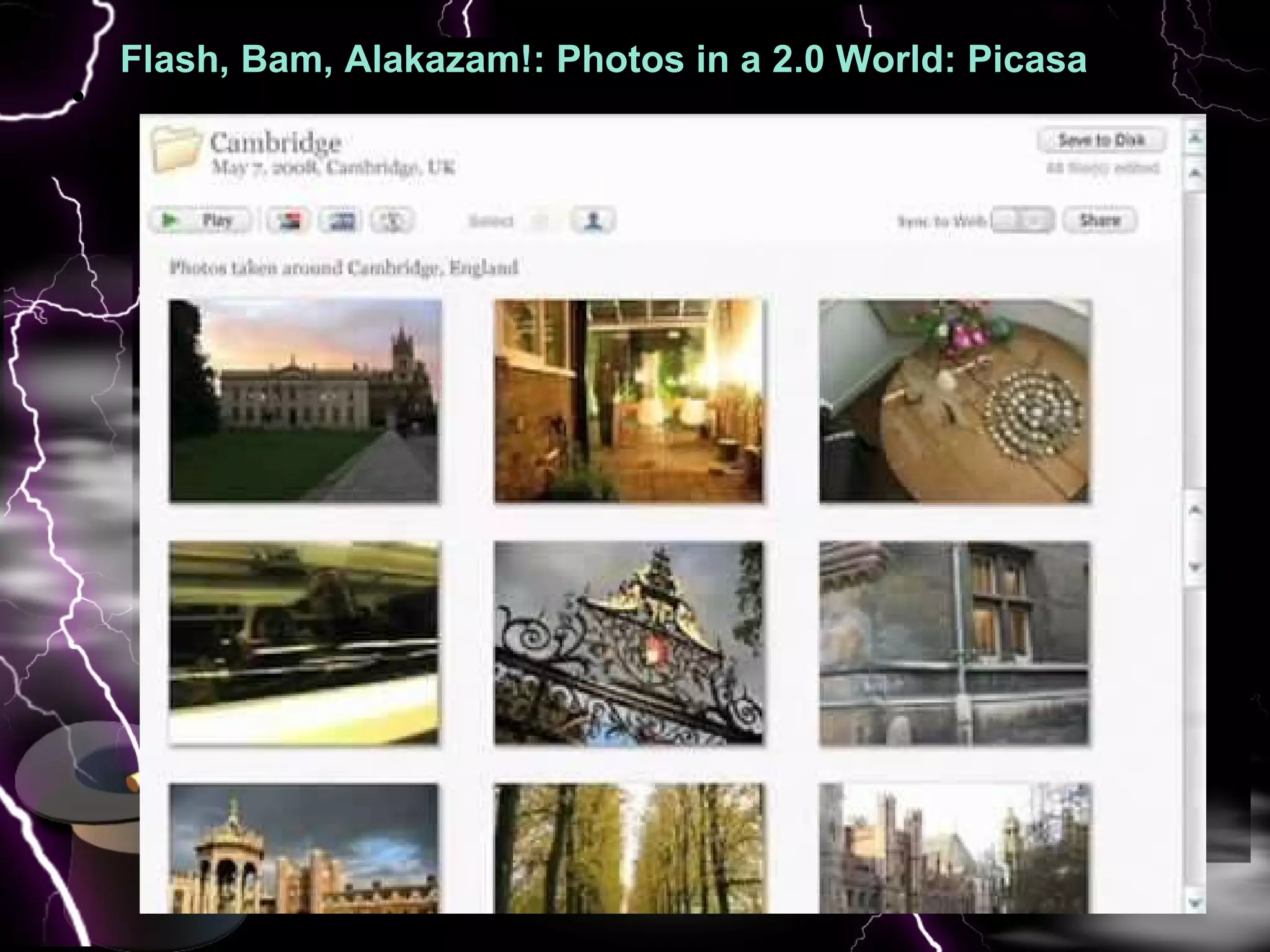
Flash, Bam, Alakazam!: Photos in a 2.0 World: Picasa  : Pic  
Flash, Bam, Alakazam!: Photos in a 2.0 World: Picasa  : Pic   With Picasa, you can share and edit photos  Provides preview options, so you can see your changes before you make them  You can create albums that you can share (or make private) It's easy to integrate in with other google services You can tag (add keywords) and location info to your photos and albums   You will need to DOWNLOAD SOFTWARE TO EDIT Download instructions are in your handouts; you do not need to download to the lab computers (it's installed)
Flash, Bam, Alakazam!: Photos in a 2.0 World: Picasa  : Pic NOT  good for: Creating original images: can create but need to upload an image first; no create from scratch Vector based work  More professional level work If you can't download to a computer Robin Fay 2010, robinfay.net, georgiawebgurl A brief mention of another software, which is often called Photoshop like .. GIMP..
Flash, Bam, Alakazam!: Photos in a 2.0 World: Picasa  : Pic Good for: Quick edits Easy edits & processing of photos for social media sites Fun family photos Low learning curve/user friendly Action based terminology (edit, create, share, fix, etc.) Guided image editing  Robin Fay 2010, robinfay.net, @georgiawebgurl
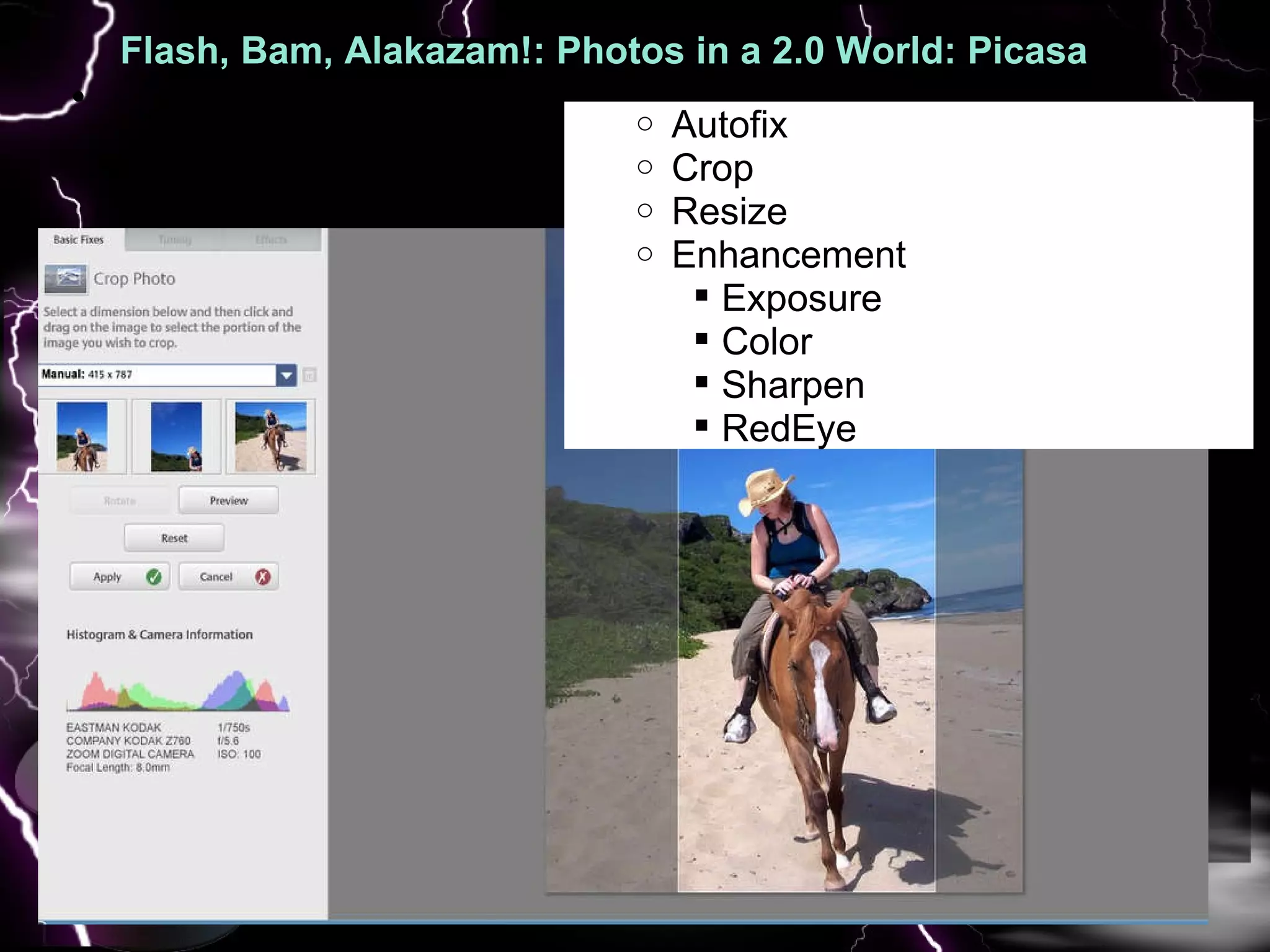
Flash, Bam, Alakazam!: Photos in a 2.0 World: Picasa  : Pic   Autofix Crop Resize Enhancement Exposure  Color Sharpen RedEye
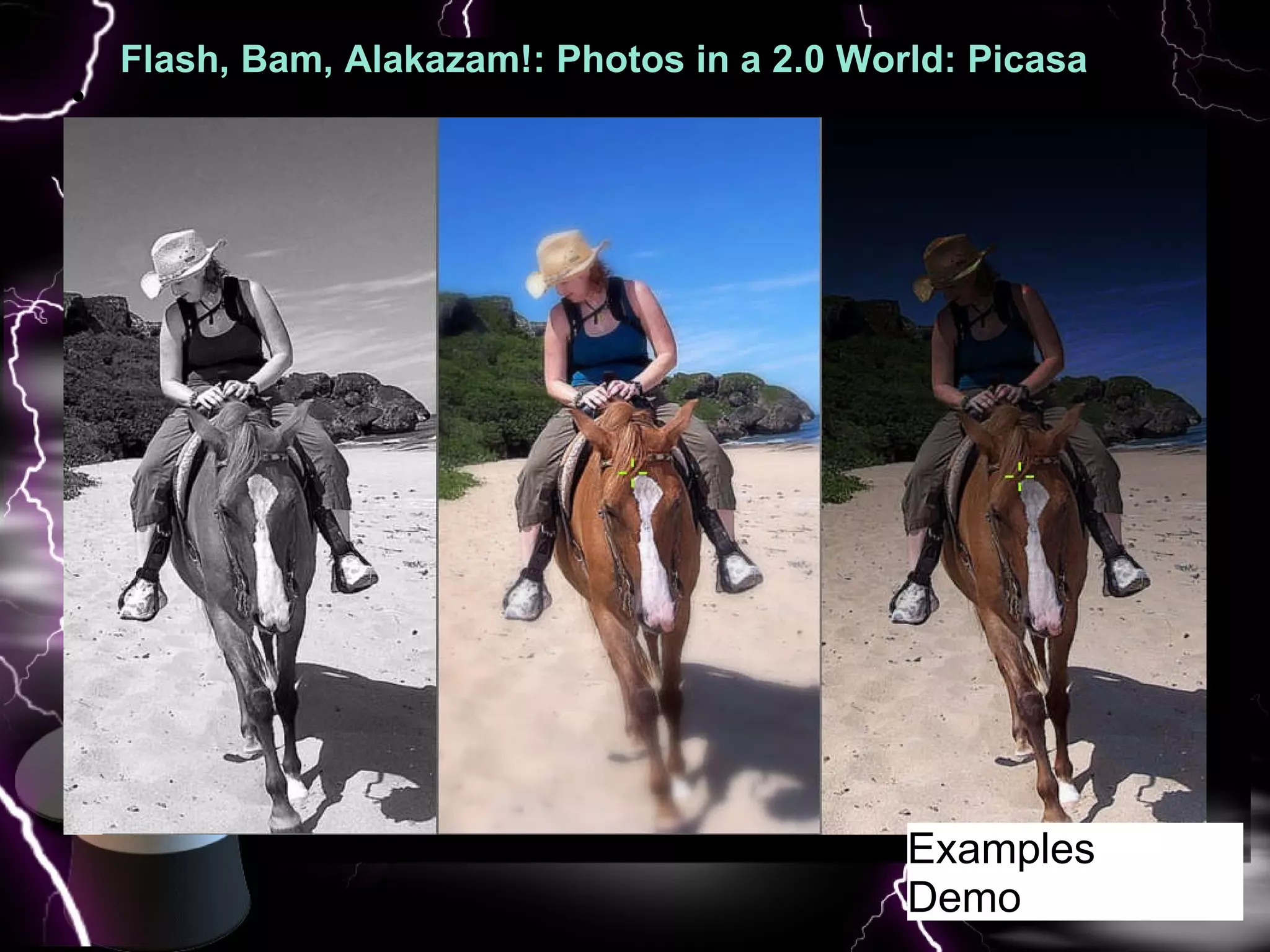
Flash, Bam, Alakazam!: Photos in a 2.0 World: Picasa  : Pic   Examples Demo
Image Editing: It's not all about Photoshop A few more mentions You can do some image editing via facebook, flickr, & snapfish  EXIF data  Questions? [email_address] @twitter  Robin Fay 2010, robinfay.net,  @georgiawebgurl

Flash bam Image Editing in a Web 2.0 World

  • 1.
    Robin Fay Robinfay.net@georgiawebgurl Flash, Bam, Alakazam! Photos in a 2.0 World  
  • 2.
    Flash, Bam, Alakazam!Photos in a 2.0 World What you will know when you leave here today: Resources to edit images and photographs online & on your computer for FREE! Basics of editing a photo How to share photos using feeds, widgets, and social networks. Brief discussion on privacy levels and copyright, tagging, etc.
  • 3.
    Flash, Bam, Alakazam!:Photos in a 2.0 World: A few photography basics to help your photos be better A few Robin Fay 2010, robinfay.net, @georgiawebgurl rule of thirds The rule states that an image should be imagined as divided into nine equal parts by two equally-spaced horizontal lines and two equally-spaced vertical lines, and that important compositional elements should be placed along these lines or their intersections -- Wikipedia   Do be aware of background elements when taking photos of people Do be aware of the angle of the sun and the amount of light Most importantly -- learn about your camera and shoot in RAW format if at all possible
  • 4.
    Flash, Bam, Alakazam!:Photos in a 2.0 World: A few photography basics A few Robin Fay 2010, robinfay.net, @georgiawebgurl Let's get started with quick overview of online editors
  • 5.
    Flash, Bam, Alakazam!:Photos in a 2.0 World: online editors: photoshop.com : If you have ever signed up for anything Adobe (even a workshop), you have an Adobe ID  Photoshop.com is free; not to be confused with photoshop the software Very easy to use  Easy to create galleries  Preview options  NOTHING TO DOWNLOAD Robin Fay 2010, robinfay.net, @georgiawebgurl
  • 6.
    Flash, Bam, Alakazam!:Photos in a 2.0 World: photoshop.com : Robin Fay 2010, robinfay.net, @georgiawebgurl Surprising variety of features via edit: crop, resize, redeye, more Demo
  • 7.
    Flash, Bam, Alakazam!:Photos in a 2.0 World: picnik.com : Picnik.com has been recently been acquired by Google Do not need to login for basic editing Nothing to download Picnik offers free basic (crop, resize, some retouching/toning/ enhancement); pay for advanced Preview options Integrates directly with facebook; no upload at facebook needed NOTHING TO DOWNLOAD Robin Fay 2010, robinfay.net, @georgiawebgurl
  • 8.
    Flash, Bam, Alakazam!:Photos in a 2.0 World: picnik.com : Robin Fay 2010, robinfay.net, @georgiawebgurl Works and integrates with all of these: Image galleries: Picasa (google) Flickr Photobucket Webshots Social media Facebook Myspace Webs (free webhosting, formerly freewebs.com)
  • 9.
    Flash, Bam, Alakazam!:Photos in a 2.0 World: picnik.com : Robin Fay 2010, robinfay.net, @georgiawebgurl Basic free service (Edit) Autofix Crop Resize Enhancement Exposure Color Sharpen RedEye
  • 10.
    Flash, Bam, Alakazam!:Photos in a 2.0 World: picnik.com : Basic free service (Create) Some “stickers” : shapes and image stamps Add text Some special effects which change depending on season
  • 11.
    Flash, Bam, Alakazam!:Photos in a 2.0 World: picnik.com : Robin Fay 2010, robinfay.net, @georgiawebgurl Examples Demo
  • 12.
    Flash, Bam, Alakazam!:Photos in a 2.0 World: picnik.com : Robin Fay 2010, robinfay.net, @georgiawebgurl Need to login to connect accounts to facebook, etc.
  • 13.
    Flash, Bam, Alakazam!:Photos in a 2.0 World: picnik.com : Good for: Quick edits Easy edits & processing of photos for social media sites Fun family photos Low learning curve/user friendly Action based terminology (edit, create, share, fix, etc.) Guided image editing Can create slideshows and print materials (calendars, etc.)  No downloads or logins needed* Robin Fay 2010, robinfay.net, @georgiawebgurl
  • 14.
    Flash, Bam, Alakazam!:Photos in a 2.0 World: picnik.com : NOT good for: Creating original images: can create but need to upload an image first; no create from scratch Vector based work More professional level work Collaboration Other formats: Export in JPG only Mobile (not YET) Robin Fay 2010, robinfay.net, georgiawebgurl Our whirlwind tour continues with another online art and image tool, aviary ...
  • 15.
    Flash, Bam, Alakazam!:Photos in a 2.0 World: Aviary : Pic Robin Fay 2010, robinfay.net, @georgiawebgurl Aviary is MUCH more complex Completely free! Suite of products that includes: Image Editor Effects Editor Image Markup Color Editor (palette maker) Vector Editor For multimedia: Audio Editor Screencapture
  • 16.
    Flash, Bam, Alakazam!:Photos in a 2.0 World: Aviary : Pic R obin Fay 2010, robinfay.net, @georgiawebgurl Right clicking displays lots of features To edit a layer in another tool, Add the tool layer and then right click to drop it into the tool
  • 17.
    Flash, Bam, Alakazam!:Photos in a 2.0 World: Aviary : Pic Robin Fay 2010, robinfay.net, @georgiawebgurl Examples
  • 18.
    Flash, Bam, Alakazam!:Photos in a 2.0 World: Aviary : Pic Robin Fay 2010, robinfay.net, @georgiawebgurl Exporting & sharing options
  • 19.
    Flash, Bam, Alakazam!:Photos in a 2.0 World: Aviary : Pic Good for: More complex work using layering and masking Vector based drawing Developing color palettes (screencapture & audio editing) Working with images clipped from the web Collaboration tools built in Aviary facebook app now available Mobile? Robin Fay 2010, robinfay.net, @georgiawebgurl Moving on to downloadable software... a Photoshop like software... GIMP.
  • 20.
    Flash, Bam, Alakazam!:Photos in a 2.0 World: GIMP  GIMP ( GNU Image Manipulation Program)   Downloadable, opensource Customizable, dock-able menus Many features of photoshop Can participate in development Image editing and painting tools (Brush, Pencil, Airbrush, Clone, etc).  Similar to Aviary.  Transformation tools (rotate, scale, etc.) Filters, masking & more Some animation features http://www.gimp.org to download Robin Fay 2010, robinfay.net, @georgiawebgurl
  • 21.
    Flash, Bam, Alakazam!:Photos in a 2.0 World : GIMP Robin Fay 2010, robinfay.net, @georgiawebgurl Our whirlwind tour concludes with picasa, google's editor and online photo album.
  • 22.
    Flash, Bam, Alakazam!:Photos in a 2.0 World: GIMP Good for: More complex work when Photoshop is not an option Mobile-- GIMP to Go!  Need something free    Not Good for:  Quick and easy If you can not download to a computer Robin Fay 2010, robinfay.net, @georgiawebgurl
  • 23.
    Flash, Bam, Alakazam!:Photos in a 2.0 World: Picasa : Pic  
  • 24.
    Flash, Bam, Alakazam!:Photos in a 2.0 World: Picasa : Pic   With Picasa, you can share and edit photos  Provides preview options, so you can see your changes before you make them You can create albums that you can share (or make private) It's easy to integrate in with other google services You can tag (add keywords) and location info to your photos and albums  You will need to DOWNLOAD SOFTWARE TO EDIT Download instructions are in your handouts; you do not need to download to the lab computers (it's installed)
  • 25.
    Flash, Bam, Alakazam!:Photos in a 2.0 World: Picasa : Pic NOT good for: Creating original images: can create but need to upload an image first; no create from scratch Vector based work More professional level work If you can't download to a computer Robin Fay 2010, robinfay.net, georgiawebgurl A brief mention of another software, which is often called Photoshop like .. GIMP..
  • 26.
    Flash, Bam, Alakazam!:Photos in a 2.0 World: Picasa : Pic Good for: Quick edits Easy edits & processing of photos for social media sites Fun family photos Low learning curve/user friendly Action based terminology (edit, create, share, fix, etc.) Guided image editing Robin Fay 2010, robinfay.net, @georgiawebgurl
  • 27.
    Flash, Bam, Alakazam!:Photos in a 2.0 World: Picasa : Pic   Autofix Crop Resize Enhancement Exposure Color Sharpen RedEye
  • 28.
    Flash, Bam, Alakazam!:Photos in a 2.0 World: Picasa : Pic   Examples Demo
  • 29.
    Image Editing: It'snot all about Photoshop A few more mentions You can do some image editing via facebook, flickr, & snapfish  EXIF data Questions? [email_address] @twitter Robin Fay 2010, robinfay.net, @georgiawebgurl