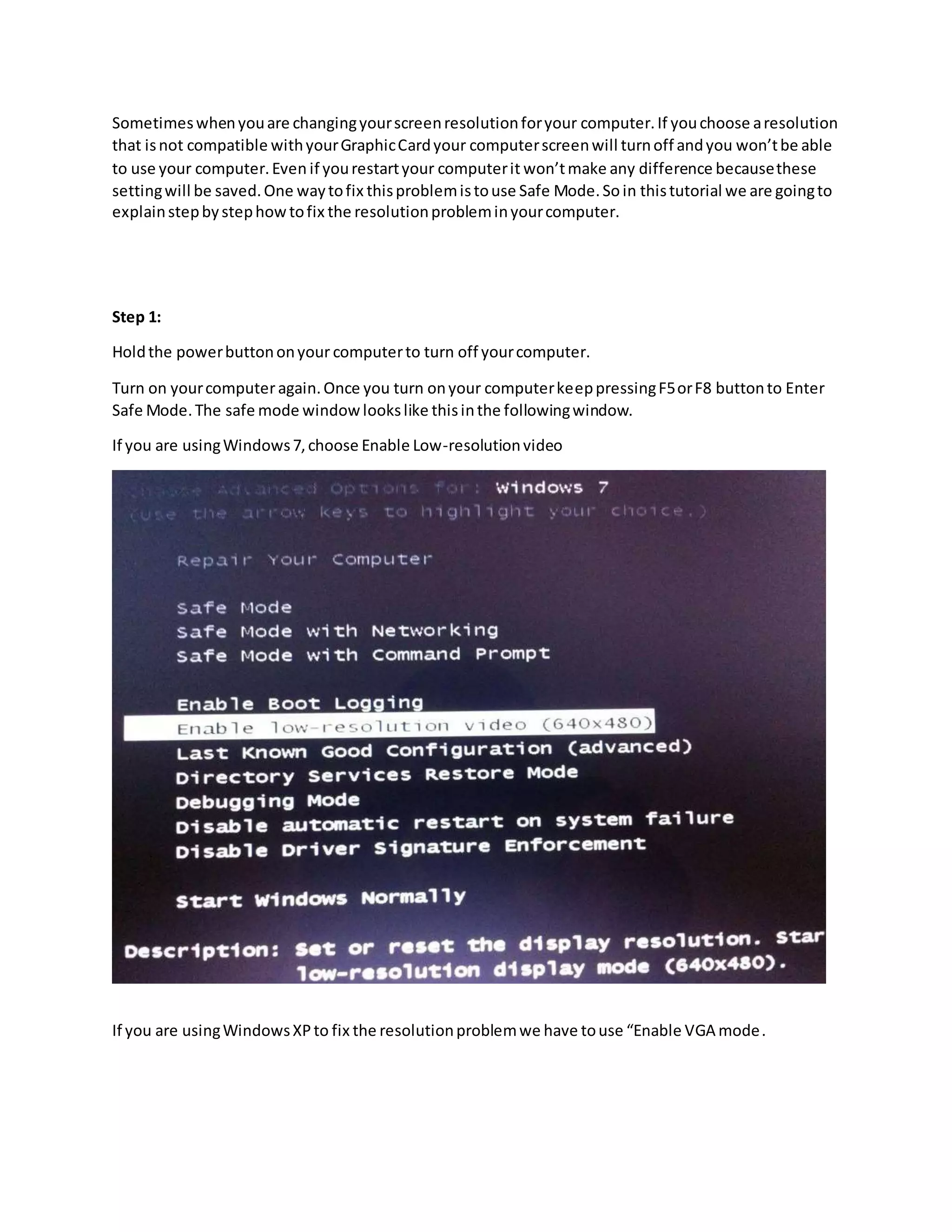
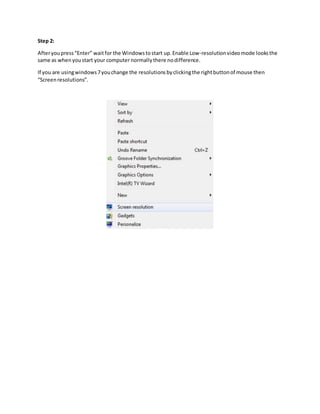
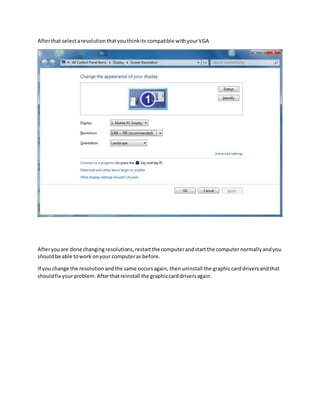
Sometimes changing a computer's screen resolution to an incompatible setting can cause the screen to turn off. This resolution setting is saved, so simply restarting will not fix the problem. To resolve it, one must start the computer in Safe Mode. This allows changing the resolution to a compatible setting. Specifically, one should press F5 or F8 during startup, select Low-Resolution mode or VGA mode depending on the OS, change the resolution, and restart normally which should restore full functionality.