Reference sites:
http://www.aerpi.edu.au/
http://www.elogicasolution.com/
http://iibs.ca/
1
2
logo
Home About us SAP
Training
CAD/CAM Software
Testing
contact
3
Testimonials
Facts
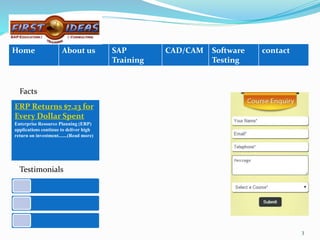
ERP Returns $7.23 for
Every Dollar Spent
Enterprise Resource Planning (ERP)
applications continue to deliver high
return on investment.......(Read more)
ERP Returns $7.23 for Every Dollar Spent
Enterprise Resource Planning (ERP) applications continue to deliver high return on
investment. A new study has shown that for every $1 spent on ERP systems, companies
are gaining an average benefit of $7.23. This number is up by more than a third from
average returns 5 years ago. The study was analysed by Nucleus and monitored the
actual costs and benefits of individual ERP deployments.
The implementation of efficient cloud ERP options has driven higher returns. ERP
customers are becoming more and savvier, and demanding more and seeking to
maximize their investments.
The sharp increase in ROI for new ERP solutions – up 36% – is helping to drive a new
wave of investment interest as existing applications continue to age. But the heightened
customer expectation for potential new ERP deployments is a challenge for vendors to
meet, compounded by social media and publicly shared stories of “epic fail” instances
from less effective solutions.
Facts:
4
About us:
FIRSTIDEAS
is a leading provider of corporate and professional training services in the area
of ERP, CAD/CAM & QA software testing.
FIRSTIDEAS
excellent best-of-class instruction, training facilities, lab support and a clear
roadmap to a successful career.
5
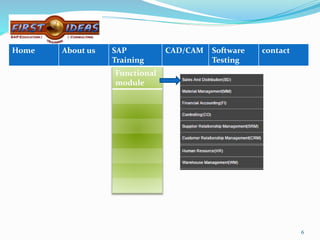
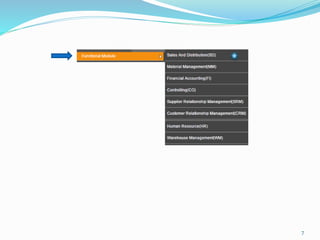
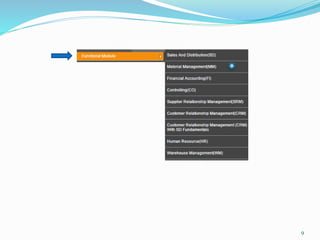
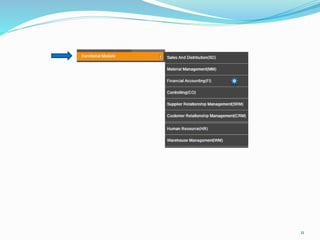
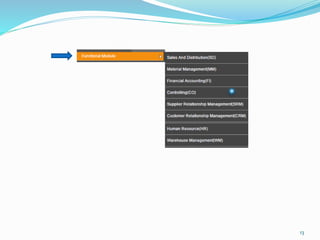
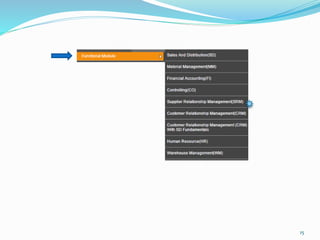
Functional
module
6
Home About us SAP
Training
CAD/CAM Software
Testing
contact
7
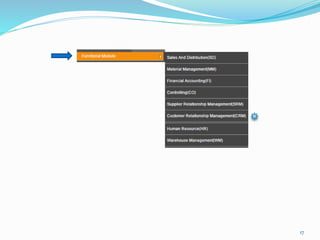
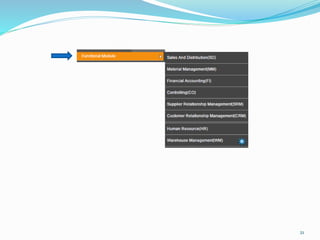
Sales and Distribution ( SD )
Introduction
SAP SD (Sales and Distribution) program has been specially designed for professionals with prior
exposure to Sales and Distribution and looking to use the world’s leading SAP Sales & Distribution
application component. The main operations this module handles are Customer Sales Orders
processing, pricing, picking, packing, shipping, billing and risk management etc.
Within the SAP Sales and Distribution module will help you to understand the stages involved in the
ordering cycle which include receiving the initial order through to delivery and invoicing. The SAP
Sales and Distribution is part of the logistics module that supports customers, starting from
quotations, sales order and all the way towards billing the customer. It is tightly integrated with the
MM and PP functional modules. It allows companies to input their customer sales price, check for
open orders and forecast etc.
The most important basic functional features in the SD module are: Pricing, Credit Management,
Output Determination, Tax Determination, Availability check, Material Determination, Text
Processing and Account Determination.
In this course you will learn how to execute and implement the main business procedures involved in
sales and distribution processing. How to implement functions and make Customizing settings in
pricing and billing.
Attending our SAP Sales and Distribution basic training is a great way to get your feet wet with a
different module of SAP and get solid exposure and training to the business processes SAP supports.8
9
Material Management( MM )
Introduction
Purchasing is a component of the SAP Materials Management (MM) Module. The MM Module
automates and integrates the entire range of tasks associated with materials management
processes. This module mainly deals with Procurement Process, Inventory Management,
Valuation of Material & Account Determination, Material Requirement Planning, goods
receiving, Invoice and the final payment to vendor using the invoice verification feature etc. This
module has two important master data – Material and Vendor.
Broadly, the various levels that can be defined for a SAP MM implementation are: Client,
Company Code, Plant, Storage Location and Purchase Organization. It can be divided into five
major components: Materials Management, Plant Maintenance, Quality Management,
Production Planning and Control, and a Project Management system. Each is divided into
number of subcomponents. It also includes Inventory and Warehouse Management to manage
stock until usage dictates and the cycle begins again. Electronic Kanban/ Just-in-Time delivery is
supported.
During this program, participants will learn about, customizing settings for purchasing,
inventory management, physical inventory, account determination, and organizational levels
and how to create material reservations manually. In addition to that individual will learn about
the Planning and performing a physical inventory.
10
11
Financial Accounting ( FI )
Introduction
SAP FI (Financials) is a core module for all Accounting and Financial professionals who wish to launch
a career in SAP. The Financial Accounting (FI) application component fulfills all the international
requirements that must be met by the financial accounting department of an organization. For the
successful utilization of mySAP application, SAP FI is one of the most important and critical business
modules.
SAP FI module mainly deals with fixed asset, bank, cash journal, inventory, tax accounting, general/
ledger and accounts receivable/accounts payable. It is in SAP FI module that systematized and
statutory data can be tracked and managed and the administrative people like, financial managers as
well as other managers can review the financial position of the company in present time as compared
to legacy system.
All accounting-relevant transactions made in Logistics (LO) or Human Resources (HR) components
are posted real-time to Financial Accounting by means of automatic account determination. This data
can also be passed on to Controlling (CO). This ensures that logistical goods movements (such as
goods receipts and goods issues) are exactly reflected in the value-based updates in accounting.
This course is designed to learn how to manage and implement the organizational units, master data
and documents for Financial Accounting. To learn about the concept of parallel valuation and
reporting. In this SAP FI module you will learn that how to implement Accounting business processes
such as payment, individual closing and evaluation methods. 12
13
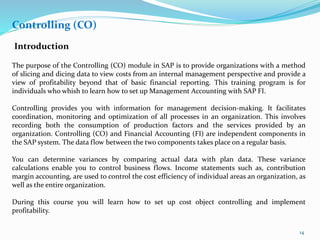
Controlling (CO)
Introduction
The purpose of the Controlling (CO) module in SAP is to provide organizations with a method
of slicing and dicing data to view costs from an internal management perspective and provide a
view of profitability beyond that of basic financial reporting. This training program is for
individuals who whish to learn how to set up Management Accounting with SAP FI.
Controlling provides you with information for management decision-making. It facilitates
coordination, monitoring and optimization of all processes in an organization. This involves
recording both the consumption of production factors and the services provided by an
organization. Controlling (CO) and Financial Accounting (FI) are independent components in
the SAP system. The data flow between the two components takes place on a regular basis.
You can determine variances by comparing actual data with plan data. These variance
calculations enable you to control business flows. Income statements such as, contribution
margin accounting, are used to control the cost efficiency of individual areas an organization, as
well as the entire organization.
During this course you will learn how to set up cost object controlling and implement
profitability.
14
15
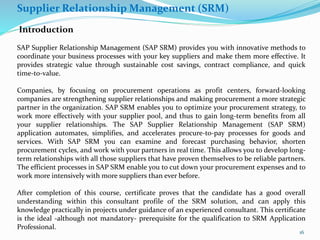
Supplier Relationship Management (SRM)
Introduction
SAP Supplier Relationship Management (SAP SRM) provides you with innovative methods to
coordinate your business processes with your key suppliers and make them more effective. It
provides strategic value through sustainable cost savings, contract compliance, and quick
time-to-value.
Companies, by focusing on procurement operations as profit centers, forward-looking
companies are strengthening supplier relationships and making procurement a more strategic
partner in the organization. SAP SRM enables you to optimize your procurement strategy, to
work more effectively with your supplier pool, and thus to gain long-term benefits from all
your supplier relationships. The SAP Supplier Relationship Management (SAP SRM)
application automates, simplifies, and accelerates procure-to-pay processes for goods and
services. With SAP SRM you can examine and forecast purchasing behavior, shorten
procurement cycles, and work with your partners in real time. This allows you to develop long-
term relationships with all those suppliers that have proven themselves to be reliable partners.
The efficient processes in SAP SRM enable you to cut down your procurement expenses and to
work more intensively with more suppliers than ever before.
After completion of this course, certificate proves that the candidate has a good overall
understanding within this consultant profile of the SRM solution, and can apply this
knowledge practically in projects under guidance of an experienced consultant. This certificate
is the ideal -although not mandatory- prerequisite for the qualification to SRM Application
Professional.
16
17
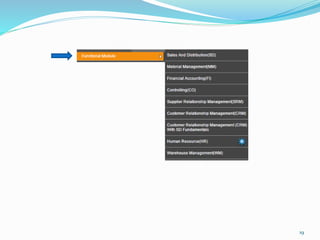
Customer Relationship Management (CRM)
Introduction
CRM is about creating sustainable connections between an organization and its customers. It
evolved in the late 1990s as a way to redefine customer and company relations, mostly with
the help of computerized measurement tools. It’s about acquiring and retaining customers,
improving customer loyalty, gaining customer insight and implementing customer-focused
strategies.
SAP has introduced the CRM application which will help your company drive to new growth,
maintain competitive nimbleness and attain operational excellence. According to the needs
of the customers SAP has introduced CRM to give quick time to value and seamless best-
practice operations between front and back-office. Armed with an understanding of the
comprehensive functionality in SAP CRM, person can manage the entire customer life cycle
efficiently and intellectually.
Every business must be quick in solving problems that may hinder their progress, they need
to be open-minded and take risks to succeed. So Implementing CRM is a great way to reduce
cost and at the same time increase earnings. CRM Software from SAP: Act Immediately.
Grow Strategically. Without any Compromise.
SAP -CRM software is easy to use, it is web based and available on subscription basis. With
SAP, organizations can act instantly to improve sales, service, and marketing effectiveness
while still keeping strategic options open and without compromising cost-effectiveness or
user adoption.
18
19
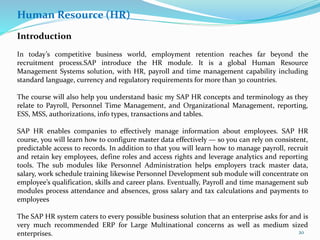
Human Resource (HR)
Introduction
In today’s competitive business world, employment retention reaches far beyond the
recruitment process.SAP introduce the HR module. It is a global Human Resource
Management Systems solution, with HR, payroll and time management capability including
standard language, currency and regulatory requirements for more than 30 countries.
The course will also help you understand basic my SAP HR concepts and terminology as they
relate to Payroll, Personnel Time Management, and Organizational Management, reporting,
ESS, MSS, authorizations, info types, transactions and tables.
SAP HR enables companies to effectively manage information about employees. SAP HR
course, you will learn how to configure master data effectively — so you can rely on consistent,
predictable access to records. In addition to that you will learn how to manage payroll, recruit
and retain key employees, define roles and access rights and leverage analytics and reporting
tools. The sub modules like Personnel Administration helps employers track master data,
salary, work schedule training likewise Personnel Development sub module will concentrate on
employee’s qualification, skills and career plans. Eventually, Payroll and time management sub
modules process attendance and absences, gross salary and tax calculations and payments to
employees
The SAP HR system caters to every possible business solution that an enterprise asks for and is
very much recommended ERP for Large Multinational concerns as well as medium sized
enterprises. 20
21
Warehouse Management (WM)
Introduction
SAP is divided into many ‘Modules’ for ease of implementation. All these modules are integrated.
‘Warehouse Management is a sub-module of Material Management module which takes care of
‘Warehouse Management’ functionality. Warehouses can be managed efficiently at ‘Bin location’
level using WM module.
Warehouse Management deals with Master data, packing and picking strategies, Enterprise
structure, Delivery processing, Warehouse Management, Physical inventory, Batch Management,
with a bonus section on Configuring Interfaces to Inventory Management and Production. SAP
Warehouse Management (SAP WM) is also a component of SAP Logistics Execution system (SAP
LE). It deals with the Inventory management and processing all relevant movements and tasks in
the warehouse, such as goods receipt, goods issue, movements within the warehouse
Using SAP solutions for warehouse management, employees can direct inbound goods through
cross-docking processes. These processes can help you to minimize duplicate goods movements
within warehouses and to plan and execute physical inventory or cycle counts.
Participants will learn the Organizational Structures of the Warehouse Management system and
will understand the Integration of Warehouse Management with other logistics applications in
ERP Central Component.
22
Functiona
l module
Technical
module
23
Home About us SAP
Training
CAD/CAM Software
Testing
contact
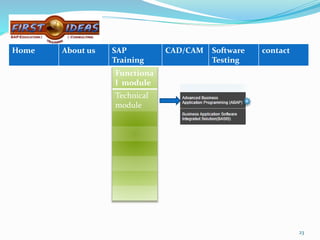
ABAP (Advanced Business Application Programming)
Introduction
ABAP (Advanced Business Application Programming) is a very high level programming language
created by SAP. SAP’s most recent development platform, NetWeaver, supports both ABAP and
Java for programming SAP’s Web Application Server. ABAP is one of the many application-
specific fourth-generation languages (4GLs). ABAP was one of the first languages to include the
concept of Logical Databases (LDBs), which provides a high level of abstraction from the basic
database level. It was also intended to be used by SAP customers to enhance SAP applications,
customers can develop custom reports and interfaces with ABAP programming.
All ABAP programs reside inside the SAP database. In the database all ABAP code exists in two
forms: source code, which can be viewed and edited with the ABAP Workbench tools, and
generated code. ABAP programs execute under the control of the runtime system, which is part
of the SAP kernel.
SAP has three different layers as presentation layer (GUI), application layer (programs run on
this) and data base layer where all data is stored and retrieved from user driven conditions,
commands given by end user programmer through presentation layer.
In ABAP, there are 7 different types of programs:
Include, executable, function module, module pool, subroutine, class, interface.
24
25
26
BASIS
Introduction
SAP Basis is a set of middleware programs and tools that provide the underlying base that enable
applications to be interoperable across operating systems. SAP Basis includes a RDBMS, GUI, and
client server architecture.
Beyond the interface aspect of Basis, it also includes such components as a data dictionary as well
as user and system administration.
Basis is a business application software integrated solution. Simply, Basis is the administration of
the SAP system. It’s a piece of middleware which links the application with the database and the
operating system.
Basis is most commonly associated with the GUI interface to the SAP, and the Basis administrator
is an SAP, professional who is responsible for configuring the SAP environment, including the GUI
screens and SAP application servers.
SAP Basis is the technological platform that supports the entire range of SAP applications, now
typically implemented in the framework of the SAP Web Application Server. In that sense SAP
Basis can be seen as the “operating system” on which SAP applications run. Like any operating
system, SAP Basis contains both low-level services (for example memory management, database
communication or servicing Web requests) and high-level tools for end users and administrators.
These tools can be executables (“SAP kernel”) running directly on the underlying operating
system, transactions developed in ABAP, or Web-based interfaces.
SAP Basis also provides a layer of abstraction between the business applications and the operating
system and database. This ensures that applications do not depend directly upon a specific server
or database platform and can easily be ported from one platform to another
Functiona
l module
Technical
module
Techno
Functional
Module
27
Home About us SAP
Training
CAD/CAM Software
Testing
contact
SAP HANA
• HANA is a flexible, data-source-agnostic appliance that enables customers to
analyze large
volumes of SAP ERP data in real-time, avoiding the need to materialize
transformations.
• It is a hardware and software combination that integrates a number of SAP
components
including the SAP HANA database, SAP LT (Landscape Transformation) Replication
Server,
HANA Direct Extractor Connection (DXC) and Sybase Replication technology.
BENEFITS:
Innovative yet non-disruptive platform for managing large volumes and variety of
data at high speeds
Real-time access with real-time replication services and data integration capabilities
Complete and instant insight with flexible data calculation engines, reporting and
analytics models
Simplified IT landscape with a multi-purpose in-memory appliance and reduced
layers
28
Functional
module
Technical
module
Techno
Functional
Module
Industry
Solution
Module
29
Home About us SAP
Training
CAD/CAM Software
Testing
contact
IS Retail
SAP IS Retail is an industry-specific application software from the software vendor
SAP AG and is focused on the global Retailing industry.
SAP IS Retail is a set of solutions which supports merchandise management and
planning, demand management, supply chain, base finance and HR functions.
With SAP IS Retail, you can better understand your business and business needs.
With the help of this application you can inspire your customers, shareholders and
employees by delivering positive results.
During this course student will learn about the most important function for
planning, purchasing and merchandise distribution from business perspective and
the associated customizing options. Individual will be able to recognize, maintain
and configure master data specific to SAP for retail.
30
31
CAD/CAM
Introduction
Catia
Unigraphics
solid works
32
Home About us SAP
Training
CAD/CAM Software
Testing
contact
Training programs are designed in consultation with Industry Experts to impart
domain specific know how through practical and project oriented training. Training
also includes hands-on experience on Design Projects. Each individual will get the
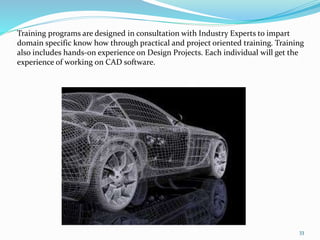
experience of working on CAD software.
33
34
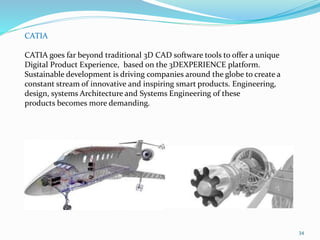
CATIA
CATIA goes far beyond traditional 3D CAD software tools to offer a unique
Digital Product Experience, based on the 3DEXPERIENCE platform.
Sustainable development is driving companies around the globe to create a
constant stream of innovative and inspiring smart products. Engineering,
design, systems Architecture and Systems Engineering of these
products becomes more demanding.
35
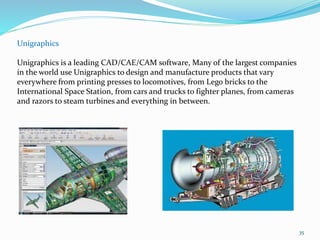
Unigraphics
Unigraphics is a leading CAD/CAE/CAM software, Many of the largest companies
in the world use Unigraphics to design and manufacture products that vary
everywhere from printing presses to locomotives, from Lego bricks to the
International Space Station, from cars and trucks to fighter planes, from cameras
and razors to steam turbines and everything in between.
36
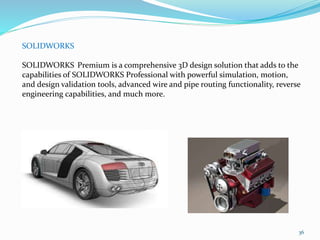
SOLIDWORKS
SOLIDWORKS Premium is a comprehensive 3D design solution that adds to the
capabilities of SOLIDWORKS Professional with powerful simulation, motion,
and design validation tools, advanced wire and pipe routing functionality, reverse
engineering capabilities, and much more.
37
Software Testing
Quick test
professional
38
Home About us SAP
Training
CAD/CAM Software
Testing
contact
39
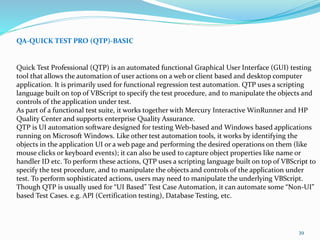
QA-QUICK TEST PRO (QTP)-BASIC
Quick Test Professional (QTP) is an automated functional Graphical User Interface (GUI) testing
tool that allows the automation of user actions on a web or client based and desktop computer
application. It is primarily used for functional regression test automation. QTP uses a scripting
language built on top of VBScript to specify the test procedure, and to manipulate the objects and
controls of the application under test.
As part of a functional test suite, it works together with Mercury Interactive WinRunner and HP
Quality Center and supports enterprise Quality Assurance.
QTP is UI automation software designed for testing Web-based and Windows based applications
running on Microsoft Windows. Like other test automation tools, it works by identifying the
objects in the application UI or a web page and performing the desired operations on them (like
mouse clicks or keyboard events); it can also be used to capture object properties like name or
handler ID etc. To perform these actions, QTP uses a scripting language built on top of VBScript to
specify the test procedure, and to manipulate the objects and controls of the application under
test. To perform sophisticated actions, users may need to manipulate the underlying VBScript.
Though QTP is usually used for “UI Based” Test Case Automation, it can automate some “Non-UI”
based Test Cases. e.g. API (Certification testing), Database Testing, etc.
40
Quick test
professional
40
Home About us SAP
Training
CAD/CAM Software
Testing
contact
41
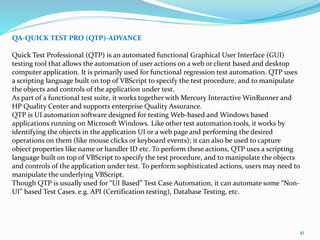
QA-QUICK TEST PRO (QTP)-ADVANCE
Quick Test Professional (QTP) is an automated functional Graphical User Interface (GUI)
testing tool that allows the automation of user actions on a web or client based and desktop
computer application. It is primarily used for functional regression test automation. QTP uses
a scripting language built on top of VBScript to specify the test procedure, and to manipulate
the objects and controls of the application under test.
As part of a functional test suite, it works together with Mercury Interactive WinRunner and
HP Quality Center and supports enterprise Quality Assurance.
QTP is UI automation software designed for testing Web-based and Windows based
applications running on Microsoft Windows. Like other test automation tools, it works by
identifying the objects in the application UI or a web page and performing the desired
operations on them (like mouse clicks or keyboard events); it can also be used to capture
object properties like name or handler ID etc. To perform these actions, QTP uses a scripting
language built on top of VBScript to specify the test procedure, and to manipulate the objects
and controls of the application under test. To perform sophisticated actions, users may need to
manipulate the underlying VBScript.
Though QTP is usually used for “UI Based” Test Case Automation, it can automate some “Non-
UI” based Test Cases. e.g. API (Certification testing), Database Testing, etc.
4242
Quick test
professional
Load Runner
42
Home About us SAP
Training
CAD/CAM Software
Testing
contact
43
QA-LOAD RUNNER-BASIC
Load Runner is a performance and load testing product for examining system behaviour and
performance, while generating actual load. Load Runner can emulate hundreds or thousands of
concurrent users to put the application through the rigors of real-life user loads, while collecting
information from key infrastructure components (Web servers, database servers etc). The
results can then be analyzed in detail, to explore the reasons for particular behaviour.
In this course at IIBS student will learn about the basics of this course. Like Identify information
for load testing, Identify the components of load runner, Performance Monitors, etc.
444444
Quick test
professional
Load Runner
Home About us SAP
Training
CAD/CAM Software
Testing
contact
45
QA-LOAD RUNNER-ADVANCE
Load Runner is a performance and load testing product for examining system behaviour and
performance, while generating actual load. Load Runner can emulate hundreds or thousands of
concurrent users to put the application through the rigors of real-life user loads, while collecting
information from key infrastructure components (Web servers, database servers etc).
Working in Load Runner involves using three different tools which are part of Load Runner.
They are Virtual User Generator (VuGen), Controller and Analysis.
46464646
Quick test
professional
Load Runner
Quality centre
Home About us SAP
Training
CAD/CAM Software
Testing
contact
47
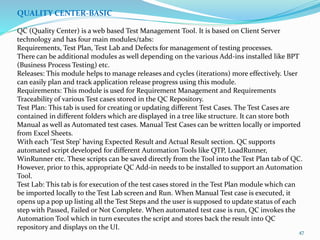
QUALITY CENTER-BASIC
QC (Quality Center) is a web based Test Management Tool. It is based on Client Server
technology and has four main modules/tabs:
Requirements, Test Plan, Test Lab and Defects for management of testing processes.
There can be additional modules as well depending on the various Add-ins installed like BPT
(Business Process Testing) etc.
Releases: This module helps to manage releases and cycles (iterations) more effectively. User
can easily plan and track application release progress using this module.
Requirements: This module is used for Requirement Management and Requirements
Traceability of various Test cases stored in the QC Repository.
Test Plan: This tab is used for creating or updating different Test Cases. The Test Cases are
contained in different folders which are displayed in a tree like structure. It can store both
Manual as well as Automated test cases. Manual Test Cases can be written locally or imported
from Excel Sheets.
With each ‘Test Step’ having Expected Result and Actual Result section. QC supports
automated script developed for different Automation Tools like QTP, LoadRunner,
WinRunner etc. These scripts can be saved directly from the Tool into the Test Plan tab of QC.
However, prior to this, appropriate QC Add-in needs to be installed to support an Automation
Tool.
Test Lab: This tab is for execution of the test cases stored in the Test Plan module which can
be imported locally to the Test Lab screen and Run. When Manual Test case is executed, it
opens up a pop up listing all the Test Steps and the user is supposed to update status of each
step with Passed, Failed or Not Complete. When automated test case is run, QC invokes the
Automation Tool which in turn executes the script and stores back the result into QC
repository and displays on the UI.
4848484848
Quick test
professional
Load Runner
Quality centre
Home About us SAP
Training
CAD/CAM Software
Testing
contact
49
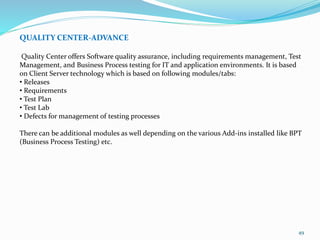
QUALITY CENTER-ADVANCE
Quality Center offers Software quality assurance, including requirements management, Test
Management, and Business Process testing for IT and application environments. It is based
on Client Server technology which is based on following modules/tabs:
• Releases
• Requirements
• Test Plan
• Test Lab
• Defects for management of testing processes
There can be additional modules as well depending on the various Add-ins installed like BPT
(Business Process Testing) etc.
50
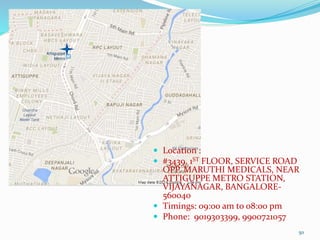
 Location :
 #3439, 1ST FLOOR, SERVICE ROAD
OPP. MARUTHI MEDICALS, NEAR
ATTIGUPPE METRO STATION,
VIJAYANAGAR, BANGALORE-
560040
 Timings: 09:00 am to 08:00 pm
 Phone: 9019303399, 9900721057

Firstideas v3

  • 1.
  • 2.
  • 3.
    Home About usSAP Training CAD/CAM Software Testing contact 3 Testimonials Facts ERP Returns $7.23 for Every Dollar Spent Enterprise Resource Planning (ERP) applications continue to deliver high return on investment.......(Read more)
  • 4.
    ERP Returns $7.23for Every Dollar Spent Enterprise Resource Planning (ERP) applications continue to deliver high return on investment. A new study has shown that for every $1 spent on ERP systems, companies are gaining an average benefit of $7.23. This number is up by more than a third from average returns 5 years ago. The study was analysed by Nucleus and monitored the actual costs and benefits of individual ERP deployments. The implementation of efficient cloud ERP options has driven higher returns. ERP customers are becoming more and savvier, and demanding more and seeking to maximize their investments. The sharp increase in ROI for new ERP solutions – up 36% – is helping to drive a new wave of investment interest as existing applications continue to age. But the heightened customer expectation for potential new ERP deployments is a challenge for vendors to meet, compounded by social media and publicly shared stories of “epic fail” instances from less effective solutions. Facts: 4
  • 5.
    About us: FIRSTIDEAS is aleading provider of corporate and professional training services in the area of ERP, CAD/CAM & QA software testing. FIRSTIDEAS excellent best-of-class instruction, training facilities, lab support and a clear roadmap to a successful career. 5
  • 6.
    Functional module 6 Home About usSAP Training CAD/CAM Software Testing contact
  • 7.
  • 8.
    Sales and Distribution( SD ) Introduction SAP SD (Sales and Distribution) program has been specially designed for professionals with prior exposure to Sales and Distribution and looking to use the world’s leading SAP Sales & Distribution application component. The main operations this module handles are Customer Sales Orders processing, pricing, picking, packing, shipping, billing and risk management etc. Within the SAP Sales and Distribution module will help you to understand the stages involved in the ordering cycle which include receiving the initial order through to delivery and invoicing. The SAP Sales and Distribution is part of the logistics module that supports customers, starting from quotations, sales order and all the way towards billing the customer. It is tightly integrated with the MM and PP functional modules. It allows companies to input their customer sales price, check for open orders and forecast etc. The most important basic functional features in the SD module are: Pricing, Credit Management, Output Determination, Tax Determination, Availability check, Material Determination, Text Processing and Account Determination. In this course you will learn how to execute and implement the main business procedures involved in sales and distribution processing. How to implement functions and make Customizing settings in pricing and billing. Attending our SAP Sales and Distribution basic training is a great way to get your feet wet with a different module of SAP and get solid exposure and training to the business processes SAP supports.8
  • 9.
  • 10.
    Material Management( MM) Introduction Purchasing is a component of the SAP Materials Management (MM) Module. The MM Module automates and integrates the entire range of tasks associated with materials management processes. This module mainly deals with Procurement Process, Inventory Management, Valuation of Material & Account Determination, Material Requirement Planning, goods receiving, Invoice and the final payment to vendor using the invoice verification feature etc. This module has two important master data – Material and Vendor. Broadly, the various levels that can be defined for a SAP MM implementation are: Client, Company Code, Plant, Storage Location and Purchase Organization. It can be divided into five major components: Materials Management, Plant Maintenance, Quality Management, Production Planning and Control, and a Project Management system. Each is divided into number of subcomponents. It also includes Inventory and Warehouse Management to manage stock until usage dictates and the cycle begins again. Electronic Kanban/ Just-in-Time delivery is supported. During this program, participants will learn about, customizing settings for purchasing, inventory management, physical inventory, account determination, and organizational levels and how to create material reservations manually. In addition to that individual will learn about the Planning and performing a physical inventory. 10
  • 11.
  • 12.
    Financial Accounting (FI ) Introduction SAP FI (Financials) is a core module for all Accounting and Financial professionals who wish to launch a career in SAP. The Financial Accounting (FI) application component fulfills all the international requirements that must be met by the financial accounting department of an organization. For the successful utilization of mySAP application, SAP FI is one of the most important and critical business modules. SAP FI module mainly deals with fixed asset, bank, cash journal, inventory, tax accounting, general/ ledger and accounts receivable/accounts payable. It is in SAP FI module that systematized and statutory data can be tracked and managed and the administrative people like, financial managers as well as other managers can review the financial position of the company in present time as compared to legacy system. All accounting-relevant transactions made in Logistics (LO) or Human Resources (HR) components are posted real-time to Financial Accounting by means of automatic account determination. This data can also be passed on to Controlling (CO). This ensures that logistical goods movements (such as goods receipts and goods issues) are exactly reflected in the value-based updates in accounting. This course is designed to learn how to manage and implement the organizational units, master data and documents for Financial Accounting. To learn about the concept of parallel valuation and reporting. In this SAP FI module you will learn that how to implement Accounting business processes such as payment, individual closing and evaluation methods. 12
  • 13.
  • 14.
    Controlling (CO) Introduction The purposeof the Controlling (CO) module in SAP is to provide organizations with a method of slicing and dicing data to view costs from an internal management perspective and provide a view of profitability beyond that of basic financial reporting. This training program is for individuals who whish to learn how to set up Management Accounting with SAP FI. Controlling provides you with information for management decision-making. It facilitates coordination, monitoring and optimization of all processes in an organization. This involves recording both the consumption of production factors and the services provided by an organization. Controlling (CO) and Financial Accounting (FI) are independent components in the SAP system. The data flow between the two components takes place on a regular basis. You can determine variances by comparing actual data with plan data. These variance calculations enable you to control business flows. Income statements such as, contribution margin accounting, are used to control the cost efficiency of individual areas an organization, as well as the entire organization. During this course you will learn how to set up cost object controlling and implement profitability. 14
  • 15.
  • 16.
    Supplier Relationship Management(SRM) Introduction SAP Supplier Relationship Management (SAP SRM) provides you with innovative methods to coordinate your business processes with your key suppliers and make them more effective. It provides strategic value through sustainable cost savings, contract compliance, and quick time-to-value. Companies, by focusing on procurement operations as profit centers, forward-looking companies are strengthening supplier relationships and making procurement a more strategic partner in the organization. SAP SRM enables you to optimize your procurement strategy, to work more effectively with your supplier pool, and thus to gain long-term benefits from all your supplier relationships. The SAP Supplier Relationship Management (SAP SRM) application automates, simplifies, and accelerates procure-to-pay processes for goods and services. With SAP SRM you can examine and forecast purchasing behavior, shorten procurement cycles, and work with your partners in real time. This allows you to develop long- term relationships with all those suppliers that have proven themselves to be reliable partners. The efficient processes in SAP SRM enable you to cut down your procurement expenses and to work more intensively with more suppliers than ever before. After completion of this course, certificate proves that the candidate has a good overall understanding within this consultant profile of the SRM solution, and can apply this knowledge practically in projects under guidance of an experienced consultant. This certificate is the ideal -although not mandatory- prerequisite for the qualification to SRM Application Professional. 16
  • 17.
  • 18.
    Customer Relationship Management(CRM) Introduction CRM is about creating sustainable connections between an organization and its customers. It evolved in the late 1990s as a way to redefine customer and company relations, mostly with the help of computerized measurement tools. It’s about acquiring and retaining customers, improving customer loyalty, gaining customer insight and implementing customer-focused strategies. SAP has introduced the CRM application which will help your company drive to new growth, maintain competitive nimbleness and attain operational excellence. According to the needs of the customers SAP has introduced CRM to give quick time to value and seamless best- practice operations between front and back-office. Armed with an understanding of the comprehensive functionality in SAP CRM, person can manage the entire customer life cycle efficiently and intellectually. Every business must be quick in solving problems that may hinder their progress, they need to be open-minded and take risks to succeed. So Implementing CRM is a great way to reduce cost and at the same time increase earnings. CRM Software from SAP: Act Immediately. Grow Strategically. Without any Compromise. SAP -CRM software is easy to use, it is web based and available on subscription basis. With SAP, organizations can act instantly to improve sales, service, and marketing effectiveness while still keeping strategic options open and without compromising cost-effectiveness or user adoption. 18
  • 19.
  • 20.
    Human Resource (HR) Introduction Intoday’s competitive business world, employment retention reaches far beyond the recruitment process.SAP introduce the HR module. It is a global Human Resource Management Systems solution, with HR, payroll and time management capability including standard language, currency and regulatory requirements for more than 30 countries. The course will also help you understand basic my SAP HR concepts and terminology as they relate to Payroll, Personnel Time Management, and Organizational Management, reporting, ESS, MSS, authorizations, info types, transactions and tables. SAP HR enables companies to effectively manage information about employees. SAP HR course, you will learn how to configure master data effectively — so you can rely on consistent, predictable access to records. In addition to that you will learn how to manage payroll, recruit and retain key employees, define roles and access rights and leverage analytics and reporting tools. The sub modules like Personnel Administration helps employers track master data, salary, work schedule training likewise Personnel Development sub module will concentrate on employee’s qualification, skills and career plans. Eventually, Payroll and time management sub modules process attendance and absences, gross salary and tax calculations and payments to employees The SAP HR system caters to every possible business solution that an enterprise asks for and is very much recommended ERP for Large Multinational concerns as well as medium sized enterprises. 20
  • 21.
  • 22.
    Warehouse Management (WM) Introduction SAPis divided into many ‘Modules’ for ease of implementation. All these modules are integrated. ‘Warehouse Management is a sub-module of Material Management module which takes care of ‘Warehouse Management’ functionality. Warehouses can be managed efficiently at ‘Bin location’ level using WM module. Warehouse Management deals with Master data, packing and picking strategies, Enterprise structure, Delivery processing, Warehouse Management, Physical inventory, Batch Management, with a bonus section on Configuring Interfaces to Inventory Management and Production. SAP Warehouse Management (SAP WM) is also a component of SAP Logistics Execution system (SAP LE). It deals with the Inventory management and processing all relevant movements and tasks in the warehouse, such as goods receipt, goods issue, movements within the warehouse Using SAP solutions for warehouse management, employees can direct inbound goods through cross-docking processes. These processes can help you to minimize duplicate goods movements within warehouses and to plan and execute physical inventory or cycle counts. Participants will learn the Organizational Structures of the Warehouse Management system and will understand the Integration of Warehouse Management with other logistics applications in ERP Central Component. 22
  • 23.
    Functiona l module Technical module 23 Home Aboutus SAP Training CAD/CAM Software Testing contact
  • 24.
    ABAP (Advanced BusinessApplication Programming) Introduction ABAP (Advanced Business Application Programming) is a very high level programming language created by SAP. SAP’s most recent development platform, NetWeaver, supports both ABAP and Java for programming SAP’s Web Application Server. ABAP is one of the many application- specific fourth-generation languages (4GLs). ABAP was one of the first languages to include the concept of Logical Databases (LDBs), which provides a high level of abstraction from the basic database level. It was also intended to be used by SAP customers to enhance SAP applications, customers can develop custom reports and interfaces with ABAP programming. All ABAP programs reside inside the SAP database. In the database all ABAP code exists in two forms: source code, which can be viewed and edited with the ABAP Workbench tools, and generated code. ABAP programs execute under the control of the runtime system, which is part of the SAP kernel. SAP has three different layers as presentation layer (GUI), application layer (programs run on this) and data base layer where all data is stored and retrieved from user driven conditions, commands given by end user programmer through presentation layer. In ABAP, there are 7 different types of programs: Include, executable, function module, module pool, subroutine, class, interface. 24
  • 25.
  • 26.
    26 BASIS Introduction SAP Basis isa set of middleware programs and tools that provide the underlying base that enable applications to be interoperable across operating systems. SAP Basis includes a RDBMS, GUI, and client server architecture. Beyond the interface aspect of Basis, it also includes such components as a data dictionary as well as user and system administration. Basis is a business application software integrated solution. Simply, Basis is the administration of the SAP system. It’s a piece of middleware which links the application with the database and the operating system. Basis is most commonly associated with the GUI interface to the SAP, and the Basis administrator is an SAP, professional who is responsible for configuring the SAP environment, including the GUI screens and SAP application servers. SAP Basis is the technological platform that supports the entire range of SAP applications, now typically implemented in the framework of the SAP Web Application Server. In that sense SAP Basis can be seen as the “operating system” on which SAP applications run. Like any operating system, SAP Basis contains both low-level services (for example memory management, database communication or servicing Web requests) and high-level tools for end users and administrators. These tools can be executables (“SAP kernel”) running directly on the underlying operating system, transactions developed in ABAP, or Web-based interfaces. SAP Basis also provides a layer of abstraction between the business applications and the operating system and database. This ensures that applications do not depend directly upon a specific server or database platform and can easily be ported from one platform to another
  • 27.
  • 28.
    SAP HANA • HANAis a flexible, data-source-agnostic appliance that enables customers to analyze large volumes of SAP ERP data in real-time, avoiding the need to materialize transformations. • It is a hardware and software combination that integrates a number of SAP components including the SAP HANA database, SAP LT (Landscape Transformation) Replication Server, HANA Direct Extractor Connection (DXC) and Sybase Replication technology. BENEFITS: Innovative yet non-disruptive platform for managing large volumes and variety of data at high speeds Real-time access with real-time replication services and data integration capabilities Complete and instant insight with flexible data calculation engines, reporting and analytics models Simplified IT landscape with a multi-purpose in-memory appliance and reduced layers 28
  • 29.
  • 30.
    IS Retail SAP ISRetail is an industry-specific application software from the software vendor SAP AG and is focused on the global Retailing industry. SAP IS Retail is a set of solutions which supports merchandise management and planning, demand management, supply chain, base finance and HR functions. With SAP IS Retail, you can better understand your business and business needs. With the help of this application you can inspire your customers, shareholders and employees by delivering positive results. During this course student will learn about the most important function for planning, purchasing and merchandise distribution from business perspective and the associated customizing options. Individual will be able to recognize, maintain and configure master data specific to SAP for retail. 30
  • 31.
  • 32.
    Introduction Catia Unigraphics solid works 32 Home Aboutus SAP Training CAD/CAM Software Testing contact
  • 33.
    Training programs aredesigned in consultation with Industry Experts to impart domain specific know how through practical and project oriented training. Training also includes hands-on experience on Design Projects. Each individual will get the experience of working on CAD software. 33
  • 34.
    34 CATIA CATIA goes farbeyond traditional 3D CAD software tools to offer a unique Digital Product Experience, based on the 3DEXPERIENCE platform. Sustainable development is driving companies around the globe to create a constant stream of innovative and inspiring smart products. Engineering, design, systems Architecture and Systems Engineering of these products becomes more demanding.
  • 35.
    35 Unigraphics Unigraphics is aleading CAD/CAE/CAM software, Many of the largest companies in the world use Unigraphics to design and manufacture products that vary everywhere from printing presses to locomotives, from Lego bricks to the International Space Station, from cars and trucks to fighter planes, from cameras and razors to steam turbines and everything in between.
  • 36.
    36 SOLIDWORKS SOLIDWORKS Premium isa comprehensive 3D design solution that adds to the capabilities of SOLIDWORKS Professional with powerful simulation, motion, and design validation tools, advanced wire and pipe routing functionality, reverse engineering capabilities, and much more.
  • 37.
  • 38.
    Quick test professional 38 Home Aboutus SAP Training CAD/CAM Software Testing contact
  • 39.
    39 QA-QUICK TEST PRO(QTP)-BASIC Quick Test Professional (QTP) is an automated functional Graphical User Interface (GUI) testing tool that allows the automation of user actions on a web or client based and desktop computer application. It is primarily used for functional regression test automation. QTP uses a scripting language built on top of VBScript to specify the test procedure, and to manipulate the objects and controls of the application under test. As part of a functional test suite, it works together with Mercury Interactive WinRunner and HP Quality Center and supports enterprise Quality Assurance. QTP is UI automation software designed for testing Web-based and Windows based applications running on Microsoft Windows. Like other test automation tools, it works by identifying the objects in the application UI or a web page and performing the desired operations on them (like mouse clicks or keyboard events); it can also be used to capture object properties like name or handler ID etc. To perform these actions, QTP uses a scripting language built on top of VBScript to specify the test procedure, and to manipulate the objects and controls of the application under test. To perform sophisticated actions, users may need to manipulate the underlying VBScript. Though QTP is usually used for “UI Based” Test Case Automation, it can automate some “Non-UI” based Test Cases. e.g. API (Certification testing), Database Testing, etc.
  • 40.
    40 Quick test professional 40 Home Aboutus SAP Training CAD/CAM Software Testing contact
  • 41.
    41 QA-QUICK TEST PRO(QTP)-ADVANCE Quick Test Professional (QTP) is an automated functional Graphical User Interface (GUI) testing tool that allows the automation of user actions on a web or client based and desktop computer application. It is primarily used for functional regression test automation. QTP uses a scripting language built on top of VBScript to specify the test procedure, and to manipulate the objects and controls of the application under test. As part of a functional test suite, it works together with Mercury Interactive WinRunner and HP Quality Center and supports enterprise Quality Assurance. QTP is UI automation software designed for testing Web-based and Windows based applications running on Microsoft Windows. Like other test automation tools, it works by identifying the objects in the application UI or a web page and performing the desired operations on them (like mouse clicks or keyboard events); it can also be used to capture object properties like name or handler ID etc. To perform these actions, QTP uses a scripting language built on top of VBScript to specify the test procedure, and to manipulate the objects and controls of the application under test. To perform sophisticated actions, users may need to manipulate the underlying VBScript. Though QTP is usually used for “UI Based” Test Case Automation, it can automate some “Non- UI” based Test Cases. e.g. API (Certification testing), Database Testing, etc.
  • 42.
    4242 Quick test professional Load Runner 42 HomeAbout us SAP Training CAD/CAM Software Testing contact
  • 43.
    43 QA-LOAD RUNNER-BASIC Load Runneris a performance and load testing product for examining system behaviour and performance, while generating actual load. Load Runner can emulate hundreds or thousands of concurrent users to put the application through the rigors of real-life user loads, while collecting information from key infrastructure components (Web servers, database servers etc). The results can then be analyzed in detail, to explore the reasons for particular behaviour. In this course at IIBS student will learn about the basics of this course. Like Identify information for load testing, Identify the components of load runner, Performance Monitors, etc.
  • 44.
    444444 Quick test professional Load Runner HomeAbout us SAP Training CAD/CAM Software Testing contact
  • 45.
    45 QA-LOAD RUNNER-ADVANCE Load Runneris a performance and load testing product for examining system behaviour and performance, while generating actual load. Load Runner can emulate hundreds or thousands of concurrent users to put the application through the rigors of real-life user loads, while collecting information from key infrastructure components (Web servers, database servers etc). Working in Load Runner involves using three different tools which are part of Load Runner. They are Virtual User Generator (VuGen), Controller and Analysis.
  • 46.
    46464646 Quick test professional Load Runner Qualitycentre Home About us SAP Training CAD/CAM Software Testing contact
  • 47.
    47 QUALITY CENTER-BASIC QC (QualityCenter) is a web based Test Management Tool. It is based on Client Server technology and has four main modules/tabs: Requirements, Test Plan, Test Lab and Defects for management of testing processes. There can be additional modules as well depending on the various Add-ins installed like BPT (Business Process Testing) etc. Releases: This module helps to manage releases and cycles (iterations) more effectively. User can easily plan and track application release progress using this module. Requirements: This module is used for Requirement Management and Requirements Traceability of various Test cases stored in the QC Repository. Test Plan: This tab is used for creating or updating different Test Cases. The Test Cases are contained in different folders which are displayed in a tree like structure. It can store both Manual as well as Automated test cases. Manual Test Cases can be written locally or imported from Excel Sheets. With each ‘Test Step’ having Expected Result and Actual Result section. QC supports automated script developed for different Automation Tools like QTP, LoadRunner, WinRunner etc. These scripts can be saved directly from the Tool into the Test Plan tab of QC. However, prior to this, appropriate QC Add-in needs to be installed to support an Automation Tool. Test Lab: This tab is for execution of the test cases stored in the Test Plan module which can be imported locally to the Test Lab screen and Run. When Manual Test case is executed, it opens up a pop up listing all the Test Steps and the user is supposed to update status of each step with Passed, Failed or Not Complete. When automated test case is run, QC invokes the Automation Tool which in turn executes the script and stores back the result into QC repository and displays on the UI.
  • 48.
    4848484848 Quick test professional Load Runner Qualitycentre Home About us SAP Training CAD/CAM Software Testing contact
  • 49.
    49 QUALITY CENTER-ADVANCE Quality Centeroffers Software quality assurance, including requirements management, Test Management, and Business Process testing for IT and application environments. It is based on Client Server technology which is based on following modules/tabs: • Releases • Requirements • Test Plan • Test Lab • Defects for management of testing processes There can be additional modules as well depending on the various Add-ins installed like BPT (Business Process Testing) etc.
  • 50.
    50  Location : #3439, 1ST FLOOR, SERVICE ROAD OPP. MARUTHI MEDICALS, NEAR ATTIGUPPE METRO STATION, VIJAYANAGAR, BANGALORE- 560040  Timings: 09:00 am to 08:00 pm  Phone: 9019303399, 9900721057