IT Dep artment
OUTLINE
Objective
Features
Demo
2
2
3
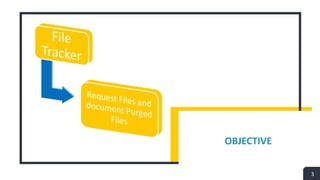
OBJECTIVE
3
4
4
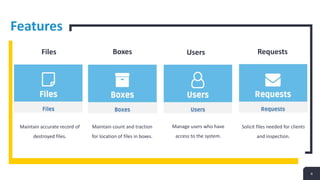
Boxes
Maintain count and traction
for location of files in boxes.
Features
Files Users Requests
Maintain accurate record of
destroyed files.
Manage users who have
access to the system.
Solicit files needed for clients
and inspection.
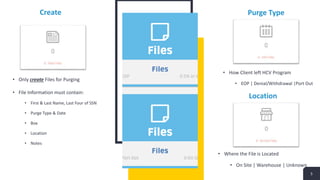
Create
5
Location
Purge Type
• Only create Files for Purging
• File Information must contain:
• First & Last Name, Last Four of SSN
• Purge Type & Date
• Box
• Location
• Notes
• Where the File is Located
• On Site | Warehouse | Unknown
• How Client left HCV Program
• EOP | Denial/Withdrawal |Port Out
Create
6
Location
Info
• Only create Boxes for Purging
• Box Information must contain:
• Box Number
• Year
• Anticipated Delivery Date to
Warehouse
• Location
• Update Box Information
• View Files in Boxes
• Where the Box is Located
• On Site | Warehouse | Unknown
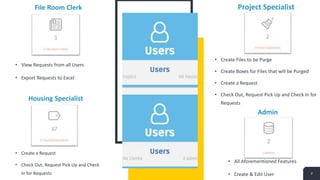
File Room Clerk
7
Housing Specialist
Admin
Project Specialist
• View Requests from all Users
• Export Requests to Excel
• Create a Request
• Check Out, Request Pick Up and Check
In for Requests
• Create Files to be Purge
• Create Boxes for Files that will be Purged
• Create a Request
• Check Out, Request Pick Up and Check In for
Requests
• All Aforementioned Features
• Create & Edit User
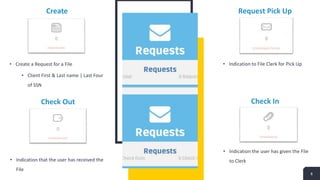
Create
8
Request Pick Up
Check In
Check Out
• Indication that the user has received the
File
• Create a Request for a File
• Client First & Last name | Last Four
of SSN
• Indication the user has given the File
to Clerk
• Indication to File Clerk for Pick Up
9
Demo
7
THANK YOU
SUBTITLE GOES HERE
10
Thank You

File Tracker Presentation

  • 1.
  • 2.
  • 3.
  • 4.
    4 4 Boxes Maintain count andtraction for location of files in boxes. Features Files Users Requests Maintain accurate record of destroyed files. Manage users who have access to the system. Solicit files needed for clients and inspection.
  • 5.
    Create 5 Location Purge Type • Onlycreate Files for Purging • File Information must contain: • First & Last Name, Last Four of SSN • Purge Type & Date • Box • Location • Notes • Where the File is Located • On Site | Warehouse | Unknown • How Client left HCV Program • EOP | Denial/Withdrawal |Port Out
  • 6.
    Create 6 Location Info • Only createBoxes for Purging • Box Information must contain: • Box Number • Year • Anticipated Delivery Date to Warehouse • Location • Update Box Information • View Files in Boxes • Where the Box is Located • On Site | Warehouse | Unknown
  • 7.
    File Room Clerk 7 HousingSpecialist Admin Project Specialist • View Requests from all Users • Export Requests to Excel • Create a Request • Check Out, Request Pick Up and Check In for Requests • Create Files to be Purge • Create Boxes for Files that will be Purged • Create a Request • Check Out, Request Pick Up and Check In for Requests • All Aforementioned Features • Create & Edit User
  • 8.
    Create 8 Request Pick Up CheckIn Check Out • Indication that the user has received the File • Create a Request for a File • Client First & Last name | Last Four of SSN • Indication the user has given the File to Clerk • Indication to File Clerk for Pick Up
  • 9.
  • 10.
    THANK YOU SUBTITLE GOESHERE 10 Thank You