
Online Conference
June 17th and 18th 2015
WWW.COLLAB365.EVENTS
Extensión de Office con ADAL.JS y
Office UI Fabric
WWW.COLLAB365.EVENTS
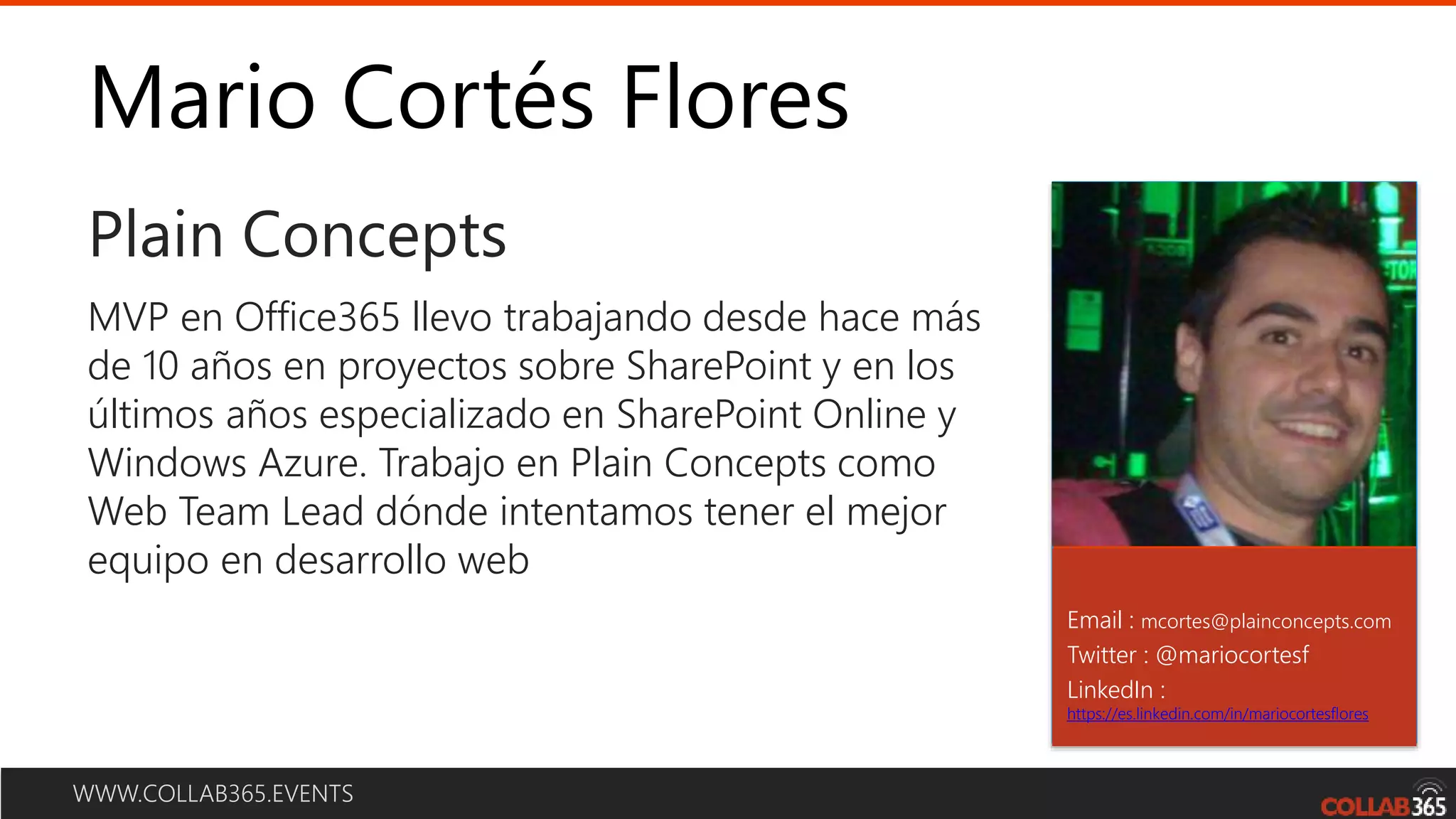
Mario Cortés Flores
Plain Concepts
Email : mcortes@plainconcepts.com
Twitter : @mariocortesf
LinkedIn :
https://es.linkedin.com/in/mariocortesflores
MVP en Office365 llevo trabajando desde hace más
de 10 años en proyectos sobre SharePoint y en los
últimos años especializado en SharePoint Online y
Windows Azure. Trabajo en Plain Concepts como
Web Team Lead dónde intentamos tener el mejor
equipo en desarrollo web
WWW.COLLAB365.EVENTS
Agenda
• Overview de Add-in
• Flujo de desarrollo
• Office Fabric
• Adal JS
• Publicación en el store
Online Conference
June 17th and 18th 2015
WWW.COLLAB365.EVENTS
Overview
Online Conference
June 17th and 18th 2015
Qué es?
• Una página web renderizada dentro de Office.
• Basada en Html, CSS y JavaScript.
• Podemos interactuar con los documentos y
elementos de Office a través de Web
Extensibility Framework.
Online Conference
June 17th and 18th 2015
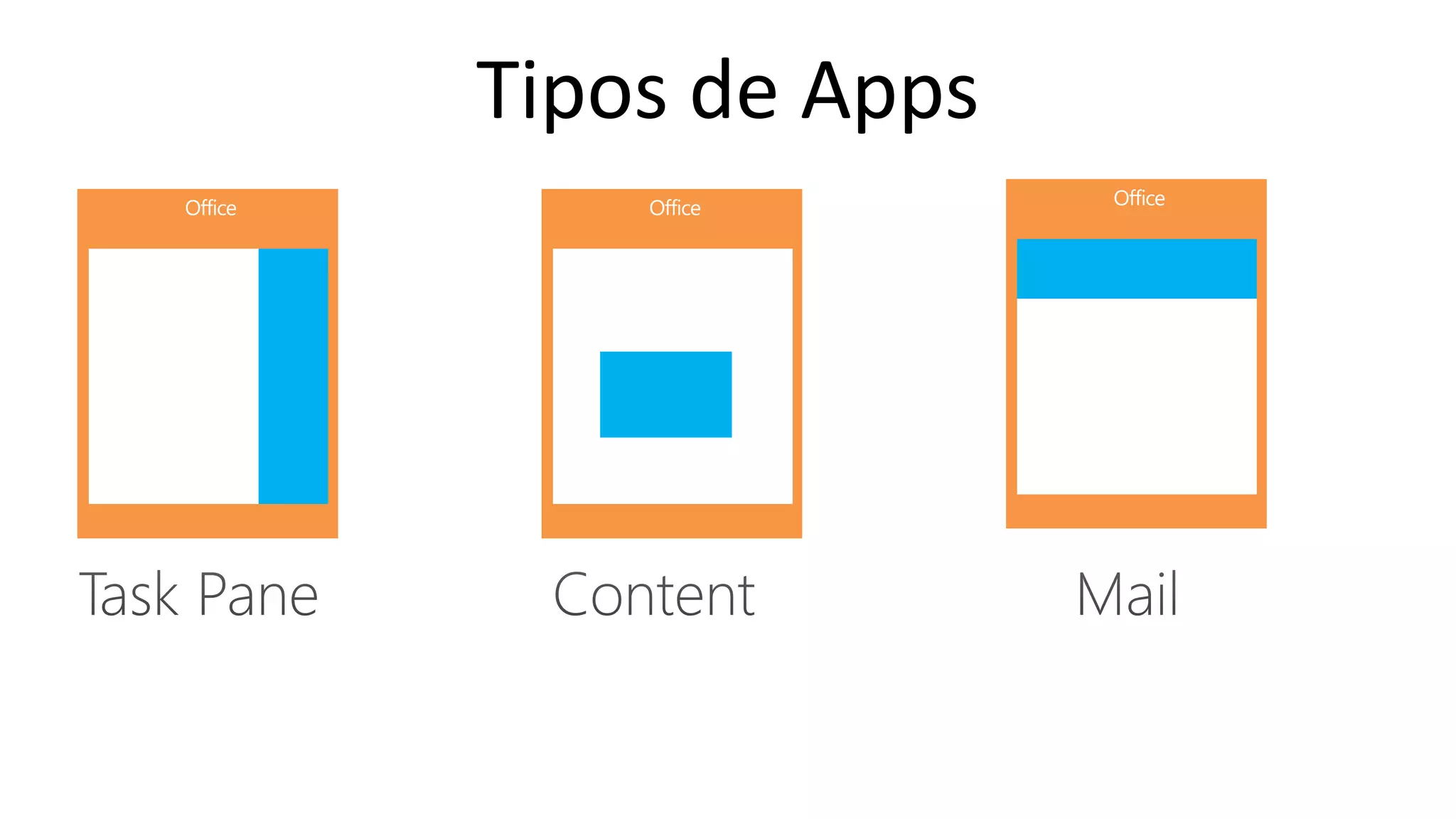
Tipos de Apps
Online Conference
June 17th and 18th 2015
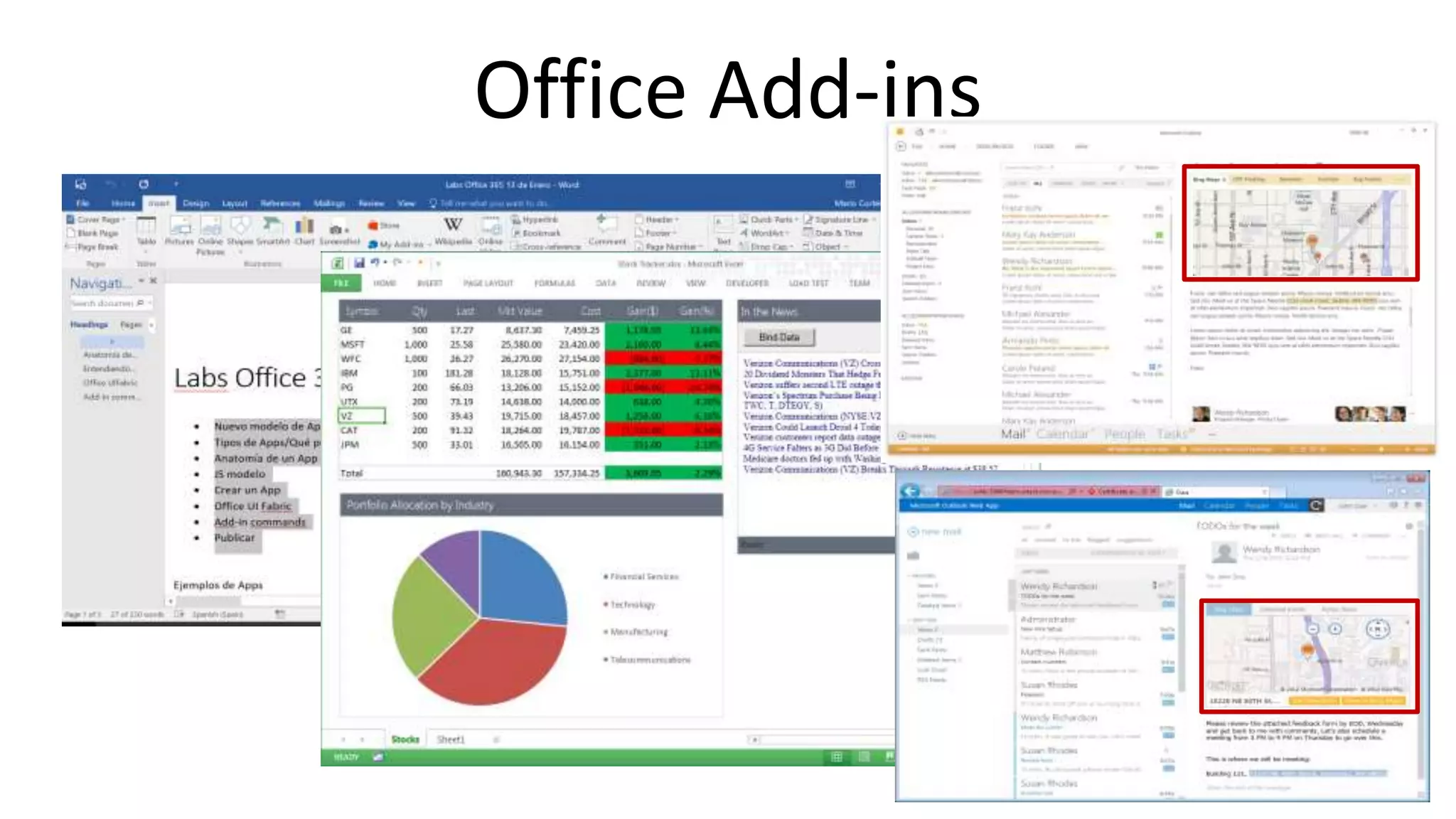
Office Add-ins
Online Conference
June 17th and 18th 2015
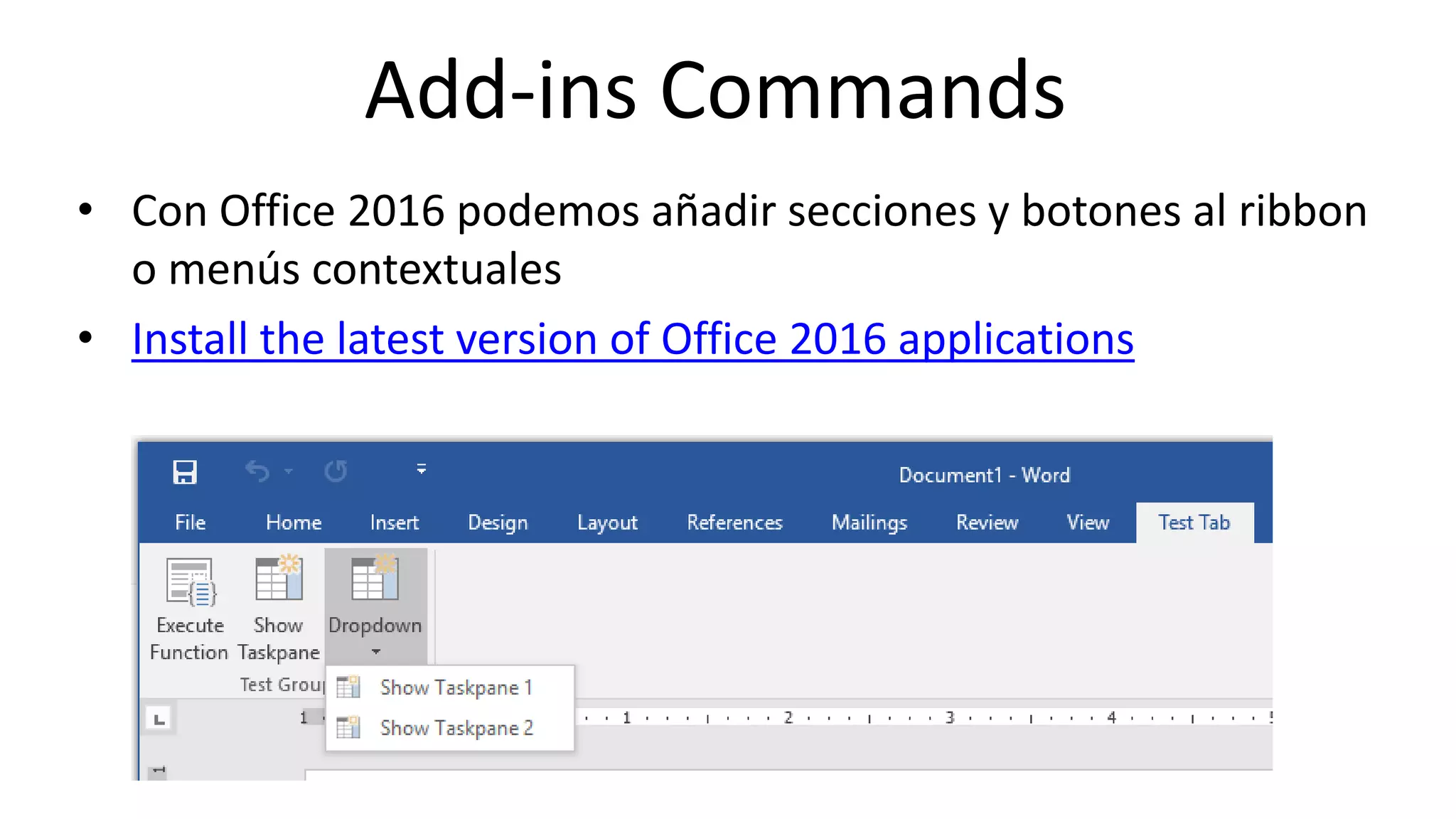
Add-ins Commands
• Con Office 2016 podemos añadir secciones y botones al ribbon
o menús contextuales
• Install the latest version of Office 2016 applications
Online Conference
June 17th and 18th 2015
Cómo se instala
• Desde el ribbon
• Catálogo de apps:
– Corporativo desde SharePoint
– App Store
– Unidad de red
Online Conference
June 17th and 18th 2015
WWW.COLLAB365.EVENTS
Flujo de desarrollo
Online Conference
June 17th and 18th 2015
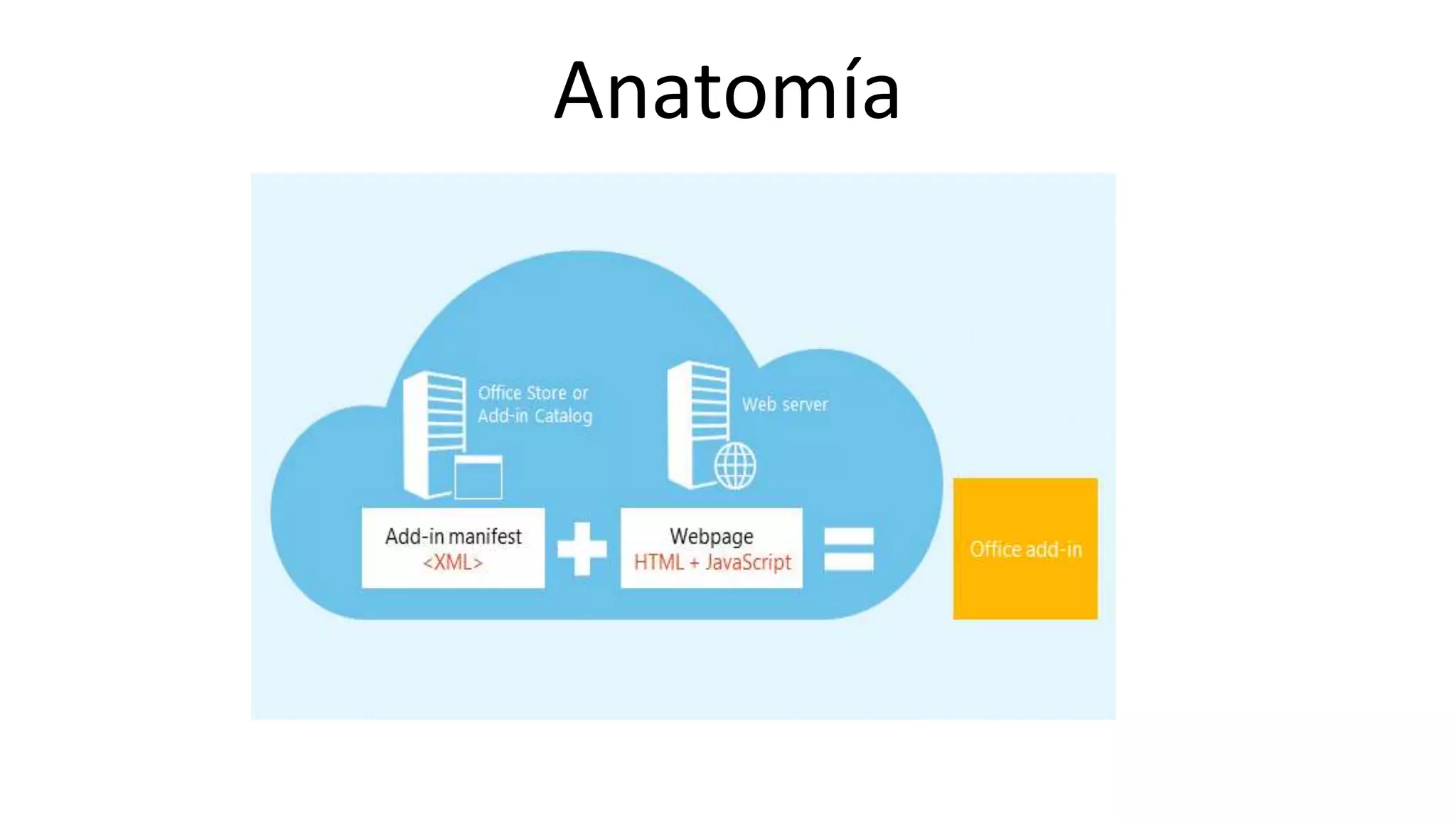
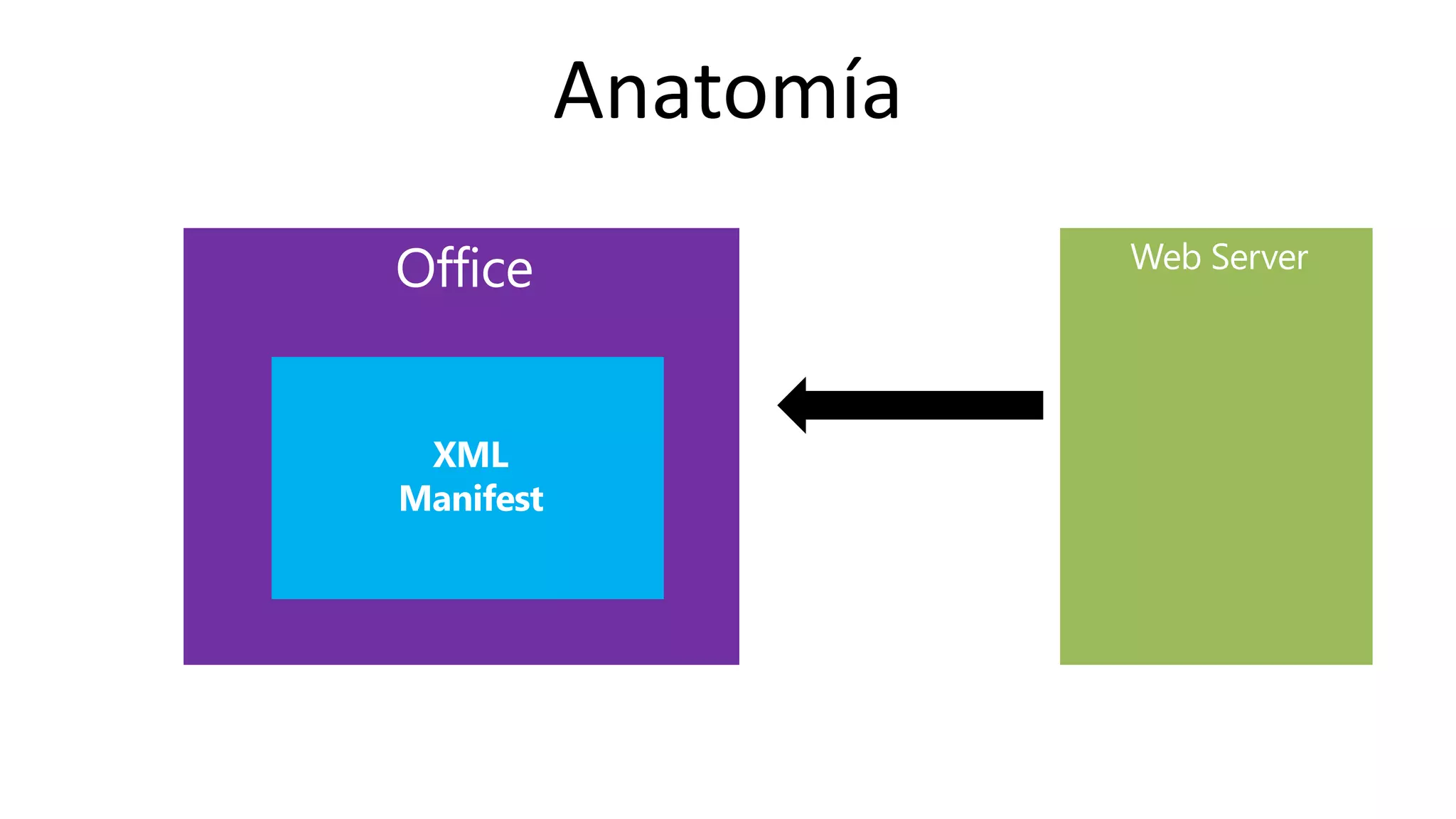
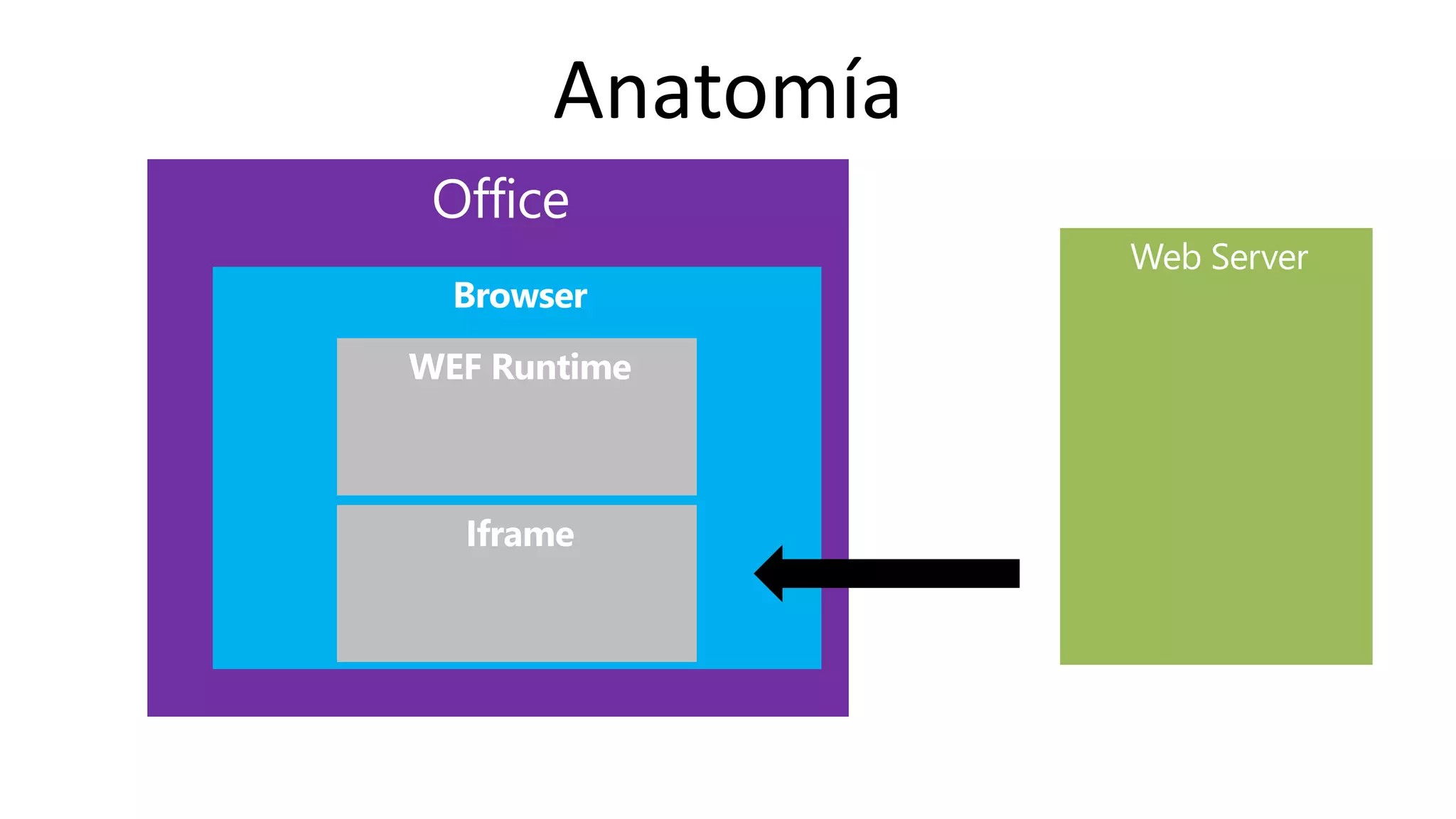
Anatomía
Online Conference
June 17th and 18th 2015
Anatomía
Online Conference
June 17th and 18th 2015
Anatomía
Online Conference
June 17th and 18th 2015
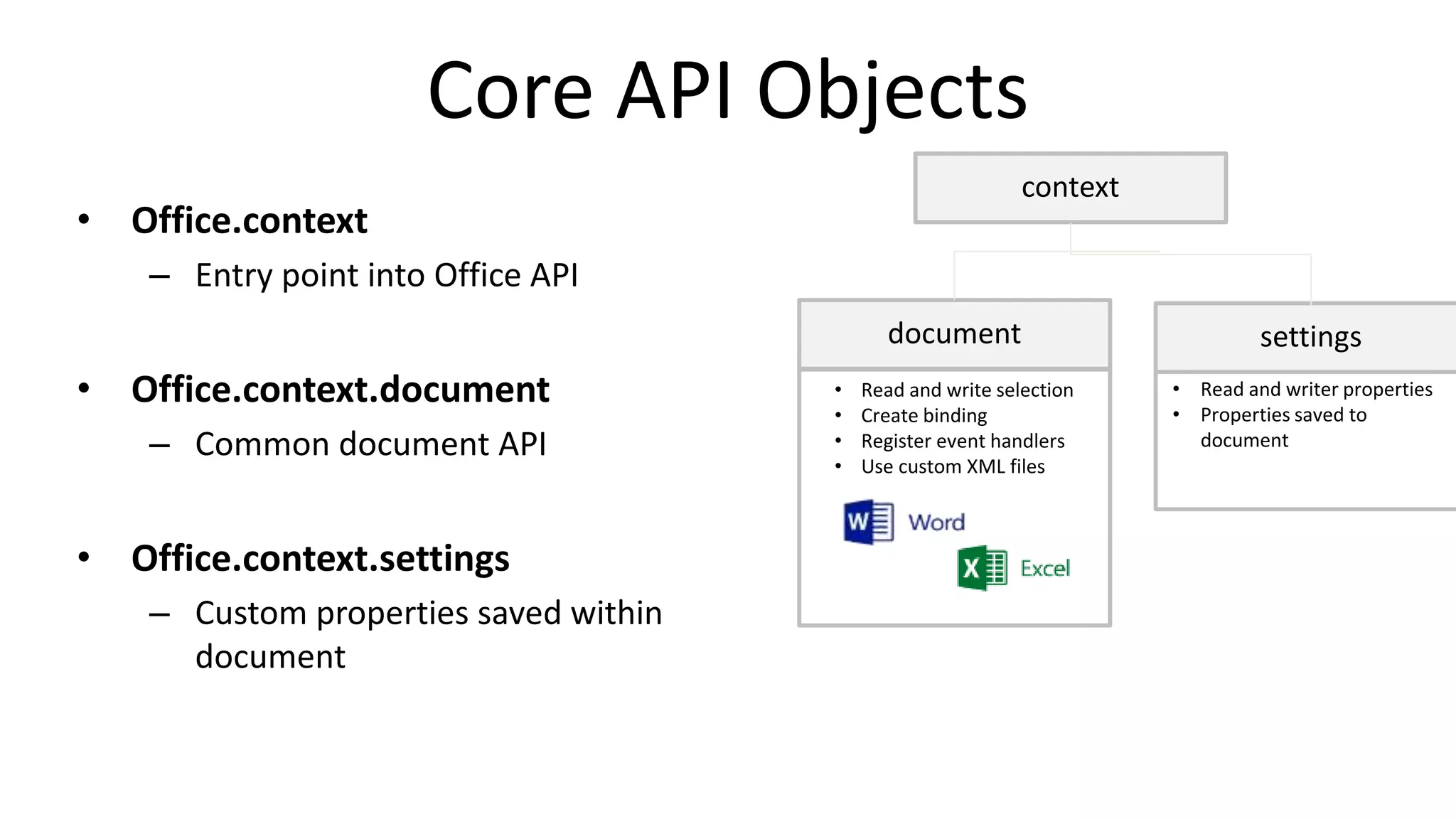
Core API Objects
• Office.context
– Entry point into Office API
• Office.context.document
– Common document API
• Office.context.settings
– Custom properties saved within
document
• Read and write selection
• Create binding
• Register event handlers
• Use custom XML files
• Read and writer properties
• Properties saved to
document
document settings
context
Online Conference
June 17th and 18th 2015
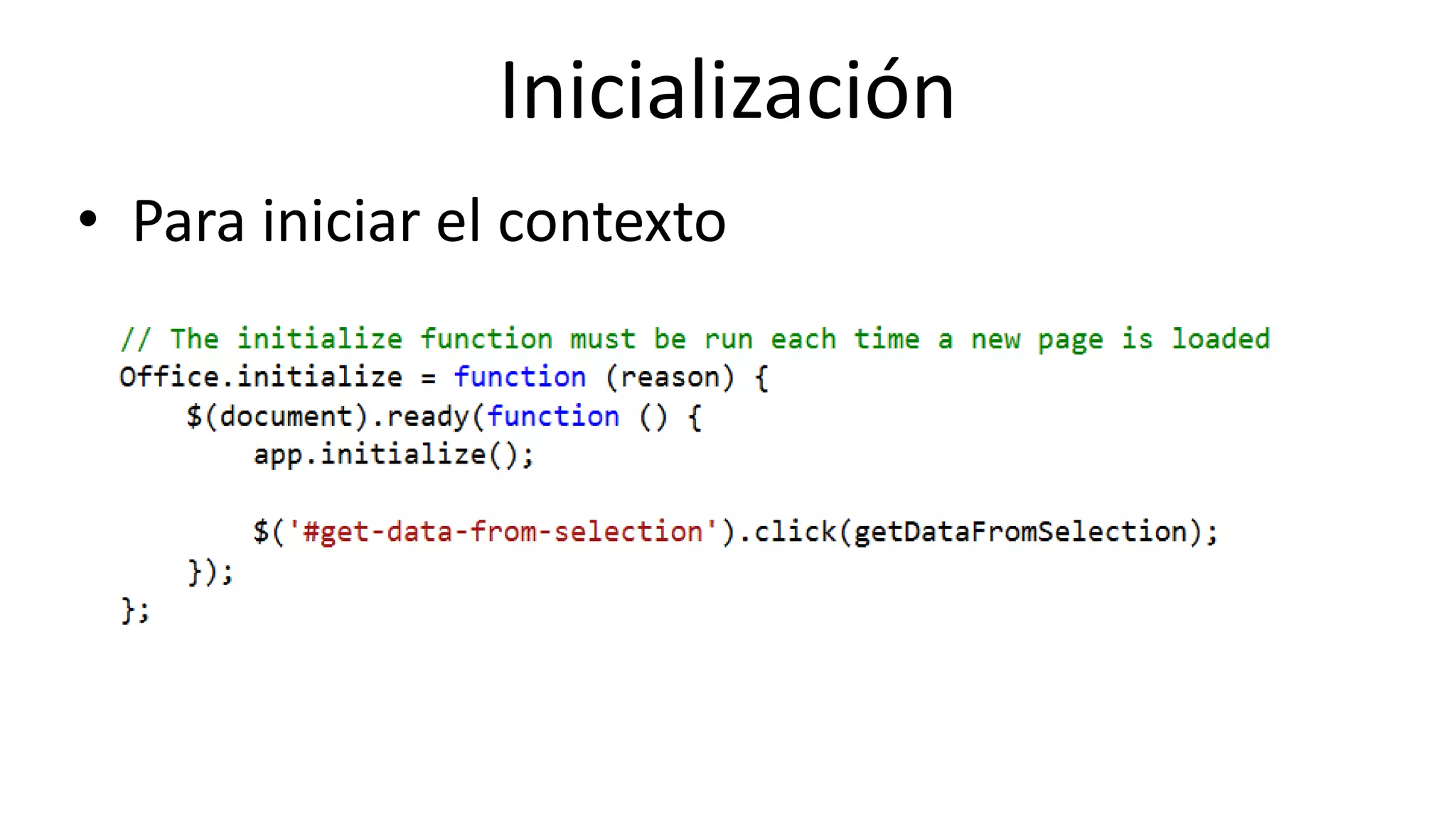
Inicialización
• Para iniciar el contexto
Online Conference
June 17th and 18th 2015
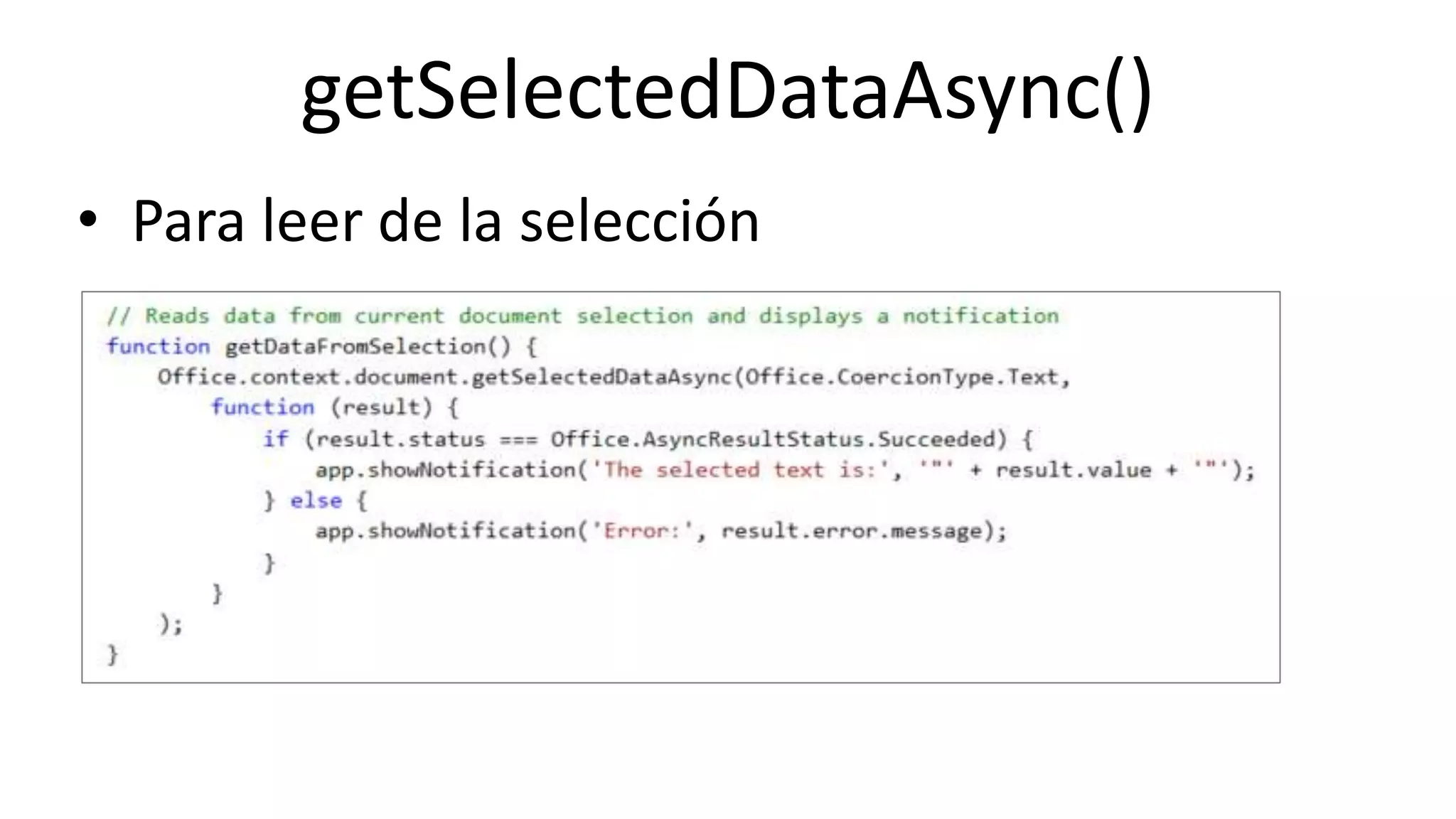
getSelectedDataAsync()
• Para leer de la selección
Online Conference
June 17th and 18th 2015
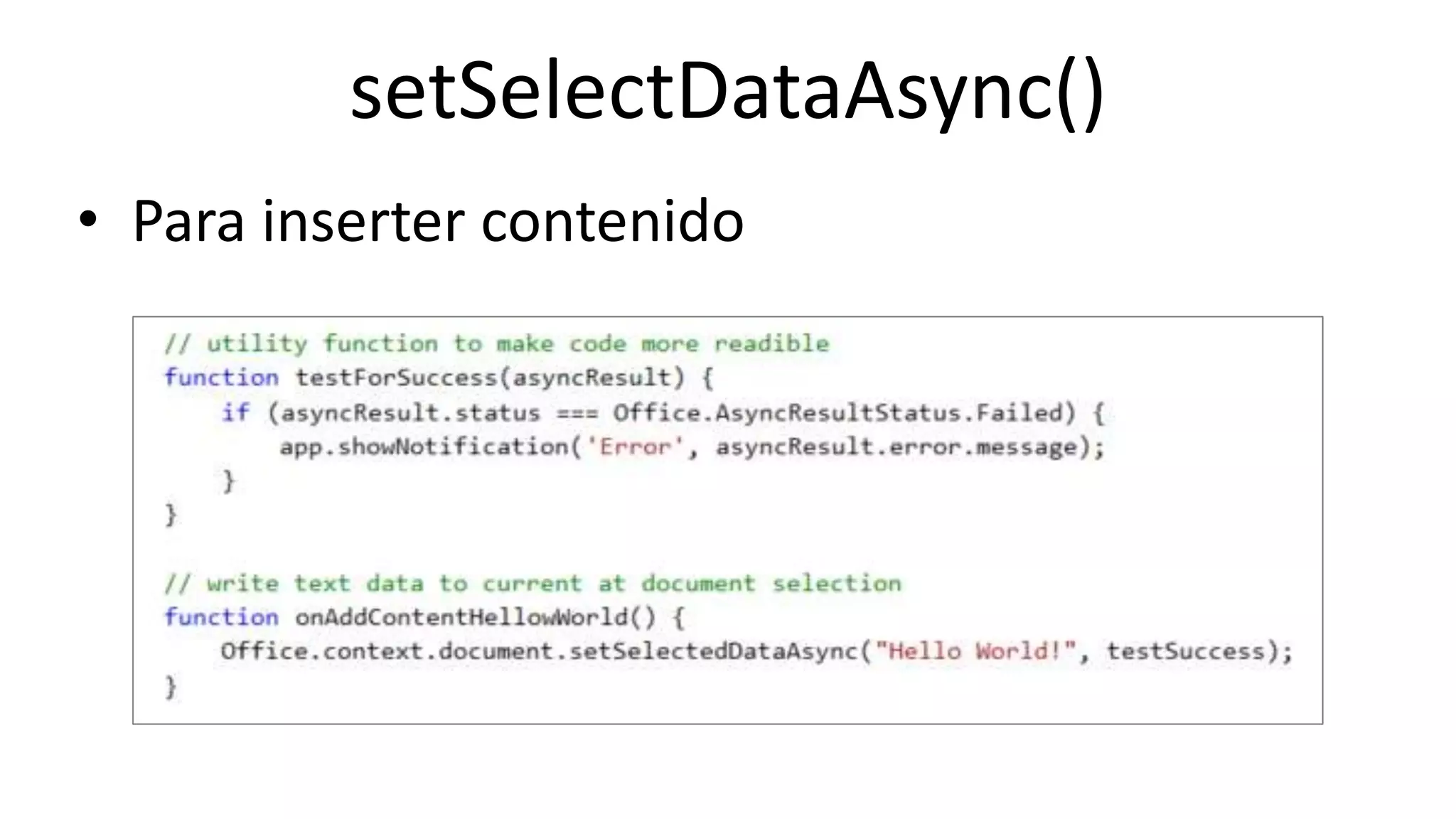
setSelectDataAsync()
• Para inserter contenido
Online Conference
June 17th and 18th 2015
Centro de desarrollo
http://dev.office.com/getting-started
Online Conference
June 17th and 18th 2015
WWW.COLLAB365.EVENTS
Office Fabric
Online Conference
June 17th and 18th 2015
Office Fabric
• Ofrece a nuestras aplicaciones controles con
apariencia y comportamiento similar al de Office y
SharePoint.
• Referenciamos un css y JS y aplicamos las clases a
nuestro HTML.
http://dev.office.com/fabric/components/
Online Conference
June 17th and 18th 2015
WWW.COLLAB365.EVENTS
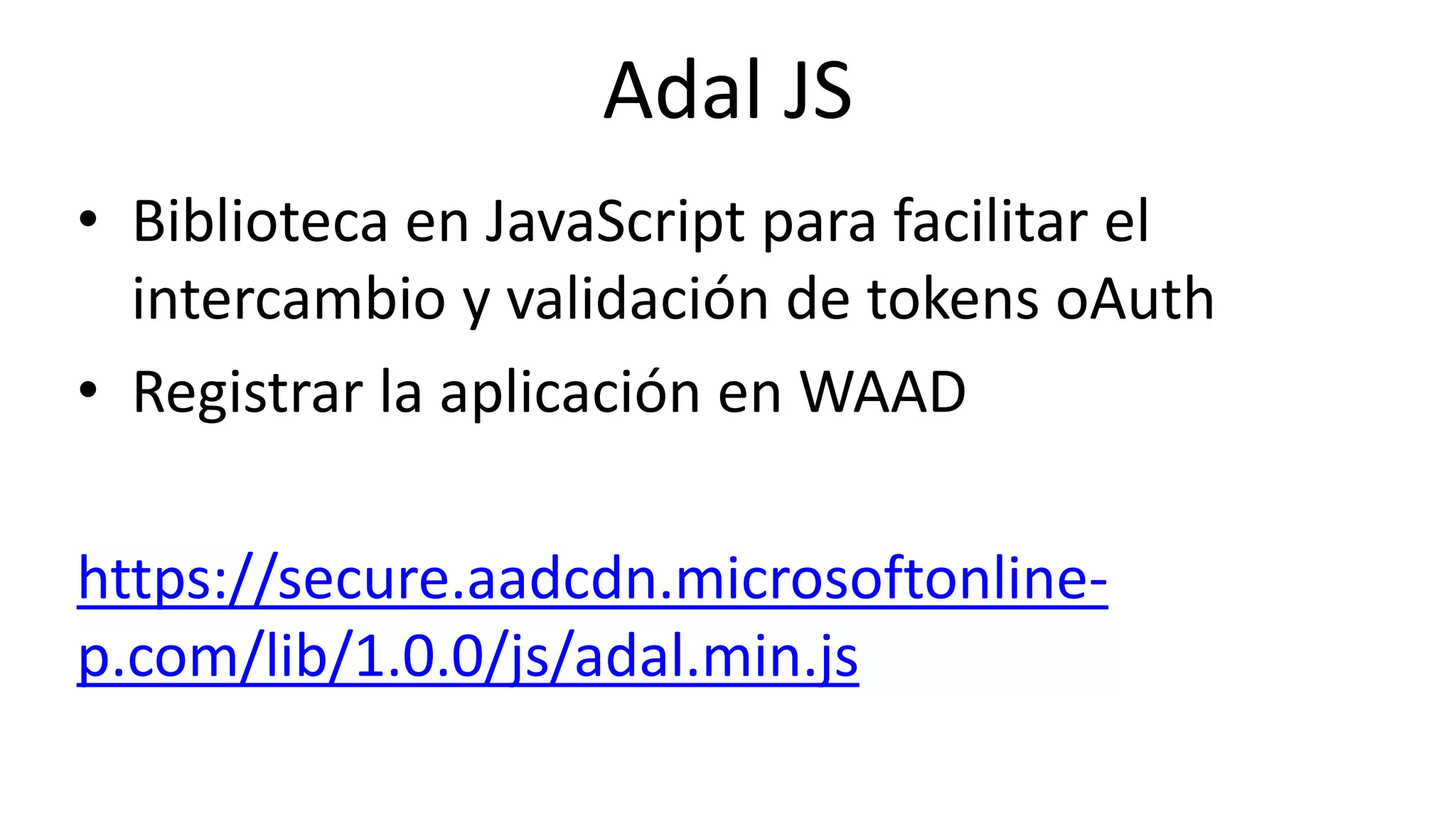
Adal JS
Online Conference
June 17th and 18th 2015
Adal JS
• Biblioteca en JavaScript para facilitar el
intercambio y validación de tokens oAuth
• Registrar la aplicación en WAAD
https://secure.aadcdn.microsoftonline-
p.com/lib/1.0.0/js/adal.min.js
Online Conference
June 17th and 18th 2015
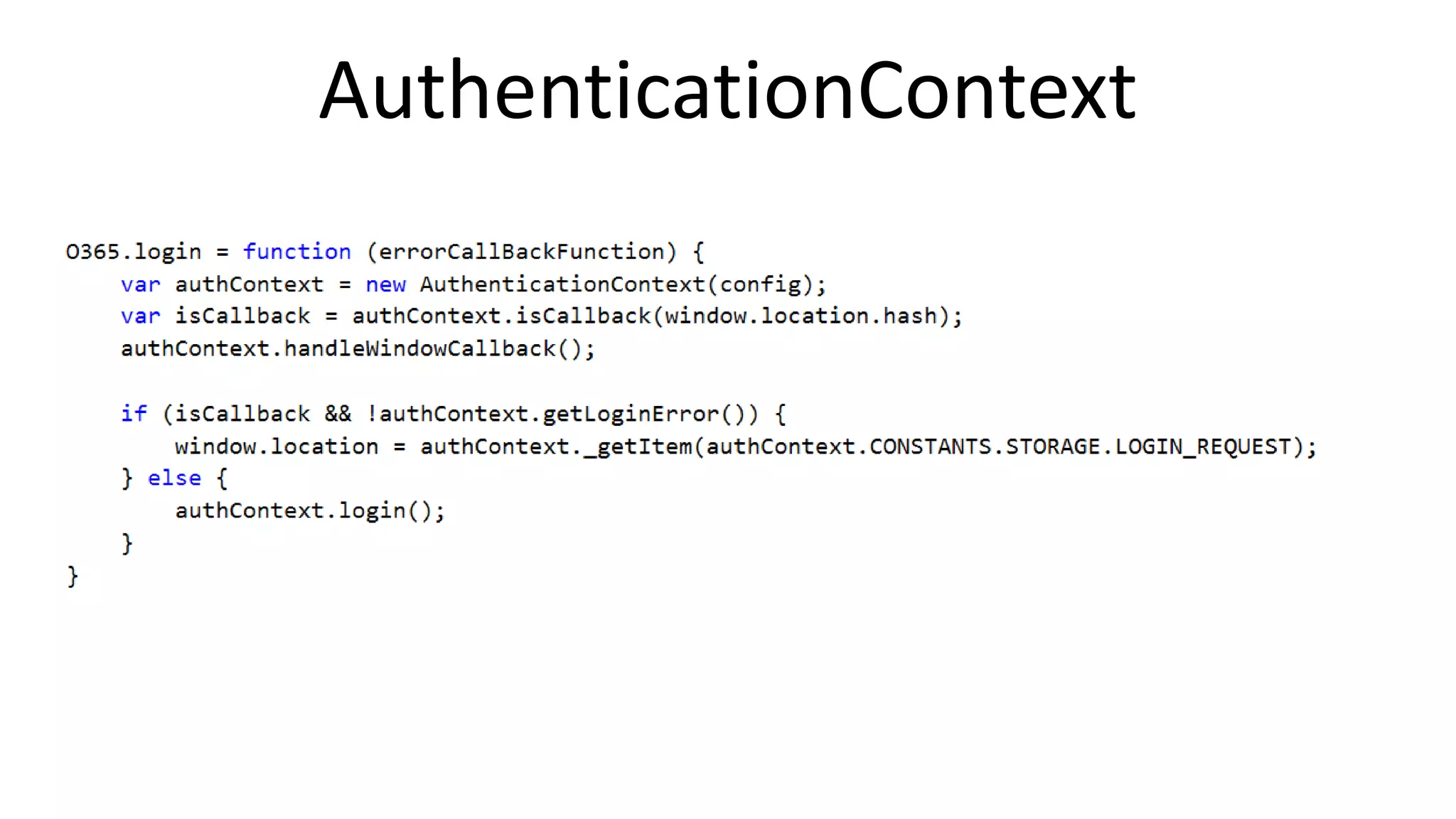
AuthenticationContext
Online Conference
June 17th and 18th 2015
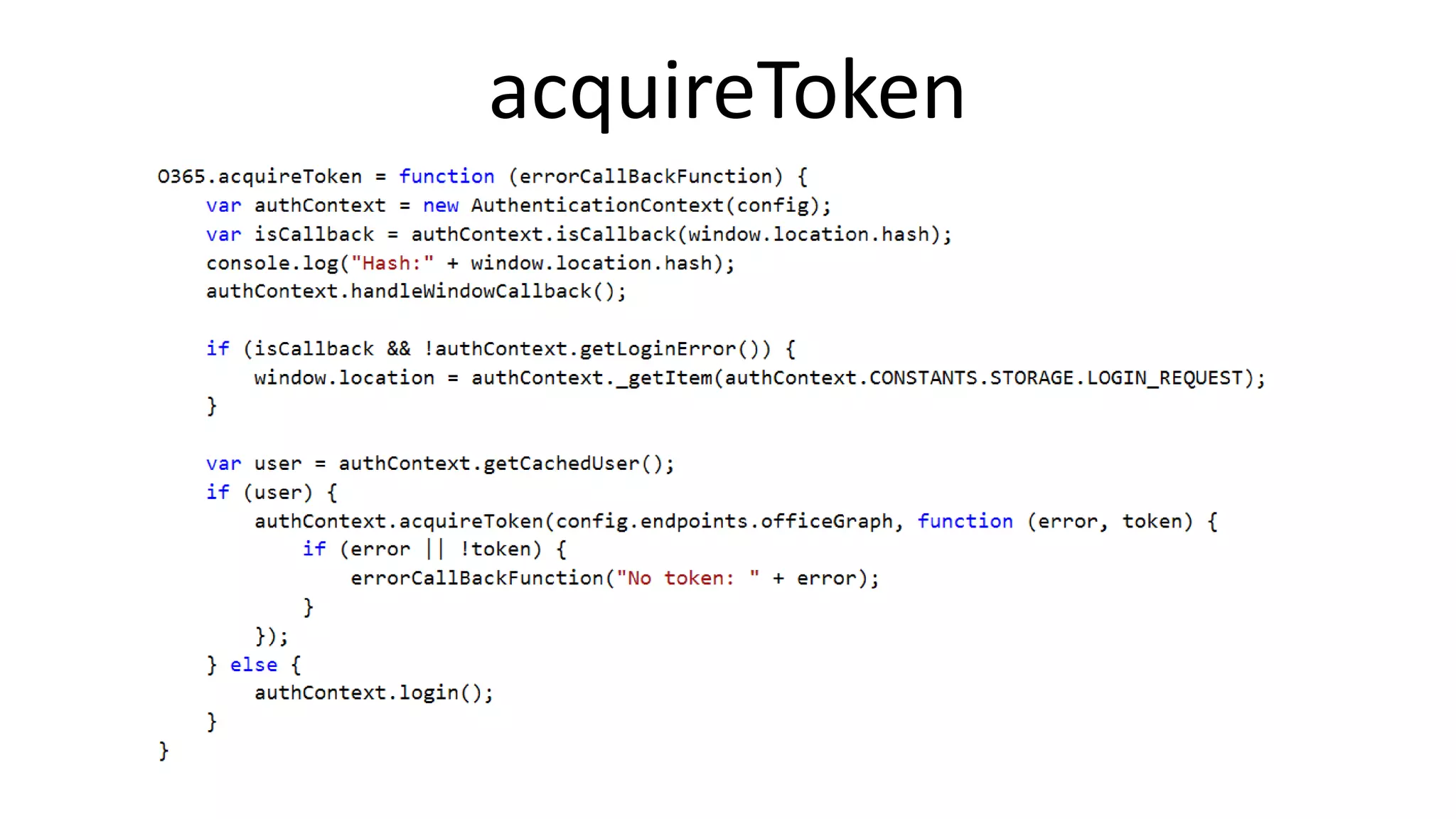
acquireToken
Online Conference
June 17th and 18th 2015
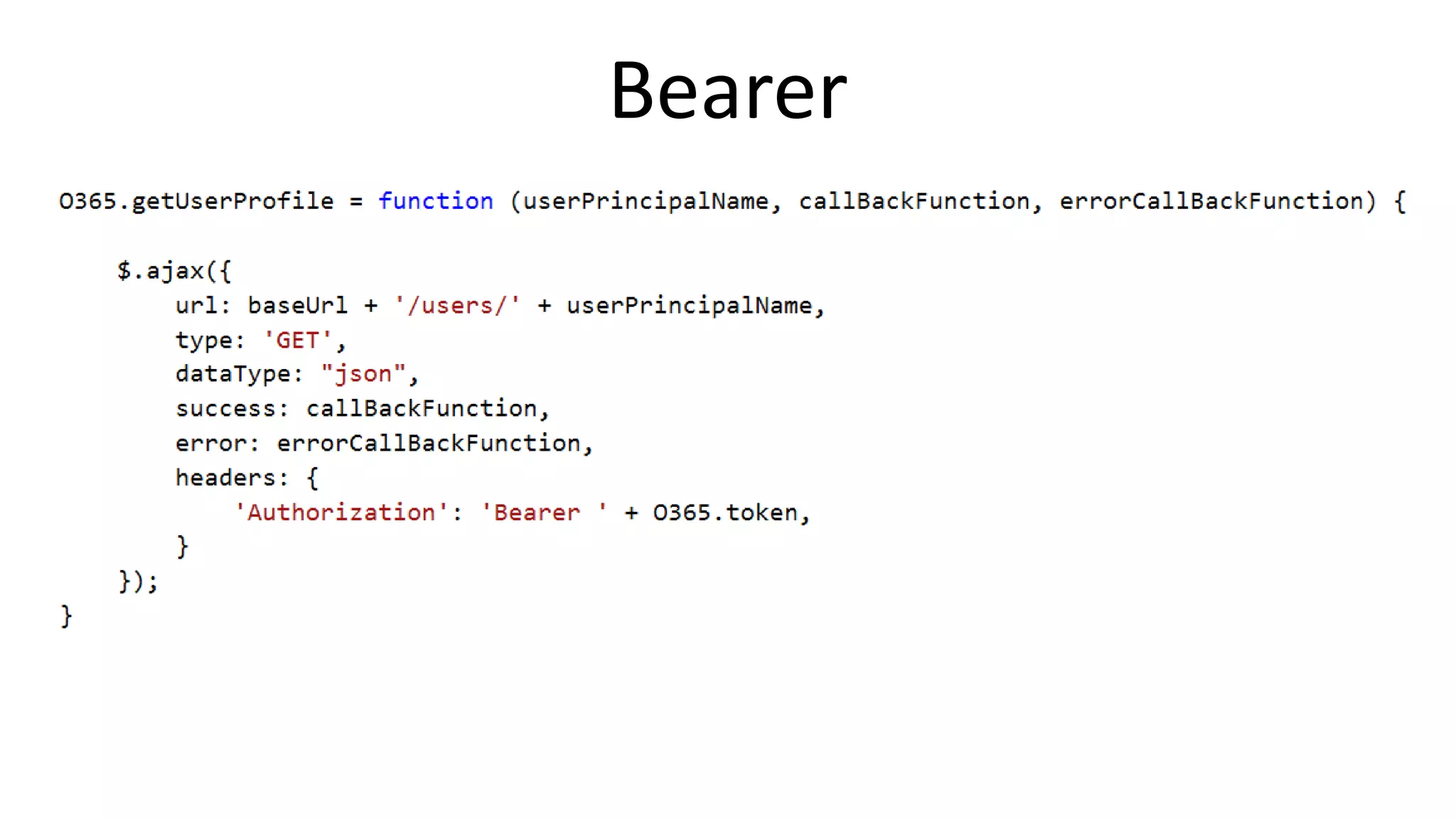
Bearer
Online Conference
June 17th and 18th 2015
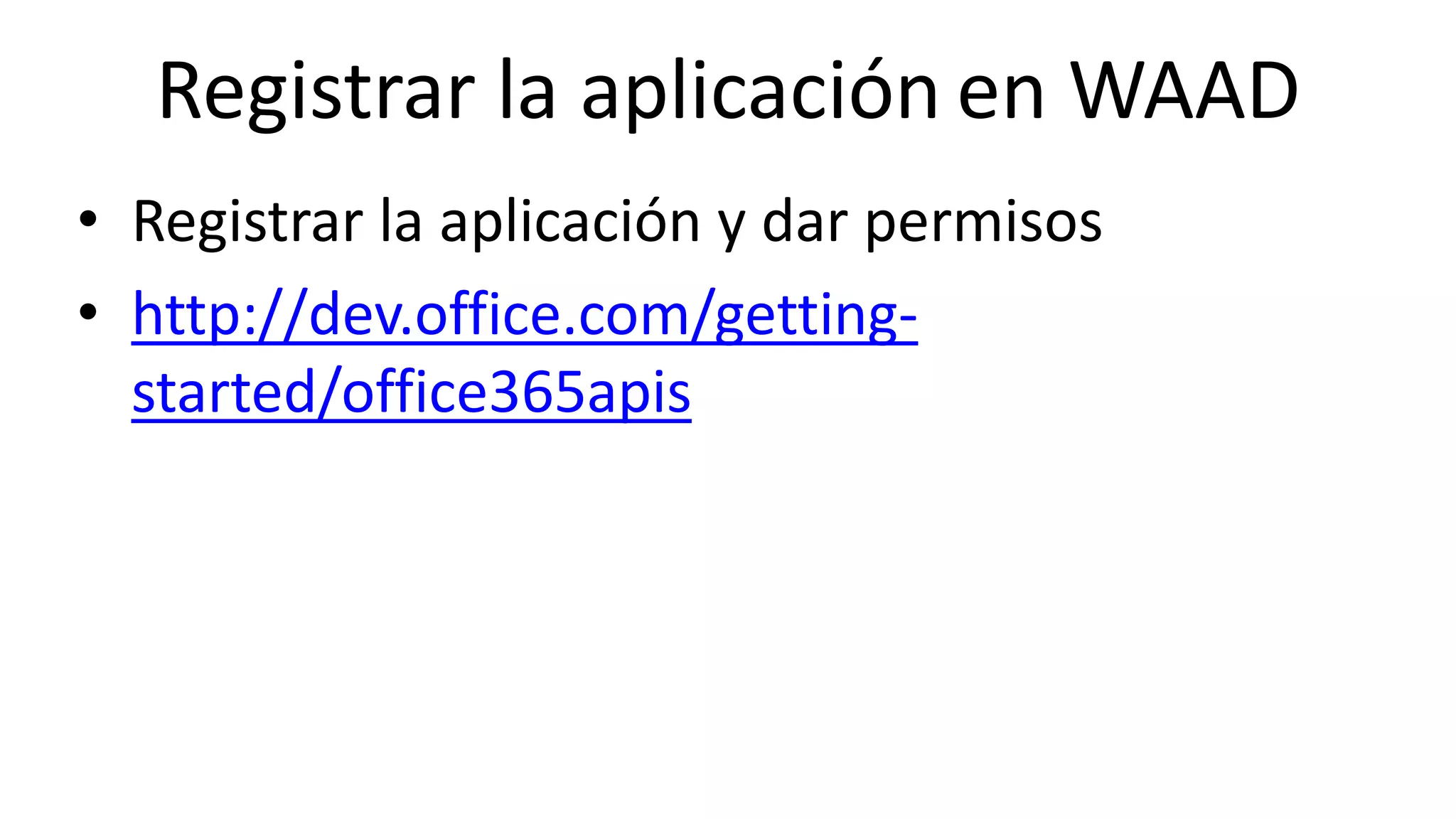
Registrar la aplicación en WAAD
• Registrar la aplicación y dar permisos
• http://dev.office.com/getting-
started/office365apis
Online Conference
June 17th and 18th 2015
WWW.COLLAB365.EVENTS
Publicación en el Store
Online Conference
June 17th and 18th 2015
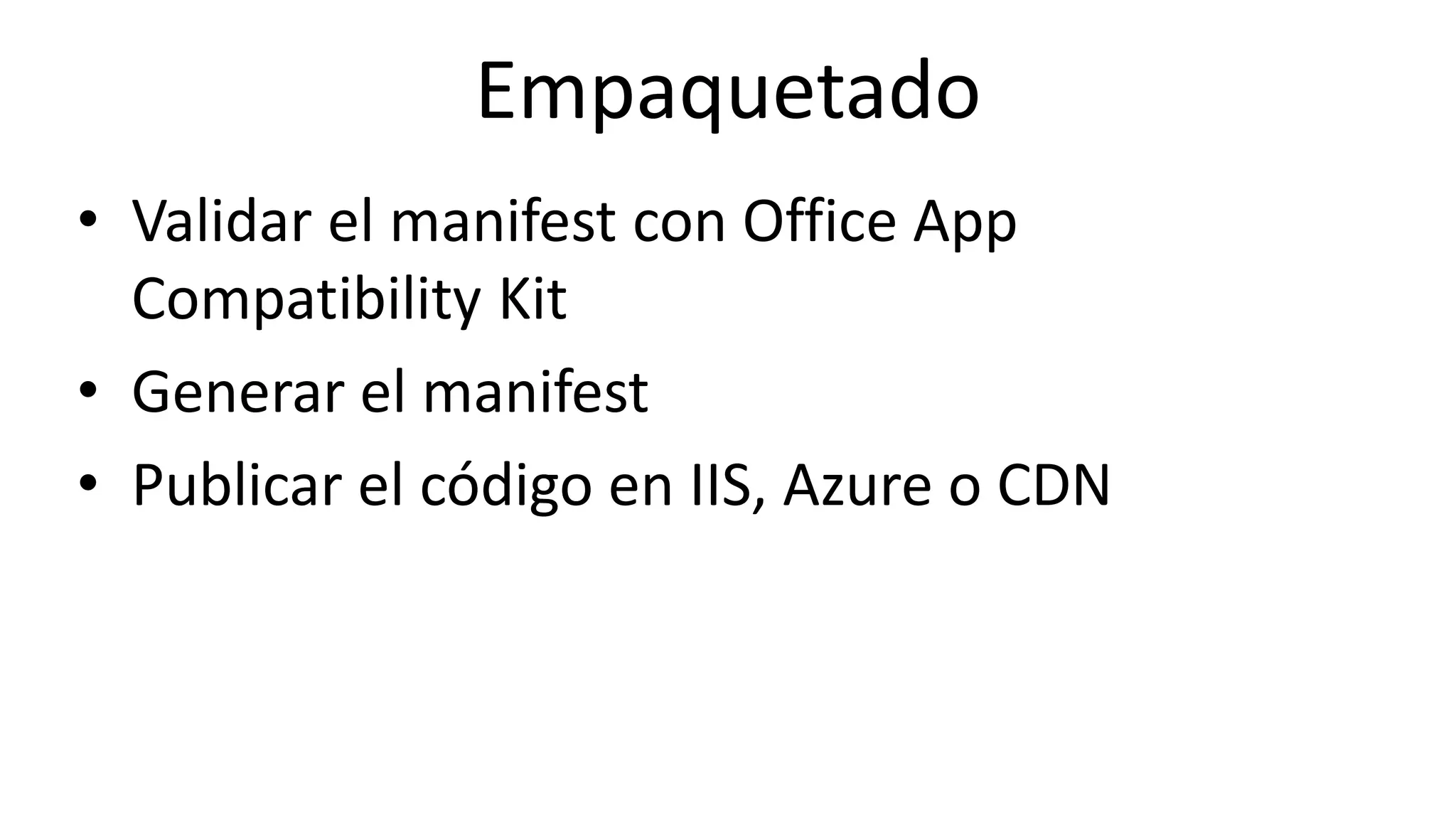
Empaquetado
• Validar el manifest con Office App
Compatibility Kit
• Generar el manifest
• Publicar el código en IIS, Azure o CDN
Online Conference
June 17th and 18th 2015
Office App Compatibility Kit
• Herramienta de validación del manifest
https://www.microsoft.com/en-
us/download/confirmation.aspx?id=46831
Online Conference
June 17th and 18th 2015
Antes de publicar
• Indicar un título y descripción descriptivo
• Especificar el idioma al que va destinado
• Incluir screenshots
• Incluir un logo acorde con el Add-in
• Experiencia de carga inicial
• Añadir add-in commands
Online Conference
June 17th and 18th 2015
Validaciones
• Pasar el Office App Compatibility Kit
• Validar que se cumplen las “Validation policies”
• Validar en cliente Office W+Mac, Explorer
Chrome y Safari
• Desinstalar el Add-in
Online Conference
June 17th and 18th 2015
WWW.COLLAB365.EVENTS
Referencias
Online Conference
June 17th and 18th 2015
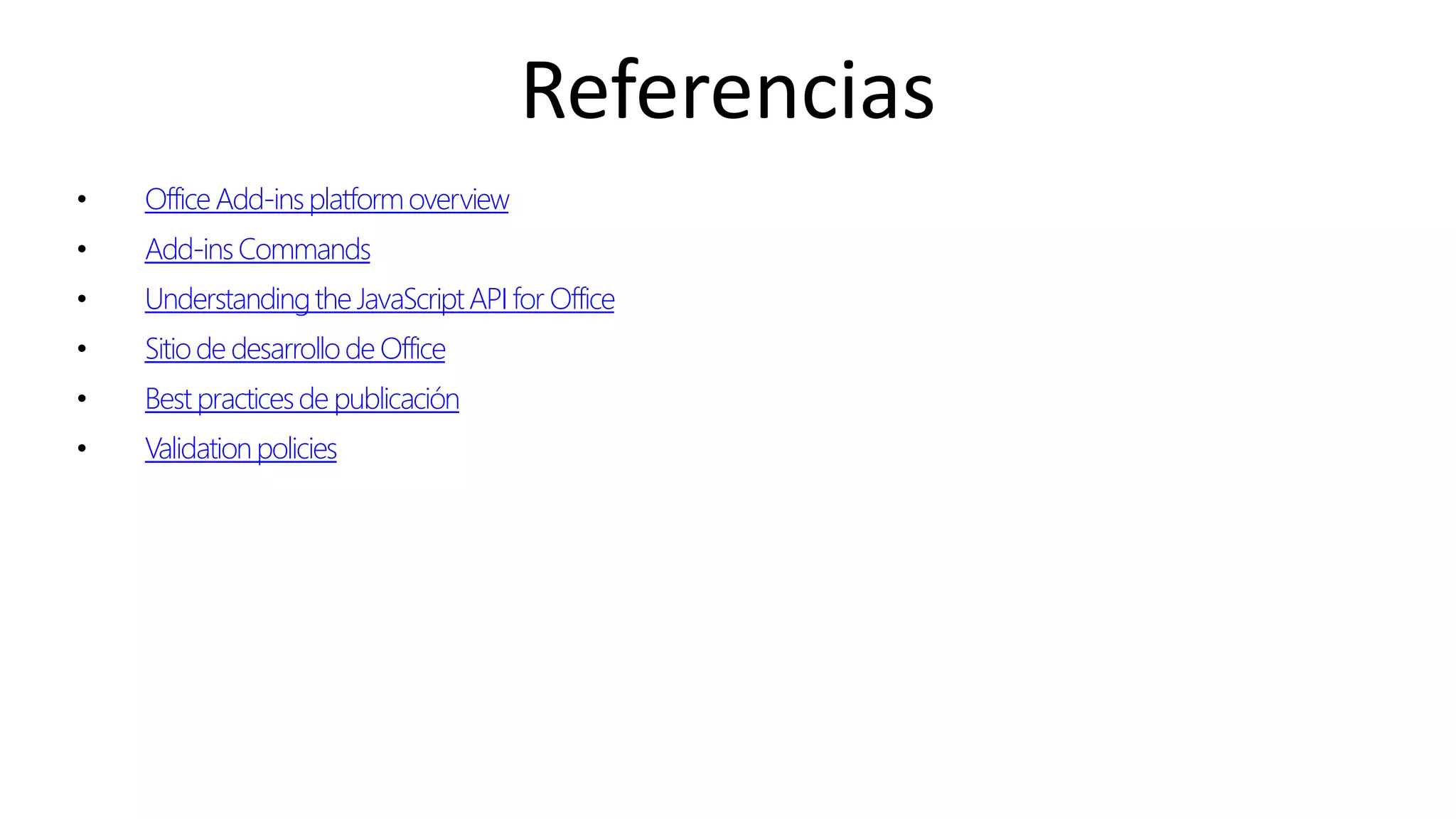
Referencias
• OfficeAdd-insplatformoverview
• Add-insCommands
• Understandingthe JavaScriptAPI for Office
• Sitiode desarrollode Office
• Best practicesde publicación
• Validationpolicies
Online Conference
June 17th and 18th 2015
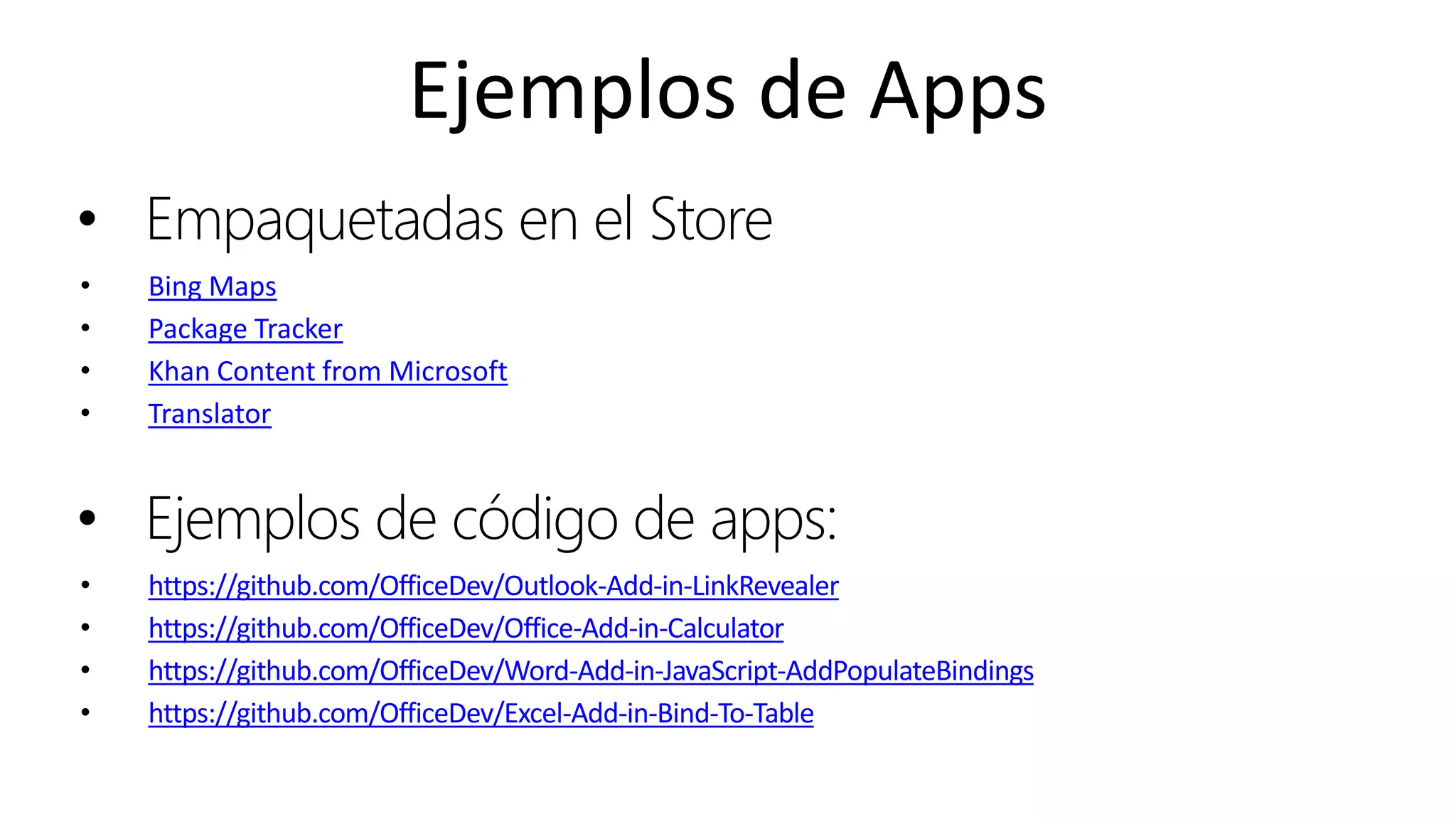
Ejemplos de Apps
• Empaquetadas en el Store
• Bing Maps
• Package Tracker
• Khan Content from Microsoft
• Translator
• Ejemplos de código de apps:
• https://github.com/OfficeDev/Outlook-Add-in-LinkRevealer
• https://github.com/OfficeDev/Office-Add-in-Calculator
• https://github.com/OfficeDev/Word-Add-in-JavaScript-AddPopulateBindings
• https://github.com/OfficeDev/Excel-Add-in-Bind-To-Table
Online Conference
June 17th and 18th 2015
WWW.COLLAB365.EVENTS
Stay tuned for more great sessions …
Gracias!
@mariocortesf

Extensión de office con adal.js y office ui fabric

  • 1.
    Online Conference June 17thand 18th 2015 WWW.COLLAB365.EVENTS Extensión de Office con ADAL.JS y Office UI Fabric
  • 2.
    WWW.COLLAB365.EVENTS Mario Cortés Flores PlainConcepts Email : mcortes@plainconcepts.com Twitter : @mariocortesf LinkedIn : https://es.linkedin.com/in/mariocortesflores MVP en Office365 llevo trabajando desde hace más de 10 años en proyectos sobre SharePoint y en los últimos años especializado en SharePoint Online y Windows Azure. Trabajo en Plain Concepts como Web Team Lead dónde intentamos tener el mejor equipo en desarrollo web
  • 3.
    WWW.COLLAB365.EVENTS Agenda • Overview deAdd-in • Flujo de desarrollo • Office Fabric • Adal JS • Publicación en el store
  • 4.
    Online Conference June 17thand 18th 2015 WWW.COLLAB365.EVENTS Overview
  • 5.
    Online Conference June 17thand 18th 2015 Qué es? • Una página web renderizada dentro de Office. • Basada en Html, CSS y JavaScript. • Podemos interactuar con los documentos y elementos de Office a través de Web Extensibility Framework.
  • 6.
    Online Conference June 17thand 18th 2015 Tipos de Apps
  • 7.
    Online Conference June 17thand 18th 2015 Office Add-ins
  • 8.
    Online Conference June 17thand 18th 2015 Add-ins Commands • Con Office 2016 podemos añadir secciones y botones al ribbon o menús contextuales • Install the latest version of Office 2016 applications
  • 9.
    Online Conference June 17thand 18th 2015 Cómo se instala • Desde el ribbon • Catálogo de apps: – Corporativo desde SharePoint – App Store – Unidad de red
  • 10.
    Online Conference June 17thand 18th 2015 WWW.COLLAB365.EVENTS Flujo de desarrollo
  • 11.
    Online Conference June 17thand 18th 2015 Anatomía
  • 12.
    Online Conference June 17thand 18th 2015 Anatomía
  • 13.
    Online Conference June 17thand 18th 2015 Anatomía
  • 14.
    Online Conference June 17thand 18th 2015 Core API Objects • Office.context – Entry point into Office API • Office.context.document – Common document API • Office.context.settings – Custom properties saved within document • Read and write selection • Create binding • Register event handlers • Use custom XML files • Read and writer properties • Properties saved to document document settings context
  • 15.
    Online Conference June 17thand 18th 2015 Inicialización • Para iniciar el contexto
  • 16.
    Online Conference June 17thand 18th 2015 getSelectedDataAsync() • Para leer de la selección
  • 17.
    Online Conference June 17thand 18th 2015 setSelectDataAsync() • Para inserter contenido
  • 18.
    Online Conference June 17thand 18th 2015 Centro de desarrollo http://dev.office.com/getting-started
  • 19.
    Online Conference June 17thand 18th 2015 WWW.COLLAB365.EVENTS Office Fabric
  • 20.
    Online Conference June 17thand 18th 2015 Office Fabric • Ofrece a nuestras aplicaciones controles con apariencia y comportamiento similar al de Office y SharePoint. • Referenciamos un css y JS y aplicamos las clases a nuestro HTML. http://dev.office.com/fabric/components/
  • 21.
    Online Conference June 17thand 18th 2015 WWW.COLLAB365.EVENTS Adal JS
  • 22.
    Online Conference June 17thand 18th 2015 Adal JS • Biblioteca en JavaScript para facilitar el intercambio y validación de tokens oAuth • Registrar la aplicación en WAAD https://secure.aadcdn.microsoftonline- p.com/lib/1.0.0/js/adal.min.js
  • 23.
    Online Conference June 17thand 18th 2015 AuthenticationContext
  • 24.
    Online Conference June 17thand 18th 2015 acquireToken
  • 25.
    Online Conference June 17thand 18th 2015 Bearer
  • 26.
    Online Conference June 17thand 18th 2015 Registrar la aplicación en WAAD • Registrar la aplicación y dar permisos • http://dev.office.com/getting- started/office365apis
  • 27.
    Online Conference June 17thand 18th 2015 WWW.COLLAB365.EVENTS Publicación en el Store
  • 28.
    Online Conference June 17thand 18th 2015 Empaquetado • Validar el manifest con Office App Compatibility Kit • Generar el manifest • Publicar el código en IIS, Azure o CDN
  • 29.
    Online Conference June 17thand 18th 2015 Office App Compatibility Kit • Herramienta de validación del manifest https://www.microsoft.com/en- us/download/confirmation.aspx?id=46831
  • 30.
    Online Conference June 17thand 18th 2015 Antes de publicar • Indicar un título y descripción descriptivo • Especificar el idioma al que va destinado • Incluir screenshots • Incluir un logo acorde con el Add-in • Experiencia de carga inicial • Añadir add-in commands
  • 31.
    Online Conference June 17thand 18th 2015 Validaciones • Pasar el Office App Compatibility Kit • Validar que se cumplen las “Validation policies” • Validar en cliente Office W+Mac, Explorer Chrome y Safari • Desinstalar el Add-in
  • 32.
    Online Conference June 17thand 18th 2015 WWW.COLLAB365.EVENTS Referencias
  • 33.
    Online Conference June 17thand 18th 2015 Referencias • OfficeAdd-insplatformoverview • Add-insCommands • Understandingthe JavaScriptAPI for Office • Sitiode desarrollode Office • Best practicesde publicación • Validationpolicies
  • 34.
    Online Conference June 17thand 18th 2015 Ejemplos de Apps • Empaquetadas en el Store • Bing Maps • Package Tracker • Khan Content from Microsoft • Translator • Ejemplos de código de apps: • https://github.com/OfficeDev/Outlook-Add-in-LinkRevealer • https://github.com/OfficeDev/Office-Add-in-Calculator • https://github.com/OfficeDev/Word-Add-in-JavaScript-AddPopulateBindings • https://github.com/OfficeDev/Excel-Add-in-Bind-To-Table
  • 35.
  • 36.
    WWW.COLLAB365.EVENTS Stay tuned formore great sessions … Gracias! @mariocortesf