I developed a SharePoint Framework solution,
what to do next and how to install it automatically?
Yannick Borghmans
yannickborghmans.com
Linkedin.com/in/yborghmans
@yborghmans
Yannick Borghmans
Office 365/SharePoint Technical Lead @Ventigrate
Agenda
Building SPFx Deployment
SharePoint
Azure
App catalog
ALM API
SPFx
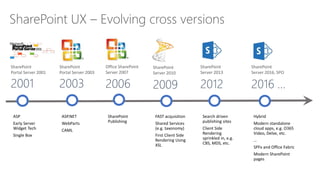
SharePoint UX – Evolving cross versions
2009
SharePoint
Server 2010
2006
Office SharePoint
Server 2007
2003
SharePoint
Portal Server 2003
2001
SharePoint
Portal Server 2001
2012
SharePoint
Server 2013
2016 …
SharePoint
Server 2016, SPO
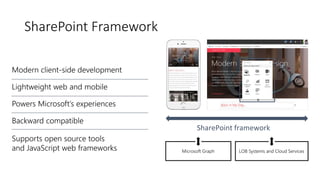
SharePoint Framework
Is all SP Online development in JavaScript?
No
In similar ways as with SharePoint Add-in model,
server side development is needed for back end
services
SharePoint Framework concentrates on user
interface, not on fundamentals around the API
usage
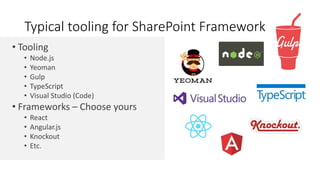
• Tooling
• Node.js
• Yeoman
• Gulp
• TypeScript
• Visual Studio (Code)
• Frameworks – Choose yours
• React
• Angular.js
• Knockout
• Etc.
Typical tooling for SharePoint Framework
Building SPFx solution
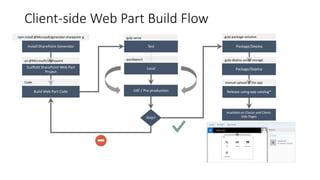
Client-side Web Part Build Flow
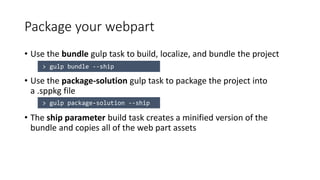
Package your webpart
• Use the bundle gulp task to build, localize, and bundle the project
• Use the package-solution gulp task to package the project into
a .sppkg file
• The ship parameter build task creates a minified version of the
bundle and copies all of the web part assets
Package your webpart
Deploy App to the SharePoint App Catalog
Upload static assets
• JSON source file
• Manifest for webpart
• JS Files
• Minified version of your code
• Localized strings
• Located in /temp/deploy folder
Install the app
• Go to your SharePoint Site
• Add an app
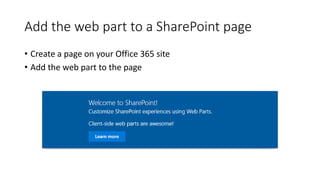
Add the web part to a SharePoint page
• Create a page on your Office 365 site
• Add the web part to the page
Demo
Files
Updating solutions
Update SPFx solution
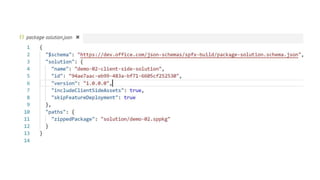
• Upgrade version (./config/package-solution.json)
Update SPFx solution
• Gulp clean (optional)
• Gulp bundle --ship
• Gulp package-solution --ship
• Upload to app catalog & upload static assets (.js, .json)
Update SPFx solution
• No need to update app on sites => webparts are
automaticaly using the latest code
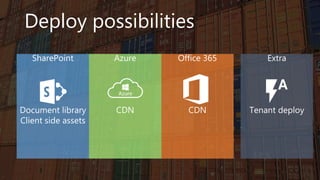
Deploy possibilities
SharePoint
Document library
Client side assets
Office 365
CDN
Azure
CDN
Extra
Tenant deploy
What defines the hosting location?
SHAREPOINT
Document library
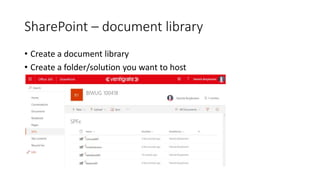
SharePoint – document library
• Create a document library
• Create a folder/solution you want to host
SharePoint – document library
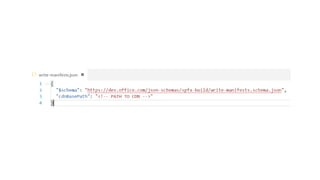
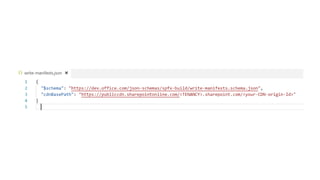
• Update the CDNBasePath in write-manifest.json
SharePoint – document library
• Upload app package to app catalog
SharePoint – document library
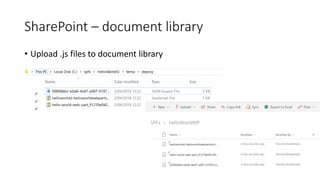
• Upload .js files to document library
SharePoint – document library
Client side assets
Introduced in SPFx v1.4 to include static assets in .sppkg file
Demo
CLIENT SIDE ASSETS
AZURE
CDN
Demo
Azure CDN
Office 365 - CDN
Enable the SharePoint CDN origin
• Open the SharePoint Online Management Shell
• Execute the following Powershell commands to enable the CDN, set
the CDN origin, and return the CDN Origin ID
Demo
Office 365 CDN
Tenant deploy
Introduced in SPFx v1.4
SharePoint Application
Lifecycle Management API
API to manage the deployment of your SharePoint Framework solutions
SharePoint
Application
Lifecycle
Management
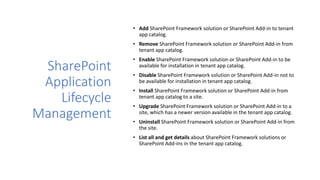
• Add SharePoint Framework solution or SharePoint Add-in to tenant
app catalog.
• Remove SharePoint Framework solution or SharePoint Add-in from
tenant app catalog.
• Enable SharePoint Framework solution or SharePoint Add-in to be
available for installation in tenant app catalog.

• Disable SharePoint Framework solution or SharePoint Add-in not to
be available for installation in tenant app catalog.
• Install SharePoint Framework solution or SharePoint Add-in from
tenant app catalog to a site.
• Upgrade SharePoint Framework solution or SharePoint Add-in to a
site, which has a newer version available in the tenant app catalog.
• Uninstall SharePoint Framework solution or SharePoint Add-in from
the site.
• List all and get details about SharePoint Framework solutions or
SharePoint Add-ins in the tenant app catalog.
Supported operations
Demo
PnP ALM
I developed a SharePoint Framework solution,
what to do next and how to install it automatically?
Yannick Borghmans

SPSCasablanca - SPFx Deployment

Editor's Notes

  • #6 Tahoe/SPS 2001 – ASP Based, Single Box SP 2003 – Moved to ASP.NET, scale out, enterprise manageability SP 2007 – Added ECM, Publishing, Shared Services SP 2010 – FAST acquisition, search driven portals, scaled up doclibs SP 2013 – Multitenant, base for our cloud based release SP 2016 – First version migrated back from Cloud
  • #7 Built into the SharePoint mobile apps
  • #9 SharePoint will also support open source tooling to drive greater efficiencies when developing Parts and Apps. These tools should not be considered a replacement of an organizations traditional tools, but rather an extension of those, providing new opportunities to quickly get up and running with SharePoint development. If you’re familiar with Visual Studio development with SharePoint, this tools carry a lot of similarities with the tools you may already be familiar with for example:
  • #41  Connect-SPOService -Url https://ventigratedev-admin.sharepoint.com/ -Credential $creds https://ventigratedev.sharepoint.com/sites/app/ClientSideAssets