Exploring Web
                            Standards for Data
                               Visualization


                               Nicolas Garcia Belmonte

                                         @philogb
Thursday, February 28, 13
Nicolas Garcia Belmonte


                                   @philogb


Thursday, February 28, 13
Why so many standards
                     for Graphics?
                            SVG     WebGL


                            HTML   2D Canvas


                            CSS    JavaScript

Thursday, February 28, 13
What is the right standard
          for my Visualization?
                            SVG     WebGL


                            HTML   2D Canvas


                            CSS    JavaScript

Thursday, February 28, 13
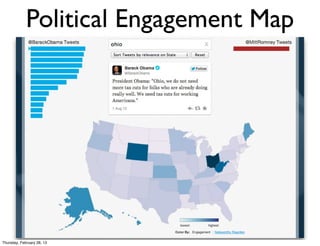
Political Engagement Map


Thursday, February 28, 13
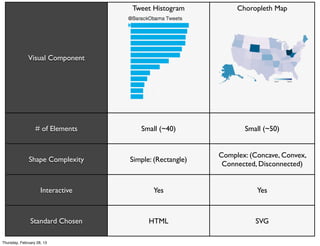
Tweet Histogram            Choropleth Map


              Visual Component


                  # of Elements       Small (~40)               Small (~50)


                                                         Complex: (Concave, Convex,
              Shape Complexity     Simple: (Rectangle)
                                                          Connected, Disconnected)


                     Interactive          Yes                       Yes


               Standard Chosen           HTML                      SVG

Thursday, February 28, 13
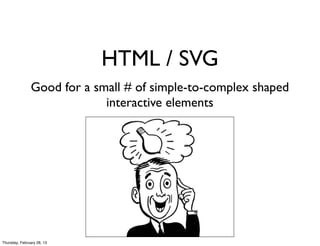
HTML / SVG
               Good for a small # of simple-to-complex shaped
                            interactive elements


Thursday, February 28, 13
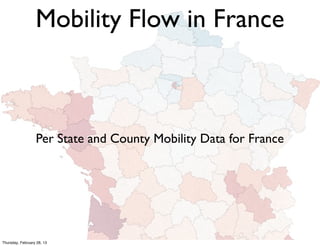
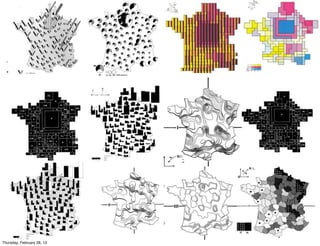
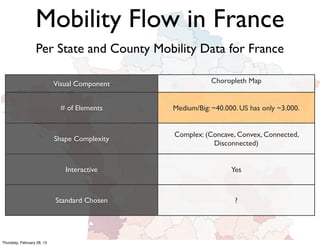
Mobility Flow in France


                  Per State and County Mobility Data for France


Thursday, February 28, 13
Mobility Flow in France
                  Per State and County Mobility Data for France

                            Visual Component               Choropleth Map


                              # of Elements    Medium/Big: ~40.000. US has only ~3.000.


                                               Complex: (Concave, Convex, Connected,
                            Shape Complexity
                                                          Disconnected)


                               Interactive                       Yes


                            Standard Chosen                       ?


Thursday, February 28, 13
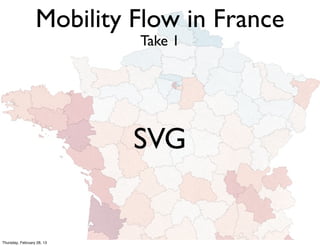
Mobility Flow in France
                            Take 1


                            SVG


Thursday, February 28, 13
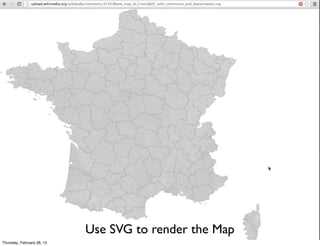
Use SVG to render the Map
Thursday, February 28, 13
Failed Attempt


Thursday, February 28, 13
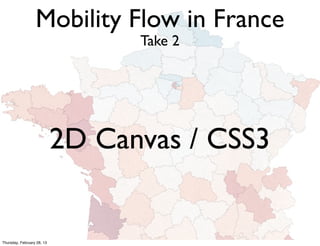
Mobility Flow in France
                                  Take 2


                            2D Canvas / CSS3


Thursday, February 28, 13
Mobility Flow in France
                            Take 2 - 2D Canvas / CSS3


           • Use Layered Images to render the Map

           • Canvas Color Picking for Interaction

           • CSS Transitions / Transforms for Zooming /
             Panning


Thursday, February 28, 13
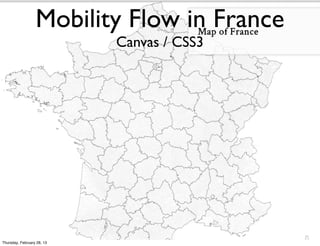
Mobility Flow in France
                            Canvas / CSS3


Thursday, February 28, 13
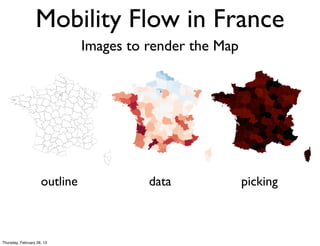
Mobility Flow in France
                               Images to render the Map


                     outline             data             picking


Thursday, February 28, 13
Mobility Flow in France
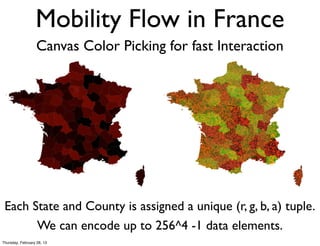
                   Canvas Color Picking for fast Interaction


 Each State and County is assigned a unique (r, g, b, a) tuple.
       We can encode up to 256^4 -1 data elements.
Thursday, February 28, 13
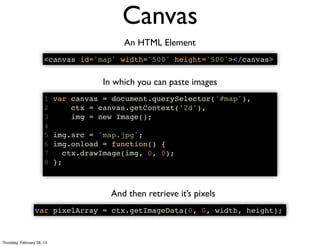
Canvas
                                            An HTML Element
                       <canvas id='map' width='500' height='500'></canvas>


                                       In which you can paste images
                       1    var canvas = document.querySelector('#map'),
                       2        ctx = canvas.getContext('2d'),
                       3        img = new Image();
                       4
                       5    img.src = 'map.jpg';
                       6    img.onload = function() {
                       7       ctx.drawImage(img, 0, 0);
                       8    };


                                         And then retrieve it’s pixels
                  var pixelArray = ctx.getImageData(0, 0, width, height);


Thursday, February 28, 13
2D Canvas Color Picking for fast Interaction
                            Offline: Encode index to county data array in colors
                     3 counties.forEach(function(county, i) {
                     4   var r = i % 256,
                     5       g = ((i / 256) >>> 0) % 256,
                     6       b = ((i / (256 * 256)) >>> 0) % 256;
                     7
                     8   county.setAttribute('fill', 'rgb(' + r + ',' + g + ',' + b + ')');
                     9 });


                                 Online: Decode RGB color to array index
                               1 //decode index from image
                               2 function getCounty(canvas, counties, x, y) {
                               3   var imageData = canvas.getImageData(),
                               4     width = imageData.width,
                               5     data = imageData.data,
                               6     index = (x + y * width) * 4, //RGBA components
                               7     r = data[index],
                               8     g = data[index + 1],
                               9     b = data[index + 2],
                              10     i = r + (g + b * 256) * 256;
                              11
                              12   return counties[i];
                              13 }


Thursday, February 28, 13
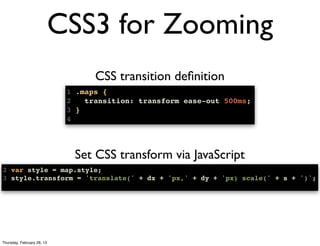
CSS3 for Zooming
                                   CSS transition definition
                             1 .maps {
                             2   transition: transform ease-out 500ms;
                             3 }
                             4


                              Set CSS transform via JavaScript
2 var style = map.style;
3 style.transform = 'translate(' + dx + 'px,' + dy + 'px) scale(' + s + ')';


Thursday, February 28, 13
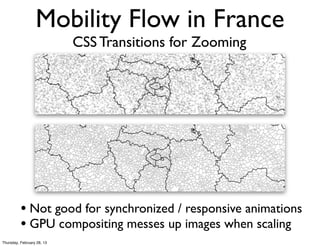
Mobility Flow in France
                            CSS Transitions for Zooming


          • Not good for synchronized / responsive animations
          • GPU compositing messes up images when scaling
Thursday, February 28, 13
Almost had it...


Thursday, February 28, 13
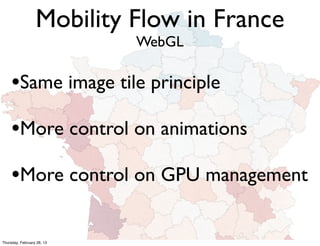
Mobility Flow in France
                            WebGL

     •Same image tile principle
     •More control on animations
     •More control on GPU management

Thursday, February 28, 13
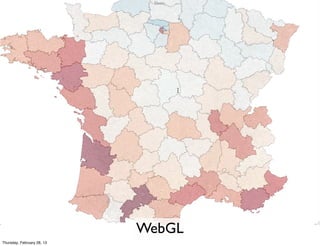
WebGL
Thursday, February 28, 13
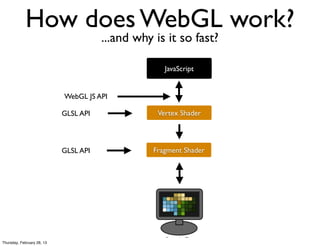
How does WebGL work?
                                       ...and why is it so fast?

                                                     JavaScript


                            WebGL JS API

                            GLSL API               Vertex Shader


                            GLSL API              Fragment Shader


Thursday, February 28, 13
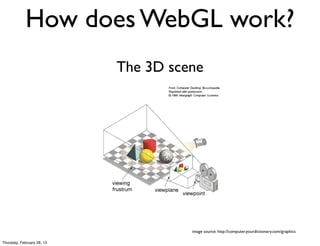
How does WebGL work?
                            The 3D scene


                                      image source: http://computer.yourdictionary.com/graphics

Thursday, February 28, 13
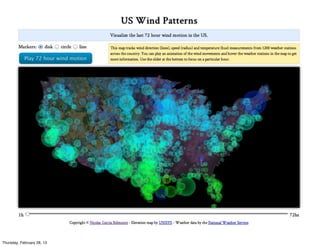
How does WebGL Scale?
                            Examples using PhiloGL


Thursday, February 28, 13
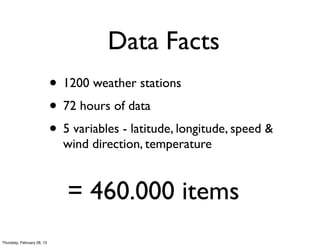
Data Facts
                            • 1200 weather stations
                            • 72 hours of data
                            • 5 variables - latitude, longitude, speed &
                              wind direction, temperature


                               = 460.000 items
Thursday, February 28, 13
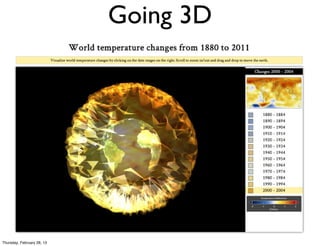
Going 3D


Thursday, February 28, 13
  //Create application
       PhiloGL('canvasId', {
         program: {
           from: 'uris',
           vs: 'shader.vs.glsl',
                                       WebGL / PhiloGL
           fs: 'shader.fs.glsl'
         },                                            Rendering
         camera: {
           position: {
             x: 0, y: 0, z: -50
           }
         },
         textures: {
           src: ['arroway.jpg', 'earth.jpg']
         },
         events: {
           onDragMove: function(e) {
             //do things...
           },
           onMouseWheel: function(e) {
             //do things...
           }
         },
         onError: function() {
           alert("There was an error creating the app.");
         },
         onLoad: function(app) {
           /* Do things here */
         }
       });
Thursday, February 28, 13
When choosing a Standard for
                    your Viz you could start by
                      asking yourself about...
                            # of Elements             Small, Large

                    Shape Complexity               Simple, Complex

                             Interaction                Yes, No

                             Animation                  Yes, No

                            Compatibility   Desktop, Mobile, Browsers, etc.

                              Libraries            d3js, three.js, etc.
Thursday, February 28, 13
Thanks
                                @philogb

                            http://philogb.github.com/


Thursday, February 28, 13

Exploring Web standards for data visualization

  • 1.
    Exploring Web Standards for Data Visualization Nicolas Garcia Belmonte @philogb Thursday, February 28, 13
  • 2.
    Nicolas Garcia Belmonte @philogb Thursday, February 28, 13
  • 3.
    Why so manystandards for Graphics? SVG WebGL HTML 2D Canvas CSS JavaScript Thursday, February 28, 13
  • 4.
    What is theright standard for my Visualization? SVG WebGL HTML 2D Canvas CSS JavaScript Thursday, February 28, 13
  • 5.
  • 6.
    Tweet Histogram Choropleth Map Visual Component # of Elements Small (~40) Small (~50) Complex: (Concave, Convex, Shape Complexity Simple: (Rectangle) Connected, Disconnected) Interactive Yes Yes Standard Chosen HTML SVG Thursday, February 28, 13
  • 7.
    HTML / SVG Good for a small # of simple-to-complex shaped interactive elements Thursday, February 28, 13
  • 8.
    Mobility Flow inFrance Per State and County Mobility Data for France Thursday, February 28, 13
  • 9.
  • 10.
    Mobility Flow inFrance Per State and County Mobility Data for France Visual Component Choropleth Map # of Elements Medium/Big: ~40.000. US has only ~3.000. Complex: (Concave, Convex, Connected, Shape Complexity Disconnected) Interactive Yes Standard Chosen ? Thursday, February 28, 13
  • 11.
    Mobility Flow inFrance Take 1 SVG Thursday, February 28, 13
  • 12.
    Use SVG torender the Map Thursday, February 28, 13
  • 13.
  • 14.
    Mobility Flow inFrance Take 2 2D Canvas / CSS3 Thursday, February 28, 13
  • 15.
    Mobility Flow inFrance Take 2 - 2D Canvas / CSS3 • Use Layered Images to render the Map • Canvas Color Picking for Interaction • CSS Transitions / Transforms for Zooming / Panning Thursday, February 28, 13
  • 16.
    Mobility Flow inFrance Canvas / CSS3 Thursday, February 28, 13
  • 17.
    Mobility Flow inFrance Images to render the Map outline data picking Thursday, February 28, 13
  • 18.
    Mobility Flow inFrance Canvas Color Picking for fast Interaction Each State and County is assigned a unique (r, g, b, a) tuple. We can encode up to 256^4 -1 data elements. Thursday, February 28, 13
  • 19.
    Canvas An HTML Element <canvas id='map' width='500' height='500'></canvas> In which you can paste images 1 var canvas = document.querySelector('#map'), 2 ctx = canvas.getContext('2d'), 3 img = new Image(); 4 5 img.src = 'map.jpg'; 6 img.onload = function() { 7 ctx.drawImage(img, 0, 0); 8 }; And then retrieve it’s pixels var pixelArray = ctx.getImageData(0, 0, width, height); Thursday, February 28, 13
  • 20.
    2D Canvas ColorPicking for fast Interaction Offline: Encode index to county data array in colors 3 counties.forEach(function(county, i) { 4 var r = i % 256, 5 g = ((i / 256) >>> 0) % 256, 6 b = ((i / (256 * 256)) >>> 0) % 256; 7 8 county.setAttribute('fill', 'rgb(' + r + ',' + g + ',' + b + ')'); 9 }); Online: Decode RGB color to array index 1 //decode index from image 2 function getCounty(canvas, counties, x, y) { 3 var imageData = canvas.getImageData(), 4 width = imageData.width, 5 data = imageData.data, 6 index = (x + y * width) * 4, //RGBA components 7 r = data[index], 8 g = data[index + 1], 9 b = data[index + 2], 10 i = r + (g + b * 256) * 256; 11 12 return counties[i]; 13 } Thursday, February 28, 13
  • 21.
    CSS3 for Zooming CSS transition definition 1 .maps { 2 transition: transform ease-out 500ms; 3 } 4 Set CSS transform via JavaScript 2 var style = map.style; 3 style.transform = 'translate(' + dx + 'px,' + dy + 'px) scale(' + s + ')'; Thursday, February 28, 13
  • 22.
    Mobility Flow inFrance CSS Transitions for Zooming • Not good for synchronized / responsive animations • GPU compositing messes up images when scaling Thursday, February 28, 13
  • 23.
  • 24.
    Mobility Flow inFrance WebGL •Same image tile principle •More control on animations •More control on GPU management Thursday, February 28, 13
  • 25.
  • 26.
    How does WebGLwork? ...and why is it so fast? JavaScript WebGL JS API GLSL API Vertex Shader GLSL API Fragment Shader Thursday, February 28, 13
  • 27.
    How does WebGLwork? The 3D scene image source: http://computer.yourdictionary.com/graphics Thursday, February 28, 13
  • 28.
    How does WebGLScale? Examples using PhiloGL Thursday, February 28, 13
  • 29.
  • 30.
    Data Facts • 1200 weather stations • 72 hours of data • 5 variables - latitude, longitude, speed & wind direction, temperature = 460.000 items Thursday, February 28, 13
  • 31.
  • 32.
  • 33.
      //Create application   PhiloGL('canvasId', {     program: {       from: 'uris',       vs: 'shader.vs.glsl', WebGL / PhiloGL       fs: 'shader.fs.glsl'     }, Rendering     camera: {       position: {         x: 0, y: 0, z: -50       }     },     textures: {       src: ['arroway.jpg', 'earth.jpg']     },     events: {       onDragMove: function(e) {         //do things...       },       onMouseWheel: function(e) {         //do things...       }     },     onError: function() {       alert("There was an error creating the app.");     },     onLoad: function(app) {       /* Do things here */     }   }); Thursday, February 28, 13
  • 34.
    When choosing aStandard for your Viz you could start by asking yourself about... # of Elements Small, Large Shape Complexity Simple, Complex Interaction Yes, No Animation Yes, No Compatibility Desktop, Mobile, Browsers, etc. Libraries d3js, three.js, etc. Thursday, February 28, 13
  • 35.
    Thanks @philogb http://philogb.github.com/ Thursday, February 28, 13