Exploring freeform portfolios for postgraduate teaching David Horwitz & Cheryl Hodgkinson-Williams Learning Technologies Programmer & Associate Professor Centre for Educational Technology, University of Cape Town 15 June 2010
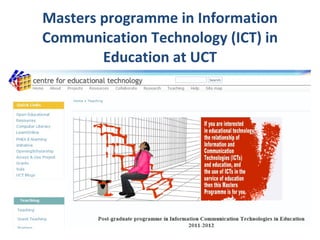
Masters programme in Information Communication Technology (ICT) in Education at UCT
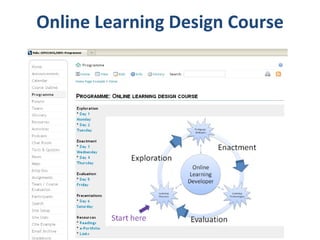
Online Learning Design Course
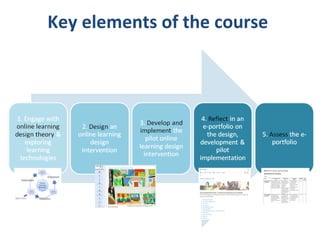
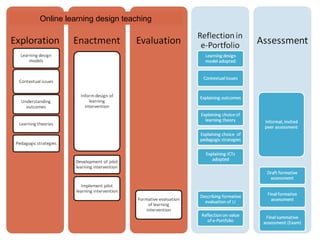
Key elements of the course
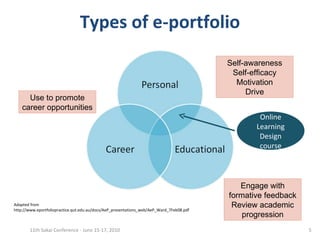
Types of e-portfolio 11th Sakai Conference - June 15-17, 2010 Self-awareness Self-efficacy Motivation Drive Engage with formative feedback Review academic progression Use to promote career opportunities Online Learning Design course Adapted from http://www.eportfoliopractice.qut.edu.au/docs/AeP_presentations_web/AeP_Ward_7Feb08.pdf
Online learning design teaching
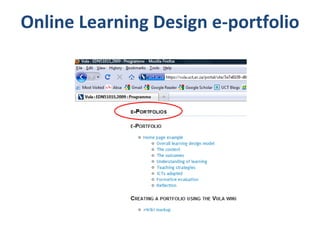
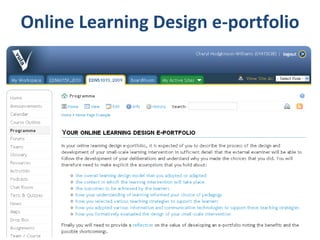
Online Learning Design e-portfolio
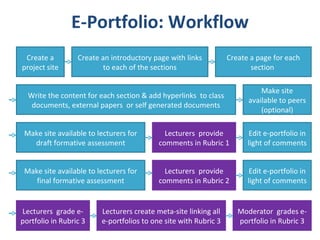
E-Portfolio: Workflow Create a project site Create an introductory page with links to each of the sections Create a page for each section  Write the content for each section & add hyperlinks  to class documents, external papers  or self generated documents Make site available to peers (optional) Make site available to lecturers for draft formative assessment Lecturers  provide comments in Rubric 1 Edit e-portfolio in light of comments Make site available to lecturers for final formative assessment Lecturers  provide comments in Rubric 2 Edit e-portfolio in light of comments Lecturers create meta-site linking all e-portfolios to one site with Rubric 3 Lecturers  grade e-portfolio in Rubric 3 Moderator  grades e-portfolio in Rubric 3
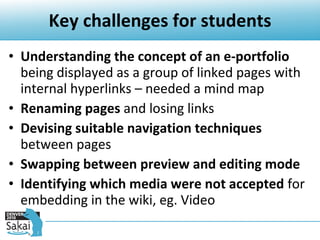
Key challenges for students Understanding the concept of an e-portfolio  being displayed as a group of linked pages with internal hyperlinks – needed a mind map Renaming pages  and losing links  Devising suitable navigation techniques  between pages Swapping between preview and editing mode Identifying which media were not accepted  for embedding in the wiki, eg. Video
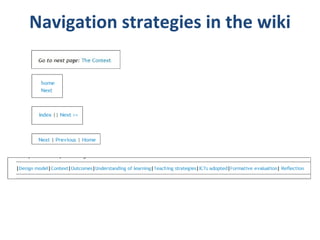
Navigation strategies in the wiki
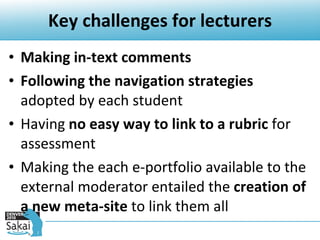
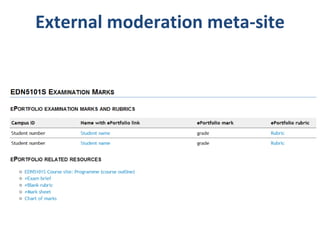
Key challenges for lecturers Making in-text comments Following the navigation strategies  adopted by each student Having  no easy way to link to a rubric  for assessment Making the each e-portfolio available to the external moderator entailed the  creation of a new meta-site  to link them all
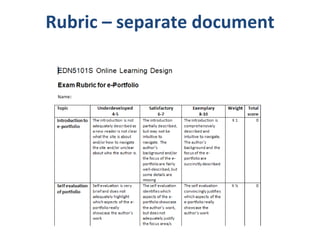
Rubric – separate document
Key challenges for external moderator Understanding the conceptual map  of each student’s site  Following the navigation strategies  adopted by each student Having  no easy way to link to a rubric  for assessment
External moderation meta-site
Lecturers Easy set up and tracking of set of spaces based on group membership Different views for co-ordinators, examiners and students Version tracking  not individual pages but the complete space + comments and annotations Ability to lock portfolios at submission time
Students Mostly covered by content authoring ideas However Linking must be intuitive and easy but flexible Orphaned and renamed pages will always be an issue View versions of specific snapshot versions of the whole space
Examiner Overview of portfolios Ability to sort gradebook by grades Access to all versioned spaces from different lifecycle points
This work is licensed under the Creative Commons Attribution-Share Alike 2.5 South Africa License. To view a copy of this license, visit http://creativecommons.org/licenses/by-sa/2.5/za/ or send a letter to Creative Commons, 171 Second Street, Suite 300, San Francisco, California, 94105, USA. Prepared by David Horwitz [email_address] Cheryl Hodgkinson-Williams [email_address]

Exploring freeform portfolios for postgraduate teaching

  • 1.
    Exploring freeform portfoliosfor postgraduate teaching David Horwitz & Cheryl Hodgkinson-Williams Learning Technologies Programmer & Associate Professor Centre for Educational Technology, University of Cape Town 15 June 2010
  • 2.
    Masters programme inInformation Communication Technology (ICT) in Education at UCT
  • 3.
  • 4.
    Key elements ofthe course
  • 5.
    Types of e-portfolio11th Sakai Conference - June 15-17, 2010 Self-awareness Self-efficacy Motivation Drive Engage with formative feedback Review academic progression Use to promote career opportunities Online Learning Design course Adapted from http://www.eportfoliopractice.qut.edu.au/docs/AeP_presentations_web/AeP_Ward_7Feb08.pdf
  • 6.
  • 7.
  • 8.
  • 9.
    E-Portfolio: Workflow Createa project site Create an introductory page with links to each of the sections Create a page for each section Write the content for each section & add hyperlinks to class documents, external papers or self generated documents Make site available to peers (optional) Make site available to lecturers for draft formative assessment Lecturers provide comments in Rubric 1 Edit e-portfolio in light of comments Make site available to lecturers for final formative assessment Lecturers provide comments in Rubric 2 Edit e-portfolio in light of comments Lecturers create meta-site linking all e-portfolios to one site with Rubric 3 Lecturers grade e-portfolio in Rubric 3 Moderator grades e-portfolio in Rubric 3
  • 10.
    Key challenges forstudents Understanding the concept of an e-portfolio being displayed as a group of linked pages with internal hyperlinks – needed a mind map Renaming pages and losing links Devising suitable navigation techniques between pages Swapping between preview and editing mode Identifying which media were not accepted for embedding in the wiki, eg. Video
  • 11.
  • 12.
    Key challenges forlecturers Making in-text comments Following the navigation strategies adopted by each student Having no easy way to link to a rubric for assessment Making the each e-portfolio available to the external moderator entailed the creation of a new meta-site to link them all
  • 13.
  • 14.
    Key challenges forexternal moderator Understanding the conceptual map of each student’s site Following the navigation strategies adopted by each student Having no easy way to link to a rubric for assessment
  • 15.
  • 16.
    Lecturers Easy setup and tracking of set of spaces based on group membership Different views for co-ordinators, examiners and students Version tracking not individual pages but the complete space + comments and annotations Ability to lock portfolios at submission time
  • 17.
    Students Mostly coveredby content authoring ideas However Linking must be intuitive and easy but flexible Orphaned and renamed pages will always be an issue View versions of specific snapshot versions of the whole space
  • 18.
    Examiner Overview ofportfolios Ability to sort gradebook by grades Access to all versioned spaces from different lifecycle points
  • 19.
    This work islicensed under the Creative Commons Attribution-Share Alike 2.5 South Africa License. To view a copy of this license, visit http://creativecommons.org/licenses/by-sa/2.5/za/ or send a letter to Creative Commons, 171 Second Street, Suite 300, San Francisco, California, 94105, USA. Prepared by David Horwitz [email_address] Cheryl Hodgkinson-Williams [email_address]

Editor's Notes

  • #4 The principles of online learning design are taught through the creation of an authentic online intervention (product and/or process) Process of development is explained and defended in an electronic portfolio. The overall learning design approach was adapted from Dabbagh, N. & Bannan-Ritland, B. (2005) Concepts, strategies and application. P233-270. Upper Saddle River, New Jersey: Person.
  • #9 An EDUCATIONAL portfolio that makes explicit the assumptions that you held about: the overall learning design model that you adopted or adapted the context in which the learning intervention would take place the outcomes to be achieved by the learners how your understanding of learning informed your choice of pedagogy how you selected various teaching strategies to support the learners how you adopted various information and communication technologies to support these teaching strategies how you formatively evaluated the design of your small-scale intervention Reflects on the value of developing an e-portfolio noting the benefits and the possible shortcomings.