ETHICS IN INFORMATION TECHNOLOGY
(Unit I- An Overview of Ethics)
III Sem B. Tech. Computer Sc. & Engg(CBCS)
Department of Computer Science & Engineering
Priyadarshini Bhagwati College of Engineering,
Nagpur
K. N. Hande
Head of the Department
8/6/2024 1
Professional Codes of Ethics
• Sets of guidelines and principles that define ethical conduct in a
particular profession.
• Key features are
1) Purpose
2) Scope - Confidentiality, informed consent, conflicts of interest, and
professional boundaries
3) Principles - Integrity, honesty, respect, fairness, and responsibility
4) Enforcement
5) Revision - Driven by advances in technology, new legal or regulatory
requirements
8/6/2024 2
Benefits of Professional Codes of Ethics
1) Promotes Ethical Behavior
2) Builds Trust
3) Protects Clients
4) Enhances Professional Reputation
5) Provides a Framework for Decision-Making
Professional codes of ethics are a valuable tool for promoting ethical
behavior and decision-making in a particular profession
8/6/2024 3
Professional Organizations
Association for Computing Machinery (ACM)
• Founded in 1947, the ACM is the world's largest scientific and
educational computing society, with over 100,000 members in over
190 countries.
1) Membership
2) Publications
3) Conferences and Events
4) Special Interest Groups (SIGs)
5) Education and Outreach
8/6/2024 4
Institute of Electrical and Electronics Engineers
Computer Society (IEEE-CS)
1) Membership - individuals, students, and organizations
2) Publications - IEEE Transactions on Computers
3) Conferences and Events - IEEE International Conference on
Robotics and Automation
4) Technical Committees - specific areas of computing, such
as cloud computing, data mining, and multimedia
computing.
5) Education and Outreach - curriculum guidelines, teaching
materials, and professional development opportunities
8/6/2024 5
Association of Information Technology Professionals
(AITP)
• Founded in 1951 and is headquartered in Chicago, Illinois
1) Memberships
2) Conferences and Events - AITP National Collegiate
Conference
3) Chapters - speaker presentations, workshops, and social
events
4) Education and Certification
5) Mentorship and Career Development
8/6/2024 6
SysAdmin, Audit, Network, Security (SANS)
Institute
• Education and training in the fields of system administration,
network security, and cyber security, founded in 1989 and is
headquartered in Bethesda, Maryland.
1) Education and Training - system administration, network security,
and cyber security
2) Certifications
3) Research and Publications - topics related to cyber security,
including threat intelligence, vulnerability analysis, and incident
response.
4) Conferences and Events
5) Community
8/6/2024 7
Common Ethical Issues for IT Users
1) Privacy - information is accessed without the user's knowledge or
consent
2) Cyberbullying - use of technology to harass, humiliate, or intimidate
others
3) Intellectual Property - copyright, trademark, and patent laws
4) Security
5) Accessibility
6) Digital Divide - disparity between individuals who have access to
technology and those who do not
7) Cybercrime - hacking, identity theft, and cyberstalking
8/6/2024 8
Computer & Internet Crimes
8/6/2024 9
Why Computer Incidents Are So Prevalent?
1) Human error - Incidents such as data breaches, accidental
deletion of files, or misconfigurations.
2) Complexity - Incredibly complex, with a multitude of
interconnected devices, software, and networks
3) Malicious actors - Hackers, cybercriminals, and insiders
who seek to exploit vulnerabilities
4) Lack of awareness - Falling for phishing scams,
downloading malware, or using weak passwords.
5) Outdated Technology - Fail to keep their technology up-to-
date with security patches and updates
8/6/2024 10
BYOD (BRING YOUR OWN DEVICE) POLICY
• Employees are allowed to bring their personal mobile devices
such as smartphones, laptops, or tablets
• Increased productivity, employee satisfaction, and cost savings
• Does not compromise the security of the organization's data and
systems
• Device selection, data security, acceptable use, and support
• Comprehensive BYOD policy, increased productivity
8/6/2024 11
Classifying perpetrators of computer crime
1) Black hat hacker - Gain unauthorized access to computer systems
or networks
2) Cracker - Bypass security measures
3) Malicious insider – Insider who uses the access for malicious
purposes
4) Industrial spy - Individual or group, gain unauthorized access to
trade secrets, proprietary information
5) Cybercriminal - Uses computer systems or networks to commit
traditional crimes such as fraud, theft, and extortion
6) Hacktivist - To promote a political or social agenda
8/6/2024 12
Classifying perpetrators of computer crime
7) Cyberterrorist - Uses computer systems or networks, to promote a
political or social agenda through acts of violence
These categories are not mutually exclusive, and perpetrators may
fall into multiple categories depending on their motivations and
actions
8/6/2024 13
Types of Exploits
8/6/2024 14
• Exploit - Type of computer attack that takes advantage of
vulnerabilities in software or hardware to gain unauthorized access to
a computer system or network
• Common types of exploits are discussed below
1) Ransomware - Malicious software that encrypts a victim's files or
entire computer system, and demands payment (usually in
cryptocurrency) in exchange for the decryption key
• File-encrypting ransomware - WannaCry, Petya, and Locky
• Screen-locking ransomware - locks a victim's computer screen,
Moneypak, Reveton, and CryptoLocker
• Mobile ransomware - Android Defender and Simplocker
• Ransomware - as-a-service (RaaS)
8/6/2024 15
2. Viruses
• Type of malware that infects a computer system or network by
attaching itself to executable files or documents and replicating itself
• Macro viruses, infects documents and spreadsheets
• Infection, Replication and Payload approach
• Be cautious when opening email attachments or downloading files
from the internet
8/6/2024 16
3. Worms
• A worm is a type of computer exploit that spreads through a
computer network by exploiting vulnerabilities in software or
hardware
• Infection, Replication and Payload approach
8/6/2024 17
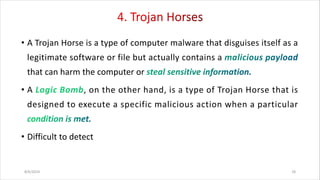
• A Trojan Horse is a type of computer malware that disguises itself as a
legitimate software or file but actually contains a
that can harm the computer or
• A , on the other hand, is a type of Trojan Horse that is
designed to execute a specific malicious action when a particular
• Difficult to detect
8/6/2024 18
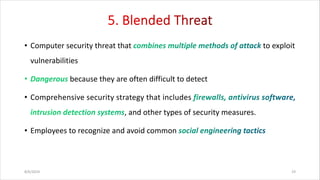
• Computer security threat that to exploit
vulnerabilities
because they are often difficult to detect
• Comprehensive security strategy that includes
, and other types of security measures.
• Employees to recognize and avoid common
8/6/2024 19
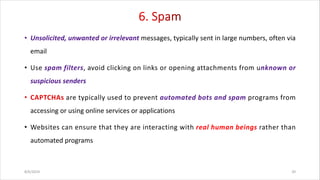
• Unsolicited, unwanted or irrelevant messages, typically sent in large numbers, often via
email
• Use spam filters, avoid clicking on links or opening attachments from unknown or
suspicious senders
are typically used to prevent automated bots and spam programs from
accessing or using online services or applications
• Websites can ensure that they are interacting with real human beings rather than
automated programs
8/6/2024 20
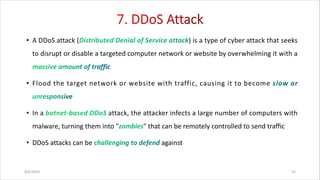
• A DDoS attack ( ) is a type of cyber attack that seeks
to disrupt or disable a targeted computer network or website by overwhelming it with a
• Flood the target network or website with traffic, causing it to become
• In a attack, the attacker infects a large number of computers with
malware, turning them into " " that can be remotely controlled to send traffic
• DDoS attacks can be against
8/6/2024 21
• Malicious software that allows an attacker to gain remote access to a
computer or network system while
• Common symptoms that may indicate the presence of a rootkit
- Unusual system behavior
- Unauthorized access
- Suspicious network activity
- Changes to system files
- Difficulty in removing
8/6/2024 22
• An Advanced Persistent Threat (APT) is a type of cyber attack that is
characterized by its ability to and persist over an
• Carried out by and attackers
• APT attacks are often carried out in several phases
- Reconnaissance
-
-
- Escalation of privileges
-
8/6/2024 23
• Attacker attempts to , such as
usernames, passwords, or credit card numbers
• Typically involve a message that appears to be from a
is a more targeted form of phishing
• Spear phishing attacks can take many forms, but typically involve the following
steps:
8/6/2024 24
• Smishing is a type of cyber attack in which an attacker uses
to send a message that appears to be from a legitimate source
• Creating a or offering a
• It is important to be
• Verify the sender, dont click on the links, use two-factor authentication, stay
up-to-date
is a type of cyber attack in which an to trick a
victim
8/6/2024 25
• Use of digital technology to for the purpose
of espionage or other malicious activities
• Typically carried out by advanced persistent threats (APTs)
• There are several different phases of a typical cyberespionage attack:
• Reconnaissance, Initial compromise, , lateral movement,
• Multi-layered approach to security that includes:
• Employee education, network security, access controls, , ongoing monitoring
8/6/2024 26
• Use of computer networks to carry out , e.g.
disrupting critical infrastructure, stealing sensitive information,
coordinated cyberattacks
• To prevent cyberterrorism the following policies may be practised:
• Cyber incident response planning, threat intelligence sharing,
,
8/6/2024 27
• Taking steps to protect your computer and data from potential threats.
1. Keep your software
2. Use passwords
3. Install software
4. Use
5. Be when downloading and opening files
6. Use
7. yourself
8/6/2024 28
• A security policy is a that states in writing how a company
plans to protect its (IT) assets.
• Explanation of how will be carried out and
enforced
• Security policies are important because they protect an organizations'
, both physical and digital
8/6/2024 29
• Facilitates , and
• Protects data
• Minimizes the risk of
• Executes across the organization
• Provides a clear security statement to third parties
• Helps comply with
8/6/2024 30
- information security, detection of breaches, overall
reputation
2.
3. - Confidentiality, availability, Integrity
4. - Hierarchical pattern, Network
security policy
5. - Categories, which may include “top secret”,
“secret”, “confidential”, and “public”
6. - Data protection regulations, Data
backup, Movement of data
8/6/2024 31
7. - Social engineering, Clean desk
policy, Acceptable Internet usage policy
8. - Encoding data to keep it inaccessible to or hidden
from unauthorized parties.
9. - frequency of backups, storage location
10. Responsibilities, rights, and duties of personnel
11. System hardening benchmarks
12. References to regulations and compliance standards
8/6/2024 32
- Prevent security incidents from occurring in the first
place, implementing
- Some common prevention measures include
and
- Identify security incidents as soon as possible so they can
be
- Monitoring and analyzing and to detect
anomalies and potential security incidents.
8/6/2024 33
- Minimize the damage caused by security incidents and to
quickly
- Incident response team, Containment and recovery, Post-incident
analysis
8/6/2024 34

Ethics in Information Technology - An Overview

  • 1.
    ETHICS IN INFORMATIONTECHNOLOGY (Unit I- An Overview of Ethics) III Sem B. Tech. Computer Sc. & Engg(CBCS) Department of Computer Science & Engineering Priyadarshini Bhagwati College of Engineering, Nagpur K. N. Hande Head of the Department 8/6/2024 1
  • 2.
    Professional Codes ofEthics • Sets of guidelines and principles that define ethical conduct in a particular profession. • Key features are 1) Purpose 2) Scope - Confidentiality, informed consent, conflicts of interest, and professional boundaries 3) Principles - Integrity, honesty, respect, fairness, and responsibility 4) Enforcement 5) Revision - Driven by advances in technology, new legal or regulatory requirements 8/6/2024 2
  • 3.
    Benefits of ProfessionalCodes of Ethics 1) Promotes Ethical Behavior 2) Builds Trust 3) Protects Clients 4) Enhances Professional Reputation 5) Provides a Framework for Decision-Making Professional codes of ethics are a valuable tool for promoting ethical behavior and decision-making in a particular profession 8/6/2024 3
  • 4.
    Professional Organizations Association forComputing Machinery (ACM) • Founded in 1947, the ACM is the world's largest scientific and educational computing society, with over 100,000 members in over 190 countries. 1) Membership 2) Publications 3) Conferences and Events 4) Special Interest Groups (SIGs) 5) Education and Outreach 8/6/2024 4
  • 5.
    Institute of Electricaland Electronics Engineers Computer Society (IEEE-CS) 1) Membership - individuals, students, and organizations 2) Publications - IEEE Transactions on Computers 3) Conferences and Events - IEEE International Conference on Robotics and Automation 4) Technical Committees - specific areas of computing, such as cloud computing, data mining, and multimedia computing. 5) Education and Outreach - curriculum guidelines, teaching materials, and professional development opportunities 8/6/2024 5
  • 6.
    Association of InformationTechnology Professionals (AITP) • Founded in 1951 and is headquartered in Chicago, Illinois 1) Memberships 2) Conferences and Events - AITP National Collegiate Conference 3) Chapters - speaker presentations, workshops, and social events 4) Education and Certification 5) Mentorship and Career Development 8/6/2024 6
  • 7.
    SysAdmin, Audit, Network,Security (SANS) Institute • Education and training in the fields of system administration, network security, and cyber security, founded in 1989 and is headquartered in Bethesda, Maryland. 1) Education and Training - system administration, network security, and cyber security 2) Certifications 3) Research and Publications - topics related to cyber security, including threat intelligence, vulnerability analysis, and incident response. 4) Conferences and Events 5) Community 8/6/2024 7
  • 8.
    Common Ethical Issuesfor IT Users 1) Privacy - information is accessed without the user's knowledge or consent 2) Cyberbullying - use of technology to harass, humiliate, or intimidate others 3) Intellectual Property - copyright, trademark, and patent laws 4) Security 5) Accessibility 6) Digital Divide - disparity between individuals who have access to technology and those who do not 7) Cybercrime - hacking, identity theft, and cyberstalking 8/6/2024 8
  • 9.
    Computer & InternetCrimes 8/6/2024 9
  • 10.
    Why Computer IncidentsAre So Prevalent? 1) Human error - Incidents such as data breaches, accidental deletion of files, or misconfigurations. 2) Complexity - Incredibly complex, with a multitude of interconnected devices, software, and networks 3) Malicious actors - Hackers, cybercriminals, and insiders who seek to exploit vulnerabilities 4) Lack of awareness - Falling for phishing scams, downloading malware, or using weak passwords. 5) Outdated Technology - Fail to keep their technology up-to- date with security patches and updates 8/6/2024 10
  • 11.
    BYOD (BRING YOUROWN DEVICE) POLICY • Employees are allowed to bring their personal mobile devices such as smartphones, laptops, or tablets • Increased productivity, employee satisfaction, and cost savings • Does not compromise the security of the organization's data and systems • Device selection, data security, acceptable use, and support • Comprehensive BYOD policy, increased productivity 8/6/2024 11
  • 12.
    Classifying perpetrators ofcomputer crime 1) Black hat hacker - Gain unauthorized access to computer systems or networks 2) Cracker - Bypass security measures 3) Malicious insider – Insider who uses the access for malicious purposes 4) Industrial spy - Individual or group, gain unauthorized access to trade secrets, proprietary information 5) Cybercriminal - Uses computer systems or networks to commit traditional crimes such as fraud, theft, and extortion 6) Hacktivist - To promote a political or social agenda 8/6/2024 12
  • 13.
    Classifying perpetrators ofcomputer crime 7) Cyberterrorist - Uses computer systems or networks, to promote a political or social agenda through acts of violence These categories are not mutually exclusive, and perpetrators may fall into multiple categories depending on their motivations and actions 8/6/2024 13
  • 14.
  • 15.
    • Exploit -Type of computer attack that takes advantage of vulnerabilities in software or hardware to gain unauthorized access to a computer system or network • Common types of exploits are discussed below 1) Ransomware - Malicious software that encrypts a victim's files or entire computer system, and demands payment (usually in cryptocurrency) in exchange for the decryption key • File-encrypting ransomware - WannaCry, Petya, and Locky • Screen-locking ransomware - locks a victim's computer screen, Moneypak, Reveton, and CryptoLocker • Mobile ransomware - Android Defender and Simplocker • Ransomware - as-a-service (RaaS) 8/6/2024 15
  • 16.
    2. Viruses • Typeof malware that infects a computer system or network by attaching itself to executable files or documents and replicating itself • Macro viruses, infects documents and spreadsheets • Infection, Replication and Payload approach • Be cautious when opening email attachments or downloading files from the internet 8/6/2024 16
  • 17.
    3. Worms • Aworm is a type of computer exploit that spreads through a computer network by exploiting vulnerabilities in software or hardware • Infection, Replication and Payload approach 8/6/2024 17
  • 18.
    • A TrojanHorse is a type of computer malware that disguises itself as a legitimate software or file but actually contains a that can harm the computer or • A , on the other hand, is a type of Trojan Horse that is designed to execute a specific malicious action when a particular • Difficult to detect 8/6/2024 18
  • 19.
    • Computer securitythreat that to exploit vulnerabilities because they are often difficult to detect • Comprehensive security strategy that includes , and other types of security measures. • Employees to recognize and avoid common 8/6/2024 19
  • 20.
    • Unsolicited, unwantedor irrelevant messages, typically sent in large numbers, often via email • Use spam filters, avoid clicking on links or opening attachments from unknown or suspicious senders are typically used to prevent automated bots and spam programs from accessing or using online services or applications • Websites can ensure that they are interacting with real human beings rather than automated programs 8/6/2024 20
  • 21.
    • A DDoSattack ( ) is a type of cyber attack that seeks to disrupt or disable a targeted computer network or website by overwhelming it with a • Flood the target network or website with traffic, causing it to become • In a attack, the attacker infects a large number of computers with malware, turning them into " " that can be remotely controlled to send traffic • DDoS attacks can be against 8/6/2024 21
  • 22.
    • Malicious softwarethat allows an attacker to gain remote access to a computer or network system while • Common symptoms that may indicate the presence of a rootkit - Unusual system behavior - Unauthorized access - Suspicious network activity - Changes to system files - Difficulty in removing 8/6/2024 22
  • 23.
    • An AdvancedPersistent Threat (APT) is a type of cyber attack that is characterized by its ability to and persist over an • Carried out by and attackers • APT attacks are often carried out in several phases - Reconnaissance - - - Escalation of privileges - 8/6/2024 23
  • 24.
    • Attacker attemptsto , such as usernames, passwords, or credit card numbers • Typically involve a message that appears to be from a is a more targeted form of phishing • Spear phishing attacks can take many forms, but typically involve the following steps: 8/6/2024 24
  • 25.
    • Smishing isa type of cyber attack in which an attacker uses to send a message that appears to be from a legitimate source • Creating a or offering a • It is important to be • Verify the sender, dont click on the links, use two-factor authentication, stay up-to-date is a type of cyber attack in which an to trick a victim 8/6/2024 25
  • 26.
    • Use ofdigital technology to for the purpose of espionage or other malicious activities • Typically carried out by advanced persistent threats (APTs) • There are several different phases of a typical cyberespionage attack: • Reconnaissance, Initial compromise, , lateral movement, • Multi-layered approach to security that includes: • Employee education, network security, access controls, , ongoing monitoring 8/6/2024 26
  • 27.
    • Use ofcomputer networks to carry out , e.g. disrupting critical infrastructure, stealing sensitive information, coordinated cyberattacks • To prevent cyberterrorism the following policies may be practised: • Cyber incident response planning, threat intelligence sharing, , 8/6/2024 27
  • 28.
    • Taking stepsto protect your computer and data from potential threats. 1. Keep your software 2. Use passwords 3. Install software 4. Use 5. Be when downloading and opening files 6. Use 7. yourself 8/6/2024 28
  • 29.
    • A securitypolicy is a that states in writing how a company plans to protect its (IT) assets. • Explanation of how will be carried out and enforced • Security policies are important because they protect an organizations' , both physical and digital 8/6/2024 29
  • 30.
    • Facilitates ,and • Protects data • Minimizes the risk of • Executes across the organization • Provides a clear security statement to third parties • Helps comply with 8/6/2024 30
  • 31.
    - information security,detection of breaches, overall reputation 2. 3. - Confidentiality, availability, Integrity 4. - Hierarchical pattern, Network security policy 5. - Categories, which may include “top secret”, “secret”, “confidential”, and “public” 6. - Data protection regulations, Data backup, Movement of data 8/6/2024 31
  • 32.
    7. - Socialengineering, Clean desk policy, Acceptable Internet usage policy 8. - Encoding data to keep it inaccessible to or hidden from unauthorized parties. 9. - frequency of backups, storage location 10. Responsibilities, rights, and duties of personnel 11. System hardening benchmarks 12. References to regulations and compliance standards 8/6/2024 32
  • 33.
    - Prevent securityincidents from occurring in the first place, implementing - Some common prevention measures include and - Identify security incidents as soon as possible so they can be - Monitoring and analyzing and to detect anomalies and potential security incidents. 8/6/2024 33
  • 34.
    - Minimize thedamage caused by security incidents and to quickly - Incident response team, Containment and recovery, Post-incident analysis 8/6/2024 34